ZR3-SECA1020CCT2LED Camera Motion Security Lights
Signcomplex Limited
Click to zoom
Application Details
- Equipment Class
- DTS - Digital Transmission System
- Date of Grant
- Mar 23, 2022
- Application Purpose
- Original Equipment
- Date of Application
- Mar 23, 2022
- Equipment Note
- LED Camera Motion Security Lights
- Frequency Range
- 2412.00000000 - 2462.00000000
- Company
- Signcomplex Limited
- Country
- China
Documents & Files
Document Text
Text extracted from the exhibit documents filed with the FCC. Open a document above to read the original.
Users Manual
LED Camera Motion Security Lights User Manual Controlled by Smart Life App works with the Google Assistant WORKS WITH amazon alexa Controlled by Tuya App White Wire Supply Wire Nut Green or Bare Ground Wire Gasket Black wire Supply Crossbarr Screw Crssbar Outlet Box Bracket Screw Mount Base Screw Washer Center Hole ① ②③ L N GND Rota�on adjustment angle INSTALLATION DRAWING 1 Dimensions (unit: inch) 7.36'' Ø4.22'' 8.46'' 0.19'' Ø4.22'' 0.16'' 3.47'' 2 Tuya App User Manual Tuya SmartSmart Life Currently, the camera supports 2.4G WiFi of the 802.11b/g/n Agreement, not supporting 5G WiFi. Please keep the 2.4G connection between the mobile phone and the router Download and install app (both apps can be used). 1. Quick operation guide Method 2: Scan QR code for quick download. Method 1: Search for “ Tuya Smart ” and “ Smart Life” in the mobile app store and download them. 3 the 802.llb/g/n • Open the app, If you don't have an account, click "create a new account" (Figure 1) to enter the privacy policy page of Aikan smart platform, Click “agree” and register the account with your mobile phone number or email. • After registration, log in to the system. You can choose password login or verification code login. • After logging into the system, you can directly choose to add a device or create a home and then add it. How to create a family: click "I" in the lower right corner of the app, select "family management" “my home ", fill in the information and save it. 2. Register user and log in Click "add device" or "+" on the top right of the app home page to manually add devices and search devices in the LAN, as shown in the figure, Select: Security & Video Surveillance → Smart Camera / Camera Light. 3. Add device: 12 12 3 4 App provides two distribution modes: Wi-Fi Mode (Figure 1)and QR code mode (Figure 2) . The QR code mode is the default mode. You can click "other distribution networks" in the upper right corner of the "QR code mode" home page to switch the distribution mode. When using WiFi to connect the distribution network quickly, first confirm that the indicator light of the intelligent device (red and blue flashing) is in the distribution network mode (after the initial distribution network or reset, power on the device and hear the beep sound). Select Wi-Fi Mode (Figure 1), click “EZ Mode” (Figure 2), enter WiFi password (Figure 3), click OK to enter the distribution network interface (Figure 4). Wait for the application to pop up the connection success interface, click Finish (Figure 5), and the device is added successfully. 3. Add device: 4. Network distribution mode 1 (Wi-Fi Mode) 12 5 12 4 3 5 * After the distribution network is successful, you can modify the equipment name or select the room location. 6 Using the QR code to configurate network, First, please confirm that the intelligent device indicator light (flashing red and blue) is in the distribution mode (after the initial distribution or reset, power on the device and hear the beep sound). Click the button (Figure 1) to enter the next step, enter the WiFi password (Figure 2), click OK, and the QR code distribution guidance interface will appear (Figure 3). Click continue to display a QR code. Scan the QR code on the mobile phone with the device. When you hear a long beep sound from the device, click the button to enter the next step and enter the distribution network interface (Figure 4). Wait for the application to pop up the connection success interface. Click Finish (Figure 5) to add the device successfully. 5. Distribution mode 2 (QR code distribution) * After the distribution network is successful, you can modify the equipment name or select the room location. 12 45 3 7 5.9 to 7.87 inch Click the device to enter the control panel of the camera (Figure 1). The interface displays the live broadcast picture, and can switch between HD and SD and play in full screen. The bottom menu provides settings such as full screen viewing, taking picture, intercom, video recording, video playback, picture direction, alarm, etc Click the setting button in the upper right corner to enter the setting interface, as shown in Figure 2. You can set the device name, shared device, basic device functions and other settings 6. View real-time video and main interface functions 12 Full ScreenTakingIntercomVideoFunction PlaybackGalleryTheme ColorNight ModeMotion Detection PIRSirenLightWorking Mode 8 7. Detailed setting of main interface function 7.1) Night vision mode option 7.2. PIR sensor sensitivity setting Night mode Auto / Off / On PIR option Off / Low sensitivity Medium sensitivity / High sensitivity 9 7. Detailed setting of main interface function 7.3) Light option setting The default lighting is 15s, which can be superimposed on 15s to extend the lighting time for 1s-360s Turn on / off light regularly 10 7.4) Sensor light on option 11 8. Setting interface (single/two-way) intercom alarm function timing setting 12 PIR Infrared human body sensing, sensitivity adjustment (off / low / medium / high) four levels optional, the highest sensing distance is 8m, the sensing angle is 135 degrees, the light will be on and the alarm will sound when sensing the movement of objects, and the light only with PIR does not provide photographing and background push messages. 9.1)PIR sensor Adjust the sensitivity of motion detection, (low / medium / high) three levels optional, turn on the high sensitivity of motion detection + human body filtering, and the maximum sensing distance is 6m, that is, the camera sees the object moving and recognizes that it is a person to take photos. At the same time, turn on the light and push the photos to the user's mobile phone in the background for real-time viewing. Motion detection is that the camera lens senses the object moving. 9.2) Motion detection 9. Alarm function setting description 13 PIR + motion detection 2in 1 sensing, that is, when they sense the movement of objects at the same time, turn on the light, take photo…
Text truncated - open the document above for the full version.
Cover Letter(s)
itterences ec1arat1on 丁owhom concern. We company SIGNCO�tPLEX L [MI'l ' 巳Dhereby declares: The product mod : els SECA]-XXX-AW-3CCT-YY XXX---1·e1J1·esenL� tl1e PO\'v'er, YY-- regresents the Light bodv· color or seouential 11u111be1· Sante inten1al circuitry artd driver PCB layout, different lamp body colour, single and double head po,, r er rutd model, disti11guisl1ed by XXXYY Authorized signature: . Date: 2022-3-10 . .. ·· . · · , ".
External Photos
Test Model No.: SECA1‐020‐AW‐3CCT‐02
ID Label/Location Info
Silver-matt / black font / strong viscous back
ID Label/Location Info
Model: SECA1-020-AW-3CCT-01 Rating: 110~130V AC, 50/60Hz, 0.25A, 20W CONFORMS TO UL STD.1598 CERTIFIED TO CSA STD. C22.2 NO.250.0 FCC IDZR3-SECA1020CCT2 Made In China 4007461 This device complies with part 15 of the FCC Rules. Operation is subject to the following two conditions: (1) This device may not cause harmful interference, and (2) this device must accept any interference received, including interference that may cause undesired operation.
Internal Photos
Test Model No.: SECA1‐020‐AW‐3CCT‐02
RF Exposure Info
FCC ID: ZR3-SECA1020CCT2 RF Exposure Evaluation Limits The criteria listed in the following table shall be used to evaluate the environment impact of human exposure to radio frequency (RF) radiation as specified in 1.1307(b) Limits for Maximum Permissible Exposure (MPE) Frequency range (MHz) Electric field strength (V/m) Magnetic field strength (A/m) Power density (mW/cm 2 ) Averaging time (minutes) (A) Limits for Occupational/Controlled Exposures 0.3–3.0 614 1.63 *(100) 6 3.0–30 1842/f 4.89/f *(900/f 2 ) 6 30–300 61.4 0.163 1.0 6 300–1500 f/300 6 1500–100,000 5 6 (B) Limits for General Population/Uncontrolled Exposure 0.3–1.34 614 1.63 *(100) 30 1.34–30 824/f 2.19/f *(180/f 2 ) 30 30–300 27.5 0.073 0.2 30 300–1500 f/1500 30 1500–100,000 1.0 30 f = frequency in MHz Friis transmission formula: Pd = (Pout*G)/(4*pi*r 2 ) Where Pd = power density in mW/cm 2 , Pout = output power to antenna in mW; G = gain of antenna in linear scale, Pi = 3.1416; R = distance between observation point and center of the radiator in cm Pd id the limit of MPE, 1 mW/cm 2 . If we know the maximum gain of the antenna and the total power input to the antenna, through the calculation, we will know the distance r where the MPE limit is reached. Test Procedure Software provided by client enabled the EUT to transmit and receive data at lowest, middle and highest channel individually. Test Result of RF Exposure Evaluation Wifi 2.4G Channel Max output power to antenna (dBm) Output power to antenna (mW) Power Density at R=20cm (mW/cm 2 ) Limit (mW/cm 2 ) Result 2437MHz 17.96 62.52 0.0176 1.0 PASS Remark: The max power density is less than MPE exempt limit, so it is compliance.
Test Report
Report No.: GTS202202000116F01 Global United Technology Services Co., Ltd. No. 123-128, Tower A,Jinyuan Business Building, No.2, Laodong Industrial Zone, Xixiang Road, Baoan District, Shenzhen, Guangdong, China 518102 Telephone: +86 (0) 755 2779 8480 Fax: +86 (0) 755 2779 8960 Page 1 of 30 Appendix for 15.247 1. Bandwidth 1.1 Test Result Test Mode Frequency (MHz) TX Type ANT No. 6dB Bandwidth Verdict Test Result (MHz) Limits (MHz) 802.11b 2412 SISO 1 9.057 ≥0.5 PASS 2437 SISO 1 9.055 ≥0.5 PASS 2462 SISO 1 9.048 ≥0.5 PASS 802.11g 2412 SISO 1 16.396 ≥0.5 PASS 2437 SISO 1 16.393 ≥0.5 PASS 2462 SISO 1 16.406 ≥0.5 PASS 802.11n(HT20) 2412 SISO 1 17.323 ≥0.5 PASS 2437 SISO 1 17.579 ≥0.5 PASS 2462 SISO 1 17.586 ≥0.5 PASS Test Mode Frequency (MHz) TX Type ANT No. 99% Occupied Bandwidth Test Result (MHz) 802.11b 2412 SISO 1 13.374 Only for Report Use 2437 SISO 1 13.403 Only for Report Use 2462 SISO 1 13.398 Only for Report Use 802.11g 2412 SISO 1 16.845 Only for Report Use 2437 SISO 1 16.916 Only for Report Use 2462 SISO 1 16.927 Only for Report Use 802.11n(HT20) 2412 SISO 1 17.946 Only for Report Use 2437 SISO 1 17.935 Only for Report Use 2462 SISO 1 17.960 Only for Report Use Report No.: GTS202202000116F01 Global United Technology Services Co., Ltd. No. 123-128, Tower A,Jinyuan Business Building, No.2, Laodong Industrial Zone, Xixiang Road, Baoan District, Shenzhen, Guangdong, China 518102 Telephone: +86 (0) 755 2779 8480 Fax: +86 (0) 755 2779 8960 Page 2 of 30 1.2 Test Graph - 6dB Bandwidth Report No.: GTS202202000116F01 Global United Technology Services Co., Ltd. No. 123-128, Tower A,Jinyuan Business Building, No.2, Laodong Industrial Zone, Xixiang Road, Baoan District, Shenzhen, Guangdong, China 518102 Telephone: +86 (0) 755 2779 8480 Fax: +86 (0) 755 2779 8960 Page 3 of 30 Report No.: GTS202202000116F01 Global United Technology Services Co., Ltd. No. 123-128, Tower A,Jinyuan Business Building, No.2, Laodong Industrial Zone, Xixiang Road, Baoan District, Shenzhen, Guangdong, China 518102 Telephone: +86 (0) 755 2779 8480 Fax: +86 (0) 755 2779 8960 Page 4 of 30 Report No.: GTS202202000116F01 Global United Technology Services Co., Ltd. No. 123-128, Tower A,Jinyuan Business Building, No.2, Laodong Industrial Zone, Xixiang Road, Baoan District, Shenzhen, Guangdong, China 518102 Telephone: +86 (0) 755 2779 8480 Fax: +86 (0) 755 2779 8960 Page 5 of 30 Report No.: GTS202202000116F01 Global United Technology Services Co., Ltd. No. 123-128, Tower A,Jinyuan Business Building, No.2, Laodong Industrial Zone, Xixiang Road, Baoan District, Shenzhen, Guangdong, China 518102 Telephone: +86 (0) 755 2779 8480 Fax: +86 (0) 755 2779 8960 Page 6 of 30 1.3 Test Graph - 99% Occupied Bandwidth Report No.: GTS202202000116F01 Global United Technology Services Co., Ltd. No. 123-128, Tower A,Jinyuan Business Building, No.2, Laodong Industrial Zone, Xixiang Road, Baoan District, Shenzhen, Guangdong, China 518102 Telephone: +86 (0) 755 2779 8480 Fax: +86 (0) 755 2779 8960 Page 7 of 30 Report No.: GTS202202000116F01 Global United Technology Services Co., Ltd. No. 123-128, Tower A,Jinyuan Business Building, No.2, Laodong Industrial Zone, Xixiang Road, Baoan District, Shenzhen, Guangdong, China 518102 Telephone: +86 (0) 755 2779 8480 Fax: +86 (0) 755 2779 8960 Page 8 of 30 Report No.: GTS202202000116F01 Global United Technology Services Co., Ltd. No. 123-128, Tower A,Jinyuan Business Building, No.2, Laodong Industrial Zone, Xixiang Road, Baoan District, Shenzhen, Guangdong, China 518102 Telephone: +86 (0) 755 2779 8480 Fax: +86 (0) 755 2779 8960 Page 9 of 30 Report No.: GTS202202000116F01 Global United Technology Services Co., Ltd. No. 123-128, Tower A,Jinyuan Business Building, No.2, Laodong Industrial Zone, Xixiang Road, Baoan District, Shenzhen, Guangdong, China 518102 Telephone: +86 (0) 755 2779 8480 Fax: +86 (0) 755 2779 8960 Page 10 of 30 Report No.: GTS202202000116F01 Global United Technology Services Co., Ltd. No. 123-128, Tower A,Jinyuan Business Building, No.2, Laodong Industrial Zone, Xixiang Road, Baoan District, Shenzhen, Guangdong, China 518102 Telephone: +86 (0) 755 2779 8480 Fax: +86 (0) 755 2779 8960 Page 11 of 30 2. Maximum Conducted Output Power 2.1 Test Result Test Mode Frequency (MHz) Tx Type Measured Peak Output Power (dBm) Limits (dBm) Verdict Ant 1 802.11b 2412 SISO 17.43 30 PASS 2437 SISO 17.35 30 PASS 2462 SISO 16.58 30 PASS 802.11g 2412 SISO 17.18 30 PASS 2437 SISO 17.96 30 PASS 2462 SISO 17.73 30 PASS 802.11n(HT20) 2412 SISO 17.13 30 PASS 2437 SISO 17.93 30 PASS 2462 SISO 17.71 30 PASS 2.2 Test Graph Report No.: GTS202202000116F01 Global United Technology Services Co., Ltd. No. 123-128, Tower A,Jinyuan Business Building, No.2, Laodong Industrial Zone, Xixiang Road, Baoan District, Shenzhen, Guangdong, China 518102 Telephone: +86 (0) 755 2779 8480 Fax: +86 (0) 755 2779 8960 Page 12 of 30 Report No.: GTS202202000116F01 Global United Technology Services Co., Ltd. No. 123-128, Tower A,Jinyuan Business Building, No.2, Laodong Industrial Zone, Xixiang Road, Baoan District, Shenzhen, Guangdong, China 518102 Telephone: +86 (0) 755 2779 8480 Fax: +86 (0) 755 2779 8960 Page 13 of 30 Report No.: GTS202202000116F01 Global United Technology Services Co., Ltd. No. 123-128, Tower A,Jinyuan Business Building, No.2, Laodong Industrial Zone, Xixiang Road, Baoan District, Shenzhen, Guangdong, China 518102 Telephone: +86 (0) 755 2779 8480 Fax: +86 (0) 755 2779 8960 Page 14 of 30 Report No.: GTS202202000116F01 Global United Technology Services Co., Ltd. No. 123-128, Tower A,Jinyuan Business Building, No.2, Laodong Industrial Zone, Xixiang Road, Baoan District, Shenzhen, Guangdong, China 518102 Telephone: +86 (0) 755 2779 8480 Fax: +86 (0) 755 2779 8960 Page 15 of 30 Report No.: GTS202202000116F01 Global United Technology Services Co., Ltd. No. 123-128, Tower A,Jinyuan Business Building, No.2, Laodong Industrial Zone, Xixiang Road, Baoan District, Shenzhen, Guangdong, China 518102 Telephone: +86 (0) 755 2779 8480 Fax: +…
Text truncated - open the document above for the full version.
Test Report
Global United Technology Services Co., Ltd. Report No.: GTS202202000116F01 Authorized Signature: Robinson Luo Laboratory Manager This results shown in this test report refer only to the sample(s) tested, this test report cannot be reproduced, except in full, without prior written permission of the company. The report would be invalid without specific stamp of test institute and the signatures of compiler and approver. Page 1 of 35 TEST REPORT Applicant: Signcomplex Limited Address of Applicant: Yijia Industrial Park, Fuqian Road, Guanlan Town, Bao an, Shenzhen,Guangdong, China Manufacturer: SIGNCOMPLEX LIMITED Address of Manufacturer: No.70 Hexiang West Road, Heshan Industrial Park, Heshan, Guangdong, China Equipment Under Test (EUT) Product Name: LED Camera Motion Security Lights Model No.: SECA1-020-AW-3CCT-02, SECA1-XXX-AW-CCT-YY(XXX--- represents the power, YY-- represents the Light body color or sequential number) FCC ID: ZR3-SECA1020CCT2 Applicable standards: FCC CFR Title 47 Part 15 Subpart C Section 15.247 Date of sample receipt: February 25, 2022 Date of Test: February 25, 2022-March 08, 2022 Date of report issued: March 08, 2022 Test Result : PASS * * In the configuration tested, the EUT complied with the standards specified above. Report No.: GTS202202000116F01 Global United Technology Services Co., Ltd. No. 123-128, Tower A,Jinyuan Business Building, No.2, Laodong Industrial Zone, Xixiang Road, Baoan District, Shenzhen, Guangdong, China 518102 Telephone: +86 (0) 755 2779 8480 Fax: +86 (0) 755 2779 8960 Page 2 of 35 2 Version Version No. Date Description 00 March 08, 2022 Original Prepared By: Date: March 08, 2022 Project Engineer Check By: Date: March 08, 2022 Reviewer Report No.: GTS202202000116F01 Global United Technology Services Co., Ltd. No. 123-128, Tower A,Jinyuan Business Building, No.2, Laodong Industrial Zone, Xixiang Road, Baoan District, Shenzhen, Guangdong, China 518102 Telephone: +86 (0) 755 2779 8480 Fax: +86 (0) 755 2779 8960 Page 3 of 35 3 Contents Page 1 COVER PAGE ........................................................................................................................................... 1 2 VERSION .................................................................................................................................................. 2 3 CONTENTS .............................................................................................................................................. 3 4 TEST SUMMARY ..................................................................................................................................... 4 5 GENERAL INFORMATION ...................................................................................................................... 5 5.1 GENERAL DESCRIPTION OF EUT ......................................................................................................... 5 5.2 TEST MODE ........................................................................................................................................ 7 5.3 DESCRIPTION OF SUPPORT UNITS ....................................................................................................... 7 5.4 DEVIATION FROM STANDARDS ............................................................................................................. 7 5.5 ABNORMALITIES FROM STANDARD CONDITIONS ................................................................................... 7 5.6 TEST FACILITY .................................................................................................................................... 7 5.7 TEST LOCATION ................................................................................................................................. 7 5.8 ADDITIONAL INSTRUCTIONS ................................................................................................................. 7 6 TEST INSTRUMENTS LIST ..................................................................................................................... 8 7 TEST RESULTS AND MEASUREMENT DATA .................................................................................... 10 7.1 ANTENNA REQUIREMENT ................................................................................................................... 10 7.2 CONDUCTED EMISSIONS ................................................................................................................... 11 7.3 CONDUCTED PEAK OUTPUT POWER .................................................................................................. 14 7.4 CHANNEL BANDWIDTH ...................................................................................................................... 15 7.5 POWER SPECTRAL DENSITY ............................................................................................................. 16 7.6 SPURIOUS EMISSION IN NON-RESTRICTED & RESTRICTED BANDS ....................................................... 17 7.6.1 Conducted Emission Method ..................................................................................................... 17 7.6.2 Radiated Emission Method ........................................................................................................ 18 8 TEST SETUP PHOTO ............................................................................................................................ 35 9 EUT CONSTRUCTIONAL DETAILS ..................................................................................................... 35 Report No.: GTS202202000116F01 Global United Technology Services Co., Ltd. No. 123-128, Tower A,Jinyuan Business Building, No.2, Laodong Industrial Zone, Xixiang Road, Baoan District, Shenzhen, Guangdong, China 518102 Telephone: +86 (0) 755 2779 8480 Fax: +86 (0) 755 2779 8960 Page 4 of 35 4 Test Summary Test Item Section Result Antenna requirement FCC part 15.203/15.247 (c) Pass AC Power Line Conducted Emission FCC part…
Text truncated - open the document above for the full version.
Test Setup Photos
Test Model No.: SECA1‐020‐AW‐3CCT‐02 Radiated Emission Conducted Emission
Contact Information
Applicant
jing hua liu
Technical Contact
Test Firm
Global United Technology Services Co. Ltd.Robinson Lo
Technical Specifications
| # | Rule Parts | Frequency Range | Power Output |
|---|---|---|---|
| 1 | 15C | 2.41 GHz - 2.46 GHz | 62.52 mW |
Other Applications from Signcomplex Limited
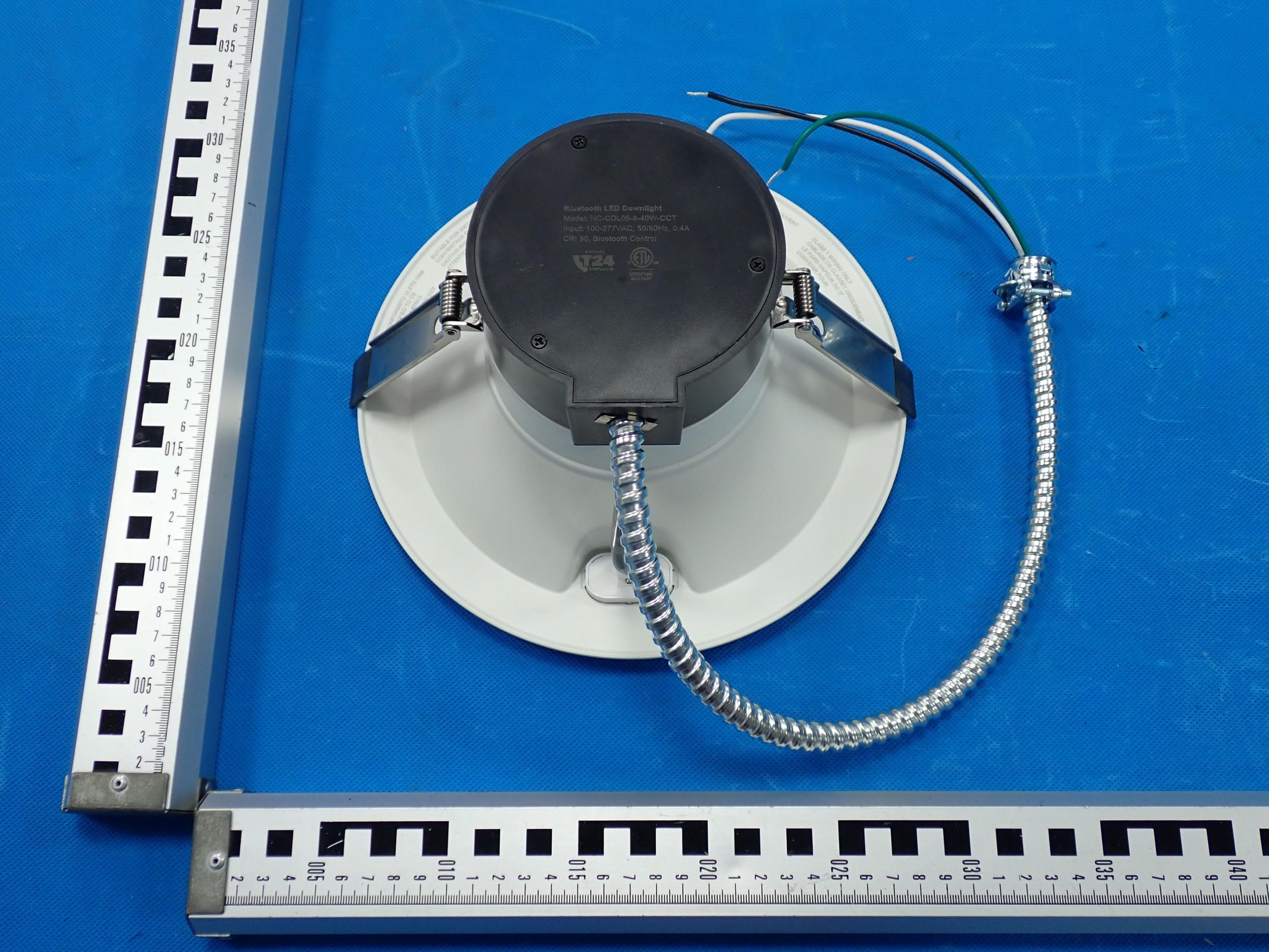
ZR3-DL107RG
Mar 31, 2026LED recessed downlight
Equipment Class
DTS - Digital Transmission System
ZR3-SKPT1UHL
Nov 25, 2025LED light
Equipment Class
DTS - Digital Transmission System
ZR3-SKPCBU
Jun 21, 2024LED Retrofit Downlight
Equipment Class
DTS - Digital Transmission SystemZR3-SECABCAM5G
May 13, 2024LED Camera Motion Security Lights
Equipment Class
NII - Unlicensed National Information Infrastructure TX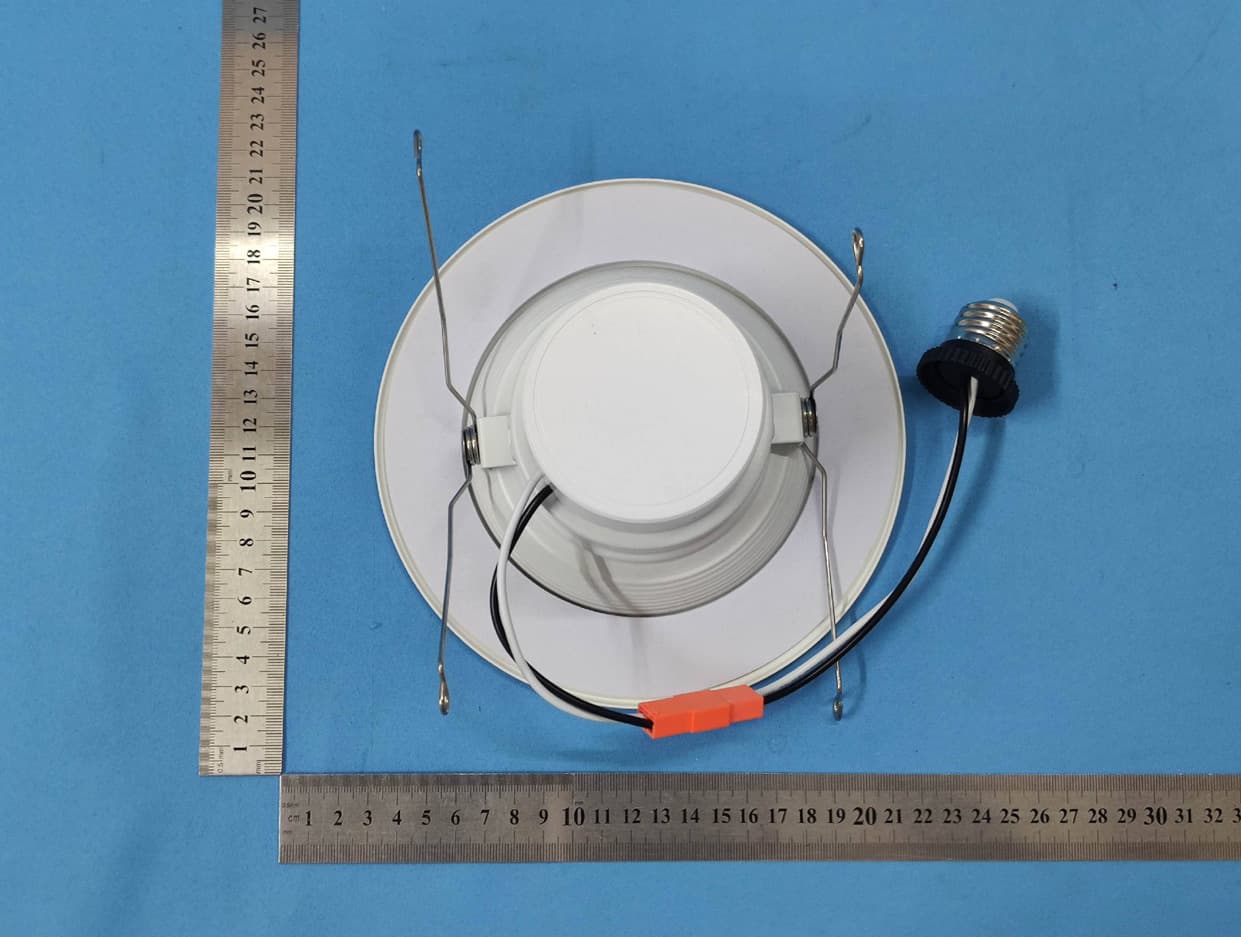
ZR3-HTT0913AL
Jan 13, 2021Smart LED Downlight
Equipment Class
DTS - Digital Transmission System