2A2PW156801FIRMWARE UPGRADE TOOL KIT
FS.COM Inc.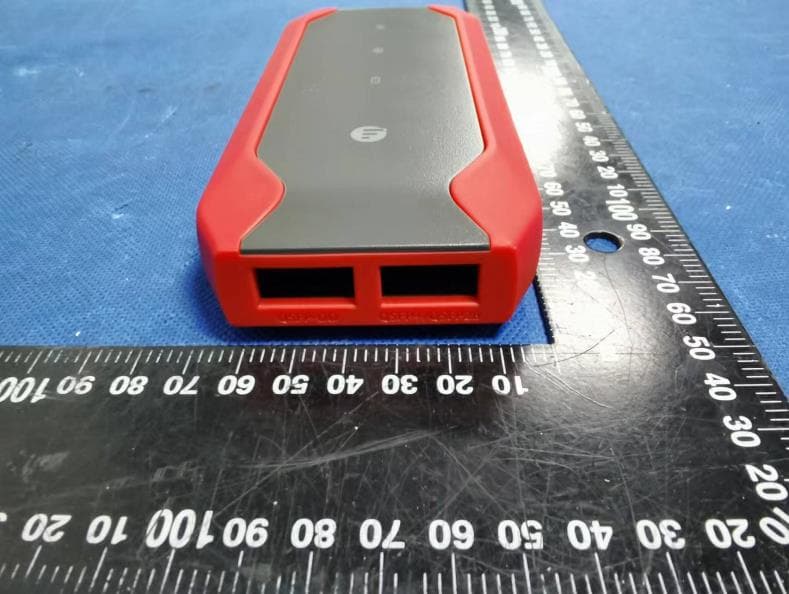
Click to zoom
Application Details
- Equipment Class
- DTS - Digital Transmission System
- Date of Grant
- Nov 09, 2022
- Application Purpose
- Original Equipment
- Date of Application
- Nov 09, 2022
- Equipment Note
- FIRMWARE UPGRADE TOOL KIT
- Frequency Range
- 2402.00000000 - 2480.00000000
- Company
- FS.COM Inc.
- Country
- United States
Documents & Files
Document Text
Text extracted from the exhibit documents filed with the FCC. Open a document above to read the original.
Users Manual
Quick Start Guide Quick-Start Anleitung Guide de Démarrage Rapide V4.0 FIRMWARE UPGRADE TOOL KIT FIRMWARE UPGRADE TOOL KIT KIT D'OUTILS POUR MISE À NIVEAU DU FIRMWARE FS-BOX-V4 Intr oduction Supported Transceiver Type XFP EN 1 QSFP+/QSFP28QSFP-DD SFP+/SFP28 FS-BOX-V4 is recommended to work with FS Transceivers & DAC/AOC Cables. It is designed to achieve multiple functions such as online con guration compatibility, diagnosing and troubleshooting, wavelength tuning for tunable transceivers, etc. With built-in rechargeable lithium-ion batteries, supporting operate on APP via Bluetooth and PC via USB, to meet your various con guration scenarios. FS FS SR FS SR FS SR4 SFP+/SFP28 QSFP+/QSFP28 XFP QSFP-DD XFP SFP+/SFP28 2 1 Bluetooth Indicator Power Indicator Status Indicator Power Button Connection instructions App: Scan the QR code, download and install the FS.COM APP. For those who have installed the FS.COM APP, you can directly nd the 'Tool' section at the bottom of the page, click 'Go to Con gure' in the Tool section, and connect to FS-BOX-V4 via the prompts for the app. (Detailed steps can be found in APP Operation) Web: Login to fsbox.com, connect the FS-BOX-V4 to your PC via USB, download the driver and nish the installation. (Detailed steps can be found in Web Operation) 3 Operation Instructions 4 https://img-en.fs.com/ le/user_manual/fs-box-v4-quick-start-guide-en.pdf https://img-en.fs.com/ le/user_manual/fs-box-v4-quick-start-guide-eng.pdf APP Web 2 EN EN 3 Power Indicator Hardware Instructions 5 Short press the power button: Power on.1 Press the power button for 2s: Power o .2 After powering (Short press the power bottom or powering via USB), the Bluetooth will be enabled automatically. 3 Indicator Light instructions.4 Bluetooth Indicator Power IndicatorOperation Always RedLow Battery O Power O Normal Charge / Fully ChargedAlways White Breathing White Charging Bluetooth IndicatorOperation 2. Box power is low O 1. Box is not powered on 3. Box is paired with computer Red LightWaiting for Matching White LightMatching Succeeds No operation Included: Not connected with the mobile phone via the Bluetooth 1 Not inserted the transceiver, while Bluetooth connected 2 Bluetooth connected, and inserted the transceiver, but no next operation 3 Review the user guide before using FS Box.1 Avoid using in a dusty, damp, or near a magnetic eld.2 Built-in rechargeable lithium-ion batteries, don't attempt to replace the battery yourself. Keep it away from re, excessive heat, and direct sunlight. Do not disassemble, modify, throw, or squeeze it. 3 The lithium-ion battery in your FS Box must be recycled or disposed of separately from household waste, you should dispose of the batteries according to your local environmental laws and guidelines. 4 Status Indicator Safety Information Status Indicator Operation Always Red Blinking White Breathing White Always White In Con guration No Inserted 1. Reading Succeeds 2. Con guration Succeeds 1. Reading Failed 2. Con guration Failed NOTE: Timed Powered O : The FS Box will be automatically powered o if there is no operation for 15 minutes (No USB powering 4 EN Einführung 1 Unterstützter Transceiver-Typ XFP DE 5 QSFP+/QSFP28QSFP-DD SFP+/SFP28 Die FS-BOX-V4 wird für die Arbeit mit FS-Transceivern und DAC/AOC-Kabeln empfohlen. Sie ist so konzipiert, dass sie mehrere Funktionen wie Online- Kompatibilitäts-Kon guration, Diagnose und Fehlersuche, Wellenlängenabstimmung für abstimmbare Transceiver usw. bietet. Mit eingebauten und wiederau adbaren Lithium-Ionen-Batterien unterstützt die FS Box den Betrieb per APP über Bluetooth und per PC über USB, was die verschiedenen Kon gurationsszenarien erfüllt. FS FS SR FS SR FS SR4 2 1 SFP+/SFP28 QSFP+/QSFP28 XFP QSFP-DD XFP SFP+/SFP28 Bluetooth-Anzeige Stromanzeige Statusanzeige Power-Taste App: Scannen Sie den QR-Code, laden Sie die FS.COM-App herunter und installieren Sie sie. Wenn Sie die FS.COM-App installiert haben, nden Sie unten auf der Seite direkt den Abschnitt "Tool", klicken Sie im "Tool" auf "Go to Con gure" und verbinden Sie die FS-BOX-V4 gemäß den Anweisungen in der App. (Detaillierte Schritte nden Sie in der FS-APP) Web: Melden Sie sich auf fsbox.com an, schließen Sie die FS-BOX-V4 über USB an Ihren PC an, laden Sie den Treiber herunter und schließen Sie die Installation ab. (Detaillierte Schritte nden Sie unter Webbedienung) 3 Bedienungsanleitung 4 Anschlusshinweise APP Web https://img-en.fs.com/ le/user_manual/fs-box-v4-quick-start-guide-de.pdf https://img-en.fs.com/ le/user_manual/fs-box-v4-quick-start-guide-deg.pdf 6 DE DE 7 Stromanzeige Hardwareanleitung 5 Drücken Sie kurz die Einschalttaste: Einschalten.1 Drücken Sie die Einschalttaste für 2 Sekunden: Ausschalten.2 Nach dem Einschalten (kurzes Drücken der Einschalttaste oder Einschalten über USB) wird Bluetooth automatisch aktiviert. 3 Anweisungen der Anzeigen.4 Bluetooth-Anzeige StromanzeigeVorgang Immer RotSchwache Batterie AusStrom aus Normales Laden / Vollständig aufgeladenImmer Weiß Weiß blinkt leicht Lädt Bluetooth-AnzeigeVorgang 2. Die Stromversorgung der Boxist schwach Aus 1. BOX ist nicht eingeschaltet 3. Box ist mit dem Computer gekoppelt Immer RotWarten auf Verbinden Immer Weiß Verbinden erfolgreich Keine Bedienung einschließlich: Keine Verbindung mit dem Mobiltelefon über Bluetooth; 1 Kein Transceiver eingesteckt, während Bluetooth verbunden ist;2 Bluetooth ist verbunden, und der Transceiver ist eingesteckt, aber kein anderer Vorgang. 3 Statusanzeige Statusanzeige Vorgang Immer Rot Weiß blinkt Weiß blinkt leicht Immer Weiß Kon guration läuft Nicht eingefügt 1. Lesevorgang erfolgreich 2. Kon guration erfolgreich 1. Lesevorgang fehlgeschlagen 2. Kon guration fehlgeschlagen HINWEIS: Zeitgesteuerte Abschaltung: Die FS Box schaltet sich automatisch aus, wenn 15 Minuten lang keine Bedienung erfolgt (keine USB-Stromversorgung). 8 DE DE 9 Lesen Sie das Benutzerhandbuch, bevor Sie die FS Box benutzen.1 Verwenden Sie das Gerät nicht in einer staubi…
Text truncated - open the document above for the full version.
Cover Letter(s)
C5266091_X8_Ed.1 1/1 Letter of Authorization Company: FS.COM Inc. Address: 380 Centerpoint Blvd, New Castle, DE 19720, United States Product Name: FIRMWARE UPGRADE TOOL KIT Model Number: FS-BOX-V4 FCC Identifier: 2A2PW156801 We authorize LGAI Technological Center S.A., Ronda de la Font del Carme, s/n, 08193 Bellaterra, Spain, to act on our behalf on all matters concerning the above named equipment. Any individual within LGAI Technological Center S.A. is authorized to act on our behalf and take action on the application. We declare that authorize LGAI Technological Center S.A., Ronda de la Font del Carme, s/n, 08193 Bellaterra, Spain, is allowed to forward all information related to the approval project to the Federal Communication Commission and to discuss any issues concerning the approval application. Any and all acts carried out by LGAI Technological Center S.A. on our behalf shall have the same effect as acts of our own. Name: Tao Zhang Date: 2022-10-31 Title: General.Manager.of.North.America Signature of applicant:
External Photos
GTSL202211000047 Global United Technology Services Co., Ltd. No. 123-128, Tower A, Jinyuan Business Building, No.2, Laodong Industrial Zone, Xixiang Road, Baoan District, Shenzhen, Guangdong, China 518102 Telephone: +86 (0) 755 2779 8480 Fax: +86 (0) 755 2779 8960 Page 1 of 6 Product Name: FIRMWARE UPGRADE TOOL KIT Test Model No.: FS-BOX-V4 EUT Constructional Details GTSL202211000047 Global United Technology Services Co., Ltd. No. 123-128, Tower A, Jinyuan Business Building, No.2, Laodong Industrial Zone, Xixiang Road, Baoan District, Shenzhen, Guangdong, China 518102 Telephone: +86 (0) 755 2779 8480 Fax: +86 (0) 755 2779 8960 Page 2 of 6 GTSL202211000047 Global United Technology Services Co., Ltd. No. 123-128, Tower A, Jinyuan Business Building, No.2, Laodong Industrial Zone, Xixiang Road, Baoan District, Shenzhen, Guangdong, China 518102 Telephone: +86 (0) 755 2779 8480 Fax: +86 (0) 755 2779 8960 Page 3 of 6 GTSL202211000047 Global United Technology Services Co., Ltd. No. 123-128, Tower A, Jinyuan Business Building, No.2, Laodong Industrial Zone, Xixiang Road, Baoan District, Shenzhen, Guangdong, China 518102 Telephone: +86 (0) 755 2779 8480 Fax: +86 (0) 755 2779 8960 Page 4 of 6 GTSL202211000047 Global United Technology Services Co., Ltd. No. 123-128, Tower A, Jinyuan Business Building, No.2, Laodong Industrial Zone, Xixiang Road, Baoan District, Shenzhen, Guangdong, China 518102 Telephone: +86 (0) 755 2779 8480 Fax: +86 (0) 755 2779 8960 Page 5 of 6 GTSL202211000047 Global United Technology Services Co., Ltd. No. 123-128, Tower A, Jinyuan Business Building, No.2, Laodong Industrial Zone, Xixiang Road, Baoan District, Shenzhen, Guangdong, China 518102 Telephone: +86 (0) 755 2779 8480 Fax: +86 (0) 755 2779 8960 Page 6 of 6 ------End------
Internal Photos
GTSL202211000047 Global United Technology Services Co., Ltd. No. 123-128, Tower A, Jinyuan Business Building, No.2, Laodong Industrial Zone, Xixiang Road, Baoan District, Shenzhen, Guangdong, China 518102 Telephone: +86 (0) 755 2779 8480 Fax: +86 (0) 755 2779 8960 Page 1 of 3 Product Name: FIRMWARE UPGRADE TOOL KIT Test Model No.: FS-BOX-V4 EUT Constructional Details GTSL202211000047 Global United Technology Services Co., Ltd. No. 123-128, Tower A, Jinyuan Business Building, No.2, Laodong Industrial Zone, Xixiang Road, Baoan District, Shenzhen, Guangdong, China 518102 Telephone: +86 (0) 755 2779 8480 Fax: +86 (0) 755 2779 8960 Page 2 of 3 Antenna GTSL202211000047 Global United Technology Services Co., Ltd. No. 123-128, Tower A, Jinyuan Business Building, No.2, Laodong Industrial Zone, Xixiang Road, Baoan District, Shenzhen, Guangdong, China 518102 Telephone: +86 (0) 755 2779 8480 Fax: +86 (0) 755 2779 8960 Page 3 of 3 ------End------
RF Exposure Info
Global United Technology Services Co., Ltd. 1 / 2 FCC ID: 2A2PW156801 1. RF EXPOSURE 1.1. The Requirement System operating under the provisions of this section shall be operated in a manner that ensures that the public is not exposed to radio frequency energy levels in excess of the Commission’s guidelines. See Section 15.247(b)(4) and Section 1.1307(b)(1) 1.2. Limit For Maximum Permissible Exposure (MPE) Limits for General Population/ Uncontrolled Exposure F = frequency in MHz, * Plane-wave equivalent power density 1.3. MPE Calculation Method Predication of MPE limit at a given distance Equation from page 18 of OET Bulletin 65, Edition 97-01 S=PG/4πR² Where: S=power density P=power input to antenna G=power gain of the antenna in the direction of interest relative to an isotropic radiator R=distance to the center of radiation of the antenna From the peak EUT RF output power, the minimum mobile separation distance, d=0.2m, as well as the gain of the BLE antenna is 2.5dBi and the gainthe RF power density can be obtained. Frequency Range (MHz) Electric Field Strength (E) (V/m) Magnetic Field Strength (H) (A/m) Power Density (S) ( 2 mW/cm ) Averaging Time 2 E , 2 H or S (minutes) 0.3-1.34 614 1.63 (100)* 30 1.34-30 824/f 2.19/f (180/f)* 30 30-300 27.5 0.073 0.2 30 300-1500 f/1500 30 1500-100,000 1.0 30 Global United Technology Services Co., Ltd. 2 / 2 1.4. TEST RESULTS BLE mode Test Frequenc y (MHz) Minimum Separation Distance (cm) Output Power (dBm) Target power (dBm) Target power (mW) Antenna Gain (Numeric) Power Density Limit (mW/cm 2 ) Power Density At 20 cm (mW/cm 2 ) Test Results 2402 20.00 -3.97 -3±1 0.63 1.07 1 0.0001 Pass 2440 20.00 -5.766 -5±1 0.4 1.07 1 0.0001 Pass 2480 20.00 -5.995 -5±1 0.4 1.07 1 0.0001 Pass 1.5. FCC Radiation Exposure Statement This equipment complies with FCC radiation exposure limits set forth for an uncontrolled environment. In order to avoid the possibility of exceeding the FCC radio frequency exposure limits, Human proximity to the antenna shall not be less than 20cm (8 inches) during normal operation. Proposed RF exposure safety information to include in User’s Manual.
Test Report
Global United Technology Services Co., Ltd. Report No.: GTSL202211000047-01 Authorized Signature: Robinson Luo Laboratory Manager This results shown in this test report refer only to the sample(s) tested, this test report cannot be reproduced, except in full, without prior written permission of the company. The report would be invalid without specific stamp of test institute and the signatures of compiler and approver. Page 1 of 29 TEST REPORT Applicant: FS.COM Inc. Address of Applicant: 380 Centerpoint Blvd, New Castle,DE 19720, United States Manufacturer/Factory: FS.COM LIMITED Address of Manufacturer/Factory: 24F, Infore Center, No.19, Haitian 2nd Rd, Binhai Community, Yuehai Street, Nanshan District, Shenzhen City Equipment Under Test (EUT) Product Name: FIRMWARE UPGRADE TOOL KIT Model No.: FS-BOX-V4 Trade Mark: FCC ID: 2A2PW156801 IC:29598-156801 HVIN: FS-BOX-V4 Applicable standards: FCC CFR Title 47 Part 15 Subpart C Section 15.247 ANSI C63.10:2013 RSS-Gen Issue 5 RSS-247 Issue 2 Date of sample receipt: August 22, 2022 Date of Test: October 27~28, 2022 Date of report issued: October 31, 2022 Test Result: PASS * * In the configuration tested, the EUT complied with the standards specified above. Report No.: GTSL202211000047-01 Global United Technology Services Co., Ltd. No. 123-128, Tower A, Jinyuan Business Building, No.2, Laodong Industrial Zone, Xixiang Road, Baoan District, Shenzhen, Guangdong, China 518102 Telephone: +86 (0) 755 2779 8480 Fax: +86 (0) 755 2779 8960 Page 2 of 29 2 Version Version No. Date Description 00 2022-10-31 Original Prepared By: Date: 2022-10-31 Project Engineer Check By: Date: 2022-10-31 Reviewer Report No.: GTSL202211000047-01 Global United Technology Services Co., Ltd. No. 123-128, Tower A, Jinyuan Business Building, No.2, Laodong Industrial Zone, Xixiang Road, Baoan District, Shenzhen, Guangdong, China 518102 Telephone: +86 (0) 755 2779 8480 Fax: +86 (0) 755 2779 8960 Page 3 of 29 3 Contents Page 1 COVER PAGE ........................................................................................................................................... 1 2 VERSION .................................................................................................................................................. 2 3 CONTENTS .............................................................................................................................................. 3 4 TEST SUMMARY ..................................................................................................................................... 4 5 GENERAL INFORMATION...................................................................................................................... 5 5.1 GENERAL DESCRIPTION OF EUT ......................................................................................................... 5 5.2 DESCRIPTION OF SUPPORT UNITS ....................................................................................................... 7 5.3 DEVIATION FROM STANDARDS ............................................................................................................ 7 5.4 ABNORMALITIES FROM STANDARD CONDITIONS .................................................................................. 7 5.5 TEST FACILITY ................................................................................................................................... 7 5.6 TEST LOCATION ................................................................................................................................. 7 6 TEST INSTRUMENTS LIST ..................................................................................................................... 8 7 TEST RESULTS AND MEASUREMENT DATA .................................................................................... 10 7.1 ANTENNA REQUIREMENT ................................................................................................................... 10 7.2 CONDUCTED PEAK OUTPUT POWER .................................................................................................. 11 7.3 CHANNEL BANDWIDTH & 99% OCCUPY BANDWIDTH ......................................................................... 13 7.4 POWER SPECTRAL DENSITY ............................................................................................................. 15 7.5 SPURIOUS EMISSION IN NON-RESTRICTED & RESTRICTED BANDS ....................................................... 17 7.5.1 Conducted Emission Method ..................................................................................................... 17 7.5.2 Radiated Emission Method ........................................................................................................ 20 7.6 FREQUENCY STABILITY ..................................................................................................................... 27 8 TEST SETUP PHOTO ............................................................................................................................ 29 9 EUT CONSTRUCTIONAL DETAILS ..................................................................................................... 29 Report No.: GTSL202211000047-01 Global United Technology Services Co., Ltd. No. 123-128, Tower A, Jinyuan Business Building, No.2, Laodong Industrial Zone, Xixiang Road, Baoan District, Shenzhen, Guangdong, China 518102 Telephone: +86 (0) 755 2779 8480 Fax: +86 (0) 755 2779 8960 Page 4 of 29 4 Test Summary Test Item Section in CFR 47 Result Antenna requirement 15.203/15.247 (b)(4) RSS-Gen Section 6.8 Pass AC Power Line Conducted Emission 15.207 RSS-Gen Section 8.8 Not Applicable Conducted Peak Output Power 15.247 (b)(3) RSS-247 Section 5.4(d) Pass Channel Bandwidth 15.247 (a)(2) RSS-247 Section 5.2(a) Pass 99% Occupy Bandwidth RSS-Gen Section 6.7 Pass Power Spectral Density 15.247 (e) RSS-247 Section 5.2(b) Pass Band Edge 15.247(d) RSS-247 Section 5.5 Pass Spurious Emission 15.205/15.2…
Text truncated - open the document above for the full version.
Test Report
Jinan Huamao Technology Limited Company Tel:0531-85117999 Web:http://www.jnhuamao.cn Support:[email protected] 1. Specifications Electrical and Mechanical Specifications Frequency (MHz) 2400MHz-2500MHz VSWR <1.93 Impedance 50 Ohm Nominal Radiation Omni-directional Dimensions 0.5mm * 26.80mm MAX Gain(Peak) 0.3dBi Material Electroless Nickel/immersion Gold 3.Radiation Patterns Plane XY‐ Plane XY XZ YZ Frequency(MHz ) 2400 2440 2480 2400 2440 2480 2400 2440 2480 Peak Gain (dBi) 0.27 0.26 0.30 ‐7.1 ‐7.02 ‐7.15 ‐6.98 ‐6.93 ‐7.05 2. Picture XZ‐ Plane YZ‐ Plane
Test Setup Photos
GTSL202211000047 Global United Technology Services Co., Ltd. No. 123-128, Tower A, Jinyuan Business Building, No.2, Laodong Industrial Zone, Xixiang Road, Baoan District, Shenzhen, Guangdong, China 518102 Telephone: +86 (0) 755 2779 8480 Fax: +86 (0) 755 2779 8960 Page 1 of 1 Product Name: FIRMWARE UPGRADE TOOL KIT Test Model No.: FS-BOX-V4 Test Setup Photo Radiated Emission ------End------
Contact Information
Applicant
Tao Zhang(General.Manager.of.North.America)
Technical Contact
Test Firm
Global United Technology Services Co. Ltd.Robinson Lo
Technical Specifications
| # | Rule Parts | Frequency Range | Power Output |
|---|---|---|---|
| 1 | 15C | 2.40 GHz - 2.48 GHz | 400.00 µW |
Other Applications from FS.COM Inc.
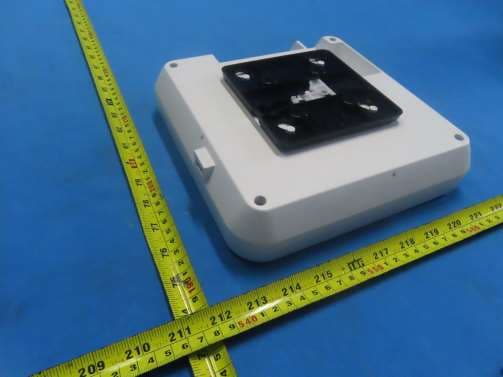
2A2PW190981
Aug 21, 2024Indoor Access Point
Equipment Class
DTS - Digital Transmission System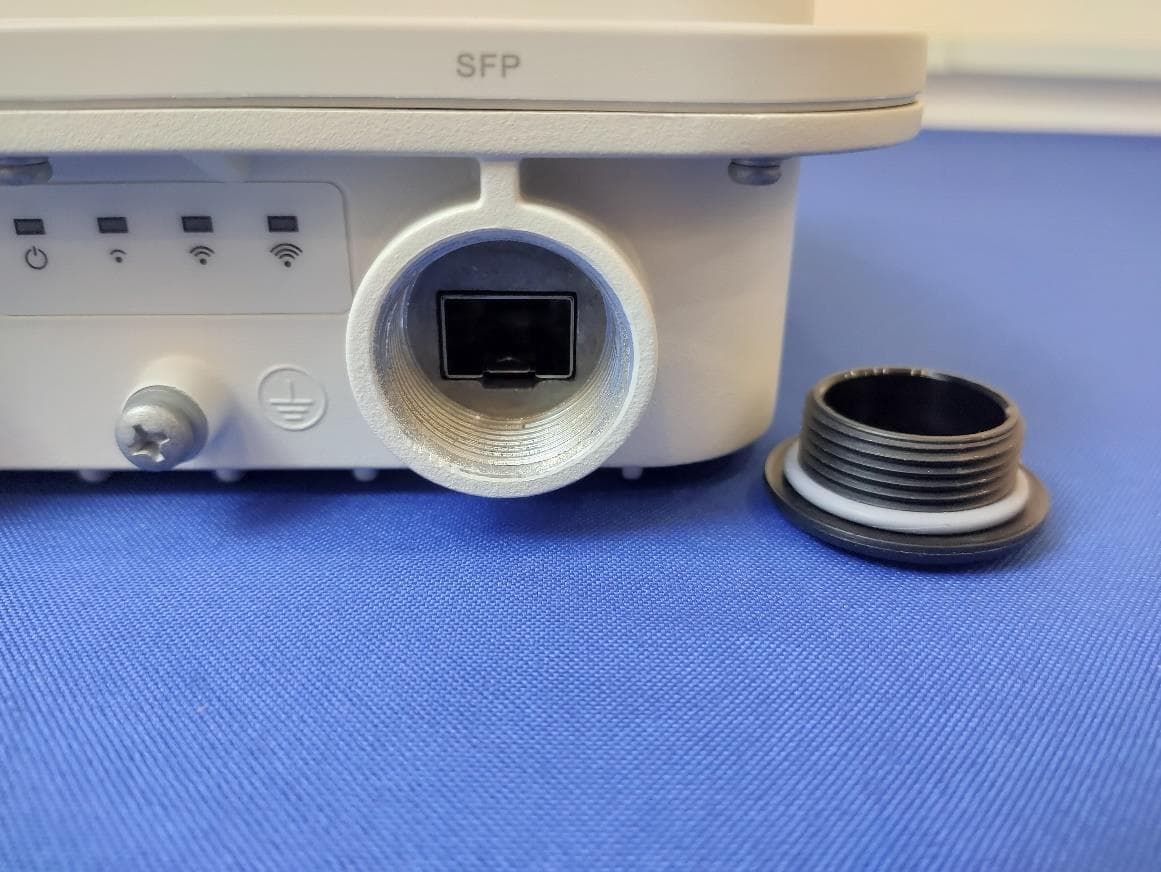
2A2PW149657
Apr 09, 2024Outdoor Access Point
Equipment Class
NII - Unlicensed National Information Infrastructure TX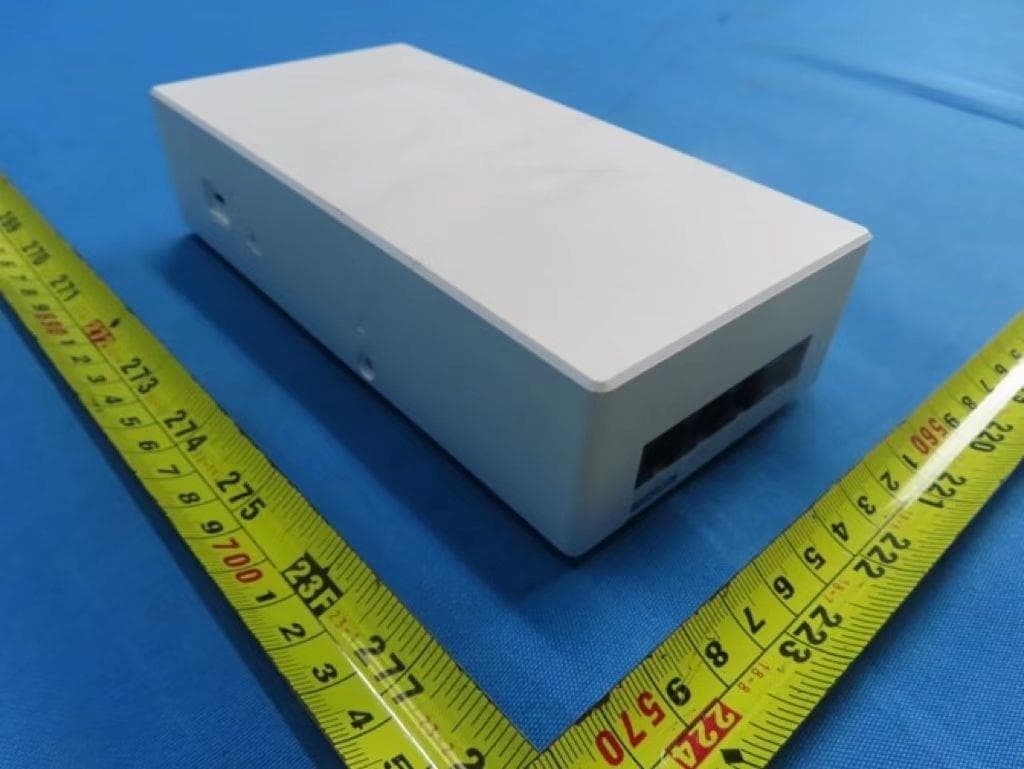
2A2PW179641
Feb 18, 2024Indoor Access Point
Equipment Class
DTS - Digital Transmission System2A2PW149656
Jan 29, 2024Indoor Access Point
Equipment Class
NII - Unlicensed National Information Infrastructure TX