2ADQOMDNA23Smart Kit with Bluetooth Low Energy and Wi-Fi
GD Midea Air-conditioning Equipment Co.,Ltd.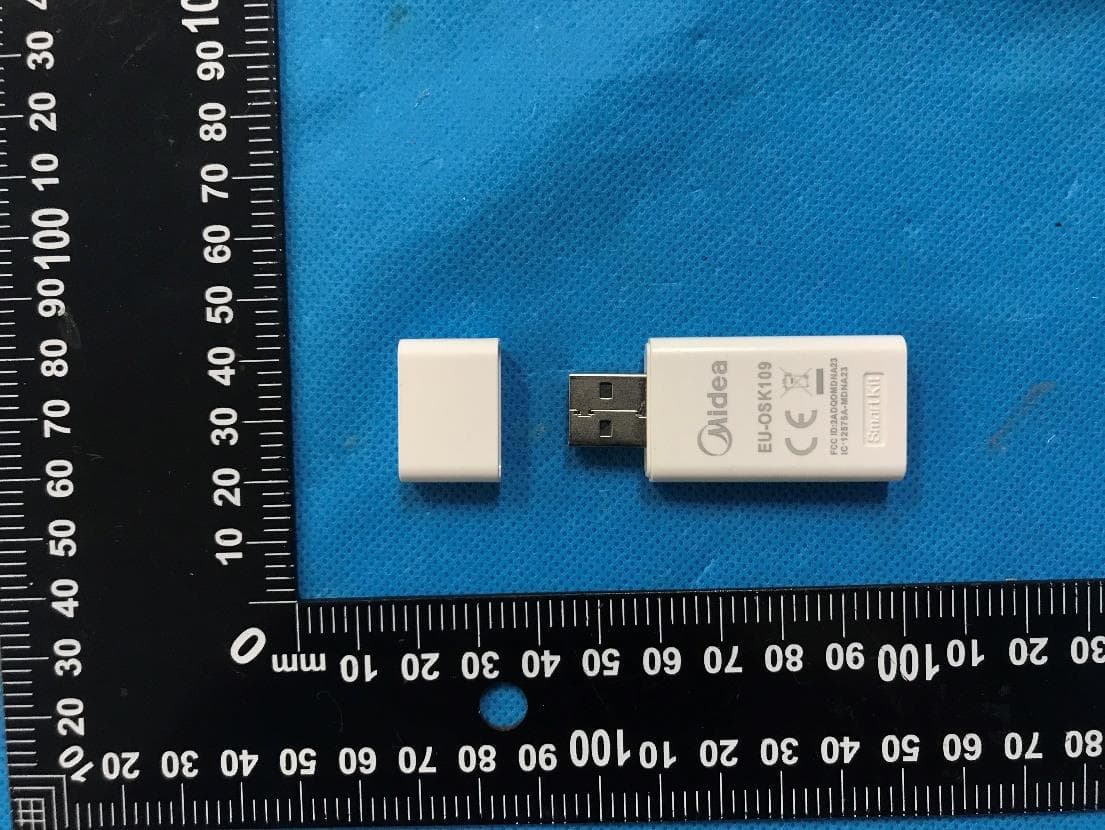
Click to zoom
Application Details
- Equipment Class
- DTS - Digital Transmission System
- Date of Grant
- Jun 27, 2023
- Application Purpose
- Original Equipment
- Date of Application
- Jun 26, 2023
- Equipment Note
- Smart Kit with Bluetooth Low Energy and Wi-Fi
- Frequency Range
- 2402.00000000 - 2480.00000000
- Country
- China
Documents & Files
Document Text
Text extracted from the exhibit documents filed with the FCC. Open a document above to read the original.
Users Manual
USER MANUAL OF SMART KIT IMPORTANT NOTE: Read the manual carefully before installing or connecting your Smart kit(Wireless module). Make sure to save this manual for future reference. CONTENTS 1 SPECIFICATION........................................... DOWNLOAD AND INSTALL APP................. PREPARATION ............................................ NETWORK CONFIGURATION .................... HOW TO USE APP........................................ SPECIAL FUNCTIONS................................. APP DECLARATION.................................... 1 2 3 4 5 6 7 2 4 4 5 9 12 18 2 Applicable system: iOS, Android Please keep your APP up to date with the latest version. Due to special situation may be occurred, we explicitly claims below: Not all of the Android and iOS system are compatible with APP. We will not be responsible for any issue as a result of the incompatibility. Wireless safety strategy Smart kit only support WPA-PSK/WPA2-PSK encryption and none encryption. WPA-PSK/WPA2-PSK encryption is recommended. Due to different network situation, control process may return time-out sometimes. If this situation occurs, the display between board and APP may not be the same, please do not feel confused. Smart Phone camera needs to be 5 million pixels or above to make sure scan QR code well. Due to different network situation, sometimes, request time-out could happen, thus, it is necessary to do network configuration again. The APP system is subject to update without prior notice for product function improvement. The actual network configuration process may be slightly different from the manual, the actual process shall prevail. Please check the Service Website for more information. Cautions PRECAUTIONS 3 1 SPECIFICATION Unit model: XXXXXXX Wireless module model: EU-SK105, US-SK105, EU-SK106, US-SK106, EU-SK107, US-SK107, EU-SK109, US-SK109, EU-SK110, US-SK110 Antenna Type: Printed PCB Antenna Frequency Band: 2400-2483.5MHz Operation Temperature:0 C~45 C/32 F~113 F Operation Humidity: 10%~85% Power Input: DC 5V/500mA Maximum TX Power: <20dBm 4 1) 2) 2 DOWNLOAD AND INSTALL APP 3 PREPARATION Please ensure your mobile device is connected to wireless router. Also, the wireless router has already connected to Internet before doing user registration and network configuration. Make sure your mobile device has already been connected to the wireless network which you want to use. Also, you need to forget other irrelevant wireless network in case it influences your configuration process. On an app market (Google Play Store, Apple App Store), search for "MSmartHome" and find the MSmartHome app. Download and install it on your phone, You can also download the app by scanning the QR code below. Download the app & activate product MSmartHome 5 Kindly reminder: 4 NETWORK CONFIGURATION Cautions It is necessary to forget any other around network and make sure the Android or iOS device just connect to the Wireless network you want to configure. Make sure the Android or iOS device Wireless function works well and can be connected back to your original Wireless network automatically. User must finish all the steps in 8 minutes after powering on AC, otherwise you need to power on it again. 6 Register and log in Open the MSmartHome app, and create a new account to start ( you can also register through a third-party account). If you already had an existing account, use the account to log in. Connect your devices to MSmartHome 1. Please make sure your mobile phone is connected to wireless network. If not, go to Settings and turn on the wireless connection, select and connect to a wireless network. Also please turn on the Bluetooth on your phone. If not, go to Settings and turn it on. 2. Please power on your devices. 3. Open MSmartHome app on your phone. 4. If a message of "Smart devices discovered nearby" appears, click to add. XXXXXXXXX Enteremail Enterpassword Login Login Login Washing machine ... 7 V F 5. If no message appears, select "+" on the page and select your device in the list of nearby devices available. If your device is not listed, please add your device manually by the device category [Air Conditioner] and device model [Split AC]. 6. Connect your device to wireless network according to the instru- ctions on app. If the connection fails, please follow the instructions provided by the app to continue with the operation. 8 NOTE · Make sure your devices are powered on. · Keep your mobile phone close enough to your device when you are connecting network to your device. · Connect your mobile phone to the wireless network at home, and make sure you know the password of the wireless network. · Check if your router supports 2.4 GHz wireless band and turn it on. If you are not sure whether the router supports 2.4 GHz band, please contact the router manufacturer. · The device cannot connect to the wireless network that requires authentication, and it usually appears in public area such as hotels, restaurants, etc. Please connect to a wireless network that does not require authentication. · It is recommended to use a wireless network name that only contains letters and numbers. If your wireless network name contains special characters, please modify it in the router. · Turn off the WLAN+ (Android) or WLAN Assistant (iOS) function of your mobile phone when connecting network to your devices. · In the case that your device connected to wireless network before but it needs to reconnect, please click "+" on app Home page, and add your device again by the device category and model according to the instructions on app. 9 XXXXXXXXX Enteremail Enterpassword Login Login Login 5HOW TO USE APP 1 Cl ick ""Login SIM ! 082 2 Choose the Air Conditioner. Please ensure both your mobile device and air conditioner are connected to the Internet before using app to control the air conditioner via internet, please follow the next steps: MSmartHome 10 3 Thus, user can control air conditioners on/off status, operation mode, temperature, f…
Text truncated - open the document above for the full version.
Users Manual
USER MANUAL OF SMART KIT IMPORTANT NOTE: Read the manual carefully before installing or connecting your Smart kit(Wireless module). Make sure to save this manual for future reference. CONTENTS DECLARATION OF CONFORMITY SPECIFICATION............................................... PRECAUTIONS ............................................... DOWNLOAD AND INSTALL APP.................... INSTALL THE SMART KIT............................... USER REGISTRATION ................................... NETWORK CONFIGURATION......................... HOW TO USE APP............................................ SPECIAL FUNCTIONS...................................... 1 2 3 4 5 6 7 8 1 1 2 3 5 7 18 20 Hereby, we declare that this Smart kit is in compliance with the essential requirements and other relevant provisions of Directive 2014/53/EU. A copy of the full DoC is attached. (European Union products only) 1 1 SPECIFICATION Model: EU-OSK105,US-OSK105, EU-OSK106, US-OSK106,EU-OSK109, US-OSK109 Antenna Type: Printed PCB Antenna Frequency Band: 2400-2483.5MHz Operation Temperature:0 C~45 C/32 F~113 F Operation Humidity: 10%~85% Power Input: DC 5V/500mA Maximum TX Power: <20dBm Please keep you APP up to date with the latest version. Due to special situation may be occurred, we explicitly claims below: N ot all of the Android and i OS system ar e compatible with APP. We w ill not be responsible for any issue as a result of the incompatibility. W Cautions ir eless safety strateg y Due to differ ent network situati on, co ntrol p rocess may return time-ou t sometimes . If this situa tion occurs , the display between board an d App may not be the same , pleas e do not feel confused. Smart Phone camera needs to be 5 m illion pixels o r above to ma ke sur e scan QR code we ll. 2 PRECAUTIONS Applicable system: iOS, Android. Smart kit only support WPA-PSK/WPA2-PSK/WPA3-SAE encryption and none encrytion.WPA-PSK/WPA2-PSK/ WPA3-SAE encryption is recommended. 2 CAUTI ON: T he following QR Co de is only av ailable f or downloading AP P. It is totally differ ent wit h t he QR code packed with SMART KIT. Due to differ ent network situation, sometimes, request time-out could happen, thus, it is necessa ry to do networ k conf igurati on again. Pleas e C heck T he Servi ce Web site For More information. 3 DOWNLOAD AND INSTALL APP Android iOS Android Phone users: scan Android QR code or go to google play, search ‘NetHome Plus” app and download it. iOS users: scan iOS QR code or go to APP Store, search ‘NetHome Plus” app and download it. The APP system is subject to update without prior notice for product function improvement. The actual network configuration process may be slightly different from the manual, the actual process shall prevail. 3 4 INSTALL THE SMART KIT(wireless module) I n s e r t Model A 2) Open the front panel and insert the smart kit into the reserved interface(For model A). 1) Remove the protective cap of the smart kit. Note: Illustrations in this manual are for explanatory purposes. The actual shape of your indoor unit may be slightly different. The actual shape shall prevail. 4 Open the front panel, unscrew the display cover and remove it, then insert the smart kit into the reserved interface(For model B). Reinstall the display cover. Remove the screw Model B 3) Attach the QR code packed with SMART KIT to the side panel of the machine or other convenient location, ensure it is covenience to be scanned by the mobile phone. Kindly reminder: It is better to reserve the other two QR Code in a safe place or take a picture and save it in your own phone. WARNING: This interface is only compatible with SMART KIT(Wireless module) provided by the manufacturer. For the smart device access, replacement, maintenance operations must be carried out by professional staff. 5 VI5 0 F o 5 USER REGISTRATION Please ensure your mobile device is connected to Wireless router. Also, the Wireless router has already connected to Internet before doing user registration and network configuration. It is better to log in your email box and active your registration account by clicking link in case you forget the password. You can log in with the third party accounts. 1 Cl ick "Create Account Android iOS " cc 2 Enter your email address an d pas sword, and then cl ick ""Register 6 7 6 NETWORK CONFIGURATION Cautions Kindly reminder: It is necessary to forget any other around network and make sure the Android or i OS device just connect to the Wireless network you want to configure. Make sure the Android or i OS device Wireless function works well and can be connected back to your original Wireless network automatically. User must finish all the steps in 8 minutes after powering on air conditioner, otherwise you need to power on it again. Note: Using Android or iOS device to do network configuration There are two ways to finish the network configuration: Network configuration by Bluetooth scan Network configuration by select appliance type Make sure your mobile device has already been connected to the Wireless network which you want to use. Also, you need to forget other irrelevant Wireless network in case it influences your configuration process. Disconnect the power supply of AC. Connect the power supply of AC, and continuously press the “LED DISPLAY” or “DO NOT DISTURB” button seven times in 10 seconds. When the AC displays “AP”, it means that the AC Wireless has already entered into “AP” mode. 8 Network configuration by Bluetooth scan Note: Make sure the bluetooth of your mobile device is working. Press “ + Add Device ” Press “Scan for nearby devices” 1 2 9 Wait smart devices to find, then click to add it Select home Wireless, enter the password 3 4 10 Wait connecting to the network 5 6 Configuration Success, you can modify the default name. 11 8 7 You can choose an existing name or customize a new name Bluetooth network configuration is successful, now you can see the device in the list. 12 Network configuration by select appliance type : If…
Text truncated - open the document above for the full version.
Attestation Statements
GD Midea Air-Conditioning Equipment Co., Ltd To: Federal Communications Commission Authorization and Evaluation Division 7435 Oakland Mills Road Columbia, MD 21046 USA Date: 15-02-2023 Ref: Attestation Statements Part 2.911(d)(7) Filing FCC ID: 2ADQOMDNA23 (GD Midea Air-Conditioning Equipment Co., Ltd.) certifies that, as of the date of the filing of the application, Jeffrey Rummel of ArentFox Schiff LLP is our designated U.S. agent for service of process for the above referenced FCC ID. (GD Midea Air-Conditioning Equipment Co., Ltd.) accepts to maintain an agent for no less than one year after the grantee has terminated all marketing and importation or the conclusion of any Commission-related proceeding involving the equipment. Jeffrey Rummel of ArentFox Schiff LLP accepts, as of the date of the filing of the application, the obligation of the designated U.S. agent for service of process for the above referenced FCC ID. Designated U.S. Agent Information: FRN: 0021243860 Name: Jeffrey Rummel Address: ArentFox Schiff LLP, 1717 K St., NW, Washington, DC 20006 Contact Person: Jeffrey Rummel, Esq. Tel.: 202-715-8479 Email: [email protected] Sincerely, U.S. agent printed name: Jeffrey Rummel, ArentFox Schiff LLP U.S. agent signature: Applicant name: GD Midea Air-Conditioning Equipment Co., Ltd. Applicant printed name: Flora Wu Applicant signature:
Attestation Statements
GD Midea Air-Conditioning Equipment Co., Ltd Date: 15-02-2023 To: Federal Communications Commission Authorization and Evaluation Division 7435 Oakland Mills Road Columbia, MD 21046 USA Ref: Attestation Statements Part 2.911(d)(5)(i) and Part 2.911(d)(5)(ii) Filing Re. KDB 986446 D01 FCC ID: 2ADQOMDNA23 Dear Sir or Madam, [GD Midea Air-Conditioning Equipment Co., Ltd.] (“the applicant”) certifies that the equipment for which authorization is sought is not “covered” equipment prohibited from receiving an equipment authorization pursuant to section 2.903 of the FCC rules. We also certify that, [GD Midea Air-Conditioning Equipment Co., Ltd.] (“the applicant”) certifies that, as of the date of the filing of the application, the applicant [is not] identified on the Covered List ( as a specifically named entity or any of its subsidiaries or affiliates) as an entity producing “covered” equipment . If you have any questions, please contact us. Sincerely, Company name: GD Midea Air-Conditioning Equipment Co., Ltd. Company Officer: Flora Wu Telephone Number: +86-757- 23606794 Email: [email protected]
Cover Letter(s)
GD Midea Air-Conditioning Equipment Co., Ltd Date (15/02/2023) TUV SUD BABT UNLIMITED TCB Octagon House, Concorde Way Segensworth North, Fareham, Hampshire, PO15 5RL, United Kingdom Confidentiality Request FCC ID: 2ADQOMDNA23 Pursuant to Sections 0.457(d)(1)(ii) and 0.459 of the Commission’s Rules, (GD Midea Air- Conditioning Equipment Co., Ltd.) hereby requests permanent confidential treatment of information accompanying this application as outlined below: Schematics Bill of Materials/BOM Block Diagrams Theory of Operation] (GD Midea Air-Conditioning Equipment Co., Ltd.) also hereby requests short-term confidential treatment of information accompanying this application as outlined below for a period of (up to 180) days: Internal Photos External Photos User Manual Test Set-up Photographs The above materials contain trade secrets and proprietary information not customarily released to the public. The public disclosure of these matters might be harmful to the Applicant and provide unjustified benefits to its competitors. The Applicant understands that pursuant to Rule 0.457(d)(1)(ii), disclosure of this Application and all accompanying materials will not be made before the date of the Grant for this Application. Yours sincerely, Company Officer: Flora Wu Telephone Number: +86-757- 23606794 Email: [email protected]
Cover Letter(s)
GD Midea Air-Conditioning Equipment Co., Ltd Model difference declaration Date (15/02/2023) To: TUV SUD BABT UNLIMITED Octagon House, Concorde Way Segensworth North, Fareham, Hampshire, PO15 5RL, United Kingdom We , GD Midea Air-Conditioning Equipment Co., Ltd. (Address: Lingang Road, Beijiao, Shunde 528311 Foshan, Guangdong, China) here by declare: Product name/PMN: Smart Kit Model/HVIN: EU-SK109, EU-OSK109, US-SK109, US-OSK109 FCC ID: 2ADQOMDNA23 IC: 12575A-MDNA23 All models are electrically identical except model name for marketing purpose. Sincerely, Company Officer: Flora Wu Telephone Number: +86 -757 - 23606794 Email : [email protected]
External Photos
TÜV SÜD Certification and Testing (China) Co., Ltd. Shenzhen Branch Building 12&13, Zhiheng Wisdomland Business Park, Guankou Erlu, Nantou, Nanshan District, Shenzhen, 518052 China Tel. +86 755 8828 6998, Fax: +86 755 8828 5299 Page 1 of 3 Appendix B: EU-OSK109 External photos TÜV SÜD Certification and Testing (China) Co., Ltd. Shenzhen Branch Building 12&13, Zhiheng Wisdomland Business Park, Guankou Erlu, Nantou, Nanshan District, Shenzhen, 518052 China Tel. +86 755 8828 6998, Fax: +86 755 8828 5299 Page 2 of 3 TÜV SÜD Certification and Testing (China) Co., Ltd. Shenzhen Branch Building 12&13, Zhiheng Wisdomland Business Park, Guankou Erlu, Nantou, Nanshan District, Shenzhen, 518052 China Tel. +86 755 8828 6998, Fax: +86 755 8828 5299 Page 3 of 3
ID Label/Location Info
Mide为美的牌Logo,大小工厂自定义缩放 贴纸不作丝印要求 内容:激光雕刻 EU-OSK109 FCC ID:2ADQOMD NA23 IC:12575A- MDNA23 15.12mm
ID Label/Location Info
Mide为美的牌Logo,大小工厂自定义缩放 贴纸不作丝印要求 内容:激光雕刻 EU-SK109 FCC ID:2ADQOMD NA23 IC:12575A- MDNA23 15.12mm
ID Label/Location Info
Mide为美的牌Logo,大小工厂自定义缩放 贴纸不作丝印要求 内容:激光雕刻 US-OSK109 FCC ID:2ADQOMD NA23 IC:12575A- MDNA23 15.12mm
ID Label/Location Info
Mide为美的牌Logo,大小工厂自定义缩放 贴纸不作丝印要求 内容:激光雕刻 US-SK109 FCC ID:2ADQOMD NA23 IC:12575A- MDNA23 15.12mm
Internal Photos
TÜV SÜD Certification and Testing (China) Co., Ltd. Shenzhen Branch Building 12&13, Zhiheng Wisdomland Business Park, Guankou Erlu, Nantou, Nanshan District, Shenzhen, 518052 China Tel. +86 755 8828 6998, Fax: +86 755 8828 5299 Page 1 of 2 Appendix C: EU-SK109, EU-OSK109, US-SK109, US-OSK109 Internal photos WIFI/BLE ANTENNA TÜV SÜD Certification and Testing (China) Co., Ltd. Shenzhen Branch Building 12&13, Zhiheng Wisdomland Business Park, Guankou Erlu, Nantou, Nanshan District, Shenzhen, 518052 China Tel. +86 755 8828 6998, Fax: +86 755 8828 5299 Page 2 of 2
RF Exposure Info
Report Number: 64.790.22.04877.01-S1 EMC_SZ_FR_23.03 MPE Release 2022-05-06 TÜV SÜD Certification and Testing (China) Co., Ltd. Shenzhen Branch Building 12 & 13, Zhiheng Wisdomland Business Park, Guankou Erlu, Nantou, Nanshan District, Shenzhen, Guangdong 518052, China Tel. +86 755 8828 6998, Fax: +86 755 8828 5299 Page 1 of 8 FCC Maximum Permissible Exposure (MPE) Report Report Number : 64.790.22.04877.01-S1 Date of Issue: 2023-02-13 Model / HVIN : EU-SK109, EU-OSK109, US-SK109, US-OSK109 Product Type : Smart Kit Applicant : GD Midea Air-Conditioning Equipment Co., Ltd. Address : Lingang Road, Beijiao, Shunde 528311 Foshan, Guangdong, China Manufacturer : GD Midea Air-Conditioning Equipment Co., Ltd. Address : Lingang Road, Beijiao, Shunde 528311 Foshan, Guangdong, China Test Result : ◼ Positive Negative Total pages including Appendices : 8 Any use for advertising purposes must be granted in writing. This technical report may only be quoted in full. This report is the result of a single examination of the object in question and is not generally applicable evaluation of the quality of other products in regular production. For further details, please see testing and certification regulation, chapter A-3.4. Report Number: 64.790.22.04877.01-S1 EMC_SZ_FR_23.03 MPE Release 2022-05-06 TÜV SÜD Certification and Testing (China) Co., Ltd. Shenzhen Branch Building 12 & 13, Zhiheng Wisdomland Business Park, Guankou Erlu, Nantou, Nanshan District, Shenzhen, Guangdong 518052, China Tel. +86 755 8828 6998, Fax: +86 755 8828 5299 Page 2 of 8 1 Table of Contents 1 Table of Contents .................................................................................................................. 2 2 Details about the Test Laboratory .......................................................................................... 3 3 Description of the Equipment Under Test .............................................................................. 4 4 General Information ............................................................................................................... 5 5 RF Exposure Requirements ................................................................................................... 6 6 FCC MPE Limits .................................................................................................................... 7 7 RF Exposure Evaluation (FCC) ............................................................................................. 8 7.1 Calculation of Power Density for Single Transmission.................................................... 8 7.2 Conclusion ...................................................................................................................... 8 Report Number: 64.790.22.04877.01-S1 EMC_SZ_FR_23.03 MPE Release 2022-05-06 TÜV SÜD Certification and Testing (China) Co., Ltd. Shenzhen Branch Building 12 & 13, Zhiheng Wisdomland Business Park, Guankou Erlu, Nantou, Nanshan District, Shenzhen, Guangdong 518052, China Tel. +86 755 8828 6998, Fax: +86 755 8828 5299 Page 3 of 8 2 Details about the Test Laboratory Details about the Test Laboratory Test Site 1 Company name: TÜV SÜD Certification and Testing (China) Co., Ltd. Shenzhen Branch Building 12&13, Zhiheng Wisdomland Business Park, Guankou Erlu, Nantou, Nanshan District, Shenzhen, 518052 China FCC Designation Number: CN5009 FCC Registration No.: 514049 Telephone: 86 755 8828 6998 Fax: 86 755 8828 5299 Report Number: 64.790.22.04877.01-S1 EMC_SZ_FR_23.03 MPE Release 2022-05-06 TÜV SÜD Certification and Testing (China) Co., Ltd. Shenzhen Branch Building 12 & 13, Zhiheng Wisdomland Business Park, Guankou Erlu, Nantou, Nanshan District, Shenzhen, Guangdong 518052, China Tel. +86 755 8828 6998, Fax: +86 755 8828 5299 Page 4 of 8 3 Description of the Equipment Under Test Product: Smart Kit Model no.: EU-SK109, EU-OSK109, US-SK109, US-OSK109 FCC ID: 2ADQOMDNA23 Rating: 5VDC (by USB port) RF Transmission Frequency: 2412MHz-2462MHz for 2.4GHz WIFI 2402MHz-2480MHz for BLE No. of Operated Channel: 11 for 2.4GHz WIFI 40 for BLE Modulation: 802.11b: BPSK, QPSK, CCK, 802.11g/802.11n20: BPSK, QPSK, 16-QAM, 64-QAM BLE: GFSK Antenna Type: PCB onboard antenna Antenna Gain: 2.7dBi max. Description of the EUT: The product is a smart kit with WIFI and BLE functions, which can only be used for the control function of home appliances of Midea Group. It cannot be connected to a computer for any other functions. NOTE 1: The above EUT’s information is declared by manufacturer. Please refer to the specifications or user’s manual for more detailed description. NOTE 2: EU-SK109, EU-OSK109, US-SK109, US-OSK109 are identical except model name. Unless otherwise specified, the model EU-SK109 was chosen as representative sample to perform fully testing, other models are deemed to fulfil relevant requirements without further testing. Report Number: 64.790.22.04877.01-S1 EMC_SZ_FR_23.03 MPE Release 2022-05-06 TÜV SÜD Certification and Testing (China) Co., Ltd. Shenzhen Branch Building 12 & 13, Zhiheng Wisdomland Business Park, Guankou Erlu, Nantou, Nanshan District, Shenzhen, Guangdong 518052, China Tel. +86 755 8828 6998, Fax: +86 755 8828 5299 Page 5 of 8 4 General Information Any use for advertising purposes must be granted in writing. This technical report may only be quoted in full. This report is the result of a single examination of the object in question and is not generally applicable evaluation of the quality of other products in regular production. For further details, please see testing and certification regulation, chapter A-3.4. Prepared By 2023-02-13 Myron Yu Project Engineer Date Name Signature Approved By 2023-02-13 Jessie He Project Manager Date Name Signature Report Number: 64.790.22.04877.01-S1 EMC_SZ_FR_23.03 MPE Release 2022-05-06 TÜV SÜD Certification and Testing (China) Co., Ltd. Shenzhen Branch Building 12 & 13, Zhiheng Wisdomland Business Park, Guankou Erlu, Nantou, Nanshan District, Shenzhen, Guangdong 51…
Text truncated - open the document above for the full version.
Test Report
© Copyright IBM Corporation 2012 产品领先效率驱动全球经营 EU-SK109&US-SK109&EU-OSK109&US- OSK109&EU-SK110&US-SK110 Antenna test report Antenna model: 8720CMF PCB antenna GD Midea Air-Conditioning Equipment Co., Ltd.&RealtekSemiconductor Corp. 2022.12 产品领先效率驱动全球经营 antenna test report •Antenna structure PCB onboard antenna:17.5mm*3.8mm 18 35.2 •Antenna manufacturer Name: GD Midea Air-Conditioning Equipment Co., Ltd. Address : LingangRoad, Beijiao, 528311 Shunde, Foshan, Guangdong, PEOPLE’S REPUBLIC OF CHINA 第2页/共10页 产品领先效率驱动全球经营 antenna test report Measurement Setup 第3页/共10页 产品领先效率驱动全球经营 antenna test report Return loss 第4页/共10页 产品领先效率驱动全球经营 antenna test report •Radiation Patterns – Frequency : 2400MHz, 2450MHz and 2480MHz – Test plane : xy-plane, xz-plane and yz -plane – Input power : SG 0dBm – Place: RTK 4F chamber – Horn h: horizontal polarization – Horn v: vertical polarization y x SG AUT Horn -z xy-plane SG AUT Horn y xz-plane SG AUT x yz-plane Horn 第5页/共10页 产品领先效率驱动全球经营 antenna test report •Radiation Patterns —2400MHz horizonta l vertical Pol.Peakavg. h+2.7-2.5 Pol.peakavg. v-9.6-16.2 xy-plane xz-plane Pol.peakavg. v-4.4-10.8 Pol.peakavg. h+2.5-4.7 yz-plane Pol.peakavg. v+0.1-2.5 Pol.peakavg. h-4.8-12.4 第6页/共10页 产品领先效率驱动全球经营 antenna test report •Radiation Patterns —2450MHz horizonta l vertical Pol.Peakavg. h+2.5-3.0 Pol.peakavg. v-7.6-14.7 Pol.peakavg. v-4.8-10.8 Pol.peakavg. h+2.4-4.7 Pol.peakavg. v+0.7-2.3 Pol.peakavg. h-5.2-13.2 xy-plane xz-plane yz-plane 第7页/共10页 产品领先效率驱动全球经营 antenna test report •Radiation Patterns —2480MHz horizonta l vertical Pol.Peakavg. h+2.7-3.5 Pol.peakavg. v-6.1-13.3 Pol.peakavg. v-4.4-10.1 Pol.peakavg. h+2.2-4.9 Pol.peakavg. v+1.9-1.8 Pol.peakavg. h-5.5-12.4 xy-plane xz-plane yz-plane 第8页/共10页 产品领先效率驱动全球经营 antenna test report 2400MHz Planexy-planexz-planeyz-plane Eff.Pol.hvhvhv Gain peakavg.peakavg.peakavg.peakavg.peakavg.peakavg. +2.7-2.5-9.6-16.2+2.5-4.7-4.4-10.8-4.8-12.4+0.1-2.554 2450MHz Planexy-planexz-planeyz-plane Eff.Pol.hvhvhv Gain peakavg.peakavg.peakavg.peakavg.peakavg.peakavg. +2.5-3.0-7.6-14.7+2.4-4.7-4.8-10.8-5.2-13.2+0.7-2.353 2480MHz Planexy-planexz-planeyz-plane Eff.Pol.hvhvhv Gain peakavg.peakavg.peakavg.peakavg.peakavg.peakavg. +2.7-3.5-6.1-13.3+2.2-4.9-4.4-10.1-5.5-12.4+1.9-1.855 •Antenna gain and efficiency 第9页/共10页 产品领先效率驱动全球经营 第10页/共10页
Test Report
Report Number: 64.790.22.04877.01-R1 EMC_SZ_FR_23.02 FCC Release 2017-06-20 TÜV SÜD Certification and Testing (China) Co., Ltd. Shenzhen Branch Building 12 & 13, Zhiheng Wisdomland Business Park, Guankou Erlu, Nantou, Nanshan District, Shenzhen, Guangdong 518052, China Tel. +86 755 8828 6998, Fax: +86 755 8828 5299 Page 1 of 40 FCC/ISED - TEST REPORT Report Number : 64.790.22.04877.01-R1 Date of Issue: 2023-03-03 Model : EU-SK109, EU-OSK109, US-SK109, US-OSK109 Product Type : Smart Kit Applicant : GD Midea Air-Conditioning Equipment Co., Ltd. Address : Lingang Road, Beijiao, Shunde 528311 Foshan, Guangdong, China Manufacturer : GD Midea Air-Conditioning Equipment Co., Ltd. Address : Lingang Road, Beijiao, Shunde 528311 Foshan, Guangdong, China Test Result : ◼ Positive Negative Total pages including Appendices : 40 Any use for advertising purposes must be granted in writing. This technical report may only be quoted in full. This report is the result of a single examination of the object in question and is not generally applicable evaluation of the quality of other products in regular production. For further details, please see testing and certification regulation chapter A-3.4. Report Number: 64.790.22.04877.01-R1 EMC_SZ_FR_23.02 FCC Release 2017-06-20 TÜV SÜD Certification and Testing (China) Co., Ltd. Shenzhen Branch Building 12 & 13, Zhiheng Wisdomland Business Park, Guankou Erlu, Nantou, Nanshan District, Shenzhen, Guangdong 518052, China Tel. +86 755 8828 6998, Fax: +86 755 8828 5299 Page 2 of 40 1 Table of Contents 1 Table of Contents .................................................................................................................. 2 2 Details about the Test Laboratory .......................................................................................... 3 3 Description of the Equipment under Test ............................................................................... 4 4 Summary of Test Standards .................................................................................................. 5 5 Summary of Test Results....................................................................................................... 6 6 General Remarks ................................................................................................................... 7 7 Test Setups ............................................................................................................................ 8 7.1 Radiated test setups ....................................................................................................... 8 7.2 Conducted RF test setups .............................................................................................. 9 7.3 AC Power Line Conducted Emission test setups ............................................................ 9 8 Systems test configuration ................................................................................................... 10 9 Technical Requirement ........................................................................................................ 11 9.1 Conducted Emission ..................................................................................................... 11 9.2 Conducted output power ............................................................................................... 14 9.3 6dB bandwidth .............................................................................................................. 17 9.4 99% bandwidth ......…
Text truncated - open the document above for the full version.
Contact Information
Applicant
Flora Wu
Test Firm
TUV SUD Cert & Testing (China) Co., Ltd.Harry Zhou
[email protected]86 755 3332 3281
Technical Specifications
| # | Rule Parts | Frequency Range | Power Output |
|---|---|---|---|
| 2 | 15C | 2.40 GHz - 2.48 GHz | 4.20 mW |
Other Applications from GD Midea Air-conditioning Equipment Co.,Ltd.
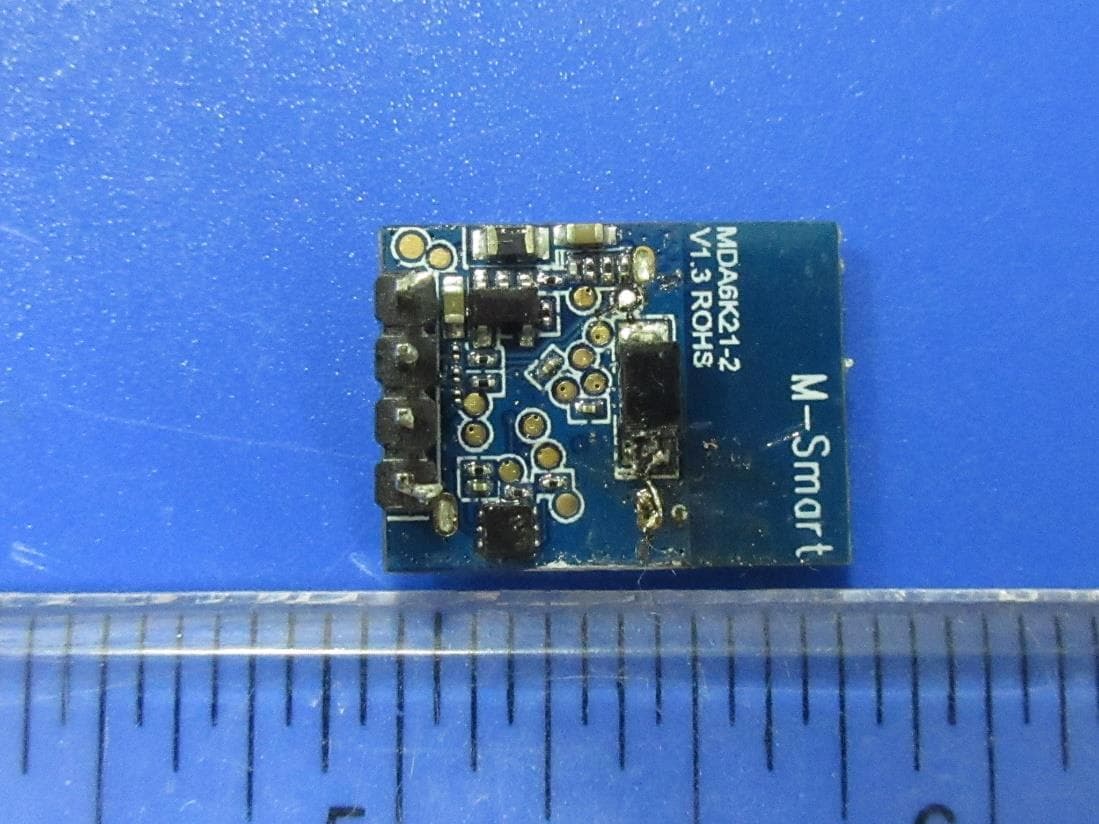
2ADQOMDA6K21-2
Aug 26, 20212.4G Bluetooth Communication Module
Equipment Class
DTS - Digital Transmission System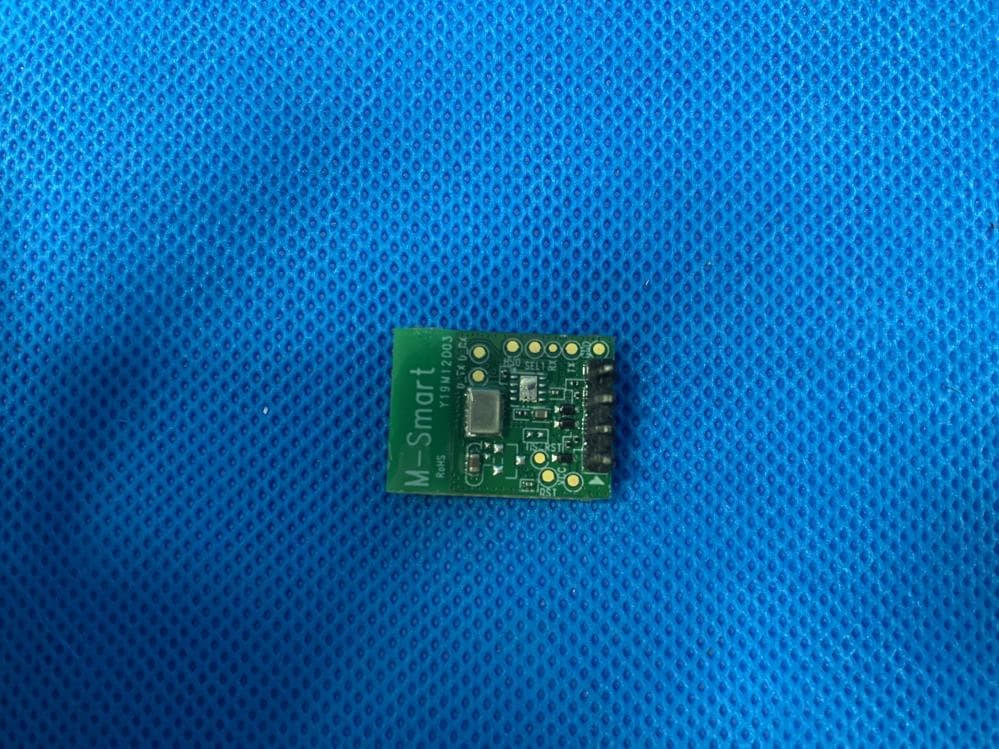
2ADQOMDA1L11-3
Jan 18, 20212.4G Wi-Fi Communication Module
Equipment Class
DTS - Digital Transmission System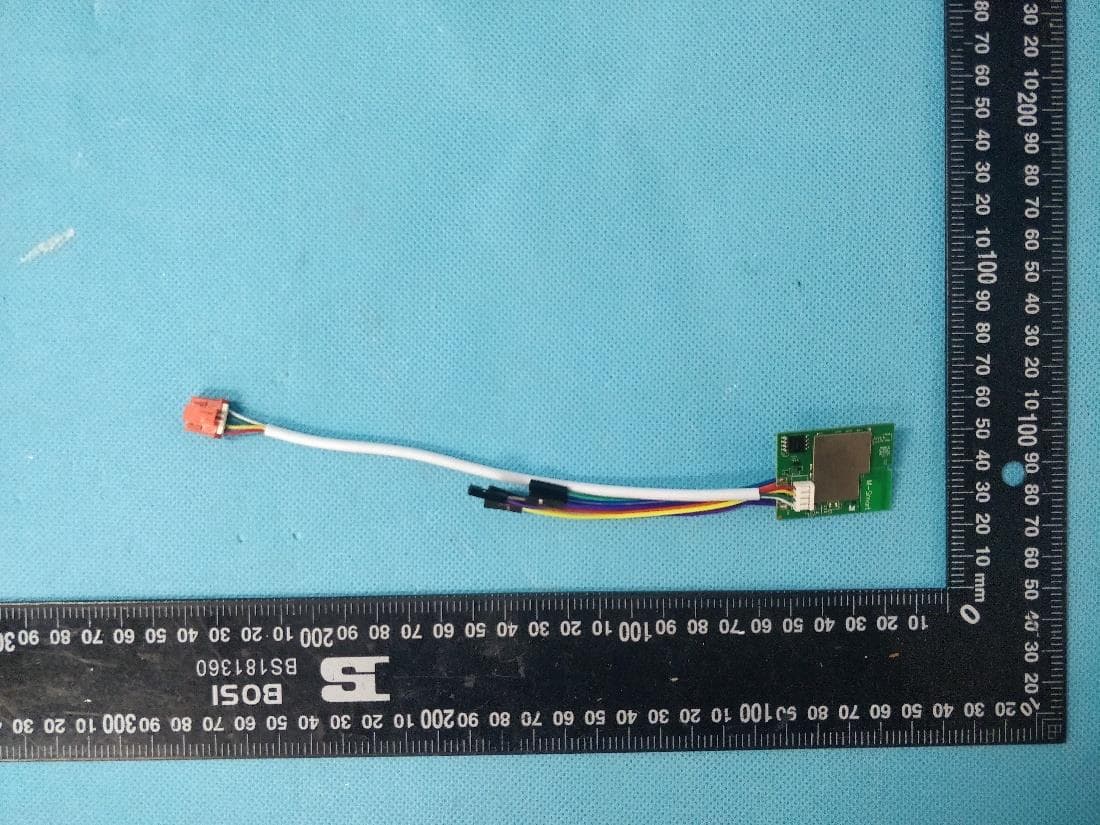
2ADQO3SB3350N3
Jul 12, 2020Bluetooth&Wi-Fi dual band Communication Module
Equipment Class
DTS - Digital Transmission System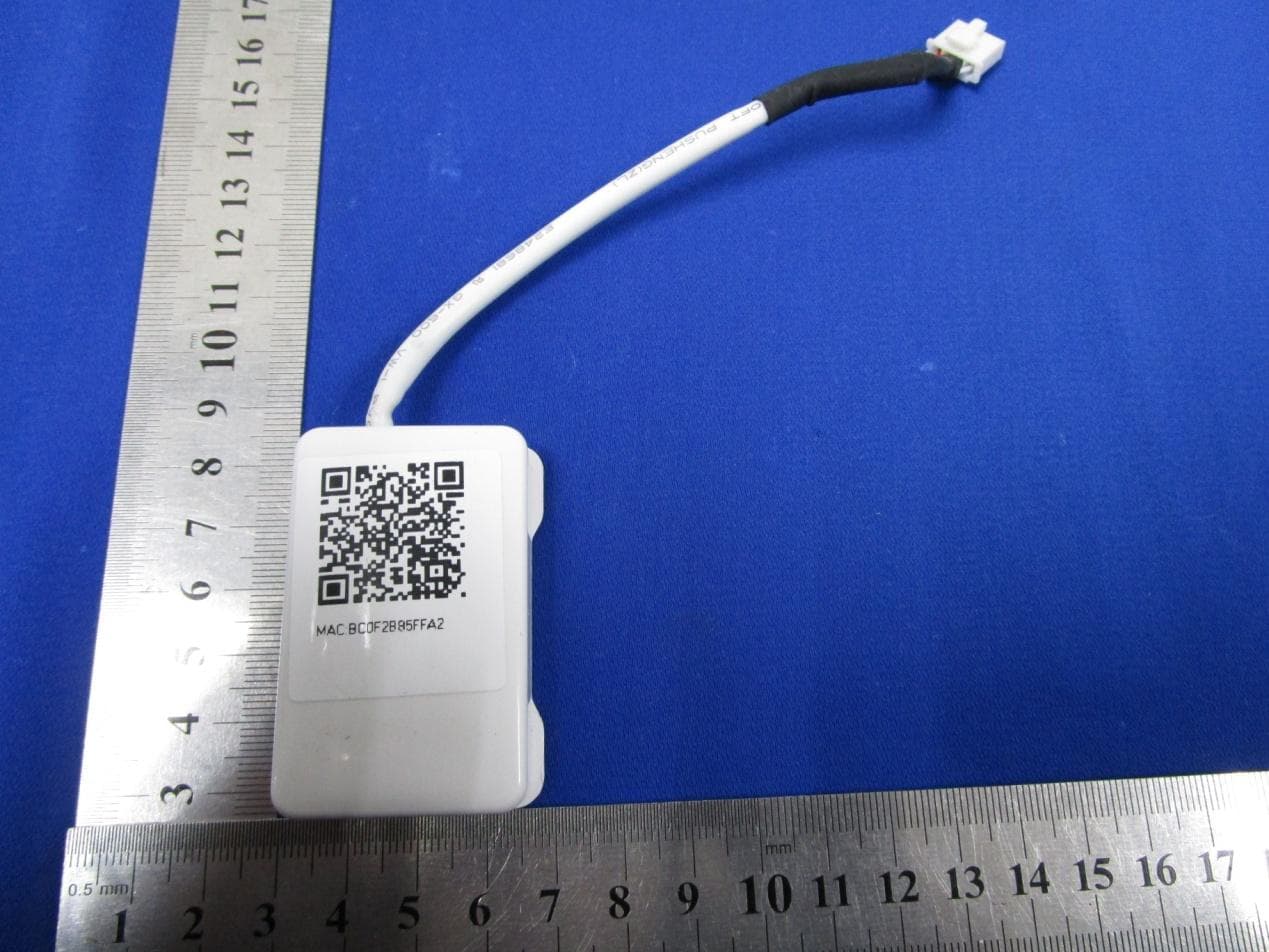
2ADQOMDNA15
Nov 09, 2015Smart Kit Wi-Fi Adaptor
Equipment Class
DTS - Digital Transmission System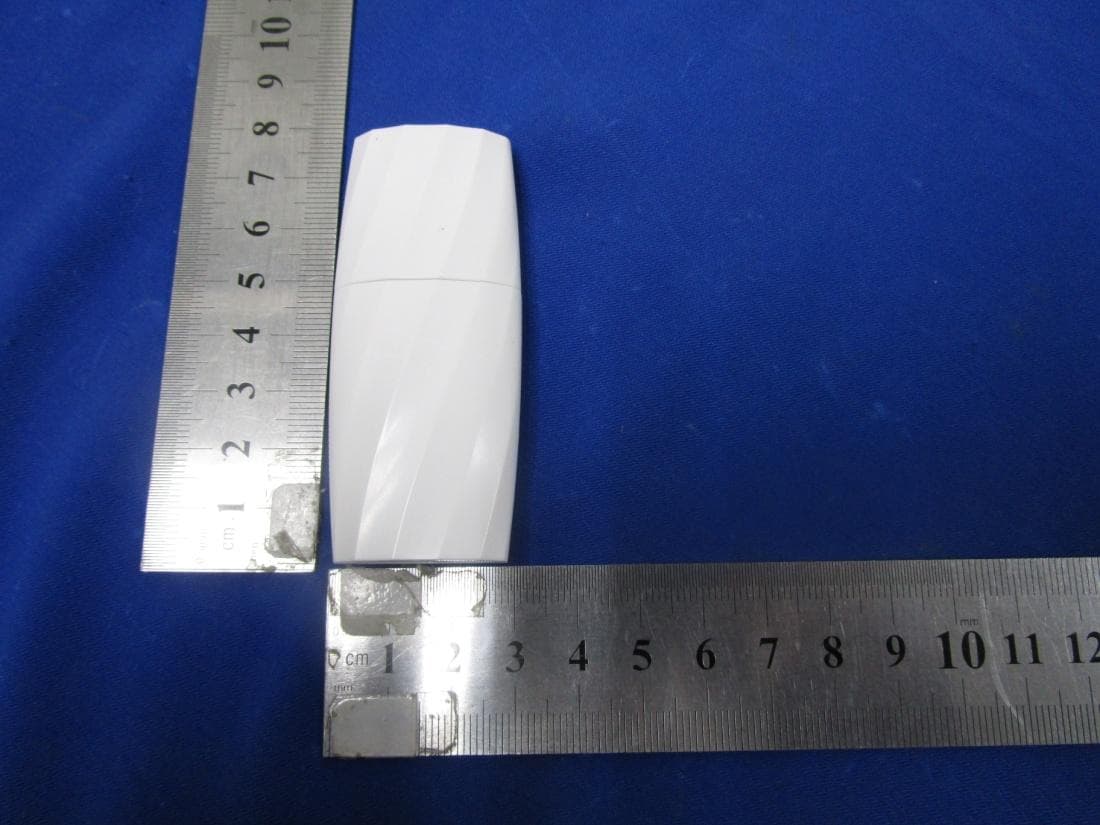
2ADQOMDNA14
Mar 09, 2015Smart Kit USB Wi-Fi adaptor
Equipment Class
DTS - Digital Transmission System