2ADRG-BRYTP602Bluetooth Keyboard
BRYDGE GLOBAL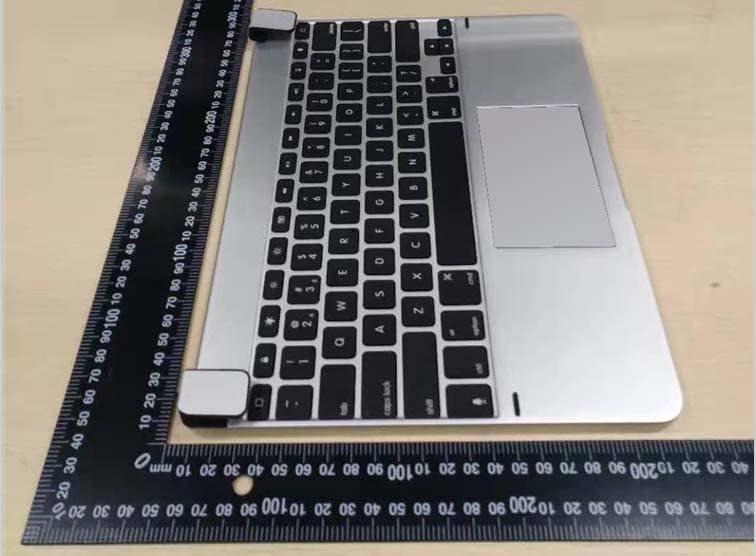
Click to zoom
Application Details
- Equipment Class
- DTS - Digital Transmission System
- Date of Grant
- Mar 17, 2020
- Application Purpose
- Original Equipment
- Date of Application
- Mar 17, 2020
- Equipment Note
- Bluetooth Keyboard
- Frequency Range
- 2402.00000000 - 2480.00000000
- Company
- BRYDGE GLOBAL
- Country
- United States
Documents & Files
Document Text
Text extracted from the exhibit documents filed with the FCC. Open a document above to read the original.
Users Manual
Brydge 12.9 Pro+ User Manual Mode d’emploi Connected Settings On 12.9 Pro+ IMPORTANT Remove non-Brydge screen protectors before attaching your Brydge keyboard. This will ensure a perfect fit and eliminate unnecessary pressure to your screen when inserted into the hinges. TO INSERT: Place your Brydge on a flat surface and set the hinges upright to 90 degrees. Insert your iPad into the hinges with the home button on the right, one side at a time. If your iPad is loose, remove it and gently squeeze the hinges. Repeat this process until your iPad is held firmly. TO REMOVE: Ensure your Brydge is on a flat surface. Place your hand towards the back of the keyboard and pull up, one side at a time. TO TURN ON: Press the power key for one second until the LED flashes green. TO TURN OFF: Press and hold the power key for three seconds until the LED flashes red. NOTE: To conserve battery, your Brydge will enter sleep mode after 20 minutes of non-use. Press any key to turn back on. Your Brydge will enter sleep mode when both devices are closed like a laptop. TO PAIR: Press and hold the Bluetooth key for three seconds until the LED flashes blue. On your iPad, under Settings > Bluetooth select Brydge 12.9 Pro+. When successfully paired, the blue LED will turn off. TO CHECK BATTERY LIFE: In Today View, go to the BATTERIES section to check battery life. If not available, swipe left on your Home Screen to show Today View, scroll to the bottom and click edit. Scroll down to Batteries, and click the green ‘+’ icon to add. NOTE: If battery life is below 15%, backlit key functionality will be disabled to conserve battery. TO CHARGE: Insert the charging cable into the keyboard and plug the other end into a power source. A solid red LED indicates the Brydge is charging. When the keyboard is fully charged, the red LED will turn off. A full charge can take up to three hours. Thank you for purchasing a Brydge product. This product comes with a 1-year limited hardware warranty on the terms and conditions set out in this document and at www.brydge.com/warranty. All Brydge warranties are non-transferrable and are only available to the original end-user of the product. Warranties do not apply to products purchased from online vendors unauthorized to sell Brydge-branded product. If a defect arises during the warranty period, cease using the product and contact Brydge. To obtain warranty service, visit www.brydge.com/support or call +1 (435) 604-0481. Brydge, at its sole discretion and option, will (1) repair the product at no charge using new parts or parts that are equivalent to new in performance and reliability, or (2) replace or exchange the product with a product of equivalent functionality and value. Brydge offers free return shipping on any approved warranty claims. A shipping label will be provided to you if you are within the United States. If you are outside the United States, Brydge will reimburse your return shipping to a maximum of US$15.00 after providing a copy of the shipping receipt. Australia Only: Our goods come with guarantees that cannot be excluded under the Australian Consumer Law. You are entitled to a replacement or refund for a major failure and compensation for any other reasonably foreseeable loss or damage. You are also entitled to have the goods repaired or replaced if the goods fail to be of acceptable quality and the failure does not amount to a major failure. Brydge Technologies LLC | 1912 Sidewinder Dr., Suite 104, Park City, UT 84060 USA HAVE A QUESTION? Visit www.brydge.com/support INSERT/REMOVE POWER PAIR CHARGE KEYBOARD SHORTCUTS WARRANTY Copy Command + C Paste Command + V Cut Command + X Underline Command + U Italic Command + I Home Screen Command + H Switch App Command + Tab Show Dock Command + Option + D Search Command + Space Undo Command + Z Switch Language Ctrl + Shift + Spacebar (Spacebar allows you to toggle through available languages) ENABLE TOUCH GO TO: Settings > Accessibility > Touch > AssistiveTouch and toggle it on. CONFIGURE SETTINGS GO TO: Settings > Accessibility > Touch > AssistiveTouch > Devices (Pointer Devices) > Brydge 12.9 Pro+ (Connected Devices) and adjust the Button shortcuts to the recommmended settings below: SETTING UP THE TRACKPAD Magnetic cover is located in the bottom of the packaging. MAGNETIC COVER For up-to-date settings and video instructions, visit: www.brydge.com/pro-plus-instructions POUR ALLUMER : maintenez la touche marche/arrêt enfoncée pendant une seconde jusqu’à ce que la DEL clignote verte. POUR ÉTEINDRE : maintenez la touche marche/arrêt enfoncée pendant trois secondes jusqu’à ce que la DEL clignote rouge. REMARQUE : pour préserver la charge de la batterie, votre pavé tactile sans fil Brydge entrera en mode veille après 20 minutes d’inactivité. Votre pavé tactile sans fil Brydge entrera en mode veille lorsque les deux appareils sont fermés, comme un ordinateur portable. ALIMENTATION Connected Settings On 12.9 Pro+ POUR JUMELER : maintenez la touche Bluetooth enfoncée pendant 3 secondes jusqu’à ce que la DEL bleue clignote. Sur votre iPad, sous Paramètres > Bluetooth, sélectionnez Brydge 12.9 Pro+. Une fois jumelé avec succès, la DEL s’éteindra. JUMELER ACTIVER L’INTERACTION TACTILE ACCÉDER À : Réglages > Accessibilité > Toucher > AssistiveTouch et activer-le. CONFIGURE SETTINGS ACCÉDER À : Réglages > Accessibilité > Toucher > AssistiveTouch > Appareils > Brydge 12.9 Pro+ (Appareils Connectés) et régler les raccourcis de Bouton aux paramètres recommandés ci-dessous : INSTALLATION DU PAVÉ TACTILE Pour les paramètres et les instructions vidéo à jour, visiter : www.brydge.com/proplustrackpad IMPORTANT Supprimez les protecteurs d’écran non-Brydge avant de connecter votre clavier Brydge. Cela garantira un ajustement parfait et éliminera toute pression inutile sur votre écran lors de son insertion dans les charnières. Placez votre clavier sans fil Brydge sur une surface plane et faites pivoter les charnières à 90°. Insérez votre iPad dans les …
Text truncated - open the document above for the full version.
Cover Letter(s)
Date:04/17/2018VCB_F-01:OperatingProceduresForm–FCCConfidentialityv02Page1of1 BRYDGEGLOBAL FederalCommunicationsCommission AuthorizationandEvaluationDivision ConfidentialityRequestregardingapplicationforcertificationofFCCID: 2ADRG-BRYTP602 PursuanttoSections0.457and0.459oftheCommission’sRules,weherebyrequest confidentialtreatmentofinformationaccompanyingthisapplicationasoutlinedbelow: ExhibitTypeFileName 1.BlockDiagram, 2.Schematics, 3.OperationalDescription 1.2ADRG-BRYTP602-Blockdiagram 2.2ADRG-BRYTP602-SCH 3.2ADRG-BRYTP602-Operationaldescription Theabovematerialscontaintradesecretsandproprietaryinformationnotcustomarily releasedtothepublic.Thepublicdisclosureofthesematerialsmaybeharmfultothe applicantandprovideunjustifiedbenefitstoitscompetitors. TheapplicantunderstandsthatpursuanttoSection0.457oftheRules,disclosureofthis applicationandallaccompanyingdocumentationwillnotbemadebeforethedateofthe Grantforthisapplication. PursuanttoDA04-1705June15,2004oftheCommission’spublicnotice,wealso requesttemporaryconfidentialtreatmentofinformationaccompanyingthisapplication asoutlinedbelowforaninitialperiodof45(ie-“45”,“90”or“180”)days: ExhibitTypeFileName ExternalphotosExternalphotos.pdf InternalphotosInternalphotos.pdf SetupphotosSetupphotos.pdf UsermanualUsermanual.pdf Signature: Contactname:NicholasSmith Companyname:BRYDGEGLOBAL Address: 1912SidewinderDr#104,ParkCity,Utah,UnitedStates84060
Cover Letter(s)
Date: 04/17/2018VCB_F-01: Operating Procedures Form – FCC Authorization v02 Page 1 of 1 BRYDGE GLOBAL Federal Communications Commission Authorization and Evaluation Division 1435 Oakland Mills Road Columbia, MD 21046 Date: 2019/12/04 SUBJECT: FCC Application for (FCC ID:2ADRG-BRYTP602) To Whom It May Concern: We, the undersigned, hereby authorize Aaron Ma in Shenzhen Huaxia Testing Technology Co., Ltd at 1F., Block A of Tongsheng Technology Building, Huahui Road,Dalang Street, Longhua District, Shenzhen, China on our behalf, to apply to the Federal Communications Commission on our equipment. Any and all acts carried out by Shenzhen Huaxia Testing Technology Co., Ltdon our behalf shall have the same effect as acts of our own. This is to advise that we are in full compliance with the Anti- Drug Abuse Act. We, the applicant, are not subject to a denial of federal benefits pursuant to Section 5301 of the Anti-Drug Act of 1988, 21 USC853a, and no party to the application is subject to a denial of federal benefits pursuant to that section. Sincerely, (Must be signed by the person that is listed on the FCC Website) Signature: Contact name: Nicholas Smith Company name:BRYDGE GLOBAL Address:1912 Sidewinder Dr#104, Park City, Utah, United States 84060
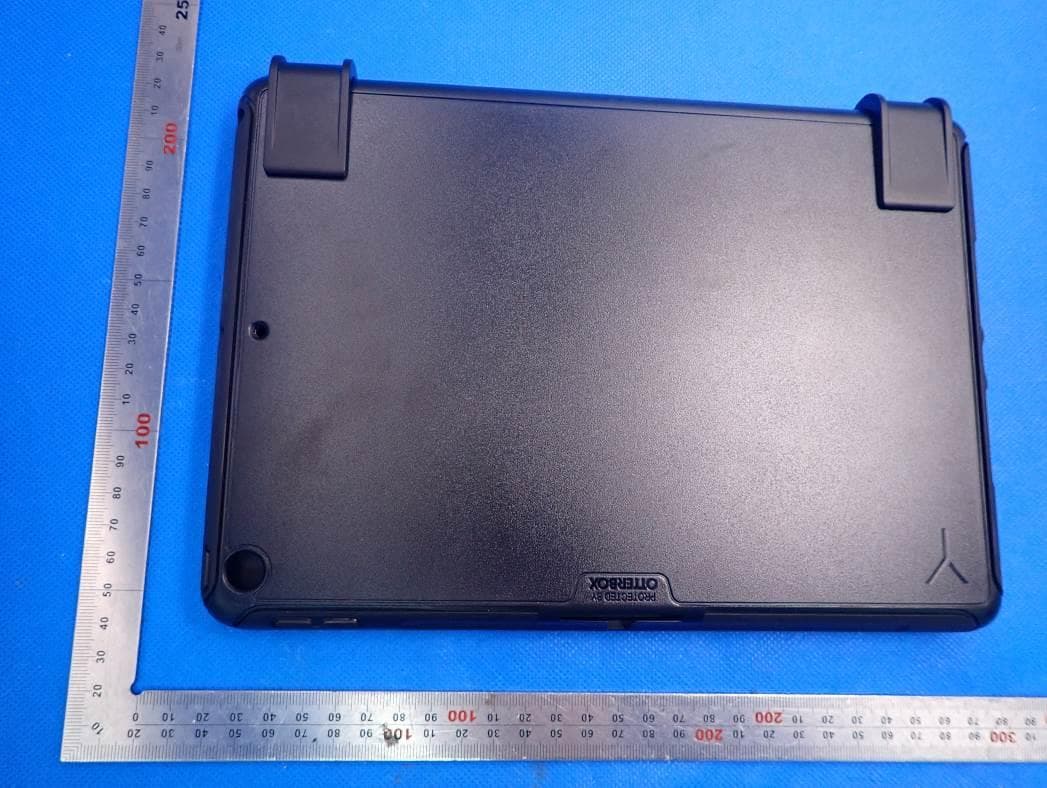
External Photos
FCC ID:2ADRG-BRYTP602 FCC ID:2ADRG-BRYTP602 FCC ID:2ADRG-BRYTP602 FCC ID:2ADRG-BRYTP602
Internal Photos
FCC ID:2ADRG-BRYTP602 FCC ID:2ADRG-BRYTP602 FCC ID:2ADRG-BRYTP602 FCC ID:2ADRG-BRYTP602 BT ANT
RF Exposure Info
Shenzhen Huaxia Testing Technology Co., Ltd 1F., Block A of Tongsheng Technology Building,Huahui Road, Dalang Street, Longhua District, Shenzhen, China Telephone: +86-755-26648640 Fax:+86-755-26648637 Website:www.cqa-cert.com Report Template Version: V04 Repor tTemplate Revision Date: 2018-07-06 RF Exposure Evaluation Report The test report is effective only with both signature and specialized stamp, The result(s) shown in this report refer only to the sample(s) tested. Without written approval of CQA, this report can’t be reproduced except in full. Report No. : CQASZ20191101177E-02 Applicant:BRYDGE GLOBAL Address of Applicant:1912 Sidewinder Dr#104, Park City, Utah, United States 84060 Equipment Under Test (EUT): EUT Name:Bluetooth Keyboard Model No.:BRYTP602 Brand Name:BRYDGE FCC ID:2ADRG-BRYTP602 Standards: 47 CFR Part 1.1307 47 CFR Part 2.1093 KDB447498D01 General RF Exposure Guidance v06 Date of Receipt:2019-11-25 Date of Test:2019-11-25 to 2020-01-07 Date of Issue:2020-01-07 Test Result :PASS* * In the configuration tested, the EUT complied with the standards specified above. Tested By: ( Tom chen ) Reviewed By: (Aaron Ma ) Approved By: ( Jack Ai ) Shenzhen Huaxia Testing Technology Co., Ltd Report No.: CQASZ20191101177E-02 Page: 2 of 6 1Version Revision History Of Report ReportNo.Version Description Issue Date CQASZ20191101177E- 02 Rev.01 Initial report 2020-01-07 Shenzhen Huaxia Testing Technology Co., Ltd Report No.: CQASZ20191101177E-02 Page: 3 of 6 2 Contents Page 1 VERSION......................................................................................................................................................................2 2CONTENTS..................................................................................................................................................................3 3 GENERAL INFORMATION........................................................................................................................................4 3.1 C LIENTINFORMATION................................................................................................................................................4 3.2 G ENERALDESCRIPTION OFEUT................................................................................................................................4 4 SAR EVALUATION.....................................................................................................................................................5 4.1 RF E XPOSURECOMPLIANCEREQUIREMENT..............................................................................................................5 4.1.1 Standard Requirement..................................................................................................................................5 4.1.2 Limits................................................................................................................................................................5 4.1.3 EUT RF Exposure..........................................................................................................................................6 Shenzhen Huaxia Testing Technology Co., Ltd Report No.: CQASZ20191101177E-02 Page: 4 of 6 3 General Information 3.1 Client Information Applicant: BRYDGE GLOBAL Address of Applicant: 1912 Sidewinder Dr#104, Park Cit y, Utah, United States 84060 Manufacturer: BRYDGE GLOBAL Address of Manufacturer: 1912 Sidewinder Dr#104, Park City, Utah, United States 84060 3.2 General Description of EUT Product Name: Bluetooth Keyboard Model No.: BRYTP602 Trade Mark: BRYDGE Hardware Version: MTJMBT4036 MainPCB Ver1.1_20190826 Software Version: MeiTai_MTJMBT4036_00.00beta1.hex Operation Frequency:2402MHz~2480MHz Bluetooth Version:V4.2 Modulation Type:GFSK Transfer Rate:1Mbps Number of Channel:40 Product Type:MobilePortableFix Location Test Software of EUT:HCI Control (manufacturer declare ) Antenna Type: PCB antenna Antenna Gain: 1.87dBi EUT Power Supply: lithium battery:DC3.85V, Charge by DC5.0V Shenzhen Huaxia Testing Technology Co., Ltd Report No.: CQASZ20191101177E-02 Page: 5 of 6 4 SAR Evaluation 4.1 RF Exposure Compliance Requirement 4.1.1 Standard Requirement According to KDB447498D01 General RF Exposure Guidance v06 4.3.1. Standalone SAR test exclusion considerations Unless specifically required by the published RF exposure KDB procedures, standalone 1-g head or body and 10-g extremity SAR evaluation for general population exposure conditions, by measurement or numerical simulation, is not required when the corresponding SAR Exclusion Threshold condition, listed below, is satisfied. 4.1.2 Limits The 1-g and 10-g SAR test exclusion thresholds for 100 MHz to 6 GHz at test separation distances ≤50 mm are determined by: [(max. power of channel, including tune-up tolerance, mW)/(min. test separation distance, mm)] · [√f(GHz)]≤3.0 for 1-g SAR and≤7.5 for 10-g extremity SAR, where f(GHz) is the RF channel transmit frequency in GHz Power and distance are rounded to the nearest mW and mm before calculation 17 The result is rounded to one decimal place for comparison The test exclusions are applicable only when the minimum test separation distance is≤50 mm and for transmission frequencies between 100 MHz and 6 GHz. When the minimum test separation distance is < 5 mm, a distance of 5 mm is applied to determine SAR test exclusion Shenzhen Huaxia Testing Technology Co., Ltd Report No.: CQASZ20191101177E-02 Page: 6 of 6 4.1.3EUT RF Exposure For BLE Measurement Data GFSK mode Test channelPeak Output Power (dBm) Tune up tolerance (dBm) Maximum tune-up Power (dBm)(mW) Lowest(2402MHz)1.861.0±12.01.585 Middle (2440MHz)0.910±11.01.259 Highest(2480MHz)-0.02-0.5±10.51.122 Worst case: GFSK Channel Maximum Peak Conducted Output Power (dBm) Tune up tolerance (dBm) Maximum tune- up PowerCalculated value Exclusion threshold (dBm) (mW) Lowest (2402MHz) 1.861.0±12.0 1.585 0.491 3.0 Middle (2440MHz) 0.910±11.0 1.2590.393 Highest (2480MHz) -0.02…
Text truncated - open the document above for the full version.
Test Report
Shenzhen Huaxia Testing Technology Co., Ltd 1F., Block A of Tongsheng Technology Building,Huahui Road, Dalang Street, Longhua District, Shenzhen, China Telephone: +86-755-26648640 Fax:+86-755-26648637 Website:www.cqa-cert.com Report Template Version: V04 Report Template Revision Date: 2018-07-06 TEST REPORT The test report is effective only with both signature and specialized stamp, The result(s) shown in this report refer only to the sample(s) tested. Without written approval of CQA, this report can’t be reproduced except in full. Report No. : CQASZ20191101177E-01 Applicant:BRYDGE GLOBAL Address of Applicant:1912 Sidewinder Dr#104, Park City, Utah, United States 84060 Equipment Under Test (EUT): EUT Name:Bluetooth Keyboard Model No.:BRYTP602 Brand Name:BRYDGE FCC ID: 2ADRG-BRYTP602 Standards:47 CFR Part 15, Subpart C Date of Receipt:2019-11-25 Date of Test:2019-11-25 to 2020-01-07 Date of Issue:2020-01-07 Test Result :PASS* *In the configuration tested, the EUT complied with the standards specified above Tested By: ( Tom chen ) Reviewed By: (Aaron Ma ) Approved By: ( Jack Ai ) Shenzhen Huaxia Testing Technology Co., Ltd Report No.: CQASZ20191101177E-01 Page: 2 of 38 1Version Revision History Of Report ReportNo.Version Description Issue Date CQASZ20191101177E-01Rev.01 Initial report 2020-01-07 Shenzhen Huaxia Testing Technology Co., Ltd Report No.: CQASZ20191101177E-01 Page: 3 of 38 2 Test Summary Test ItemTest RequirementTest methodResult Antenna Requirement 47 CFR Part 15, Subpart C Section 15.203/15.247 (c) ANSI C63.10 2013PASS AC Power Line Conducted Emission 47 CFR Part 15, Subpart C Section 15.207 ANSI C63.10 2013PASS Conducted Peak Output Power 47 CFR Part 15, Subpart C Section 15.247 (b)(3) ANSI C63.10 2013PASS 6dB Occupied Bandwidth 47 CFR Part 15, Subpart C Section 15.247 (a)(2) ANSI C63.10 2013PASS Power Spectral Density 47 CFR Part 15, Subpart C Section 15.247 (e) ANSI C63.10 2013PASS Band-edge for RF Conducted Emissions 47 CFR Part 15, Subpart C Section 15.247(d) ANSI C63.10 2013PASS RF Conducted Spurious Emissions 47 CFR Part 15, Subpart C Section 15.247(d) ANSI C63.10 2013PASS Radiated Spurious Emissions 47 CFR Part 15, Subpart C Section 15.205/15.209 ANSI C63.10 2013PASS Restricted bands around fundamental frequency (Radiated Emission) 47 CFR Part 15, Subpart C Section 15.205/15.209 ANSI C63.10 2013PASS Shenzhen Huaxia Testing Technology Co., Ltd Report No.: CQASZ20191101177E-01 Page: 4 of 38 3 Contents Page 1 VERSION....................................................................................................................................................................2 2 TEST SUMMARY......................................................................................................................................................3 3CONTENTS................................................................................................................................................................4 4 GENERAL INFORMATION.....................................................................................................................................5 4.1 C LIENTINFORMATION........................................................................................................................................... 5 4.2 G ENERALDESCRIPTION OFEUT...........................................................................................................................5 4.3 A DDITIONALINSTRUCTIONS..................................................................................................................................7 4.4 T ESTENVIRONMENT..............................................................................................................................................8 4.5 D ESCRIPTION OFSUPPORTUNITS..........................................................................................................................8 4.6 S TATEMENT OF THE MEASUREMENT UNCERTAINTY..............................................................................................9 4.7 T ESTLOCATION...................................................................................................................................................10 4.8 T ESTFACILITY.....................................................................................................................................................10 4.9 D EVIATION FROMSTANDARDS............................................................................................................................10 4.10 O THERINFORMATIONREQUESTED BY THECUSTOMER......................................................................................10 4.11 E QUIPMENTLIST................................................................................................................................................. 11 5 TEST RESULTS AND MEASUREMENT DATA............................................................................................... 12 5.1 A NTENNAREQUIREMENT.................................................................................................................................... 12 5.2 C ONDUCTEDEMISSIONS......................................................................................................................................13 5.3 C ONDUCTEDPEAKOUTPUTPOWER....................................................................................................................16 5.4 6 DBOCCUPYBANDWIDTH..................................................................................................................................19 5.5 P OWERSPECTRALDENSITY................................................................................................................................22 5.6 B AND-EDGE FORRF CONDUCTEDEMISSIONS.................................................................................................... 25 5.7 S PURIOUSRF CONDUCTEDEMISSIONS...........................................…
Text truncated - open the document above for the full version.
Test Setup Photos
FCC ID:2ADRG-BRYTP602 1 Photographs - EUT Test Setup 1.1 Radiated Spurious Emission 9KHz~30MHz: 30MHz~1GHz: FCC ID:2ADRG-BRYTP602 Above 1GHz: 1.2 Conducted Emission
Contact Information
Applicant
Nicholas Smith
Technical Contact
Shenzhen Huaxia Testing Technology Co., LtdAaron Ma
[email protected]+86-755-26648640
1F Block A of Tongsheng Technology Bldg, Huahui Rd · Shenzhen · China
Test Firm
Shenzhen Huaxia Testing Technology Co., LtdJack Ai
[email protected]+8613902988375
Technical Specifications
| # | Rule Parts | Frequency Range | Power Output |
|---|---|---|---|
| 1 | 15C | 2.40 GHz - 2.48 GHz | 1.50 mW |
Other Applications from BRYDGE GLOBAL
2ADRG-BRY801K
Feb 28, 2021Bluetooth Wireless keyboard
Equipment Class
DXX - Part 15 Low Power Communication Device Transmitter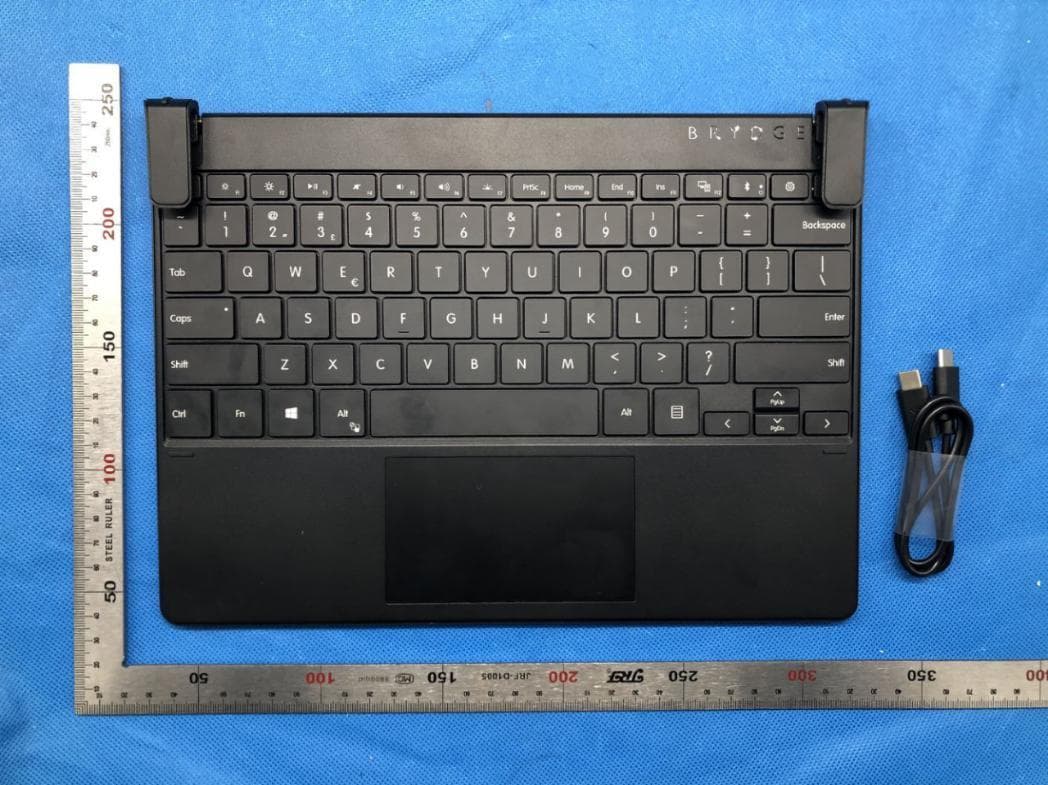
2ADRG-BRY703
Dec 29, 2020Bluetooth Keyboard
Equipment Class
DTS - Digital Transmission System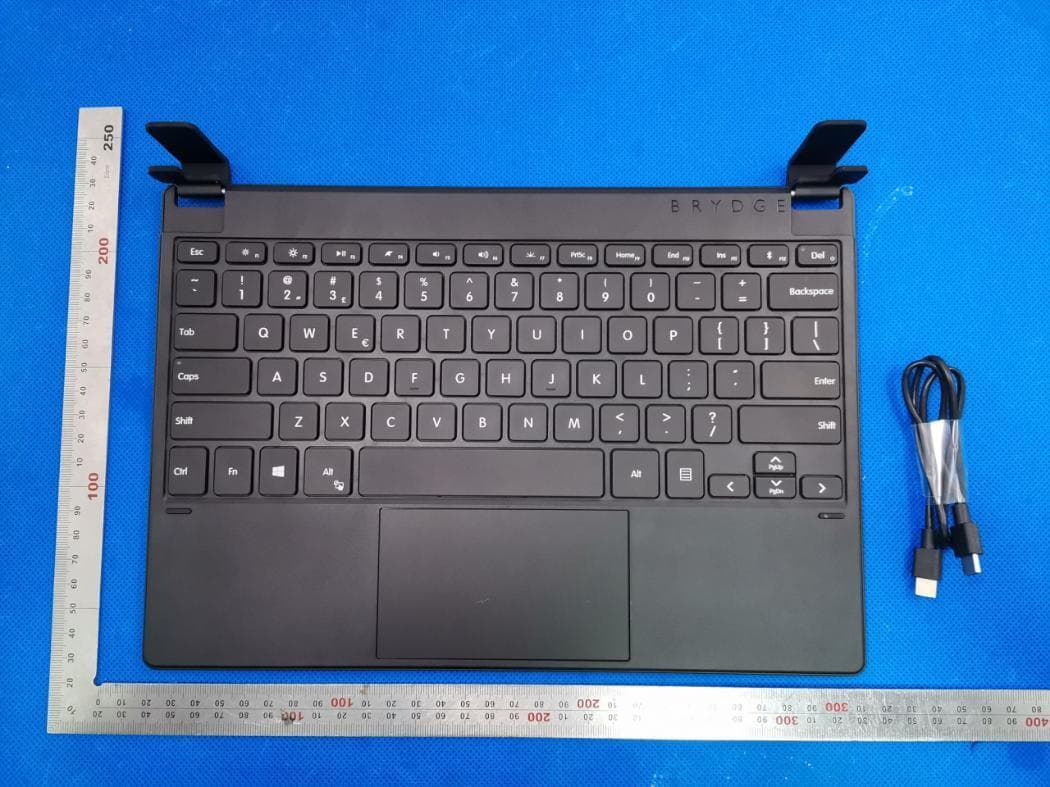
2ADRG-BRY7011
Aug 25, 2020Bluetooth Keyboard
Equipment Class
DXX - Part 15 Low Power Communication Device Transmitter
2ADRG-BRY7301
Aug 23, 2020Bluetooth keyboard
Equipment Class
DTS - Digital Transmission System
2ADRG-BRY702
Aug 23, 2020Bluetooth Keyboard
Equipment Class
DXX - Part 15 Low Power Communication Device Transmitter