2AIOC-RGB03WSMART BULB
HANK ELECTRONICS CO., LTD.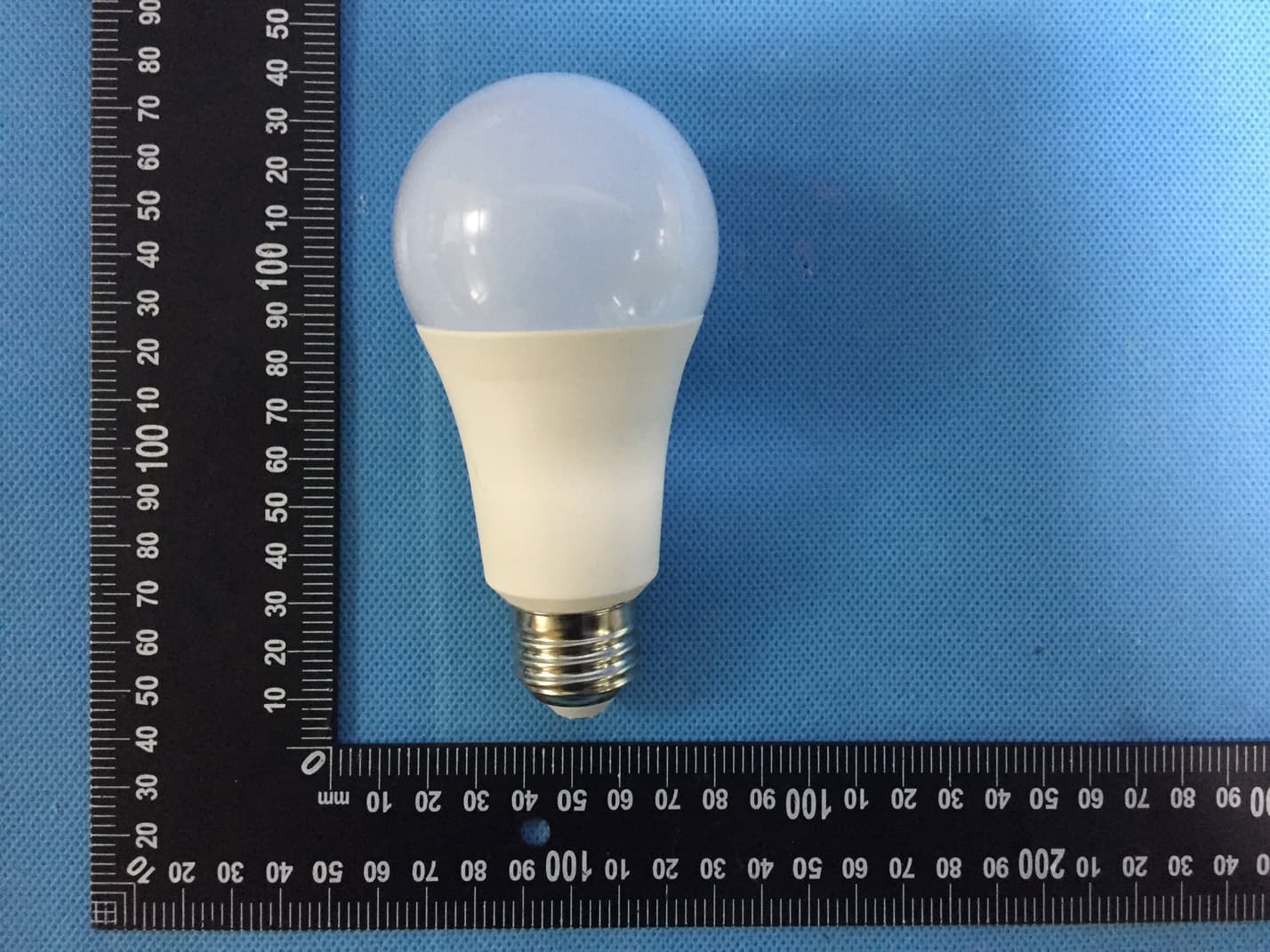
Click to zoom
Application Details
- Equipment Class
- DTS - Digital Transmission System
- Date of Grant
- Mar 22, 2020
- Application Purpose
- Original Equipment
- Date of Application
- Mar 22, 2020
- Equipment Note
- SMART BULB
- Frequency Range
- 2412.00000000 - 2462.00000000
- Company
- HANK ELECTRONICS CO., LTD.
- Country
- China
Documents & Files
Document Text
Text extracted from the exhibit documents filed with the FCC. Open a document above to read the original.
Users Manual
OPERATING MANUAL SMART BULB HKWL-RGB03W 1. Product Description The Smart Bulb is a Wi-Fi based bulb that works perfectly with Amazon Alexa and Google Home by voice control. You can either control it with Android and iOS based APP by phone, anywhere, at any time. 2. Features Dimmable 16 million color optional, warm and cold color adjustment Unique scene mode, you can set it yourself Works with Amazon Alexa and Google Home by voice control Remote control via APP anywhere anytime OTA upgrade supported 3.Precautions Please ask help from the professionals to install, check and maintain the bulb for safety purpose. Do not install the bulb above high temperature objects or wet locations Do not install the bulb to unstable and unsubstantial ceiling. Please shut down the power and contact with the seller in case of any abnormal occurrence Note: Please install and use by strictly following the instructions to avoid any accidents threatening to personal safety caused by drop of bulb and fire due to electricity shock etc.! 4.Specifications Power supply: 120-240VAC , 50/60Hz Max 0.12A 7W Standby power: <1.5W Rate power: White light 7W Luminous: 600LM Storage temperature: -40-70°C Radio protocol: Wi-Fi Radio frequency: 2.412GHz—2.462GHz Range: About 70m outdoors About 30m indoors (depending on building materials) Dimensions: 60mm (Φ) x 125mm (L) Lamp base: E26/E27 Note: Danger of electrocution! Any work on device regarding electrical connections may be performed only after the power supply has been disconnected. Note: Lamps with bulbs not suitable for water contact Use in Dry Locations only 5. Installation Notes Warning: Cut the power off before installation! Make sure the bulb to be within the Wi-Fi network to ensure a successful connection between the bulb and router. 6. Wi-Fi Configuration Instructions 6.1 Scan the QR code below to download APP for Android and iOS system. Or you can download the “Smart Life” APP on Apple Store and Google Play. Android&IOS 6.2 Start the APP and register an account with your email address or mobile number (mobile number registration available for China mainland users ONLY), and then log in APP with the registered account. 6.3 Add device 1) Click Add Devices -> All Manually ->Lighting ->Lighting to start the device adding. 2) Add the device to the network. In EZ mode or AP mode. EZ mode EZ Mode is the default paring way. In this way, when first time powering on the device, the LED indicator will blink fast in red which means it already enters paring mode. You can then just follow the instructions on the APP to enter your router WIFI password to move forward. Please note that the LED indicator will be off if it’s connected to power for a while without any operations. In this case, turn the lamp power on-off 3 times, each time 1 second apart, this will flash red and enter pairing mode. AP mode If you would like to use AP Mode for paring, chose “Other Mode” on the top right side in the APP and chose “AP Mode” there. Under this mode, the LED indicator on the device should be blinking slowly. If the LED indicator is not blinking slowly (namely blinking fast or is not blinking), turn the lamp power on-off 3 times, each time 1 second apart. Then follow the instruction on the APP to enter router WIFI password, select the device hotspot (SmartLife-xxxx) to move forward. 4) Users can re-name or share the device after Wi-Fi connection is finished. NOTE 1. Make sure the device and smartphone are in the same network (2.4G supported only); 2. The device can be included via EZ mode or AP mode. 7. Control Device By the APP, this Smart Bulb can be controlled remotely. The specific instructions are as follows: 1. Support the click on the bulb icon on the APP to control the device on-off 2. Adjust the brightness of the device by sliding your finger on adjustment-bar 3. Support multi schedules function 4. Support device shared 5. Supports 16 million color optional, warm and cold color adjustment 6. Support scene mode switching, freely change 8. Remove Device To remove the bulb from the Wi-Fi network: 1) Open the Smart Life APP 2) Click the icon in the upper right corner, and then click “Remove Device” button 3) When remove the device is successful, the LED will start rapidly blink. i 9. Reset To Factory Default To restore to factory default the bulb from the Wi-Fi network: 1) Open the Smart Life APP 2) Click the icon in the upper right corner, and then click “Restore Factory Defaults” button 3) When restore the device is successful, the LED will start rapidly blink. NOTE Remove procedure will clear the WIFI Smart Bulb’s memory which means erasing all information about WIFI network and configuration. 10. Quick Guide Of Using Amazon Echo To Control Smart Devices 10.1. What you need to get started. Before using Echo to control your smart devices, please make sure that the following conditions are met: Stable Wi-Fi network which could access to Amazon server; An Echo device, such as Echo, Echo Tap, or Echo Dot; A valid Amazon Alexa account; Smart life APP and a registered account; At least one device under your Smart life account. 10.2 Add devices in Smart Life app (Refer to App Instruction) You can skip this part if you've already added some devices to your Smart life account. Download Smart Life app (Refer to App Instruction) Search "Smart life" in App Store or Google Play to install the app. iOS version download: App Store i Android version download: Google Play Register a Smart Life account and sign in the app (Refer to App Instruction) Add device and change device's name (Refer to App Instruction) 10.3 Link Smart Life account to Echo 1. Tap "Skills" in the hamburger menu, then search "Smart Life". Select "Smart Life" and tap "ENABLE" to enable the Skill. 2. You will be re-directed to the account link page. Type in your Smart life account and password, don't forget to select the country/region where your account belongs to. Then tap "Link Now" to link…
Text truncated - open the document above for the full version.
Cover Letter(s)
HANK ELECTRONICS CO., LTD. Date:2020-03-16 Federal Communications Commission Authorization and Evaluation Division Confidentiality Request regarding application for certification of FCC ID: 2AIOC-RGB03W Pursuant to Sections 0.457 and 0.459 of the Commission’s Rules, we hereby request confidential treatment of information accompanying this application as outlined below: Exhibit Type Schematics Block Diagram Operational Description File Name HKWL-RGB03W_Schematics.pdf HKWL-RGB03W_Block Diagram.pdf HKWL-RGB03W_Operational Description.pdf The above materials contain trade secrets and proprietary information not customarily released to the public. The public disclosure of these materials may be harmful to the applicant and provide unjustified benefits to its competitors. The applicant understands that pursuant to Section 0.457 of the Rules, disclosure of this application and all accompanying documentation will not be made before the date of the Grant for this application. Sincerely, HANK ELECTRONICS CO., LTD. Signature GuangCan Yang / Product Man ager Typed name an d Title
Cover Letter(s)
HANK ELECTRONICS CO., LTD. FCC ID: 2AIOC-RGB03W POWER OF ATTORNEY Date: 2020-03-16 Federal Communications Commission Authorization and Evaluation Division 7435 Oakland Mills Road Columbia, MD 21046 To Whom It May Concern: We, the undersigned, hereby authorize Waltek Services (ShenZhen) Co., Ltd. (Philo Zhong) on our behalf, to apply to the Federal Communications Commission on our equipment. Any and all acts carried out by Waltek Services (ShenZhen) Co., Ltd. (Philo Zhong) on our behalf shall have the same effect as acts of our own. This authorization expires on 2021-03-15 This is to advise that we are in full compliance with the Anti-Drug Abuse Act. We, HANK ELECTRONICS CO., LTD.are not subject to a denial of federal benefits pursuant to Section 5301 of the Anti-Drug Act of 1988, 21 USC853a, and no party to the application is subject to a denial of federal benefits pursuant to that section. Sincerely, HANK ELECTRONICS CO., LTD. Signature GuangCan Yang / Product Manager Typed name and Title
External Photos
Reference No.: WTS20S03009202W Waltek Services (Shenzhen) Co.,Ltd. http://www.waltek.com.cn M odel HKWL-RGB03W - External Photos Reference No.: WTS20S03009202W Waltek Services (Shenzhen) Co.,Ltd. http://www.w altek.com.cn Reference No.: WTS20S03009202W Waltek Services (Shenzhen) Co.,Ltd. http://www.w altek.com.cn
ID Label/Location Info
HKWL-RGB03W_Label Sample and Label Location
Internal Photos
Reference No.: WTS20S03009202W Waltek Services (Shenzhen) Co.,Ltd. http://www.waltek.com.cn Model HKWL-RGB03W - Internal Photos Reference No.: WTS20S03009202W Waltek Services (Shenzhen) Co.,Ltd. http://www.w altek.com.cn Reference No.: WTS20S03009202W Waltek Services (Shenzhen) Co.,Ltd. http://www.w altek.com.cn Reference No.: WTS20S03009202W Waltek Services (Shenzhen) Co.,Ltd. http://www.w altek.com.cn Reference No.: WTS20S03009202W Waltek Services (Shenzhen) Co.,Ltd. http://www.w altek.com.cn ANT Reference No.: WTS20S03009202W Waltek Services (Shenzhen) Co.,Ltd. http://www.w altek.com.cn
RF Exposure Info
Reference No.: WTS20S03009202W Waltek Services (Shenzhen) Co.,Ltd. http://www.waltek.com.cn FCC ID: 2AIOC-RGB03W RF Exposure Report Test Requirement: FCC Part 1.1307 Evaluation Method: FCC Part 2.1091 & KDB 447498 D01 General RF Exposure Guidance v06 Requirements Systems operating under the provisions of this section shall be operated in a manner that ensures that the public is not exposed to radio frequency energy levels in excess limit for maximum permissible exposure. In accordance with 47 CFR FCC Part 2 Subpart J, section 2.1091 this device has been defined as a mobile device whereby a distance of 0.2 m normally can be maintained between the user and the device. (A) Limits for Occupational / Controlled Exposure Frequency Range (MHz) Electric Field Strength (E) (V/m) Magnetic Field Strength (H) (A/m) Power Density (S) (mW/ cm 2 ) Averaging Time |E| 2 ,|H| 2 or S (minutes) 0.3-3.06141.63(100)*6 3.0-30 1842 / f 4.89 / f (900 / f)* 6 30-30061.40.1631.06 300-1500F/3006 1500-100,00056 (B) Limit s for General Population / Uncontrolled Exposure Frequency Range (MHz) Electric Field Strength (E) (V/m) Magnetic Field Strength (H) (A/m) Power Density (S) (mW/ cm 2 ) Averaging Time |E| 2 ,|H| 2 or S (minutes) 0.3-1.346141.63(100)*30 1.34-30824/f2.19/f(180/f)*30 30-30027.50.0730.230 300-1500F/150030 1500-100,0001.030 Note: f = frequency in MHz ; *Plane-wave equivalent power density Reference No.: WTS20S03009202W Waltek Services (Shenzhen) Co.,Ltd. http://www.waltek.com.cn E valuation Result S= 2 4R GP S = powe r density (in appropriate units, e.g. mW/cm 2 ) P = output power to the antenna (in appropriate units, e.g., mW). G = power gain of the antenna in the direction of interest relative to an isotropic radiator, the power gain factor, is normally numeric gain. R = distance to the center of radiation of the antenna (appropriate units, e.g., cm) From the peak EUT RF output power, the minimum mobile separation distance, R=20cm, as well as the gain of the used antenna, the RF power density can be obtained Antenna Gain (dBi) Antenna Gain (numeric) Max. Peak Output Power (dBm) Peak Output Power (mW) Power Density (mW/cm2) Limit of Power Density (mW/cm2) 0.01.018.2767.140.0131 Result: Compliance No SAR measurement is required.
Test Report
Waltek Services (Shenzhen) Co.,Ltd. http://www.waltek.com.cn Page 1 of 61 TEST REPORT Reference No. .................... : WTS20S03009202W V1 FCC ID................................. : 2AIOC-RGB03W Applicant ............................ : HANK ELECTRONICS CO., LTD. Address .............................. : Floor 2nd-7th, A8, Hongye Industry City, Lezhujiao, Zhoushi Road, Baoan District, Shenzhen, China Manufacturer ..................... : HANK ELECTRONICS CO., LTD. Address .............................. : Floor 2nd-7th, A8, Hongye Industry City, Lezhujiao, Zhoushi Road, Baoan District, Shenzhen, China Product ............................... : SMART BULB Model(s). ............................. : HKWL-RGB03W Standards ........................... : FCC CFR47 Part 15 Section 15.247:2019 Date of Receipt sample ..... : 2020-03-12 Date of Test ........................ : 2020-03-12 to 2020-03-20 Date of Issue ...................... : 2020-03-23 Test Result ......................... : Pass Remarks: The result s shown in this test report refer only to the sample(s) tested, this test report cannot be reproduced, except in full, without prior written permission of the company. The report would be invalid without specific stamp of test institute and the signatures of compiler and approver. Prepared By: Waltek Services (Shenzhen) Co., Ltd. Address: 1/F., Fukangtai Building, West Baima Road, Songgang Street, Baoan District, Shenzhen, Guangdong, China Tel :+86-755-83551033 Fax:+86-755-83552400 Compiled by: Approved by: Robin Zhou / Test Engineer Philo Zhong / Manager Reference No.: WTS20S03009202W V1 Page 2 of 61 Waltek Services (Shenzhen) Co.,Ltd. http://www.waltek.com.cn 1 Contents Page COVER PAGE ........................................................................................................................................... 1 1 CONTENTS ............................................................................................................................................................ 2 2 REVISION HISTORY ............................................................................................................................................ 4 3 GENERAL INFORMATION .................................................................................................................................. 5 3.1 GENERAL DESCRIPTION OF E.U.T ................................................................................................................. 5 3.2 CHANNEL LIST ................................................................................................................................................. 5 3.3 TEST MODE ..................................................................................................................................................... 5 4 EQUIPMENT USED DURING TEST .................................................................................................................. 6 4.1 EQUIPMENTS LIST ........................................................................................................................................... 6 4.2 MEASUREMENT UNCERTAINTY ....................................................................................................................... 7 4.3 TEST EQUIPMENT CALIBRATION ..................................................................................................................... 7 5 TEST FACILITY ..................................................................................................................................................... 7 6 TEST SUMMARY .................................................................................................................................................. 8 7 CONDUCTED EMISSIONS .................................................................................................................................. 9 7.1 E.U.T. OPERATION ......................................................................................................................................... 9 7.2 EUT SETUP ..................................................................................................................................................... 9 7.3 MEASUREMENT DESCRIPTION ...................................................................................................................... 10 7.4 CONDUCTED EMISSION TEST RESULT ......................................................................................................... 10 8 RADIATED SPURIOUS EMISSIONS ............................................................................................................... 12 8.1 EUT OPERATION ........................................................................................................................................... 12 8.2 TEST SETUP .................................................................................................................................................. 13 8.3 SPECTRUM ANALYZER SETUP ...................................................................................................................... 14 8.4 TEST PROCEDURE ........................................................................................................................................ 15 8.5 CORRECTED AMPLITUDE & MARGIN CALCULATION ..................................................................................... 15 8.6 SUMMARY OF TEST RESULTS ....................................................................................................................... 16 9 BAND EDGE MEASUREMENT ........................................................................................................................ 25 9.1 TEST PRODUCE ............................................................................................................................................. 25 9.2 TEST SETUP .........................................................................…
Text truncated - open the document above for the full version.
Test Setup Photos
Reference No.: WTS20S03009202W Waltek Services (Shenzhen) Co.,Ltd. http://www.waltek.com.cn HKWL-RGB03W Test Setup Photos P hotograph-Conducted Emissions Test Setup Photos P hotograph – Radiated Spurious Emissions Test Setup Photos 9 kHz to 30 MHz Reference No.: WTS20S03009202W Waltek Services (Shenzhen) Co.,Ltd. http://www.w altek.com.cn From 30 MHz to 1GHz Above 1GHz
Contact Information
Applicant
GuangCan Yang
Test Firm
WALTEK TESTING GROUP CO., LTD.Joy Zhou
[email protected]0769-22676998
Technical Specifications
| # | Rule Parts | Frequency Range | Power Output |
|---|---|---|---|
| 1 | 15C | 2.41 GHz - 2.46 GHz | 67.10 mW |
Other Applications from HANK ELECTRONICS CO., LTD.
2AIOC-581092
Jan 19, 202410000mAh Magnetic Power Bank
Equipment Class
DCD - Part 15 Low Power Transmitter Below 1705 kHz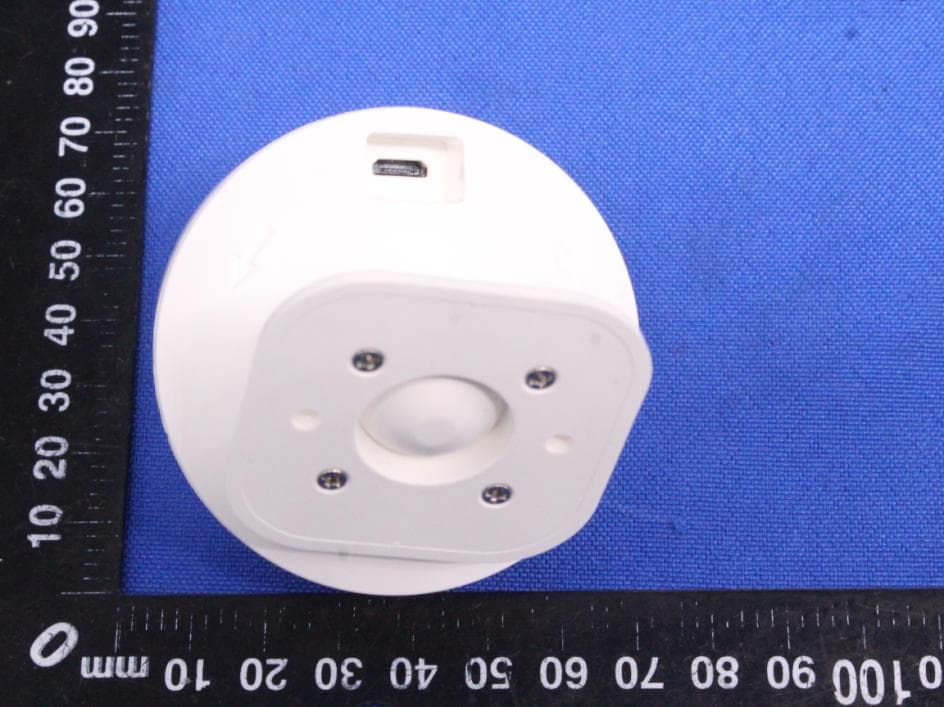
2AIOC-MS08
Aug 24, 2020Multisensor
Equipment Class
DXX - Part 15 Low Power Communication Device Transmitter
2AIOC-1661
Mar 24, 2020Wireless Charger Mat
Equipment Class
DCD - Part 15 Low Power Transmitter Below 1705 kHz
2AIOC-1671
Feb 06, 2020Wireless Charger Holder
Equipment Class
DCD - Part 15 Low Power Transmitter Below 1705 kHz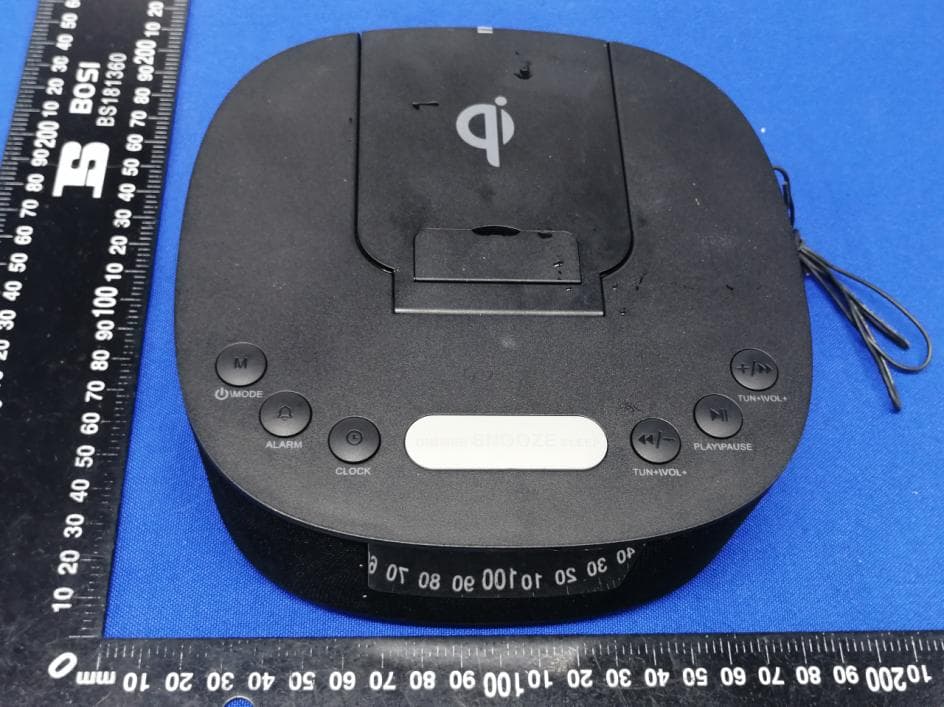
2AIOC-100008727
Jan 14, 2020Clock Radio With Wireless Charging
Equipment Class
DSS - Part 15 Spread Spectrum Transmitter