2APXW-ATTCKTHS024G mobile hotspot
Wingtech Group (Hong Kong) Limited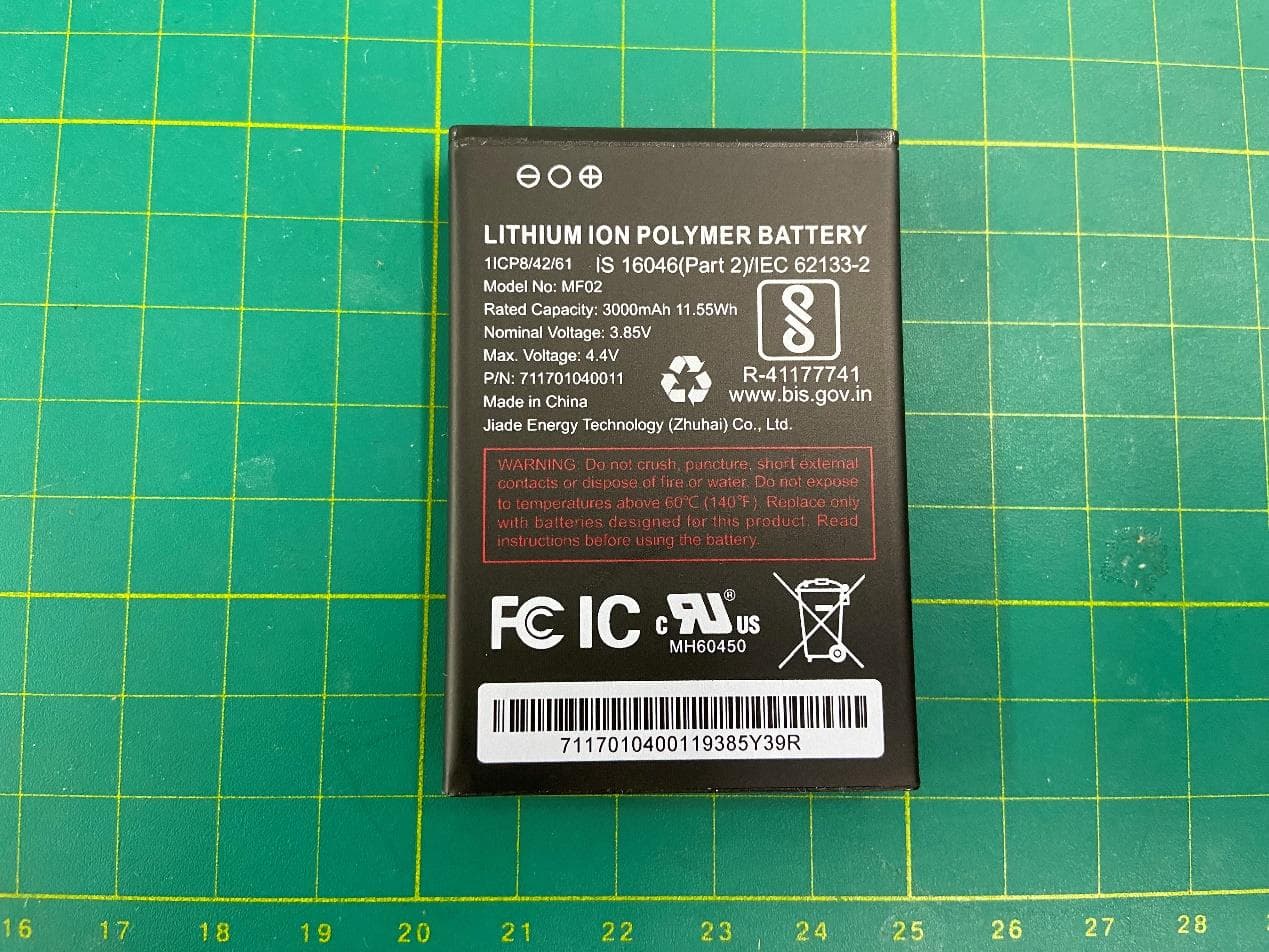
Click to zoom
Application Details
- Equipment Class
- JBP - Part 15 Class B Computing Device Peripheral
- Date of Grant
- Oct 30, 2023
- Application Purpose
- Original Equipment
- Date of Application
- Oct 25, 2023
- Equipment Note
- 4G mobile hotspot
- Country
- Hong Kong
Documents & Files
Document Text
Text extracted from the exhibit documents filed with the FCC. Open a document above to read the original.
Users Manual
environmental regulations or guide supplied with your product. with power from the designated battery or power supply unit. Other usages may be dangerous and will invalidate any approval given to this product. Safety precautions for proper grounding installation Warning: Connecting to an improperly grounded equipment can result in an electric shock to your device. This product is equipped with a USB cable for connecting with desktop or notebook computers. Be sure your computer is properly grounded (earthed) before connecting this product to the computer. The power supply cord of a desktop or notebook computer has an equipment grounding conductor and a grounding plug. The plug must be plugged into an appropriate outlet that is properly installed and grounded in accordance with all local codes and ordinances. Safety precautions for power supply unit Use the correct external power source A product should be operated only from the type of power source indicated on the electrical ratings label. Safety Information Guide If you are not sure of the type of power source required, consult your authorized service provider or local power company. For a product that operates from battery power or other sources, refer to the operating instructions that are included with the product. This product should be operated only with the following designated power supply unit(s). Travel charger: Input: 100-240V, 50/60Hz, 0.5A. Output: 5V, 2A Battery must be used with caution This product contains a Lithium Ploymer battery. There is a risk of fire and burns if the battery pack is handled improperly. Do not attempt to open or service the battery pack. Do not disassemble, crush, puncture, short circuit the external contacts or circuits, dispose of in fire or water, or expose a battery pack to temperatures higher than 140°F (60°C). The operating temperature for the device is -4°F (-20°C) to 140°F (60°C). The Charging temperature for the device is 32° F (0°C) to 113°F (45°C). Warning: Battery is removable. To reduce the ris k of fire or burns, do not disassemble, crush, puncture, short circuit the external contacts, expose to temperature above 140°F (60°C), or dispose of in fire or water. Device and battery must be disposed or recycled of in accordance with locally applicable Take extra precautions Do not disassemble or open, crush, bend or deform, puncture, or shred. Do not short circuit a battery or allow metallic conductive objects to contact the battery terminals. Only use the USB cable provided with the device or that bear the USB-IF logo or have completed the USB-IF compliance program. Do not modify or remanufacture, attempt to insert foreign objects into the battery, immerse or expose to water or other liquids, expose to fire, explosion, or other hazards. Device usage by children should be supervised. Only use the battery with a charging system that has been qualified with the system per CTIA Certification Requirement for Battery System Compliance to IEEE1725. Use of an unqualified battery or charger may present a risk of fire, explosion, leakage, or other hazards. Avoid dropping the device. If the device is dropped, especially on a hard surface, and the user suspects damage, take it to a service center for inspection. Avoid dropping the device. If the device is dropped, especially on a hard surface, and the user suspects damage, take it to a service center for inspection. Improper battery use may result in a fire, explosion, or other hazards. If the battery leaks: Safety precautions for direct sunlight Keep this product away from excessive moisture and extreme temperatures. Do not leave the product inside a vehicle or in places where the temperature may exceed 140°F (60°C), such as on a car dashboard, window sill, or behind a glass that is exposed to direct sunlight or strong ultraviolet light for extended periods of time. This may damage the product, overheat the battery, or pose a risk to the vehicle. Safety in aircraft Due to possible interference caused by this product to an aircraft's navigation system and its communications network, using this device's function on board an airplane is against the law in most countries. in such areas could cause an explosion or fire resulting in bodily injury or even death. Environment restrictions Do not use this product in gas stations, fuel depots, chemical plants or where blasting operations are in progress, or in potentially explosive atmospheres such as fueling areas, fuel storehouses, below deck on boats, chemical plants, fuel or chemical transfer or storage facilities, and areas where the air contains chemicals or particles, such as grain, dust, or metal powders. Please be aware that sparks Explosive atmospheres When in any area with a potentially explosive atmosphere or where flammable materials exist, the product should be turned o and the user should obey all signs and instructions. Sparks in such areas could cause an explosion or fire resulting in bodily injury or even death. Users are advised not to use the equipment at refueling points, such as service or gas stations, and are reminded of the need to observe restrictions on the use of radio equipment in fuel depots, chemical plants, or where blasting operations are in progress. Areas with a potentially explosive atmosphere are often, but not always, clearly marked. These include fueling areas, below deck on boats, fuel or chemical transfer or storage facilities, and areas where the air contains chemicals or particles, such as grain, dust, or metal powders. Road safety Full attention must be given to driving at all times in order to reduce the risk of an accident. Using a device while driving causes distraction and can can lead to an accident. You must comply with local laws and regulations restricting the use of wireless devices while driving. Safety precautions for RF exposure Avoid using your device near metal structures (for example, the steel frame of a building). Avoid using your device near strong e…
Text truncated - open the document above for the full version.
Users Manual
Turbo Hotspot 3 User Guide (Lab & Consumer) Getting Started Meet your Hotspot Familiarize yourself with the various screens, icons, and buttons to use your device. • Navigation Key • Power/Select Key • USB Type-C Charging Port • LCD Home Screen • Battery back cover Set Up Your Mobile Hotspot/SIM Insert Set Up Your Mobile Hotspot 1. Remove back cover and take the battery out. 2. Remove the SIM card from the outer card. 3. Locate the SIM card slot. Hold SIM so that the cut corner is at the top and gold contacts are facing downward. Insert SIM by pressing down on the clip and sliding into the SIM slot. 4. Insert the battery. Install the back cover, the arrow on the back cover points downward and aligns to the notch. Removing Your SIM Card 1. Remove back cover and take the battery out. 2. Locate the SIM card slot. 3. Push down on the plastic clip in front of the SIM card, while sliding the SIM card out of its slot. WARNING! To avoid any damage to your device, only use the standard Nano-SIM card provided. Home Screen Layout There are four different screens on this device. Use the Navigation and Power/Select Key to loop through them. 1. Wi-Fi Info 2. Messages >> CF to help recreate this screen 3. Connected Devices >> CF to help recreate this screen 4. More Settings Button Navigation Navigating and Selecting Menu Items • Click the Navigation Key to move the highlight over to the next menu item. • Click the Power/Select Key to select the desired menu item and enter into its page. • To get back to the home screen, continue to click the Navigation Key until the blue highlight is over the Back Home Icon and then click Power/Select Key to go back the Home Screen. Get to Know Your Hotspot Navigation Key When device is on: 1. Short-click: moves the highlight selection over to the next item on the screen. 2. Press & Hold for 3 seconds: activates WPS Power/Select Key When device is off: Press & Hold for 3 seconds: Powers on the device When device is on: 1. Press & Hold for 3 seconds: Powers off the device 2. When LCD is off, Short-click: Turns on the display 3. When LCD is on, Short-click: Selects the highlighted item Connecting to the Internet 1. Turn on your mobile hotspot by pressing and holding the Power/Select Key for 3 seconds. 2. Open the Wi-Fi network manager on your computer, smartphone, tablet, or Wi-Fi enabled device. 3. Use the Navigation Key to select the “Wi-Fi Info” page. Find and select your mobile hotspot’s Wi-Fi network (SSID) named “Turbo_XXXX” for the 2.4GHz Wi-Fi network or “Turbo_5GHz_####” for the 5GHz Wi-Fi network. 4. Connect by entering the password shown on your mobile hotspot’s display. 5. Open a web browser and visit your favorite website to confirm your connection. Note: Wi-Fi network name and Wi-Fi network password can be changed in the online WebUI under Wi-Fi Basic Setting. WPS Connection Connect securely without having to manually input the Wi-Fi password (key). Devices with a WPS Button (e.g., printer) 1. Bring the device within range of the hotspot and press the WPS button on the device. 2. Press and hold the Navigation Key for 3 seconds. 3. Successful Connection: “WPS Success” will display on the hotspot and the hotspot will automatically return to the home screen. 4. Failed Connection: “WPS Fail” will display on the hotspot and the hotspot will automatically return to the home screen. Devices without a WPS button (e.g., laptop) 1. Bring the device within range of the hotspot, then open up the network settings on the device and select the hotspot SSID. 2. Press and hold the Navigation Key for 3 seconds. 3. The device will start getting the correct credentials and start connecting. 3. Successful Connection: “WPS Success” will display on the hotspot and the hotspot will automatically return to the home screen. Connection will also display on the device screen. 4. Failed Connection: “WPS Fail” will display on the hotspot and the hotspot will automatically return to the home screen. Connecting via Tethering You can also connect your Wi-Fi enabled device to the mobile hotspot using a USB-C cable instead of using the Wi-Fi network. 1. Make sure your mobile hotspot is on and has an active data connection. 2. Connect one end of the USB-C cable to the hotspot and the other end to your device. 3. Your device will detect a network connection via USB automatically. 4. Check your connection by visiting a website. Charging the Hotspot To charge, plug one end of the charger into an electrical outlet or a laptop and the other end into the device’s USB-C port. 1. When device is powered on and charging, the battery icon will display a lightning symbol. 2. When device is powered off and charging, the charging animation will appear. Note: It will take the hotspot up to XX hours to charge fully from 0% when using the wall charger and cable provided. Charging times may vary when using other 3rd-party chargers and accessories. Online WebUI Manager The Online WebUI Manager is a virtual dashboard to manage your mobile hotspot’s settings, features and security controls. Accessing the Online WebUI Manager 1. Open a web browser on a computer or Wi-Fi enabled device that is connected to the mobile hotspot’s Wi-Fi network. 2. Enter http://hotspot.webui (or http://192.168.1.1) in the address bar of the browser. 3. Enter WebUI password and select Login. Note: A user has five attempts to input the correct password before initiating a lockout. The WebUI Manager can be accessed again after 15 minutes. Login Screen First Time Login The admin password for the online WebUI is “admin”. You will need to create a new WebUI password the first time logging on using the “admin” password. A new password must have a minimum of 8 characters. Changing the WebUI password will disrupt the session. You will automatically be logged off and will need to re-enter the new password. After 10 minutes of inactivity in the WebUI Manager, the system will log out automatically. Forgot Password If the password is forgotten,…
Text truncated - open the document above for the full version.
Attestation Statements
022423-17rev6 CertificationApplicationAttestationStatements Date:June14,2023 AmericanCertificationBody,Inc. 313ParkAvenue Suite300 FallsChurch,VA22046 ToWhomItMayConcern: Statementfor47CFRsection2.911(d)(5)(i) ______WingtechGroup(HongKong)Limited______certifiesthatasofthedateoftheapplication theequipmentforwhichauthorizationissoughtisnot“covered”equipment 1 prohibitedfromreceiving anequipmentauthorizationpursuanttosection2.903oftheFCCrules. Iftheequipmentforwhichtheapplicantseeksauthorizationisproducedbyanyoftheentities identifiedonthecurrentCoveredList,includingaffiliatesorsubsidiariesofthenamedcompanies,the applicantmustincludeanexplanationonwhytheequipmentisnot“covered”equipment. AdditionalExplanation:<N/A> Statementfor47CFRsection2.911(d)(5)(ii) ______WingtechGroup(HongKong)Limited______(“theapplicant”)certifiesthat,asofthedateof thefilingofthisapplication,theapplicant☐-is/☑-isnot identifiedontheCoveredListasanentityproducing“covered”equipment. Thankyou, By:_________________RuiSha________________ (Signature 2 )(Printname) Title:_____Manager_______ Company:WingtechGroup(HongKong)LimitedTelephone:+86-21-53529900 1 -TheCommission’sCoveredListispublishedbythePublicSafetyandHomelandSecurityBureauandpostedontheCommission’swebsite.This CoveredList,whichisperiodicallyupdated,identifiesparticularequipment,producedbyparticularentities,thatconstitutes“covered”equipment. https://www.fcc.gov/supplychain/coveredlist. 2 -Lettersmustbeplacedonappropriateletterhead.
Attestation Statements
U.S. Agent Designation for Service of Process (Applicant and U.S. Agent are Separate Parties) TO: American Certification Body, Inc. 313 Park Avenue Suite 300 Falls Church, VA 22046 ATTENTION: FCC Certification – Section 2.911(d)(7) Information Designated U.S. Agent Company Name: WINGTECH INTERNATIONAL, INC. Contact Name: James Yoon Street Address: 21900 Oakview Lane City/Province/Zip: Cupertino/California/95014 Telephone No: 425-365-8532 Email: [email protected] FRN #: 0033455775 This letter is to confirm that we (“the Designated U.S. Agent) have accepted the responsibility to act as the Designated U.S. Agent for Service of Process as required by section 47 CFR 2.911(d)(7) on behalf of the Applicant noted below. U.S. Agent Signature: James Yoon Date: October 9, 2023 Signed by (Printed Name/Title): The Applicant acknowledges that they must maintain an agent for no less than one year after terminating all marketing and importation OR the conclusion of any Commission- related proceeding involving the equipment. The applicant further acknowledges their responsibility to inform the FCC whenever the Designated U.S. Agent information above changes. Applicant Company name: Wingtech Group (Hong Kong) Limited Grantee Code: 2APXW FRN #: 0027561653 Contact Name: Rui Sha Street Address: Flat/RM 1903 19/F, Podium Plaza, 5 Hanoi Road, Tsim Sha Tsui, KL, HK City/Province/Zip: Hong Kong Telephone No: +86-21-53529900 Email: [email protected] Applicant Signature1: Rui Sha Date: October 9, 2023 Signed by (Printed Name/Title): 1 - Letters must be placed on appropriate letterhead.
Cover Letter(s)
____________ THIS MUST BE SIGNED BY THE APPLICANT/AGENT AND SHOULD BE PLACED ON APPROPRIATE LETTERHEAD Authority to Act as Agent Date: Apr 7, 2023 American Certification Body, Inc. 313 Park Avenue Suite 300 Falls Church, VA 22046 To Whom It May Concern: CTTL, Telecommunication Technology Labs, CAICT is authorized to act on our behalf, until otherwise notified, for applications to American Certification Body, Inc. (ACB). We certify that we are not subject to denial of federal benefits, that includes FCC benefits, pursuant to Section 5301 of the Anti-Drug Abuse Act of 1988, 21 U.S.C. 862. Further, no party, as defined in 47 CFR 1.2002 (b), to the application is subject to denial of federal benefits, that includes FCC benefits. We also declare that the information provided to the FCC is true and correct to the best of our knowledge (47 CFR 2.911(d)) and we have been informed of the grantee responsibilities (47 CFR 2.909) with regard to certified equipment. Thank you, Agency Agreement Expiration Date: 12 months By: Rui Sha (Signature 1 ) (Print name) Title: Certification Manager On behalf of: Wingtech Group (Hong Kong) Limited (Company Name) Telephone: _+86-21-53529900 1 - Must be signed by applicant contact given for applicant on the FCC site, or by the authorized agent if an appropriate authorized agent letter has been provided. Letters should be placed on appropriate letterhead. 042622-16
Cover Letter(s)
THISMUSTBESIGNEDBYTHEAPPLICANT/AGENTANDSHOULDBE PLACEDONAPPROPRIATELETTERHEAD 042622-16 RequestforConfidentiality Date:Oct. 18 2023 Subject:ConfidentialityRequestfor:_____2APXW-ATTCKTHS02__ ___ PursuanttoFCC47CFR0.457(d)and0.459andICRSP-100,Section12.4,theapplicantrequeststhatapartofthe subjectFCCapplicationbeheldconfidential. TypeofConfidentialityRequestedExhibit ☐ShortTerm☒PermanentBlockDiagrams ☒ShortTermExternalPhotos ☒ShortTerm☐Permanent* 1 InternalPhotos ☐ShortTerm☒PermanentOperationDescription/TheoryofOperation ☐ShortTerm☒PermanentPartsList&Placement/BOM ☐ShortTerm☒PermanentTune-UpProcedure ☐ShortTerm☒PermanentSchematics ☒ShortTermTestSetupPhotos ☒ShortTerm☐Permanent* 3 User’sManual _____WingtechGroup(HongKong)Limited_____hasspentsubstantialeffortindevelopingthisproductanditis oneofthefirstofitskindinindustry.Havingthesubjectinformationeasilyavailableto"competition"wouldnegate theadvantagetheyhaveachievedbydevelopingthisproduct.Notprotectingthedetailsofthedesignwillresultin financialhardship. PermanentConfidentiality: Theapplicantrequeststheexhibitslistedaboveaspermanentlyconfidentialbepermanentlywithheldfrompublic reviewduetomaterialsthatcontaintradesecretsandproprietaryinformationnotcustomarilyreleasedtothepublic. Short-TermConfidentialityforFCCApplications: Theapplicantrequeststheexhibitsselectedaboveasshorttermconfidentialbewithheldfrompublicviewfora periodof__180___daysfromthedateoftheGrantofEquipmentAuthorizationandpriortomarketing.Thisisto avoidprematurereleaseofsensitiveinformationpriortomarketingorreleaseoftheproducttothepublic.Applicant isalsoawarethattheyareresponsibletonotifyACBintheeventinformationregardingtheproductortheproductis madeavailabletothepublicbeforetherequestedperiodhasexpired.ACBwillthenreleasethedocumentslisted aboveforpublicdisclosurepursuanttoFCCPublicNoticeDA04-1705. ShortTermConfidentialityforIndustryCanadaApplications: StartingMay2022,ISEDwillrecognizeshorttermconfidentialityoncertainexhibitsuntiltheintendeddateof marketing.Theapplicantrequeststheexhibitsselectedaboveasshorttermconfidentialbewithheldfrompublic viewuntil:foraperiodof_180_daysfromthedateoftheGrantofEquipmentAuthorization andpriortomarketing. Sincerely, By:_____________________________RuiSha____________ (Signature/Title 2 )(Printname) 1 -Theasteriskeditems(*)requirefurtherinformationtobeprovidedtoACBbeforepermanentconfidentialitywillbeextendedtothese exhibits.PleaserefertoFCCKDB726920andthespecificDocumentlinkforD01foundat: https://apps.fcc.gov/oetcf/kdb/forms/FTSSearchResultPage.cfm?switch=P&id=41731andreviewsectionII,3)regardingspecific informationthatmustaccompanytheserequests. 2 -MustbesignedbyapplicantcontactgivenforapplicantontheFCCsite,orbytheauthorizedagentifanappropriateauthorizedagent letterhasbeenprovided.Lettersshouldbeplacedonappropriateletterhead.
External Photos
MF02 MF02 PA-US5V2A-036 PA-US5V2A-036 HX-WT-54
Test Report
©Copyright. All rights reserved by CTTL. FCC PART 15B TEST REPORT No. I23Z61566-EMC01 for Wingtech Group (Hong Kong) Limited 4G Mobile Hotspot Model name: ATTCKTHS02 FCC ID: 2APXW-ATTCKTHS02 with Hardware Version: 80177_1_11 Software Version: ATTCKTHS02_0.00.010 Issued Date: 2023-09-14 Note: The test results in this test report relate only to the devices specified in this report. This report shall not be reproduced except in full without the written approval of CTTL. Test Laboratory: CTTL-Telecommunication Technology Labs, CAICT No. 52, Huayuan North Road, Haidian District, Beijing, P. R. China 100191. Tel:+86(0)10-62304633-2512, Fax:+86(0)10-62304633-2504 Email: [email protected], website: www.caict.ac.cn No.I23Z61566-EMC01 ©Copyright. All rights reserved by CTTL. Page 2 of 20 REPORT HISTORY Report Number Revision Description Issue Date I23Z61566-EMC01 Rev.0 1 st edition 2023-09-14 Note: the latest revision of the test report supersedes all previous version. No.I23Z61566-EMC01 ©Copyright. All rights reserved by CTTL. Page 3 of 20 CONTENTS 1. TEST LABORATORY ............................................................................................................... 4 1.1. TESTING LOCATION ........................................................................................................... 4 1.2. TESTING ENVIRONMENT ................................................................................................... 4 1.3. PROJECT DATA ................................................................................................................... 4 1.4. SIGNATURE .......................................................................................................................... 4 2. CLIENT INFORMATION ........................................................................................................... 5 2.1. APPLICANT INFORMATION ................................................................................................ 5 2.2. MANUFACTURER INFORMATION ...................................................................................... 5 3. EQUIPMENT UNDER TEST (EUT) AND ANCILLARY EQUIPMENT (AE) ............................ 6 3.1. ABOUT EUT .......................................................................................................................... 6 3.2. INTERNAL IDENTIFICATION OF EUT USED DURING THE TEST ................................... 6 3.3. INTERNAL IDENTIFICATION OF AE USED DURING THE TEST ...................................... 6 3.4. EUT SET-UPS ....................................................................................................................... 6 4. REFERENCE DOCUMENTS .................................................................................................... 7 4.1. REFERENCE DOCUMENTS FOR TESTING....................................................................... 7 5. SUMMARY OF TEST RESULTS .............................................................................................. 8 6. TEST EQUIPMENTS UTILIZED ............................................................................................... 9 7. MEASUREMENT UNCERTAINTY ......................................................................................... 10 ANNEX A: MEASUREMENT RESULTS ....................................................................................... 11 No.I23Z61566-EMC01 ©Copyright. All rights reserved by CTTL. Page 4 of 20 1. Test Laboratory 1.1. Testing Location CTTL (huayuan North Road) Address: No. 52, Huayuan North Road, Haidian District, Beijing, P. R. China 100191 1.2. Testing Environment Normal Temperature: 15-35ºC Relative Humidity: 20-75% 1.3. Project data Testing Start Date: 2023-08-30 Testing End Date: 2023-08-27 1.4. Signature Wang Xue (Prepared this test report) Zhang Ying (Reviewed this test report) Zhang Xia (Approved this test report) No.I23Z61566-EMC01 ©Copyright. All rights reserved by CTTL. Page 5 of 20 2. Client Information 2.1. Applicant Information Company Name: Wingtech Group (Hong Kong) Limited Address: Flat/RM 1903, 19/F, Podium Plaza 5 Hanoi Road, Tsim Sha Tsui Kowloon, Hong Kong Contact sharui Email [email protected] Tel. +86-21-53529900 Fax: / 2.2. Manufacturer Information Company Name: Wingtech Group (Hong Kong) Limited Address: Flat/RM 1903, 19/F, Podium Plaza 5 Hanoi Road, Tsim Sha Tsui Kowloon, Hong Kong Contact sharui Email [email protected] Tel. +86-21-53529900 Fax: / No.I23Z61566-EMC01 ©Copyright. All rights reserved by CTTL. Page 6 of 20 3. Equipment Under Test (EUT) and Ancillary Equipment (AE) 3.1. About EUT Description 4G Mobile Hotspot Model Name ATTCKTHS02 FCC ID: 2APXW-ATTCKTHS02 Note: Components list, please refer to documents of the manufacturer; it is also included in the original test record of CTTL, Telecommunication Technology Labs, CAICT. 3.2. Internal Identification of EUT used during the test EUT ID* SN or IMEI HW Version SW Version EUT1 864747070000592 80177_1_11 ATTCKTHS02_0.00.010 *EUT ID: is used to identify the test sample in the lab internally. 3.3. Internal Identification of AE used during the test AE ID* Description Model Manufacture AE1 Battery MF02 Jiade Energy Technology(Zhuhai)Co., Ltd. AE2 Charger PA-US5V2A-036 HUIZHOU PUAN ELECTRONICS Co., Ltd. AE3 USB Cable HX-WT-54 HEXIN *AE ID: is used to identify the test sample in the lab internally. 3.4. EUT set-ups EUT set-up No. Combination of EUT and AE Remarks Set.1 EUT1 + AE1 + AE2 + AE3 Charger1+ WCDMA 850 idle Set.1 EUT1 + AE1 + AE3 USB +LTE B5 idle Note: Equipment Under Test (EUT) is a model of 4G Mobile Hotspot. It supports UMTS Band FDD Band II(W1900) /FDD Band IV(W1700) /FDD Band V(W850) LTE Band FDD Bands 2/4/5/12/14/29/30/66 It has Wi-Fi (802.11a/b/g/n/ac, 802.11n supports 20MHz and 40MHz bandwidth, 802.11ac supports 20MHz, 40MHz and 80MHz bandwidth) function. Only the worst-case emissions are reported. No.I23Z61566-EMC01 ©Copyright. All rights reserved by CTTL. Page 7 of 20 4. Refere…
Text truncated - open the document above for the full version.
Test Report
Product : Internal Antenna Model Name : ATTCKTHS02 Date : 2023.10.29 1.Manufacturer -Huizhou speed wireless technology co.,ltd. 2.Model Name -ATTCKTHS02 3.Antenna Type FPC Antenna,IFA 4.Electric Performance Date 4.1Specification Sheet Electronic Specification Frequency Range [MHz] WIFI 2.4G WIFI 5G 2400-2500 5150-5850 Peak gain(dBi) 0.6 2.3 Average gain(dBi) 0.2 1.9 4.2 Antenna Pattern Drawing 2400MHZ: 2450MHZ: Total Resp o n se (d B) -14 6 -12 -10 -8 -6 -4 -2 0 2 4 X Y Z Azi m uth = 0.0 El evati on = 0.0 Rol l = 0.0 Cut3 Po wer (d Bm ) Angl e (? Scal e: 5/di v Mi n: -20 Max : 5 0 180 30 210 60 240 90270 120 300 150 330 2400 MHz Total Resp o n se (d B) -14 6 -12 -10 -8 -6 -4 -2 0 2 4 X Y Z Azi m uth = 0.0 El evati on = 0.0 Rol l = 0.0 2500MHZ: 5150MHZ: Cut3 Po wer (d Bm ) Angl e (? Scal e: 5/di v Mi n: -20 Max : 5 0 180 30 210 60 240 90 270 120 300 150 330 2450 MHz Total Resp o n se (d B) -14 6 -12 -10 -8 -6 -4 -2 0 2 4 X Y Z Azi m uth = 0.0 El evati on = 0.0 Rol l = 0.0 Cut3 Po wer (d Bm ) Angl e (? Scal e: 5/di v Mi n: -20 Max : 5 0 180 30 210 60 240 90270 120 300 150 330 2500 MHz 5550MHZ: Total Resp o n se (d B) -14 6 -12 -10 -8 -6 -4 -2 0 2 4 X Y Z Azi m uth = 0.0 El evati on = 0.0 Rol l = 0.0 Cut3 Po wer (d Bm ) Angl e (? Scal e: 5/di v Mi n: -20 Max : 5 0 180 30 210 60 240 90270 120 300 150 330 5150 MHz Total Resp o n se (d B) -14 6 -12 -10 -8 -6 -4 -2 0 2 4 Y XZ Azi m uth = 0.0 El evati on = 0.0 Rol l = 0.0 5850MHZ: 5. Matching circuit Cut3 Po wer (d Bm ) Angl e (? Scal e: 5/di v Mi n: -20 Max : 5 0 180 30 210 60 240 90 270 120 300 150 330 5550 MHz Total Resp o n se (d B) -14 6 -12 -10 -8 -6 -4 -2 0 2 4 X Y Z Azi m uth = 0.0 El evati on = 0.0 Rol l = 0.0 Cut3 Po wer (d Bm ) Angl e (? Scal e: 5/di v Mi n: -20 Max : 5 0 180 30 210 60 240 90270 120 300 150 330 5850 MHz 6. ElectricalGraph(Retuenloss) 7.External Drawing Length:17.1mm Width:14.3mm
Test Setup Photos
15B 15C/15E Spurious Emission
Contact Information
Applicant
Rui Sha(Certification Engineer)
Technical Contact
CTTL, Telecommunication Technology Labs, CAICTXue Zhen
[email protected]86-10-62304633
No. 52, Huayuan Bei Road, Haidian District · Beijing · China
Test Firm
Telecommunication Technology Labs, CAICTJiyang Zhu
[email protected]008601062305048
Technical Specifications
| # | Rule Parts | Frequency Range | Power Output |
|---|---|---|---|
| 1 | 15B | - | - |
Other Applications from Wingtech Group (Hong Kong) Limited
2APXW-TMRV075G
Apr 05, 20245G Mobile Phone
Equipment Class
NII - Unlicensed National Information Infrastructure TX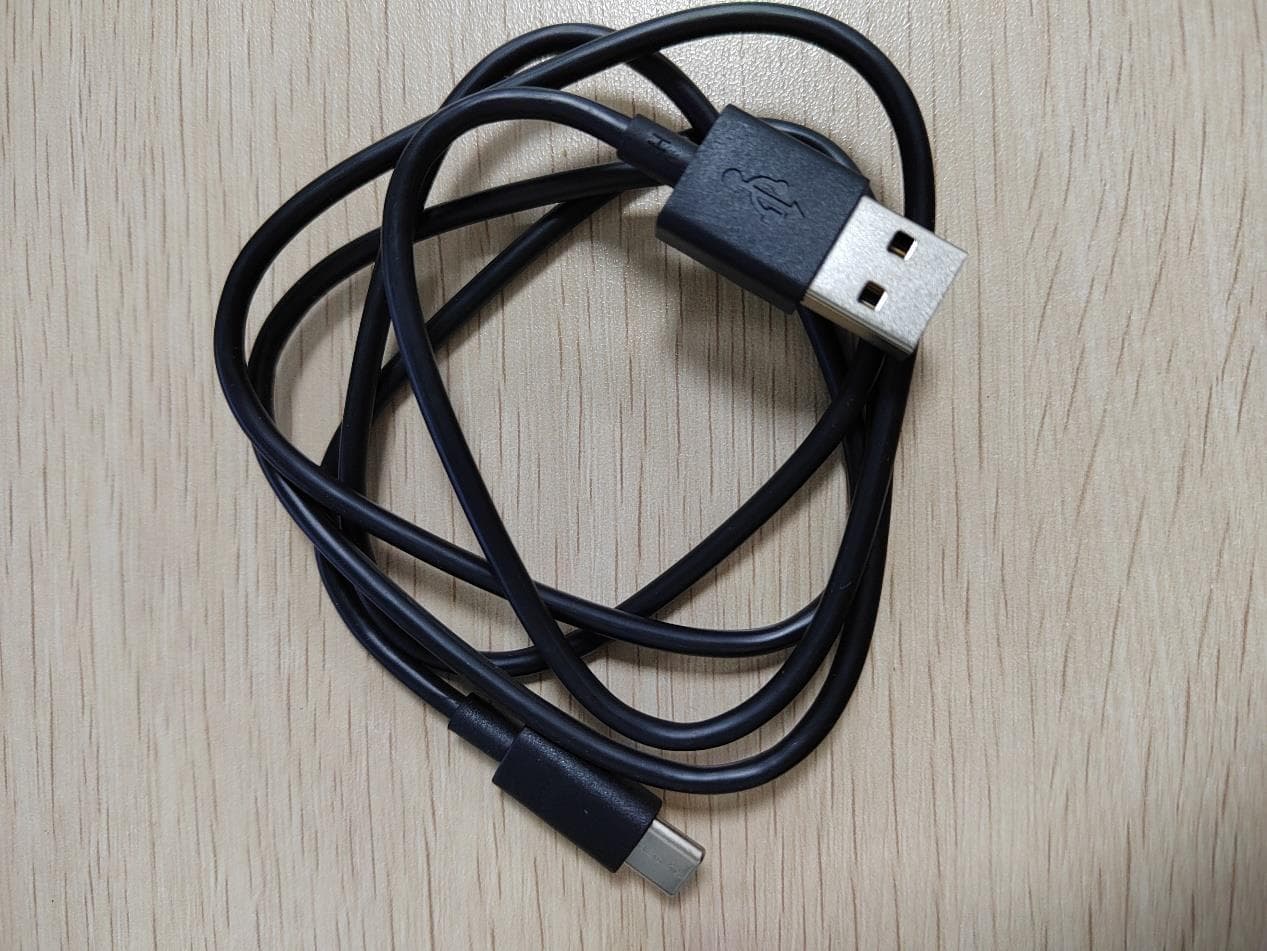
2APXW-TMRV5GTB
Jul 06, 2023REVVLTAB5G
Equipment Class
NII - Unlicensed National Information Infrastructure TX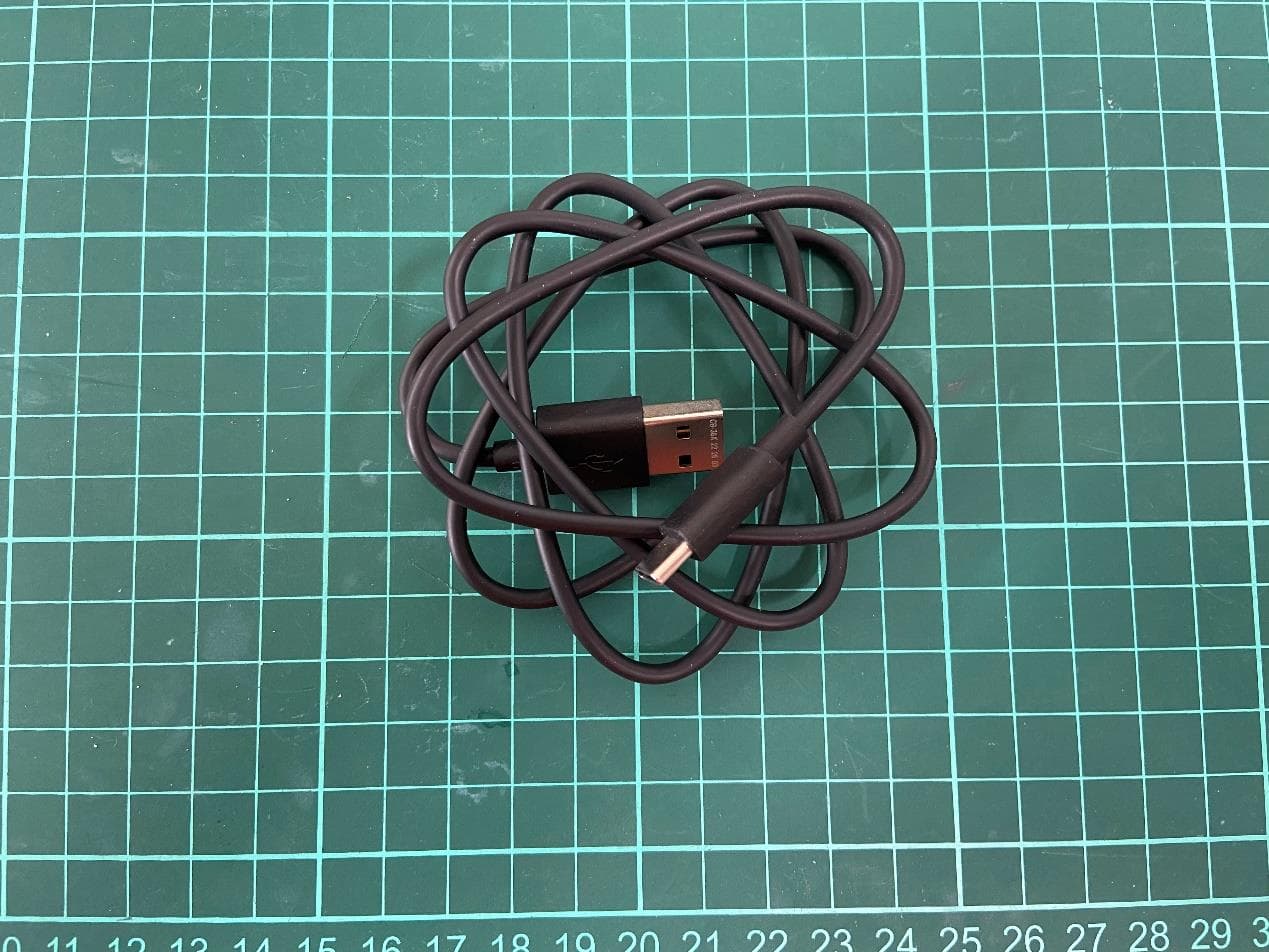
2APXW-TMRV065G
May 22, 20235G Mobile Phone
Equipment Class
CXX - Communications Rcvr for use w/ licensed Tx and CBs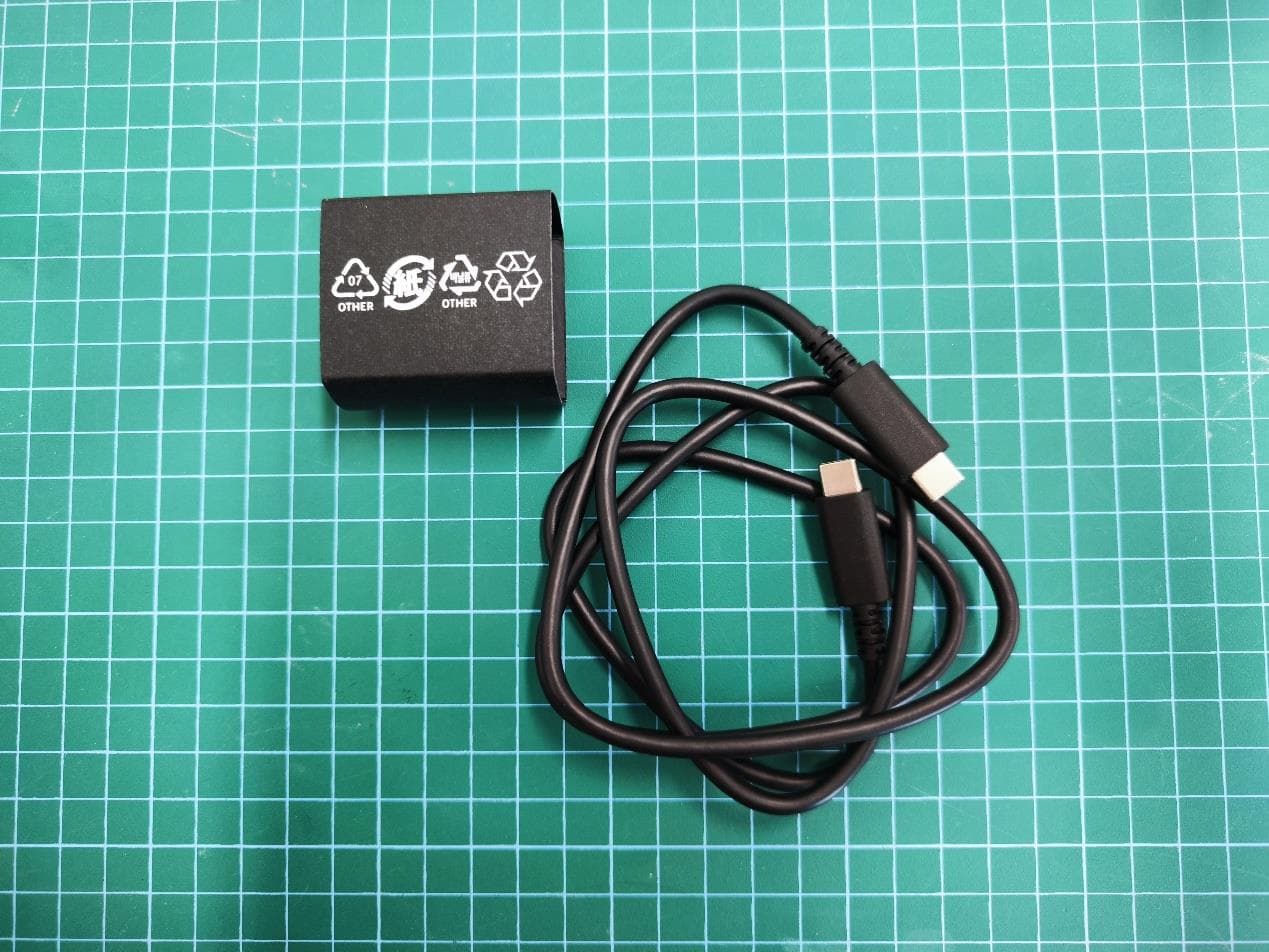
2APXWODPR133
Mar 27, 2023Tablet with Bluetooth, WLAN
Equipment Class
DTS - Digital Transmission System2APXW-WTCKT01
Jul 27, 20224G Mobile Phone
Equipment Class
JBP - Part 15 Class B Computing Device Peripheral