2ARRB-PIP1700CPUVideo baby monitor
Meizhou Guo Wei Electronics Co., Ltd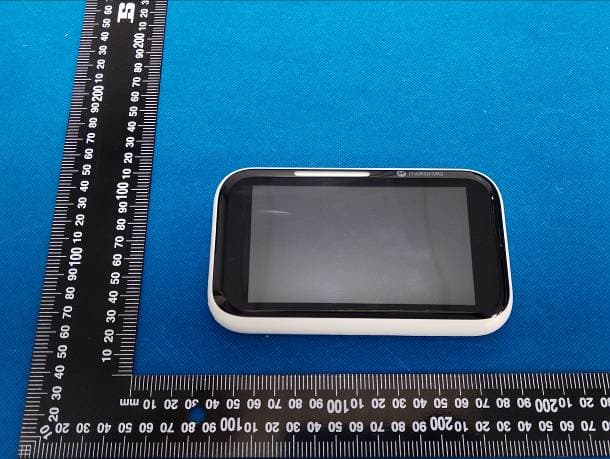
Click to zoom
Application Details
- Equipment Class
- DSS - Part 15 Spread Spectrum Transmitter
- Date of Grant
- Sep 19, 2023
- Application Purpose
- Original Equipment
- Date of Application
- Sep 19, 2023
- Equipment Note
- Video baby monitor
- Frequency Range
- 2402.00000000 - 2477.00000000
- Country
- China
Documents & Files
Document Text
Text extracted from the exhibit documents filed with the FCC. Open a document above to read the original.
Users Manual
nursery User Guide Important Notes: Charge the parent unit of PIP1700 HD TOUCH CONNECT for 16 hours before use. 5.0" Wi-Fi® HD Video Baby Monitor with Touch Screen For: PIP1700 HD TOUCH CONNECT P IP1700-2 HD TOUCH CONNECT PIP170 0-3 HD TOUCH CONNECT PIP17 00-4 HD TOUCH CONNECT Safety instructions WARNING Strangulation Hazard. Children have STRANGLED in cords. Keep this cord out of the reach of children (more than 1 metre away). Never use extension cords with AC Adapters. Only use the AC Adapters provided. Baby monitor setup and use: •Choose a location for the baby unit that will provide the best view of your baby in their crib. •Place the baby unit on a flat surface, such as a dresser, desk, shelf or wall mount the unit securely with the wall mount bracket provided in the pack. •NEVER place the baby unit or cords in the crib or within reach of the baby (the unit and cords should be more than 3 feet away). WARNING This Smart Video Baby Monitor is compliant with all relevant standards regarding electromagnetic fields and is, when handled as described in the User Guide, safe to use. Therefore, always read the instructions in this User Guide carefully before using the device. •Adult assembly is required. Keep small parts away from children when assembling. •This product is not a toy. Do not allow children to play with it. •This baby monitor is not a substitute for responsible adult supervision. •Keep this User Guide for future reference. •Do not place the baby (camera) unit or cords in the crib or within reach of the baby (the unit and cords should be more than 3 feet away). •Keep the cords out of reach of children. •Do not cover the baby monitor with a towel, blanket, or other item that will stop air circulation. •Never use extension cords with power adapters. Only use the power adapters provided. •Test this monitor and all its functions so that you are familiar with it prior to actual use. •Do not use the baby monitor near water or allow water or other foreign substances to enter the power port or adapter. •Do not place the Baby Monitor near a heat source. •Only use the chargers and power adapters provided. Do not use other chargers or power adapters as this may damage the device and battery packs. •Do not touch the plug contacts with sharp or metal objects. •The unit should be set up and used so that parts of the user's body other than the hands are maintained at a distance of approximately 8 inches (20 cm) or more. •The wall mounting height is less than 2 m for the baby unit. CAUTION There is a risk of explosion if the battery is replaced by an incorrect type. Dispose of used batteries according to the instructions. Welcome... to your new Smart Video Baby Monitor! Thank you for purchasing your new Smart Nursery product. Now you can see and hear your baby sleeping in another room or you can monitor your older children in their playroom. Important To use your baby and parent units together, you must be able to establish a radio link between them, and the range will be affected by environmental conditions. Any large metal object, like a refrigerator, a mirror, a filing cabinet, a metallic door or reinforced concrete between the baby and parent units may block the radio signal. The signal strength may also be reduced by other solid structures, like walls, or by radio or electrical equipment, such as TVs, computers, cordless or mobile phones, fluorescent lights or dimmer switches. Other 2.4GHz products, such as wireless networks (Wi-Fi® routers), Bluetooth™ systems, microwave ovens or other baby monitors, may cause interference with this product, so keep the baby monitor at least 5 ft (1.5 m) away from these types of products, or switch them off if they appear to be causing interference. If the signal is weak, try moving the parent and/or the baby unit(s) to different positions in rooms. Need help? If you have any problems setting up or using your PIP170 0 HD TOUCH CONNECT, PIP1700-2 HD TOUCH CONNECT, PIP1700-3 HD TOUCH CONNECT or PIP1700-4 HD TOUCH CONNECT, please visit us at: motorolanursery.com/support Alternatively, you may find the answer in the ‘Help’ section at the back of this guide. This User Guide provides you with all the information you need to get the most from your Smart Video Baby Monitor. Read the instructions carefully, and be aware that this Smart Video Baby Monitor is only intended as an aid. It is not a substitute for responsible and proper adult supervision. Before you use the Smart Video Baby Monitor, set up the parent and baby units. Follow the simple instructions in ‘Getting started’, on the next few pages. Important Use only the supplied power adapter (DC5V / 1500 mA) for the camera unit and (DC5V / 2000mA) for the parent unit. Got everything? •Parent unit with built-in rechargeable Lithium-ion battery •Baby (camera) unit •AC power adapter for the parent unit •AC power adapter for the baby (camera) unit •Wall mount bracket and screws If you have purchased multi camera pack, you will also have the following additional items: •Baby (camera) unit(s) •AC power adapter(s) for the baby (camera) unit(s) For Wi-Fi® internet viewing you will need a suitable Android or iPhone/iPad device and Wi-Fi® internet connection of at least 0.6 Mbps upload bandwidth per baby (camera) unit. 1. Welcome This booklet provides you the quick start information of your PIP1710 HD TOUCH CONNECT. For a full explanation of all features, download the user guide from motorolanursery.com. 2. Contents inside the box USB Type C cable Strangula tion Hazar d. Children ha v e S TRANGLED in c ords. K eep this c o rd out of the reach of child r en (mo re than 1 met r e a wa y). Ne v er use e xtension co r ds with AC A daptors. Only use the AC Adap t ors pr o vided. W ARNING DC round socket adapter (for the baby/camera unit) Baby unit Wall mounting screws and wall anchors Quick Start Guide Quick Start Guide Parent unit Need help? If you have problems setting up or using your PIP1700 HD TOUCH CONNECT, please co…
Text truncated - open the document above for the full version.
Users Manual
nursery User Guide Important Notes: Charge the parent unit and the camera unit of PIP1700-P HD TOUCH CONNECT for 16 hours before use. 5.0" Wi-Fi® HD Video Baby Monitor with Touch Screen For: PIP1700-P HD TOUCH CONNECT PIP17 00-P-2 HD TOUCH CONNECT PIP1700-P-3 HD TOUCH CONNECT PIP17 00-P-4 HD TOUCH CONNECT Safety instructions WARNING Strangulation Hazard. Children have STRANGLED in cords. Keep this cord out of the reach of children (more than 1 metre away). Never use extension cords with AC Adapters. Only use the AC Adapters provided. Baby monitor setup and use: •Choose a location for the baby unit that will provide the best view of your baby in their crib. •Place the baby unit on a flat surface, such as a dresser, desk, shelf or wall mount the unit securely with the wall mount bracket provided in the pack. •NEVER place the baby unit or cords in the crib or within reach of the baby (the unit and cords should be more than 3 feet away). WARNING This Smart Video Baby Monitor is compliant with all relevant standards regarding electromagnetic fields and is, when handled as described in the User Guide, safe to use. Therefore, always read the instructions in this User Guide carefully before using the device. •Adult assembly is required. Keep small parts away from children when assembling. •This product is not a toy. Do not allow children to play with it. •This baby monitor is not a substitute for responsible adult supervision. •Keep this User Guide for future reference. •Do not place the baby (camera) unit or cords in the crib or within reach of the baby (the unit and cords should be more than 3 feet away). •Keep the cords out of reach of children. •Do not cover the baby monitor with a towel, blanket, or other item that will stop air circulation. •Never use extension cords with power adapters. Only use the power adapters provided. •Test this monitor and all its functions so that you are familiar with it prior to actual use. •Do not use the baby monitor near water or allow water or other foreign substances to enter the power port or adapter. •Do not place the Baby Monitor near a heat source. •Only use the chargers and power adapters provided. Do not use other chargers or power adapters as this may damage the device and battery packs. •Do not touch the plug contacts with sharp or metal objects. •The unit should be set up and used so that parts of the user's body other than the hands are maintained at a distance of approximately 8 inches (20 cm) or more. •The wall mounting height is less than 2 m for the baby unit. CAUTION There is a risk of explosion if the battery is replaced by an incorrect type. Dispose of used batteries according to the instructions. Welcome... to your new Smart Video Baby Monitor! Thank you for purchasing your new Smart Nursery product. Now you can see and hear your baby sleeping in another room or you can monitor your older children in their playroom. Important To use your baby and parent units together, you must be able to establish a radio link between them, and the range will be affected by environmental conditions. Any large metal object, like a refrigerator, a mirror, a filing cabinet, a metallic door or reinforced concrete between the baby and parent units may block the radio signal. The signal strength may also be reduced by other solid structures, like walls, or by radio or electrical equipment, such as TVs, computers, cordless or mobile phones, fluorescent lights or dimmer switches. Other 2.4GHz products, such as wireless networks (Wi-Fi® routers), Bluetooth™ systems, microwave ovens or other baby monitors, may cause interference with this product, so keep the baby monitor at least 5 ft (1.5 m) away from these types of products, or switch them off if they appear to be causing interference. If the signal is weak, try moving the parent and/or the baby unit(s) to different positions in rooms. Need help? If you have any problems setting up or using your PIP1700-P HD TOUCH CONNECT, PIP1700-P-2 HD TOUCH CONNECT, PIP1700-P-3 HD TOUCH CONNECT and PIP1700-P-4 HD TOUCH CONNECT, please visit us at: motorolanursery.com/support Alternatively, you may find the answer in the ‘Help’ section at the back of this guide. This User Guide provides you with all the information you need to get the most from your Smart Video Baby Monitor. Read the instructions carefully, and be aware that this Smart Video Baby Monitor is only intended as an aid. It is not a substitute for responsible and proper adult supervision. Before you use the Smart Video Baby Monitor, set up the parent and baby units. Follow the simple instructions in ‘Getting started’, on the next few pages. Important Use only the supplied power adapter (DC5V / 2000 mA) for the camera unit and the parent unit. Got everything? •Parent unit with built-in rechargeable Lithium-ion battery • Baby (camera) unit with built-in rechargeable Lithium-ion battery •AC power adapter for the parent unit •AC power adapter for the baby (camera) unit •Wall mount bracket and screws If you have purchased multi camera pack, you will also have the following additional items: •Baby (camera) unit(s) •AC power adapter(s) for the baby (camera) unit(s) For Wi-Fi® internet viewing you will need a suitable Android or iPhone/iPad device and Wi-Fi® internet connection of at least 0.6 Mbps upload bandwidth per baby (camera) unit. 1. Welcome This booklet provides you the quick start information of your PIP1700-P HD TOUCH CONNECT. For a full explanation of all features, download the user guide from motorolanursery.com. 2. Contents inside the box USB Type C cable x 2 Baby unit Wall mounting screws and wall anchors Quick Start Guide Quick Start Guide Parent unit Need help? If you have problems setting up or using your PIP1700-P HD TOUCH CONNECT, please contact Customer Services at motorolanursery.com/ support or +1-800-763-2207 (United States and Canada). USB-C power socket x2 Wall mount bracket 3. At a glance Baby (Camera) unit A Camera B Manual pan tilt head C Desk s…
Text truncated - open the document above for the full version.
Users Manual
nursery User Guide Important Notes: Charge the parent unit of PIP1710 HD TOUCH CONNECT for 16 hours before use. 5.0" Wi-Fi® H D Motorized Video Baby Moni tor with Touch Screen For: PIP1710 HD TOUCH CONNECT PIP1710-2 HD TOUCH CONNECT PIP1710-3 HD TOUCH CONNECT PIP1710-4 HD TOUCH CONNECT Safety instructions WARNING Strangulation Hazard. Children have STRANGLED in cords. Keep this cord out of the reach of children (more than 1 metre away). Never use extension cords with AC Adapters. Only use the AC Adapters provided. Baby monitor setup and use: •Choose a location for the baby unit that will provide the best view of your baby in their crib. •Place the baby unit on a flat surface, such as a dresser, desk, shelf or wall mount the unit securely with the wall mount bracket provided in the pack. •NEVER place the baby unit or cords in the crib or within reach of the baby (the unit and cords should be more than 3 feet away). WARNING This Smart Video Baby Monitor is compliant with all relevant standards regarding electromagnetic fields and is, when handled as described in the User Guide, safe to use. Therefore, always read the instructions in this User Guide carefully before using the device. •Adult assembly is required. Keep small parts away from children when assembling. •This product is not a toy. Do not allow children to play with it. •This baby monitor is not a substitute for responsible adult supervision. •Keep this User Guide for future reference. •Do not place the baby (camera) unit or cords in the crib or within reach of the baby (the unit and cords should be more than 3 feet away). •Keep the cords out of reach of children. •Do not cover the baby monitor with a towel, blanket, or other item that will stop air circulation. •Never use extension cords with power adapters. Only use the power adapters provided. •Test this monitor and all its functions so that you are familiar with it prior to actual use. •Do not use the baby monitor near water or allow water or other foreign substances to enter the power port or adapter. •Do not place the Baby Monitor near a heat source. •Only use the chargers and power adapters provided. Do not use other chargers or power adapters as this may damage the device and battery packs. •Do not touch the plug contacts with sharp or metal objects. •The unit should be set up and used so that parts of the user's body other than the hands are maintained at a distance of approximately 8 inches (20 cm) or more. •The wall mounting height is less than 2 m for the baby unit. CAUTION There is a risk of explosion if the battery is replaced by an incorrect type. Dispose of used batteries according to the instructions. Welcome... to your new Smart Video Baby Monitor! Thank you for purchasing your new Smart Nursery product. Now you can see and hear your baby sleeping in another room or you can monitor your older children in their playroom. Important To use your baby and parent units together, you must be able to establish a radio link between them, and the range will be affected by environmental conditions. Any large metal object, like a refrigerator, a mirror, a filing cabinet, a metallic door or reinforced concrete between the baby and parent units may block the radio signal. The signal strength may also be reduced by other solid structures, like walls, or by radio or electrical equipment, such as TVs, computers, cordless or mobile phones, fluorescent lights or dimmer switches. Other 2.4GHz products, such as wireless networks (Wi-Fi® routers), Bluetooth™ systems, microwave ovens or other baby monitors, may cause interference with this product, so keep the baby monitor at least 5 ft (1.5 m) away from these types of products, or switch them off if they appear to be causing interference. If the signal is weak, try moving the parent and/or the baby unit(s) to different positions in rooms. Need help? If you have any problems setting up or using your PIP1710 HD TOUCH CONNECT, PIP1710-2 HD TOUCH CONNECT, PIP1710-3 HD TOUCH CONNECT or PIP1710-4 HD TOUCH CONNECT, please visit us at: motorolanursery.com/support Alternatively, you may find the answer in the ‘Help’ section at the back of this guide. This User Guide provides you with all the information you need to get the most from your Smart Video Baby Monitor. Read the instructions carefully, and be aware that this Smart Video Baby Monitor is only intended as an aid. It is not a substitute for responsible and proper adult supervision. Before you use the Smart Video Baby Monitor, set up the parent and baby units. Follow the simple instructions in ‘Getting started’, on the next few pages. Important Use only the supplied power adapter (DC5V / 1500 mA) for the camera unit and (DC5V / 2000mA) for the parent unit. Got everything? •Parent unit with built-in rechargeable Lithium-ion battery •Baby (camera) unit •AC power adapter for the parent unit •AC power adapter for the baby (camera) unit •Wall mount bracket and screws If you have purchased multi camera pack, you will also have the following additional items: •Baby (camera) unit(s) •AC power adapter(s) for the baby (camera) unit(s) For Wi-Fi® internet viewing you will need a suitable Android or iPhone/iPad device and Wi-Fi® internet connection of at least 0.6 Mbps upload bandwidth per baby (camera) unit. 1. Welcome This booklet provides you the quick start information of your PIP1710 HD TOUCH CONNECT. For a full explanation of all features, download the user guide from motorolanursery.com. 2. Contents inside the box USB Type C cable Strangula tion Hazar d. Children ha v e S TRANGLED in c ords. K eep this c o rd out of the reach of child r en (mo re than 1 met r e a wa y). Ne v er use e xtension co r ds with AC A daptors. Only use the AC Adap t ors pr o vided. W ARNING DC round socket adapter (for the baby/camera unit) Baby unit Wall mounting screws and wall anchors Quick Start Guide Quick Start Guide Parent unit Need help? If you have problems setting up or using your PIP1710 HD TOUCH CONNECT, p…
Text truncated - open the document above for the full version.
Attestation Statements
Meizhou Guo Wei Electronics Co., Ltd ADD: AD1 Section, Economic Development Area, Dongsheng Industrial District, Meizhou, Guangdong, China. Tel: 0755-2573 6666 Email: [email protected] Attestation Letter FEDERAL COMMUNICATIONS COMMISSIONS Authorization and Evaluation Division 7435 Oakland Mills Road Columbia, MD 21046 Date: 2023-06-26 To Whom It May Concern, The RF chip, model nRF52805, installed in our product: Product Name: Video baby monitor, Model: PIP1710 HD TOUCH CONNECT PU, PIP1700 HD TOUCH CONNECT PU,PIP1700-P HD TOUCH CONNECT PU, FCC ID: 2ARRB-PIP1700CPU, supports Bluetooth Low Energy and 2.4GHz FHSS. For use in America and this chip only supports 2.4GHz FHSS(2402-2477MHz). The Bluetooth Low Energy has been shielded by the manufacturer using the software, the end user has no capability to activate it. Sincerely, Raymond Leung Engineering Manager
Attestation Statements
Meizhou Guo Wei Electronics Co., Ltd ADD: AD1 Section, Economic Development Area, Dongsheng Industrial District, Meizhou, Guangdong, China. Tel: 0755-2573 6666 Email: [email protected] CFR 47 §2.911(d)(5)(i) Attestation Letter Attestation Letter Date: 2023-06-26 FEDERAL COMMUNICATIONS COMMISSIONS Authorization and Evaluation Division 7435 Oakland Mills Road Columbia, MD 21046 Ref: Attestation Statements CFR 47 §2.911(d)(5)(i) Filing FCC ID: 2ARRB-PIP1700CPU Meizhou Guo Wei Electronics Co., Ltd certifies that the equipment for which authorization is sought is not “covered” equipment prohibited from receiving an equipment authorization pursuant to section 2.903 of the FCC rules. Sincerely Yours, Raymond Leung Engineering Manager Meizhou Guo Wei Electronics Co., Ltd ADD: AD1 Section, Economic Development Area, Dongsheng Industrial District, Meizhou, Guangdong, China.
Attestation Statements
Meizhou Guo Wei Electronics Co., Ltd ADD: AD1 Section, Economic Development Area, Dongsheng Industrial District, Meizhou, Guangdong, China. Tel: 0755-2573 6666 Email: [email protected] CFR 47 §2.911 (d)(5)(ii) Attestation Letter Attestation Letter Date: 2023-06-26 FEDERAL COMMUNICATIONS COMMISSIONS Authorization and Evaluation Division 7435 Oakland Mills Road Columbia, MD 21046 Ref: Attestation Statements CFR 47 §2.911(d)(5)(ii) Filing FCC ID: 2ARRB-PIP1700CPU Meizhou Guo Wei Electronics Co., Ltd certifies that as of the date of the filing of the application, the applicant is not identified on the Covered List as an entity producing “covered” equipment. Sincerely Yours, Raymond Leung Engineering Manager Meizhou Guo Wei Electronics Co., Ltd ADD: AD1 Section, Economic Development Area, Dongsheng Industrial District, Meizhou, Guangdong, China.
Attestation Statements
U.S. AGENT LETTER OF ATTESTATION Date: 2023-04-20 FEDERAL COMMUNICATIONS COMMISSION Authorization and Evaluation Division 7435 Oakland Mills Road Columbia, MD 21046 Ref: Attestation Statements CFR 47 §2.911(d) (7) Filing Meizhou Guo Wei Electronics Co., Ltd certifies that, as of the date of the filing of the application, Meizhou Guo Wei Electronics Co.,LLC is our designated U.S. agent for service of process for FCC ID. Meizhou Guo Wei Electronics Co.,Ltd accepts to maintain an agent for no less than one year after the grantee has terminated all marketing and importation or the conclusion of any Commission-related proceeding involving the equipment. Meizhou Guo Wei Electronics Co.,LLC accepts, as of the date of the filing of the application, the obligation of the designated U.S. agent for service of process for FCC ID. Designated U.S. Agent Information: Company Name: Meizhou Guo Wei Electronics Co.,LLC Address: 16192 Coastal Highway,Lewes,Delaware 19958,Country of Sussex,USA FRN: 0033625732 Tel.: +44 7776 228522 Email: [email protected] Signed by (printed name): Malcolm Paton Signature: Applicant: Meizhou Guo Wei Electronics Co.,Ltd Address: AD1 Section, Economic Development Area, Dongsheng Industrial District, Meizhou, Guangdong , China. FRN: 0027997733 Tel: +86- 0755-2573 6666 Email: [email protected] Signed by (printed name): Raymond Leung Signature:
Cover Letter(s)
QA-FR-170-B Meizhou Guo Wei Electronics Co., Ltd ADD: AD1 Section, Economic Development Area, Dongsheng Industrial District, Meizhou, Guangdong, China. Tel: 0755-2573 6666 Email: [email protected] FCC Authorization Date: 2023-06-26 FEDERAL COMMUNICATIONS COMMISSIONS Authorization and Evaluation Division 7435 Oakland Mills Road Columbia, MD 21046 Subject: Agent Authorization To whom it may concern: We, Meizhou Guo Wei Electronics Co., Ltd , the undersigned, Hereby China Certification ICT Co., Ltd (Dongguan) to act on its behalf in all matters relating to application for Equipment authorization, including the signing of all documents relating to these matters. All acts carried out by China Certification ICT Co., Ltd (Dongguan) on our behalf shall have the same effect as our own action. We, Meizhou Guo Wei Electronics Co., Ltd ,the undersigned, hereby certify that we are not subject to a denial of federal benefits, that includes FCC benefits, pursuant to Section 5301 of the Anti-Drug Abuse Act of 1988, 21 U.S.C. 862. This authorization is valid until further written notice from the applicant. Sincerely Yours, Signature Raymond Leung Engineering Manager
Cover Letter(s)
Meizhou Guo Wei Electronics Co., Ltd ADD: AD1 Section, Economic Development Area, Dongsheng Industrial District, Meizhou, Guangdong, China. Tel: 0755-2573 6666 Email: [email protected] FCC Confidential Authorization Date: 2023-06-26 FEDERAL COMMUNICATIONS COMMISSIONS Authorization and Evaluation Division 7435 Oakland Mills Road Columbia, MD 21046 Subject: Confidentiality Request regarding application for certification of FCC ID: 2ARRB-PIP1700CPU In accordance with Sections 0.457 and 0.459 of the Commission’s Rules, Meizhou Guo Wei Electronics Co., Ltd hereby requests long-term confidential treatment of information accompanying this application as outlined below: Block Diagram Schematics Operation Description The above materials contain proprietary and confidential information not customarily released to the public. The public disclosure of these materials provides unjustified benefits to its competitors in the market. Sincerely Yours, Raymond Leung Engineering Manager
External Photos
China Certification ICT Co., L td (Dongguan) Report No.: CR230633250-00-EXP Page 1 of 5 EUT EXTERNAL PHOTOGRAPHS PIP1700 HD TOUCH CONNECT PU PIP1700-P HD TOUCH CONNECT PU PIP17 10 HD TOUCH CONNECT PU China Certification ICT Co., L td (Dongguan) Report No.: CR230633250-00-EXP Page 2 of 5 China Certification ICT Co., L td (Dongguan) Report No.: CR230633250-00-EXP Page 3 of 5 China Certification ICT Co., L td (Dongguan) Report No.: CR230633250-00-EXP Page 4 of 5 ANT ANT ANT China Certification ICT Co., L td (Dongguan) Report No.: CR230633250-00-EXP Page 5 of 5
ID Label/Location Info
Size: 31.4x16mm PU Label Made in China MODEL: PIP1700 HD TOUCH CONNECT PU FCC ID: 2ARRB-PIP1700CPU IC: 20353-PIP1700CPU HVIN: PIP1700 HD TOUCHPU SN: FFFGGCCYYWWXXXXXX INPUT: DC5V 2.0A Made in China MODEL: PIP1700 HD TOUCH CONNECT PU FCC ID: 2ARRB-PIP1700CPU IC: 20353-PIP1700CPU HVIN: PIP1700 HD TOUCHPU SN: FFFGGCCYYWWXXXXXX INPUT: DC5V 2.0A
ID Label/Location Info
Size: 31.4x16mm PU Label Made in China MODEL: PIP1700-P HD TOUCH CONNECT PU FCC ID: 2ARRB-PIP1700CPU IC: 20353-PIP1700CPU HVIN: PIP1700-P HD TOUCHPU SN: FFFGGCCYYWWXXXXXX INPUT: DC5V 2.0A Made in China MODEL: PIP1700-P HD TOUCH CONNECT PU FCC ID: 2ARRB-PIP1700CPU IC: 20353-PIP1700CPU HVIN: PIP1700-P HD TOUCHPU SN: FFFGGCCYYWWXXXXXX INPUT: DC5V 2.0A
ID Label/Location Info
Size: 31.4x16mm PU Label Made in China MODEL: PIP1710 HD TOUCH CONNECT PU FCC ID: 2ARRB-PIP1700CPU IC: 20353-PIP1700CPU HVIN: PIP1710 HD TOUCHPU SN: FFFGGCCYYWWXXXXXX INPUT: DC5V 2.0A Made in China MODEL: PIP1710 HD TOUCH CONNECT PU FCC ID: 2ARRB-PIP1700CPU IC: 20353-PIP1700CPU HVIN: PIP1710 HD TOUCHPU SN: FFFGGCCYYWWXXXXXX INPUT: DC5V 2.0A
Internal Photos
China Certification ICT Co., L td (Dongguan) Rep ort No.: CR230633250-00-INP Page 1 of 5 EUT INTERNAL PHOTOGRAPHS PIP1700 HD TOUCH CONNECT PU PIP1700-P HD TOUCH CONNECT PU PIP17 10 HD TOUCH CONNECT PU China Certification ICT Co., L td (Dongguan) Rep ort No.: CR230633250-00-INP Page 2 of 5 China Certification ICT Co., L td (Dongguan) Rep ort No.: CR230633250-00-INP Page 3 of 5 China Certification ICT Co., L td (Dongguan) Rep ort No.: CR230633250-00-INP Page 4 of 5 China Certification ICT Co., L td (Dongguan) Rep ort No.: CR230633250-00-INP Page 5 of 5
RF Exposure Info
APPENDIX C CALIBRATION CERTIFICATES DIPOLE CALIBRATION CERTIFICATES
RF Exposure Info
SAR TEST REPORT Applicant: Meizhou Guo Wei Electronics Co., Ltd. Address: AD1 Section, Economic Development Area, Dongsheng Industrial District, Meizhou, Guangdong, China. FCC ID: 2ARRB-PIP1700CPU Product Name: Video baby monitor Model Number: PIP1710 HD TOUCH CONNECT PU Multiple Models: PIP1700 HD TOUCH CONNECT PU, PIP1700-P HD TOUCH CONNECT PU Standard(s): 47 CFR Part 2(2.1093) The above equipment has been tested and found compliant with the requirement of the relative standards by China Certification ICT Co., Ltd (Dongguan) Report Number: CR230633250-SAAM1 Date Of Issue: 2023-10-19 Reviewed By: Karl Gong Title: SAR Engineer Test Laboratory: China Certification ICT Co., Ltd (Dongguan) No. 113, Pingkang Road, Dalang Town, Dongguan, Guangdong, China Tel: +86-769-82016888 China Certification ICT Co., Ltd (Dong guan) Report No.: CR230633250-SAAM1 Page 2 of 50 SAR TEST RESULTS SUMMARY Operation Frequency Bands Highest Reported 1g SAR(W/kg) Highest Reported 10g SAR(W/kg) Face UP (Gap 10mm) Limits (W/kg) Handheld (Gap 0mm) Limits (W/kg) 2.4 GHz SRD 0.10 1.6 0.93 4.0 Maximum Simultaneous Transmission SAR Items Body-Supported (Gap 5mm) Limits (W/kg) Handheld (Gap 0mm) Limits (W/kg) Sum SAR(W/kg) N/A 1.6 N/A 4.0 SPLSR N/A N/A N/A 0.04 EUT Received Date: 2023/06/12 Test Date: 2023/06/20 Test Result: Pass China Certification ICT Co., Ltd (Dong guan) Report No.: CR230633250-SAAM1 Page 3 of 50 Test Facility The Test site used by China Certification ICT Co., Ltd (Dongguan) to collect test data is located on the No. 113, Pingkang Road, Dalang Town, Dongguan, Guangdong, China. The lab has been recognized as the FCC accredited lab under the KDB 974614 D01 and is listed in the FCC Public Access Link (PAL) database, FCC Registration No. : 442868, the FCC Designation No. : CN1314. The lab has been recognized by Innovation, Science and Economic Development Canada to test to Canadian radio equipment requirements, the CAB identifier: CN0123. Declarations China Certification ICT Co., Ltd (Dongguan) is not responsible for the authenticity of any test data provided by the applicant. Data included from the applicant that may affect test results are marked with a triangle symbol “▲”. Customer model name, addresses, names, trademarks etc. are not considered data. Unless otherwise stated the results shown in this test report refer only to the sample(s) tested. This report cannot be reproduced except in full, without prior written approval of the Company. This report is valid only with a valid digital signature. The digital signature may be available only under the Adobe software above version 7.0. This report may contain data that are not covered by the accreditation scope and shall be marked with an asterisk “★”. China Certification ICT Co., Ltd (Dong guan) Report No.: CR230633250-SAAM1 Page 4 of 50 CONTENTS SAR TEST RESULTS SUMMARY .............................................................................................. 2 TEST FACILITY .......................................................................................................................................... 3 DECLARATIONS .......................................................................................................................................... 3 DOCUMENT REVISION HISTORY........................................................................................... 6 1. GENERAL INFORMATION .................................................................................................... 7 1.1 PRODUCT DESCRIPTION FOR EQUIPMENT UNDER TEST (EUT) ......…
Text truncated - open the document above for the full version.
Contact Information
Applicant
AP Wang(Engineering Director)
Test Firm
CHINA CERTIFICATION ICT CO., LTD (DONGGUAN)Tanie Ou
[email protected]0086 0769 86858888
Technical Specifications
| # | Rule Parts | Frequency Range | Power Output |
|---|---|---|---|
| 1 | 15C | 2.40 GHz - 2.48 GHz | 53.00 mW |
Other Applications from Meizhou Guo Wei Electronics Co., Ltd
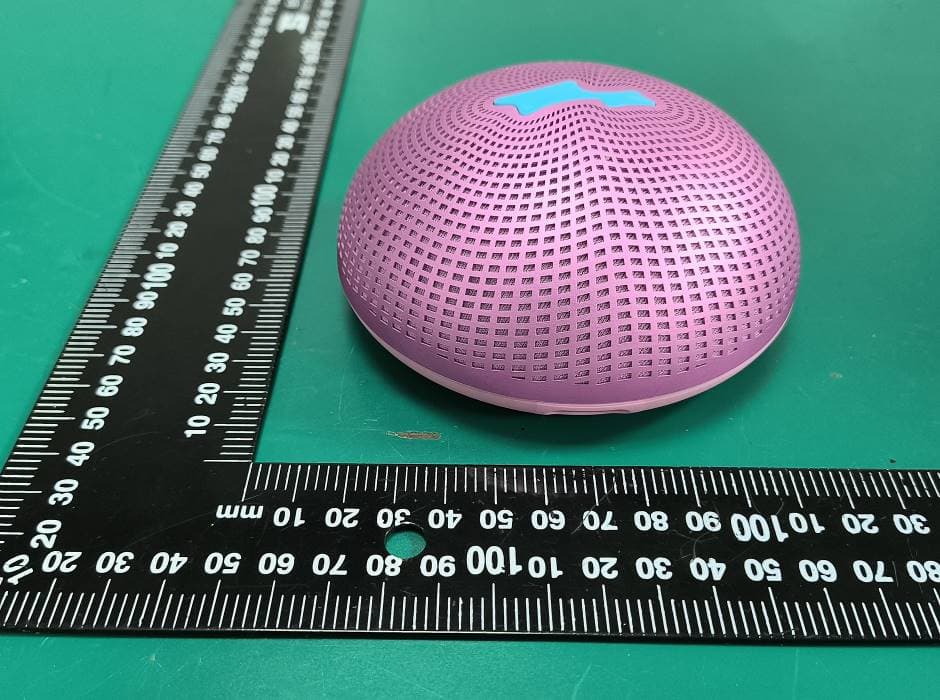
2ARRB-DOMOS045
Jul 07, 2026Magnetic Bluetooth Speaker
Equipment Class
DTS - Digital Transmission System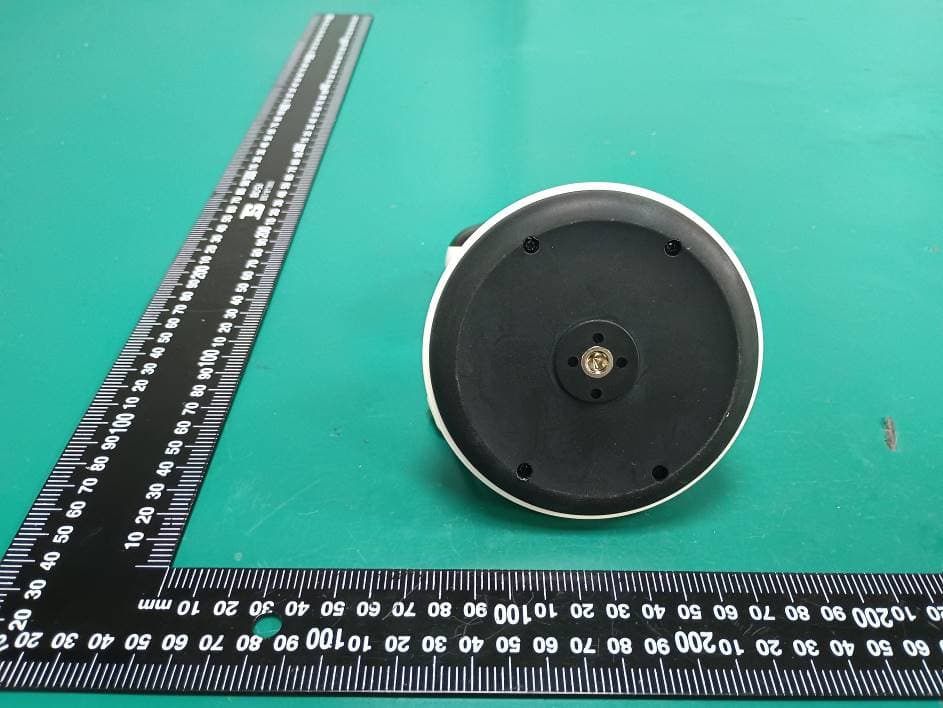
2ARRB-PIP2000PBU
May 18, 2026Video Baby Monitor
Equipment Class
NII - Unlicensed National Information Infrastructure TX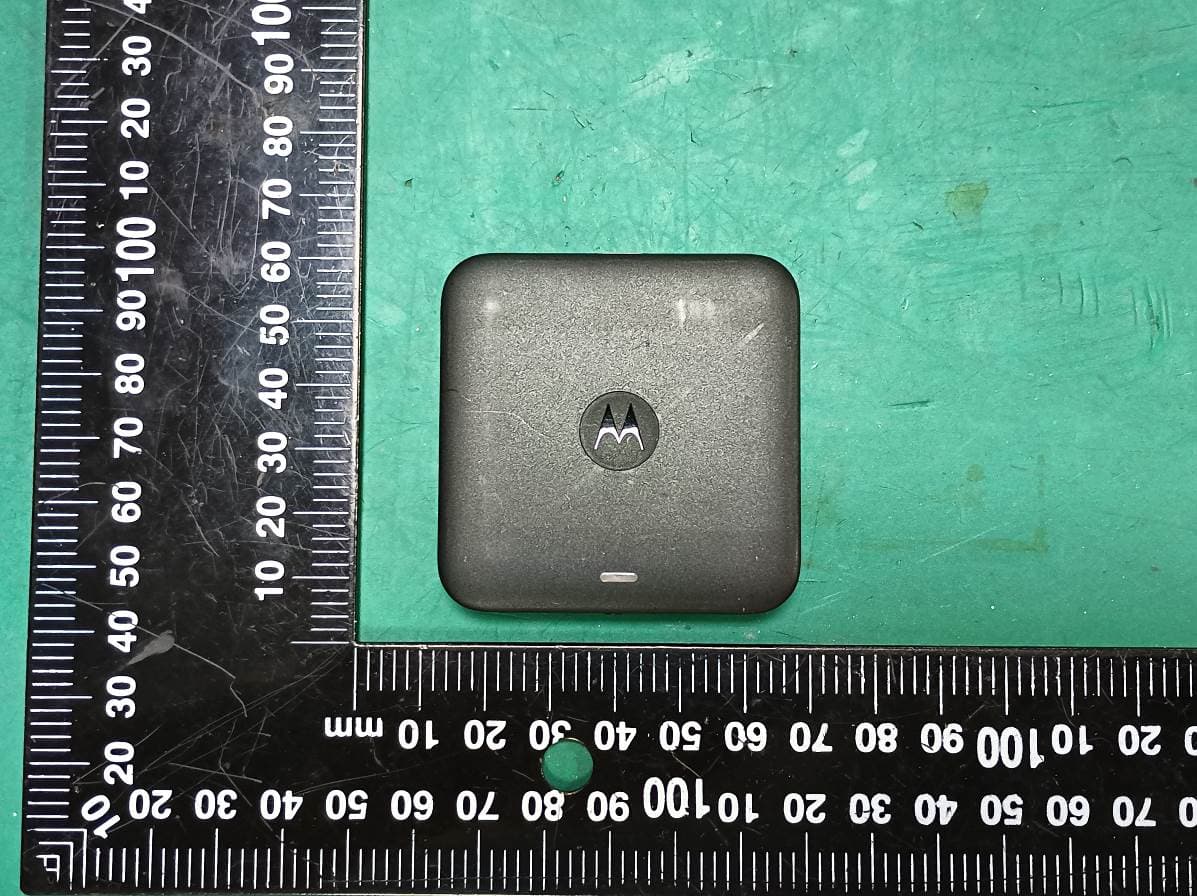
2ARRB-02814
Feb 02, 2026Wireless Car Adapter for Android Auto
Equipment Class
NII - Unlicensed National Information Infrastructure TX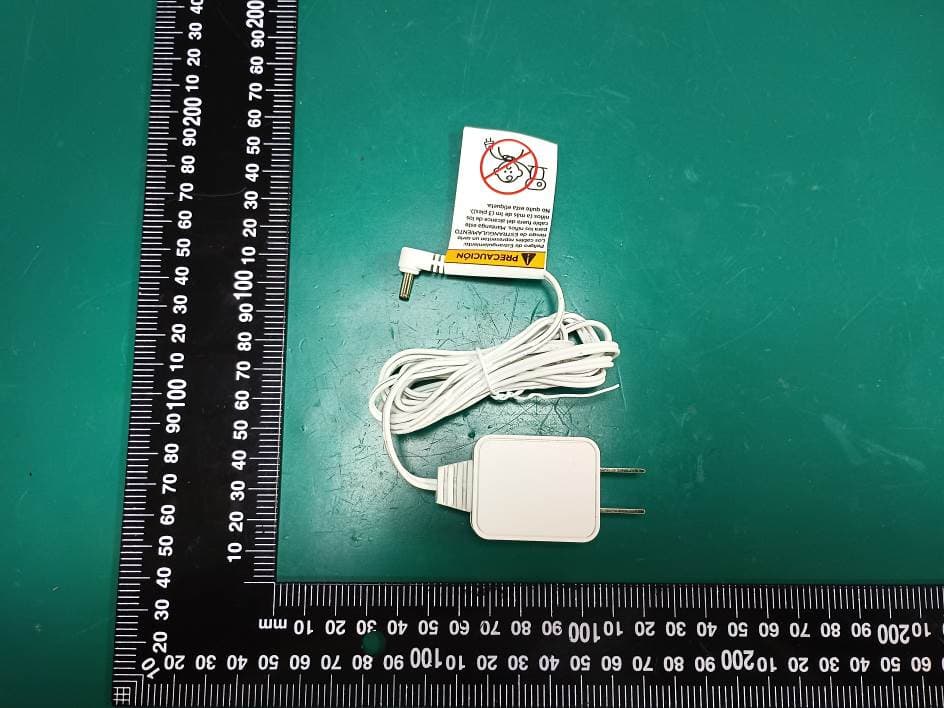
2ARRB-AM21ABU
Nov 24, 2025Digital Audio Baby Monitor
Equipment Class
PUB - Part 15 Unlicensed PCS Base Station
2ARRB-AM21APU
Nov 24, 2025Digital Audio Baby Monitor
Equipment Class
PUT - Part 15 Unlicensed PCS portable Tx worn on body