2AS3Q-PIVOR1Pivo Pod
3i Inc.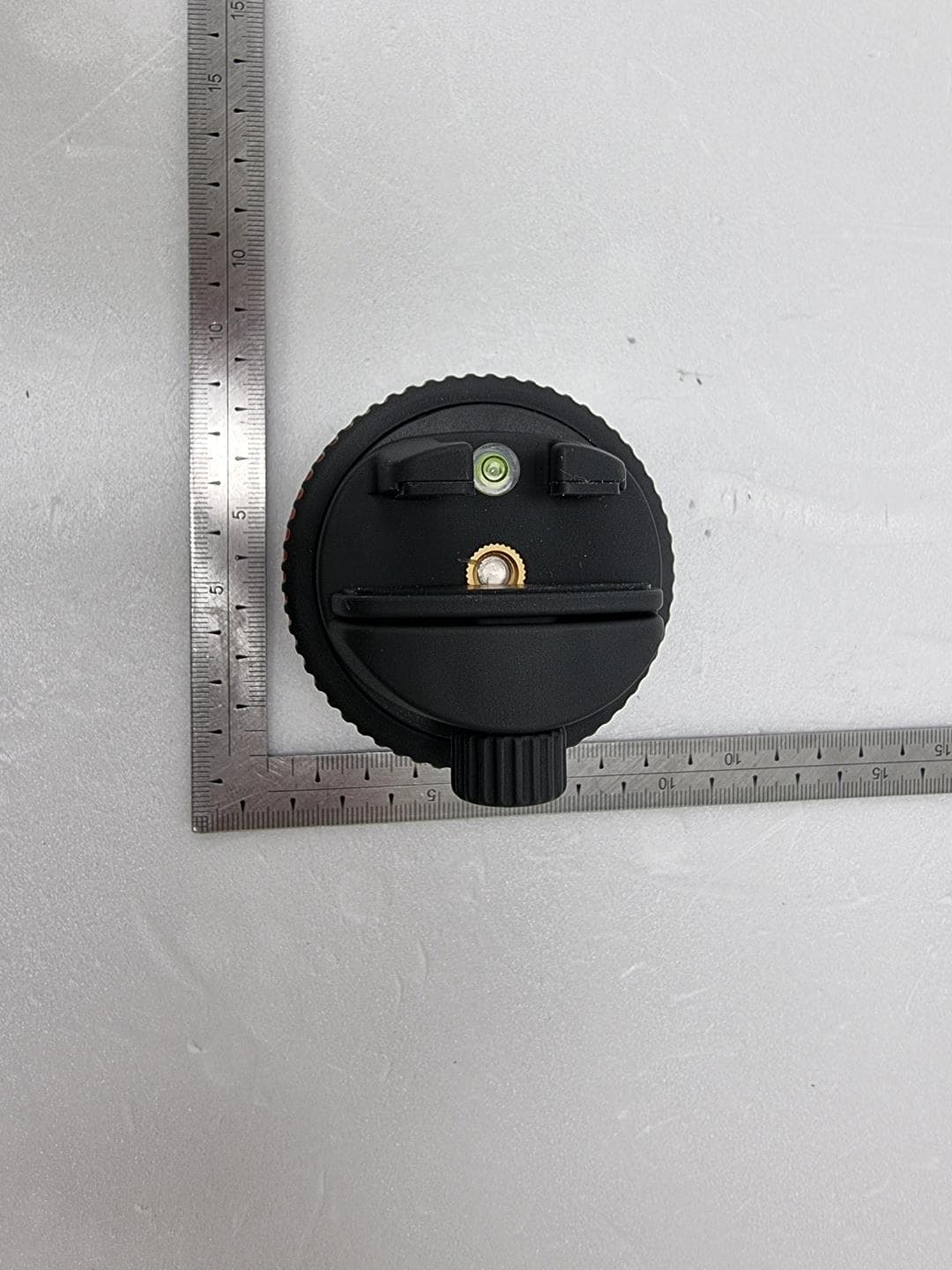
Click to zoom
Application Details
- Equipment Class
- DTS - Digital Transmission System
- Date of Grant
- Jul 08, 2021
- Application Purpose
- Original Equipment
- Date of Application
- Jul 08, 2021
- Equipment Note
- Pivo Pod
- Frequency Range
- 2402.00000000 - 2480.00000000
- Company
- 3i Inc.
- Country
- South Korea
Documents & Files
Document Text
Text extracted from the exhibit documents filed with the FCC. Open a document above to read the original.
Users Manual
Quick Start Guide EN 2 POD Overview 5 6 1 2 3 4 7.3 cm / 2.9 inches 6.3 cm / 2.5 inches 1. Smartphone Holder 2. LED Indicator 3. Power Button 4. Extendable Legs 5. Grip Fastener 6. Micro USB charging port 7. Bubble Level 8. 1/4” Screw Thread 3 8 7 4 Height (without mount): 5cm /2 inchesBluetooth: BLE 4.0 Maximum load: 1kgBattery: 500 mAh Weight: 176g / 6.2 ouncesCharging: Micro USB, 5VDC, 0.5A 4 Charging the POD 5 LED Indicator Status Power Off Power On/ Ready for device pairing Connected to phone Charging Fully charged Low battery, not charged Pairing Remote mode Blinking Red Blinking Blue Blue Red No light Blinking red Blinking white 6 Quick Start Guide Download PIVO APP 7 Create an account 1. Open Pivo APP and tap “Yes, I got Pivo” 2. Create a Pivo account using a valid email address - Tap Create account under the Log in button - Fill out the Sign up form - Confi rm your registration by email 3. Go back to the App and Log in into your new account - Tap “Allow” permission to microphone, photo album and voice recognition 8 Pair your smartphone 1. Turn your smartphone on and enable the Bluetooth settings 2. Press and hold the power button for 3 seconds until the LED light turns BLUE 3. In the App, tap “Connect” and follow the instructions on the screen to fi nish the pairing process 2 3 9 Position your phone Place your phone onto the Smartphone holder Tighten the grip fastener to secure your phone 2 1 10 Visualize settings and menu Swipe to the left to visualize settings Swipe to the right to visualize the menu 1 2 * For detailed tutorials about how to use each mode, please visit help.getpivo.com 11 ** For detailed information and manual about how to use the remote, please visit help.getpivo.com Remote Overview Capture photo/start recording Increase speed Rotate clockwise Decrease speed Rotate counter-clockwise Rotate clockwise 1 round Rotate counter-clockwise 1 round Stop rotating/ Cancel shooting (may vary depending on the capture mode) Toggle between photo/video mode (may vary depending on capture mode) 12 Pairing the Remote The Remote comes already paired and ready to use. However, if the Remote becomes disconnected or if the batteries are replaced, the Remote needs to be paired as follows: Press the power button 3 times in quick sucession. The LED indicator will turn white, indicating that the remote pairing mode is ready. 1 13 Press and hold the “+” button on the Remote until you hear 3 quick beeps. This sound indicates that the Remote pairing is complete. 2 14 Control Settings With your Remote, you have control over various core settings of your POD including, rotation speed, rotation direction, shooting mode, shutter button, and more. - Up to 15 meter operating range - Can be paired to multiple Pivo PODs - Comes with 1 replaceable 3V battery (coin type) - For video instructions visit the Pivo YouTube offi cial channel at www.youtube.com/c/pivooffi cial - For downloadable version of this manual, go to help.getpivo.com 15 Aditional Information For video tutorials, visit our offi cial YouTube Channel www.youtube.com/c/pivooffi cial Need more product information? Scan the QR code as shown bellow or visit our support page help.getpivo.com 2019 3i Inc. All rights reserved. 3003 North 1st Street San Jose, California CA 95134 [email protected] www.getpivo.com Social media @getpivo Schnellstartanleitung DE 2 POD Übersicht 5 6 1 2 3 4 1. Smartphone Halterung 2. LED Licht 3. Ein/Aus Knopf 4. Ausziehbare Beine 5. Griff befestigung 6. Aufl adestation 7. Wasserwaage 8. 1/4” Schraubengewinde Höhe: 7.3 cm Breite: 6,3 cm 3 8 7 4 Höhe (ohne Halterung): 5cmBluetooth: BLE 4.0 Max. Belastung: 1kgBatterie: 500 mAh Gewicht: 176gLadung: Micro USB, 5VDC, 0.5A 4 Aufl aden des POD 5 LED Anzeige Ausgeschaltet Eingeschaltet / bereit für Bluetooth Verbindung Mit Smartphone verbunden Ladevorgang Voll geladen Niedriger Batteriestatus, bitte laden Verbindung mit Fernbedienung Blinkt rot Blinkt blau Blau Rot Kein Licht Blinkt rot Blinkt weiß 6 Schnellstartanleitung Lade die Pivo App herunter 7 Ein Konto erstellen 1. Öff ne die Pivo App. Drücke, “Ja, ich besitze Pivo” 2. Erstelle ein Pivo-Konto mit einer gültigen E-Mail-Adresse. - Tippe unter der Schaltfl äche, “Anmelden” auf, ”Konto erstellen” - Fülle das Anmeldeformular aus - Bestätige deine Registrierung per E-Mail. 3. Melde dich in der App wieder mit deinem neuen Konto an. Pivo fordert eine Reihe von Zugriff sberechtigungen an, einschließlich des Zugriff es auf Mikrofon, Fotoalbum und Spracherkennung. - Tippe auf, “Zulassen”. 8 Verbinde dein Smartphone mit Pivo 1. Stelle sicher, dass die Bluetooth-Einstellungen deines Geräts zugelassen und aktiviert sind. 2. Halte den Netzschalter 3 Sekunden lang gedrückt, bis die LED blau leuchtet. 3.Drücke in der App auf ,“Verbinden” und befolge die Anweisungen auf dem Bildschirm, um den Verbindungsvorgang abzuschließen. 2 3 9 Positioniere dein Smartphone Platziere dein Smartphone auf dem Smartphone-Halter Ziehe den Griff verschluss fest, um dein Smartphone zu sichern 2 1 10 Visualisiere Einstellungen und Menü Wische nachlinks, um die Einstellungen anzuzeigen Wische nachrechts, um das Menü anzuzeigen 1 2 Ausführliche Tutorials zur Verwendung der einzelnen Modi fi ndest du unter help.getpivo.com. 11 Ausführliche Informationen und eine Anleitung wie man die Fernbedienung benutzt fi ndest du unter help.getpivo.com Fernbedienung Übersicht Foto aufnehmen / Aufnahme starten Geschwindigkeit erhöhen Rotiere im Uhrzeigersinn Geschwindigkeit verringern Rotiere gegen den Uhrzeigersinn Rotiere eine Drehung im Uhrzeigersinn Rotiere eine Drehung gegen den Uhrzeigersinn Rotieren beenden / Aufnahme abbrechen (kann je nach Aufnahmemodus variieren) Wechselt zwischen Foto- / Videomodus (kann je nach Aufnahmemodus variieren) 12 Fernbedienung verbinden Jeder Pivo Pod wird mit einer Fernbedienung geliefert, um die Bedienung angenehmer zu machen und mehr Kontrolle zu verschaff en. Wenn deine Pivo Fernbedienung die Verbindung verliert oder die Ba…
Text truncated - open the document above for the full version.
Cover Letter(s)
<3i Inc> Office of Engineering Technology Federal Communications Commission 7435 Oakland Mills Road Columbia, MD 21046 Date: July 01, 2021 Subject; Request for Confidentiality FCC ID: 2AS3Q-PIVOR1 To Whom It May Concern, Pursuant to the provisions of Sections 0.457 and 0.459 of Commission's rules (47CFR0.457, 0.459), we are requesting the Commission to withhold the following attachment(s) as confidential document from public disclosure indefinitely. • Schematic Diagram • Block Diagram • Part List • Operational Description Above mentioned document contains detailed system and equipment description are considered as proprietary information in operation of the equipment. The public disclosure of above documents might be harmful to our company and would give competitor an unfair advantage in the market. In additional to above mentioned documents, pursuant to Public Notice DA 04-1705 of the Commission' s policy, in order to comply with the marketing regulations in 47 CFT §2.803 and the importation rules in 47 CFR §2.1204, while ensuring that business sensitive information remains confidential until the actual marketing of newly authorized devices. We are requesting the commission to grant shot-term confidentiality request on the following attachment(s) for 180 days after the grant as outlined in Public Notice DA 04-1705. • External Photos • Internal Photos • Test Setup Photos • User Manual It is our understanding that all measurement test reports, FCC ID label format and correspondent during certification review process cannot be granted as confidential documents and those information will be available for public review once the grant of equipment authorization is issued. Sincerely, Signature: Name: Hyekang Park Title: Manager
Cover Letter(s)
Letter of Authorization Company: 3i Inc Address: 3-321 523, Dongdaegu-ro, Dong-gu, Daegu, Korea Product Name: Pivo Pod Model Number: PIVO-R1 FCC Identifier: 2AS3Q-PIVOR1 We authorize MiCOM Labs Inc, 575 Boulder Court, Pleasanton, California 94566, USA, to act on our behalf on all matters concerning the above named equipment. Any individual within MiCOM Labs is authorized to act on our behalf and take action on the application. We declare that MiCOM Labs Inc, 575 Boulder Court, Pleasanton, California 94566, USA, is allowed to forward all information related to the approval project to the Federal Communication Commission and to discuss any issues concerning the approval application. Any and all acts carried out by MiCOM Labs on our behalf shall have the same effect as acts of our own. Name: Hyekang Park Date: July 01, 2021 Title: Manager Signature of applicant:
ID Label/Location Info
Page 1 of 1 IDENTIFICATION LABEL: PROPOSED FCC ID LABEL The FCC ID shall be permanently affixed in the Bottom of the equipment Authorized Person Print Name: Hyekang Park / Manager Date: July 01, 2021 Signature: This device complies with Part 15 of the FCC Rules. Operation is subject to the following two conditions: (1) this device may not cause harmful interference, and (2) this device must accept any interference received, including interference that may cause undesired operations. Made in Korea FCC ID : 2AS3Q-PIVOR1
Internal Photos
<TX Module> PCB Antenna <RX Module> PCB Antenna
RF Exposure Info
Page 1 of 7 Report No. : OT-215-RWD-110 This Report is not correlated with the authentication of KOLAS It should not be reproduced except in full, without the written approval of ONETECH Corp. OTC-TRF-RF-001(0) ONETECH Corp.: 43-14, Jinsaegol-gil, Chowol-eup, Gwangju-si, Gyeonggi-do, 12735, Korea (TEL: 82-31-799-9500, FAX: 82-31-799-9599) EMF TEST REPORT Test Report No. : OT-215-RWD-110 Reception No. : 2103001143 Applicant : 3i Inc Address : 3-321 523, Dongdaegu-ro, Dong-gu, Daegu, Korea Manufacturer : 3i Inc Address : 3-321 523, Dongdaegu-ro, Dong-gu, Daegu, Korea Type of Equipment : Pivo Pod FCC ID. : 2AS3Q-PIVOR1 Model Name : PIVO-R1 Serial number : N/A Total page of Report : 7 pages (including this page) Date of Incoming : April 22, 2021 Date of issue : May 31, 2021 SUMMARY The equipment complies with the regulation; FCC PART 15 SUBPART C Section 15.247 This test report only contains the result of a single test of the sample supplied for the examination. It is not a generally valid assessment of the features of the respective products of the mass-production. Tested by / Youngyong Kim/ Assistant Manager ONETECH Corp. Reviewed by / Ha-Ram Lee / Manager ONETECH Corp. Approved by / Ki-Hong, Nam / General Manager ONETECH Corp. Page 2 of 7 Report No. : OT-215-RWD-110 This Report is not correlated with the authentication of KOLAS It should not be reproduced except in full, without the written approval of ONETECH Corp. OTC-TRF-RF-001(0) ONETECH Corp.: 43-14, Jinsaegol-gil, Chowol-eup, Gwangju-si, Gyeonggi-do, 12735, Korea (TEL: 82-31-799-9500, FAX: 82-31-799-9599) CONTENTS PAGE 1. VERIFICATION OF COMPLIANCE ............................................................................................................................. 4 2. GENERAL INFORMATION ............................................................................................................................................ 5 2.1 PRODUCT DESCRIPTION ................................................................................................................................................. 5 2.2 ALTERNATIVE TYPE(S)/MODEL(S); ALSO COVERED BY THIS TEST REPORT. ................................................................ 5 3. EUT MODIFICATIONS .................................................................................................................................................... 5 4. MAXIMUM PERMISSIBLE EXPOSURE ...................................................................................................................... 6 4.1 RF EXPOSURE CALCULATION ....................................................................................................................................... 6 4.2 EUT DESCRIPTION ......................................................................................................................................................... 6 4.3 CALCULATED MPE SAFE DISTANCE FOR BLUETOOTH LE ......................................................................................... 7 Page 3 of 7 Report No. : OT-215-RWD-110 This Report is not correlated with the authentication of KOLAS It should not be reproduced except in full, without the written approval of ONETECH Corp. OTC-TRF-RF-001(0) ONETECH Corp.: 43-14, Jinsaegol-gil, Chowol-eup, Gwangju-si, Gyeonggi-do, 12735, Korea (TEL: 82-31-799-9500, FAX: 82-31-799-9599) Revision History Rev. No. Issue Report No. Issued Date Revisions Section Affected 0 OT-215-RWD-110 May 31, 2021 Initial Release All Page 4 of 7 Report No. : OT-215-RWD-110 This Report is not correlated with the authentication of KOLAS It should not be reproduced except in full, without the written approval of ONETECH Corp. OTC-TRF-RF-001(0) ONETECH Corp.: 43-14, Jinsaegol-gil, Chowol-eup, Gwangju-si, Gyeonggi-do, 12735, Korea (TEL: 82-31-799-9500, FAX: 82-31-799-9599) 1. VERIFICATION OF COMPLIANCE Applicant : 3i Inc Address : 3-321 523, Dongdaegu-ro, Dong-gu, Daegu, Korea Contact Person : Hyekang Park / Manager Telephone No. : +82-10-7540-8593 FCC ID : 2AS3Q-PIVOR1 Model Name : PIVO-R1 Brand Name : N/A Serial Number : N/A Date : May 31, 2021 EQUIPMENT CLASS DTS – DIGITAL TRNSMISSION SYSTEM E.U.T. DESCRIPTION Pivo Pod THIS REPORT CONCERNS Original Grant MEASUREMENT PROCEDURES ANSI C63.10: 2013 TYPE OF EQUIPMENT TESTED Pre-Production KIND OF EQUIPMENT AUTHORIZATION REQUESTED Certification EQUIPMENT WILL BE OPERATED UNDER FCC RULES PART(S) FCC PART 15 SUBPART C Section 15.247 KDB 558074 D01 15.247 Meas Guidance v05r02 Modifications on the Equipment to Achieve Compliance None Final Test was Conducted On 3 m, Semi Anechoic Chamber -. The above equipment was tested by ONETECH Corp. for compliance with the requirement set forth in the FCC Rules and Regulations. This said equipment in the configuration described in this report, shows the maximum emission levels emanating from equipment are within the compliance requirements. Page 5 of 7 Report No. : OT-215-RWD-110 This Report is not correlated with the authentication of KOLAS It should not be reproduced except in full, without the written approval of ONETECH Corp. OTC-TRF-RF-001(0) ONETECH Corp.: 43-14, Jinsaegol-gil, Chowol-eup, Gwangju-si, Gyeonggi-do, 12735, Korea (TEL: 82-31-799-9500, FAX: 82-31-799-9599) 2. GENERAL INFORMATION 2.1 Product Description The 3i Inc, Model PIVO-R1 (referred to as the EUT in this report) is a Pivo Pod. The product specification described herein was obtained from product data sheet or user’s manual. Device Type Pivo Pod Operating Frequency 2 402 MHz ~ 2 480 MHz RF Output Power -10.64 dBm Number of Channel 40 Channels Modulation Type GFSK Antenna Type PCB Antenna Antenna Gain 1.98 dBi Rated Supply Voltage DC 5.0 V List of each Osc. or crystal Freq.(Freq. >= 1 MHz) 16 MHz, 32 MHz 2.2 Alternative type(s)/model(s); also covered by this test report. -. None 3. EUT MODIFICATIONS -. None Page 6 of 7 Report No. : OT-215-RWD-110 This Report is not correlated with the authentication of KOLAS It should not be…
Text truncated - open the document above for the full version.
Test Report
Page 1 of 34 Report No.: OT-215-RWD-111 This Report is not correlated with the authentication of KOLAS It should not be reproduced except in full, without the written approval of ONETECH Corp. OTC-TRF-RF-001(0) ONETECH Corp.: 43-14, Jinsaegol-gil, Chowol-eup, Gwangju-si, Gyeonggi-do, 12735, Korea (TEL: 82-31-799-9500, FAX: 82-31-799-9599) RADIO PERFORMANCE TEST REPORT Test Report No. : OT-215-RWD-111 Reception No. : 2103001143 Applicant : 3i Inc Address : 3-321 523, Dongdaegu-ro, Dong-gu, Daegu, Korea Manufacturer : 3i Inc Address : 3-321 523, Dongdaegu-ro, Dong-gu, Daegu, Korea Type of Equipment : Pivo Pod FCC ID. : 2AS3Q-PIVOR1 Model Name : PIVO-R1 Multiple Model Name : N/A Serial number : N/A Total page of Report : 34 pages (including this page) Date of Incoming : April 22, 2021 Date of issue : May 31, 2021 SUMMARY The equipment complies with the regulation; FCC PART 15 SUBPART C Section 15.247 This test report only contains the result of a single test of the sample supplied for the examination. It is not a generally valid assessment of the features of the respective products of the mass-production. Tested by / Youngyong Kim/ Assistant Manager ONETECH Corp. Reviewed by / Ha-Ram Lee / Manager ONETECH Corp. Approved by / Ki-Hong, Nam / General Manager ONETECH Corp. Page 2 of 34 Report No.: OT-215-RWD-111 This Report is not correlated with the authentication of KOLAS It should not be reproduced except in full, without the written approval of ONETECH Corp. OTC-TRF-RF-001(0) ONETECH Corp.: 43-14, Jinsaegol-gil, Chowol-eup, Gwangju-si, Gyeonggi-do, 12735, Korea (TEL: 82-31-799-9500, FAX: 82-31-799-9599) CONTENTS PAGE 1. VERIFICATION OF COMPLIANCE ............................................................................................................................. 5 2. TEST SUMMARY .............................................................................................................................................................. 6 2.1 TEST ITEMS AND RESULTS ............................................................................................................................................. 6 2.2 ADDITIONS, DEVIATIONS, EXCLUSIONS FROM STANDARDS ........................................................................................... 6 2.3 RELATED SUBMITTAL(S) / GRANT(S) ............................................................................................................................ 6 2.4 PURPOSE OF THE TEST ................................................................................................................................................... 6 2.5 TEST METHODOLOGY .................................................................................................................................................... 6 2.6 TEST FACILITY ............................................................................................................................................................... 6 3. GENERAL INFORMATION ............................................................................................................................................ 7 3.1 PRODUCT DESCRIPTION ................................................................................................................................................. 7 3.2 ALTERNATIVE TYPE(S)/MODEL(S); ALSO COVERED BY THIS TEST REPORT. ................................................................ 7 4. EUT MODIFICATIONS .................................................................................................................................................... 7 5. SYSTEM TEST CONFIGURATION ............................................................................................................................... 8 5.1 JUSTIFICATION ............................................................................................................................................................... 8 5.2 PERIPHERAL EQUIPMENT .............................................................................................................................................. 8 5.3 MODE OF OPERATION DURING THE TEST ...................................................................................................................... 8 6. PRELIMINARY TEST .................................................................................................................................................... 10 6.1 AC POWER LINE CONDUCTED EMISSIONS TESTS ....................................................................................................... 10 6.2 GENERAL RADIATED EMISSIONS TESTS ..................................................................................................................... 10 7. MINIMUM 6 DB BANDWIDTH .................................................................................................................................... 11 7.1 OPERATING ENVIRONMENT ......................................................................................................................................... 11 7.2 TEST SET-UP ................................................................................................................................................................. 11 7.3 TEST DATE ................................................................................................................................................................... 11 7.4 TEST DATA .................................................................................................................................................................... 12 8. MAXIMUM PEAK OUTPUT POWER ......................................................................................................................... 14 8.1 OPERATING ENVIRONMENT ......................................................................................................................................... 14 8.2 TEST SET-UP ............…
Text truncated - open the document above for the full version.
Test Setup Photos
Page 1 of 3 - Conducted Emission Test Page 2 of 3 - Radiated Emission Test (Below 1 GHz) Page 3 of 3 - Radiated Emission Test (Above 1 GHz)
Contact Information
Applicant
Jiwuck Jung(CTO)
Technical Contact
Test Firm
ONETECH Corp.Ki Hong Nam
Technical Specifications
| # | Rule Parts | Frequency Range | Power Output |
|---|---|---|---|
| 1 | 15C | 2.40 GHz - 2.48 GHz | 90.00 µW |
Other Applications from 3i Inc.
2AS3Q-PV-PMVB
Aug 04, 2026Pivo Max
Equipment Class
DTS - Digital Transmission System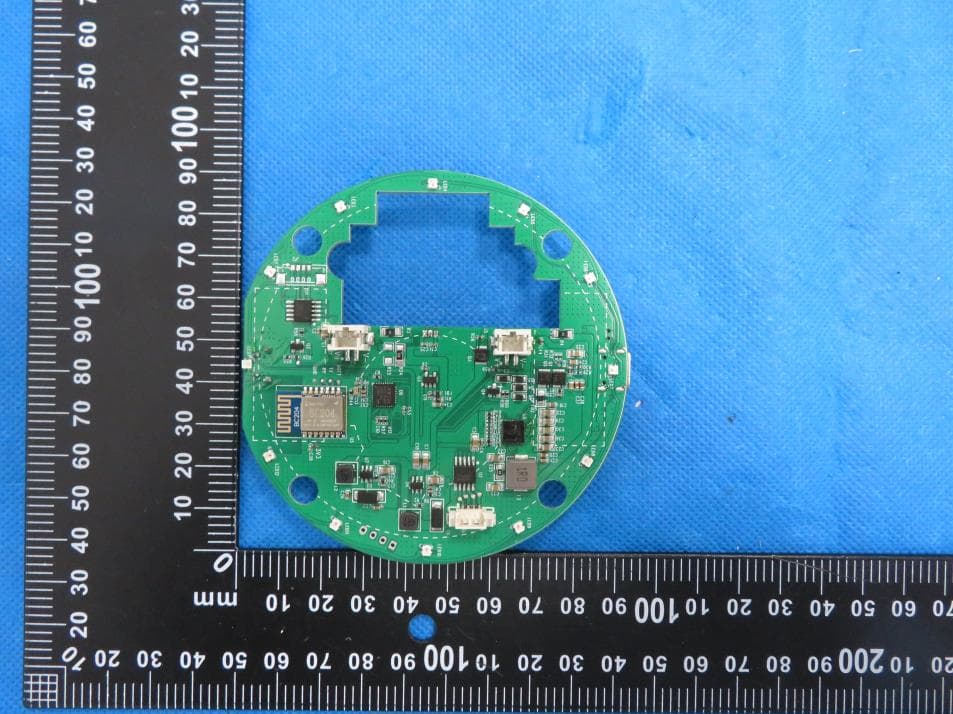
2AS3Q-PIVOX
Mar 18, 2024Pivo X
Equipment Class
DTS - Digital Transmission System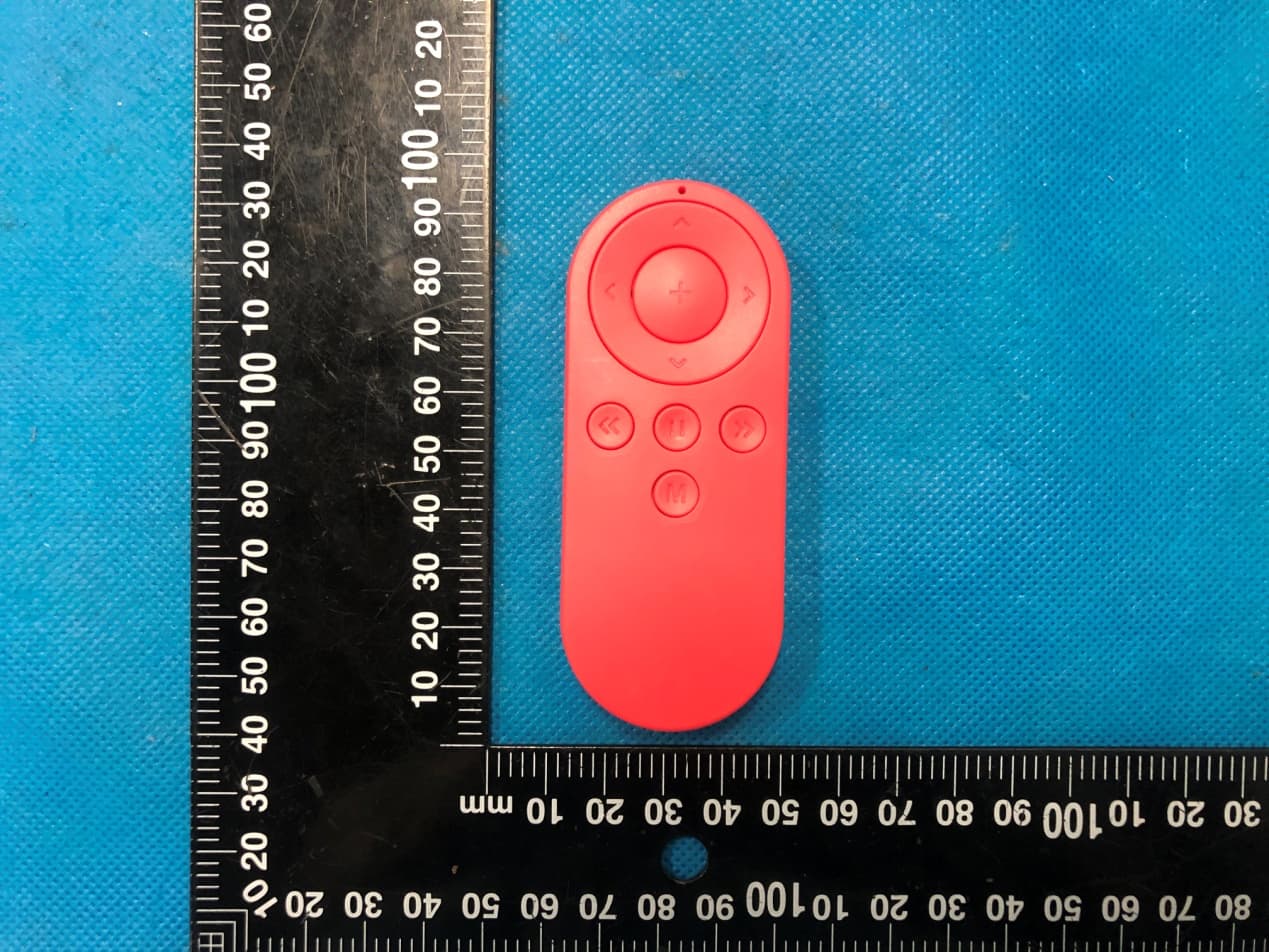
2AS3Q-PVI1R02
Aug 24, 2021PIVO Remote Control
Equipment Class
DXX - Part 15 Low Power Communication Device Transmitter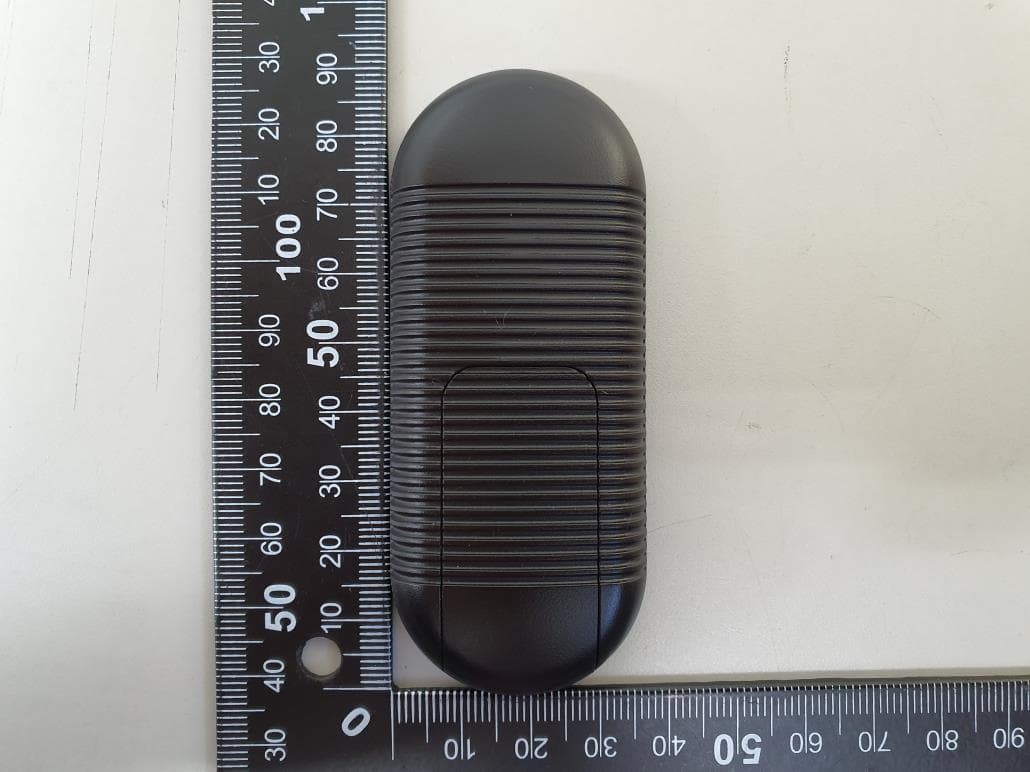
2AS3QPIVO-RC-1
Jan 12, 2020Pivo Remote Control
Equipment Class
DXX - Part 15 Low Power Communication Device Transmitter