2AU3A-EGC01BFred Eichler Remote
Good Sportsman Marketing, LLC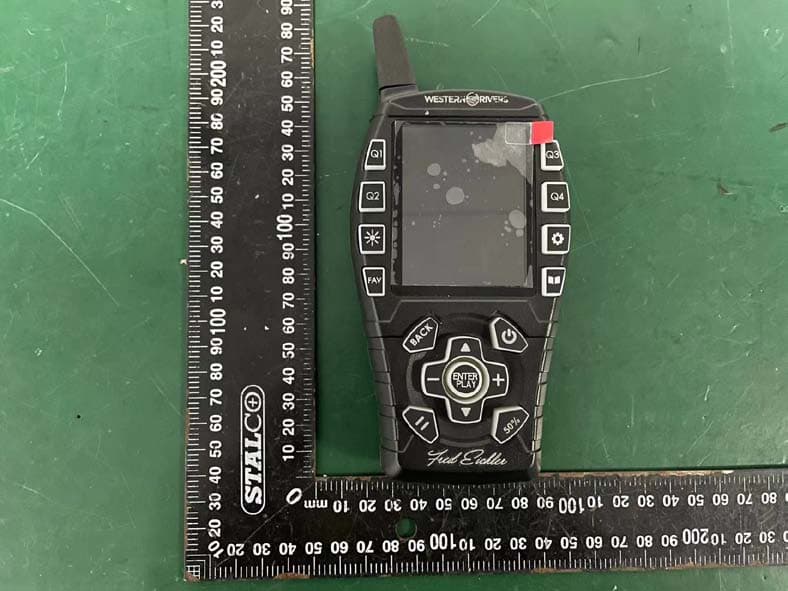
Click to zoom
Application Details
- Equipment Class
- DSC - Part 15 Security/Remote Control Transmitter
- Date of Grant
- Nov 06, 2022
- Application Purpose
- Original Equipment
- Date of Application
- Nov 06, 2022
- Equipment Note
- Fred Eichler Remote
- Frequency Range
- 433.92000000 - 433.92000000
- Country
- United States
Documents & Files
Document Text
Text extracted from the exhibit documents filed with the FCC. Open a document above to read the original.
Users Manual
WRC-EGC-DS Instruction Manual Product by Western Rivers a GSM, LLC Brand www.HMEproducts.com 877-269-8490 2 Table of Contents Remote Layout 3 Getting Started 4 Playing a Call Favorites 5 Add a Call to Favorites Edit a Call from Favorites Clear Favorites Fred’s Favorites 6 Custom Calls 6 Add a Custom Call Edit a Custom Call Access a Custom Call Qsets 7 Create a Qset Qsets Continued 8 Play a Qset Edit a Qset Delete a Qset Settings 9 FCC Warning 10 Limited Warranty 11 3 Remote Control Qset 1 Qset 2 Backlight Favorites Qset 3 Qset 4 Settings Call Library Previous screen Volume DOWN Pause Call Index DOWN Power Volume UP Volume Halved ENTER / PLAY / STOP Index UP 4 Getting Started Your Fred Eichler Game Caller is preloaded with sound files and default settings. Let’s get started by turning ON your Game Caller and remote. • Game Caller: PRESS and HOLD the Power Button for 2 seconds; the Western Rivers splash screen will be displayed. • Remote: PRESS and HOLD the Power Button for 2 seconds; the Western Rivers splash screen will be displayed. Once both the Game Caller and remote are turned ON you are ready to begin using your Game Caller. (note: Game caller can be used without the remote in a limited capacity) Play a Call: press the remote’s Call Library button, the screen will display Call Library > Fred Favorites > Call Library will be highlighted on the remote screen, press ENTER/PLAY to review a complete list of every call preloaded on the game caller. The Call Library will catalog and store custom sounds you may add to the internal memory of the game caller. Using the UP/DOWN arrow button on the remote, highlight an animal category on the list of preloaded calls and press ENTER/PLAY to review a list of calls associated with the category you selected. • Press ENTER/PLAY to hear the highlighted call • Stop the call by pressing ENTER/PLAY again Pause a Call: press the remote's PAUSE button to stop all sound. Press again to start sound. 5 Favorit es When you f ind a call that you l ik e you c an add it to your favor ites l ist . T his li st can h old u p to 20 so unds, e ach with its own preset v olumes. To Access and Add to your f avor ites l ist f ir st PRES S the Favor ites button. T his will brin g u p a li st of C urrent c alls that are on your favor ite l ist . To ADD a C all to the Favor ites List : 1.Navigate to th e Favorite s using th e Favorite s But to n. 2.Sel ect call s lot using PRESS and HOLD on th e ENTER but to n (Will be displa yed as Empty if no call is populate d). 3.Will Navigate to th e Calls Library to add a call to th e Call Slo t. 4.Navigate and Select the Call you want loaded to th e Call Slot us ing th e ENTER but to n. 5.Once Call is selected wi ll ask for th e Playback Volume to be set . (T his volume wi ll be the saved def aul t volume th at is loaded ever y time th e call is selected from th e Favorite s) To EDIT a C all on the Favor ites List : 1.Navigate to th e Favorite s using th e Favorite s But to n. 2.Sel ect the call you want to edit by PRESS and HOLD th e highli ghte d Call . 3.The Unit wi ll navigate to th e call selected; from her e you can select any call incl uding th e cur rent call. 4.Once Call has been selected you w ill be prompte d for th e Pla yback Volume. To CLEAR ALL Favorite s PRESS and HOLD th e FAVORITES But ton for 3 Seconds. 6 Fred’s Favorites Fred’s Favorites is a Select group of custom calls from Fred Eichler designed to attract the predator listed. To begin pick an animal from among the Fred’s Favorites list. Within each animal category is a list of sounds that are enticing to the respective animal. 1. Select desired animal you want to attract from the list. 2. Each animal will have calls designed to hunt that specific animal. 3. PRESS the PLAY button to Play the selected sound. Custom Calls Custom Calls are added to the Game Caller using the supplied Micro USB Cable and USB Port on the Caller. All the Files will be listed in alphabetical order based on the name of the sound file. This list will be accessible for Qsets and Favorites for as long as the file is present on the Game Caller. To ADD/EDIT a Call to the Custom Calls List: 1. Plug in Game Caller to compute using Micro USB Cable. 2. Access the Game Caller as a drive on the computer. 3. Drag and drop .MP3 or .WAV files to the Game Caller drive. 4. Disconnect the Game Caller from Micro USB when finished. To ACCESS a Call from the Custom Calls List: 1. Navigate to the Custom Calls List from within the Calls Library. 2. PRESS ENTER on the highlighted call within the Custom Calls List. 7 QSETS Qsets are “ Quick Settings” that are c ust omize d c alls or sequence of calls that are quic kly access ible. T here c an be u p to 4 Qsets sa ved at a time, each w ith a dedic ated button (Q1-Q4). To CREATE a Qset: 1.PRESS th e Qset but to n desired to be mapped. For example , if you want to cr eate a Qset for but to n Q3, PRESS th e Q3 but to n. (note: if a but to n is already associate d wi th a custo m call it wi ll arm th e call .) 2.Once wi th in th e Qset select the MO DE (Sequenti al or Overla y) Sequenti al: Call s pla yed in order of position in th e Qset Call s Slots . Affected by Call del ay bet ween call s. Up to 5 Calls can be selected for Sequenti al playback. Over lay: Two Call s mixed to get her and played at th e same or varying times . Each sound can add a delay bef ore playback. 3.Add th e Sound Files to th e Call Slots by sel ect ing a Call Slot. 4.Once a Call S lot is sel ected the menu wi ll navigate to th e Call s Library. 5.From th e Call s Library locate the call you woul d li ke to add to th e Call Slot and PRESS ENTER. 6.Afte r sel ect the des ired Volume Playback. 7.Set th e Post Delay (Sequenti al – Dela y afte r sound plays ) or Pr e-Delay (Over lay – Delay bef ore sound pla ys ) 8.Sel ect desired Speaker Out put (note External Speaker s wi ll only pla y wi th aux ili ary speaker connecte d to th e base – not incl uded) 9.Repeat until des ired call s have been ad…
Text truncated - open the document above for the full version.
Cover Letter(s)
GC433-A2 Specification for 433MHz spring antenna GC433-A2 spring antenna is a special antenna designed for 433MHz wireless communication system. The antenna has good standing wave ratio performance, Small size, clever structure, easy installation, stable performance, with good anti vibration and aging ability. product description Antenna color:white Interface form: Direct welding input impedance: 50 Ω gain: 2 DBI SWR: ≤ 2 center frequency : 433MHz 二、performance parameter Shenzhen Silicon Transmission Technology Co., LTD Web: www.silicontra.com Fax: 086-0755-36862612 Tel: 086-0755-33592127 三、machine dimension frequency:433MHz 四、SWRtú Shenzhen Silicon Transmission Technology Co., LTD Web: www.silicontra.com Fax: 086-0755-36862612 Tel: 086-0755-33592127 SWR:1.375
External Photos
External photos M/N: WRC-EGC-DSR External photos M/N: WRC-EGC-DSR External photos M/N: WRC-EGC-DSR External photos M/N: WRC-EGC-DSR
ID Label/Location Info
珠光合成纸 黑底白字 WRC-EGC-DSR FCC贴纸 SOUTHSTAR SOUTHSTAR ELECTRONICS LIMITED 技术要求 1) 使用环境温度为:-20°至+70°; 2)使用环境湿度为:75%; 3) 被粘物体为光面胶件; 4)表面过光膜; 5) 贴纸尺寸:29.5x19.5mm 同三喜 周三喜 环境(有毒有害)物质要求如下: 1 镉及其化合物(Cd) (≦70PPM) 六价铬及其化合物(Cr+6) (≦700PPM) 铅及其化合物(Pb) 1.包材类的含铅量≦90ppm( ) 2.内藏结构件的铅含量≦1000ppm( ) 3.外露结构件的铅含量≦90ppm( ) 汞及其化合物(Hg) (≦700PPM) 聚溴联苯(PBBs) (≦700PPM) 聚溴二苯醚/氧化物(PBDEs) (≦700PPM) 2 3 4 5 6 闫红军 Model: WRC-EGC-DSR FCC ID: 2AU3A-EGC01B Made in China GSM, LLC Eichler Dual Speaker Game Caller www.gsmoutdoos.com 877-269-8490 CAN ICES-3 (B) /NMB-3 (B) IC:25750 -EGC01B
ID Label/Location Info
This device complies with Part 15 of the FCC Rules. Operation is subject to the following two conditions: (1) This device may not cause harmful interference, and (2) This device must accept any interference received, including interference that may cause undesired operation.
Internal Photos
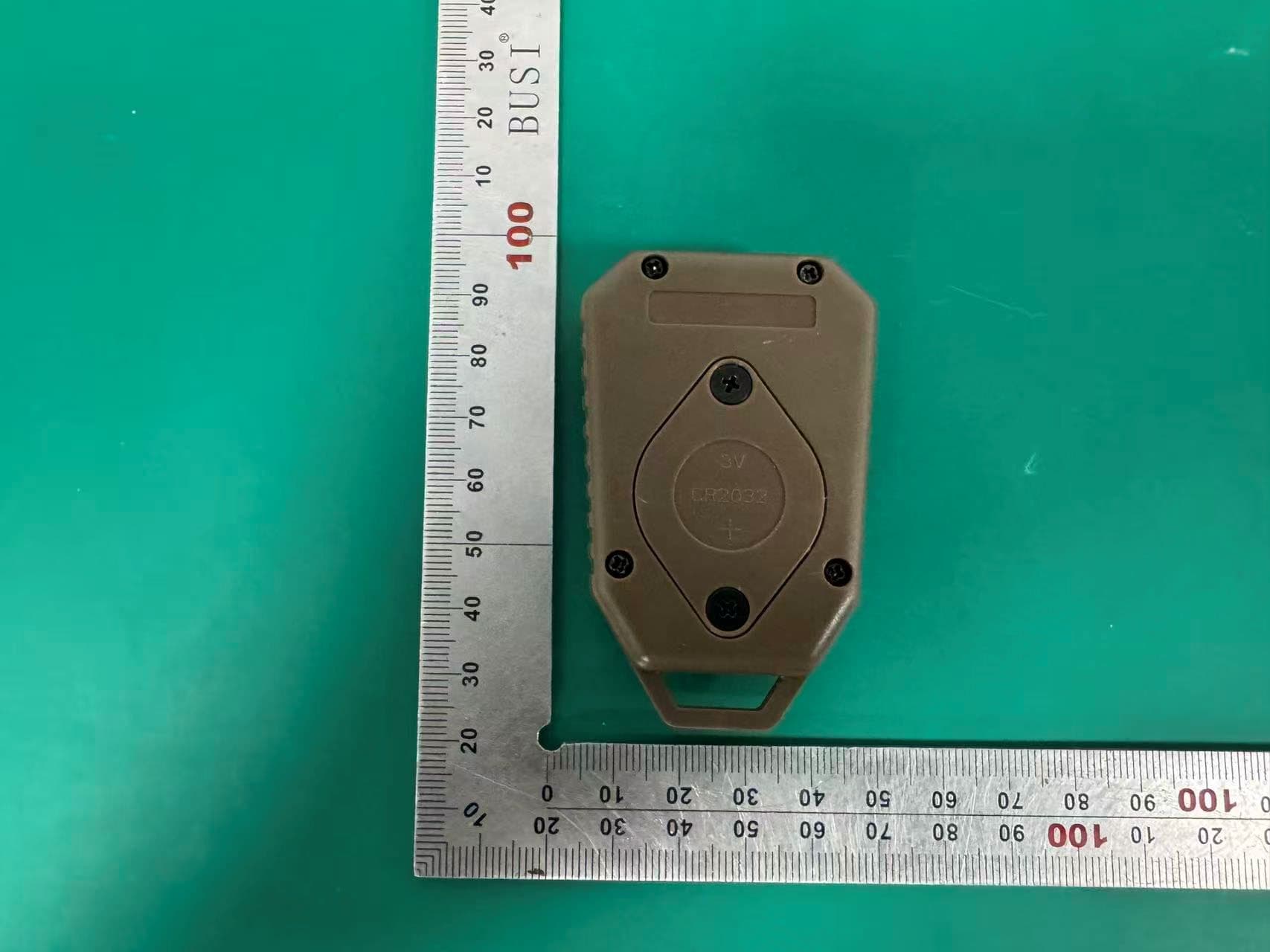
Internal photos M/N: WRC-EGC-DSR Internal photos M/N: WRC-EGC-DSR Internal photos M/N: WRC-EGC-DSR RF antenna
RF Exposure Info
FCC ID: 2AU3A-EGC01B EST Technology Co., Ltd Report No. ESTE-R2209168 Page 1 of 3 FCC RF EXPOSURE REPORT Good Sportsman Marketing, LLC Fred Eichler Remote Model Number: WRC-EGC-DSR Additional Model: WRC-EGC-SSR FCC ID: 2AU3A-EGC01B Applicant: Good Sportsman Marketing, LLC Address: 5250 Frye Rd, Irving, Texas 75061, United States Prepared By: EST Technology Co., Ltd. Chilingxiang, Qishantou, Santun, Houjie, Dongguan, Guangdong, China Tel: 86-769-83081888-808 Report Number: ESTE-R2209168 Date of Test: Sep. 05-29, 2022 Date of Report: Sep. 30, 2022 FCC ID: 2AU3A-EGC01B EST Technology Co., Ltd Report No. ESTE-R2209168 Page 2 of 3 1. Applicable Standards FCC Part 2(Section 2.1093) FCC KDB 447498 D04 Interim General RF Exposure Guidance v01 2. Exposure Evaluation of Portable or Mobile Devices Human exposure to RF emissions from portable devices (47 CFR §2.1093), as defined by the FCC, must be evaluated with respect to the FCC-adopted limits for SAR. Evaluation of mobile devices, as defined by the FCC, may also be performed with respect to SAR limits, but in such cases it is usually simpler and more cost-effective to evaluate compliance with respect to field strength or power density limits. For certain devices that are designed to be used in both mobile and portable configurations similar to those described in 47 CFR §2.1091(d)(4), such as certain desktop phones and wireless modem modules, compliance for mobile configurations is also satisfied when the same device is evaluated for SAR compliance in portable configurations. The test exclusions are applicable only when the minimum test separation distance is ≤ 50 mm and for transmission frequencies between 300 MHz and 6 GHz. When the minimum test separation distance is < 5 mm, a distance of 5 mm is applied to determine SAR test exclusion. FCC ID: 2AU3A-EGC01B EST Technology Co., Ltd Report No. ESTE-R2209168 Page 3 of 3 3. Evaluation Results Ant gain=2dBi =2-2.15= -0.15dBd Ant numeric gain=0.966 Field strength = 85.14dBuV/m@3m Limited=2040*f*(0.5/20)^x, x=-log(60/(2040*f*√f))= 23.17mW P={ [10 (85.14 /20) /10 6 *3] 2 / (30*1.585) }*1000mW =0.0618mW < 23.17mW ERP=0.0618mW*0.966=0.06mW < 23.17mW Note: 1. We choose f=0.43392GHz to calculate MPE limit as higher frequency will have lower MPE limits. 2. SAR Test Exclusion Thresholds is 23.17mW for separation distance 5mm. Therefore, SAR test is not required. End of Test Report
Test Report
FCC ID: 2AU3A-EGC01B EST Technology Co., Ltd Report No. ESTE-R2209167 Page 1 of 40 FCC PART 15C TEST REPORT FOR CERTIFICATION On Behalf of Good Sportsman Marketing, LLC Fred Eichler Remote Model Number: WRC-EGC-DSR Additional Model: WRC-EGC-SSR FCC ID: 2AU3A-EGC01B Applicant: Good Sportsman Marketing, LLC Address: 5250 Frye Rd, Irving, Texas 75061, United States Prepared By: EST Technology Co., Ltd. Chilingxiang, Qishantou, Santun, Houjie, Dongguan, Guangdong, China Tel: 86-769-83081888-808 Report Number: ESTE-R2209167 Date of Test: Sep. 05-29, 2022 Date of Report: Sep. 30, 2022 FCC ID: 2AU3A-EGC01B EST Technology Co., Ltd Report No. ESTE-R2209167 Page 2 of 40 TABLE OF CONTENTS Description Page TEST REPORT VERIFICATION......................................................................................................................... 3 1. GENERAL INFORMATION ................................................................................................................. 5 1.1. Description of Device (EUT) ........................................................................................................... 5 1.2. Antenna Information ........................................................................................................................ 5 1.3. Information of RF Cable .................................................................................................................. 5 2. SUMMARY OF TEST ......................................................................................................................... 6 2.1. Summary of test result ...................................................................................................................... 6 2.2. Test Facilities ................................................................................................................................... 7 2.3. Measurement uncertainty ................................................................................................................. 8 2.4. Assistant equipment used for test ..................................................................................................... 8 2.5. Block Diagram ................................................................................................................................. 8 2.6. Test Mode ......................................................................................................................................... 9 2.7. Channel List ..................................................................................................................................... 9 2.8. Test Equipment List ....................................................................................................................... 10 3. DUTY CYCLE ................................................................................................................................ 11 3.1. Limit ............................................................................................................................................... 11 3.2. Test Setup ....................................................................................................................................... 11 3.3. Spectrum Analyzer Setting ............................................................................................................. 11 3.4. Test Procedure ................................................................................................................................ 11 3.5. Test Conditions ............................................................................................................................... 12 3.6. Test Result ...................................................................................................................................... 12 4. FIELD STRENGTH OF FUNDAMENTAL ............................................................................................ 13 4.1. Limit ............................................................................................................................................... 13 4.2. Test Setup ....................................................................................................................................... 14 4.3. Spectrum Analyzer Setting ............................................................................................................. 14 4.4. Test Procedure ................................................................................................................................ 14 4.5. Test Result ...................................................................................................................................... 15 5. RADIATED SPURIOUS EMISSIONS .................................................................................................. 18 5.1. Limit ............................................................................................................................................... 18 5.2. Test Setup ....................................................................................................................................... 20 5.3. Spectrum Analyzer Setting ............................................................................................................. 21 5.4. Test Procedure ................................................................................................................................ 22 5.5. Test Result ...................................................................................................................................... 23 6. 20DB BANDWIDTH ........................................................................................................................ 28 6.1. Limit ............................................................................................................................................... 28 6.2. Test Setup .............................................................…
Text truncated - open the document above for the full version.
Test Setup Photos
Radiated emission test: Below 1GHz Radiated emission test: Above 1GHz
Contact Information
Applicant
Tom Rucci(VP of Engineering)
Test Firm
EST Technology Co., Ltd.Iceman Hu
[email protected]+86 0769-83081888
Technical Specifications
| # | Rule Parts | Frequency Range | Power Output |
|---|---|---|---|
| 1 | 15.231 | 433.92 MHz - 433.92 MHz | - |
Other Applications from Good Sportsman Marketing, LLC
2AU3A-MUD-RMT
Apr 10, 2026MUD-RMT
Equipment Class
DSC - Part 15 Security/Remote Control Transmitter
2AU3A-RECMBTWT
Aug 17, 2024Recon BT Walkie Talkie
Equipment Class
DTS - Digital Transmission System
2AU3A-AVXDP100
Aug 25, 2023Power Flight Smart Duck
Equipment Class
DTS - Digital Transmission System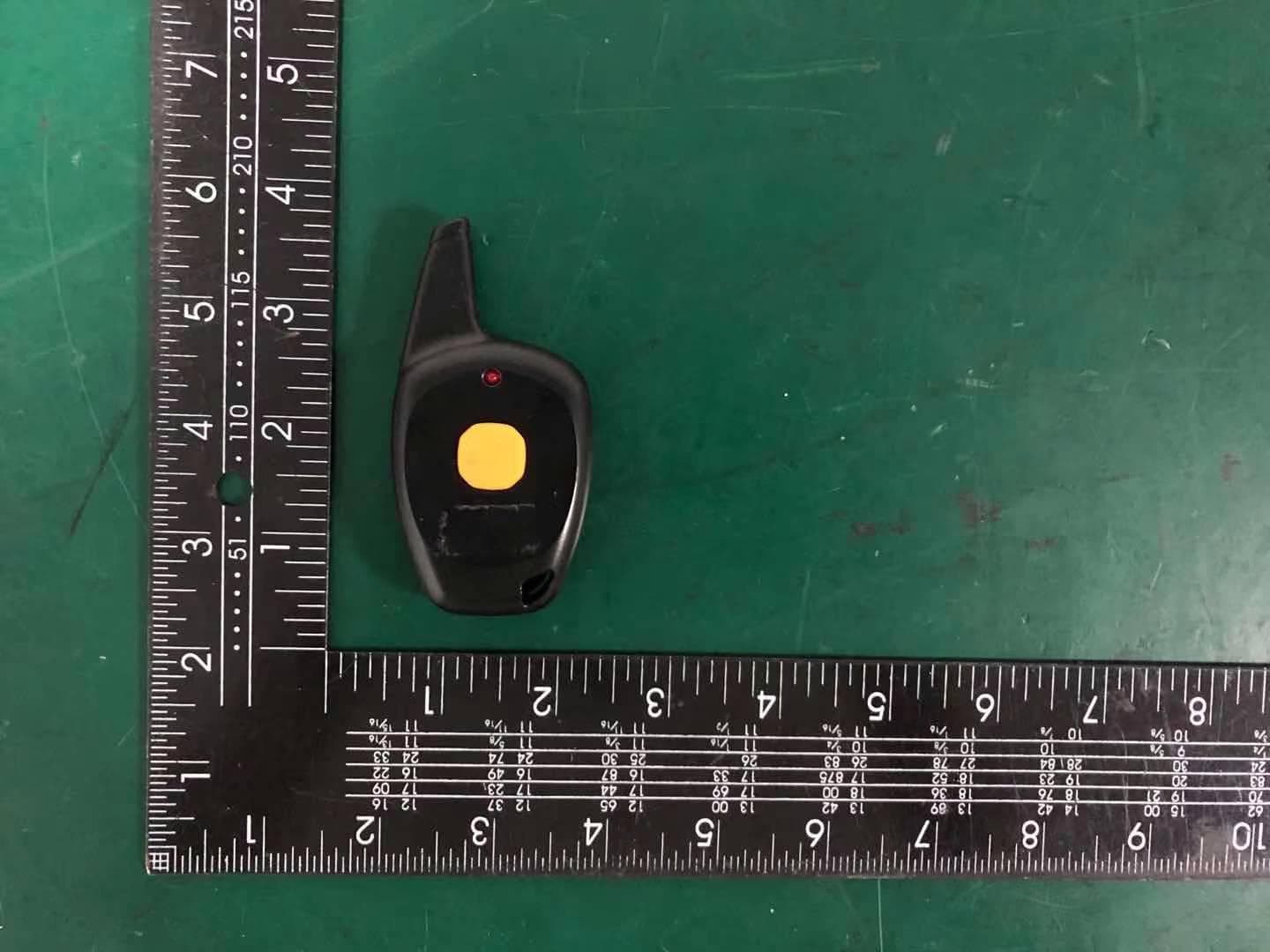
2AU3A-MUDRBI
Apr 13, 2021Remote Beacon Illuminator
Equipment Class
DSC - Part 15 Security/Remote Control Transmitter
2AU3A-ASMHHBT
Mar 14, 2021Active Safety BT Muff
Equipment Class
DSS - Part 15 Spread Spectrum Transmitter