2AU8HSPH320-ASmart phone
Smawave Technology Co. ,Ltd
Click to zoom
Application Details
- Equipment Class
- JBP - Part 15 Class B Computing Device Peripheral
- Date of Grant
- Jan 12, 2022
- Application Purpose
- Original Equipment
- Date of Application
- Jan 12, 2022
- Equipment Note
- Smart phone
- Company
- Smawave Technology Co. ,Ltd
- Country
- China
Documents & Files
Document Text
Text extracted from the exhibit documents filed with the FCC. Open a document above to read the original.
Users Manual
Basic OperationsSafety Warning Part Name How to Set Up/Use Radio Properly Scan Mode Settings PLTE Status PLTE Settings & Status Power on/off 1D/2D scanner operating instructions Adjust the volume Preventing water from ingress Airplane mode Restore factory settings Install Micro-SIM/T card Precautions SPH320-a Enter the PLTE APK, set PLTE module configurations in 4G interface: Set scan mode Check PLTE module status in PLTE Status interface: ① 1D/2D scanner ② Power on/off button ③ Volume+ ④ Volume- ⑤ Customizable button ⑥ Front camera ⑦ Brand logo ⑧ Distance/Light sensor ⑨ Front speaker ⑩ Menu return button ⑪ Front fingerprint recognition ⑫ Return button ⑬ Headphone jack ⑭ Type-C ⑮ Peripheral interface ⑯ POC dedicated intercom button ⑰ SOS ⑱ Rear camera ⑲ Peripheral interface ⑳ SIM/TF card slot ㉑ Brand logo ㉒ Cradle charging port ㉓ Flash LED Water ingress caused by improper operation and willful damage to LCD are not covered by warranty! To avoid unnecessary damage or conflict, read below information before using. 1.Do not use the device while you are driving. 2.During a call, please keep the phone at least 15mm away from your ear or body. 3.Please turn off the device if it is forbidden for using near some medical instrument. 4.Please turn off the device when you are on a plane, because wireless device may interfere with the radio communication system. 5.Do not use the device near gas station or in the hazardous environment. 6.Avoid using in extremely high or extremely low temperature environments. Press and hold the Power key button for 3 seconds to turn on the device. To turn off your device, press and hold the Power key for 3 seconds, and then select Power off. Sound From the Settings menu, select sound to change the sound settings for the device: sound, phone ring tone, and system sound. Display From the Settings menu, select Display to change the display of the device, such as brightness, wallpaper, sleep time, and font size. Storage In the Settings menu, select Storage to view the storage status and available space of the system. Battery In the Settings menu, select Battery to view battery information. Security & location In the Settings menu, select Security &location to change how screen is locked. Language In the Settings menu, select System->Languages to change the system language. Backup & reset In the Settings menu., select System->Backup and reset options to back up the data in the device or restore the factory settings. Date and time From the Settings menu, select System->Date &Time to change the time and date of system. Developer options In the Settings menu, open the developer options to connect the device to the computer and transfer data. About equipment In the Settings menu, select System->About Phone to view various information: Android version, kernel version, ect. Install the appropriate scanning tool APK in the handheld, open the APK, click to open the corresponding scanning function item, the 1D/2D scanner will emit a red scanning light, aim at the QR code or barcode, and the scanning tool APK will display the corresponding information Use the volume up and down buttons on the left side of the phone to adjust the volume. Cover the SIM card, USB interface and other covers properly to achieve IP68 waterproof. Setting->Network & Internet->Airplane mode Setting->Reset->Restore factory settings Open the SIM cover, you will see the TFF SIM card & Micro SD card slot. Please be aware of the right slot & direction as illustration. Function use Click the Settings app in the application interface to enter the settings. Figure 1 SIM card slot Figure 3 Lock the sim card Figure 4 Close the back cover of the SIM card Figure 7 Application interface Figure 8 4G PLTE off state Figure 9 4G PLTE on state Figure 10 Scan mode page Figure 11 state page Figure 2 Put the SIM card into the card slot Figure 5 1D/2D scannerFigure 6 1D/2D scanner working status 1. The USB port/antenna port needs to be plugged tightly before the waterproof test. 2. The phone may affect the waterproof effect after a destructive drop 3. Obvious changes in atmospheric pressure will cause the handset, speaker, and microphone to be silent or noisy. After soaking in water, the speaker, sending voice, and answering sound will be affected. You need to drain off the water. After a period of time, it will return to normal. 4. After soaking in sea water, please use clean water to desalt. 5. When using the PLTE network, the USB interface cannot use the file transfer function. When using the USB file transfer function, the PLTE switch must be turned off. Quick Start Guide FCC Statement This equipment has been tested and found to comply with the limits for a Class B digital device, pursuant to part 15 of the FCC Rules. These limits are designed to provide reasonable protection against harmful interference in a residential installation. This equipment generates, uses and can radiate radio frequency energy and, if not installed and used in accordance with the instructions, may cause harmful interference to radio communications. However, there is no guarantee that interference will not occur in a particular installation. If this equipment does cause harmful interference to radio or television reception, which can be determined by turning the equipment off and on, the user is encouraged to try to correct the interference by one or more of the following measures: —Reorient or relocate the receiving antenna. —Increase the separation between the equipment and receiver. —Connect the equipment into an outlet on a circuit different from that to which the receiver is connected. —Consult the dealer or an experienced radio/TV technician for help. FCC Radiation Exposure Statement This device complies with FCC radiation exposure limits set forth for an uncontrolled environment and it also complies with Part 15 of the FCC RF Rules. This equipment must be installed and operated in accordance with provided instructions and the antenna(s) used …
Text truncated - open the document above for the full version.
Cover Letter(s)
Smawave Technology Co. ,Ltd Office of Engineering Technology Federal Communications Commission 7435 Oakland Mills Road Columbia, MD21046 Subject; Request for Long Term Confidentiality FCC ID: 2AU8HSPH320-A To Whom It May Concern, Pursuant to the provisions of the Commission’s rules Title 47 Sections §0.457 and §0.459, we are requesting the Commission to withhold the following attachment(s) as confidential documents from public disclosure indefinitely. These documents contain detailed system and equipment descriptions and are considered as proprietary information in operation of the equipment. The public disclosure of these documents might be harmful to our company and would give competitors an unfair advantage in the market. Schematic Diagram Block Diagram Parts List Operational Description Tune-up Procedure Software Security Description UNII declaration letter It is our understanding that all measurement test reports, FCC ID label format and correspondence during the certification review process cannot be granted as confidential documents and this information will be available for public review once the grant of equipment authorization is issued. Sincerely, Date: 2022-1-5 Signature: Name(in print):LevenLiang Company: Smawave Technology Co. ,Ltd Adreess: 3F Building 8 1001 North Qinzhou RoadXuhui District Shanghai China
Cover Letter(s)
SmawaveTechnologyCo.,Ltd POWEROFATTORNEY DATE:January5,2022 To: FederalCommunicationsCommission, Authorization&EvaluationDivision, 7435OaklandMillsRoad, Columbia,MD21046 We,theundersigned,herebyauthorizeTATechnology(Shanghai)Co.,Ltd./zhaojunllinonour behalf,toapplytoFCConourequipmentforFCCID:2AU8HSPH320-A.Anyandallacts carriedoutbyTATechnology(Shanghai)Co.,Ltd.onourbehalfshallhavethesameeffectas actsofourownforthiscertificate. Sincerely, Signature: Name(inprint):LevenLiang Company:SmawaveTechnologyCo.,Ltd Adreess:3FBuilding81001NorthQinzhouRoadXuhuiDistrictShanghaiChina
External Photos
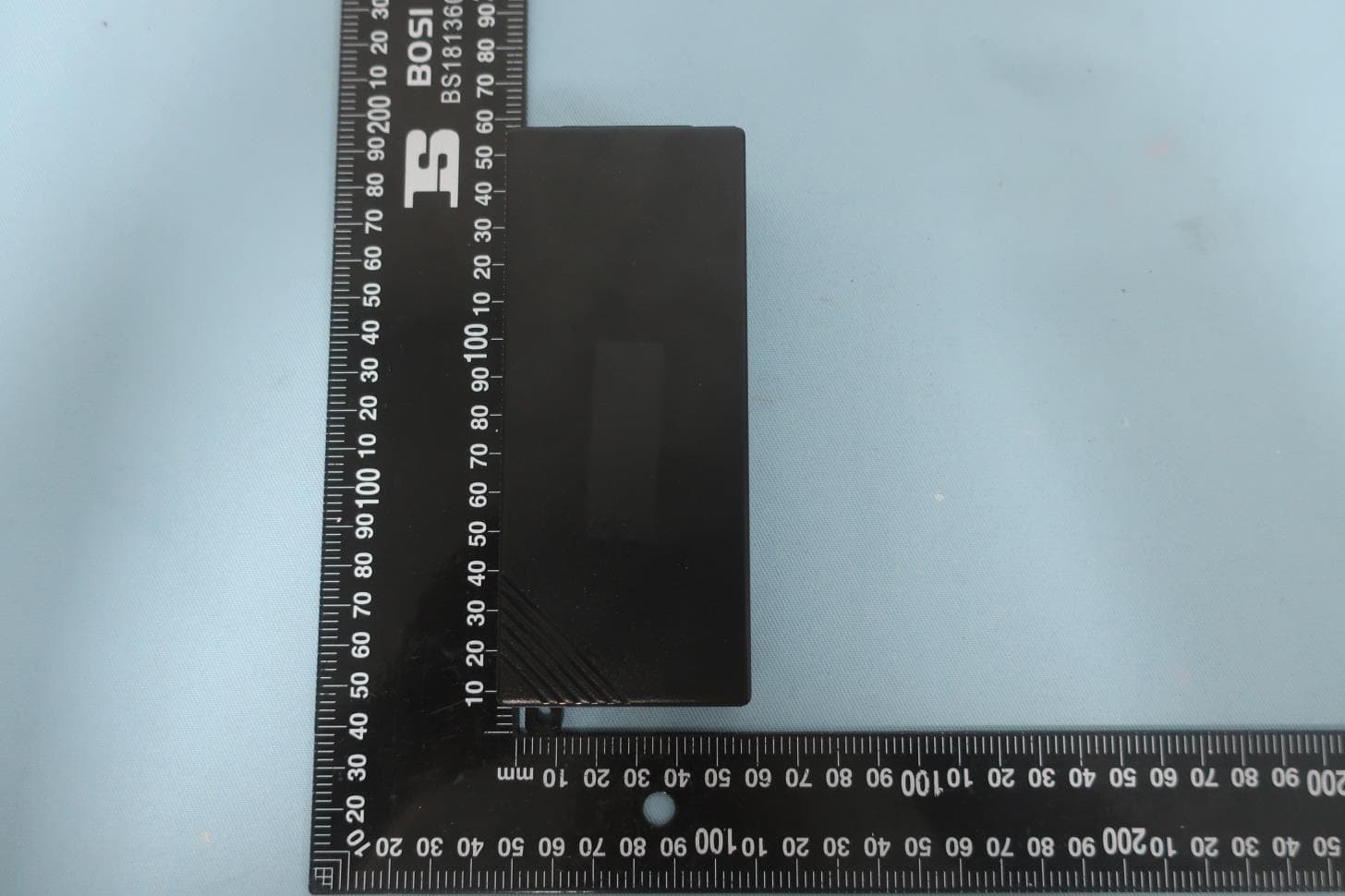
EUT Appearance Report No.: R2005A0340 TA Technology (Shanghai) Co., Ltd. Page 1 of 4 This report shall not be reproduced except in full, without the written approval of TA Technology (Shanghai) Co., Ltd. EUT Appearance EUT Appearance Report No.: R2005A0340 TA Technology (Shanghai) Co., Ltd. Page 2 of 4 This report shall not be reproduced except in full, without the written approval of TA Technology (Shanghai) Co., Ltd. EUT Appearance Report No.: R2005A0340 TA Technology (Shanghai) Co., Ltd. Page 3 of 4 This report shall not be reproduced except in full, without the written approval of TA Technology (Shanghai) Co., Ltd. a: EUT EUT Appearance Report No.: R2005A0340 TA Technology (Shanghai) Co., Ltd. Page 4 of 4 This report shall not be reproduced except in full, without the written approval of TA Technology (Shanghai) Co., Ltd. b: Adapter Picture 1: Constituents of EUT
Test Report
EMC TEST REPORT Applicant Smawave Technology Co. ,Ltd FCC ID 2AU8HSPH320-A Product smart phone Brand Smawave Model SPH320-a Report No. R2005A0340-E1V1 Issue Date January 11, 2022 TA Technology (Shanghai) Co., Ltd. tested the above equipment in accordance with the requirements in FCC Code CFR47 Part15B (2019)/ ANSI C63.4 (2014). The test results show that the equipment tested is capable of demonstrating compliance with the requirements as documented in this report. Prepared by: Wei Liu Approved by: Guangchang Fan TA Technology (Shanghai) Co., Ltd. No.145, Jintang Rd, Tangzhen Industry Park, Pudong Shanghai, China TEL: +86-021-50791141/2/3 FAX: +86-021-50791141/2/3-8000 EMC Test Report Report No.: R 2005A0340-E1V1 TA Technology (Shanghai) Co., Ltd. TA-MB-06-001E Page 2 of 17 This report shall not be reproduced except in full, without the written approval of TA Technology (Shanghai) Co., Ltd. Table of Contents 1 Test Laboratory................................................................................................ ............................... 5 1.1 Notes of the Test Report................................................................................................ ......... 5 1.2 Testing Location................................................................................................ ...................... 5 2 General Description of Equipment under Test................................................................ ................ 6 2.1 Applicant and Manufacturer Information.................................................................................. 6 2.2 General information................................................................................................ ................. 6 2.3 Applied Standards................................................................................................ ................... 7 2.4 Test Mode................................................................................................................................ 8 3 Test Case Results................................................................................................ .......................... 9 3.1 Radiated Emission................................................................................................ .................. 9 3.2 Conducted Emission ............................................................................................................. 14 4 Main Test Instruments .................................................................................................................. 17 EMC Test Report Report No.: R 2005A0340-E1V1 TA Technology (Shanghai) Co., Ltd. TA-MB-06-001E Page 3 of 17 This report shall not be reproduced except in full, without the written approval of TA Technology (Shanghai) Co., Ltd. Version Revision description Issue Date Rev.0 Initial issue of report. November 19, 2020 Rev.1 Delete U-NII-2A&U-NII-2C. January 11, 2022 Note: This revised report (Report No. R2005A0340-E1V1) supersedes and replaces the previously issued report (Report No. R2005A0340-E1). Please discard or destroy the previously issued report and dispose of it accordingly. EMC Test Report Report No.: R 2005A0340-E1V1 TA Technology (Shanghai) Co., Ltd. TA-MB-06-001E Page 4 of 17 This report shall not be reproduced except in full, without the written approval of TA Technology (Shanghai) Co., Ltd. Summary of measurement results Number Test Case Clause in FCC Rules Conclusion 1 Radiated Emission FCC Part15.109, ANSI C63.4-2014 PASS 2 Conducted Emission FCC Part15.107, ANSI C63.4-2014 PASS Test Date: June 9, 2020~ July 20, 2020 Note: All indications of Pass/Fail in this report are opinions expressed by TA Technology (Shanghai) Co., Ltd. based on interpretations and/or observations of test results. Measurement Uncertainties were not taken into account and are published for informational purposes only. EMC Test Report Report No.: R 2005A0340-E1V1 TA Technology (Shanghai) Co., Ltd. TA-MB-06-001E Page 5 of 17 This report shall not be reproduced except in full, without the written approval of TA Technology (Shanghai) Co., Ltd. 1 Test Laboratory 1.1 Notes of the Test Report This report shall not be reproduced in full or partial, without the written approval of TA technology (shanghai) co., Ltd. The results documented in this report apply only to the tested sample, under the conditions and modes of operation as described herein .Measurement Uncertainties were not taken into account and are published for informational purposes only. This report is written to support regulatory compliance of the applicable standards stated above. 1.2. Test facility FCC (Designation number: CN1179, Test Firm Registration Number: 446626) TA Technology (Shanghai) Co., Ltd. has been listed on the US Federal Communications Commission list of test facilities recognized to perform electromagnetic emissions measurements. A2LA (Certificate Number: 3857.01) TA Technology (Shanghai) Co., Ltd. has been listed by American Association for Laboratory Accreditation to perform electromagnetic emission measurement. 1.3 Testing Location Company: TA Technology (Shanghai) Co., Ltd. Address: No.145, Jintang Rd, Tangzhen Industry Park, Pudong Shanghai, China City: Shanghai Post code: 201201 Country: P. R. China Contact: Fan Guangchang Telephone: +86-021-50791141/2/3 Fax: +86-021-50791141/2/3-8000 Website: http://www.ta-shanghai.com E-mail: [email protected] EMC Test Report Report No.: R 2005A0340-E1V1 TA Technology (Shanghai) Co., Ltd. TA-MB-06-001E Page 6 of 17 This report shall not be reproduced except in full, without the written approval of TA Technology (Shanghai) Co., Ltd. 2 General Description of Equipment under Test 2.1 Applicant and Manufacturer Information Applicant Smawave Technology Co. ,Ltd Applicant address 3/F, Building 8, 1001 North Qinzhou Road,Xuhui District, Shanghai, China Manufacturer Smawave Technology Co. ,Ltd Manufacturer address 3/F, Building 8, 1001 North Qi…
Text truncated - open the document above for the full version.
Test Setup Photos
EM TA Techno This report sh Part15B MC Test Setup ology (Shang hall not be repr B Test Se ghai) Co., Lt roduced except etup Pict td. tin full, without 3 1 ture 1 Radia TA-MB- t the written ap 30MHz-1GH GHz-18GH ated Emiss -04-001E pproval of TA Te z z sion Test Se R echnology (Shan etup Report No.: R20 Pa nghai) Co., Ltd. 005A0340 age 1 of 2 EM TA Techno This report sh MC Test Setup ology (Shang hall not be repr ghai) Co., Lt roduced except Pictu td. tin full, without ure 2 Condu TA-MB- t the written ap ucted Emis -04-001E pproval of TA Te sion Test S R echnology (Shan Setup Report No.: R20 Pa nghai) Co., Ltd. 005A0340 age 2 of 2
Contact Information
Applicant
Xing Chen(Hardware Manager)
Test Firm
Eurofins TA Technology (Shanghai) Co., Ltd.Mr. Zhihui Liu
[email protected]86-21-50791141
Technical Specifications
| # | Rule Parts | Frequency Range | Power Output |
|---|---|---|---|
| 1 | 15B | - | - |
Other Applications from Smawave Technology Co. ,Ltd
2AU8HSRE620-BH
Jul 18, 20235G ODU_NA
Equipment Class
CBD - Citizens Band Category A and B Devices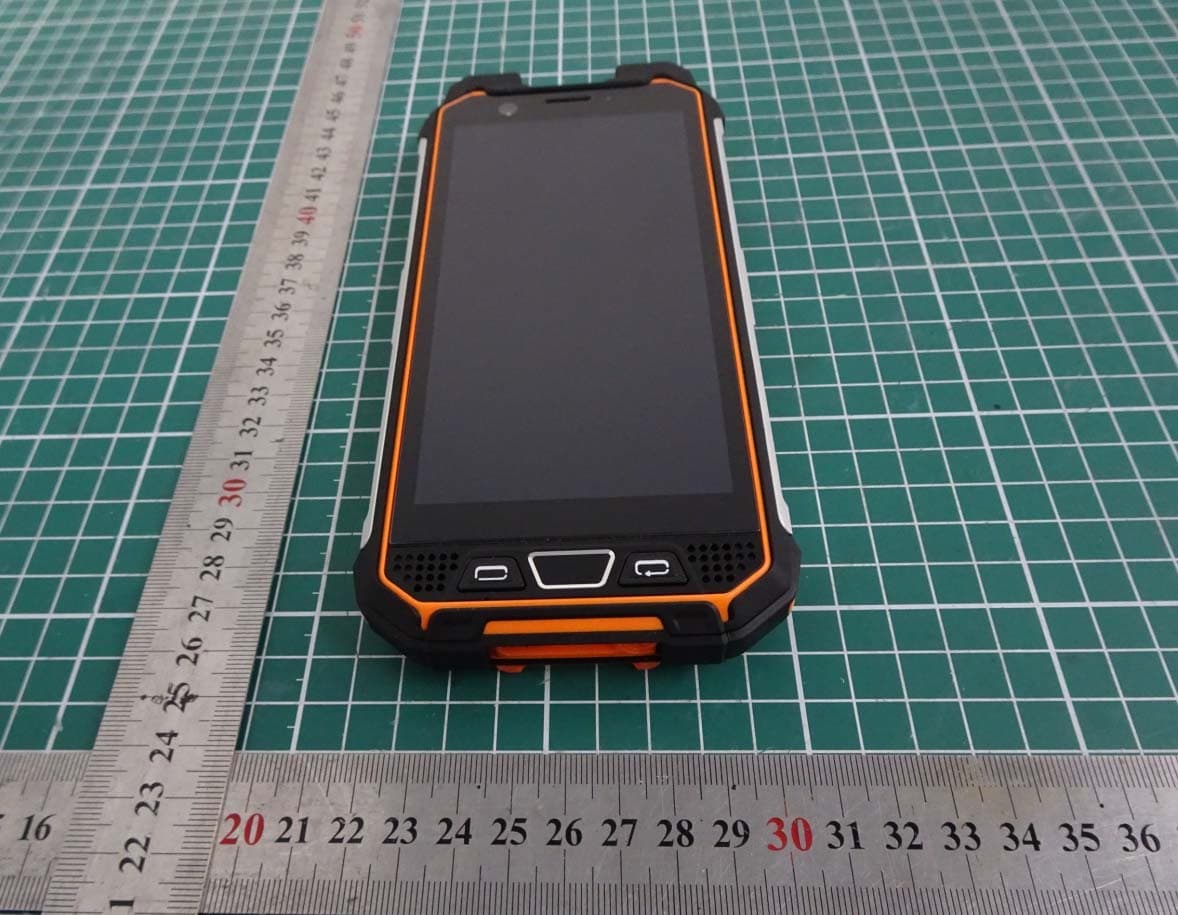
2AU8HSPH420-BQ
Jan 17, 2023Industrial smart handheld terminal
Equipment Class
DXX - Part 15 Low Power Communication Device Transmitter
2AU8HSPH320-AQ
Jan 16, 2023Industrial smart handheld terminal
Equipment Class
DXX - Part 15 Low Power Communication Device Transmitter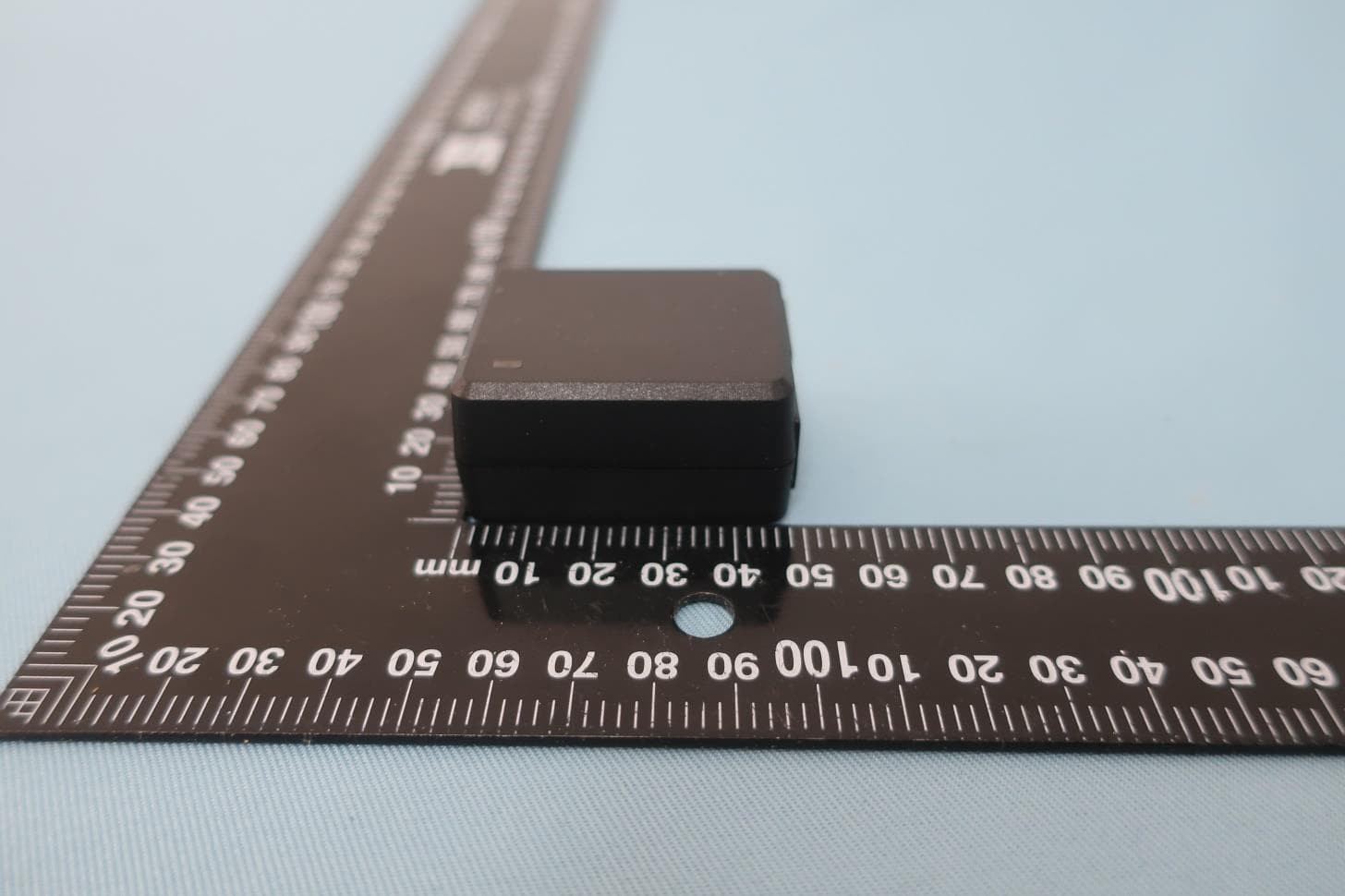
2AU8HSRW410-CBRS
Jan 13, 2023CAT12 outdoor CPE
Equipment Class
CBD - Citizens Band Category A and B Devices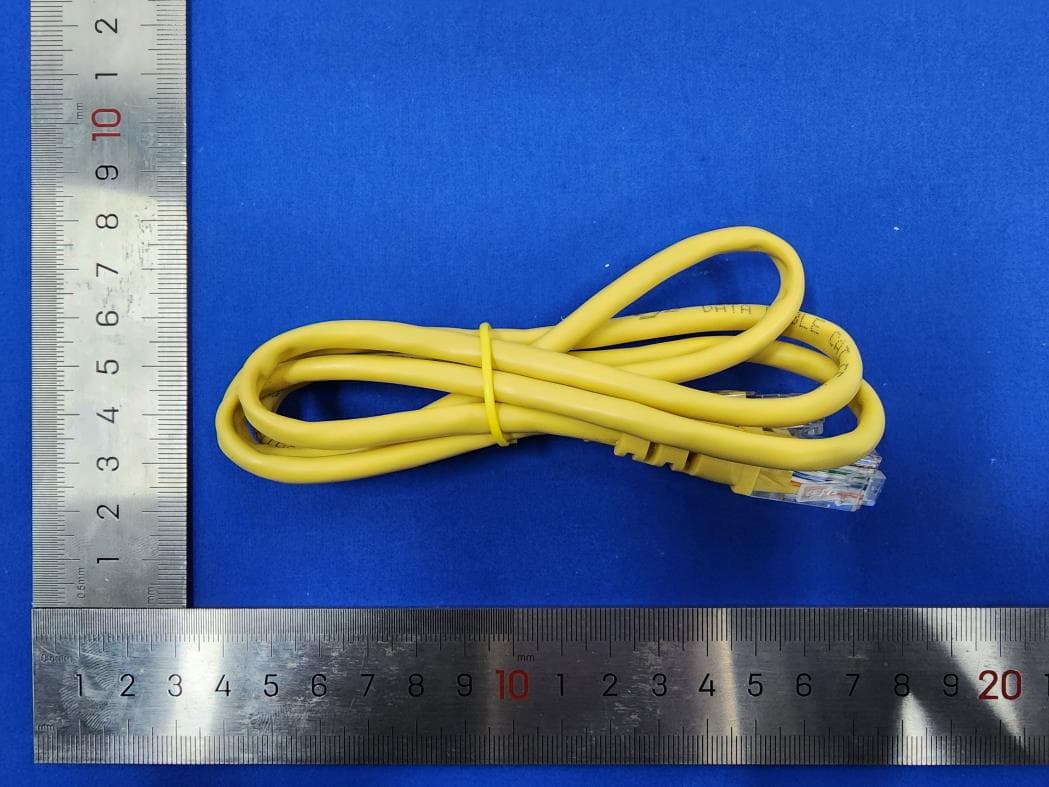
2AU8HSRT421-CBRS
Dec 21, 2022LTE Indoor
Equipment Class
CBD - Citizens Band Category A and B Devices