2AVD2-MS21901Bluetooth speaker
Shenzhen Monster Creative Technology Co., Ltd.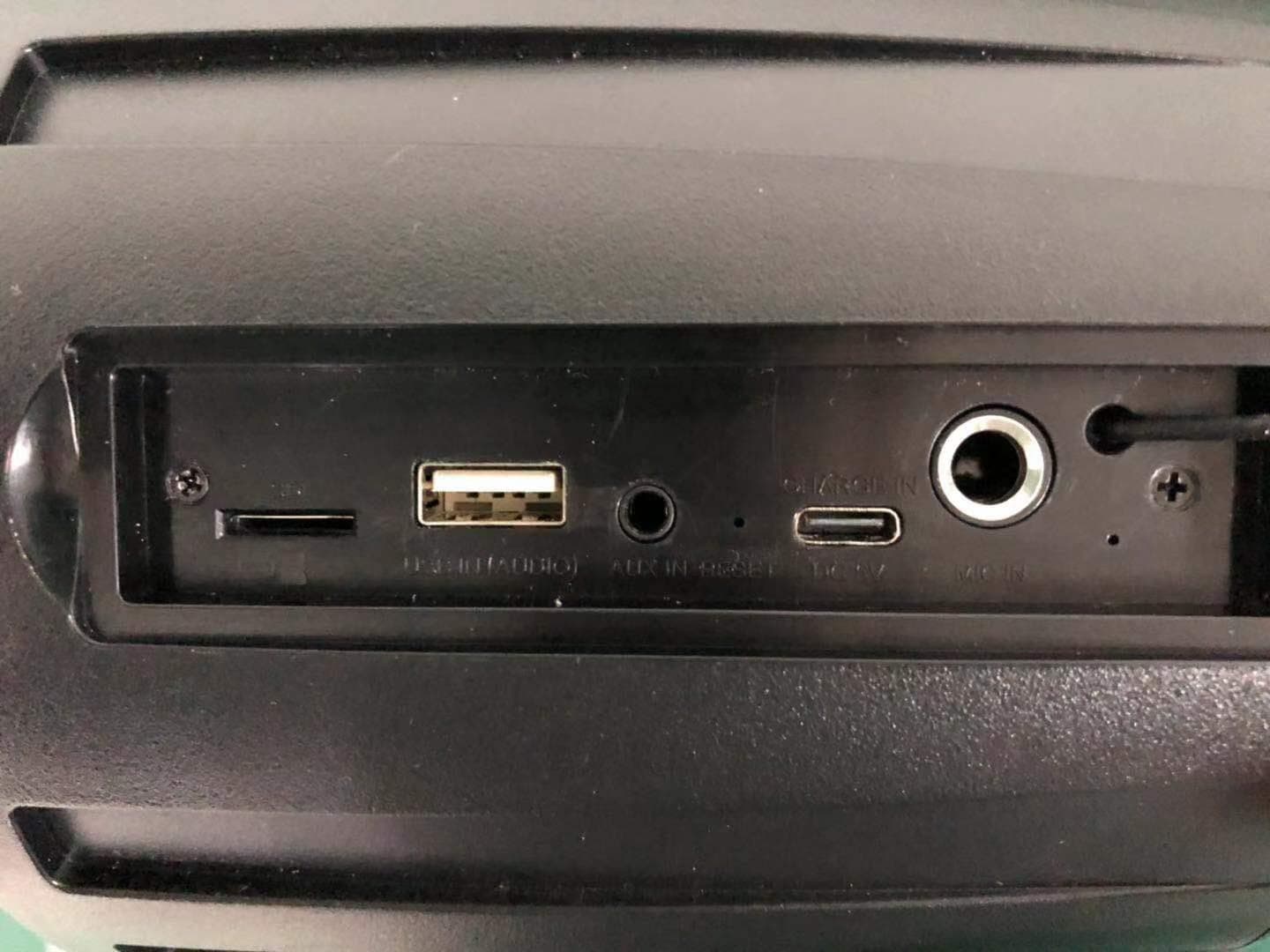
Click to zoom
Application Details
- Equipment Class
- DSS - Part 15 Spread Spectrum Transmitter
- Date of Grant
- Jan 07, 2020
- Application Purpose
- Original Equipment
- Date of Application
- Jan 06, 2020
- Equipment Note
- Bluetooth speaker
- Frequency Range
- 2402.00000000 - 2480.00000000
- Country
- China
Documents & Files
Document Text
Text extracted from the exhibit documents filed with the FCC. Open a document above to read the original.
Users Manual
型号:MS21901/ Model No.:MS21901 快速指南/ Quick Start Guide 请仔细阅读本快速指南并妥善保存以备将来使用。 Please read this Quick Start Guide carefully and keep it for future use. 产品概述/ Product Overview 音箱 USB Type-C充电线 快速指南, 保证函 Speaker Unit USB Type-C Charging Cable Quick Start Guide & Warranty Letter 1. 音量調節“˅”按键 降低音量, 上一曲目 2. 音量調節“˅”按键 增大音量, 下一曲目 3. 多功能按键 配对,音乐播放/暂停... 4. 电源开/关按键 5. 模式“M”按键 音源模式换功能 6. 功能指示灯 7. Micro SD卡槽 8. USB IN (Audio) 输入接口 9. AUX IN输入接口 10. 复位键 11. Type-C充电输入口 12. MIC IN输入接口(6.35mm) 13. 充电指示灯 14. 发声位置 15. 把手 1. Volume Control “˅” Button volume down, track backward 2. Volume Control “˅” Button volume up, track forward 3. Multi Function Button (MFB) Pairing music play/pause... 4. Power On/Off Button 5. Mode “M” Button audio input selection 6. Mode LED Indicator 7. Micro SD Slot 8. USB IN (Audio) Port 9. AUX IN Port 10. Reset Button 11. Type-C 12. MIC IN Port (6.35mm) 13. Charging LED Indicator 14. Speaker Areas 15. Handle 电源/充电 在使用音箱前,您需要先为其充电,将音箱与兼容蓝牙设备相配对。 包装中包含了一条USB Type-C充电线(仅充电,无数据传输功能),可以与电脑或其他兼 容USB的标准充电设备。使用5V/2A或以上适配器(不包含)进行充电。 注意:仅使用电脑USB输出或仅标准5伏电压电源适配器进行充电。如果使用非标准5伏 USB电源适配器进行充电,可能会造成损坏。如果连接器和/或设备潮湿或损坏,请勿充电。 用电脑接口充电时,如输出功率偏低,充电时间会较长。 Power/Charging Before using the speaker, you need to charge the battery and pair the speaker with a compatible device. The package includes a USB Type-C charging cable (change only, no data transfer function) that can be connected to your computer or other device made for standard USB compatible charging. Charing with 5V/2A or above power adapter (not included). Caution: ONLY use computer USB output or standard 5 volt only power adapter for charging. Damage may occur if non-standard USB power adapter is used for charging. Do not charge if connector and/or device is wet or damaged. 开机/关机 在关机模式下,按住电源开/关按键大约2秒以开启音箱,可听到开机提示音。 关闭音箱,请再次按住电源开/关按键大约2秒,可听到关机提示音。 注意:开机后如没有连上蓝牙设备,音箱大约在十五分钟内关闭。 Power On/Off In power off mode, press and hold the Power On/Off Button for about 2 seconds to power on the speaker, you hear the opening tone. To power off the speaker, press and hold the Power On/Off Button for about 2 seconds again, you will hear a shutdown tone. Caution: If no Bluetooth device is connected, the speaker will be turned off within about 15 minutes. 蓝牙配对 首次使用并开机时,音箱将自动进入配对模式。 如已连上蓝牙设备,按住多功能按键大约2秒,断开并与其他设备进行配对。 如沒有连上蓝牙设备,音箱也会自动进入配对模式。 配对时,启用手机的蓝牙功能,搜索Monster设备进行配对及连接,连接成功后你会听到 提示音,蓝色LED指示灯從快速闪烁变成长亮。 Pairing When you unbox the speaker and power it on for the first time, it will enter to pairing mode automatically. If Bluetooth device is connected, press and hold the MFB for about 2 seconds, disconnect and ready to pair another device. If speaker does not connect any Bluetooth device, it will enter to pairing mode automatically. During pairing, activate Bluetooth on your phone and set it to search for new Monster device for pairing. When the speaker is connected successfully, connected tone will be heard and the blue LED will stop flashing and the LED indicator will remain on. 音量控制 短按一下音量调节“˄”或“˄”按键以增大或降低音量。 Volume Control Short press the Volume Button “˅” or “˅” to turn volume up or down. 音乐 播放/暂停:在音乐播放模式下,短按一下多功能键,可播放/暂停音乐。 下一曲:在音乐播放模式下,按住音量调节“˄”按键2秒钟可转至下一首歌曲。 上一曲:在音乐播放模式下,按住音量调节“˄”按键2秒钟可转至上一首歌曲。 Music Play/Pause: In the music playback mode, press the MFB to play/pause music. Track forward: In the music playback mode, press and hold the Volume “˅” Button for 2 seconds for next song. Track backward: In the music playback mode, press and hold the Volume “˅” Button for 2 seconds for previous song. SD 卡播放 开机时SD卡插上装置后,会以SD卡为优先播放,届时如需用蓝牙播放时,可以通过 “M” 按 键来切换音源。 SD Card Playback When speaker is on and SD card is inserted, SD card is the priority playback source. If you want to use Bluetooth function, press the “M” Button to switch the source. USB IN (Audio) 模式播放 开机时USB IN (Audio) 插上装置后,会以USB IN (Audio) 为优先播放,届时如需用蓝牙 播放时,可以通过 “M” 按键来切换音源。 USB IN (Audio) Playback When speaker is on and USB drive is inserted, USB IN (Audio) is the priority playback source. If you want to use Bluetooth function, press the “M” Button to switch the source. AUX IN模式播放 开机时外接AUX IN音源输入后,会以外接AUX IN音源为优先播放,届时如需用蓝牙播放 时,可以通过 “M” 按键来切换音源。 AUX IN Playback When speaker is on and audio source is inserted via AUX IN, AUX IN is the priority playback source. If you want to use Bluetooth function, press the “M” Button to switch the source. 优先播放 蓝牙模式为默认播放模式,当存在多个音源时,播放顺序如下: AUX IN模式为最优先播放 USB IN(AUDIO) 模式为第二顺序播放 SD卡模式为第三顺序播放 蓝牙模式为第四顺序播放 可以通过 “M” 按键来切换音源,播放顺序示意图: AUX IN模式 USB IN(AUDIO) 模式 SD卡模式 蓝牙模式 Playback Priority The Bluetooth mode is the default playback mode, when there are multiple audio sources, the playback priority is as follows: AUX IN Mode – first priority USB IN(AUDIO) Mode – second priority SD Mode – third priority Bluetooth Mode – fourth priority Audio source can be switched by press the “M” Button, the sequence is as follows: AUX IN Mode USB IN(AUDIO) Mode SD Mode Bluetooth Mode 延时关机设置 蓝牙模式下,蓝牙无连接的情况下,15分钟后关机,蓝牙连接无音乐播放及数据传 输时,15分钟后关机。 AUX IN模式/USB IN(AUDIO) 模式/蓝牙模式下,无音乐播放下,15分钟后关机。 重置配对设备列表 开机后,没有音乐播放,同时按下音量調節“˅”及音量調節“˅”按键约3秒钟。 Reset Paired Device List After power on, no music playing, press the Volume “˅” and Volume “˅” Buttons simultaneously for about 3 seconds. 重置设备 如果出现故障,请使用回形针按下重置键。 Reset Device If there is a malfunction, press the Reset Button by using a paper clip. LED 指示灯指南 状态 描述 声音提示 开机 功能指示灯:蓝色LED灯亮约1秒 开机提示音 关机 功能指示灯:红色LED快速闪烁约1秒 关机提示音 蓝牙配对 功能指示灯:蓝色LED快速闪烁 配对提示音 蓝牙已连接 功能指示灯:蓝色LED常亮 连接提示音 SD卡模式 功能指示灯:绿色LED常亮 - USB IN模式 功能指示灯:黄色 LED常亮 - AUX IN模式 功能指示灯:紫色 LED常亮 - 低电 功能指示灯:红色LED闪烁 低电提示音 充电 充电指示灯:充电中红色LED会亮着,充满电后LED熄灭 - LED Indicator Guide Status Description Tone Power On Mode LED Indicator: blue LED stays On about 1 second Opening Tone Power Off Mode LED Indicator: blue LED stays On about 1 second Shutdown Tone Pairing Mode LED Indicator: blue LED flashes quickly Pairing Tone Bluetooth Connected Mode LED Indicator: blue LED stays On Connect Tone SD Mode Mode LED Indicator: green LED stays On - USB IN Mode Mode LED Indicator: yellow LED stays …
Text truncated - open the document above for the full version.
Attestation Statements
Shenzhen Monster Creative Technology Co., Ltd. I, the signer, Qingyun He The difference between the following these products just lies in these Model Numbers, all models are electrically identical. Item Name:Bluetooth speaker Model Number:MS21901 Additional Model: M137,M138,M118,M120,M152,MS21903,MS21904,MS31903,MS31904,MS61901,MS61092 FCC ID:2AVD2-MS21901 <Signature> Name: Qingyun He Title: R&D Manager Company: Shenzhen Monster Creative Technology Co., Ltd.
External Photos
External Photos External Photos External Photos External Photos
ID Label/Location Info
Position: centered Background color: Black Text: PANTONE White 26.4 180.2 This device complies with part 15 of the FCC Rules. Operation is subject to the following two conditions: (1)this device may not cause harmful interference, and (2)this device must accept any interference received, including interference that may cause undesired operation. Desc: Monster adventurer force speaker Unit: mm Scale: 1:1 Date: 10/23/2019 Press “M” to change the audio source. Indicator color: Blue – Bluetooth Green – SD Yellow – USB Violet – AUX Product: Monster Bluetooth Speaker Model No.:MS21901 SHENZHEN MONSTER CREATIVE TECHNOLOGY CO., LTD. No. 303, Building 1, Hezhou Jinfo Industrial Zone, Hezhou Village,Hangcheng Street, Baoan District, Shenzhen This device complies with part 15 of the FCC Rules. Operation is subject to the following two conditions: (1)this device may not cause harmful interference, and (2)this device must accept any interference received, including interference that may cause undesired operation. Press “M” to change the audio source. Indicator color: Blue – Bluetooth Green – SD Yellow – USB Violet – AUX 2AVD2-MS21901 Product: Monster Bluetooth Speaker Model No.:MS21901 SHENZHEN MONSTER CREATIVE TECHNOLOGY CO., LTD. No. 303, Building 1, Hezhou Jinfo Industrial Zone, Hezhou Village,Hangcheng Street, Baoan District, Shenzhen 2AVD2-MS21901
ID Label/Location Info
Label
Internal Photos
Internal Photos Internal Photos Internal Photos Internal Photos Internal Photos Internal Photos Internal Photos Internal Photos Bluetooth ant
RF Exposure Info
FCC ID: 2AVD2-MS21901 EST Technology Co., Ltd Report No. ESTE-R1912118 Page 1 of 3 FCC RF EXPOSURE REPORT Shenzhen Monster Creative Technology Co., Ltd. Bluetooth speaker Model Number: MS21901 Additional Model: M137, M138, M118, M120, M152, MS21903, MS21904, MS31903, MS31904, MS61901, MS61902 FCC ID: 2AVD2-MS21901 Prepared for: Shenzhen Monster Creative Technology Co., Ltd. No. 303, Building 1, Hezhou Jinfo Industrial Zone, Hezhou Village, Hangcheng Street, Baoan District, Shenzhen, China Prepared By: EST Technology Co., Ltd. Chilingxiang, Qishantou, Santun, Houjie, Dongguan, Guangdong, China Tel: 86-769-83081888-808 Report Number: ESTE-R1912118 Date of Test: Dec. 09, 2019~Jan. 03, 2020 Date of Report: Jan. 04, 2020 FCC ID: 2AVD2-MS21901 EST Technology Co., Ltd Report No. ESTE-R1912118 Page 2 of 3 1. Applicable Standards FCC Part 2(Section 2.1093) FCC KD B447498 D01 General RF Exposure Guidance v06 2. Exposure Evaluation of Portable or Mobile Devices Human exposure to RF emissions from portable devices (47 CFR §2.1093), as defined by the FCC, must be evaluated with respect to the FCC-adopted limits for SAR. Evaluation of mobile devices, as defined by the FCC, may also be performed with respect to SAR limits, but in such cases it is usually simpler and more cost-effective to evaluate compliance with respect to field strength or power density limits. For certain devices that are designed to be used in both mobile and portable configurations similar to those described in 47 CFR §2.1091(d)(4), such as certain desktop phones and wireless modem modules, compliance for mobile configurations is also satisfied when the same device is evaluated for SAR compliance in portable configurations. SAR Test Exclusion Thresholds for 100 MHz – 6 GHz and ≤ 50 mm The 1-g and 10-g SAR test exclusion thresholds for 100 MHz to 6 GHz at test separation distances ≤ 50 mm are determined by [(max. power of channel, including tune-up tolerance, mW)/(min. test separation distance, mm)] · [√f(GHz)] ≤3.0 for 1-g SAR and ≤ 7.5 for 10-g extremity SAR where • f(GHz) is the RF channel transmit frequency in GHz • Power and distance are rounded to the nearest mW and mm before calculation • The result is rounded to one decimal place for comparison The test exclusions are applicable only when the minimum test separation distance is ≤ 50 mm and for transmission frequencies between 100 MHz and 6 GHz. When the minimum test separation distance is < 5 mm, a distance of 5 mm is applied to determine SAR test exclusion. FCC ID: 2AVD2-MS21901 EST Technology Co., Ltd Report No. ESTE-R1912118 Page 3 of 3 3. Evaluation Results Mode Frequency (MHz) Peak output Power (dBm) Peak output Power (mW) Target power (dBm) Results GFSK 2402 0.64 1.1588 0±2 0.491 2441 -1.25 0.7499 -1±2 0.393 2480 -2.22 0.5998 -2±2 0.315 8-DPSK 2402 3.01 1.9999 3±2 0.980 2441 1.81 1.5171 1±2 0.623 2480 1.14 1.3002 1±2 0.628 Note: 1. [(max. power of channel, including tune-up tolerance, mW)/(min. test separation distance, mm)] * [√f(GHz)] < 3.0. 2. SAR Test Exclusion Thresholds is 3.0 for separation distance 5mm. Therefore, SAR test is not required. End of Test Report
Test Report
FCC ID: 2AVD2-MS21901 EST Technology Co., Ltd Report No.ESTE-R1912117 Page 1 of 80 FCC PART 15C TEST REPORT FOR CERTIFICATION On Behalf of Shenzhen Monster Creative Technology Co., Ltd. Bluetooth speaker Model Number: MS21901 Additional Model: M137, M138, M118, M120, M152, MS21903, MS21904, MS31903, MS31904, MS61901, MS61902 FCC ID: 2AVD2-MS21901 Prepared for: Shenzhen Monster Creative Technology Co., Ltd. No. 303, Building 1, Hezhou Jinfo Industrial Zone, Hezhou Village, Hangcheng Street, Baoan District, Shenzhen, China Prepared By: EST Technology Co., Ltd. Chilingxiang, Qishantou, Santun, Houjie, Dongguan, Guangdong, China Tel: 86-769-83081888-808 Report Number: ESTE-R1912117 Date of Test: Dec. 09, 2019~Jan. 03, 2020 Date of Report: Jan. 04, 2020 FCC ID: 2AVD2-MS21901 EST Technology Co., Ltd Report No.ESTE-R1912117 Page 2 of 80 TABLE OF CONTENTS Description Page TEST REPORT VERIFICATION ........................................................................................................................ 3 1. GENERAL INFORMATION ................................................................................................................. 5 1.1. Description of Device (EUT) ........................................................................................................... 5 1.2. Antenna Information ........................................................................................................................ 5 2. SUMMARY OF TEST ......................................................................................................................... 6 2.1. Summary of test result ...................................................................................................................... 6 2.2. Test Facilities .................................................................................................................................... 7 2.3. Measurement uncertainty ................................................................................................................. 8 2.4. Assistant equipment used for test ..................................................................................................... 8 2.5. Block Diagram .................................................................................................................................. 8 2.6. Test mode ......................................................................................................................................... 9 2.7. Channel List .................................................................................................................................... 10 2.8. Power Setting of Test Software ...................................................................................................... 10 2.9. Test Equipmen ................................................................................................................................ 11 3. MAXIMUM PEAK OUTPUT POWER ................................................................................................. 12 3.1. Limit ............................................................................................................................................... 12 3.2. Test Setup ....................................................................................................................................... 12 3.3. Spectrum Analyzer Setting ............................................................................................................. 12 3.4. Test Procedure ................................................................................................................................ 12 3.5. Test Result ...................................................................................................................................... 13 4. 20 DB BANDWIDTH ...................................................................................................................... 18 4.1. Limit ............................................................................................................................................... 18 4.2. Test Setup ....................................................................................................................................... 18 4.3. Spectrum Analyzer Setting ............................................................................................................. 18 4.4. Test Procedure ................................................................................................................................ 18 4.5. Test Result ...................................................................................................................................... 19 5. CARRIER FREQUENCY SEPARATION .............................................................................................. 24 5.1. Limit ............................................................................................................................................... 24 5.2. Test Setup ....................................................................................................................................... 24 5.3. Spectrum Analyzer Setting ............................................................................................................. 24 5.4. Test Procedure ................................................................................................................................ 24 5.5. Test Result ...................................................................................................................................... 25 6. NUMBER OF HOPPING CHANNEL .................................................................................................. 30 6.1. Limit ............................................................................................................................................... 30 6.2. Test Setup .........................................................…
Text truncated - open the document above for the full version.
Test Setup Photos
Conducted Test Radiated Test (Below 1GHz) Radiated Test (Above 1GHz)
Contact Information
Applicant
run long wang(R & D Manager)
Test Firm
EST Technology Co., Ltd.Iceman Hu
[email protected]+86 0769-83081888
Technical Specifications
| # | Rule Parts | Frequency Range | Power Output |
|---|---|---|---|
| 1 | 15C | 2.40 GHz - 2.48 GHz | 2.00 mW |
Other Applications from Shenzhen Monster Creative Technology Co., Ltd.
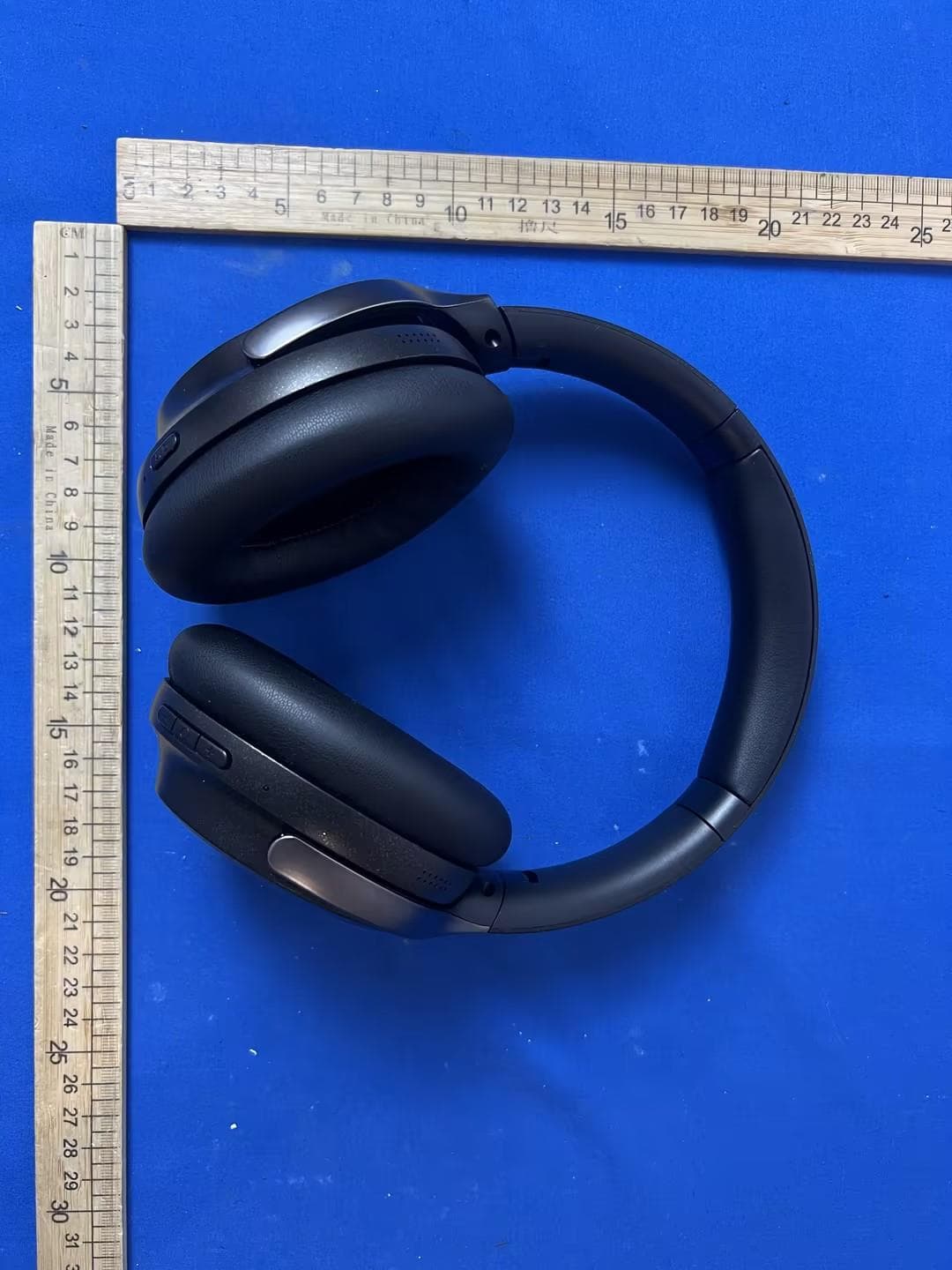
2AVD2-H32
Jun 30, 2026PORTABLE BLUETOOTH SPEAKER
Equipment Class
DSS - Part 15 Spread Spectrum Transmitter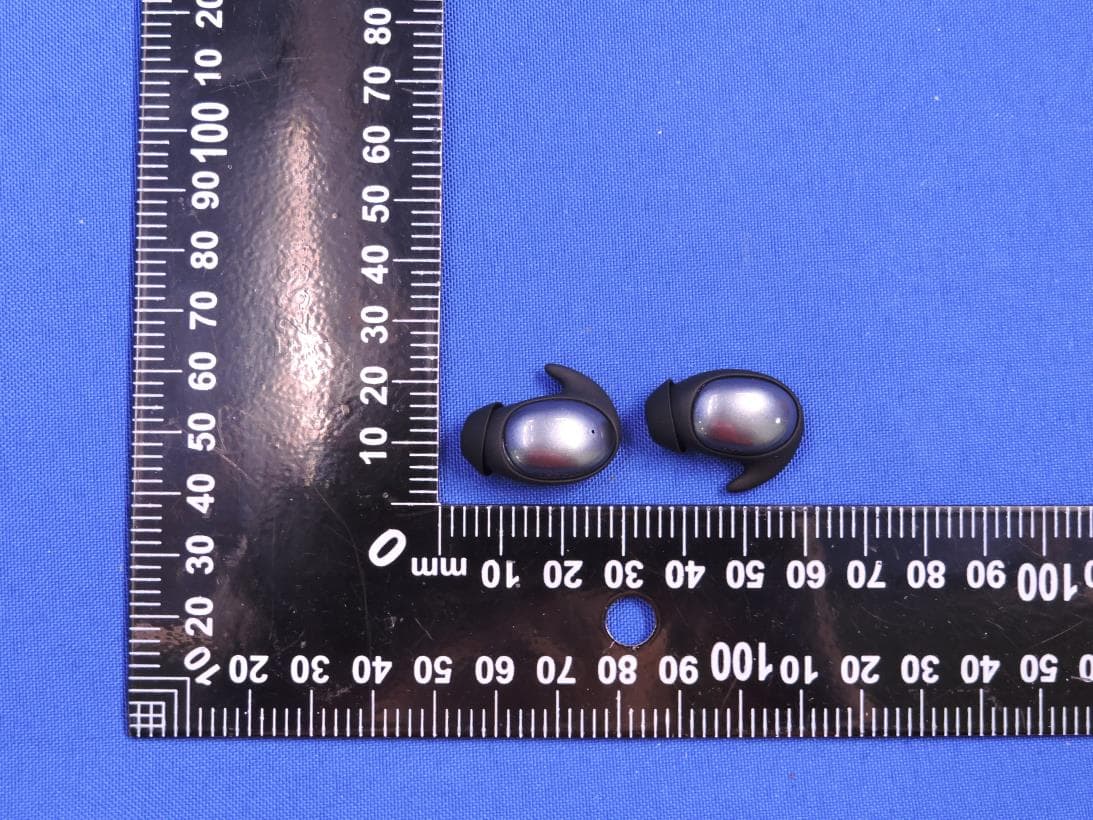
2AVD2-MH22280
Dec 19, 2025BLUETOOTH HEADPHONE
Equipment Class
DSS - Part 15 Spread Spectrum Transmitter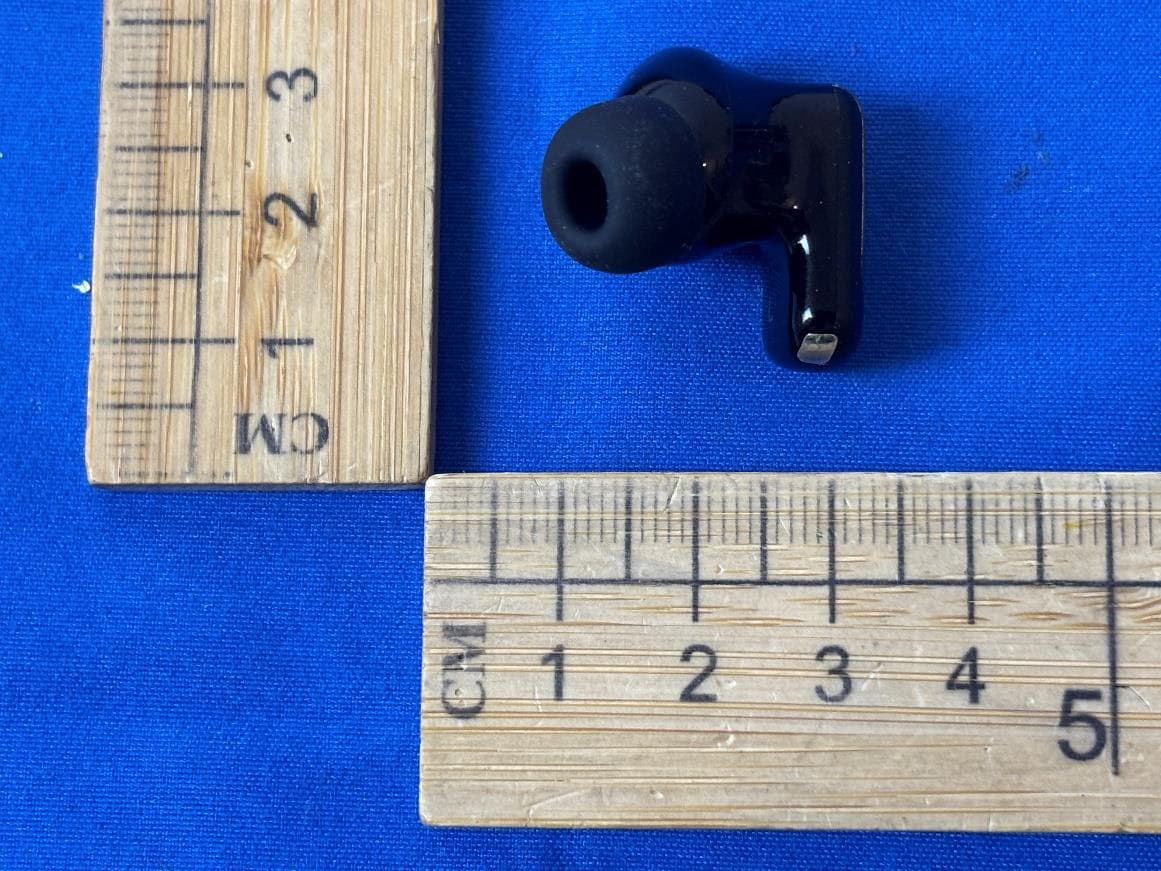
2AVD2-W55
Dec 17, 2025BLUETOOTH HEADPHONE
Equipment Class
DSS - Part 15 Spread Spectrum Transmitter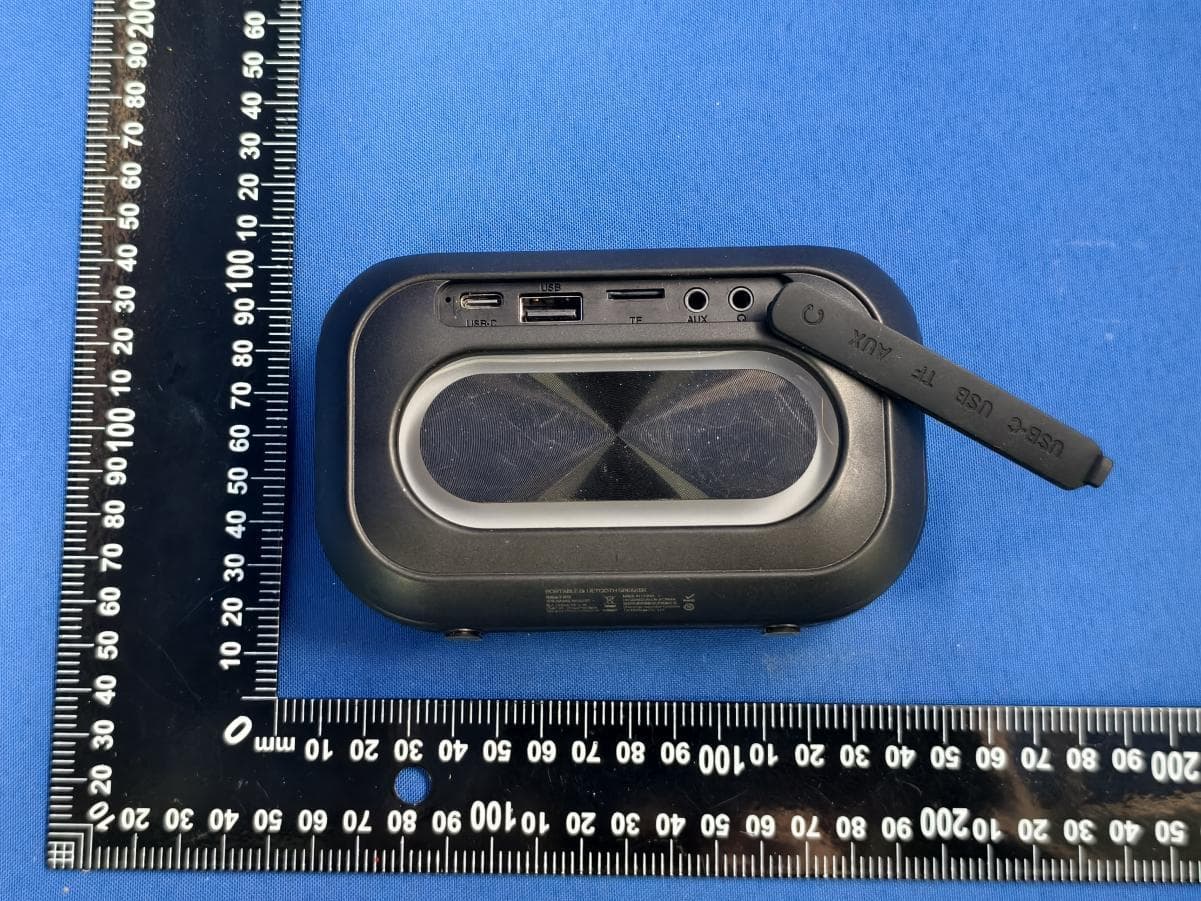
2AVD2-MS62110
Dec 16, 2025PORTABLE BLUETOOTH SPEAKER
Equipment Class
DSS - Part 15 Spread Spectrum Transmitter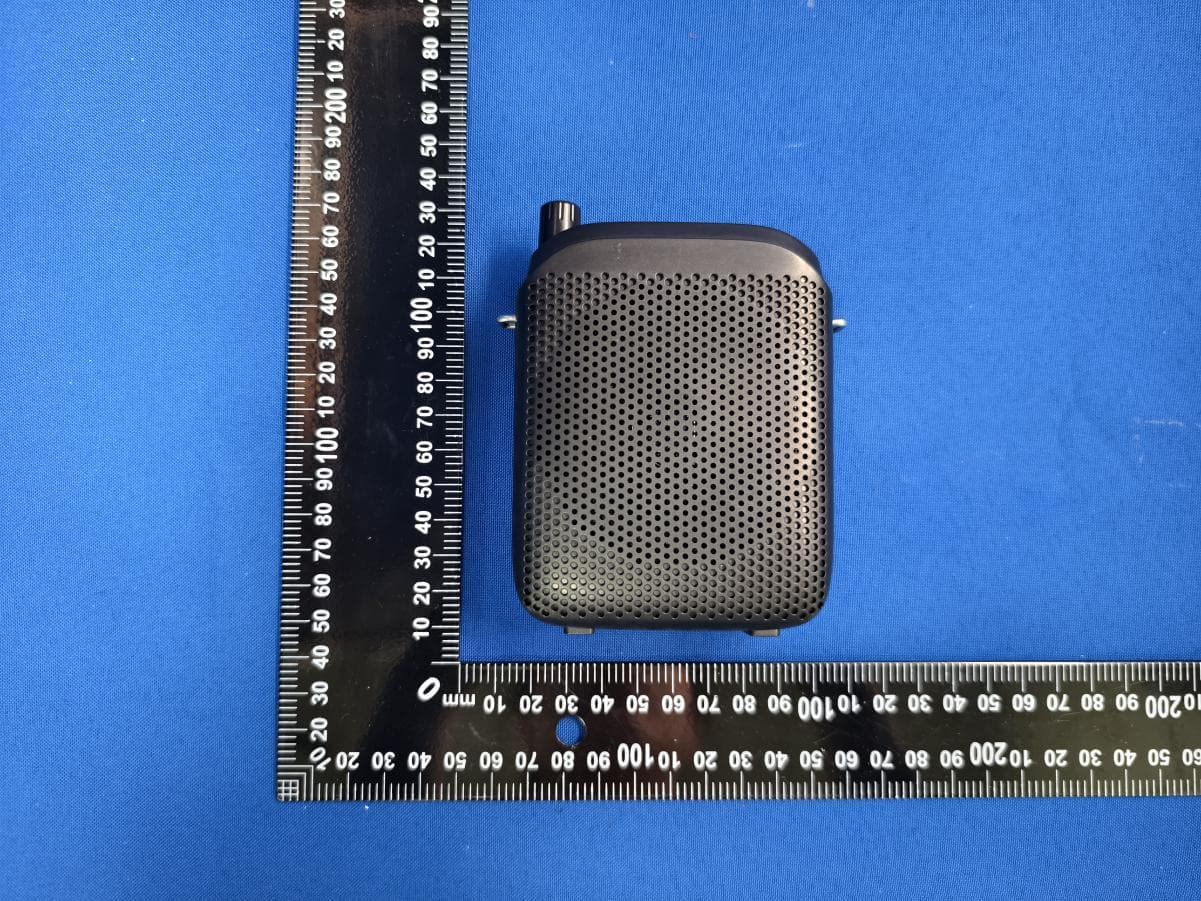
2AVD2-MS62144
Dec 12, 2025PORTABLE VOICE AMPLIFIER
Equipment Class
DSS - Part 15 Spread Spectrum Transmitter