2AWJD-IT001AM_26 IT001 TAG
Tatwah SA
Click to zoom
Application Details
- Equipment Class
- DTS - Digital Transmission System
- Date of Grant
- Sep 26, 2023
- Application Purpose
- Original Equipment
- Date of Application
- Sep 26, 2023
- Equipment Note
- M_26 IT001 TAG
- Frequency Range
- 2402.00000000 - 2480.00000000
- Company
- Tatwah SA
- Country
- Switzerland
Documents & Files
Document Text
Text extracted from the exhibit documents filed with the FCC. Open a document above to read the original.
Users Manual
Tatwah Technology Co.,Ltd Datasheet Rev2. 25 th -Sept,2023 CONFIDENTIAL. Page 1 / 4 Add.: No.9 Shuiyi South Road, Taifeng Industrial Park, Xiaolan Town, Zhongshan City, Guangdong Province, China, 528415 tatwah SA (Back Office) – www.tatwah.net Add.: Rue de Lausanne 47 CH-1110 Morges Switzerland Beacon IT001 (M_26 module) Operation Instructions The beacon is using a broadcast protocol based on the Bluetooth BLE protocol. It is usually installed in a suitable location, and it will broadcast continuously or periodically to its surrounding environment. The beacon allows to create Bluetooth? Low Energy (Bluetooth LE) 5.0 solutions. Besides basic Bluetooth LE advertising functionality via radio transmission, the beacon allows additional functionality thanks to the add-on hardware components: a green and a red LED, a push button and an accelerometer. The accelerometer can be configured for detection of specific events. Currently the following events are supported: free fall, single tap, double tap, activity/movement and flip-flop. There are two aspects concerning the beacon firmware. On the one hand there is a firmware implemented as a release HEX file with functionality as described in this document. A major objective in the implementation is low current consumption hence long battery lifetime. There are many parameters that affect the behavior of the firmware. The release firmware has default values for these parameters. Firmware Functionality The beacon can be in five modes: • Transport & Warehousing • Configuration • Operational Active • Operational Active_Alarm • Operational Passive_Alarm By Operational mode we refer to the actual mode that is configured and can be either Operational Active, Operational Active_Alarm or Operational Passive_Alarm. Transport & Warehousing mode As its name suggests, this mode is meant for the beacon to be silent for a long period and only to be woken up when needed. Therefore, this mode has no advertising broadcast. Wake-up can occur on possible events: • Accelerometer event • Short press on push button On wakeup the beacon goes to the configured Operational mode. Operational Active mode In this mode the beacon does an undirected advertising (broadcast) with frame content defined by the configuration parameters. The broadcast can be either connectable or non-connectable. When it is connectable, the beacon reverts to Configuration mode on connection by a (central) client, where a new configuration can be uploaded. The connectable option should only be used for testing purposes. Based on configuration settings, the push button and/or accelerometer can be enabled. On occurrence of the alarm state, which is triggered by either a long press of the push button or on accelerometer event, the beacon stops advertising for a given period (alarm duration timer), after which it restarts normal broadcast. Operational Active_Alarm mode This mode is similar to the Operational Active mode, except that during the alarm state the beacon broadcasts an alarm frame instead of being silent. On occurrence of the alarm state, the beacon starts an undirected alarm broadcast for a given period (alarm duration timer), after which it restarts normal broadcast. Tatwah Technology Co.,Ltd Datasheet Rev2. 25 th -Sept,2023 CONFIDENTIAL.Page 2 / 4 Add.: No.9 Shuiyi South Road, Taifeng Industrial Park, Xiaolan Town, Zhongshan City, Guangdong Province, China, 528415 tatwah SA (Back Office) – www.tatwah.net Add.: Rue de Lausanne 47 CH-1110 Morges Switzerland Operational Passive_Alarm mode This mode is similar to the Operational Active_Alarm mode, except that the beacon is silent until an event occurs. Configuration mode This mode is used for testing and configuration. In this mode the beacon does undirected connectable advertising. This mode is entered when the Operational mode is connectable and a (central) client connects. When connected the (central) client can interact with the Configuration Service in the beacon. The only way to leave the Configuration mode is by uploading and activating a valid TLV file. Alarm broadcast The broadcast in the alarm state of modes Operational Active_Alarm and Operational Passive_Alarm consists of just one frame type and can be either connectable or nonconnectable1. Behavior on reset On reset the beacon checks whether valid TLV configuration file is present in flash. If so its configuration values are used. If no TLV file is present or is erroneous, the beacon uses the default configuration. To show which of these is the case the beacon flicks LEDs just after startup: •Twice green LED when TLV content is used. •Green LED followed by red LED when TLV configuration is not supported. •Twice red LED when TLV configuration is supported but TLV data are erroneous. The Connection Process: Connecting to BLE beacons typically involves the following steps: 1.Scanning for Nearby Beacons: The central device initiates a scan to detect nearby BLE beacons. During this scanning phase, the central device listens for beacon advertisements. 2.Advertisement Packets: BLE beacons periodically broadcast advertisement packets containing essential information, including their unique identifier, transmission power, and additional data. 3.Identifying Target Beacons: The central device filters these packets to identify specific BLE beacons it wants to connect to, based on their unique identifiers. 4.Establishing a Connection: Once the central device identifies a target beacon, it initiates a connection request. If the beacon is available and within range, it responds, and a connection is established. 5.Interacting with the Beacon: After the connection is established, the central device can request additional information from the beacon, such as sensor data or configuration parameters. Conversely, it can also send commands or updates to the beacon. Tatwah Technology Co.,Ltd Datasheet Rev2. 25 th -Sept,2023 CONFIDENTIAL.Page 3 / 4 Add.: No.9 Shuiyi South Road, Taifeng Industrial Park, Xiaol…
Text truncated - open the document above for the full version.
Users Manual
Tatwah Technology Co.,Ltd Datasheet Rev1. 25 th -Sept,2023 CONFIDENTIAL. Page 1 / 4 Add.: No.9 Shuiyi South Road, Taifeng Industrial Park, Xiaolan Town, Zhongshan City, Guangdong Province, China, 528415 tatwah SA (Back Office) – www.tatwah.net Add.: Rue de Lausanne 47 CH-1110 Morges Switzerland Beacon IT002 (M_26 module) Operation Instructions The beacon is using a broadcast protocol based on the Bluetooth BLE protocol. It is usually installed in a suitable location, and it will broadcast continuously or periodically to its surrounding environment. The beacon allows to create Bluetooth? Low Energy (Bluetooth LE) 5.0 solutions. Besides basic Bluetooth LE advertising functionality via radio transmission, the beacon allows additional functionality thanks to the add-on hardware components: a green and a red LED, a push button and an accelerometer. The accelerometer can be configured for detection of specific events. Currently the following events are supported: free fall, single tap, double tap, activity/movement and flip-flop. There are two aspects concerning the beacon firmware. On the one hand there is a firmware implemented as a release HEX file with functionality as described in this document. A major objective in the implementation is low current consumption hence long battery lifetime. There are many parameters that affect the behavior of the firmware. The release firmware has default values for these parameters. Firmware Functionality The beacon can be in five modes: • Transport & Warehousing • Configuration • Operational Active • Operational Active_Alarm • Operational Passive_Alarm By Operational mode we refer to the actual mode that is configured and can be either Operational Active, Operational Active_Alarm or Operational Passive_Alarm. Transport & Warehousing mode As its name suggests, this mode is meant for the beacon to be silent for a long period and only to be woken up when needed. Therefore, this mode has no advertising broadcast. Wake-up can occur on possible events: • Accelerometer event • Short press on push button On wakeup the beacon goes to the configured Operational mode. Operational Active mode In this mode the beacon does an undirected advertising (broadcast) with frame content defined by the configuration parameters. The broadcast can be either connectable or non-connectable. When it is connectable, the beacon reverts to Configuration mode on connection by a (central) client, where a new configuration can be uploaded. The connectable option should only be used for testing purposes. Based on configuration settings, the push button and/or accelerometer can be enabled. On occurrence of the alarm state, which is triggered by either a long press of the push button or on accelerometer event, the beacon stops advertising for a given period (alarm duration timer), after which it restarts normal broadcast. Operational Active_Alarm mode This mode is similar to the Operational Active mode, except that during the alarm state the beacon broadcasts an alarm frame instead of being silent. On occurrence of the alarm state, the beacon starts an undirected alarm broadcast for a given period (alarm duration timer), after which it restarts normal broadcast. Tatwah Technology Co.,Ltd Datasheet Rev1. 25 th -Sept,2023 CONFIDENTIAL. Page 2 / 4 Add.: No.9 Shuiyi South Road, Taifeng Industrial Park, Xiaolan Town, Zhongshan City, Guangdong Province, China, 528415 tatwah SA (Back Office) – www.tatwah.net Add.: Rue de Lausanne 47 CH-1110 Morges Switzerland Operational Passive_Alarm mode This mode is similar to the Operational Active_Alarm mode, except that the beacon is silent until an event occurs. Configuration mode This mode is used for testing and configuration. In this mode the beacon does undirected connectable advertising. This mode is entered when the Operational mode is connectable and a (central) client connects. When connected the (central) client can interact with the Configuration Service in the beacon. The only way to leave the Configuration mode is by uploading and activating a valid TLV file. Alarm broadcast The broadcast in the alarm state of modes Operational Active_Alarm and Operational Passive_Alarm consists of just one frame type and can be either connectable or nonconnectable1. Behavior on reset On reset the beacon checks whether valid TLV configuration file is present in flash. If so its configuration values are used. If no TLV file is present or is erroneous, the beacon uses the default configuration. To show which of these is the case the beacon flicks LEDs just after startup: • Twice green LED when TLV content is used. • Green LED followed by red LED when TLV configuration is not supported. • Twice red LED when TLV configuration is supported but TLV data are erroneous. The Connection Process: Connecting to BLE beacons typically involves the following steps: 1. Scanning for Nearby Beacons: The central device initiates a scan to detect nearby BLE beacons. During this scanning phase, the central device listens for beacon advertisements. 2. Advertisement Packets: BLE beacons periodically broadcast advertisement packets containing essential information, including their unique identifier, transmission power, and additional data. 3. Identifying Target Beacons: The central device filters these packets to identify specific BLE beacons it wants to connect to, based on their unique identifiers. 4. Establishing a Connection: Once the central device identifies a target beacon, it initiates a connection request. If the beacon is available and within range, it responds, and a connection is established. 5. Interacting with the Beacon: After the connection is established, the central device can request additional information from the beacon, such as sensor data or configuration parameters. Conversely, it can also send commands or updates to the beacon. Tatwah Technology Co.,Ltd Datasheet Rev1. 25 th -Sept,2023 CONFIDENTIAL.Page 3 / 4 Add.: No.9 Shuiyi South Road, Taifeng Industrial Pa…
Text truncated - open the document above for the full version.
Users Manual
Tatwah Technology Co.,Ltd Datasheet Rev1. 25 th -Sept,2023 CONFIDENTIAL. Page 1 / 4 Add.: No.9 Shuiyi South Road, Taifeng Industrial Park, Xiaolan Town, Zhongshan City, Guangdong Province, China, 528415 tatwah SA (Back Office) – www.tatwah.net Add.: Rue de Lausanne 47 CH-1110 Morges Switzerland Beacon IT003 (M_26 module) Operation Instructions The beacon is using a broadcast protocol based on the Bluetooth BLE protocol. It is usually installed in a suitable location, and it will broadcast continuously or periodically to its surrounding environment. The beacon allows to create Bluetooth? Low Energy (Bluetooth LE) 5.0 solutions. Besides basic Bluetooth LE advertising functionality via radio transmission, the beacon allows additional functionality thanks to the add-on hardware components: a green and a red LED, a push button and an accelerometer. The accelerometer can be configured for detection of specific events. Currently the following events are supported: free fall, single tap, double tap, activity/movement and flip-flop. There are two aspects concerning the beacon firmware. On the one hand there is a firmware implemented as a release HEX file with functionality as described in this document. A major objective in the implementation is low current consumption hence long battery lifetime. There are many parameters that affect the behavior of the firmware. The release firmware has default values for these parameters. Firmware Functionality The beacon can be in five modes: • Transport & Warehousing • Configuration • Operational Active • Operational Active_Alarm • Operational Passive_Alarm By Operational mode we refer to the actual mode that is configured and can be either Operational Active, Operational Active_Alarm or Operational Passive_Alarm. Transport & Warehousing mode As its name suggests, this mode is meant for the beacon to be silent for a long period and only to be woken up when needed. Therefore, this mode has no advertising broadcast. Wake-up can occur on possible events: • Accelerometer event • Short press on push button On wakeup the beacon goes to the configured Operational mode. Operational Active mode In this mode the beacon does an undirected advertising (broadcast) with frame content defined by the configuration parameters. The broadcast can be either connectable or non-connectable. When it is connectable, the beacon reverts to Configuration mode on connection by a (central) client, where a new configuration can be uploaded. The connectable option should only be used for testing purposes. Based on configuration settings, the push button and/or accelerometer can be enabled. On occurrence of the alarm state, which is triggered by either a long press of the push button or on accelerometer event, the beacon stops advertising for a given period (alarm duration timer), after which it restarts normal broadcast. Operational Active_Alarm mode This mode is similar to the Operational Active mode, except that during the alarm state the beacon broadcasts an alarm frame instead of being silent. On occurrence of the alarm state, the beacon starts an undirected alarm broadcast for a given period (alarm duration timer), after which it restarts normal broadcast. Tatwah Technology Co.,Ltd Datasheet Rev1. 25 th -Sept,2023 CONFIDENTIAL. Page 2 / 4 Add.: No.9 Shuiyi South Road, Taifeng Industrial Park, Xiaolan Town, Zhongshan City, Guangdong Province, China, 528415 tatwah SA (Back Office) – www.tatwah.net Add.: Rue de Lausanne 47 CH-1110 Morges Switzerland Operational Passive_Alarm mode This mode is similar to the Operational Active_Alarm mode, except that the beacon is silent until an event occurs. Configuration mode This mode is used for testing and configuration. In this mode the beacon does undirected connectable advertising. This mode is entered when the Operational mode is connectable and a (central) client connects. When connected the (central) client can interact with the Configuration Service in the beacon. The only way to leave the Configuration mode is by uploading and activating a valid TLV file. Alarm broadcast The broadcast in the alarm state of modes Operational Active_Alarm and Operational Passive_Alarm consists of just one frame type and can be either connectable or nonconnectable1. Behavior on reset On reset the beacon checks whether valid TLV configuration file is present in flash. If so its configuration values are used. If no TLV file is present or is erroneous, the beacon uses the default configuration. To show which of these is the case the beacon flicks LEDs just after startup: • Twice green LED when TLV content is used. • Green LED followed by red LED when TLV configuration is not supported. • Twice red LED when TLV configuration is supported but TLV data are erroneous. The Connection Process: Connecting to BLE beacons typically involves the following steps: 1. Scanning for Nearby Beacons: The central device initiates a scan to detect nearby BLE beacons. During this scanning phase, the central device listens for beacon advertisements. 2. Advertisement Packets: BLE beacons periodically broadcast advertisement packets containing essential information, including their unique identifier, transmission power, and additional data. 3. Identifying Target Beacons: The central device filters these packets to identify specific BLE beacons it wants to connect to, based on their unique identifiers. 4. Establishing a Connection: Once the central device identifies a target beacon, it initiates a connection request. If the beacon is available and within range, it responds, and a connection is established. 5. Interacting with the Beacon: After the connection is established, the central device can request additional information from the beacon, such as sensor data or configuration parameters. Conversely, it can also send commands or updates to the beacon. Tatwah Technology Co.,Ltd Datasheet Rev1. 25 th -Sept,2023 CONFIDENTIAL.Page 3 / 4 Add.: No.9 Shuiyi South Road, Taifeng Industrial Pa…
Text truncated - open the document above for the full version.
Users Manual
Tatwah Technology Co.,Ltd Datasheet Rev1. 25 th -Sept,2023 CONFIDENTIAL. Page 1 / 4 Add.: No.9 Shuiyi South Road, Taifeng Industrial Park, Xiaolan Town, Zhongshan City, Guangdong Province, China, 528415 tatwah SA (Back Office) – www.tatwah.net Add.: Rue de Lausanne 47 CH-1110 Morges Switzerland Beacon IT004 (M_26 module) Operation Instructions The beacon is using a broadcast protocol based on the Bluetooth BLE protocol. It is usually installed in a suitable location, and it will broadcast continuously or periodically to its surrounding environment. The beacon allows to create Bluetooth? Low Energy (Bluetooth LE) 5.0 solutions. Besides basic Bluetooth LE advertising functionality via radio transmission, the beacon allows additional functionality thanks to the add-on hardware components: a green and a red LED, a push button and an accelerometer. The accelerometer can be configured for detection of specific events. Currently the following events are supported: free fall, single tap, double tap, activity/movement and flip-flop. There are two aspects concerning the beacon firmware. On the one hand there is a firmware implemented as a release HEX file with functionality as described in this document. A major objective in the implementation is low current consumption hence long battery lifetime. There are many parameters that affect the behavior of the firmware. The release firmware has default values for these parameters. Firmware Functionality The beacon can be in five modes: • Transport & Warehousing • Configuration • Operational Active • Operational Active_Alarm • Operational Passive_Alarm By Operational mode we refer to the actual mode that is configured and can be either Operational Active, Operational Active_Alarm or Operational Passive_Alarm. Transport & Warehousing mode As its name suggests, this mode is meant for the beacon to be silent for a long period and only to be woken up when needed. Therefore, this mode has no advertising broadcast. Wake-up can occur on possible events: • Accelerometer event • Short press on push button On wakeup the beacon goes to the configured Operational mode. Operational Active mode In this mode the beacon does an undirected advertising (broadcast) with frame content defined by the configuration parameters. The broadcast can be either connectable or non-connectable. When it is connectable, the beacon reverts to Configuration mode on connection by a (central) client, where a new configuration can be uploaded. The connectable option should only be used for testing purposes. Based on configuration settings, the push button and/or accelerometer can be enabled. On occurrence of the alarm state, which is triggered by either a long press of the push button or on accelerometer event, the beacon stops advertising for a given period (alarm duration timer), after which it restarts normal broadcast. Operational Active_Alarm mode This mode is similar to the Operational Active mode, except that during the alarm state the beacon broadcasts an alarm frame instead of being silent. On occurrence of the alarm state, the beacon starts an undirected alarm broadcast for a given period (alarm duration timer), after which it restarts normal broadcast. Tatwah Technology Co.,Ltd Datasheet Rev1. 25 th -Sept,2023 CONFIDENTIAL. Page 2 / 4 Add.: No.9 Shuiyi South Road, Taifeng Industrial Park, Xiaolan Town, Zhongshan City, Guangdong Province, China, 528415 tatwah SA (Back Office) – www.tatwah.net Add.: Rue de Lausanne 47 CH-1110 Morges Switzerland Operational Passive_Alarm mode This mode is similar to the Operational Active_Alarm mode, except that the beacon is silent until an event occurs. Configuration mode This mode is used for testing and configuration. In this mode the beacon does undirected connectable advertising. This mode is entered when the Operational mode is connectable and a (central) client connects. When connected the (central) client can interact with the Configuration Service in the beacon. The only way to leave the Configuration mode is by uploading and activating a valid TLV file. Alarm broadcast The broadcast in the alarm state of modes Operational Active_Alarm and Operational Passive_Alarm consists of just one frame type and can be either connectable or nonconnectable1. Behavior on reset On reset the beacon checks whether valid TLV configuration file is present in flash. If so its configuration values are used. If no TLV file is present or is erroneous, the beacon uses the default configuration. To show which of these is the case the beacon flicks LEDs just after startup: • Twice green LED when TLV content is used. • Green LED followed by red LED when TLV configuration is not supported. • Twice red LED when TLV configuration is supported but TLV data are erroneous. The Connection Process: Connecting to BLE beacons typically involves the following steps: 1. Scanning for Nearby Beacons: The central device initiates a scan to detect nearby BLE beacons. During this scanning phase, the central device listens for beacon advertisements. 2. Advertisement Packets: BLE beacons periodically broadcast advertisement packets containing essential information, including their unique identifier, transmission power, and additional data. 3. Identifying Target Beacons: The central device filters these packets to identify specific BLE beacons it wants to connect to, based on their unique identifiers. 4. Establishing a Connection: Once the central device identifies a target beacon, it initiates a connection request. If the beacon is available and within range, it responds, and a connection is established. 5. Interacting with the Beacon: After the connection is established, the central device can request additional information from the beacon, such as sensor data or configuration parameters. Conversely, it can also send commands or updates to the beacon. Tatwah Technology Co.,Ltd Datasheet Rev1. 25 th -Sept,2023 CONFIDENTIAL.Page 3 / 4 Add.: No.9 Shuiyi South Road, Taifeng Industrial Pa…
Text truncated - open the document above for the full version.
Users Manual
Tatwah Technology Co.,Ltd Datasheet Rev1. 25 th -Sept,2023 CONFIDENTIAL. Page 1 / 4 Add.: No.9 Shuiyi South Road, Taifeng Industrial Park, Xiaolan Town, Zhongshan City, Guangdong Province, China, 528415 tatwah SA (Back Office) – www.tatwah.net Add.: Rue de Lausanne 47 CH-1110 Morges Switzerland Beacon IT006 (M_26 module) Operation Instructions The beacon is using a broadcast protocol based on the Bluetooth BLE protocol. It is usually installed in a suitable location, and it will broadcast continuously or periodically to its surrounding environment. The beacon allows to create Bluetooth? Low Energy (Bluetooth LE) 5.0 solutions. Besides basic Bluetooth LE advertising functionality via radio transmission, the beacon allows additional functionality thanks to the add-on hardware components: a green and a red LED, a push button and an accelerometer. The accelerometer can be configured for detection of specific events. Currently the following events are supported: free fall, single tap, double tap, activity/movement and flip-flop. There are two aspects concerning the beacon firmware. On the one hand there is a firmware implemented as a release HEX file with functionality as described in this document. A major objective in the implementation is low current consumption hence long battery lifetime. There are many parameters that affect the behavior of the firmware. The release firmware has default values for these parameters. Firmware Functionality The beacon can be in five modes: • Transport & Warehousing • Configuration • Operational Active • Operational Active_Alarm • Operational Passive_Alarm By Operational mode we refer to the actual mode that is configured and can be either Operational Active, Operational Active_Alarm or Operational Passive_Alarm. Transport & Warehousing mode As its name suggests, this mode is meant for the beacon to be silent for a long period and only to be woken up when needed. Therefore, this mode has no advertising broadcast. Wake-up can occur on possible events: • Accelerometer event • Short press on push button On wakeup the beacon goes to the configured Operational mode. Operational Active mode In this mode the beacon does an undirected advertising (broadcast) with frame content defined by the configuration parameters. The broadcast can be either connectable or non-connectable. When it is connectable, the beacon reverts to Configuration mode on connection by a (central) client, where a new configuration can be uploaded. The connectable option should only be used for testing purposes. Based on configuration settings, the push button and/or accelerometer can be enabled. On occurrence of the alarm state, which is triggered by either a long press of the push button or on accelerometer event, the beacon stops advertising for a given period (alarm duration timer), after which it restarts normal broadcast. Operational Active_Alarm mode This mode is similar to the Operational Active mode, except that during the alarm state the beacon broadcasts an alarm frame instead of being silent. On occurrence of the alarm state, the beacon starts an undirected alarm broadcast for a given period (alarm duration timer), after which it restarts normal broadcast. Tatwah Technology Co.,Ltd Datasheet Rev1. 25 th -Sept,2023 CONFIDENTIAL. Page 2 / 4 Add.: No.9 Shuiyi South Road, Taifeng Industrial Park, Xiaolan Town, Zhongshan City, Guangdong Province, China, 528415 tatwah SA (Back Office) – www.tatwah.net Add.: Rue de Lausanne 47 CH-1110 Morges Switzerland Operational Passive_Alarm mode This mode is similar to the Operational Active_Alarm mode, except that the beacon is silent until an event occurs. Configuration mode This mode is used for testing and configuration. In this mode the beacon does undirected connectable advertising. This mode is entered when the Operational mode is connectable and a (central) client connects. When connected the (central) client can interact with the Configuration Service in the beacon. The only way to leave the Configuration mode is by uploading and activating a valid TLV file. Alarm broadcast The broadcast in the alarm state of modes Operational Active_Alarm and Operational Passive_Alarm consists of just one frame type and can be either connectable or nonconnectable1. Behavior on reset On reset the beacon checks whether valid TLV configuration file is present in flash. If so its configuration values are used. If no TLV file is present or is erroneous, the beacon uses the default configuration. To show which of these is the case the beacon flicks LEDs just after startup: • Twice green LED when TLV content is used. • Green LED followed by red LED when TLV configuration is not supported. • Twice red LED when TLV configuration is supported but TLV data are erroneous. The Connection Process: Connecting to BLE beacons typically involves the following steps: 1. Scanning for Nearby Beacons: The central device initiates a scan to detect nearby BLE beacons. During this scanning phase, the central device listens for beacon advertisements. 2. Advertisement Packets: BLE beacons periodically broadcast advertisement packets containing essential information, including their unique identifier, transmission power, and additional data. 3. Identifying Target Beacons: The central device filters these packets to identify specific BLE beacons it wants to connect to, based on their unique identifiers. 4. Establishing a Connection: Once the central device identifies a target beacon, it initiates a connection request. If the beacon is available and within range, it responds, and a connection is established. 5. Interacting with the Beacon: After the connection is established, the central device can request additional information from the beacon, such as sensor data or configuration parameters. Conversely, it can also send commands or updates to the beacon. Tatwah Technology Co.,Ltd Datasheet Rev1. 25 th -Sept,2023 CONFIDENTIAL.Page 3 / 4 Add.: No.9 Shuiyi South Road, Taifeng Industrial Pa…
Text truncated - open the document above for the full version.
Contact Information
Applicant
Peter Egli(CEO)
Technical Contact
Test Firm
Shenzhen Microtest Co., Ltd.Phoebe Cui
[email protected]0755 88850135 1393
Technical Specifications
| # | Rule Parts | Frequency Range | Power Output |
|---|---|---|---|
| 1 | 15C | 2.40 GHz - 2.48 GHz | 900.00 µW |
Other Applications from Tatwah SA

2AWJD-IT005PLUSA
Sep 26, 2023M_26 IT005 PLUS TAG
Equipment Class
DTS - Digital Transmission System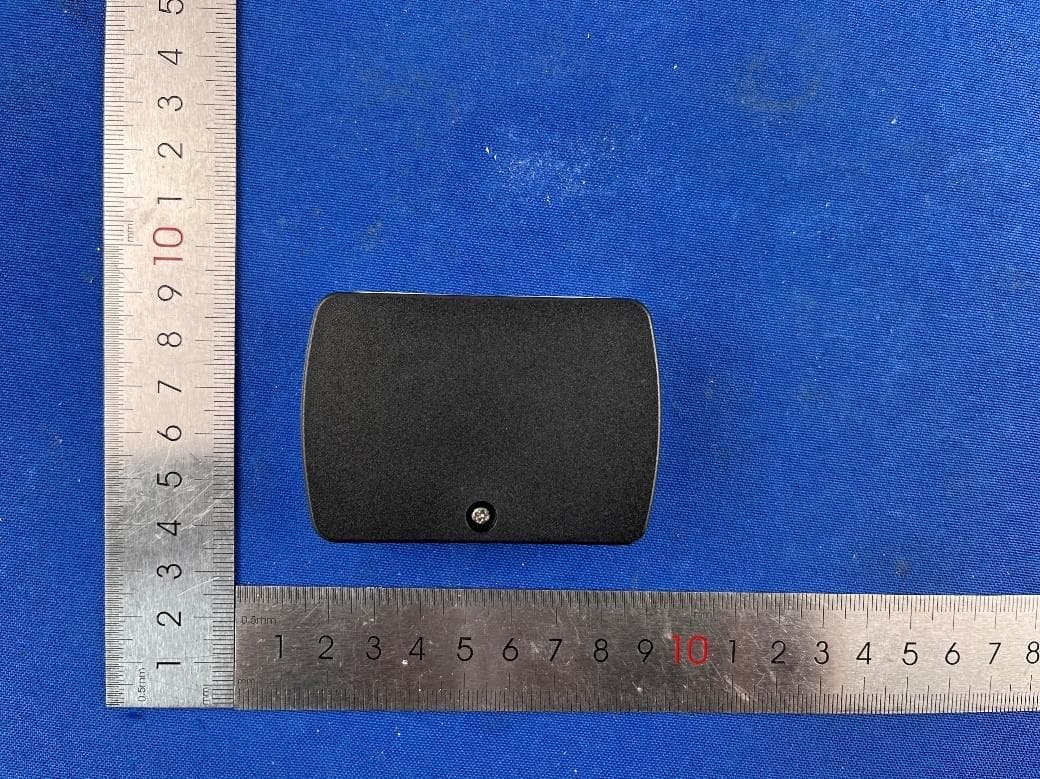
2AWJD-IT005A
Sep 26, 2023M_26 IT005 TAG
Equipment Class
DTS - Digital Transmission System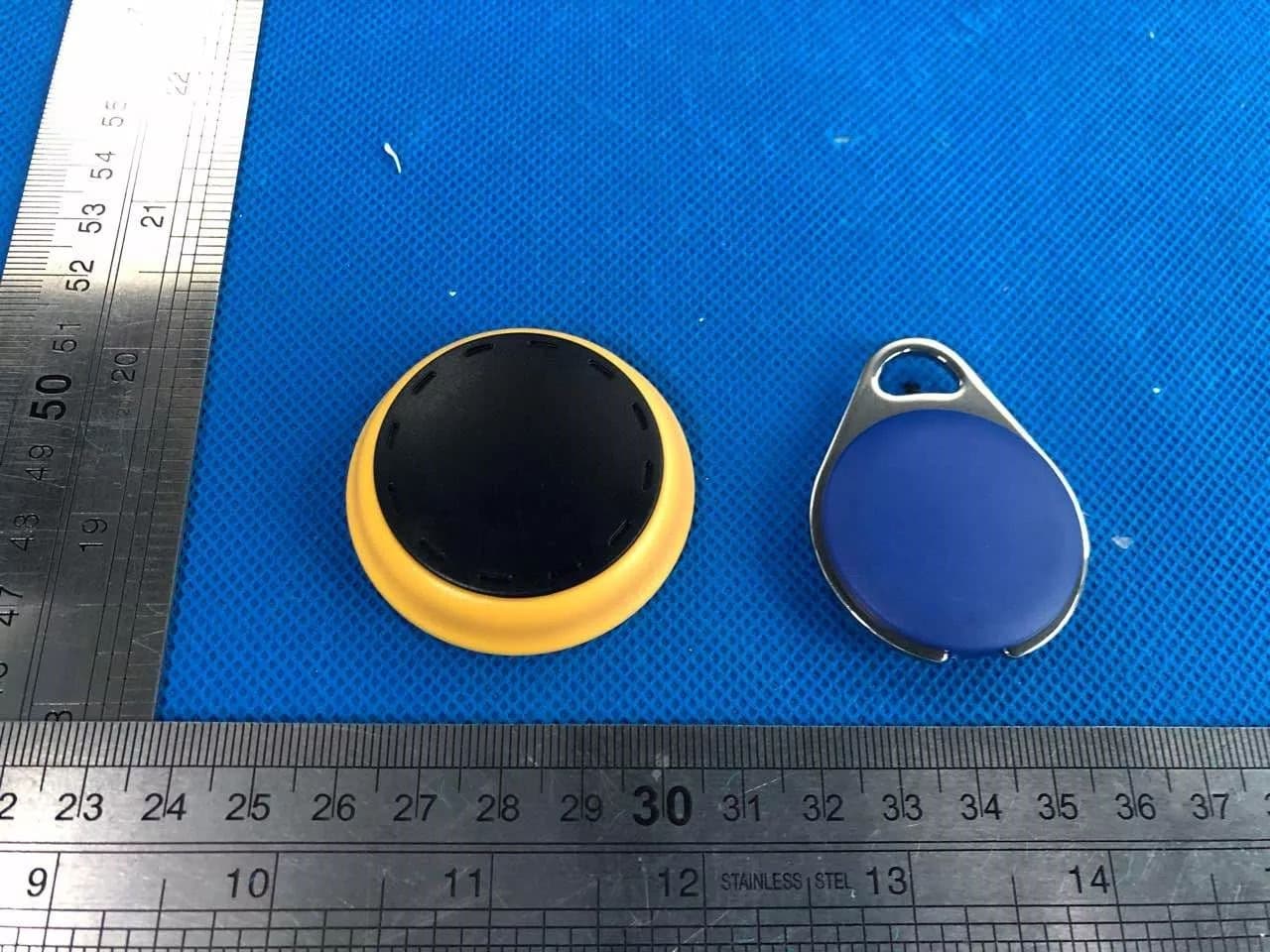
2AWJD-IT001
Jun 28, 2020TWHBC01 IT001 tag
Equipment Class
DTS - Digital Transmission System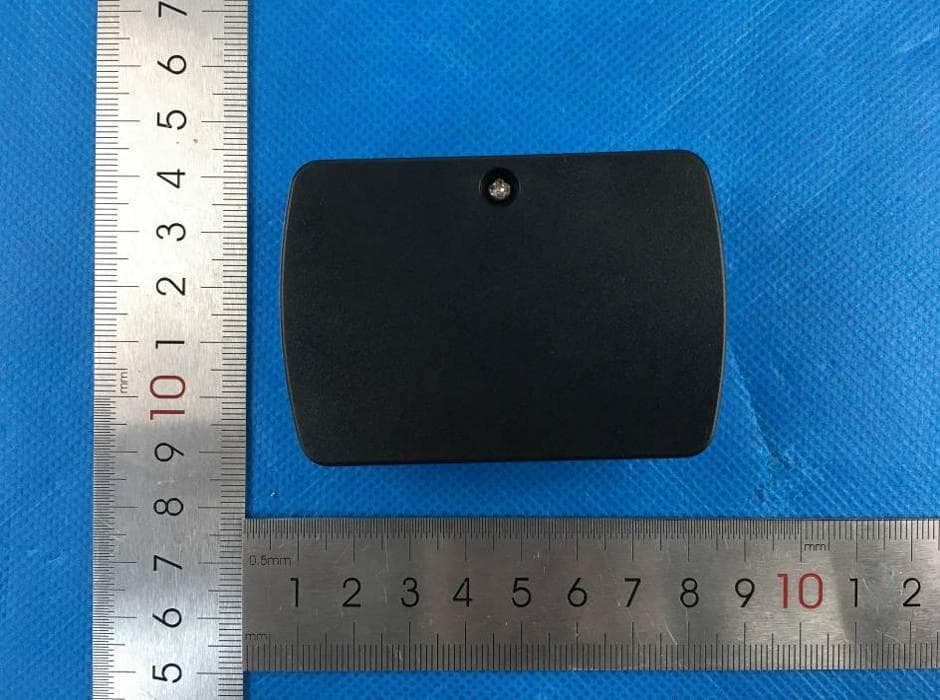
2AWJD-IT005
Jun 21, 2020TWHBC01 IT001 tag
Equipment Class
DTS - Digital Transmission System