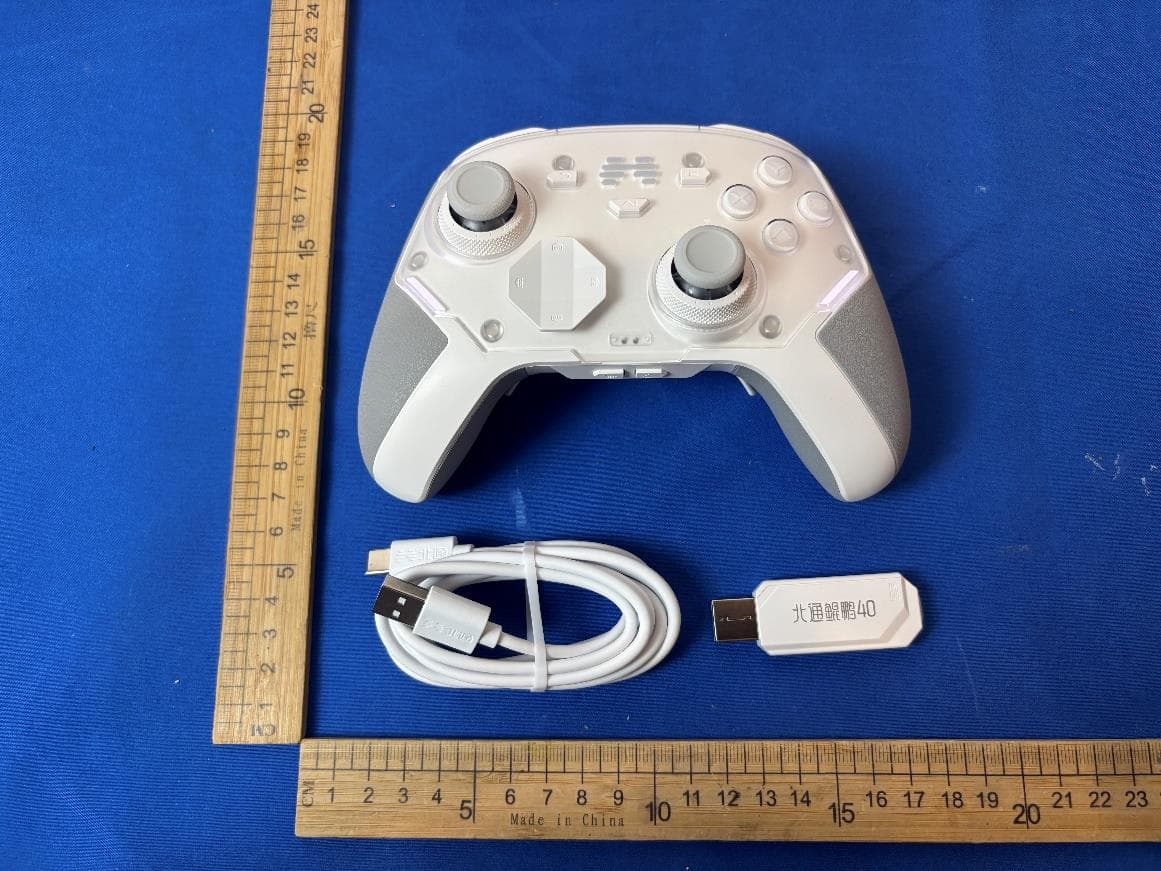
2AWMK-BTP-A1T2BEITONG ASURA 2 PRO MECHANICAL WIRELESS GAMEPAD
Guangzhou Pinzhong Electronic Technology Co.,Ltd.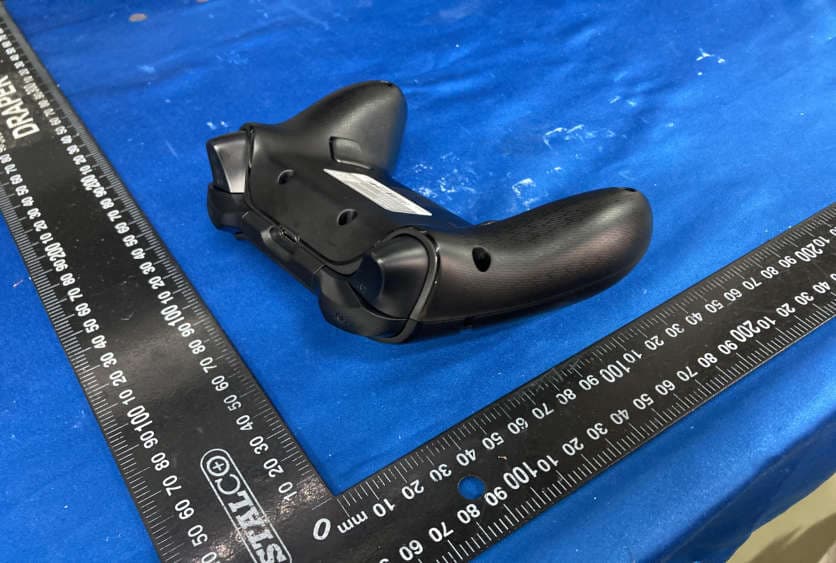
Click to zoom
Application Details
- Equipment Class
- DTS - Digital Transmission System
- Date of Grant
- Oct 25, 2023
- Application Purpose
- Original Equipment
- Date of Application
- Oct 21, 2023
- Equipment Note
- BEITONG ASURA 2 PRO MECHANICAL WIRELESS GAMEPAD
- Frequency Range
- 2402.00000000 - 2480.00000000
- Country
- China
Documents & Files
Document Text
Text extracted from the exhibit documents filed with the FCC. Open a document above to read the original.
Users Manual
KEYS INTRODUCTION BackStart ABXY RB Reset M1 Configurable ButtonM2 Configurable Button LT LB RT SHIFT D-pad Turbo Left joystick Right joystick BEITONG (HOME Button) KEYS INTRODUCTIONOTHER INSTRUCTION Power ON/OFF procedure Using the receiver to connect the device, short press the BEITONG Logo (HOME Button) to turn game contro ller on. Power ON:Power OFF: 1.Press and hold the BACK button +B button for about 3 seconds, the game controller will be turned o. 2.When the game controller is connected, without any operation for 10 minutes, the game controller will automa tically shut down. 3.When the game controller is not connected, without any operation for 120 second s,the game controller will automa tically shut down. 4.When the power cannot support the normal use of the game controller, it will be powered o if the power is low. OTHER INSTRUCTION Turbo Button lnstructionsStatus Description “BEITONG GAMEPAD ASSISTANT” SOFTWARE CONFIGURATION Download and install the software - BEITONG Gamepad Assistant 1.Downlo ad the software [BEITONG Gamepad Assistant] from BEITONG oci al website: https://www.betop-cn.com /en/#/down 2. Use USB cable to connect the g ame controller and computer together. *In order to use the BE ITONG Gamepad Assistant normally, the game controller must be connected to the computer with USB cable. 3.Run the software [BEITONG Gamepad Assistant] to set up the controller function *If the firmware upgrade fails due to factors such as signal disco nnection, disconnection, and poor contact, please unplug the USB cable and then re-plug again to resume the firmware upgrade. *To avoid some new functions cannot be applied to the controller, if reminded to update the firmware, be sure to cli ck "Confirm". Press and hold the Turbo button in the power-on state, and then press any button to set the Turbo functio n, repeat this operation to cancel the Turbo function. When the controller is connected norma lly, the light shows white. No operation for one minute, the light will enter into the sleeping mode. Perform any operation on the controller, the light will be turned on. THE TURBO BUTTON FUNCTION CONNECTION TUTORIAL Wireless Connection: Wired Connection: Connect to computer lnsert the wireless receiver into the USB interface of the computer, and press the BEITONG Logo (HOME Button) to turn game controller on.The connection is completed when the game controller vibrates and the indicator lig ht is on. Use USB cab le to connect the g ame controller and computer together, and then press the BEITONG Logo (HOME Button) to turn game contro ller on. The connection is completed when the game controller vibrates and the indicator lig ht is on. Wireless Receiver CONNECTION TUTORIAL Connect to TVConnect to Switch Wireless Connection: Wireless Receiver lnsert the wireless receiver into the USB interface of the TV, and press the BEITONG Logo (HOME Button) to turn game contro ller on.The connecti on is completed when the game contro ller vibrates and the indicator light is on. Wired Connection: *For a more stable connection during gaming, it is recommended to use an extension cable to connect the TV and wireless receiver. Use USB cab le to connect the game controller and TV together, and then press the BEITONG Logo (HOME Button) to turn game controller on. The connection is completed when the game controller vibrates and the indicator light is on. Customizable ButtonsTURBO Button Frequency Adjustment Adjust the Sensitivity of the JoystickVibration Customization CONTROLLER FUNCTION CONFIGURATION 1.After entering the Assistant, click any button value to enter the button value modification interface. 2.ln this interface, you can mo dify the b utton value according to your needs. click the “Restore Default” button, you can cancel all key modification operations and return to the default state. 1.Click the "Default (Setting)" button in the main interface to enter the advanced settings interface. 2.Drag the "Vibration" slider in the "Basic" tab interface to adjust the vibration intensity. The vibration motors on the left and right sides each have five g ears that can be adjusted 1.Click the "Default (Setting )" button in the main interface to enter the advanced settings interface. 2.Manually adjust the number in the "Turbo" Button function in the "Button" tab to change the Turbo frequency. The default frequency of the Turbo button is 10 times/ second, and the maximum frequency is 30 times/second. 1.Click the "Default (Setting )" button in the main interface to enter the advanced settings interface. 2.In the "Joystick" tab, the sensitivity of the left and right joysticks of the controller can be individually set. CUSTOMER SERVICE Button Macro FunctionCustom Sleep Time of the Controller lndicator Light Adjustment CONTROLLER FUNCTION CONFIGURATION 1.BEITONG ASURA 2PRO supports custom macro settings for LB/RB,M1/M2 back buttons. 2.Click the "Default (Setting )" button in the main interface to enter the advanced settings interface. click the "Default" button of any key of LB/RB,M1/M2 " in the Button" tab enter into the next interface. 3.On the next interface, click the "Default" button in the upper right corner, then click to select "Set Macro" in the drop-down menu. 4.Press the desired button combination in the controller to form a macro command, and then click "Save" to complete the button macro setting. 1.Click the "Default (Setting)" button in the main interface to enter the advanced settings interface. 2. In the “Function” tab, the sleep time can be adjusted, also can calib rate the joystick and trigger. 1.Click the "Default (Setting)" button in the main interface to enter the ad vanced sett ings interface. 2.T he "Light" adjustment settings of the "Basic" tab can modify the color, brightness, frequency and work typ e of the controller’s ind icator lights as needed. CONNECTION TUTORIALCONNECTION TUTORIAL *Extra OTG adapter is needed, not included 1.Press and hold the LB + HOME b utton(BEITONG) in the powe…
Text truncated - open the document above for the full version.
External Photos
1T2 1T2 1T2 1T2 1T2S 1T2S 1T2S 1T2S
Internal Photos
Antenna Antenna
RF Exposure Info
TESTREPORT FCCID: 2AWMK-BTP-A1T2 Applicant: GuangzhouPinzhongElectronicTechnologyCO.,Ltd. ProductName: BEITONGASURA2PROGAMEPAD-WIRELESS ModelNo.:BTP-A1T2,BTP-A1T2S CVCTestingTechnologyCo.,Ltd. TestReportNo.: FCC2023-0056-H TestReportNo.FCC2023-0056-HPage 2 of 13 LTC-R-7093-RF-Part15E-A0 ProductName BEITONGASURA2PRO GAMEPAD-WIRELESS TradeMark Type/ModelBTP-A1T2,BTP-A1T2SSampleStatus— ApplicantGuangzhouPinzhongElectronicTechnologyCO.,Ltd. ApplicantAddress Room611-612,GreenlandCenterofFinancialCity,No.662,HuangpuAvenue MiddleRoad,TianheDistrict,GuangzhouCity,GuangdongProvince,China ManufacturerGuangzhouPinzhongElectronicTechnologyCO.,Ltd. Manufacturer Address Room611-612,GreenlandCenterofFinancialCity,No.662,HuangpuAvenue MiddleRoad,TianheDistrict,GuangzhouCity,GuangdongProvince,China ProducerGuangzhouPinzhongElectronicTechnologyCO.,Ltd. ProducerAddress Room611-612,GreenlandCenterofFinancialCity,No.662,HuangpuAvenue MiddleRoad,TianheDistrict,GuangzhouCity,GuangdongProvince,China Quantityofsample1pcs Sample Identification 1-1 TestedAccording To FCCPart2(Section2.1093) KDB447498D04 IEEEC95.1 TestItemRFExposure ReceivingDate2023.9.5DateofTesting2023.9.15 Testconclusion Theequipmentundertestwasfoundto comply withtherequirementsof thestandardsapplied. FinalVerdict:Pass. SealofCVC Dateofissue:2023.10.12 Note1:ThistestreportrelatesonlytotheEUT,andshallnotbereproducedexceptinfull,withoutwrittenapprovalofCVC. Approvedby: ChenHuawen Reviewedby: XuZhenfei Testedby: LuWeiji TestReportNo.FCC2023-0056-HPage 3 of 13 LTC-R-7093-RF-Part15E-A0 TABLEOFCONTENTS 1.GENERALPRODUCTINFORMATION...............................................................................................................4 1.1GENERALINFORMATION....................................................................................................................................4 2.HUMANEXPOSUREASSESSMENT...................................................................................................................5 2.1RFEXPOSURETESTEXEMPTIONSFORSINGLESOURCE...........................................................................................5 2.2RFEXPOSURETESTEXEMPTIONSFORSIMULTANEOUSTRANSMISSIONSOURCES........................................................9 2.3CLASSIFICATION........................................................................................................................................10 3.RFOUTPUTPOWER......................................................................................................................................11 4.TESTRESULTS................................................................................................................................................12 TestReportNo.FCC2023-0056-HPage 4 of 13 LTC-R-7093-RF-Part15E-A0 1.GeneralProductInformation 1.1Generalinformation ProductNameBEITONGASURA2PROGAMEPAD-WIRELESS ModelNo.BTP-A1T2 AdditionalmodelBTP-A1T2S PowerSupplyDC5V SerialNumber(SN)D12I17009001 AntennaTypeInternalAntenna AntennaConnector Apermanentlyattachedantenna(meetwiththestandardFCCPart15.203 requirement) AntennaGain0.5dBi(providedbyclient) BeamforminggainUnsupported(providedbyclient) FrequencyRange2402~2480MHz Note: 1.TheinformationoftheEUTisdeclaredbythemanufacturer. 2.Thelaboratoryisnotresponsiblefortheproducttechnicalspecificationprovidedbytheclient. 3.Theproductmodelsofthisapplicationare:BTP-A1T2andBTP-A1T2S.Thedifferencebetweentheproducts areshowninthetablebelow: NoModelDifferenceRemarks 1BTP-A1T2 TheCircuit,PCBLayoutandElectricalPartsarethe same,exceptTactSwitchofDpad,Mechanical SwitchofABXY,structureofButton-bracketand appearance. Inspectionmodel 2BTP-A1T2SCoveragemodel AllthetestscarriedoutonmodelBTP-A1T2,andreplenishMaximumconductedoutputpowerandRadiated EmissiononmodelBTP-A1T2S. TestReportNo.FCC2023-0056-HPage 5 of 13 LTC-R-7093-RF-Part15E-A0 2.HumanExposureAssessment 2.1RFExposureTestExemptionsforSingleSource 2.1.11-mWTestExemption The1mWTestExemptionof§1.1307(b)(3)(i)(A)appliesforsinglefixed,mobile,and portableRFsourceswithavailablemaximumtime-averagedpowerofnomorethan1mW, regardlessofseparationdistance. The1mWblanketexemptionappliesatseparationdistanceslessthan0.5cm,includingwhere thereisnoseparation.Thisexemptionshallnotbeusedinconjunctionwithotherexemption criteriaotherthanthoseformultipleRFsourcesinparagraph§1.1307(b)(3)(ii)(A). The1mWexemptionisindependentofservicetypeandcoversthefullrangeof100kHzto 100GHz,butitshallnotbeusedinconjunctionwithotherexemptioncriteriaorindeviceswith higher-powertransmittersoperatinginthesametime-averagingperiod.Exposurefromsuch higher-powertransmitterswouldinvalidatetheunderlyingassumptionthatexposurefromthe lower-powertransmitteristheonlycontributortoSARintherelevantvolumeoftissue. 2.1.2SAR-BasedExemption Amorecomprehensiveexemption,consideringavariablepowerthresholdthatdependsonboth theseparationdistanceandpower,isprovidedin§1.1307(b)(3)(i)(B).Thisexemptionis applicabletothefrequencyrangebetween300MHzand6GHz,withtestseparationdistances between0.5cmand40cm,andforallRFsourcesinfixed,mobile,andportabledeviceexposure conditions. Accordingly,aRFsourceisconsideredanRFexemptdeviceifitsavailablemaximumtime averaged(matchedconducted)poweroritseffectiveradiatedpower(ERP),whicheverisgreater, arebelowaspecifiedthreshold.Thisexemptionthresholdwasderivedbasedongeneral population1-gSARrequirements. Generalfrequencyandseparation-distancedependentMPE-basedeffectiveradiatedpower (ERP)thresholdsareinTableB.1[Table1of§1.1307(b)(1)(i)(C)]tosupportanexemption fromfurtherevaluationfrom300kHzthrough100GHz. ThetableappliestoanyRFsource(i.e.,singlefixed,mobile,andportabletransmitters)and specifiespoweranddistancecriteriaforeachofthefivefrequencyrangesusedfortheMPE limits.Thesecriteriaapplyatseparationdistancesfromanypartoftheradiatingstructureofat leastλ/2π.ThethresholdsarebasedonthegeneralpopulationMPElimitswithasingleperfect reflection,outsideofthereactivenear-field,andinthemainbeamoftheradiator. FormobiledevicesthatarenotexemptperTabl…
Text truncated - open the document above for the full version.
Test Report
AppendixA:DTSBandwidth TestResult TestModeAntennaChannel DTSBW [MHz] FL[MHz]FH[MHz]Limit[MHz]Verdict 2.4G Customization Ant1 24020.672401.692402.360.5PASS 24400.672439.692440.360.5PASS 24800.682479.692480.360.5PASS TestGraphs 2.4GCustomization_Ant1_2402 2.4GCustomization_Ant1_2440 2.4GCustomization_Ant1_2480 AppendixB:OccupiedChannelBandwidth TestResult TestModeAntennaChannel OCB[MHz] FL[MHz]FH[MHz]Limit[MHz]Verdict 2.4G Customization Ant1 24021.0232401.5122402.535---PASS 24401.0232439.5122440.535---PASS 24801.0272479.5082480.535---PASS TestGraphs 2.4GCustomization_Ant1_2402 2.4GCustomization_Ant1_2440 2.4GCustomization_Ant1_2480 AppendixD:Maximumpowerspectraldensity TestResult TestModeAntennaChannelResult[dBm/3kHz]Limit[dBm/3kHz]Verdict 2.4G Customization Ant1 2402-10.06≤8PASS 2440-10.85≤8PASS 2480-11.25≤8PASS TestGraphs 2.4GCustomization_Ant1_2402 2.4GCustomization_Ant1_2440 2.4GCustomization_Ant1_2480 AppendixE:Bandedgemeasurements TestResult TestModeAntennaChNameChannelRefLevel[dBm]Result[dBm]Limit[dBm]Verdict 2.4G Customization Ant1 Low2402-1.74-48.24≤-21.74PASS High2480-2.07-45.87≤-22.07PASS TestGraphs 2.4GCustomization_Ant1_Low_2402 2.4GCustomization_Ant1_High_2480 AppendixF:ConductedSpuriousEmission TestResult TestModeAntennaChannel FreqRange [MHz] RefLevel [dBm] Result[dBm]Limit[dBm]Verdict 2.4G Customization Ant1 2402 Reference-1.67-1.67---PASS 30~1000-1.67-59.15≤-21.67PASS 1000~26500-1.67-46.09≤-21.67PASS 2440 Reference-1.80-1.80---PASS 30~1000-1.80-57.96≤-21.8PASS 1000~26500-1.80-36.03≤-21.8PASS 2480 Reference-2.15-2.15---PASS 30~1000-2.15-58.85≤-22.15PASS 1000~26500-2.15-44.33≤-22.15PASS TestGraphs 2.4GCustomization_Ant1_2402_0~Reference 2.4GCustomization_Ant1_2402_30~1000 2.4GCustomization_Ant1_2402_1000~26500 2.4GCustomization_Ant1_2440_0~Reference 2.4GCustomization_Ant1_2440_30~1000 2.4GCustomization_Ant1_2440_1000~26500 2.4GCustomization_Ant1_2480_0~Reference 2.4GCustomization_Ant1_2480_30~1000 2.4GCustomization_Ant1_2480_1000~26500 AppendixG:DutyCycle TestResult TestModeAntennaChannel ONTime [ms] Period [ms] XDC [%] xFactor LimitVerdict 2.4G Customization Ant1 24020.000.00NaN100NaN---PASS 24400.000.00NaN100NaN---PASS 24800.000.00NaN100NaN---PASS TestGraphs 2.4GCustomization_Ant1_2402 2.4GCustomization_Ant1_2440 2.4GCustomization_Ant1_2480 AppendixH:EmissionsinRestrictedBands TestResult TestModeAntennaChNameChannelDetector Freq [MHz] Result [dBm] Limit [dBm] Result [dBuV/m] Limit [dBuV/m] Verdict 2.4G Customiz ation Ant1 Low2402 AV2310.000-49.45≤-41.2045.75≤54PASS AV2320.087-49.34≤-41.2045.86≤54PASS AV2390.000-49.42≤-41.2045.78≤54PASS Peak2310.000-36.88≤-21.2058.32≤74PASS Peak2338.348-26.46≤-21.2068.74≤74PASS Peak2390.000-36.47≤-21.2058.73≤74PASS High2480 AV2483.500-48.68≤-41.2046.52≤54PASS AV2495.043-48.6≤-41.2046.60≤54PASS AV2500.000-48.65≤-41.2046.55≤54PASS Peak2483.500-36.28≤-21.2058.92≤74PASS Peak2487.275-33.94≤-21.2061.26≤74PASS Peak2500.000-35.71≤-21.2059.49≤74PASS Note: 1.TheAntennaGainiscompensatedinthegraph. 2.ThelimitindBmforaveragedetectorisconversionfrom54dBuV/m,accordingto15.209(a).The limitindBmforpeakdetectoris20dBabovethelimitofaveragedetectorindBm. TestGraphs 2.4GCustomization_Ant1_Low_2402_AV 2.4GCustomization_Ant1_Low_2402_Peak 2.4GCustomization_Ant1_High_2480_AV 2.4GCustomization_Ant1_High_2480_Peak
Test Report
FreqEffiEffiGainGainUHISDHISMaxMinDirectivitBeamwidth (MHz)(%)(dB)(dBi)(dBd)(%)(%)(dB)(dB)(dBi)(3dB) 240037.78-4.231.61-0.5416.56921.2151.61-18.4446.545.85 240536.07-4.431.36-0.7915.67520.391.36-17.7646.5545.95 241036.47-4.381.3-0.8515.78220.6861.3-16.9446.6146.05 241536.35-4.391.23-0.9215.58120.7691.23-16.4546.646.11 242037.2-4.31.27-0.8815.7421.4561.27-15.5546.5946.17 242537.82-4.221.39-0.7615.70222.1181.39-14.8946.6846.15 243040.23-3.951.67-0.4816.423.8281.67-14.2946.7746.14 243540.37-3.941.71-0.4416.14724.2271.71-14.0646.7846.06 244040.86-3.891.78-0.3715.97824.881.78-13.9146.7945.97 244540.74-3.91.71-0.4415.69925.0451.71-13.7646.6945.9 245038.1-4.191.37-0.7814.46623.6351.37-14.1446.5845.82 2455 38.98-4.091.43-0.7214.55424.4221.43-14.3346.6645.89 246039.5-4.031.42-0.7314.57524.9211.42-14.2646.7445.97 246535.44-4.50.88-1.2712.97722.4680.88-14.646.6445.97 247035.8-4.460.82-1.3313.08422.7190.82-14.5546.5445.98 247536.65-4.360.73-1.4213.50423.1420.73-14.1746.5146.22 248035.08-4.550.34-1.8113.12921.9540.34-14.146.4846.46 248537.73-4.230.46-1.6914.38623.3460.46-14.246.5146.61 249036.8-4.340.03-2.1214.44722.3540.03-14.5946.5346.76 249536.96-4.32-0.05-2.215.00921.951-0.05-14.4346.6546.57 250037.53-4.260.11-2.0415.84821.6820.11-14.7746.7746.39 Application Information Antenna modelV1.0 TotalTime4m 18s 135ms Antenna Name And Manufacturer Name:ANT1 Applicant:Qiaolian Electronics DongGuan co.,LTD Address:Dongxing Industrial park,Qishi Town,Dongguan City,Guangdong Prov.China AdditionalInforNULL Antenna Gain & Efficiency Dimension of Antenna 2D Test Pattern Passive Test For D6
Test Setup Photos
Description: Test Setup Description: Test Setup Description: Test Setup Description: Test Setup Description: Test Setup Description: Test Setup
Contact Information
Applicant
Bode Liu
Test Firm
CVC Testing Technology Co., Ltd.Lai Wenjing
[email protected]862032293684
Technical Specifications
| # | Rule Parts | Frequency Range | Power Output |
|---|---|---|---|
| 1 | 15C | 2.40 GHz - 2.48 GHz | 740.00 µW |
Other Applications from Guangzhou Pinzhong Electronic Technology Co.,Ltd.
2AWMK-BTP-KP40D
Apr 07, 2026BEITONG KP40D Elite Wireless Controller
Equipment Class
DSS - Part 15 Spread Spectrum Transmitter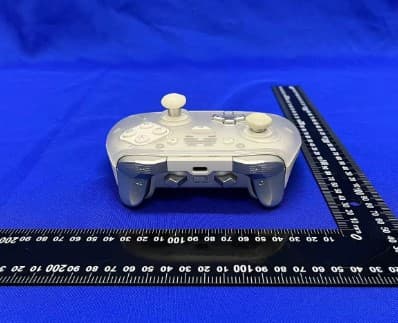
2AWMK-BTP-T9
Jul 17, 2023BEITONG ZEUS 2 ANALOG OPTICAL SWITCHES ELITE GAMEPAD
Equipment Class
DSS - Part 15 Spread Spectrum Transmitter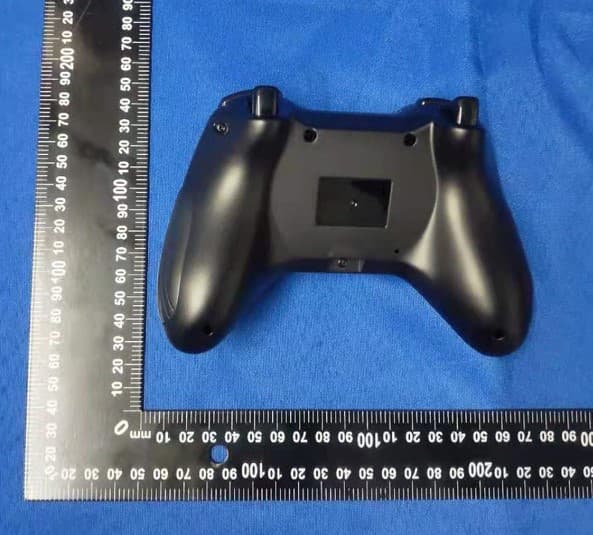
2AWMK-BTP-2585NS
Dec 13, 2022BEITONG ASURA 2 GAME CONTROLLER MULTI-MODE
Equipment Class
DTS - Digital Transmission System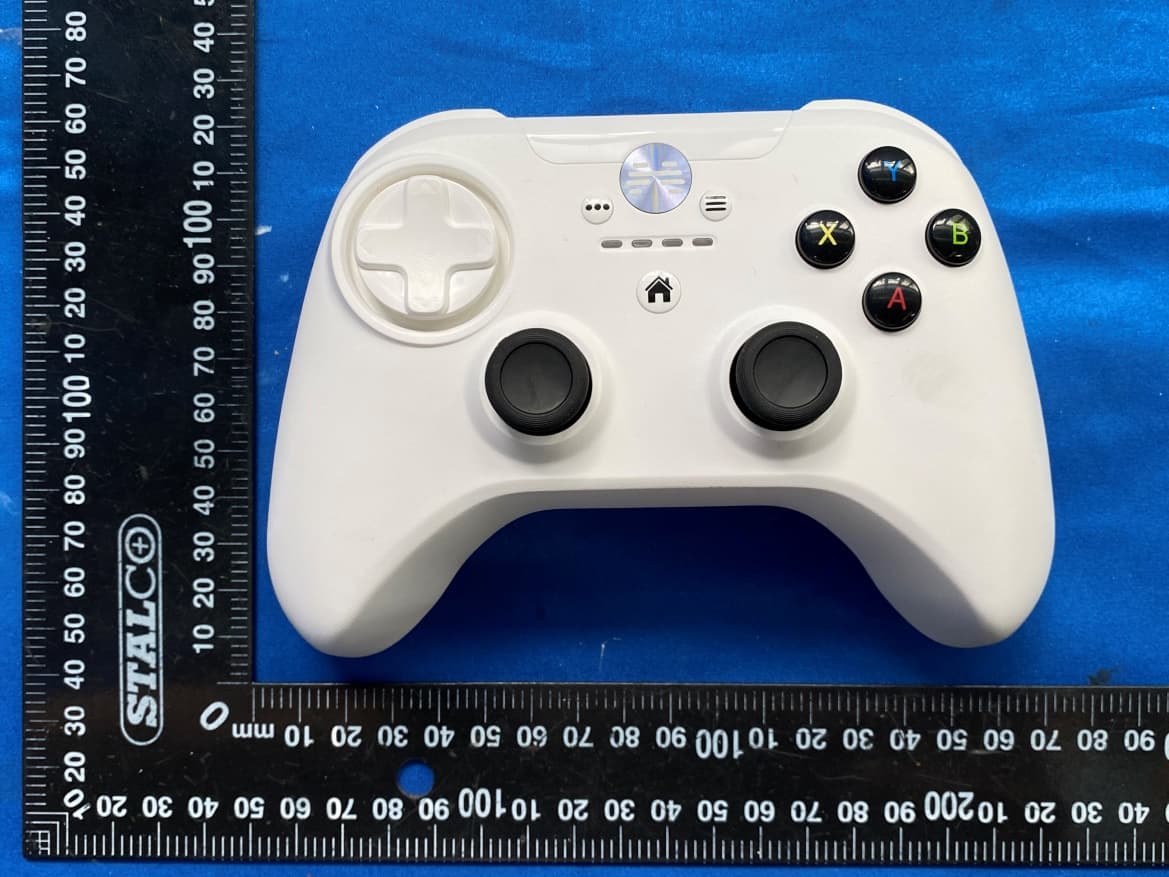
2AWMK-BTP-MK
Aug 08, 2021A game controller made for ios
Equipment Class
DSS - Part 15 Spread Spectrum Transmitter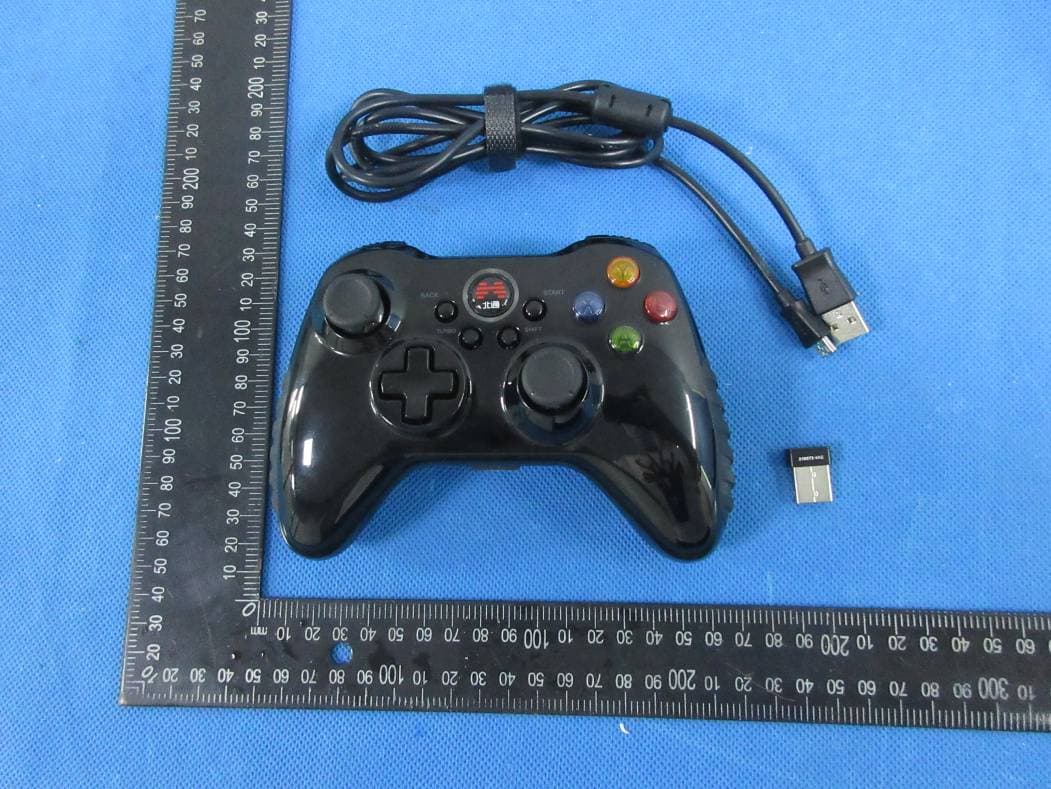
2AWMK-BTP-2185T2
Jun 18, 2020BEITONG ASURA 2 WIRELESS GAMEPAD
Equipment Class
DTS - Digital Transmission System