A3LSMT330Portable WiFi Tablet with Bluetooth and ANT+
Samsung Electronics Co Ltd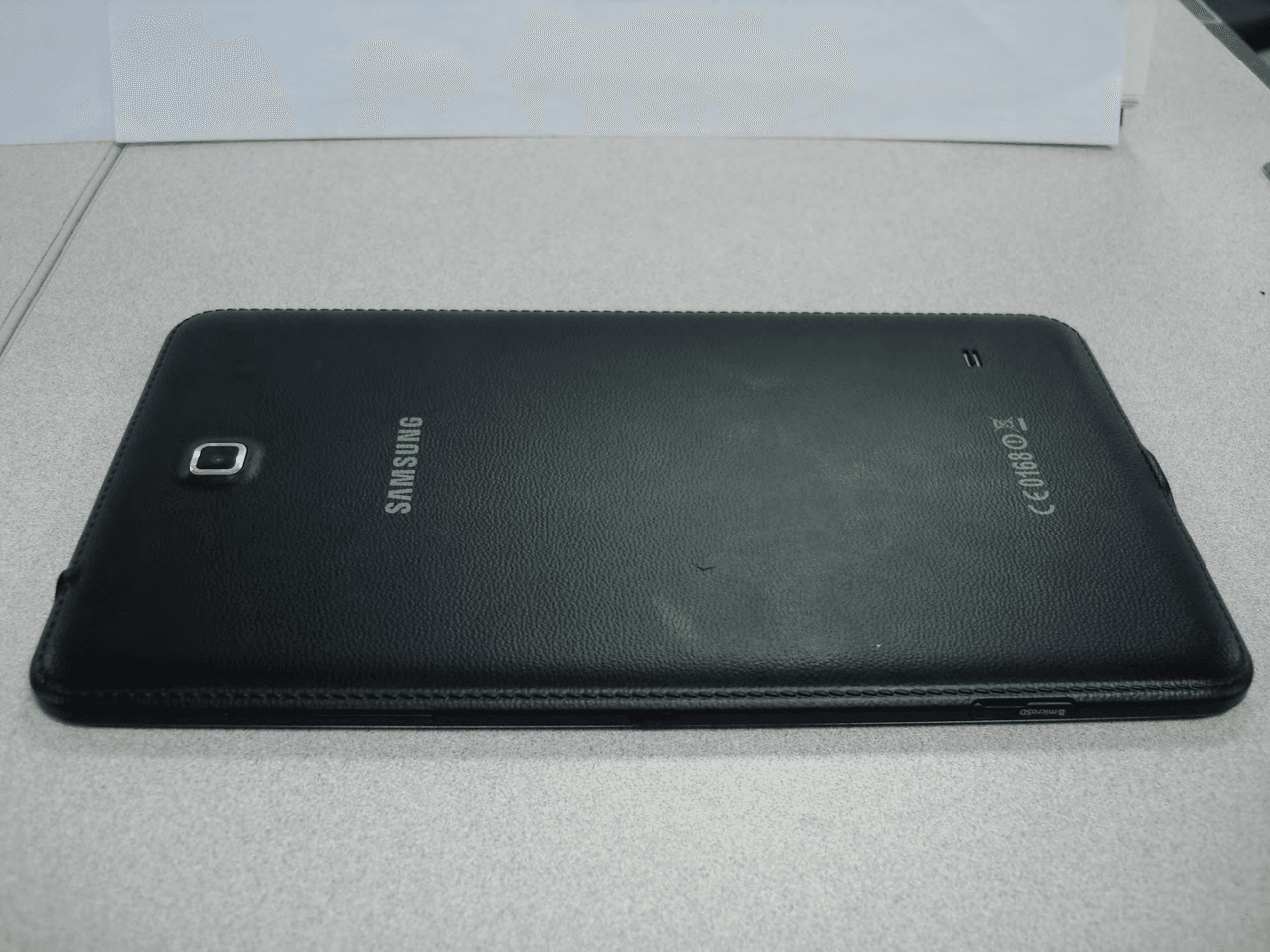
Click to zoom
Application Details
- Equipment Class
- DTS - Digital Transmission System
- Date of Grant
- Feb 13, 2014
- Application Purpose
- Original Equipment
- Date of Application
- Feb 13, 2014
- Equipment Note
- Portable WiFi Tablet with Bluetooth and ANT+
- Frequency Range
- 5755.00000000 - 5795.00000000
- Company
- Samsung Electronics Co Ltd
- Country
- United States
Documents & Files
Document Text
Text extracted from the exhibit documents filed with the FCC. Open a document above to read the original.
Users Manual
www.samsung.com User Manual SM-T330 2 About this manual This device provides high quality mobile communication and entertainment using Samsung’s high standards and technological expertise. This user manual is specially designed to detail the device’s functions and features. • Please read this manual before using the device to ensure safe and proper use. • Descriptions are based on the device’s default settings. • Images and screenshots may differ in appearance from the actual product. • Content may differ from the final product, or from software provided by service providers or carriers, and is subject to change without prior notice. For the latest version of the manual, refer to the Samsung website, www.samsung.com. • Content (high quality content) that requires high CPU and RAM usage will affect the overall performance of the device. Applications related to the content may not work properly depending on the device’s specifications and the environment that it is used in. • Available features and additional services may vary by device, software, or service provider. • Applications and their functions may vary by country, region, or hardware specifications. Samsung is not liable for performance issues caused by applications from any provider other than Samsung. • Samsung is not liable for performance issues or incompatibilities caused by edited registry settings or modified operating system software. Attempting to customise the operating system may cause the device or applications to work improperly. • Software, sound sources, wallpapers, images, and other media provided with this device are licensed for limited use. Extracting and using these materials for commercial or other purposes is an infringement of copyright laws. Users are entirely responsible for illegal use of media. About this manual 3 • Default applications that come with the device are subject to updates and may no longer be supported without prior notice. If you have questions about an application provided with the device, contact a Samsung Service Centre. For user-installed applications, contact service providers. • Modifying the device’s operating system or installing softwares from unofficial sources may result in device malfunctions and data corruption or loss. These actions are violations of your Samsung licence agreement and will void your warranty. Instructional icons Warning: situations that could cause injury to yourself or others Caution: situations that could cause damage to your device or other equipment Note: notes, usage tips, or additional information Copyright Copyright © 2013 Samsung Electronics This guide is protected under international copyright laws. No part of this guide may be reproduced, distributed, translated, or transmitted in any form or by any means, electronic or mechanical, including photocopying, recording, or storing in any information storage and retrieval system, without the prior written permission of Samsung Electronics. About this manual 4 Trademarks • SAMSUNG and the SAMSUNG logo are registered trademarks of Samsung Electronics. • The Android logo, Google ™ , Google Maps ™ , Google Mail ™ , YouTube ™ , Google Play ™ Store, and Google Talk ™ are trademarks of Google, Inc. • Bluetooth ® is a registered trademark of Bluetooth SIG, Inc. worldwide. • Wi-Fi ® , Wi-Fi Protected Setup ™ , Wi-Fi Direct ™ , Wi-Fi CERTIFIED ™ , and the Wi-Fi logo are registered trademarks of the Wi-Fi Alliance. • All other trademarks and copyrights are the property of their respective owners. DivX ® , DivX Certified ® and associated logos are trademarks of Rovi Corporation or its subsidiaries and are used under licence. ABOUT DIVX VIDEO DivX ® is a digital video format created by DivX, LLC, a subsidiary of Rovi Corporation. This is an official DivX Certified ® device that has passed rigorous testing to verify that it plays DivX video. Visit www.divx.com for more information and software tools to convert your files into DivX videos. ABOUT DIVX VIDEO-ON-DEMAND This DivX Certified ® device must be registered in order to play purchased DivX Video-on- Demand (VOD) movies. To obtain your registration code, locate the DivX VOD section in your device setup menu. Go to vod.divx.com for more information on how to complete your registration. DivX Certified ® to play DivX ® video up to HD 720p, including premium content. Manufactured under licence from Dolby Laboratories. Dolby and the double-D symbol are trademarks of Dolby Laboratories. 5 Table of Contents Getting started 8 Device layout 9 Butt ons 10 Package contents 10 Charging the battery 13 Inser ting a memory card 14 Tur ning the device on and off 15 Holding the device 15 Locking and unlocking the device 15 Adjusting the v olume 15 Switching to silent mode Basics 16 Indicator icons 17 Using the touch screen 20 Con trol motions 22 Activating Multi Window 23 Notifica tions 24 Home screen 26 Locked scr een 28 Using applications 29 Applica tions screen 30 Help 30 Ent ering text 32 Connec ting to a Wi-Fi network 33 Setting up ac counts 34 Setting up user profiles 34 Transferring files 35 Securing the device 37 Upgrading the device Communication 38 Contacts 41 Email 43 Google Mail 44 Talk 45 ChatON Web & network 46 Internet 47 Chrome 48 Bluetooth 49 Screen Mirroring 50 Samsung Link 51 Group Play 52 WatchON 53 Smart R emote Media 55 Music Player 56 C amera 62 G allery Table of Contents 6 86 My Files 87 Downloads 87 T ripAdvisor Travel & local 88 Maps 89 Local 90 Navigation Settings 91 About Settings 91 Wi-Fi 92 Bluetooth 92 Data usage 92 More settings 93 Blocking mode 93 Sound 94 Display 95 Storage 95 Power saving mode 95 Battery 95 Application manager 96 Users 96 Location services 96 Lock scr een 97 Security 98 Language and input 101 Cloud 102 Backup and reset 65 Story Album 67 Paper Artist 68 Video Player 69 YouTube 70 Flipboard Application & media stores 71 Play Store 72 Samsung A pps 72 Game Hub 73 Music Hub 74 Pla y Books 74 Pla y Movies 74 Pla y Music 75 Readers Hub 7…
Text truncated - open the document above for the full version.
Users Manual
55 Media Music Player Use this application to listen to music. Tap Music Player on the Applications screen. • Some file formats are not supported depending on the device’s software version. • Some files may not play properly depending on the encoding used. Playing music Select a music category, and then select a song to play. Tap the album image to open the music player screen. Skip to the next song. Tap and hold to move forwards quickly. Pause and resume playback. Select a sound effect. Open the playlist. View file details. Change the repeat mode. Restart the currently-playing song or skip to the previous song. Tap and hold to move backwards quickly. Turn on shu e. Set the le as your favourite track. Mute the sound. Adjust the volume. Media 56 Creating playlists Make an own selection of songs. Tap → New playlist. Enter a title and tap OK. Select songs to include, and then tap Done. To add the currently-playing song to a playlist, tap → Add to playlist. Playing music by mood Play music grouped by mood. The playlist is automatically created by the device. When a new song is added, tap Music square → . Tap Music square and select a cell of mood. Or select multiple cells by dragging your finger. Camera Use this application to take photos or videos. Use Gallery to view photos and videos taken with the device’s camera. (p. 62) Tap Camera on the Applications screen. The camera automatically shuts off when unused. Camera etiquette • Do not take photos or videos of other people without their permission. • Do not take photos or videos where legally prohibited. • Do not take photos or videos in places where you may violate other people’s privacy. Media 57 Taking photos Taking a photo Tap the image on the preview screen where the camera should focus. When the subject is in focus, the focus frame turns green. Tap to take the photo. Indicates which shooting mode is in use. Change the shooting mode. Switch between the front and rear camera. View more options. Select among various e ects that are available. Start taking a video. Open Gallery to view photos and videos. Shooting mode Several photo effects are available. Tap MODE, and then scroll up or down the screen at the right side of the screen. • Auto: Use this to allow the camera to evaluate the surroundings and determine the ideal mode for the photo. • Beauty face: Take a photo with lightened faces for gentler images. • Sound & shot: Use this to take a photo with sound. Tap to take a photo. The device records a few seconds of audio after taking a photo. While taking photos in this mode, sound is recorded by the internal microphone. Media 58 • Cinema photo: Use this to create animated photos from a video. • Panorama: Take a photo composed of many photos strung together. To get the best shot, follow these tips. – Move the camera slowly in one direction. – Keep the camera’s viewfinder within the guidelines. – Avoid taking photos of a subject in front of unrecognisable backgrounds, such as empty skies or plain walls. • Sports: Use this setting for fast-moving subjects. • Night: Use this setting for images taken in darker conditions. Panoramic photos A panoramic photo is a wide landscape image consisting of multiple shots. Tap MODE → Panorama. Tap and move the camera in any direction. When two panorama guide frames are aligned, the camera automatically takes another shot in a panoramic sequence. To stop shooting, tap . Taking videos Taking a video Tap . To pause recording, tap . To stop recording, tap . The zoom function may not be available when recording at the highest resolution. Media 59 Recording mode Tap → to change recording mode. • Normal: Use this mode for normal quality. • Limit for MMS: Use this mode to lower quality for sending via email. Zooming in and out Use one of the following methods: • Use the Volume button to zoom in or out. • Spread two fingers apart on the screen to zoom in, and pinch to zoom out. • The zoom function may not be available when shooting at the highest resolution. • The zoom in/out effect is available when using the zoom feature while shooting video. Media 60 Share shot Tap → , and then select one of the following: • Share shot: Send a photo directly to another device via Wi-Fi Direct. • Buddy photo share: Set the device to recognise a person’s face that you have tagged in a photo and send it to that person. • ChatON photo share: Send a photo to another device via ChatON. • Remote viewfinder: Set the device to control the camera remotely. Controlling the camera remotely Set the device as a viewfinder to control the camera remotely. Tap → → Remote viewfinder, and then connect the device and the camera using Wi-Fi Direct. Tap to take a photo remotely using the device as a viewfinder. Configuring settings for Camera Tap → to configure settings for Camera. Not all of the following options are available in both still camera and video camera modes. The available options vary depending on the mode used. • Photo size / Movie size: Select a resolution. Use higher resolution for higher quality. But it takes up more memory. • Metering: Select a metering method. This determines how light values are calculated. Centre-weighted measures background light in the centre of the scene. Spot measures the light value at a specific location. Matrix averages the entire scene. • ISO: Select an ISO value. This controls camera light sensitivity. It is measured in film- camera equivalents. Low values are for stationary or brightly-lit objects. Higher values are for fast-moving or poorly-lit objects. Media 61 • Focus mode: Select a focus mode. Auto focus is camera-controlled. Macro is for very close objects. • GPS tag: Attach a GPS location tag to the photo. Activate this feature when taking photos to create albums in Story Album. • To improve GPS signals, avoid shooting in locations where the signal may be obstructed, such as between buildings or in low-lying areas, or in poor weather conditions. • Your location may appear on your photos when…
Text truncated - open the document above for the full version.
Attestation Statements
Samsung Electronics America, Inc 19 Chapin Rd, Building D. Pine Brook, NJ 07058 Date: February 6, 2014 FCC ID: A3LSMT330 To whom it may concern: We, the undersigned, hereby authorize PCTEST Engineering Laboratory Inc., to act on our behalf in all matters relating to applications for equipment authorization, including the signing of all documents relating to these matters. Any and all acts carried out by PCTEST Engineering Laboratory, Inc. on our behalf shall have the same effect as acts of our own. We also hereby certify that no party to any application is subject to a denial of benefits, including FCC benefits, pursuant to Section 5301 of the Anti-Drug Abuse Act of 1988, 21 U.S. C. 862. Sincerely, Signature Sang Kyung (Peter), Ra General Manager Samsung Electronics America, Inc
Cover Letter(s)
SAMSUNG ELECTRONICS AMERICA, INC. American QA Lab 19 Chapin Rd, Building D. Pine Brook, NJ 07058 Date: February 6, 2014 Federal Communications Commission Authorization and Evaluation Division 7435 Oakland Mills Road, Columbia, MD 21046 RE: Request of Confidentiality for FCC ID: A3LSMT330 To Whom It May Concern: Pursuant to Sections 0.457 and 0.459 of the Commission’s Rules (CFR 47), and Section 552 (b) (4) of the Freedom of Information Act, SAMSUNG ELECTRONICS CO.,LTD. hereby requests confidentiality and treatment of certain information accompanying this application. The materials contain trade secrets and proprietary information not customarily released to the public. The public disclosure of these matters mi ght be harmful to the Applicant and provide unjustified benefits to its competitors. We are also hereby request Short-Term Confidentiality for 180 days after the grant as outlined in Public Notice DA 04-1705. This provision will give SAMSUNG ELECTRONICS CO.,LTD. temporary confidentiality of commercially sensitive information prior to product release. The requested Permanent and Short-Term Confidential exhibits are listed as follows: PERMANENT AND SHORT-TERM CONFIDENTIAL LIST Exhibit Description PERMANENT 1 Block Diagram 2 Operational Description 3 Schematics SHORT-TERM 4 External Photos 5 Internal Photos 6 Test-Setup Photos 7 Users Manual The Applicant understands that pursuant to Rule 0.457, disclosure of this application and all accompanying documentations, where applicable, will not be made public before the date of the Grant for this application. Sincerely, Peter Ra General Manager American QA Lab SAMSUNG Electronics America INC.
ID Label/Location Info
Label: Location: Top Back of EUT Bottom Tablet : FCC ID is printed on bottom of the device The FCC ID label is located in the back cover. At this time the FCC ID is readily visible to the user. The label is permanently attached by acrylic glue and not easily removed from the device.
RF Exposure Info
FCC ID: A3LSMT330 SAR EVALUATION REPORT Reviewed by: Quality Manager Document S/N: Test Dates: DUT Type: Page 1 of 26 0Y1401220164-R1.A3L 01/27/14-01/30/14 Portable Tablet © 2014 PCTEST Engineering Laboratory, Inc. REV 13.0 M 12/04/2013 Applicant Name: Date of Testing: Samsung Electronics, Co. Ltd. 01/27/14 – 01/30/14 129, Samsung-ro, Maetan dong, Test Site/Location: Yeongtong-gu, Suwon-si PCTEST Lab, Columbia, MD, USA Gyeonggi-do 443-742, Korea Document Serial No.: 0Y1401220164-R1.A3L FCC ID: A3LSMT330 APPLICANT: SAMSUNG ELECTRONICS, CO. LTD. DUT Type: Portable Tablet Application Type: Certification FCC Rule Part(s): CFR §2.1093 Model(s): SM-T330, SM-T330NU Note: Powers in the above table represent output powers for the SAR test configurations and may not represent the highest output powers for all configurations for each mode. Note: This revised Test Report (S/N: 0Y1401220164-R1.A3L) supersedes and replaces the previously issued test report on the same subject device for the same type of testing as indicated. Please discard or destroy the previously issued test report(s) and dispose of it accordingly. This wireless portable device has been shown to be capable of compliance for localized specific absorption rate (SAR) for uncontrolled environment/general population exposure limits specified in ANSI/IEEE C95.1-1992 and has been tested in accordance with the measurement procedures specified in Section 1.7 of this report; for North American frequency bands only. I attest to the accuracy of data. All measurements reported herein were performed by me or were made under my supervision and are correct to the best of my knowledge and belief. I assume full responsibility for the completeness of these measurements and vouch for the qualifications of all persons taking them. Test results reported herein relate only to the item(s) tested. 1 gm Body (W /kg) DTS2.4 GHz WLAN2412 - 2462 MHz15.140.71 DTSBluetooth LE2402 - 2480 MHz2.39N/A DTS5.8 GHz WLAN5745 - 5825 MHz10.170.55 NII5.2 GHz WLAN5180 - 5240 MHz10.160.33 NII5.3 GHz WLAN5260 - 5320 MHz10.380.47 NII5.5 GHz WLAN5500 - 5700 MHz10.390.60 DSSBluetooth2402 - 2480 MHz9.530.12 SAR Band & ModeTx Frequency Measured Conducted Power [dBm] Equipment Class PCTEST ENGINEERING LABORATORY, INC. 7185 Oakland Mills Road, Columbia, MD 21046 USA Tel. +1.410.290.6652 / Fax +1.410.290.6654 http://www.pctestlab.com SAR EVALUATION REPORT FCC ID: A3LSMT330 SAR EVALUATION REPORT Reviewed by: Quality Manager Document S/N: Test Dates: DUT Type: Page 2 of 26 0Y1401220164-R1.A3L 01/27/14-01/30/14 Portable Tablet © 2014 PCTEST Engineering Laboratory, Inc. REV 13.0 M 12/04/2013 TABLE OF CONTENTS 1 DEVICE UNDER TEST ....................................................................................................................3 2 INTRODUCTION ..............................................................................................................................6 3 DOSIMETRIC ASSESSMENT .........................................................................................................7 4 SAR TESTING PROCEDURES .......................................................................................................8 5 RF EXPOSURE LIMITS ...................................................................................................................9 6 FCC MEASUREMENT PROCEDURES ........................................................................................ 10 7 RF CONDUCTED POWERS ......................................................................................................... 11 8 SYSTEM VERIFICATION .............................................................................................................. 16 9 SAR DATA SUMMARY ................................................................................................................. 18 10 SAR MEASUREMENT VARIABILITY ........................................................................................... 20 11 EQUIPMENT LIST ......................................................................................................................... 21 12 MEASUREMENT UNCERTAINTIES ............................................................................................ 22 13 CONCLUSION ............................................................................................................................... 24 14 REFERENCES .............................................................................................................................. 25 APPENDIX A: SAR TEST PLOTS APPENDIX B: SAR DIPOLE VERIFICATION PLOTS APPENDIX C: PROBE AND DIPOLE CALIBRATION CERTIFICATES APPENDIX D: SAR TISSUE SPECIFICATIONS APPENDIX E: SAR SYSTEM VALIDATION APPENDIX F: SAR TEST SETUP PHOTOGRAPHS FCC ID: A3LSMT330 SAR EVALUATION REPORT Reviewed by: Quality Manager Document S/N: Test Dates: DUT Type: Page 3 of 26 0Y1401220164-R1.A3L 01/27/14-01/30/14 Portable Tablet © 2014 PCTEST Engineering Laboratory, Inc. REV 13.0 M 12/04/2013 1 DEVICE UNDER TEST 1.1 Device Overview 1.2 Nominal and Maximum Output Power Specifications This device operates using the following maximum and nominal output power specifications. SAR values were scaled to the maximum allowed power to determine compliance per KDB Publication 447498 D01v05. 2.4 GHz WLANData2412 - 2462 MHz 5.8 GHz WLANData5745 - 5825 MHz 5.2 GHz WLANData5180 - 5240 MHz 5.3 GHz WLANData5260 - 5320 MHz 5.5 GHz WLANData5500 - 5700 MHz BluetoothData2402 - 2480 MHz ANT+Data2402 - 2480 MHz Band & ModeTx FrequencyOperating Modes Maximum Nominal Maximum Nominal Maximum Nominal Maximum Nominal Maximum Nominal Maximum Nominal Maximum Nominal IEEE 802.11b (2.4 GHz) 15.5 IEEE 802.11g (2.4 GHz) Mode / Band Bluetooth LE 6.5 6.0 IEEE 802.11n (2.4 GHz) 11.5 Modulated Average (dBm) IEEE 802.11n (5 GHz) 10.5 Bluetooth 10.0 IEEE 802.11a (5 GHz) 10.5 15.0 13.0 11.0 10.0 10.0 9.5 13.5 FCC ID: A3LSMT330 SAR EVALUATION REPORT Reviewed by: Quality Manager Document S/N: Test Date…
Text truncated - open the document above for the full version.
Test Report
FCC ID: A3LSMT330 FCC Pt. 15.247/RSS-210 WLAN MEASUREMENT REPORT (CERTIFICATION) Reviewed by: Quality Manager Test Report S/N: Test Dates: EUT Type: Page 1 of 65 0Y1401220165.A3L 1/22-2/4/2014 Portable Tablet © 2014 PCTEST Engineering Laboratory, Inc. V 3.10 06/17/2013 Applicant Name: Date of Testing: Samsung Electronics, Co. Ltd. 1/22-2/4/2014 129, Samsung-ro, Maetan dong, Test Site/Location: Yeongtong-gu, Suwon-si PCTEST Lab, Columbia, MD, USA Gyeonggi-do 443-742, Korea Test Report Serial No.: 0Y1401220165.A3L FCC ID: A3LSMT330 IC CERTIFICATION NO.: 649E-SMT330 APPLICANT: Samsung Electronics, Co. Ltd. Application Type: Certification Model(s): SM-T330, SMT-330NU EUT Type: Portable Tablet FCC Classification: Digital Transmission System (DTS) FCC Rule Part(s): Part 15.247 IC Specification(s): RSS-210 Issue 8 Test Procedure(s): KDB 558074 v03r01 Max. Power (mW) Max. Power (dBm) Max. Power (mW) Max. Power (dBm) 802.11b 2412 - 246233.57415.2665.61518.17 802.11g 2412 - 246222.28413.48110.66220.44 802.11n 2412 - 246213.45911.2967.60818.30 802.11a 5745 - 582510.54410.2348.64116.87 802.11n (20MHz) 5745 - 582510.94010.3950.81617.06 802.11n (40MHz) 5755 - 579510.99010.4155.59017.45 Avg Conducted Mode Tx Frequency (MHz) Peak Conducted This equipment has been shown to be capable of compliance with the applicable technical standards as indicated in the measurement report and was tested in accordance with the measurement procedures specified in KDB 558074 v03r01. Test results reported herein relate only to the item(s) tested. I attest to the accuracy of data. All measurements reported herein were performed by me or were made under my supervision and are correct to the best of my knowledge and belief. I assume full responsibility for the completeness of these measurements and vouch for the qualifications of all persons taking them. PCTEST ENGINEERING LABORATORY, INC. 7185 Oakland Mills Road, Columbia, MD 21046 USA Tel. 410.290.6652 / Fax 410.290.6654 http://www.pctestlab.com MEASUREMENT REPORT FCC PART 15.247 / IC RSS-210 WLAN 802.11a/b/g/n FCC ID: A3LSMT330 FCC Pt. 15.247/RSS-210 WLAN MEASUREMENT REPORT (CERTIFICATION) Reviewed by: Quality Manager Test Report S/N: Test Dates: EUT Type: Page 2 of 65 0Y1401220165.A3L 1/22-2/4/2014 Portable Tablet © 2014 PCTEST Engineering Laboratory, Inc. V 3.10 06/17/2013 TABLE OF CONTENTS FCC PART 15.247 MEASUREMENT REPORT .................................................................................................. 3 1.0 INTRODUCTION ...................................................................................................................................... 4 1.1 SCOPE ........................................................................................................................................................... 4 1.2 PCTEST TEST LOCATION ............................................................................................................................ 4 2.0 PRODUCT INFORMATION ..................................................................................................................... 5 2.1 EQUIPMENT DESCRIPTION......................................................................................................................... 5 2.2 DEVICE CAPABILITIES ................................................................................................................................. 5 2.3 TEST CONFIGURATION ............................................................................................................................... 5 2.4 EMI SUPPRESSION DEVICE(S)/MODIFICATIONS ...................................................................................... 5 2.5 LABELING REQUIREMENTS ........................................................................................................................ 5 3.0 DESCRIPTION OF TEST ........................................................................................................................ 6 3.1 EVALUATION PROCEDURE ......................................................................................................................... 6 3.2 AC LINE CONDUCTED EMISSIONS ............................................................................................................. 6 3.3 RADIATED EMISSIONS ................................................................................................................................ 7 4.0 ANTENNA REQUIREMENTS .................................................................................................................. 8 5.0 TEST EQUIPMENT CALIBRATION DATA .............................................................................................. 9 6.0 TEST RESULTS .................................................................................................................................... 10 6.1 SUMMARY ................................................................................................................................................... 10 6.2 6DB BANDWIDTH MEASUREMENT – 802.11A/B/G/N ............................................................................... 11 6.3 OUTPUT POWER MEASUREMENT – 802.11B/G/N (2.4GHZ) ................................................................... 22 6.4 OUTPUT POWER MEASUREMENT – 802.11A/N/AC (5GHZ) ................................................................... 24 6.5 POWER SPECTRAL DENSITY (802.11A/B/G/N) ........................................................................................ 25 6.6 CONDUCTED EMISSIONS AT THE BAND EDGE ...................................................................................... 36 6.7 CONDUCTED SPURIOUS EMISSIONS ...................................................................................................... 43 6.8 RADIATED SPURIOUS EMISSION MEASUREMENTS .............................................................................. 51 6.9 RADIATED RESTRICTED BAND EDGE MEASUREMENTS ...................…
Text truncated - open the document above for the full version.
Test Report
FCC ID: A3LSMT330 FCC Pt. 15.247/RSS-210 BLUETOOTH (LE) TEST REPORT (CERTIFICATION) Reviewed by: Quality Manager Test Report S/N: Test Dates: EUT Type: Page 1 of 36 0Y1401220168.A3L 1/23-1/24/2014 Portable Tablet © 2014 PCTEST Engineering Laboratory, Inc. V 2.7 06/10/2013 Applicant Name: Date of Testing: Samsung Electronics, Co. Ltd. 1/23-1/24/2014 129, Samsung-ro, Maetan dong, Test Site/Location: Yeongtong-gu, Suwon-si PCTEST Lab, Columbia, MD, USA Gyeonggi-do 443-742, Korea Test Report Serial No.: 0Y1401220168.A3L FCC ID: IC CERTIFICATION NO.: A3LSMT330 649E-SMT330 APPLICANT: Samsung Electronics, Co. Ltd. Application Type: Certification Model: SM-T330, SM-T330NU EUT Type: Portable Tablet Max. RF Output Power: 1.733 mW (2.39 dBm) Peak Conducted Frequency Range: 2402 - 2480 MHz FCC Classification: Digital Transmission System (DTS) FCC Rule Part(s): Part 15.247 IC Specification: RSS-210 Issue 8 Test Procedure(s): KDB 558074 v03r01 This equipment has been shown to be capable of compliance with the applicable technical standards as indicated in the measurement report and was tested in accordance with the measurement procedures specified in KDB 558074 v03r01. Test results reported herein relate only to the item(s) tested. I attest to the accuracy of data. All measurements reported herein were performed by me or were made under my supervision and are correct to the best of my knowledge and belief. I assume full responsibility for the completeness of these measurements and vouch for the qualifications of all persons taking them. PCTEST ENGINEERING LABORATORY, INC. 7185 Oakland Mills Road, Columbia, MD 21046 USA Tel. 410.290.6652 / Fax 410.290.6654 http://www.pctestlab.com MEASUREMENT REPORT FCC PART 15.247 / IC RSS-210 Bluetooth (Low Energy) FCC ID: A3LSMT330 FCC Pt. 15.247/RSS-210 BLUETOOTH (LE) TEST REPORT (CERTIFICATION) Reviewed by: Quality Manager Test Report S/N: Test Dates: EUT Type: Page 2 of 36 0Y1401220168.A3L 1/23-1/24/2014 Portable Tablet © 2014 PCTEST Engineering Laboratory, Inc. V 2.7 06/10/2013 TABLE OF CONTENTS FCC PART 15.247 MEASUREMENT REPORT .................................................................................................. 3 1.0 INTRODUCTION ...................................................................................................................................... 4 1.1 SCOPE ........................................................................................................................................................... 4 1.2 PCTEST TEST LOCATION ............................................................................................................................ 4 2.0 PRODUCT INFORMATION ..................................................................................................................... 5 2.1 EQUIPMENT DESCRIPTION......................................................................................................................... 5 2.2 DEVICE CAPABILITIES ................................................................................................................................. 5 2.3 TEST CONFIGURATION ..........................................................................................................................…
Text truncated - open the document above for the full version.
Contact Information
Applicant
Jenni Chun(General Manager)
Technical Contact
PCTEST Engineering Lab., Inc.Randy Ortanez
[email protected]410-290-6652
6660-B Dobbin Road · Columbia, Maryland · United States
Test Firm
PCTEST Engineering Laboratory, Inc.Randy Ortanez
Technical Specifications
| # | Rule Parts | Frequency Range | Power Output |
|---|---|---|---|
| 4 | 15C | 5.75 GHz - 5.79 GHz | 11.00 mW |
Other Applications from Samsung Electronics Co Ltd
A3LSMS741B
Aug 05, 2026Portable Handset
Equipment Class
6VL - 15E 6 GHZ Very Low Power DeviceA3LSMX940
Jul 31, 2026BT,BLE Tablet DTS,UNII a,b,g,n,ac,ax,be and digitizer
Equipment Class
DTS - Digital Transmission SystemA3LSMS741U
Jul 30, 2026Portable Handset
Equipment Class
6CD - 15E 6 GHz Low Power Dual ClientA3LSMX840
Jul 27, 2026BT,BLE Tablet DTS,UNII a,b,g,n,ac,ax and Digitizer
Equipment Class
DSS - Part 15 Spread Spectrum TransmitterA3LSMX848U
Jul 27, 2026WCDMA, LTE, 5G NR Tablet BT,BLE, DTS,UNII a b g n ac ax and Digitizer
Equipment Class
JBP - Part 15 Class B Computing Device Peripheral