A6RUDWL01USB WIRELESS LAN ADAPTOR
Yamaha Corporation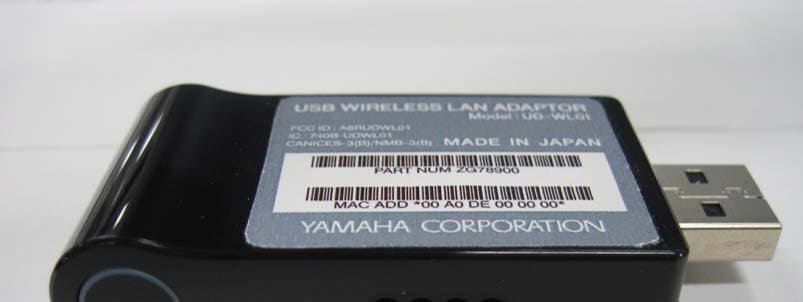
Click to zoom
Application Details
- Equipment Class
- DTS - Digital Transmission System
- Date of Grant
- Aug 07, 2013
- Application Purpose
- Original Equipment
- Date of Application
- Aug 07, 2013
- Equipment Note
- USB WIRELESS LAN ADAPTOR
- Frequency Range
- 2412.00000000 - 2462.00000000
- Company
- Yamaha Corporation
- Country
- Japan
Documents & Files
Document Text
Text extracted from the exhibit documents filed with the FCC. Open a document above to read the original.
Users Manual
By connecting this product to the [USB TO DEVICE] terminal of the Tyros5, you can enable wireless communication between the Tyros5 and your computer or your smart device, such as an iPhone or iPad. For details about connection and related settings, refer to the Owner’s Manual of the Tyros5. PLEASE READ CAREFULLY BEFORE PROCEEDING Please keep this manual in a safe and handy place for future reference. WARNING Always follow the basic precautions listed below to avoid the possibility of serious injury or even death from electrical shock, short-circuiting, damages, fire or other hazards. These precautions include, but are not limited to, the following: • This product contains no user-serviceable parts. Do not open the product or attempt to disassemble or modify the internal components in any way. If the product appears to be malfunctioning, discontinue use immediately and have it inspected by qualified Yamaha service personnel. • Radio waves may affect electro-medical devices. Do not use this product near medical devices or inside medical facilities. Do not use this product within 22 cm (9 in) of persons with a heart pacemaker implant or defibrillator implant. NOTICE To avoid the possibility of malfunction/ damage to the product, damage to data, or damage to other property, follow the notices below. • In a wireless network environment, wireless networks (SSID*) for which you do not have usage rights may be shown on the display of the Tyros5; however, never use these networks since this may be regarded as illegal access. * An SSID (Service Set IDentification) is an identification name for specifying a particular network over a wireless LAN connection. Communication is possible only between terminals with matching SSID names. • Yamaha does not guarantee or support use of this product with any other devices other than the Tyros5. Information • iPhone and iPad are trademarks of Apple Inc., registered in the U.S. and other countries. Specifications * Specifications and descriptions in this owner’s manual are for information purposes only. Yamaha Corp. reserves the right to change or modify products or specifications at any time without prior notice. Since specifications, equipment or options may not be the same in every locale, please check with your Yamaha dealer. USB Wireless LAN Adaptor Adaptateur LAN sans fil USB USB-Wireless-LAN-Adapter EN FR DE Owner’s Manual Mode d'emploi Bedienungsanleitung Connecting USB Wireless LAN Adaptor When connecting a USB Wireless LAN Adaptor to the [USB TO DEVICE] terminal, connect it to the [USB TO DEVICE] terminal on the rear side of the Tyros5. Connexion à l'aide d'un adaptateur LAN sans fil USB Connectez l'adaptateur LAN sans fil USB au Tyros5 en le reliant à la borne [USB TO DEVICE] située à l'arrière de l'instrument. Anschließen eines USB-Wireless-LAN-Adapters Wenn Sie einen USB-Wireless-LAN-Adapter an einer [USB TO DEVICE]-Buchse anschließen, verwenden Sie die [USB TO DEVICE]- Buchse auf der Rückseite des Tyros5. English Dimensions (W×H×D)69mm (W: including connector) × 15mm (H) × 31mm (D) StandardsIEEE802.11b/g/n (IEEE802.11n 5GHz: not compatible) Range of transmit frequency (channels) Models for United States and Canada: 2412–2462 MHz (channels 1–11) Others: 2412–2472MHz (channels 1–13) SecurityWEP, WPA-PSK(TKIP), WPA-PSK(AES), WPA2- PSK(AES), WPA/WPA2 mixed PSK PRECAUTIONS Do not open Location En connectant ce produit à la borne [USB TO DEVICE] du Tyros5, vous pouvez activer la communication sans fil entre le Tyros5 et votre ordinateur ou votre périphérique intelligent, tel qu'un iPhone ou un iPad. Pour plus de détails sur cette connexion et les réglages y afférents, reportez-vous au mode d'emploi du Tyros5. PRIÈRE DE LIRE ATTENTIVEMENT AVANT DE PROCÉDER À TOUTE MANIPULATION Rangez ce manuel en lieu sûr et à portée de main afin de pouvoir le consulter ultérieurement. AVERTISSEMENT Veillez à toujours observer les précautions élémentaires énumérées ci-après pour éviter de graves blessures, voire la mort, en raison d'une électrocution, d'un court-circuit, de dégâts, d'un incendie ou de tout autre risque. La liste de ces précautions n'est pas exhaustive : • Ce produit ne contient aucune pièce nécessitant l'intervention de l'utilisateur. N'ouvrez pas le produit et ne tentez pas d'en démonter les éléments internes ou de les modifier de quelque façon que ce soit. Si le produit présente des signes de dysfonctionnement, mettez-le immédiatement hors tension et faites-le contrôler par un technicien agréé Yamaha. • Les ondes radio peuvent affecter les appareils électro-médicaux. N'utilisez pas ce produit à proximité d'appareils médicaux ou au sein d'installations médicales. N'utilisez pas ce produit lorsque vous vous trouvez à moins d'une distance de 22 cm (9 po) de personnes ayant un stimulateur cardiaque ou un implant cardiaque défibrillateur. AVIS Pour éviter d'endommager l'instrument ou de perturber son fonctionnement, de détruire des données ou de détériorer le matériel avoisinant, il est indispensable de respecter les avis ci-dessous. • Dans un environnement de réseau sans fil, les réseaux sans fil (SSID*) pour lesquels vous ne détenez pas de droits d'utilisation peuvent s'afficher à l'écran du Tyros5 ; nous vous déconseillons toutefois de les utiliser car cela pourrait être considéré comme un accès illégal. * Un identificateur SSID (Service Set Identifier) est un nom d'identification spécifique attribué à un réseau donné sur une connexion LAN sans fil. Seuls les terminaux munis d'identificateurs SSID correspondants peuvent communiquer entre eux. • Yamaha ne garantit pas et ne prend pas en charge l'utilisation de ce produit avec tout autre périphérique que le Tyros5. Informations • iPhone et iPad sont des marques de commerce d'Apple Inc., déposées aux États-Unis et dans d'autres pays. Caractéristiques techniques * Les caractéristiques techniques et les descriptions du mode d’emploi ne sont données que pour information. Yamaha Corp. se réserve le droit de cha…
Text truncated - open the document above for the full version.
Users Manual
Tyros5 Owner’s Manual1 DIGITAL WORKSTATION Tyros5 Owner’s Manual v013 (13.06.03) -4 Before using the instrument, be sure to read “PRECAUTIONS” on pages 6–7. EN 2Tyros5 Owner’s Manual SPECIAL MESSAGE SECTION PRODUCT SAFETY MARKINGS: Yamaha electronic products may have either labels similar to the graphics shown below or molded/stamped facsimiles of these graph- ics on the enclosure. The explanation of these graphics appears on this page. Please observe all cautions indicated on this page and those indicated in the safety instruction sec- tion. The exclamation point within the equi- lateral triangle is intended to alert the user to the presence of important operat- ing and maintenance (servicing) instruc- tions in the literature accompanying the product. The lightning flash with arrowhead sym- bol, within the equilateral triangle, is intended to alert the user to the presence of uninsulated “dangerous voltage” within the product’s enclosure that may be of sufficient magnitude to constitute a risk of electrical shock. IMPORTANT NOTICE: All Yamaha electronic products are tested and approved by an independent safety testing laboratory in order that you may be sure that when it is prop- erly installed and used in its normal and customary manner, all foreseeable risks have been eliminated. DO NOT modify this unit or commission others to do so unless specifically authorized by Yamaha. Product performance and/or safety standards may be diminished. Claims filed under the expressed warranty may be denied if the unit is/has been modified. Implied warranties may also be affected. SPECIFICATIONS SUBJECT TO CHANGE: The information contained in this manual is believed to be cor- rect at the time of printing. However, Yamaha reserves the right to change or modify any of the specifications without notice or obligation to update existing units. ENVIRONMENTAL ISSUES: Yamaha strives to produce products that are both user safe and environmentally friendly. We sincerely believe that our products and the pro- duction methods used to produce them, meet these goals. In keeping with both the letter and the spirit of the law, we want you to be aware of the following: Battery Notice: This product MAY contain a small non- rechargeable battery which (if applicable) is soldered in place. The average life span of this type of battery is approx- imately five years. When replacement becomes necessary, contact a qualified service representative to perform the replacement. Warning: Do not attempt to recharge, disassemble, or incinerate this type of battery. Keep all batteries away from children. Dispose of used batteries promptly and as regu- lated by applicable laws. Note: In some areas, the servicer is required by law to return the defective parts. However, you do have the option of having the servicer dispose of these parts for you. Disposal Notice: Should this product become damaged beyond repair, or for some reason its useful life is consid- ered to be at an end, please observe all local, state, and fed- eral regulations that relate to the disposal of products that contain lead, batteries, plastics, etc. NOTICE: Service charges incurred due to lack of knowl- edge relating to how a function or effect works (when the unit is operating as designed) are not covered by the manu- facturer’s warranty, and are therefore the owners responsi- bility. Please study this manual carefully and consult your dealer before requesting service. NAME PLATE LOCATION: The name plate is located on the bottom of the product. The model number, serial num- ber, power requirements, etc., are located on this plate. You should record the model number, serial number, and the date of purchase in the spaces provided below and retain this manual as a permanent record of your purchase. Model Serial No. Purchase Date CAUTION RISK OF ELECTRIC SHOCK DO NOT OPEN CAUTION: TO REDUCE THE RISK OF ELECTRIC SHOCK. DO NOT REMOVE COVER (OR BACK). NO USER-SERVICEABLE PARTS INSIDE. REFER SERVICING TO QUALIFIED SERVICE PERSONNEL. 92-469- 1 (rear) Tyros5 Owner’s Manual3 IMPORTANT SAFETY INSTRUCTIONS 1Read these instructions. 2Keep these instructions. 3Heed all warnings. 4Follow all instructions. 5Do not use this apparatus near water. 6Clean only with dry cloth. 7Do not block any ventilation openings. Install in accordance with the manufacturer’s instructions. 8Do not install near any heat sources such as radiators, heat registers, stoves, or other apparatus (including amplifiers) that produce heat. 9Do not defeat the safety purpose of the polarized or grounding-type plug. A polarized plug has two blades with one wider than the other. A grounding type plug has two blades and a third grounding prong. The wide blade or the third prong are provided for your safety. If the provided plug does not fit into your outlet, consult an electrician for replacement of the obsolete outlet. 10 Protect the power cord from being walked on or pinched particularly at plugs, convenience receptacles, and the point where they exit from the apparatus. 11 Only use attachments/accessories specified by the manufacturer. 12 Use only with the cart, stand, tripod, bracket, or table specified by the manufacturer, or sold with the apparatus. When a cart is used, use caution when moving the cart/apparatus combination to avoid injury from tip-over. 13 Unplug this apparatus during lightning storms or when unused for long periods of time. 14 Refer all servicing to qualified service personnel. Servicing is required when the apparatus has been damaged in any way, such as power-supply cord or plug is damaged, liquid has been spilled or objects have fallen into the apparatus, the apparatus has been exposed to rain or moisture, does not operate normally, or has been dropped. (UL60065_03) WARNING TO REDUCE THE RISK OF FIRE OR ELECTRIC SHOCK, DO NOT EXPOSE THIS APPARATUS TO RAIN OR MOISTURE. The model number, serial number, power requirements, etc., may be found on or near the name plate, which is at the bottom …
Text truncated - open the document above for the full version.
Users Manual
By connecting your iPhone, iPad or iPod touch to a compatible Yamaha digital instrument and using the various applications we’ve created, you can manage your music files more easily and take advantage various functions — expanding the potential of the instrument and make it an even more integral part of your total music life. NOTEIn this manual, iPhone and iPod touch are hereafter collectively called iPhone. Yamaha Applications for Piano & Keyboard Instruments Refer to the following web page for information on Yamaha applications for pianos and keyboard instruments. http://www.yamaha.com/kbdapps/ iPhone/iPad compatibility and other related system requirements vary from application to application. Be sure, therefore, to refer to the compatibility-related information provided on the above web page. Certain applications do not need to be connected to an instrument. In such a case, there is no need to follow the instructions provided in this manual. Download the applications You can download the applications from the App Store, accessible by clicking or tapping the App Store icon in each application’s page of the website above. EN iPhone/iPad Connection Manual Contents Yamaha Applications for Piano & Keyboard Instruments ........................ 1 NOTICE .......................................................................................................... 3 Information .................................................................................................... 3 Which Terminal Should I Use?.................................................................... 4 Connection .................................................................................................... 5 Glossary of Terms ...................................................................................... 10 About Using BSD-Licensed Software ....................................................... 11 iPhone/iPad Connection Manual 2 iPhone/iPad Connection Manual 3 NOTICE To prevent the iPhone/iPad from falling, note the following points: • Before moving the instrument, make sure to remove the iPhone/iPad from the music rest. • Never put anything else on the music rest together with the iPhone/iPad, such as a song booklet or another iPhone/iPad. Doing so may make the music rest unstable. • Never place the instrument with the iPhone/iPad in an unstable position. • Never slide the iPhone/iPad along the music rest or submit it to strong shock, such as pushing or hitting it when on the music rest. • After use, or when you separate from a instrument, make sure to remove the iPhone/iPad from the music rest. To avoid noise caused by communication, note the following points: When using your instrument together with an App on your iPhone/iPad, we recommend that you turn on Airplane Mode on your device. If you need to connect to a Wi-Fi network at this time, we recommend that after turning on Airplane Mode, you also turn on Wi-Fi. Information • The contents of this manual are exclusive copyrights of Yamaha Corporation. • Copying of the reproduction of this manual in whole or in part by any means is expressly forbidden without the written consent of the manufacturer. • Yamaha makes no representations or warranties with regard to the use of the documentation and cannot be held responsible for the results of the use of this manual. • The screen displays as illustrated (are based on the CVP-609) in this manual are for instructional purposes, and may appear somewhat different from the screens which appear on your instrument or device. • Copying of the commercially available musical data including but not limited to MIDI data and/or audio data is strictly prohibited except for your personal use. • iPhone, iPad, iPod touch and Lightning are trademarks of Apple Inc., registered in the U.S. and other countries. • The company names and product names in this manual are the trademarks or registered trademarks of their respective companies. iPhone/iPad Connection Manual 4 Which Terminal Should I Use? You can connect your iPhone/iPad to instruments equipped with MIDI terminals or a [USB TO HOST] terminal, or to instruments which include a USB wireless LAN adaptor. Since the connection procedures differ depending on the terminal, confirm which terminal your instrument is equipped with and whether or not a USB wireless LAN adaptor is included. When equipped with MIDI terminals: page 5 When equipped with a [USB TO HOST] terminal: page 6 When a USB Wireless LAN adaptor is included with your instrument: page 7 NOTEA USB Wireless LAN Adaptor may not be included depending on your locale, even if your instrument can be connected to an iPhone/iPad. Make sure to use the included USB Wireless LAN adaptor. Other USB Wireless LAN adaptors are not compatible with the instrument. NOTEPlease note that you cannot connect your instrument to your iPhone/iPad using Wireless LAN connection unless the USB Wireless LAN adaptor is included, even if your instrument features the Internet Direct Connection (IDC) function using the Wireless LAN connection. (Cable connection is available with MIDI terminals or [USB TO HOST] terminal.) NOTEYou need to make sure that the applications you want to use support wireless LAN connection. Check the information in the website described on page 1. Required devices • Yamaha MIDI interface i-MX1 • (When using iPhone 5/iPod touch; 5th generation/iPad; 4th generation/iPad mini) Apple Lightning to 30-pin Adapter Required devices • Yamaha USB MIDI interface i-UX1 • (When using iPhone 5/iPod touch; 5th generation/iPad; 4th generation/iPad mini) Apple Lightning to 30-pin Adapter Required devices • USB wireless LAN adaptor included with your instrument • Access point with router (This is unnecessary if your modem has router capability.) MIDI USB iPhone/iPad Connection Manual 5 Connection Connecting to the MIDI terminals Connect your iPhone/iPad to the MIDI terminals of the instrument via i-MX1. 1Turn off the power of the inst…
Text truncated - open the document above for the full version.
External Photos
Photo Yamaha Corporation UD-WL01 Photo Yamaha Corporation UD-WL01 Photo Yamaha Corporation UD-WL01
ID Label/Location Info
㪊㪌㪅㪌㫧㪇㪅㪉㪌 㪉㪏㪅㪌㫧㪇㪅㪉㪌 㫋㪔㪇㪅㪇㪌 㫌㫅㫀㫋䋺㫄㫄
Internal Photos
Photo Yamaha Corporation UD-WL01 Photo Yamaha Corporation UD-WL01 Photo Yamaha Corporation UD-WL01
RF Exposure Info
Test report No. : 10005573S-A Page : 1 of 46 Issued date : June 20, 2013 FCC ID : A6RUDWL01 UL Japan, Inc. Shonan EMC Lab. 1-22-3 Megumigaoka, Hiratsuka-shi, Kanagawa-ken, 259-1220 JAPAN Telephone: +81 463 50 6400 / Facsimile: +81 463 50 6401 SAR TEST REPORT Test Report No.: 10005573S-A Applicant : YAMAHA CORPORATION Type of Equipment : USB WIRELESS LAN ADAPTOR Model No. : UD-WL01 FCC ID : A6RUDWL01 Test Standard : FCC 47CFR §2.1093, Supplement C (Edition 01-01) to OET Bulletin 65 Test Result : Complied Highest Reported SAR(1g) Value Remarks 0.67 W/kg (DTS) 2462MHz, IEEE 802.11b, (1Mbps, DBPSK/DSSS)) *. Highest measured SAR(1g) value: 0.476 W/kg *. Highest reported SAR (1g) across exposure conditions = 0.67 W/kg = grant listing. 1. This test report shall not be reproduced in full or partial, without the written approval of UL Japan, Inc. 2. The results in this report apply only to the sample tested. 3. This sample tested is in compliance with the limits of the above regulation. 4. The test results in this test report are traceable to the national or international standards. 5. This test report must not be used by the customer to claim product certification, approval, or endorsement by any agency of the Federal Government. 6. The opinions and the interpretations to the result of the description in this report are outside scopes where UL Japan has been accredited. Date of test: May 8, 2013 Test engineer: Hiroshi Naka Engineer of WiSE Japan, UL Verification Service Approved by: Toyokazu Imamura Leader of WiSE Japan, UL Verification Service The testing in which "Non-accreditation" is displayed is outside the accreditation scopes in UL Japan. There is no testing item of "Non-accreditation". RTL02610 13-EM-F0429 Test report No. : 10005573S-A Page : 2 of 46 Issued date : June 20, 2013 FCC ID : A6RUDWL01 UL Japan, Inc. Shonan EMC Lab. 1-22-3 Megumigaoka, Hiratsuka-shi, Kanagawa-ken, 259-1220 JAPAN Telephone: +81 463 50 6400 / Facsimile: +81 463 50 6401 REVISION HISTORY Revision Test report No. DatePage revisedContents Original 10005573S-A June 20, 2013-- *. By issue of new revision report, the report of an old revision becomes invalid. CONTENTS PAGE REVISION HISTORY ................................................................................................................................................... 2 CONTENTS .................................................................................................................................................... 2 SECTION 1: Customer information .................................................................................... 3 SECTION 2: Equipment under test (EUT) ......................................................................... 3 2.1 Identification of EUT ........................................................................................................... 3 2.2 Product Description ............................................................................................................. 3 2.3 Tx output power specification (antenna port terminal conducted) ....................................... 4 2.4 Maximum output power which may possible ....................................................................... 4 SECTION 3: Test specification, procedures and results .................................................... 5 3.1 Test specification ................................................................................................................. 5 3.2 Exposure limit ..................................................................................................................... 5 3.3 Procedure and result ............................................................................................................ 5 3.4 Test location ........................................................................................................................ 5 3.5 Confirmation before SAR testing ......................................................................................... 6 3.6 Confirmation after SAR testing ........................................................................................... 6 3.7 Test setup of EUT and SAR measurement procedure .......................................................... 7 SECTION 4: Operation of EUT during testing .................................................................. 7 SECTION 5: Uncertainty assessment (SAR measurement) ............................................... 8 SECTION 6: Confirmation before testing .......................................................................... 9 6.1 Assessment for the conducted power of EUT ...................................................................... 9 SECTION 7: Measurement results ...................................................................................... 10 7.1 SAR measurement results .................................................................................................... 10 Contents of appendixes APPENDIX 1: Photographs of test setup ............................................................................... 11 Appendix 1-1 Photograph of EUT and antenna position ............................................................................ 11 Appendix 1-2 EUT and support equipment ................................................................................................ 12 Appendix 1-3 Photograph of test setup ....................................................................................................... 13 APPENDIX 2: SAR Measurement data ................................................................................. 15 Appendix 2-1 Evaluation procedure ........................................................................................................... 15 Appendix 2-2 Measurement data ................................................................................................................ 16 APPENDIX 3: Test instruments ..........................…
Text truncated - open the document above for the full version.
RF Exposure Info
Test report No. : 10005573S-A Page : 28 of 46 Issued date : June 20, 2013 FCC ID : A6RUDWL01 UL Japan, Inc. Shonan EMC Lab. 1-22-3 Megumigaoka, Hiratsuka-shi, Kanagawa-ken, 259-1220 JAPAN Telephone: +81 463 50 6400 / Facsimile: +81 463 50 6401 Appendix 3-8: Calibration certificate: E-Field Probe (EX3DV4) Test report No. : 10005573S-A Page : 29 of 46 Issued date : June 20, 2013 FCC ID : A6RUDWL01 UL Japan, Inc. Shonan EMC Lab. 1-22-3 Megumigaoka, Hiratsuka-shi, Kanagawa-ken, 259-1220 JAPAN Telephone: +81 463 50 6400 / Facsimile: +81 463 50 6401 Appendix 3-8: Calibration certificate: E-Field Probe (EX3DV4) (cont’d) Test report No. : 10005573S-A Page : 30 of 46 Issued date : June 20, 2013 FCC ID : A6RUDWL01 UL Japan, Inc. Shonan EMC Lab. 1-22-3 Megumigaoka, Hiratsuka-shi, Kanagawa-ken, 259-1220 JAPAN Telephone: +81 463 50 6400 / Facsimile: +81 463 50 6401 Appendix 3-8: Calibration certificate: E-Field Probe (EX3DV4) (cont’d) Test report No. : 10005573S-A Page : 31 of 46 Issued date : June 20, 2013 FCC ID : A6RUDWL01 UL Japan, Inc. Shonan EMC Lab. 1-22-3 Megumigaoka, Hiratsuka-shi, Kanagawa-ken, 259-1220 JAPAN Telephone: +81 463 50 6400 / Facsimile: +81 463 50 6401 Appendix 3-8: Calibration certificate: E-Field Probe (EX3DV4) (cont’d) Test report No. : 10005573S-A Page : 32 of 46 Issued date : June 20, 2013 FCC ID : A6RUDWL01 UL Japan, Inc. Shonan EMC Lab. 1-22-3 Megumigaoka, Hiratsuka-shi, Kanagawa-ken, 259-1220 JAPAN Telephone: +81 463 50 6400 / Facsimile: +81 463 50 6401 Appendix 3-8: Calibration certificate: E-Field Probe (EX3DV4) (cont’d) Test report No. : 10005573S-A Page : 33 of 46 Issued date : June 20, 2013 FCC ID : A6RUDWL01 UL Japan, Inc. Shonan EMC Lab. 1-22-3 Megumigaoka, Hiratsuka-shi, Kanagawa-ken, 259-1220 JAPAN Telephone: +81 463 50 6400 / Facsimile: +81 463 50 6401 Appendix 3-8: Calibration certificate: E-Field Probe (EX3DV4) (cont’d) Test report No. : 10005573S-A Page : 34 of 46 Issued date : June 20, 2013 FCC ID : A6RUDWL01 UL Japan, Inc. Shonan EMC Lab. 1-22-3 Megumigaoka, Hiratsuka-shi, Kanagawa-ken, 259-1220 JAPAN Telephone: +81 463 50 6400 / Facsimile: +81 463 50 6401 Appendix 3-8: Calibration certificate: E-Field Probe (EX3DV4) (cont’d) Test report No. : 10005573S-A Page : 35 of 46 Issued date : June 20, 2013 FCC ID : A6RUDWL01 UL Japan, Inc. Shonan EMC Lab. 1-22-3 Megumigaoka, Hiratsuka-shi, Kanagawa-ken, 259-1220 JAPAN Telephone: +81 463 50 6400 / Facsimile: +81 463 50 6401 Appendix 3-8: Calibration certificate: E-Field Probe (EX3DV4) (cont’d) Test report No. : 10005573S-A Page : 36 of 46 Issued date : June 20, 2013 FCC ID : A6RUDWL01 UL Japan, Inc. Shonan EMC Lab. 1-22-3 Megumigaoka, Hiratsuka-shi, Kanagawa-ken, 259-1220 JAPAN Telephone: +81 463 50 6400 / Facsimile: +81 463 50 6401 Appendix 3-8: Calibration certificate: E-Field Probe (EX3DV4) (cont’d) Test report No. : 10005573S-A Page : 37 of 46 Issued date : June 20, 2013 FCC ID : A6RUDWL01 UL Japan, Inc. Shonan EMC Lab. 1-22-3 Megumigaoka, Hiratsuka-shi, Kanagawa-ken, 259-1220 JAPAN Telephone: +81 463 50 6400 / Facsimile: +81 463 50 6401 Appendix 3-8: Calibration certificate: E-Field Probe (EX3DV4) (cont’d) Test report No. : 10005573S-A Page : 38 of 46 Issued date : June 20, 2013 FCC ID : A6RUDWL01 UL Japan, Inc. Shonan EMC Lab. 1-22-3 Megumigaoka, Hiratsuka-shi, Kanagawa-ken, 259-1220 JAPAN Telephone: +81 463 50 6400 / Facsimile: +81 463 50 6401 Appendix 3-8: Calibration certificate: E-Field Probe (EX3DV4) (cont’d) Test report No. : 10005573S-A Page : 39 of 46 Issued date : June 20, 2013 FCC ID : A6RUDWL01 UL Japan, Inc. Shonan EMC Lab. 1-22-3 Megumigaoka, Hiratsuka-shi, Kanagawa-ken, 259-1220 JAPAN Telephone: +81 463 50 6400 / Facsimile: +81 463 50 6401 Appendix 3-9: Calibration certificate: Dipole (D2450V2) Test report No. : 10005573S-A Page : 40 of 46 Issued date : June 20, 2013 FCC ID : A6RUDWL01 UL Japan, Inc. Shonan EMC Lab. 1-22-3 Megumigaoka, Hiratsuka-shi, Kanagawa-ken, 259-1220 JAPAN Telephone: +81 463 50 6400 / Facsimile: +81 463 50 6401 Appendix 3-9: Calibration certificate: Dipole (D2450V2) (cont’d) Test report No. : 10005573S-A Page : 41 of 46 Issued date : June 20, 2013 FCC ID : A6RUDWL01 UL Japan, Inc. Shonan EMC Lab. 1-22-3 Megumigaoka, Hiratsuka-shi, Kanagawa-ken, 259-1220 JAPAN Telephone: +81 463 50 6400 / Facsimile: +81 463 50 6401 Appendix 3-9: Calibration certificate: Dipole (D2450V2) (cont’d) Test report No. : 10005573S-A Page : 42 of 46 Issued date : June 20, 2013 FCC ID : A6RUDWL01 UL Japan, Inc. Shonan EMC Lab. 1-22-3 Megumigaoka, Hiratsuka-shi, Kanagawa-ken, 259-1220 JAPAN Telephone: +81 463 50 6400 / Facsimile: +81 463 50 6401 Appendix 3-9: Calibration certificate: Dipole (D2450V2) (cont’d) Test report No. : 10005573S-A Page : 43 of 46 Issued date : June 20, 2013 FCC ID : A6RUDWL01 UL Japan, Inc. Shonan EMC Lab. 1-22-3 Megumigaoka, Hiratsuka-shi, Kanagawa-ken, 259-1220 JAPAN Telephone: +81 463 50 6400 / Facsimile: +81 463 50 6401 Appendix 3-9: Calibration certificate: Dipole (D2450V2) (cont’d) Test report No. : 10005573S-A Page : 44 of 46 Issued date : June 20, 2013 FCC ID : A6RUDWL01 UL Japan, Inc. Shonan EMC Lab. 1-22-3 Megumigaoka, Hiratsuka-shi, Kanagawa-ken, 259-1220 JAPAN Telephone: +81 463 50 6400 / Facsimile: +81 463 50 6401 Appendix 3-9: Calibration certificate: Dipole (D2450V2) (cont’d) Test report No. : 10005573S-A Page : 45 of 46 Issued date : June 20, 2013 FCC ID : A6RUDWL01 UL Japan, Inc. Shonan EMC Lab. 1-22-3 Megumigaoka, Hiratsuka-shi, Kanagawa-ken, 259-1220 JAPAN Telephone: +81 463 50 6400 / Facsimile: +81 463 50 6401 Appendix 3-9: Calibration certificate: Dipole (D2450V2) (cont’d) Test report No. : 10005573S-A Page : 46 of 46 Issued date : June 20, 2013 FCC ID : A6RUDWL01 UL Japan, Inc. Shonan EMC Lab. 1-22-3 Megumigaoka, Hiratsuka-shi, K…
Text truncated - open the document above for the full version.
Contact Information
Applicant
Kenji Kawasaki
Technical Contact
UL Japan, Inc.Toyokazu Imamura
[email protected]81-463-50-6400
1-22-3 Megumigaoka, Hiratsuka-shi · Kanagawa-ken · Japan
Test Firm
UL Japan, Inc. Shonan EMC EMC Lab.Tetsuya Hashimoto
Technical Specifications
| # | Rule Parts | Frequency Range | Power Output |
|---|---|---|---|
| 1 | 15C | 2.41 GHz - 2.46 GHz | 81.70 mW |
Other Applications from Yamaha Corporation
A6RRMWAP16
Feb 09, 2021Microphone Accesspoint
Equipment Class
PUB - Part 15 Unlicensed PCS Base Station
A6RRMWCH8
Feb 09, 2021Microphone Charger
Equipment Class
PUB - Part 15 Unlicensed PCS Base Station
A6RRMWAP8
Feb 09, 2021Microphone Accesspoint
Equipment Class
PUB - Part 15 Unlicensed PCS Base Station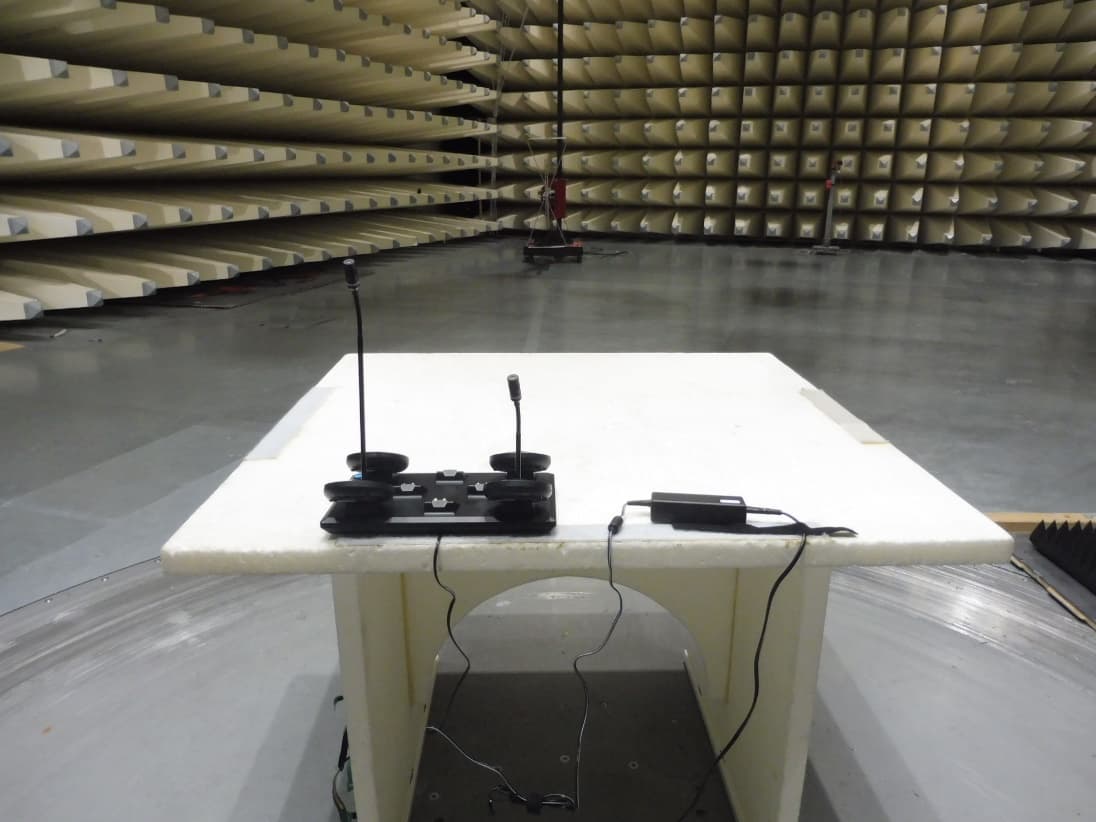
A6RRMWMIC
Feb 09, 2021Wireless Microphone
Equipment Class
PUB - Part 15 Unlicensed PCS Base Station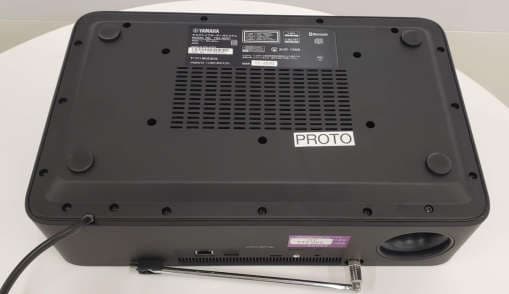
A6RTSXN237
Feb 08, 2021Desktop Audio System
Equipment Class
DCD - Part 15 Low Power Transmitter Below 1705 kHz