ABZ99FT3004GTX 900MHz Mobile Radio
Motorola Solutions, Inc.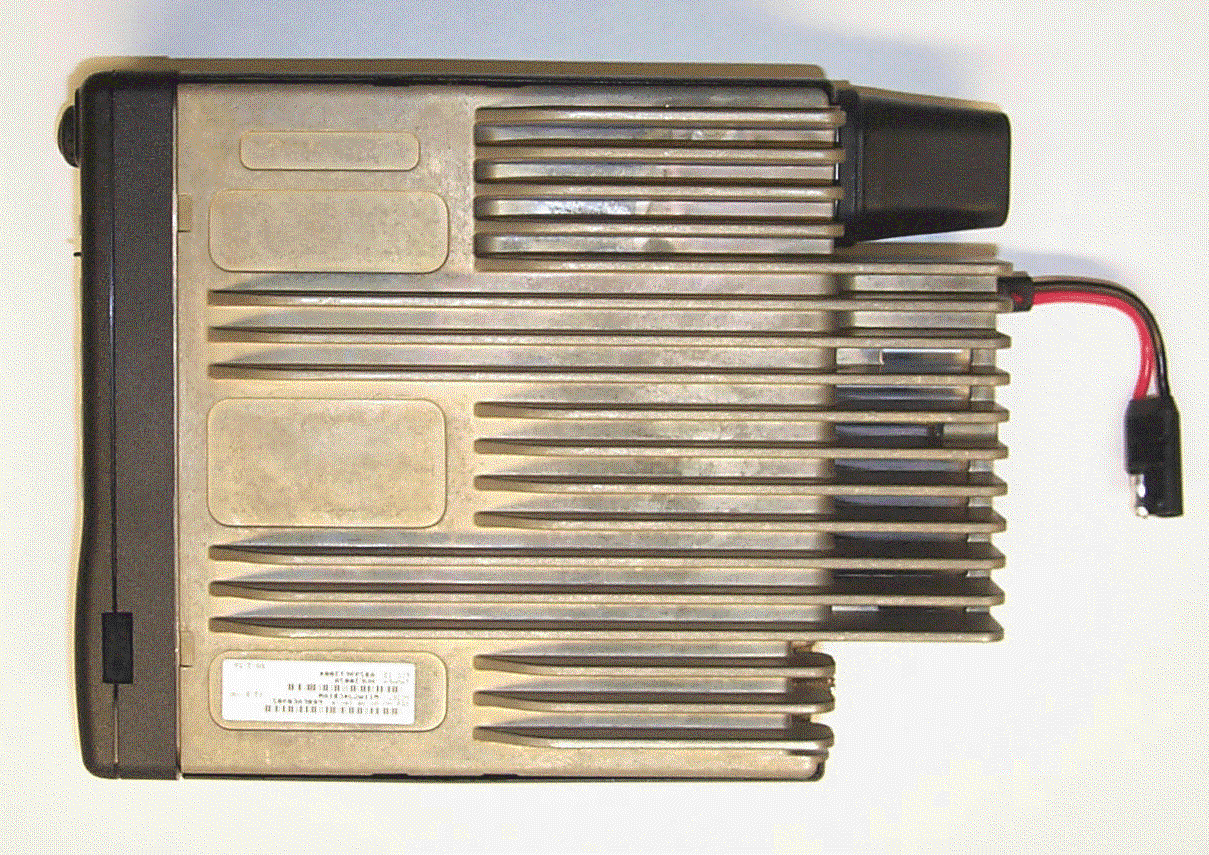
Click to zoom
Application Details
- Equipment Class
- TNB - Licensed Non-Broadcast Station Transmitter
- Date of Grant
- Oct 24, 2000
- Application Purpose
- Original Equipment
- Date of Application
- Jun 29, 2000
- Equipment Note
- GTX 900MHz Mobile Radio
- Frequency Range
- 935.00000000 - 941.00000000
- Company
- Motorola Solutions, Inc.
- Country
- United States
Documents & Files
Document Text
Text extracted from the exhibit documents filed with the FCC. Open a document above to read the original.
Users Manual
USER’SGUIDE GTX ™ LTR ® TRUNKED MOBILE RADIO , Motorola, GTX, Digital Private-Line are trademarks of Motorola. © 1999 by Motorola, Inc., Radio Products Group 1000 W. Washington St. Printed 1999. All Rights Reserved. 1 English CONTENTS Introduction General Information............................................................................................................... 3 Warnings, Cautions, and Notes............................................................................................. 3 Multiple Selection .................................................................................................................. 4 Talkgroup Selection ............................................................................................................... 4 Features and Advantages of Trunking................................................................................... 4 Getting Started Controls, Buttons, Indicators, and Connectors ...................................................................... 5 Display Icons ......................................................................................................................... 6 Display Character Summary ................................................................................................. 7 Alert Tone Indicators ............................................................................................................. 8 Basic Radio Operation Turning the Radio On / Off .................................................................................................... 9 Trunked Modes...................................................................................................................... 9 Selecting a Trunked Mode ............................................................................................... 9 Receiving a Call (Trunked Mode)................................................................................... 10 Transmitting on a Trunked Mode .................................................................................... 10 Conventional Channels ....................................................................................................... 11 Selecting a Conventional Channel ................................................................................. 11 Receiving a Call (Conventional Channels)..................................................................... 11 Transmitting on a Conventional Channel ....................................................................... 12 Monitoring ......................................................................................................................13 Trunked Telephone Operation Introduction.......................................................................................................................... 14 Making a Telephone Call ..................................................................................................... 14 Answering a Telephone Call ................................................................................................ 15 Scan Operation Introduction.......................................................................................................................... 16 Turning Scan On/Off............................................................................................................16 Types of Scan...................................................................................................................... 16 All Group Scan............................................................................................................... 16 System Scan.................................................................................................................. 16 User Scan ......................................................................................................................17 Programming/Viewing a Scan List ...................................................................................... 17 Nuisance Delete .................................................................................................................. 18 Talkback Delay .................................................................................................................... 18 Off-Hook Suspend Scan...................................................................................................... 18 Additional Features Horn/Lights .......................................................................................................................... 19 Data Compatability ..............................................................................................................19 GTX LTR Mobile Radio User Guide 2 English Accessories................................................................................................................................................ 20 Important General Safety Information Restrictions ......................................................................................................................... 21 Operational Warnings.......................................................................................................... 21 Exposure to Radio Frequency Energy ................................................................................ 22 Electromagnetic Interference/Compatibility ......................................................................... 23 General Safety Information ................................................................................................. 24 Troubleshooting ................................................................................................................... 25 Parts Information ................................................................................................................. 26 Computer Software Copyrights ........................................................................................... 26 GTX LTR Mobile…
Text truncated - open the document above for the full version.
Users Manual
USER’SGUIDE GTX ™ Privacy Plus ® TRUNKED MOBILE RADIO , Motorola, GTX, Digital Private-Line are trademarks of Motorola. © 1999 by Motorola, Inc., Radio Products Group 1000 W. Washington St. Printed 1999. All Rights Reserved. 1 English CONTENTS Introduction General Information............................................................................................................... 3 Warnings, Cautions, and Notes............................................................................................. 3 Multiple Selection .................................................................................................................. 4 Talkgroup Selection ............................................................................................................... 4 Features and Advantages of Trunking................................................................................... 4 Getting Started Controls, Buttons, Indicators, and Connectors ...................................................................... 5 Display Icons ......................................................................................................................... 6 Display Character Summary ................................................................................................. 7 Alert Tone Indicators ............................................................................................................. 8 Basic Radio Operation Turning the Radio On / Off .................................................................................................. 10 Trunked Modes.................................................................................................................... 10 Selecting a Trunked Mode ............................................................................................. 10 Receiving a Call (Trunked Mode)................................................................................... 11 Transmitting on a Trunked Mode .................................................................................... 11 Failsoft Operation (Trunked Modes) ............................................................................... 12 Conventional Channels ....................................................................................................... 12 Selecting a Conventional Channel ................................................................................. 12 Receiving a Call (Conventional Channels)..................................................................... 12 Transmitting on a Conventional Channel ....................................................................... 13 Monitoring ......................................................................................................................14 Call Alert Operation Introduction.......................................................................................................................... 15 Sending a Call Alert ............................................................................................................15 Receiving a Call Alert..........................................................................................................16 Trunked Private Conversation™ Call Operation Introduction.......................................................................................................................... 17 Sending a Private Conversation Call................................................................................... 17 Receiving a Private Conversation Call ................................................................................ 17 Trunked Enhanced Private Conversation™ Call Operation (900 MHz only) Introduction.......................................................................................................................... 18 Sending an Enhanced Private Conversation Call................................................................ 18 Receiving an Enhanced Private Conversation Call ............................................................. 19 Trunked Telephone Operation Introduction.......................................................................................................................... 20 Making a Telephone Call ..................................................................................................... 20 Answering a Telephone Call ................................................................................................ 21 GTX Privacy Plus Mobile Radio User Guide 2 English SmartZone Features Introduction.......................................................................................................................... 22 Site Lock / Unlock................................................................................................................ 22 Enabling Site Lock ......................................................................................................... 22 Enabling Site Unlock ...................................................................................................... 22 Forced Site Search..............................................................................................................23 SmartZone Forced Site Search Introduction.......................................................................................................................... 23 Scan Operation Introduction.......................................................................................................................... 24 Turning Scan On/Off............................................................................................................24 Programming/Viewing a Scan List ...................................................................................... 24 Nuisance Delete .................................................................................................................. 25 Talkback Delay .........................................…
Text truncated - open the document above for the full version.
Users Manual
GTX ™ Mobile Radio for LTR ® Systems Trunked Mobile Radio User Guide 6880907Z20-O gtx_ltr_cov_eng.qxd 3/7/00 2:46 PM Page 1 , Motorola, GTX, Private-Line, and Digital Private-Line are trademarks of Motorola, Inc. LTR is a registered trademark of E.F. Johnson Company. © 2000 by Motorola, Inc. 1000 W. Washington St. Printed 2000. All Rights Reserved. 1 English CONTENTS Introduction General Information............................................................................................................... 3 Warnings, Cautions, and Notes............................................................................................. 3 Multiple Selection .................................................................................................................. 3 Talkgroup Selection ............................................................................................................... 4 Features and Advantages of Trunking................................................................................... 4 Getting Started Controls, Buttons, Indicators, and Connectors ...................................................................... 5 Display Icons ......................................................................................................................... 6 Display Character Summary ................................................................................................. 7 Alert Tone Indicators ............................................................................................................. 8 Basic Radio Operation Turning the Radio On / Off .................................................................................................... 9 Trunked Modes...................................................................................................................... 9 Selecting a Trunked Mode ............................................................................................... 9 Receiving a Call (Trunked Mode)................................................................................... 10 Transmitting on a Trunked Mode .................................................................................... 10 Conventional Channels ....................................................................................................... 11 Selecting a Conventional Channel ................................................................................. 11 Receiving a Call (Conventional Channels)..................................................................... 11 Transmitting on a Conventional Channel ....................................................................... 12 Monitoring ......................................................................................................................13 Trunked Telephone Operation Introduction.......................................................................................................................... 14 Making a Telephone Call ..................................................................................................... 14 Answering a Telephone Call ................................................................................................ 15 Scan Operation Introduction.......................................................................................................................... 16 Turning Scan On/Off............................................................................................................16 Types of Scan...................................................................................................................... 16 All Group Scan............................................................................................................... 16 System Scan.................................................................................................................. 16 User Scan ......................................................................................................................17 Programming/Viewing a Scan List ...................................................................................... 17 Nuisance Delete .................................................................................................................. 18 Talkback Delay .................................................................................................................... 18 Off-Hook Suspend Scan...................................................................................................... 18 Additional Features Horn/Lights .......................................................................................................................... 19 Data Capability .................................................................................................................... 19 GTX LTR Mobile Radio User Guide 2 English Accessories................................................................................................................................................ 20 Important General Safety Information Restrictions ......................................................................................................................... 21 Operational Warnings.......................................................................................................... 21 Exposure to Radio Frequency Energy ................................................................................ 22 Electromagnetic Interference/Compatibility ......................................................................... 23 General Safety Information ................................................................................................. 24 Troubleshooting ................................................................................................................... 25 Parts Information ................................................................................................................. 26…
Text truncated - open the document above for the full version.
Users Manual
GTX ™ Mobile Radio for Privacy Plus ® Systems Trunked Mobile Radio User Guide 6880907Z19-O gtx_pp_cov_eng.qxd 3/7/00 11:41 AM Page 1 , Motorola, GTX, Privacy Plus, Private-Line, Digital Private-Line, Private Conversation, and Call Alert are trademarks of Motorola, Inc. © 2000 by Motorola, Inc. 1000 W. Washington St. Printed 2000. All Rights Reserved. 1 English CONTENTS Introduction General Information............................................................................................................... 3 Warnings, Cautions, and Notes............................................................................................. 3 Multiple Selection .................................................................................................................. 3 Talkgroup Selection ............................................................................................................... 4 Features and Advantages of Trunking................................................................................... 4 Getting Started Controls, Buttons, Indicators, and Connectors ...................................................................... 5 Display Icons ......................................................................................................................... 6 Display Character Summary ................................................................................................. 7 Alert Tone Indicators ............................................................................................................. 8 Basic Radio Operation Turning the Radio On / Off .................................................................................................. 10 Trunked Modes.................................................................................................................... 10 Selecting a Trunked Mode ............................................................................................. 10 Receiving a Call (Trunked Mode)................................................................................... 11 Transmitting on a Trunked Mode .................................................................................... 11 Failsoft Operation (Trunked Modes) ............................................................................... 12 Conventional Channels ....................................................................................................... 12 Selecting a Conventional Channel ................................................................................. 12 Receiving a Call (Conventional Channels)..................................................................... 12 Transmitting on a Conventional Channel ....................................................................... 13 Monitoring ......................................................................................................................14 Call Alert™ Operation Introduction.......................................................................................................................... 15 Sending a Call Alert ............................................................................................................15 Receiving a Call Alert..........................................................................................................16 Trunked Private Conversation™ Call Operation Introduction.......................................................................................................................... 17 Sending a Private Conversation Call................................................................................... 17 Receiving a Private Conversation Call ................................................................................ 17 Trunked Enhanced Private Conversation™ Call Operation (900 MHz only) Introduction.......................................................................................................................... 18 Sending an Enhanced Private Conversation Call................................................................ 18 Receiving an Enhanced Private Conversation Call ............................................................. 19 Trunked Telephone Operation Introduction.......................................................................................................................... 20 Making a Telephone Call ..................................................................................................... 20 Answering a Telephone Call ................................................................................................ 21 GTX Privacy Plus Mobile Radio User Guide 2 English Limited SmartZone Operation Introduction.......................................................................................................................... 22 Site Lock / Unlock................................................................................................................ 22 Enabling Site Lock ......................................................................................................... 22 Enabling Site Unlock ...................................................................................................... 23 Forced Site Search..............................................................................................................23 Scan Operation Introduction.......................................................................................................................... 24 Turning Scan On/Off............................................................................................................24 Programming/Viewing a Scan List ...................................................................................... 24 Nuisance Delete .................................................................................................................. 25 Talkback Delay ......................................................................…
Text truncated - open the document above for the full version.
Attestation Statements
MOTOROLA INCFCC ID: ABZ99FT3004 EXHIBIT 3 ATTESTATION STATEMENTS The technical data supplied with this application, having been taken under my supervision, is hereby duly certified. The following is a statement of my qualifications: 1) BSEEIllinois Institute of Technology, Chicago, IL MSEEIllinois Institute of Technology, Chicago 2) 32 years experience in the development, testing and certification of Land Mobile Communications Products NAME:Robert O. Loving, Jr. SIGNATURE: DATE: June 23, 2000 POSITION:Principal Staff Engineer I hereby certify that the above application was prepared under my direction and that to the best of my knowledge and belief, the facts set forth in the application and accompanying technical data are true and correct: NAME:Jean-Robert Achille SIGNATURE: DATE:June 23, 2000 POSITION: Engineering Section Manager
Block Diagram
MOTOROLA INC.FCC ID: ABZ99FT3004 EXHIBIT 5 BLOCK DIAGRAMS A general description of the overall circuit is covered in the instruction manual. This section provides the description of circuits required by subpart 2.983 of the Commissions’ rules. Circuits not described in the manual are covered in this exhibit. This exhibit contains descriptions of the frequency generation, modulation and transmitter circuits in accordance with FCC Rules Part 2.983(d). The following descriptions are included: EXHIBIT 5A - Means for Frequency Stabilization, 2.983 (d) 10 EXHIBIT 5B - Means for Limiting Modulation and Attenuation of Higher Audio Frequencies, 2.983 (d) 11 EXHIBIT 5C - Means for Attenuation of Spurious Emissions, 2.983 (d) 11 EXHIBIT 5D - Means for Limiting Power Output, 2.983 (d) 11 EXHIBIT 5E - Modulation Techniques, 2.983 (d) 12 MOTOROLA INC.FCC ID: ABZ99FT3004 EXHIBIT 5A MEANS FOR FREQUENCY STABILIZATION Circuit Description: A 16.8 MHz Temperature Controlled Crystal Oscillator (TCXO), U5700 (a “Pendulum” oscillator), maintains frequency stability of the transmitted carrier. The TCXO features low current drain and a ±1.5-ppm frequency versus temperature capability. In addition, this TCXO offers digital tuning and a temperature referenced 5 bit Digital to Analog Converter (DAC). Frequency tuning has 128 steps of resolution. The 16.8 MHz output frequency of the TCXO is divided into one of three reference frequencies in the fractional-N frequency synthesizer IC, U5702. These reference frequencies are compared to the divided outputs of the VCOs in a phase detector. The output of the phase detector provides a DC correction voltage back to the VCOs. The carrier frequency for conventional operation, in the range of 896 to 902 MHz, is generated using a Bipolar Transistor, Q5706, configured as a voltage controlled oscillator (VCO). The Q5706 VCO also supplies the injection power for the first mixer of the receiver. The carrier frequency for talk-around operation, in the range of 937 to 943 MHz, is generated using a Bipolar Transistor, Q5704, configured as a voltage controlled oscillator (VCO). Only one VCO is operating during transmissions. The output of one or the other of the VCOs is applied to the input of fractional-N, frequency synthesizer integrated circuit, U5702. U5702 consists of a phase-locked loop circuit with the output of the VCOs fed to a programmable divider chain. The divide ratios are determined from information stored in the Electrically Erasable Programmable Read Only Memory (EEPROM) in the microcomputer, U0101, and bussed to the synthesizer. The microcomputer extracts the data for the division ratios as determined by the mode (channel) of operation selected. Using a time averaged algorithm a combination of divide ratios is used so that the reference frequency can be a much higher value than the value of the frequency resolution. Modulation occurs by a combination of directly coupling the modulation signal to the low pass filter in the loop and by processing the modulation signal to alter the divider values. A block diagram of the VCO/Synthesizer system is shown in Figure 5.1. Figure 5.1 – Carrier Frequency Generation and Stabilization MOTOROLA INC.FCC ID: ABZ99FT3004 EXHIBIT 5B MEANS FOR LIMITING MODULATION AND ATTENUATION OF HIGHER AUDIO FREQUENCIES Circuit Description: Modulation limiting is accomplished within the custom audio processor IC, U0201 (“ASFIC”). The limiting action itself occurs at the rails (i.e., 5V and ground). Using an operational amplifier with feedback, very hard limiting is obtained. The limited modulation signal output of the limiter is applied to a low-pass filter in U0201. The filter is a fifth-order, Butterworth switched capacitor filter with the 3-dB roll-off corner frequency located at 3250 Hz. The output of the low-pass filter is applied to the input of the electronic attenuator. The electronic attenuator is controlled by the microcomputer of the transceiver. To keep the deviation constant over the RF frequency range, the microcomputer adds the proper correction factor to the attenuator. A block diagram of the limiting and low pass filtering is shown in figure 5.2. Figure 5.2 – Transmitter Modulation Limiting and Lowpass Filtering MOTOROLA INC.FCC ID: ABZ99FT3004 EXHIBIT 5C MEANS FOR ATTENUATION OF SPURIOUS EMISSIONS Circuit Description: The final stage of the RF power amplifier circuit feeds a low-pass filter in order to attenuate harmonics of the output frequency as well as spurious outputs. The filter is a seventh-order, 0.1 dB Chebychev design using LC reactive elements. Shielding of the transmitter RF power amplifier circuit also attenuates spurious emissions. The circuit diagram may be found in Figure 5.3. U U U U U U U U U U U U U U U U U U U U U U U U U U U U U U U U C1 3.0 p F C9 3.0 p F Figure 5.3 – Transmitter Lowpass Filter MOTOROLA INC.FCC ID: ABZ99FT3004 EXHIBIT 5D MEANS FOR LIMITING POWER OUTPUT Circuit Description A forward power detecting, current sensing ALC loop regulates the output power of the transmitter. The forward power detector is placed after the harmonic filter and before the antenna connector. The f…
Text truncated - open the document above for the full version.
Contact Information
Applicant
Matthew Nawrocki
Technical Contact
Motorola,IncRobert O Loving, Jr.
[email protected]847 576-3693
5201 Tollview Dr. · Rolling Meadows, Illinois · United States
Non-Technical Contact
Motorola,IncDonna Tokarz
[email protected]847 576-7245
Technical Specifications
| # | Rule Parts | Frequency Range | Power Output | Emission | Tolerance |
|---|---|---|---|---|---|
| 3 | 9 | 935 MHz - 941 MHz | 35 W | 11K0F3E | 1.5 ppm |
Other Applications from Motorola Solutions, Inc.

ABZ89FT4940
Aug 06, 2026Non Broadcast Transmitter
Equipment Class
TNB - Licensed Non-Broadcast Station TransmitterABZ89FT4950
Jun 25, 2026Non-Broadcast Transmitter
Equipment Class
TNB - Licensed Non-Broadcast Station TransmitterABZ89FT5901
Jun 20, 2024Non Broadcast Transmitter
Equipment Class
TNB - Licensed Non-Broadcast Station Transmitter
ABZ99FT5101B
May 02, 2023Non Broadcast Transmitter
Equipment Class
PCB - PCS Licensed Transmitter
ABZ99FT3095B
Mar 26, 2023Non Broadcast Transmitter
Equipment Class
TNB - Licensed Non-Broadcast Station Transmitter