ABZ99FT3039GP150/GP200/PR400 VHF 5W Portable Radio
Motorola Solutions, Inc.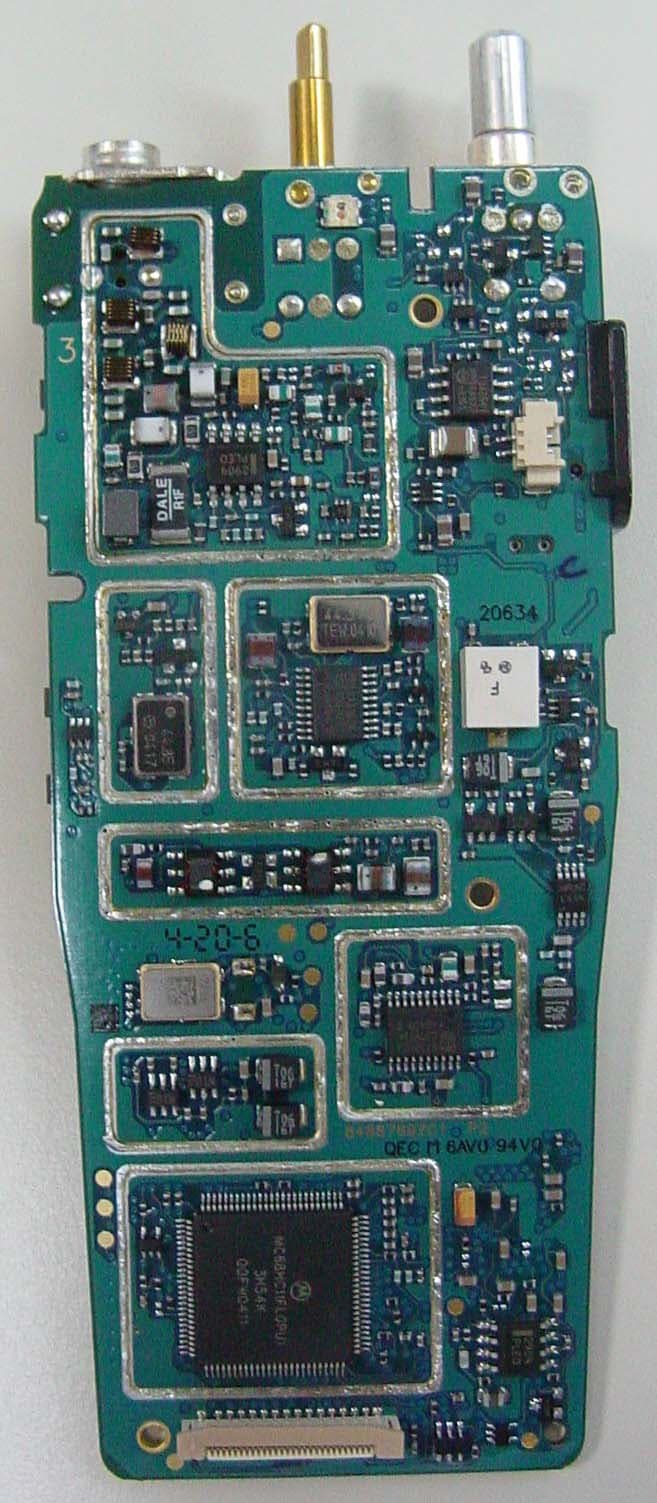
Click to zoom
Application Details
- Equipment Class
- TNF - Licensed Non-Broadcast Transmitter Held to Face
- Date of Grant
- Aug 25, 2004
- Application Purpose
- Original Equipment
- Date of Application
- Jun 22, 2004
- Equipment Note
- GP150/GP200/PR400 VHF 5W Portable Radio
- Frequency Range
- 136.00000000 - 162.00000000
- Company
- Motorola Solutions, Inc.
- Country
- United States
Documents & Files
Document Text
Text extracted from the exhibit documents filed with the FCC. Open a document above to read the original.
Users Manual
MOTOROLA, the Stylized M Logo, and Radius are registered in the US Patent & Trademark Office.All other product or service names are the property of their respective owners. © Motorola, Inc. 2002, 2003. All rights reserved. Printed in U.S.A.MOTOROLA, le logotype au M stylisé et Radius sont enregistrés auprès du Bureau des marques et brevets des États-Unis.Tous les autres noms de produits et de services sont la propriété de leurs titulaires respectifs.© Motorola, Inc. 2002, 2003. Tous droits réservés. Imprimé aux États-Unis. *6880309N60*6880309N60-A CP150 ™ /CP200 ™ Commercial SeriesTwo-Way Radio User GuideManuel de l'utilisateurde la radio bidirectionnelle 309N60-A_cvr.qxd 8/19/2003 10:43 AM Page 1 1 English CONTENTS CONTENTS Computer Software Copyrights . . . . . . . . . . 2Safety and Warranty . . . . . . . . . . . . . . . . . 3Product Safety and RF Exposure Compliance . . . . . . . . . . . . . . . . . . . . . . . . 3 Battery Information . . . . . . . . . . . . . . . . . . . 3 Charging Batteries . . . . . . . . . . . . . . . . . 3 Limited Warranty . . . . . . . . . . . . . . . . . . . . . 4Introduction . . . . . . . . . . . . . . . . . . . . . . . . 9Conventional Radio Systems . . . . . . . . . . . 9CP150™/CP200™ Radio Features . . . . . . 9 Radio Wide Features . . . . . . . . . . . . . . . 9Signaling Features . . . . . . . . . . . . . . . . . 9 Radio Overview . . . . . . . . . . . . . . . . . . . . 11Parts of the Radio . . . . . . . . . . . . . . . . . . . 11 CP150/CP200 Models . . . . . . . . . . . . . 11On/Off/Volume Knob . . . . . . . . . . . . . . 12Channel Selector Knob . . . . . . . . . . . . 12Push-to-Talk (PTT) Button . . . . . . . . . . 12Microphone . . . . . . . . . . . . . . . . . . . . . 12LED Indicator . . . . . . . . . . . . . . . . . . . . 12Programmable Buttons . . . . . . . . . . . . 13 Indicator Tones . . . . . . . . . . . . . . . . . . . . . 15Audio Indicators for Programmable Buttons . . . . . . . . . . . . . . . . . . . . . . . . . . 15 Improved Audio Features . . . . . . . . . . . . . 16 Companding . . . . . . . . . . . . . . . . . . . . 16 Getting Started . . . . . . . . . . . . . . . . . . . . 17Battery Information . . . . . . . . . . . . . . . . . . 17 Charging Your Battery . . . . . . . . . . . . . 17 Wall Charger. . . . . . . . . . . . . . . . . . . . . . . 17Desktop Chargers. . . . . . . . . . . . . . . . . . . 18 Rapid Charger . . . . . . . . . . . . . . . . . . . 18Slow Charger . . . . . . . . . . . . . . . . . . . . 19 Accessory Information . . . . . . . . . . . . . . . 20 Attaching the Battery . . . . . . . . . . . . . . 20Removing the Battery . . . . . . . . . . . . . 20Attaching the Antenna . . . . . . . . . . . . . 21Removing the Antenna . . . . . . . . . . . . 21Attaching the Belt Clip . . . . . . . . . . . . . 22Removing the Belt Clip . . . . . . . . . . . . 22 Turning the Radio On or Off . . . . . . . . . . . 23Adjusting the Volume . . . . . . . . . . . . . . . . 23Selecting a Radio Channel . . . . . . . . . . . . 23Receiving . . . . . . . . . . . . . . . . . . . . . . . . . 24Monitoring . . . . . . . . . . . . . . . . . . . . . . . . . 24Transmitting . . . . . . . . . . . . . . . . . . . . . . . 24VOX Operation . . . . . . . . . . . . . . . . . . . . . 25 Connecting a VOX Headset . . . . . . . . 25Enabling or Disabling VOX . . . . . . . . . 25 Enable/Disable Headset Sidetone . . . . . . 25 VOX Headset. . . . . . . . . . . . . . . . . . . . 25Non-VOX Headset with In-Line PTT . . 26 Non-displayTOC.fm Page 1 M onday, November 17, 2003 1:55 PM 2 English CONTENTS Repeater or Talkaround Mode . . . . . . . . . 26Setting Tight or Normal Squelch. . . . . . . . 26Setting the Power Level . . . . . . . . . . . . . . 27Radio Calls . . . . . . . . . . . . . . . . . . . . . . . 29Receiving a Selective Call . . . . . . . . . . . . 29Receiving a Call Alert Page . . . . . . . . . . . 29Scan . . . . . . . . . . . . . . . . . . . . . . . . . . . . . 31Talkback . . . . . . . . . . . . . . . . . . . . . . . . . . 31Starting System Scan . . . . . . . . . . . . . . . . 31Stopping System Scan . . . . . . . . . . . . . . . 31Starting Auto Scan . . . . . . . . . . . . . . . . . . 31Stopping Auto Scan . . . . . . . . . . . . . . . . . 31Deleting a Nuisance Channel . . . . . . . . . . 32 Restoring a Channel to the Scan List . 32 Prioritizing a Scan List Member . . . . . . . . 33Accessories . . . . . . . . . . . . . . . . . . . . . . 35Carry Accessories. . . . . . . . . . . . . . . . . . . 35Chargers . . . . . . . . . . . . . . . . . . . . . . . . . . 35Batteries . . . . . . . . . . . . . . . . . . . . . . . . . . 35Headsets . . . . . . . . . . . . . . . . . . . . . . . . . 36Surveillance Accessories . . . . . . . . . . . . . 36Remote Speaker Microphones . . . . . . . . . 37Ear Microphone Systems . . . . . . . . . . . . . 37Antennas . . . . . . . . . . . . . . . . . . . . . . . . . 38Miscellaneous . . . . . . . . . . . . . . . . . . . . . . 38 COMPUTER SOFTWARE COPYRIGHTSThe Motorola products described in this manual may include copyrighted Motorola computer programs stored in semiconductor memories or other media. Laws in the United States and other countries preserve for Motorola certain exclusive rights for copyrighted computer programs including, but not limited to, the exclusive right to copy or reproduce in any form the copyrighted computer program. Accordingly, any copyrighted Motorola computer programs contained in the Motorola products described in this manual may not be copied, reproduced, modified, reverse-engineered, or distributed in any manner without the express written permission of Motorola. Furthermore, the purchase of Motorola products shall not be deemed to grant either directly or by implication, estoppel, or otherwise, any license under the copyrights, patents or patent applications of Motorola, except for the normal non-exclusive license to use that arises by operation of law in the sale of a product. Non-displayTOC.fm Page 2 M onday, November 17, 2003 1:…
Text truncated - open the document above for the full version.
Users Manual
MOTOROLA, the Stylized M Logo, and Radius are registered in the US Patent & Trademark Office.All other product or service names are the property of their respective owners. © Motorola, Inc. 2003. All rights reserved. Printed in U.S.A.MOTOROLA, le logotype au M stylisé et Radius sont enregistrés auprès du Bureau des marques et brevets des États-Unis.Tous les autres noms de produits et de services sont la propriété de leurs titulaires respectifs.© Motorola, Inc. 2003. Tous droits réservés. Imprimé aux États-Unis. *6881096C27*6881096C27-O PR400 ™ Commercial SeriesTwo-Way Radio User GuideManuel de l'utilisateurde la radio bidirectionnelle 96C27-O_cvr.qxd 9/23/2003 4:21 PM Page 1 COMPUTER SOFTWARE COPYRIGHTSThe Motorola products described in this manual may include copyrighted Motorola computer programs stored in semiconductor memories or other media. Laws in the United States and other countries preserve for Motorola certain exclusive rights for copyrighted computer programs including, but not limited to, the exclusive right to copy or reproduce in any form the copyrighted computer program. Accordingly, any copyrighted Motorola computer programs contained in the Motorola products described in this manual may not be copied, reproduced, modified, reverse-engineered, or distributed in any manner without the express written permission of Motorola. Furthermore, the purchase of Motorola products shall not be deemed to grant either directly or by implication, estoppel, or otherwise, any license under the copyrights, patents or patent applications of Motorola, except for the normal non-exclusive license to use that arises by operation of law in the sale of a product. EnglishTOC.fm Page 0 Tuesday, August 12, 2003 10:51 AM 1 English CONTENTS CONTENTS Computer Software Copyrights . . . inside coverSafety . . . . . . . . . . . . . . . . . . . . . . . . . . . . . . 3Product Safety and RF Exposure Compliance . . . . . . . . . . . . . . . . . . . . . . . . . 3 Introduction . . . . . . . . . . . . . . . . . . . . . . . . . 5Conventional Radio Systems . . . . . . . . . . . . 5PR400™ Radio Features . . . . . . . . . . . . . . . 5 Radio Wide Features . . . . . . . . . . . . . . . . 5Signaling Features . . . . . . . . . . . . . . . . . . 5 Radio Overview . . . . . . . . . . . . . . . . . . . . . . 7Accessory Information. . . . . . . . . . . . . . . . . . 8 Attach the Battery . . . . . . . . . . . . . . . . . . 8Remove the Battery . . . . . . . . . . . . . . . . . 8Attach the Antenna . . . . . . . . . . . . . . . . . 9Remove the Antenna . . . . . . . . . . . . . . . . 9Attach the Belt Clip . . . . . . . . . . . . . . . . 10Remove the Belt Clip . . . . . . . . . . . . . . . 10 Battery Information . . . . . . . . . . . . . . . . . . . 11 Charging Your Battery . . . . . . . . . . . . . . 11 Wall Charger . . . . . . . . . . . . . . . . . . . . . . . . 12Desktop Chargers . . . . . . . . . . . . . . . . . . . . 12 Rapid Charger . . . . . . . . . . . . . . . . . . . . 12 Slow Charger. . . . . . . . . . . . . . . . . . . . . . 13 Battery Charge Status . . . . . . . . . . . . . . . . . 14LED Indicator . . . . . . . . . . . . . . . . . . . . . . . . 14Indicator Tones. . . . . . . . . . . . . . . . . . . . . . . 15Programmable Buttons. . . . . . . . . . . . . . . . . 16Getting Started . . . . . . . . . . . . . . . . . . . . . . 19Turn the Radio On or Off . . . . . . . . . . . . . . . 19Adjust the Volume . . . . . . . . . . . . . . . . . . . . 19Select a Radio Channel . . . . . . . . . . . . . . . . 19Receive. . . . . . . . . . . . . . . . . . . . . . . . . . . . . 20Monitor . . . . . . . . . . . . . . . . . . . . . . . . . . . . . 20 Permanent Monitor . . . . . . . . . . . . . . . . . 20 Transmit . . . . . . . . . . . . . . . . . . . . . . . . . . . . 21Repeater or Talkaround Mode. . . . . . . . . . . 21VOX Operation . . . . . . . . . . . . . . . . . . . . . . . 21 Connecting a VOX Headset . . . . . . . . . . 21Enable or Disable VOX . . . . . . . . . . . . . . 21 Enable/Disable Headset Sidetone . . . . . . . . 22 VOX Headset . . . . . . . . . . . . . . . . . . . . . 22Non-VOX Headset with In-Line PTT . . . . 22 Escalert. . . . . . . . . . . . . . . . . . . . . . . . . . . . . 23Set Squelch Level. . . . . . . . . . . . . . . . . . . . . 23Set Power Level . . . . . . . . . . . . . . . . . . . . . . 23Option Board On/Off. . . . . . . . . . . . . . . . . . . 23 EnglishTOC.fm Page 1 Friday, August 15, 2003 11:30 AM 2 English CONTENTS Radio Calls . . . . . . . . . . . . . . . . . . . . . . . . .25Selective Radio Inhibit . . . . . . . . . . . . . . . . .25Receive a Selective Call . . . . . . . . . . . . . . . .25Receive a Call Alert™ Page . . . . . . . . . . . . .25Scan . . . . . . . . . . . . . . . . . . . . . . . . . . . . . . .27Talkback . . . . . . . . . . . . . . . . . . . . . . . . . . . .27Start System Scan . . . . . . . . . . . . . . . . . . . .27Stop System Scan . . . . . . . . . . . . . . . . . . . .27Start Auto Scan . . . . . . . . . . . . . . . . . . . . . .27Stop Auto Scan. . . . . . . . . . . . . . . . . . . . . . .28Delete a Nuisance Channel . . . . . . . . . . . . .28 Restore Channels to the Scan List . . . . .28 Warranty . . . . . . . . . . . . . . . . . . . . . . . . . . .29Limited Warranty. . . . . . . . . . . . . . . . . . . . . .29Accessories . . . . . . . . . . . . . . . . . . . . . . . .33Antennas . . . . . . . . . . . . . . . . . . . . . . . . . . .33Audio Accessory . . . . . . . . . . . . . . . . . . . . . .33Batteries . . . . . . . . . . . . . . . . . . . . . . . . . . . .33Carry Accessories. . . . . . . . . . . . . . . . . . . . .33Chargers . . . . . . . . . . . . . . . . . . . . . . . . . . . .34Headsets . . . . . . . . . . . . . . . . . . . . . . . . . . .34Surveillance Accessories . . . . . . . . . . . . . . .35Remote Speaker Microphones . . . . . . . . . . .36Miscellaneous . . . . . . . . . . . . . . . . . . . . . . . .36 EnglishTOC.fm Page 2 Thursday, August 14, 2003 2:37 PM 3 English SAFETY SAFETY…
Text truncated - open the document above for the full version.
Users Manual
MOTOROLA, the Stylized M Logo, and Radius are registered in the US Patent & Trademark Office.All other product or service names are the property of their respective owners. © Motorola, Inc. 2003. All rights reserved. Printed in U.S.A.MOTOROLA, le logotype au M stylisé et Radius sont enregistrés auprès du Bureau des marques et brevets des États-Unis.Tous les autres noms de produits et de services sont la propriété de leurs titulaires respectifs.© Motorola, Inc. 2003. Tous droits réservés. Imprimé aux États-Unis. *6881096C23*6881096C23-O PR400 ™ Commercial SeriesTwo-Way Radio User GuideManuel de l'utilisateurde la radio bidirectionnelle 96C23-O_cvr.qxd 9/23/2003 2:29 PM Page 1 COMPUTER SOFTWARE COPYRIGHTSThe Motorola products described in this manual may include copyrighted Motorola computer programs stored in semiconductor memories or other media. Laws in the United States and other countries preserve for Motorola certain exclusive rights for copyrighted computer programs including, but not limited to, the exclusive right to copy or reproduce in any form the copyrighted computer program. Accordingly, any copyrighted Motorola computer programs contained in the Motorola products described in this manual may not be copied, reproduced, modified, reverse-engineered, or distributed in any manner without the express written permission of Motorola. Furthermore, the purchase of Motorola products shall not be deemed to grant either directly or by implication, estoppel, or otherwise, any license under the copyrights, patents or patent applications of Motorola, except for the normal non-exclusive license to use that arises by operation of law in the sale of a product. EnglishTOC.fm Page 0 Thursday, August 14, 2003 2:16 PM 1 English CONTENTS CONTENTS Computer Software Copyrights . . . inside coverSafety . . . . . . . . . . . . . . . . . . . . . . . . . . . . . . 5Product Safety and RF Exposure Compliance . . . . . . . . . . . . . . . . . . . . . . . . . 5 Introduction . . . . . . . . . . . . . . . . . . . . . . . . . 7Conventional Radio Systems . . . . . . . . . . . . 7PR400™ Radio Features . . . . . . . . . . . . . . . 7 Radio Wide Features . . . . . . . . . . . . . . . . 7Signaling Features . . . . . . . . . . . . . . . . . . 7 Radio Overview . . . . . . . . . . . . . . . . . . . . . . 9Accessory Information. . . . . . . . . . . . . . . . . 10 Attach the Battery . . . . . . . . . . . . . . . . . 10Remove the Battery . . . . . . . . . . . . . . . . 10Attach the Antenna . . . . . . . . . . . . . . . . 11Remove the Antenna . . . . . . . . . . . . . . . 11Attach the Belt Clip . . . . . . . . . . . . . . . . 12Remove the Belt Clip . . . . . . . . . . . . . . . 12 Battery Information . . . . . . . . . . . . . . . . . . . 13 Charging Your Battery . . . . . . . . . . . . . . 13 Wall Charger . . . . . . . . . . . . . . . . . . . . . . . . 14Desktop Chargers . . . . . . . . . . . . . . . . . . . . 14 Rapid Charger . . . . . . . . . . . . . . . . . . . . 14 Slow Charger. . . . . . . . . . . . . . . . . . . . . . 15 Battery Charge Status . . . . . . . . . . . . . . . . . 16LED Indicator . . . . . . . . . . . . . . . . . . . . . . . . 16Display . . . . . . . . . . . . . . . . . . . . . . . . . . . . . 17DTMF Keypad . . . . . . . . . . . . . . . . . . . . . . . 18Indicator Tones. . . . . . . . . . . . . . . . . . . . . . . 19Programmable Buttons. . . . . . . . . . . . . . . . . 20Menu Buttons . . . . . . . . . . . . . . . . . . . . . . . . 24 Menu Button . . . . . . . . . . . . . . . . . . . . . . 24Menu Scroll Buttons . . . . . . . . . . . . . . . . 24Navigate the Menu . . . . . . . . . . . . . . . . . 24 Getting Started . . . . . . . . . . . . . . . . . . . . . . 25Turn the Radio On or Off . . . . . . . . . . . . . . . 25Adjust the Volume . . . . . . . . . . . . . . . . . . . . 25Select a Radio Channel . . . . . . . . . . . . . . . . 25Receive. . . . . . . . . . . . . . . . . . . . . . . . . . . . . 26Monitor . . . . . . . . . . . . . . . . . . . . . . . . . . . . . 26 Permanent Monitor . . . . . . . . . . . . . . . . . 26 Transmit . . . . . . . . . . . . . . . . . . . . . . . . . . . . 27Repeater or Talkaround Mode . . . . . . . . . . . 27Home Revert Memory Channel (1 & 2) . . . . 28Store Memory Channel (1 & 2). . . . . . . . . . . 28VOX Operation . . . . . . . . . . . . . . . . . . . . . . . 28 Connecting a VOX Headset . . . . . . . . . . 28Enable or Disable VOX . . . . . . . . . . . . . . 28 Enable/Disable Headset Sidetone . . . . . . . . 29 EnglishTOC.fm Page 1 Friday, August 15, 2003 11:32 AM 2 English CONTENTS VOX Headset. . . . . . . . . . . . . . . . . . . . . .29Non-VOX Headset with In-Line PTT . . . .29 Keypad Lock/Unlock . . . . . . . . . . . . . . . . . . .29Program PL/DPL Codes . . . . . . . . . . . . . . . .30Radio Calls . . . . . . . . . . . . . . . . . . . . . . . . .31Selective Radio Inhibit . . . . . . . . . . . . . . . . .31Receive a Selective Call . . . . . . . . . . . . . . . .31Send a Selective Call . . . . . . . . . . . . . . . . . .31Receive a Call Alert™ Page . . . . . . . . . . . . .32Send a Call Alert Page . . . . . . . . . . . . . . . . .32Repeater Access . . . . . . . . . . . . . . . . . . . . .33Scan . . . . . . . . . . . . . . . . . . . . . . . . . . . . . . .35Talkback . . . . . . . . . . . . . . . . . . . . . . . . . . . .35Start System Scan . . . . . . . . . . . . . . . . . . . .35Stop System Scan . . . . . . . . . . . . . . . . . . . .36Start Auto Scan . . . . . . . . . . . . . . . . . . . . . .36Stop Auto Scan. . . . . . . . . . . . . . . . . . . . . . .36Delete a Nuisance Channel . . . . . . . . . . . . .37 Restore Channels to the Scan List . . . . .37 Edit a Scan List. . . . . . . . . . . . . . . . . . . . . . .37Add or Delete Channels . . . . . . . . . . . . . . . .38Prioritize a Channel in a Scan List . . . . . . . .39Phone. . . . . . . . . . . . . . . . . . . . . . . . . . . . . .41Access the Repeater . . . . . . . . . . . . . . . . . .41Receive a Phone Call . . . . . . …
Text truncated - open the document above for the full version.
Users Manual
DROITS D’AUTEUR DU LOGICIEL INFORMATIQUELes produits Motorola décrits dans ce manuel peuvent inclure des programmes informatiques Motorola protégés par les droits d’auteurs et stockés dans les mémoires des semi-conducteurs ou autres supports. La législation des États-Unis et celle d’autres pays confère à Motorola certains droits exclusifs pour les programmes informatiques protégés par les droits d’auteur y compris, mais sans en exclure d’autres, le droit exclusif de copier ou de reproduire, sous quelque forme que ce soit, le programme informatique protégé par les droits d’auteur. En conséquence, aucun programme informatique Motorola protégé par les droits d’auteurs et contenu dans les produits Motorola décrits dans ce manuel ne peut être copié, reproduit, modifié, décompilé ni distribué sous quelque forme que ce soit sans la permission écrite expresse de Motorola. De plus, l’achat de produits Motorola ne confère, de façon directe ou par inférence, préclusion ou autre, aucune licence dans le cadre des droits d’auteur, ni aucun brevet ou demande de brevet de Motorola, excepté pour la licence d’utilisation normale non- exclusive qui découle de l’effet de la loi dans la vente d’un produit. FrenchTOC.fm Page 0 Friday, January 30, 2004 11:45 AM 1 TABLE DES MATIÈRES Français TABLE DES MATIÈRES Droits d’auteur du logiciel informatique . . . . . . . . . . . . . . face intérieure Sécurité . . . . . . . . . . . . . . . . . . . . . . . . . . . . 5Sécurité du produit et conformité aux normes d’exposition à l’énergie de radiofréquence (RF) . . . . . . . . . . . . . . . . . . . . . . . . . . . . . . . 5 Introduction . . . . . . . . . . . . . . . . . . . . . . . . . 7Systèmes de radio conventionnels . . . . . . . . 7Fonctions de la radio PR400™ . . . . . . . . . . . 7 Fonctions générales de la radio . . . . . . . . 7Fonctions de signalisation . . . . . . . . . . . . 7 Schéma de la radio . . . . . . . . . . . . . . . . . . . 9Accessoires. . . . . . . . . . . . . . . . . . . . . . . . . 10 Installation de la batterie . . . . . . . . . . . . 10Retrait de la batterie. . . . . . . . . . . . . . . . 10Installation de l’antenne . . . . . . . . . . . . . 11Retrait de l’antenne . . . . . . . . . . . . . . . . 11Installation de la pince de ceinture. . . . . 12Retrait de la pince de ceinture . . . . . . . . 12 Batterie . . . . . . . . . . . . . . . . . . . . . . . . . . . . 13 Chargement de la batterie . . . . . . . . . . . 13 Chargeur mural . . . . . . . . . . . . . . . . . . . . . . 14 Chargeurs de bureau . . . . . . . . . . . . . . . . . . 14 Chargeur rapide . . . . . . . . . . . . . . . . . . . 14Chargeur lent. . . . . . . . . . . . . . . . . . . . . . 15 État de charge de la batterie . . . . . . . . . . . . 16Voyant DEL . . . . . . . . . . . . . . . . . . . . . . . . . 17Écran . . . . . . . . . . . . . . . . . . . . . . . . . . . . . . 17Clavier DTMF . . . . . . . . . . . . . . . . . . . . . . . . 19Tonalités . . . . . . . . . . . . . . . . . . . . . . . . . . . . 20Touches programmables . . . . . . . . . . . . . . . 21Touches de menu. . . . . . . . . . . . . . . . . . . . . 25 Touche Menu . . . . . . . . . . . . . . . . . . . . . 25Touches de défilement dans le menu . . . 25Naviguer dans le menu . . . . . . . . . . . . . . 25Quitter le menu . . . . . . . . . . . . . . . . . . . . 25 Mise en route . . . . . . . . . . . . . . . . . . . . . . . 27Mise sous tension et hors tension de la radio. . . . . . . . . . . . . . . . . . . . . . . . . . 27 Réglage du volume. . . . . . . . . . . . . . . . . . . . 28Sélection d’un canal radio . . . . . . . . . . . . . . 28Réception . . . . . . . . . . . . . . . . . . . . . . . . . . . 28Surveillance . . . . . . . . . . . . . . . . . . . . . . . . . 28 Surveillance permanente. . . . . . . . . . . . . 29 Transmission . . . . . . . . . . . . . . . . . . . . . . . . 29Mode Répéteur ou Conversation directe . . . 30Retour à un canal préprogrammé (1 et 2) . . 30Mémorisation d’un canal (1 et 2) . . . . . . . . . 30 FrenchTOC.fm Page 1 Friday, January 30, 2004 11:45 AM 2 Français TABLE DES MATIÈRES Fonctionnement en mode VOX . . . . . . . . . .31 Connexion d’un casque VOX . . . . . . . . .31Activation ou désactivation de la fonction VOX . . . . . . . . . . . . . . . . . . . .31 Activation/Désactivation de l’effet local du casque . . . . . . . . . . . . . . . . . . . . . . . . . . . .32 Casque VOX . . . . . . . . . . . . . . . . . . . . . .32Casque autre que VOX avec PTT en ligne . . . . . . . . . . . . . . . . . . . . . . . . .32 Verrouillage/Déve rrouillage du clavier . . . . .32 Programmation des codes PL/DPL . . . . . . .33Appels radio . . . . . . . . . . . . . . . . . . . . . . . .35Blocage sélectif de la radio. . . . . . . . . . . . . .35Réception d’un appel sélectif . . . . . . . . . . . .35Émission d’un appel sélectif . . . . . . . . . . . . .35Réception d’un signal Call Alert™ . . . . . . . .36Émission d’un signal d’avis d’appel . . . . . . .36Accès au répéteur. . . . . . . . . . . . . . . . . . . . .37Balayage . . . . . . . . . . . . . . . . . . . . . . . . . . .39Réponse . . . . . . . . . . . . . . . . . . . . . . . . . . . .39Lancement du balayage système . . . . . . . . .39Arrêt du balayage système . . . . . . . . . . . . . .40Lancement du balayage automatique. . . . . .41Arrêt du balayage automatique. . . . . . . . . . .41 Suppression d’un canal parasite . . . . . . . . . 41 Rétablissement de canaux dans la liste de balayage . . . . . . . . . . . . . . . 41 Modification d’une liste de balayage . . . . . . 42Ajout ou suppression de canaux . . . . . . . . . 42Classement d’un canal par ordre de priorité dans une liste de balayage . . . . . . . . . . . . 43 Téléphone . . . . . . . . . . . . . . . . . . . . . . . . . . 47Accès au répéteur . . . . . . . . . . . . . . . . . . . . 47Réception d’un appel téléphonique . . . . . . . 47Déconnexion d’un appel téléphonique . . . . . 48Transmission d’un appel téléphonique. . . . . 49Modification de la liste téléphonique . . . . . . 50 …
Text truncated - open the document above for the full version.
Users Manual
English Product Safety and RF Energy Exposure Booklet for Portable Two-Way Radios The information provided in this document supersedes the general safety information contained in user guides published prior to February 2002. BEFORE USING THIS RADIO, READ THIS BOOKLET WHICH CONTAINS IMPORTANT OPERATING INSTRUCTIONS FOR SAFE USAGE AND RF ENERGY AWARENESS AND CONTROL INFORMATION AND OPERATIONAL INSTRUCTIONS FOR COMPLIANCE WITH RF ENERGY EXPOSURE LIMITS IN APPLICABLE NATIONAL AND INTERNATIONAL STANDARDS. ALSO READ THE OPERATIONAL INSTRUCTIONS FOR SAFE USAGE. FOR RADIOS THAT HAVE BEEN APPROVED AS INTRINSICALLY SAFE, READ THE INSTRUCTIONS AND INFORMATION ON INTRINSIC SAFETY ON PAGE 10 OF THIS BOOKLET. ! C a u t i o n © Motorola, Inc. 2004 8000 W. Sunrise Blvd., Ft. Lauderdale, FL 33322 Printed in U.S.A. 5/04. *6881095C98* 68P81095C98-B 2 English RF Energy Exposure Awareness and Control Information and Operational Instructions for Occupational Use NOTICE: This radio is intended for use in occupational/controlled conditions where users have full knowledge of their exposure and can exercise control over their exposure to meet the occupational limits in FCC and International standards. This radio device is NOT authorized for general population consumer use. This two-way radio uses electromagnetic energy in the radio frequency (RF) spectrum to provide communications between two or more users over a distance. It uses radio frequency (RF) energy or radio waves to send and receive calls. RF energy is one form of electromagnetic energy. Other forms include, but are not limited to, sunlight and x-rays. RF energy, however, should not be confused with these other forms of electromagnetic energy, which when used improperly, can cause biological damage. Very high levels of x-rays, for example, can damage tissues and genetic material. Experts in science, engineering, medicine, health, and industry work with organizations to develop standards for safe exposure to RF energy. These standards provide recommended levels of RF exposure for both workers and the general public. These recommended RF exposure levels include substantial margins of protection. All Motorola two-way radios are designed, manufactured, and tested to ensure they meet government-established RF exposure levels. In addition, manufacturers also recommend specific operating instructions to users of two-way radios. These instructions are important because they inform users about RF energy exposure and provide simple procedures on how to control it. 3 English Please refer to the following websites for more information on what RF energy exposure is and how to control your exposure to assure compliance with established RF exposure limits: http://www.fcc.gov/oet/rfsafety/rf-faqs.html http://www.osha.gov/SLTC/radiofrequencyradiation/index.html Federal Communication Commission (FCC) Regulations The FCC rules require manufacturers to comply with the FCC RF energy exposure limits for portable two-way radios before they can be marketed in the U.S. When two-way radios are used as a consequence of employment, the FCC requires users to be fully aware of and able to control their exposure to meet occupational requirements. Exposure awareness can be facilitated by the use of a product label directing users to specific user awareness information. Your Motorola two-way radio has a RF Exposure Product Label. Also, your Motorola user manual, or separate safety booklet includes information and operating instructions required to control your RF exposure and to satisfy compliance requirements. Compliance with RF Exposure Standards Your Motorola two-way radio is designed and tested to comply with a number of national and International standards and guidelines (listed below) for human exposure to radio frequency electromagnetic energy. This radio complies with the IEEE (FCC) and ICNIRP exposure limits for occupational/controlled RF exposure environments at operating duty factors of up to 50% talk-50% listen and is authorized by the FCC for occupational use only. In terms of measuring RF energy for compliance with these exposure guidelines, your radio generates measurable RF energy only while it is transmitting (during talking), not when it is receiving (listening) or in standby mode. NOTE:The approved batteries, supplied with this radio, are rated for a 5-5-90 duty factor (5% talk-5% listen-90% standby) even though this radio complies with FCC occupational exposure limits and may operate at duty factors of up to 50% talk. 4 English Your Motorola two-way radio complies with the following RF energy exposure standards and guidelines: • United States Federal Communications Commission, Code of Federal Regulations; 47CFR part 2 sub-part J • American National Standards Institute (ANSI) / Institute of Electrical and Electronic Engineers (IEEE) C95. 1-1992 • Institute of Electrical and Electronic Engineers (IEEE) C95.1-1999 Edition • International Commission on Non-Ionizing Radiation Protection (ICNIRP) 1998 • Ministry of Health (Canada) Safety Code 6. Limits of Human Exposure to Radiofrequency Electromagnetic Fields in the Frequency Range from 3 kHz to 300 GHz, 1999 • Australian Communications Authority Radiocommunications (Electromagnetic Radiation – Human Exposure) Standard, 2003 • ANATEL ANNEX to Resolution No. 303 of July 2, 2002 "Regulation of limitation of exposure to electrical, magnetic and electromagnetic fields in the radio frequency range between 9 KHz and 300 GHz" and "Attachment to resolution # 303 from July 2, 2002" RF Exposure Compliance and Control Guidelines and Operating Instructions To control your exposure and ensure compliance with the occupational/controlled environment exposure limits, always adhere to the following procedures. Guidelines: • Do not remove the RF Exposure Label from the device. • User awareness instructions should accompany device when transferred to other users. • Do not use this device if the operational requirements described herein are…
Text truncated - open the document above for the full version.
Contact Information
Applicant
Matthew Nawrocki
Technical Contact
Motorola Inc.James M Zima
[email protected]847 576-3697
1309 East Algonquin Road · Schaumburg, Illinois · United States
Non-Technical Contact
Motorola Inc.Donna Tokarz
[email protected]847 576-7245
Technical Specifications
| # | Rule Parts | Frequency Range | Power Output | Emission | Tolerance |
|---|---|---|---|---|---|
| 2 | 22,74,9 | 136 MHz - 162 MHz | 5.8 W | 16K0F3E | 2.5 ppm |
Other Applications from Motorola Solutions, Inc.

ABZ89FT4940
Aug 06, 2026Non Broadcast Transmitter
Equipment Class
TNB - Licensed Non-Broadcast Station TransmitterABZ89FT4950
Jun 25, 2026Non-Broadcast Transmitter
Equipment Class
TNB - Licensed Non-Broadcast Station TransmitterABZ89FT5901
Jun 20, 2024Non Broadcast Transmitter
Equipment Class
TNB - Licensed Non-Broadcast Station Transmitter
ABZ99FT5101B
May 02, 2023Non Broadcast Transmitter
Equipment Class
PCB - PCS Licensed Transmitter
ABZ99FT3095B
Mar 26, 2023Non Broadcast Transmitter
Equipment Class
TNB - Licensed Non-Broadcast Station Transmitter