ABZ99FT3048CM200/CM300 VHF Mobile Radio
Motorola Solutions, Inc.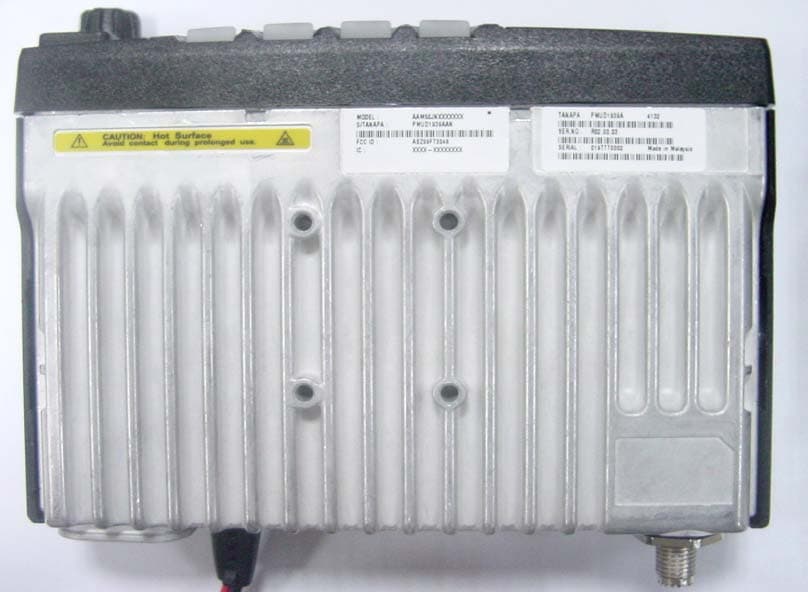
Click to zoom
Application Details
- Equipment Class
- TNB - Licensed Non-Broadcast Station Transmitter
- Date of Grant
- Jun 13, 2004
- Application Purpose
- Original Equipment
- Date of Application
- Mar 28, 2004
- Equipment Note
- CM200/CM300 VHF Mobile Radio
- Frequency Range
- 136.00000000 - 162.00000000
- Company
- Motorola Solutions, Inc.
- Country
- United States
Documents & Files
Document Text
Text extracted from the exhibit documents filed with the FCC. Open a document above to read the original.
Users Manual
CM200 ™ Commercial SeriesTwo-Way Radio User GuideManuel de l'utilisateurde la radio bidirectionnelle MOTOROLA, the Stylized M Logo, and Radius are registered in the US Patent & Trademark Office.All other product or service names are the property of their respective owners. © Motorola, Inc. 2002. All rights reserved. Printed in U.S.A.MOTOROLA, le logotype au M stylisé et Radius sont enregistrés auprès du Bureau des marques et brevets des États-Unis.Tous les autres noms de produits et de services sont la propriété de leurs titulaires respectifs.© Motorola, Inc. 2002. Tous droits réservés. Imprimé aux États-Unis. *6802966C30*6802966C30-O 66C30-O_cvr.qxd 1/9/2003 11:08 AM Page 1 1 English CONTENTS CONTENTS Computer Software Copyrights . . . . . . . . . . . 2Safety and Warranty . . . . . . . . . . . . . . . . . . 3Product Safety and RF Exposure Compliance . . . . . . . . . . . . . . . . . . . . . . . . . 3 Limited Warranty . . . . . . . . . . . . . . . . . . . . . . 4Radio Overview . . . . . . . . . . . . . . . . . . . . . . 9Parts of the Radio . . . . . . . . . . . . . . . . . . . . . 9 Optional Enhanced Keypad Microphone (RMN5029) . . . . . . . . . . . . . . . . . . . . . 10 On/Off/Volume Knob . . . . . . . . . . . . . . . 11Seven Segment Display. . . . . . . . . . . . . 11Channel Selector Buttons . . . . . . . . . . . 11LED Indicators . . . . . . . . . . . . . . . . . . . . 11Programmable Buttons . . . . . . . . . . . . . 12Push-to-Talk (PTT) Button . . . . . . . . . . . 12Microphone . . . . . . . . . . . . . . . . . . . . . . 12Use with Enhanced Keypad Microphone (RMN5029) . . . . . . . . . . . . . . . . . . . . . 12 Indicator Tones . . . . . . . . . . . . . . . . . . . . . . 14Improved Audio Features . . . . . . . . . . . . . . 14 Companding. . . . . . . . . . . . . . . . . . . . . . 14 Getting Started . . . . . . . . . . . . . . . . . . . . . . 15Turning the Radio On or Off . . . . . . . . . . . . . 15Adjusting the Volume . . . . . . . . . . . . . . . . . . 15Selecting a Radio Channel . . . . . . . . . . . . . . 15Sending a Call . . . . . . . . . . . . . . . . . . . . . . . 16Receiving a Call . . . . . . . . . . . . . . . . . . . . . . 16Monitoring . . . . . . . . . . . . . . . . . . . . . . . . . . . 16VOX Operation . . . . . . . . . . . . . . . . . . . . . . . 17Radio Calls . . . . . . . . . . . . . . . . . . . . . . . . . 19Selective Radio Inhibit . . . . . . . . . . . . . . . . . 19Repeater or Talkaround Mode . . . . . . . . . . . 19Setting the Power Level . . . . . . . . . . . . . . . . 19Setting Tight or Normal Squelch. . . . . . . . . . 20Receiving a Selective Call . . . . . . . . . . . . . . 20Receiving a Call Alert Page . . . . . . . . . . . . . 20Setting Local or Distance Mode . . . . . . . . . . 20Sending DTMF Tones . . . . . . . . . . . . . . . . . 21Scan . . . . . . . . . . . . . . . . . . . . . . . . . . . . . . . 23Starting or Stopping Scan. . . . . . . . . . . . . . . 23Talkback . . . . . . . . . . . . . . . . . . . . . . . . . . . . 23Deleting a Nuisance Channel . . . . . . . . . . . . 24 Restoring a Channel to the Scan List . . .24 EnglishTOC.fm Page 1 Thursday, December 12, 2002 2:12 PM 2 English CONTENTS Accessories . . . . . . . . . . . . . . . . . . . . . . . .25Audio . . . . . . . . . . . . . . . . . . . . . . . . . . . . . .25Alarm and Accessories . . . . . . . . . . . . . . . . .25Mounting . . . . . . . . . . . . . . . . . . . . . . . . . . . .25Antennas . . . . . . . . . . . . . . . . . . . . . . . . . . .26Control Station . . . . . . . . . . . . . . . . . . . . . . .26Public Address . . . . . . . . . . . . . . . . . . . . . . .26Cables . . . . . . . . . . . . . . . . . . . . . . . . . . . . .27 Peripherals . . . . . . . . . . . . . . . . . . . . . . . . . .27Data - CES . . . . . . . . . . . . . . . . . . . . . . . . . .27 COMPUTER SOFTWARE COPYRIGHTSThe Motorola products described in this manual may include copyrighted Motorola computer programs stored in semiconductor memories or other media. Laws in the United States and other countries preserve for Motorola certain exclusive rights for copyrighted computer programs including, but not limited to, the exclusive right to copy or reproduce in any form the copyrighted computer program. Accordingly, any copyrighted Motorola computer programs contained in the Motorola products described in this manual may not be copied, reproduced, modified, reverse-engineered, or distributed in any manner without the express written permission of Motorola. Furthermore, the purchase of Motorola products shall not be deemed to grant either directly or by implication, estoppel, or otherwise, any license under the copyrights, patents or patent applications of Motorola, except for the normal non-exclusive license to use that arises by operation of law in the sale of a product. EnglishTOC.fm Page 2 Thursday, December 12, 2002 2:12 PM 3 English SAFETY AND WARRANTY SAFETY AND WARRANTY PRODUCT SAFETY AND RF EXPOSURE COMPLIANCE ATTENTION! This radio is restricted to occupational use only to satisfy FCC RF energy exposure requirements. Before using this product, read the RF energy awareness information and operating instructions in the Product Safety and RF Exposure booklet enclosed with your radio (Motorola Publication part number pending) to ensu re compli ance with RF energy exposure limits. For a list of Motorola-approved antennas, batteries, and other accessories, visit the following web site which lists approved accessories: http://www.motorola.com/cgiss/index.shtml. Before using this product, read the operating instructions for safe usage contained in the Product Safety and RF Exposure booklet enclosed with your radio. ! C a u t i o n 08_SafetyNA.fm Page 3 Tuesday, December 3, 2002 11:25 AM 4 English SAFETY AND WARRANTY LIMITED WARRANTY MOTOROLA COMMUNICATION PRODUCTS I. WHAT THIS WARRANTY COVERS AND FOR HOW LONG: MOTOROLA INC. (“MOTOROLA”) warrants the MOTOROLA manufactured Communication Products listed below (“P roduct”) against de…
Text truncated - open the document above for the full version.
Users Manual
CM300 ™ Commercial SeriesTwo-Way Radio User GuideManuel de l'utilisateurde la radio bidirectionnelle MOTOROLA, the Stylized M Logo, and Radius are registered in the US Patent & Trademark Office.All other product or service names are the property of their respective owners. © Motorola, Inc. 2003. All rights reserved. Printed in U.S.A.MOTOROLA, le logotype au M stylisé et Radius sont enregistrés auprès du Bureau des marques et brevets des États-Unis.Tous les autres noms de produits et de services sont la propriété de leurs titulaires respectifs.© Motorola, Inc. 2003. Tous droits réservés. Imprimé aux États-Unis. *6881096C22*68P81096C22-O 96C22-O_cvr.qxd 7/2/2003 11:04 AM Page 1 COMPUTER SOFTWARE COPYRIGHTSThe Motorola products described in this manual may include copyrighted Motorola computer programs stored in semiconductor memories or other media. Laws in the United States and other countries preserve for Motorola certain exclusive rights for copyrighted computer programs including, but not limited to, the exclusive right to copy or reproduce in any form the copyrighted computer program. Accordingly, any copyrighted Motorola computer programs contained in the Motorola products described in this manual may not be copied, reproduced, modified, reverse-engineered, or distributed in any manner without the express written permission of Motorola. Furthermore, the purchase of Motorola products shall not be deemed to grant either directly or by implication, estoppel, or otherwise, any license under the copyrights, patents or patent applications of Motorola, except for the normal non-exclusive license to use that arises by operation of law in the sale of a product. EnglishTOC.fm Page 0 Friday, July 11, 2003 11:13 AM 1 English CONTENTS CONTENTS Computer Software Copyrights . . . inside coverSafety . . . . . . . . . . . . . . . . . . . . . . . . . . . . . . 3Product Safety and RF Exposure Compliance . . . . . . . . . . . . . . . . . . . . . . . . . 3 Introduction . . . . . . . . . . . . . . . . . . . . . . . . . 5Conventional Radio Systems . . . . . . . . . . . . 5CM300 Radio Features . . . . . . . . . . . . . . . . . 5 Radio Wide Features . . . . . . . . . . . . . . . . 5Signaling Features . . . . . . . . . . . . . . . . . . 5 Radio Overview . . . . . . . . . . . . . . . . . . . . . . 7LED Indicators. . . . . . . . . . . . . . . . . . . . . . . . 8Display . . . . . . . . . . . . . . . . . . . . . . . . . . . . . 8Optional Enhanced Keypad Microphone (RMN5029) . . . . . . . . . . . . . . . . . . . . . . . . . 9 Indicator Tones . . . . . . . . . . . . . . . . . . . . . . 11Programmable Buttons . . . . . . . . . . . . . . . . 12Menu Buttons . . . . . . . . . . . . . . . . . . . . . . . 15 Menu Button. . . . . . . . . . . . . . . . . . . . . . 15Menu Scroll Buttons . . . . . . . . . . . . . . . . 15Navigate the Menu . . . . . . . . . . . . . . . . . 15 Getting Started . . . . . . . . . . . . . . . . . . . . . . 17Turn the Radio On or Off . . . . . . . . . . . . . . . 17Adjust the Volume . . . . . . . . . . . . . . . . . . . . 17Select a Radio Channel . . . . . . . . . . . . . . . . 17Receive. . . . . . . . . . . . . . . . . . . . . . . . . . . . . 18Monitor . . . . . . . . . . . . . . . . . . . . . . . . . . . . . 18 Silent Monitor. . . . . . . . . . . . . . . . . . . . . .18Open Squelch Monitor . . . . . . . . . . . . . . . 18 Transmit . . . . . . . . . . . . . . . . . . . . . . . . . . . .19Repeater or Talkaround Mode . . . . . . . . . . . 19Home Revert Memory Channel (1 & 2) . . . .20Store Memory Channel (1 & 2) . . . . . . . . . . . 20Set Local or Distance Mode . . . . . . . . . . . . . 20VOX Operation . . . . . . . . . . . . . . . . . . . . . . . 21Program PL/DPL Codes . . . . . . . . . . . . . . . . 21Radio Calls . . . . . . . . . . . . . . . . . . . . . . . . . 23Selective Radio Inhibit . . . . . . . . . . . . . . . . . 23Receive a Selective Call . . . . . . . . . . . . . . . . 23Send a Selective Call . . . . . . . . . . . . . . . . . . 23Receive a Call Alert™ Page . . . . . . . . . . . . . 24Send a Call Alert Page . . . . . . . . . . . . . . . . . 24Repeater Access . . . . . . . . . . . . . . . . . . . . . 25Emergency Alerts . . . . . . . . . . . . . . . . . . . . . 26Send an Emergency Alert. . . . . . . . . . . . . . . 26Clear an Emergency Alert . . . . . . . . . . . . . . 26 EnglishTOC.fm Page 1 Friday, July 11, 2003 11:13 AM 2 English CONTENTS Scan . . . . . . . . . . . . . . . . . . . . . . . . . . . . . . .27Talkback . . . . . . . . . . . . . . . . . . . . . . . . . . . .27Start System Scan . . . . . . . . . . . . . . . . . . . .27Stop System Scan . . . . . . . . . . . . . . . . . . . .28Start Auto Scan . . . . . . . . . . . . . . . . . . . . . .28Stop Auto Scan. . . . . . . . . . . . . . . . . . . . . . .28Delete a Nuisance Channel . . . . . . . . . . . . .29 Restore Channels to the Scan List . . . . .29 Edit a Scan List. . . . . . . . . . . . . . . . . . . . . . .29Add or Delete Channels in a Scan List . . . . .30Prioritize a Channel in a Scan List . . . . . . . .31Phone. . . . . . . . . . . . . . . . . . . . . . . . . . . . . .33Receive a Phone Call . . . . . . . . . . . . . . . . . .33Make a Phone Call . . . . . . . . . . . . . . . . . . . .34Edit the Phone List . . . . . . . . . . . . . . . . . . . .36 Add an Entry . . . . . . . . . . . . . . . . . . . . . .36Delete an Entry . . . . . . . . . . . . . . . . . . . .37Edit an Entry . . . . . . . . . . . . . . . . . . . . . .38Edit Access/Deaccess Codes . . . . . . . . .39 Tone Preferences . . . . . . . . . . . . . . . . . . . .41Tones On/Off . . . . . . . . . . . . . . . . . . . . . . . .43Keypad On/Off Tones . . . . . . . . . . . . . . . . . .43Call Tone Tagging . . . . . . . . . . . . . . . . . . . .44Escalert. . . . . . . . . . . . . . . . . . . . . . . . . . . . .44 User Settings . . . . . . . . . . . . . . . . . . . . . . . 47Set Squelch Level . . . . . . . . . . . . . . . . . . . . 49Set Power Level . . . . . . . . . . . . . . . . …
Text truncated - open the document above for the full version.
Users Manual
Radius CM200 ™ /CM300 ™ & PM400 ™ Commercial SeriesTwo-Way Radio Installation Guide MOTOROLA, the Stylized M Logo, and Radius are registered in the US Patent & Trademark Office.All other product or service names are the property of their respective owners. © 2002, 2003 Motorola, Inc. All rights reserved. Printed in U.S.A. *6802966C25*68P02966C25-A i Table of Contents Installation Requirements for Compliance with Radio Frequency (RF) Energy Exposure Safety Standards ............ iii Information for Vehicles with Electronic Anti-Lock/Anti-Skid Brakes .......................................iv Installation Warnings .............................................................................................iv Installation Precautions ..........................................................................................iv Braking System Tests ............................................................................................iv Chapter 1Introduction 1.1 General Information ............................................................................................... 1 1.2 Plan the Installation ............................................................................................... 1 Chapter 2DC Power Cable Installation 2.1 Planning the Power Cable Installation ................................................................... 2 2.2 Power Cable Installation Procedure ...................................................................... 2 Chapter 3Trunnion Installation 3.1 Planning the Mounting Trunnion Installation .......................................................... 5 3.2 Trunnion Installation Procedure ............................................................................. 5 Chapter 4Antenna Installation 4.1 Antenna Installation and Compliance with Radio Frequncy (RF) Energy Safety Standards................................................................................ 8 4.2 Selecting an Antenna Site/Location on a Metal Body Vehicle ................................ 8 4.3 Antenna Installation Procedure .............................................................................. 9 4.4 Completing the Installation .................................................................................... 9 Chapter 5Installation Options 5.1 Mobile Dashboard Mounting ................................................................................ 10 5.1.1Installing the Mounting Frame into the Dashboard ................................. 10 ii 5.1.2Inserting the Radio into the Mounting Frame (Figure 5.1)...................... 10 5.1.3Removing the Radio from the Mounting Frame ..................................... 11 5.2 External Speaker Installation ...............................................................................11 5.3 Visor Microphone Installation ...............................................................................12 5.3.1Connecting to the Mobile Radio ............................................................. 12 Chapter 6Accessory Connections 6.1 Accessory Connector Pin Functions ....................................................................13 6.2 Connection Plan for Accessories .........................................................................15 Chapter 7Noise Sources 7.1 Introduction ..........................................................................................................16 7.2 Radiated Noise .....................................................................................................16 7.3 Conducted Noise ..................................................................................................17 7.4 Induced Noise ......................................................................................................17 Chapter 8Operation of a Conventional Ignition System 8.1 Introduction ..........................................................................................................18 8.2 Sources of Ignition Interference ...........................................................................18 Chapter 9Detection of Noise Sources 9.1 Noise Detection Procedure ..................................................................................20 9.2 Sources of Noise ..................................................................................................21 Chapter 10Noise Reduction Techniques 10.1 General ................................................................................................................22 10.2 Ignition System Interference ................................................................................22 10.2.1 Engine Maintenance and Tune-Up......................................................... 22 10.2.2 Available Noise Reduction Kits .............................................................. 22 10.2.3 Ignition Coil Interference ........................................................................ 23 10.2.4 Distributor Interference ........................................................................... 23 10.2.5 Battery Connections ............................................................................... 23 10.3 Alternator ..............................................................................................................24 10.4 Voltage Regulator Noise ......................................................................................25 10.5 Hood and Trunk Lid Noise ...................................................................................25 10.6 Other Electrical Noises .........................................................................................25 10.7 Ground Bonding ...................................................................................................26 Safety-iii INSTALLATION REQUIREMENTS FOR COMPLIANCE WITH RADIO FREQUENCY (RF) ENERGY EXPOSURE SAFETY STANDARDS ATTENTION! This radio is intended for use in occupational/controlled conditions, where users have full knowledge of th…
Text truncated - open the document above for the full version.
Users Manual
English Product Safety and RF Energy Exposure Booklet for Mobile Two-Way Radios Installed in Vehicles or as Fixed Site Control Stations ATTENTION! The information provided in this document supersedes the general safety information contained in user guides published prior to February 2002. BEFORE USING THIS RADIO, READ THIS BOOKLET WHICH CONTAINS IMPORTANT OPERATING INSTRUCTIONS FOR SAFE USAGE AND RF ENERGY AWARENESS AND CONTROL INFORMATION FOR COMPLIANCE WITH RF ENERGY EXPOSURE LIMITS IN APPLICABLE NATIONAL AND INTERNATIONAL STANDARDS. © Motorola, Inc. 2003 8000 W. Sunrise Blvd., Ft. Lauderdale, FL 33322 Printed in U.S.A. 8/03. *6881095C99* 68P81095C99-A 2 English RF Energy Exposure Awareness and Control Information, and Operational Instructions for FCC Occupational Use Requirements NOTICE: This radio is intended for use in occupational/controlled conditions, where users have full knowledge of their exposure and can exercise control over their exposure to meet FCC limits. This radio device is NOT authorized for general population, consumer, or any other use. This 2-way radio uses electromagnetic energy in the radio frequency (RF) spectrum to provide communications between two or more users over a distance. It uses radio frequency (RF) energy or radio waves to send and receive calls. RF energy is one form of electromagnetic energy. Other forms include, but are not limited to, sunlight and x-rays. RF energy, however, should not be confused with these other forms of electromagnetic energy, which when used improperly, can cause biological damage. Very high levels of x-rays, for example, can damage tissues and genetic material. Experts in science, engineering, medicine, health, and industry work with organizations to develop standards for safe exposure to RF energy. These standards provide recommended levels of RF exposure for both workers and the general public. These recommended RF exposure levels include substantial margins of protection. All Motorola 2-way radios are designed, manufactured, and tested to ensure they meet government-established RF exposure levels. In addition, manufacturers also recommend specific operating instructions to users of 2-way radios. These instructions are important because they inform users about RF energy exposure and provide simple procedures on how to control it. 3 English Please refer to the following Web sites for more information on what RF energy exposure is and how to control your exposure to assure compliance with established RF exposure limits. http://www.fcc.gov/oet/rfsafety/rf-faqs.html http://www.osha.gov/SLTC/radiofrequencyradiation/index.html Federal Communication Commission Regulations The FCC rules require manufacturers to comply with the FCC RF energy exposure limits for mobile 2-way radios before they can be marketed in the U.S. When 2-way radios are used as a consequence of employment, the FCC requires users to be fully aware of and able to control their exposure to meet occupational requirements. Exposure awareness can be facilitated by the use of a label directing users to specific user awareness information. Your Motorola 2-way radio has a RF exposure product label. Also, your Motorola user manual, or separate safety booklet, includes information and operating instructions required to control your RF exposure and to satisfy compliance requirements. Compliance with RF Exposure Standard Your Motorola two-way radio is designed and tested to comply with a number of national and international standards and guidelines (listed below) regarding human exposure to radio frequency electromagnetic energy. This radio complies with the IEEE and ICNIRP exposure limits for occupational/controlled RF exposure environment at duty factors of up to 50% talk-50% listen and is authorized by the FCC for occupational use. In terms of measuring RF energy for compliance with the FCC exposure guidelines, your radio antenna radiates measurable RF energy only while it is transmitting (during talking), not when it is receiving (listening) or in standby mode. 4 English Your Motorola two-way radio complies with the following RF energy exposure standards and guidelines: • United States Federal Communications Commission, Code of Federal Regulations; 47CFR part 2 sub-part J • American National Standards Institute (ANSI) / Institute of Electrical and Electronic Engineers (IEEE) C95. 1-1992 • Institute of Electrical and Electronic Engineers (IEEE) C95.1-1999 Edition • International Commission on Non-Ionizing Radiation Protection (ICNIRP) 1998 • Ministry of Health (Canada) Safety Code 6. Limits of Human Exposure to Radiofrequency Electromagnetic Fields in the Frequency Range from 3 kHz to 300 GHz, 1999 • Australian Communications Authority Radiocommunications (Electromagnetic Radiation - Human Exposure) Standard, 2003 • ANATEL, Brasil Regulatory Authority, Resolution 256 (April 11, 2001) “additional requirements for SMR, cellular, and PCS product certification.” RF Exposure Compliance and Control Guidelines and Operating Instructions To control exposure to yourself and others and to ensure compliance with the RF exposure limits, always adhere to the following procedures. Guidelines: • User awareness instructions should accompany device when transferred to other users. • Do not use this device if the operational requirements described herein are not met. Instructions: •Transmit no more than the rated duty factor of 50% of the time. To transmit (talk), push the Push-To-Talk (PTT) button. To receive calls, release the PTT button. Transmitting 50% of the time, or less, is important because this radio 5 English generates measurable RF energy exposure only when transmitting (in terms of measuring for standards compliance). •Transmit only when people outside the vehicle are at least the recommended minimum lateral distance away, as shown in Table 1, from the body of a vehicle with a properly installed antenna. This separation distance will ensure that there is sufficient distance f…
Text truncated - open the document above for the full version.
Users Manual
English Product Safety and RF Energy Exposure Booklet for Mobile Two-Way Radios Installed in Vehicles or as Fixed Site Control Stations ATTENTION! The information provided in this document supersedes the general safety information contained in user guides published prior to February 2002. BEFORE USING THIS RADIO, READ THIS BOOKLET WHICH CONTAINS IMPORTANT OPERATING INSTRUCTIONS FOR SAFE USAGE AND RF ENERGY AWARENESS AND CONTROL INFORMATION FOR COMPLIANCE WITH RF ENERGY EXPOSURE LIMITS IN APPLICABLE NATIONAL AND INTERNATIONAL STANDARDS. © Motorola, Inc. 2003 8000 W. Sunrise Blvd., Ft. Lauderdale, FL 33322 Printed in U.S.A. 8/03. *6881095C99* 68P81095C99-B 2 English RF Energy Exposure Awareness and Control Information, and Operational Instructions for FCC Occupational Use Requirements NOTICE: This radio is intended for use in occupational/controlled conditions, where users have full knowledge of their exposure and can exercise control over their exposure to meet FCC limits. This radio device is NOT authorized for general population, consumer, or any other use. This 2-way radio uses electromagnetic energy in the radio frequency (RF) spectrum to provide communications between two or more users over a distance. It uses radio frequency (RF) energy or radio waves to send and receive calls. RF energy is one form of electromagnetic energy. Other forms include, but are not limited to, sunlight and x-rays. RF energy, however, should not be confused with these other forms of electromagnetic energy, which when used improperly, can cause biological damage. Very high levels of x-rays, for example, can damage tissues and genetic material. Experts in science, engineering, medicine, health, and industry work with organizations to develop standards for safe exposure to RF energy. These standards provide recommended levels of RF exposure for both workers and the general public. These recommended RF exposure levels include substantial margins of protection. All Motorola 2-way radios are designed, manufactured, and tested to ensure they meet government-established RF exposure levels. In addition, manufacturers also recommend specific operating instructions to users of 2-way radios. These instructions are important because they inform users about RF energy exposure and provide simple procedures on how to control it. 3 English Please refer to the following Web sites for more information on what RF energy exposure is and how to control your exposure to assure compliance with established RF exposure limits. http://www.fcc.gov/oet/rfsafety/rf-faqs.html http://www.osha.gov/SLTC/radiofrequencyradiation/index.html Federal Communication Commission Regulations The FCC rules require manufacturers to comply with the FCC RF energy exposure limits for mobile 2-way radios before they can be marketed in the U.S. When 2-way radios are used as a consequence of employment, the FCC requires users to be fully aware of and able to control their exposure to meet occupational requirements. Exposure awareness can be facilitated by the use of a label directing users to specific user awareness information. Your Motorola 2-way radio has a RF exposure product label. Also, your Motorola user manual, or separate safety booklet, includes information and operating instructions required to control your RF exposure and to satisfy compliance requirements. Compliance with RF Exposure Standard Your Motorola two-way radio is designed and tested to comply with a number of national and international standards and guidelines (listed below) regarding human exposure to radio frequency electromagnetic energy. This radio complies with the IEEE and ICNIRP exposure limits for occupational/controlled RF exposure environment at duty factors of up to 50% talk-50% listen and is authorized by the FCC for occupational use. In terms of measuring RF energy for compliance with the FCC exposure guidelines, your radio antenna radiates measurable RF energy only while it is transmitting (during talking), not when it is receiving (listening) or in standby mode. 4 English Your Motorola two-way radio complies with the following RF energy exposure standards and guidelines: • United States Federal Communications Commission, Code of Federal Regulations; 47CFR part 2 sub-part J • American National Standards Institute (ANSI) / Institute of Electrical and Electronic Engineers (IEEE) C95. 1-1992 • Institute of Electrical and Electronic Engineers (IEEE) C95.1-1999 Edition • International Commission on Non-Ionizing Radiation Protection (ICNIRP) 1998 • Ministry of Health (Canada) Safety Code 6. Limits of Human Exposure to Radiofrequency Electromagnetic Fields in the Frequency Range from 3 kHz to 300 GHz, 1999 • Australian Communications Authority Radiocommunications (Electromagnetic Radiation - Human Exposure) Standard, 2003 • ANATEL, Brasil Regulatory Authority, Resolution 256 (April 11, 2001) “additional requirements for SMR, cellular, and PCS product certification.” RF Exposure Compliance and Control Guidelines and Operating Instructions To control exposure to yourself and others and to ensure compliance with the RF exposure limits, always adhere to the following procedures. Guidelines: • User awareness instructions should accompany device when transferred to other users. • Do not use this device if the operational requirements described herein are not met. Instructions: •Transmit no more than the rated duty factor of 50% of the time. To transmit (talk), push the Push-To-Talk (PTT) button. To receive calls, release the PTT button. Transmitting 50% of the time, or less, is important because this radio 5 English generates measurable RF energy exposure only when transmitting (in terms of measuring for standards compliance). •Transmit only when people outside the vehicle are at least the recommended minimum lateral distance away, as shown in Table 1, from the body of a vehicle with a properly installed antenna. This separation distance will ensure that there is sufficient distance f…
Text truncated - open the document above for the full version.
Contact Information
Applicant
Matthew Nawrocki
Technical Contact
Motorola, Inc.James M Zima
[email protected]847 576-3697
1309 East Algonquin Road · Schaumburg, Illinois · United States
Non-Technical Contact
Motorola, Inc.Donna Tokarz
[email protected]847 576-7245
Technical Specifications
| # | Rule Parts | Frequency Range | Power Output | Emission | Tolerance |
|---|---|---|---|---|---|
| 2 | 90,22,74 | 136 MHz - 162 MHz | 28 W | 16K0F3E | 2.5 ppm |
Other Applications from Motorola Solutions, Inc.

ABZ89FT4940
Aug 06, 2026Non Broadcast Transmitter
Equipment Class
TNB - Licensed Non-Broadcast Station TransmitterABZ89FT4950
Jun 25, 2026Non-Broadcast Transmitter
Equipment Class
TNB - Licensed Non-Broadcast Station TransmitterABZ89FT5901
Jun 20, 2024Non Broadcast Transmitter
Equipment Class
TNB - Licensed Non-Broadcast Station Transmitter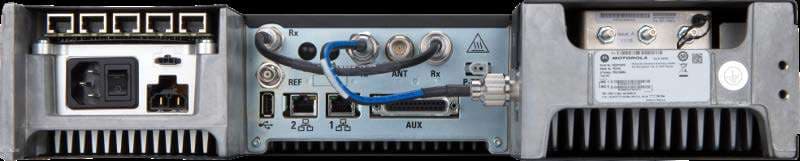
ABZ99FT5101B
May 02, 2023Non Broadcast Transmitter
Equipment Class
PCB - PCS Licensed Transmitter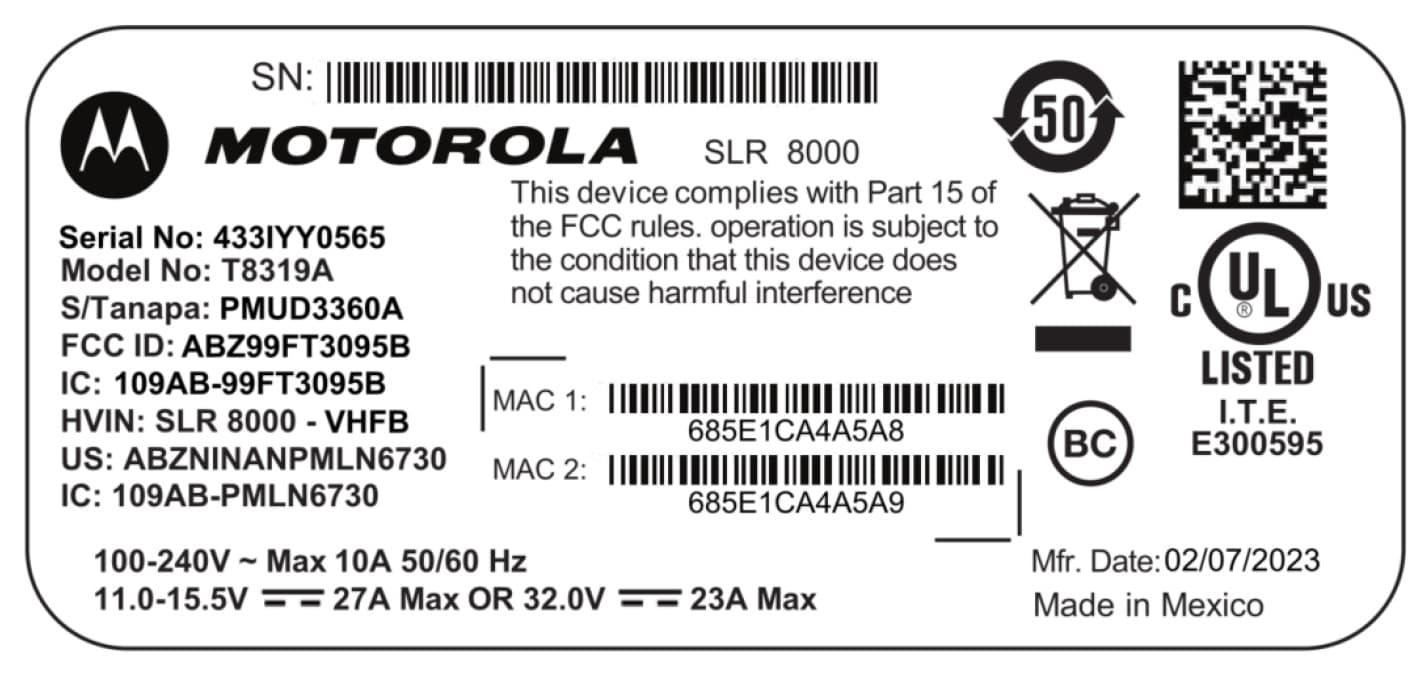
ABZ99FT3095B
Mar 26, 2023Non Broadcast Transmitter
Equipment Class
TNB - Licensed Non-Broadcast Station Transmitter