ACEENSEMBLECorded Telephone with TAM and WiFi Feature
Clarity, A Division of Plantronics, Inc.
Click to zoom
Application Details
- Equipment Class
- DTS - Digital Transmission System
- Date of Grant
- Nov 29, 2012
- Application Purpose
- Original Equipment
- Date of Application
- Nov 29, 2012
- Equipment Note
- Corded Telephone with TAM and WiFi Feature
- Frequency Range
- 2412.00000000 - 2462.00000000
- Country
- United States
Documents & Files
Document Text
Text extracted from the exhibit documents filed with the FCC. Open a document above to read the original.
Users Manual
Ensemble™ – User Guide (draft) 10/30/2012 Page 1 of 31 – Beta User Guide – Thank you for purchasing your new Ensemble™ from Clarity – the best amplified telephone that offers captioning service*. Please read these instructions carefully to ensure you take advantage of the complete set of rich features offered by this product. (* upon registration of your product; feature available if you have access to high speed internet service in your home; you will need an available LAN port on your router) . Ensemble™ – User Guide (draft) 10/30/2012 Page 2 of 31 Ensemble™ User Guide Package contents: • Ensemble (power supply and phone line cord connected to your unit) – larger black unit with the corded handset • Wireless Access Point (WAP) (power supply and Ethernet cable connected to your unit) – small white device • User guide Installation Your product comes completely assembled as you take it out of the box. In order to be able to take advantage of the captioning feature of your product, you need to have access to high speed internet in your home; locate the router in your home. Install WAP first – follow directions below before installing your Ensemble main unit • Locate the LAN ports on your router – you will need one open LAN port. They are typically on the back of the unit. If you have high speed wireless internet, you may have a modem that is separate from your wireless router. Refer to the instructions provided by your internet provider if you have problems locating the router LAN ports. • Plug the free end of the Ethernet cable from the provided WAP into one of the unused LAN ports on your router • Pull the ends of the power supply cord to untangle the cable • Plug the power supply for the WAP in an electrical outlet close to your router • Allow a few minutes for the WAP to start up and to talk to your router; your WAP is ready when the two blue lights and one orange light are lit and steady (not flashing). Main unit installation (Ensemble) – install after completing the WAP installation Locate an electrical outlet close to your phone outlet Pull the ends of the phone cord untangle the phone cord Plug the free end of the phone cord in your phone outlet Pull the ends of the power supply to untangle the cord Ensemble™ – User Guide (draft) 10/30/2012 Page 3 of 31 Plug the power supply in the electrical outlet close to the phone outlet Allow a few minutes for the unit to start up; you will notice a message on the screen “Please wait...” It takes several minutes for the Ensemble unit to start completely. Do not touch the screen until you see the message “Ready”; once that disappears, you are ready to start using your phone. NOTE: IMPORTANT! Use only the power adapter supplied with your unit. Using a different power supply may damage your unit and voids the warranty. NOTE: you can choose to connect your Ensemble directly to your wireless router (without using the WAP included with the Ensemble unit); the unit can connect to routers with WPA/WPA2 Personal security settings. You can do this if you know all settings of your wireless network – see Connection section. To verify that your telephone has wireless access, check the upper line on your display – you should see the wireless symbol next to the date. (in some cases, it can take several minutes for the WAP to provide the Ensemble unit with a valid IP address. This IP address is necessary to check registration, register, or make a Clear Captions call. If you encounter any problems with internet connectivity, please wait 5 minutes and try one more time.) Ensemble™ – User Guide (draft) 10/30/2012 Page 4 of 31 Registering your device with ClearCaptions™ Your device has to be registered with ClearCaptions™ in order to access the captioning feature. If you have high speed internet access and you installed your WAP, you will be prompted to register your device in order to access the captioning service. Your device displays a registration page – touch the first text box (under First name) and a keyboard will be displayed on your screen; fill out the entire page and press “Finish”; if registration was successful, you will see a message on your screen “Registration successful”. You can choose to ignore the registration page at startup, by pressing the X at the top right corner of your screen. You will not be able to use the captioning feature of this product until your device is registered with the ClearCaptions™ service. • To register at a later time, press the Settings icon, then choose the section named About Phone. • In the About Phone window you will see a section named ClearCaptions™ Device ID; you will see the Device ID of your unit, and the status registered/unregistered. • If your unit is unregistered, press the Register button in this section – and fill out the required fields in the registration page. • Press Finish when done; if the process is completed, you will see the “Registration Successful” message on your screen. • If the process did not complete, repeat the steps to register your unit. You can also set up a ClearCaptions™ account by the registering with the ClearCaptions™ service on a different device with internet access – like a computer, a smart phone, a tablet, etc.Some customers will find it easier to complete the registration on a computer with a full size keyboard. Go to www.clearcaptions.com and sign up for the service following the directions on this website. Once you have signed up, use the same email address and password used to create the ClearCaptions account to register your device; follow the steps to access the registration page on your device, and choose the Sign In button at the bottom of this page; use the information in that window to finalize the registration process. Ensemble™ – User Guide (draft) 10/30/2012 Page 5 of 31 About ClearCaptions ®: The ClearCaptions ® service is funded by the Telecommunications Relay Fund, an FCC-regulated program funded by phone carrier collections from all telephone subscribers. T…
Text truncated - open the document above for the full version.
External Photos
INTERTEK TESTING SERVICES External Photos FCC ID: ACEENSEMBLE external photos - 1 of 2 HK12100071 Job Number HK12100071 Job Number INTERTEK TESTING SERVICES External Photos FCC ID: ACEENSEMBLE external photos - 2 of 2
ID Label/Location Info
ENSEMBLERev.011/12/2012 ENSEMBLERev.311/21/2012 5 81242 Intertek CM ACEENSEMBLE0.0 ACETE00BENSEMBLE 10.7mm Size: 65mm x 33mm
Internal Photos
INTERTEK TESTING SERVICES Internal photos FCC ID: ACEENSEMBLE internal photos - 1 of 8 Base Unit assembly (View 1) Base Unit assembly (View 2) INTERTEK TESTING SERVICES Internal photos FCC ID: ACEENSEMBLE internal photos - 2 of 8 Base Unit Main PCB comp side (View 1) Base Unit Main PCB comp side (View 2) INTERTEK TESTING SERVICES Internal photos FCC ID: ACEENSEMBLE internal photos - 3 of 8 Base Unit Main PCB comp side (View 3) Base Unit Main PCB solder side INTERTEK TESTING SERVICES Internal photos FCC ID: ACEENSEMBLE internal photos - 4 of 8 Base Unit another Main PCB comp side Base Unit another Main PCB rear side INTERTEK TESTING SERVICES Internal photos FCC ID: ACEENSEMBLE internal photos - 5 of 8 Base Unit connector view 1 Base Unit connector view 2 INTERTEK TESTING SERVICES Internal photos FCC ID: ACEENSEMBLE internal photos - 6 of 8 Base Unit Main Broad Base Unit Main Broad INTERTEK TESTING SERVICES Internal photos FCC ID: ACEENSEMBLE internal photos - 7 of 8 Base Unit Base Unit connector view 1 Base Unit connector view 2 INTERTEK TESTING SERVICES Internal photos FCC ID: ACEENSEMBLE internal photos - 8 of 8 Base Unit Oscillator PCB comp side Base Unit Oscillator PCB solder side
RF Exposure Info
INTERTEK TESTING SERVICES Job no: HK12100071 RF exposure - 1 of 1 For Maximum Permissible Exposure (MPE) evaluation of the base unit, the maximum power density at 20 cm from this mobile transmitter shall be less than the General Population / Uncontrolled MPE limit in OET Bulletin 65. For the base unit of tested model of ENSEMBLE, the maximum field strength measured (FS) was 117.0 dBμV/m. The distance (D) between the antenna and the equipment under test (EUT) was 3 meters. And the maximum source-based time- averaging duty factor in Single operation is 100%. From these data, the exposed power density at a distance (R) of 20cm from the center of radiation of the antenna can be calculated according to OET Bulletin 65 as follow: The radiated power = (FS*D) 2 / 30 = 150.36 mW The radiated (EIRP) source-based time-averaging output power = (150.36 * 1.000) mW = 150.36 mW The power density at 20 cm from the antenna = EIRP / 4πR 2 = 0.0299 mW cm -2 In the frequency range of 1,500 - 100,000MHz, the MPE limit is 1.0 mWcm -2 for general population and uncontrolled exposure. As the measured power density at 20cm from the transmitter is lower than the MPE limit, the compliance to the MPE limit can be ensured by indicating the minimum 20cm separation between the transmitter's radiating structures and body of the user or nearby persons. The following RF exposure statement is proposed to be included in the user manual: “ FCC RF Radiation Exposure Statement Caution: To maintain compliance with the FCC’s RF exposure guidelines, place the base unit at least 20cm from nearby persons.”
Test Report
Report No.:HK1210071 Model: Ensemble ( wifi traffic confines ) Mode: Ringing AC Mains Ctrl No.: NA 150 kHz30 MHz 1 PK CLRWR 2 AV CLRWR SGL TDS 6DB dBμV dBμV AC RBW 9 kHz MT 1 s PREAMP OFFAtt 10 dB AUTO 1 MHz10 MHz 0 10 20 30 40 50 60 70 80 90 100 CF15MAV CF15MQP Date: 24.OCT.2012 17:00:03 Report No.:HK1210071 Model: Ensemble ( wifi traffic confines ) Mode: Ringing AC Mains Ctrl No.: NA EDIT PEAK LIST (Final Measurement Results) Trace1: CF15MQP Trace2: CF15MAV Trace3: --- TRACE FREQUENCY LEVEL dBμV DELTA LIMIT dB 1 Quasi Peak 154.5 kHz 37.89 N -27.86 1 Quasi Peak 955.5 kHz 19.42 N -36.57 2 CISPR Average1.6755 MHz 28.40 L1 -17.59 2 CISPR Average2.7915 MHz 24.19 N -21.80 1 Quasi Peak 3.9075 MHz 36.65 N -19.34 2 CISPR Average3.9075 MHz 36.56 L1 -9.43 1 Quasi Peak 4.8345 MHz 24.25 N -31.75 2 CISPR Average5.019 MHz 27.51 N -22.48 1 Quasi Peak 6.1395 MHz 38.39 N -21.60 2 CISPR Average7.251 MHz 29.73 N -20.26 Date: 24.OCT.2012 16:59:41
Test Report
Issuing Laboratory: Intertek Testing Services Hong Kong Limited Hong Kong Accreditation Service (HKAS) has accredited this laboratory under the Hong Kong Laboratory Accreditation Scheme (HOKLAS) for specific laboratory activities as listed in the HOKLAS directory of accredited laboratories. The results shown in this report were determined by this laboratory in accordance with its terms of accreditation. Test Report Number: HK12100071-1 Page 1 of 67 FCC ID: ACEENSEMBLE Intertek Testing Services Hong Kong Ltd. 2/F., Garment Centre, 576 Castle Peak Road, Kowloon, Hong Kong. Tel: (852) 2173 8888 Fax: (852) 2785 5487 Website: www.hk.intertek-etlsemko.com GENERAL INFORMATION Applicant Name: Clarity, A Division of Plantronics, Inc. Applicant Address: 6131 Preservation Drive, Chattanooga, TN 37416 FCC Specification Standard: FCC Part 15, October 1, 2011 Edition FCC ID: ACEENSEMBLE FCC Model(s): ENSEMBLE Type of EUT: Digital Transmission System Description of EUT: Corded Telephone with TAM and WiFi - Base Unit Serial Number: N/A Sample Receipt Date: October 05, 2012 Date of Test: October 24 - November 12, 2012 Report Date: November 27, 2012 Environmental Conditions: Temperature: +10 to 40°C Humidity: 10 to 90% Issuing Laboratory: Intertek Testing Services Hong Kong Limited Hong Kong Accreditation Service (HKAS) has accredited this laboratory under the Hong Kong Laboratory Accreditation Scheme (HOKLAS) for specific laboratory activities as listed in the HOKLAS directory of accredited laboratories. The results shown in this report were determined by this laboratory in accordance with its terms of accreditation. Test Report Number: HK12100071-1 Page 2 of 67 FCC ID: ACEENSEMBLE Intertek Testing Services Hong Kong Ltd. 2/F., Garment Centre, 576 Castle Peak Road, Kowloon, Hong Kong. Tel: (852) 2173 8888 Fax: (852) 2785 5487 Website: www.hk.intertek-etlsemko.com 1.0 Summary of Test Results........................................................................................ 4 1.1 Statement of Compliance ........................................................................................ 4 2.0 General Description................................................................................................. 6 2.1 Product Description ................................................................................................. 6 2.2 Purpose of Application............................................................................................. 7 2.3 Test Methodology.................................................................................................... 7 2.4 Test Facility............................................................................................................. 7 3.0 System Test Configuration...................................................................................... 9 3.1 Justification ............................................................................................................. 9 3.2 EUT Exercising Software....................................................................................... 10 3.3 Details of EUT and Description of Accessories...................................................... 11 3.4 Measurement Uncertainty ..................................................................................... 11 Test Results................................................................................................................. 13 4.1 Maximum Conducted Output Power at Antenna Terminals .................................... 13 4.2 Minimum 6dB RF Bandwidth ................................................................................. 22 4.3 Maximum Power Spectral Density ......................................................................... 29 4.4 Out of Band Conducted Emissions ........................................................................ 36 4.5 Field Strength Calculation...................................................................................... 49 4.6 Transmitter Radiated Emissions in Restricted Bands and Spurious Emissions....... 50 4.6.1 Radiated Emission Configuration Photograph ..................................................... 51 4.6.2 Radiated Emission Data ..................................................................................... 51 4.6.3 Transmitter Duty Cycle Calculation ..................................................................... 62 4.7 AC Power Line Conducted Emission ..................................................................... 62 4.7.1 AC Power Line Conducted Emission Configuration Photograph.......................... 62 4.7.2 AC Power Line Conducted Emission Data .......................................................... 62 4.8 Radio Frequency Radiation Exposure ................................................................... 65 5.0 Equipment List....................................................................................................... 67 Issuing Laboratory: Intertek Testing Services Hong Kong Limited Hong Kong Accreditation Service (HKAS) has accredited this laboratory under the Hong Kong Laboratory Accreditation Scheme (HOKLAS) for specific laboratory activities as listed in the HOKLAS directory of accredited laboratories. The results shown in this report were determined by this laboratory in accordance with its terms of accreditation. Test Report Number: HK12100071-1 Page 3 of 67 FCC ID: ACEENSEMBLE Intertek Testing Services Hong Kong Ltd. 2/F., Garment Centre, 576 Castle Peak Road, Kowloon, Hong Kong. Tel: (852) 2173 8888 Fax: (852) 2785 5487 Website: www.hk.intertek-etlsemko.com EXHIBIT 1 SUMMARY OF TEST RESULTS & STATEMENT OF COMPLIANCE Issuing Laboratory: Intertek Testing Services Hong Kong Limited Hong Kong Accreditation Service (HKAS) has accredited this laboratory under the Hong Kong Laboratory Accreditation Scheme (HOKLAS) for specific laboratory activities as listed in the HOKLAS directory of accredited laboratories. The result…
Text truncated - open the document above for the full version.
Test Setup Photos
INTERTEK TESTING SERVICES The Worst Case Configuration Photographs - Mode: Transmission FCC ID: ACEENSEMBLE config photos (radiated emission - base unit) - 1 of 1 Radiated Emission - Base Unit Front View Rear View INTERTEK TESTING SERVICES The Worst Case Configuration Photographs - Mode: Ringing FCC ID: ACEENSEMBLE config photos (conducted emission) - 1 of 2 Conducted Emission Front View Right Side View INTERTEK TESTING SERVICES The Worst Case Configuration Photographs - Mode: Ringing FCC ID: ACEENSEMBLE config photos (conducted emission) - 2 of 2 Conducted Emission Left Side View
Contact Information
Applicant
JAMIE VAN DEN BERGH(CEO)
Technical Contact
Intertek Testing Services Hong Kong Ltd.Melvin Nip
[email protected]852-2173-8888
Flat D, 5/F., Garment Centre · Kowloon · Hong Kong
Non-Technical Contact
Intertek Testing Services Hong Kong Ltd.Melvin Nip
[email protected]852-2173-8888
Test Firm
Intertek Testing Services Hong Kong Ltd.Billy Chow
Technical Specifications
| # | Rule Parts | Frequency Range | Power Output |
|---|---|---|---|
| 1 | 15C | 2.41 GHz - 2.46 GHz | 168.00 mW |
Other Applications from Clarity, A Division of Plantronics, Inc.
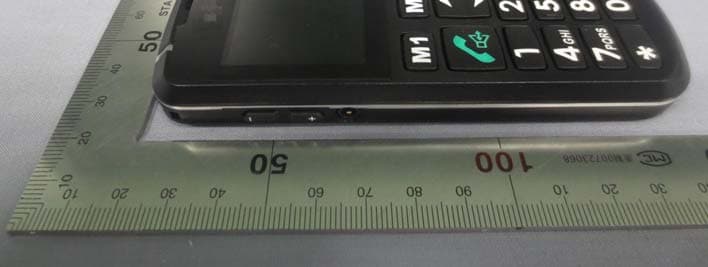
ACEPAL101V1
Jun 03, 2013Mobile phone
Equipment Class
DSS - Part 15 Spread Spectrum Transmitter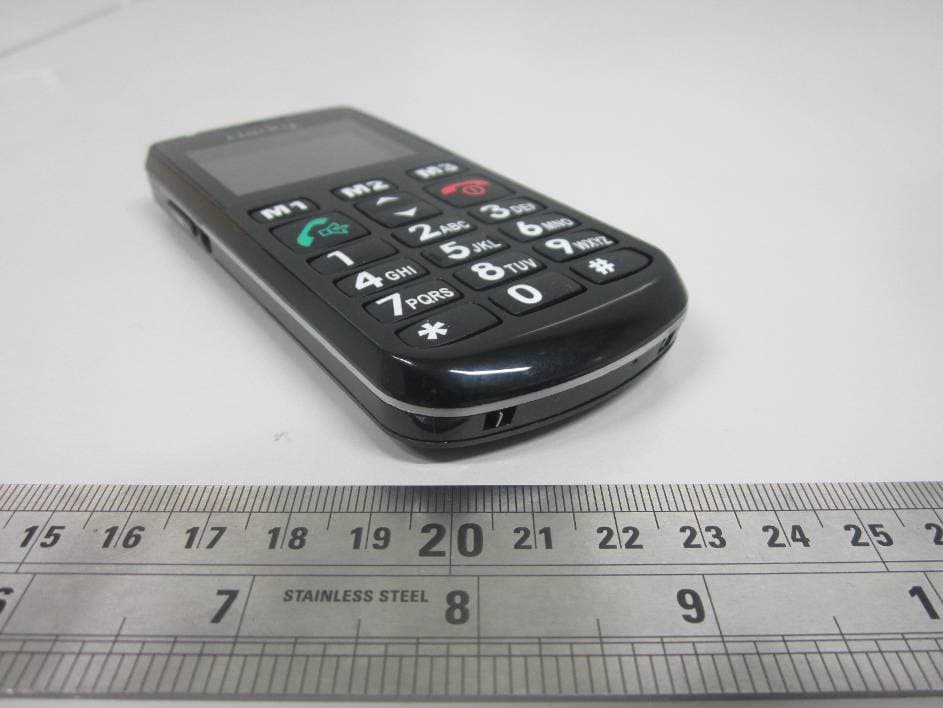
ACEPAL101
Jan 24, 2012GSM Senior Mobile Phone
Equipment Class
DSS - Part 15 Spread Spectrum Transmitter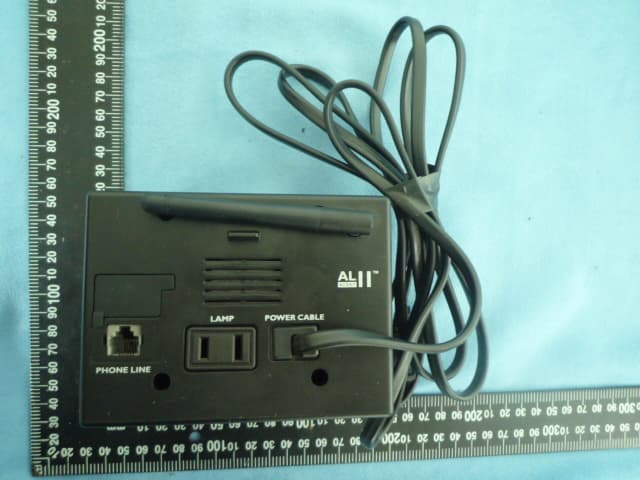
ACEAL11RTXS
Jun 28, 2010Alert Master Home Alert System
Equipment Class
DSR - Part 15 Remote Control/Security Device Transceiver
ACED100TXS
Jun 28, 2010Doorbell
Equipment Class
DSC - Part 15 Security/Remote Control Transmitter
ACEAL10RTXS
Jun 23, 2010AlertMaster Home Alert System
Equipment Class
DSR - Part 15 Remote Control/Security Device Transceiver