AEZNVM-4070PND (Personal Navigation Device)
Sanyo Electric Co Ltd
Click to zoom
Application Details
- Equipment Class
- DXT - Part 15 Low Power Transceiver, Rx Verified
- Date of Grant
- Jun 04, 2007
- Application Purpose
- Original Equipment
- Date of Application
- Jun 04, 2007
- Equipment Note
- PND (Personal Navigation Device)
- Frequency Range
- 2402.00000000 - 2480.00000000
- Company
- Sanyo Electric Co Ltd
- Country
- United States
Documents & Files
Document Text
Text extracted from the exhibit documents filed with the FCC. Open a document above to read the original.
Users Manual
FOR SERVICE ASSISTANCE, CALLCustomer Information 1-800-421-5013Weekdays 7:30 AM – 5:00 PM Pacific Time NVM-4070 Instruction ManualNVM-4070 Portable Navigation System NVM-4070 Portable Navigation System 2 Introduction Contents Index FCC COMPLIANCE* This device complies with Part 15 of the FCC Rules. Operation is subject to the following two conditions:(1) this device may not cause harmful interference, and (2) this device must accept any interference received, including interference that may cause undesired operation. FCC WARNINGChanges or modifications not expressly approved by the party responsible for compliance could void the user’s authority to operate the equipment.CANADIAN ICES-003 COMPLIANCE • This Class B digital apparatus complies with Canadian ICES-003. NOTICEThis equipment has been tested and found to comply with the limits for a Class B digital device, pursuant to part 15 of the FCC Rules. These limits are designed to provide reasonable protection against harmful interference in a res-idential installation.This equipment generates uses and can radiate radio frequency energy and, if not installed and used in accordance with the instructions, may cause harmful interference to radio communications. However, there is no guarantee that interference will not occur in a particular installation. If this equipment does cause harmful interference to radio or television reception, which can be deter-mined by turning the equipment off and on, the user is encouraged to try to cor-rect the interference by one or more of the following measures: - Reorient or relocate the receiving antenna- Increase the separation between the equipment and receiver.- Connect the equipment into an outlet on a circuit different fro m that to which the receiver is connected. - Consult the dealer or an experienced radio/TV technician for help. This transmitter must not be co-located or operated in conjunction with any other antenna or transmitter. NVM-4070 Portable Navigation System 3 Introduction Contents Index PrecautionsCopyrightSANYO NVM-4070 Portable Navigation System Instruction ManualOriginal issue: Jun 2007SANYO and the SANYO logo are registered trademarks of SANYO. Other products or system names appearing in this document are trademarks or regis-tered trademarks of their respective owners. Further, the © or TM symbols are not used in the text.No part of this publication may be reproduced, stored in a retrieval system, or transmitted, in any form or by an y means, electronic, mechanical, photocopy, recording, or otherwise, without the prior written permission of SANYO.You have acquired a device (“DEVICE”) that includes software licensed by SANYO from an affiliate of Microsoft Corporation (“MS”). Those installed software products of MS origin, as well as associated media, printed materials, and “online” or electronic documentation (“SOFTWARE”) are protected by international intellectual property laws and treaties. Manufacturer, MS and its suppliers (including Microsoft Corporation) own the title, copyright, and other intellectual property rights in the SOFTWARE. The SOFTWARE is licensed, not sold. All rights reserved.Microsoft, Windows is registered trademarks or trademarks of the Microsoft Corporation in the United States and/or other countries.Adobe and Reader are registered trademarks or trademarks of Adobe Systems Incorporated in the United States and/or other countries.The Bluetooth word mark and logos are owned by the Bluetooth SIG, Inc. and any use of such marks by Sanyo is under license.All other brand or product names mentioned in this manual are trademarks or registered trademarks of their respective companies. Maintenance • Keep your device away from excessive moisture and extreme tempera- tures. • Avoid exposing your device to direct sunlight or strong ultraviolet light for extended periods of time. • Do not drop your device or subject it to severe shock.• Do not subject your device to sudden and severe temperature changes. This could cause moisture condensation inside the unit, which could dam-age your device. In the event of moisture condensation, allow the device to dry out completely before use. • Do not leave your device in plain sight when you leave your vehicle. Take your device with you or remove it from view to avoid theft. • The screen surface can be easily scratched. Sharp objects may scratch the screen. You may use non-adhesive generi c screen protectors designed spe- cifically for use on portable devices with LCD panels to help protect the screen from minor scratches. • Never clean your device with it powered on.• Never use organic solvents such as benzene or paint thinner to clean your device. Use of these solvents can cause deformation or discoloration. • Use a soft, clean, lint-free cloth to clean the display screen. Moistened LCD screen wipes could also be used as required. • Never attempt to disassemble, repair or make any modifications to your device. Disassembly, modification or any attempt at repair could cause damage to your device and even bodily injury or property damage and will void any warranty. NVM-4070 Portable Navigation System 4 Introduction Contents Index Storage precautions • Do not store your device anywhere it may be exposed to water or in condi- tions of high humidity. • When the device is not in use for an extended period of time, bring it indoors and store it in cool dry area. Accessories and repair precautions • Only authorized accessories should be use with the device. The use of incompatible accessories could result in bodily injury and/or damage to the device. • The use of unauthorized accessories will also void your warranty. • Never attempt to disassemble, repair or make any modification to your device. DISCLAIMER AND LIMITATION OF LIABILITYSANYO and its subsidiaries makes no representations or warranties, either expressed or implied, with respect to the contents hereof and specifically dis-claims the implied warranties of merchant ability or fitness…
Text truncated - open the document above for the full version.
Users Manual
NVM-4070 Portable Navigation System 31 Chapter 4 Communications Contents Index 3. Tap “Music Files” or “Photo Files” button to select file type you want to transfer to NVM-4070 from mobile phone. 4. Tap the file icon you want to transfer (allowed to select multiple files). 5. Tap “Import” button and transfer starts. 4.4.2 Import Phonebook 1. Tap “Import Phonebook” button. 2. Phone book on mobile phone is imported to NVM-4070. 3. You can see imported Contacts in “Contacts” screen. 4.4.3 Export Contacts to SD 1. Insert SD card to NVM-4070. 2. Tap “Export Contacts to SD” button. 3. Tap the Entry you want to Export (allowed to select multiple files). (You can select all Entry using the “Select All”) 4. Tap “Export” button and the Entry you have selected starts to be exported to SD card. 4.4.4 Import Contacts from SD 1. Insert SD card including vCard file to NVM-4070. 2. Tap “Import Contacts from SD” button. 3. vCard files existing in the “Contacts” folder of SD card appear. NOTE: Music files are transferred to “Music” folder of Internal Memory of NVM-4070.Photo files are transferred to “Photo” folder of Internal Memory. NOTE: Not all mobile phones support “Import Phonebook”. NOTE: Phonebook may be imported separating into multiple entries depend- ing on mobile phones. NOTE: The selected Entry is output to the “Contacts” folder of SD card in vCard format.vCard file can be read by Microsoft Outlook etc. with PC. NVM-4070 Portable Navigation System 32 Chapter 4 Communications Contents Index 4. Tap vCard file you want to Import (allowed to select multiple files). 5. Tap “Import” button and the vCard file you have selected starts to be Imported. 6. You can see imported Contacts in “Contacts” screen. 4.5 SMS (Short Message Service) 4.5.1 Inbox You can receive and read the message of the connected phone via Bluetooth.The maximum number of the saved message in Inbox is 100.Unread messages are displayed with '*', and the unread number is displayed on the title bar. Select one of the list, the message screen opens. You can read the whole of the message. Prev: Open the previous messageNext: Open the next messageReply: Start to make the message to the senderCall-out: Start to make a call to the senderDelete: Delete this message NOTE: Not all mobile phones support “SMS”. Depending on mobile phones, only sending or receiving function is sup-ported. NOTE: On the “Settings”, you can do the setting of “SMS automatic receiv- ing” and “SMS automatic display”. NVM-4070 Portable Navigation System 33 Chapter 4 Communications Contents Index 4.5.2 Outbox The sent message is saved to the Outbox.The maximum number of the saved message in Outbox is 100.Select one of the list, the message screen opens. You can read the whole of the message. 4.5.3 Write SMS 1. Input the destination number with A or B. A. Input the number directly (Tap the destination number field)B. Select the number from Contacts entries (Tap the “Search” button) 2. Tap the message field, you can input th e message. After finishing, tap the “Save” button. 3. After making a message finishes, tap the “Save” button. 4. Tap the “Send” button when connecting with the mobile phone, the mes- sage is sent. 5. Tap the “Save” button, the message is saved to “Draft”. NVM-4070 Portable Navigation System 34 Chapter 4 Communications Contents Index 4.5.4 Draft The draft messages are saved to “Draft”.The maximum number of the saved message in Draft is 100.Select one of the messages and tap “Edit”, the “Write SMS” screen opens.You can edit and send the selected message. NVM-4070 Portable Navigation System 35 Chapter 5 Multimedia Players Contents Index Chapter 5 Multimedia PlayersNVM-4070 provides you with a full multi-media entertainment system.Enjoy your favorite music, photo and movie on the road.5.1 Music Player 5.1.1 Features • Support for MP3, WMA, and WAV files • Music files on both of NVM-4070’s internal memory and SD card can be played back. • You can use navigation system while listening to music. (Background music mode) • Folder repeat / Song repeat / Random play modes. 5.1.2 Using the Music Player 1. Tap “Music” button on Main Menu. 2. The Music Player screen below controls playback. 3. File Explorer screen Tap the music file icon you want to pl ay, then selected file is started to play- back. 926147 358 No. Function Description 1 Skip backwards/forwards Advances one song backward and forward 2 Play / Pause Plays or Pauses the music 3 Random Play Sets play-mode to random order 4 Repeat Sets repeat mode (Song Repeat / Folder Repeat) 5 File Changes to File Explorer screen to select file 6 Memory/SD card Selects Data Storage (SD card / Internal Memory) 7 Volume Control Turns volume up/down 8 Slide-bar Changes playing location 9 Return Stops the music and returns to Main Menu moves to upper folder. File display scroll NVM-4070 Portable Navigation System 36 Chapter 5 Multimedia Players Contents Index 5.1.3 Background Music Mode Starting Background Playback1. Start to play music in Music Player 2. Push shortly the “MENU” button. 3. “Main Menu” appears (music keeps playing). 4. You can enter to each screen of “Navigation”, “Communication”, “Photo” and “System”, but not “Video Player”. Stopping Background Playback1. Enter to Music Player again. 2. Tap and exit to “Main Menu”. 3. Music stops. 5.2 Photo Viewer 5.2.1 Features • Support for JPEG file. • Photo files on both of NVM-4070’s internal memory and SD card can be displayed. • Slide-show mode and Rotation function 5.2.2 Using the Photo Viewer 1. Tap “Photo” button on Main Menu. 2. Tap the “Memory” / “SD Card” button to select the media in which exist image file you want to display. 3. Tap the “File” button, then “File Explorer” screen appears. 4. Tap the photo file icon (Thumbnail) you want to display, then selected file is displayed. normal screen modeFile Explorer screenThe “Rotation” button displays an image rotating 90 degrees clockwise.Tap , button, then previous / next image in current folder is displayed. …
Text truncated - open the document above for the full version.
Cover Letter(s)
1 Helen Zhao Subject:FW: RE: RE: FW: Sanyo Electronic Co., Ltd., FCC ID: AEZNVM-4070, Assessment NO.: AN07T6854, Notice#1 -----Original Message----- From: gina.lo [mailto:[email protected]] Sent: Tuesday, June 05, 2007 2:30 AM To: Helen Zhao Subject: Re:RE: RE: FW: Sanyo Electronic Co., Ltd., FCC ID: AEZNVM-4070, Assessment NO.: AN07T6854, Notice#1 Dear Helen, Question #1: The test report only includes the peak fundamental field strength results. Although they are lower than the peak limit, they are above the average limit. Please provide average fundamental field strength results as well to show fully compliance. Ans: Please see tha page 21 ~ 23 of the revised report. NVM-4070 Test Report for Part ... Best Regards, Gina
External Photos
Compliance Certification Services Inc. Report No.: 70215101 Date of Issue: May 28, 2007 Page 1 Total Page: 17 Rev. 00 EXTERNAL PHOTOGRAPHS OF EUT Compliance Certification Services Inc. Report No.: 70215101 Date of Issue: May 28, 2007 Page 2 Rev.00 Compliance Certification Services Inc. Report No.: 70215101 Date of Issue: May 28, 2007 Page 3 Rev.00 Compliance Certification Services Inc. Report No.: 70215101 Date of Issue: May 28, 2007 Page 4 Rev.00 Compliance Certification Services Inc. Report No.: 70215101 Date of Issue: May 28, 2007 Page 5 Rev.00 Compliance Certification Services Inc. Report No.: 70215101 Date of Issue: May 28, 2007 Page 6 Rev.00 Compliance Certification Services Inc. Report No.: 70215101 Date of Issue: May 28, 2007 Page 7 Rev.00 Compliance Certification Services Inc. Report No.: 70215101 Date of Issue: May 28, 2007 Page 8 Rev.00
ID Label/Location Info
Label location on bottom of NVM-4070
Internal Photos
Compliance Certification Services Inc. Report No.: 70215101 Date of Issue: May 28, 2007 Page 9 Rev.00 INTERNAL PHOTOGRAPHS OF EUT Compliance Certification Services Inc. Report No.: 70215101 Date of Issue: May 28, 2007 Page 10 Rev.00 Compliance Certification Services Inc. Report No.: 70215101 Date of Issue: May 28, 2007 Page 11 Rev.00 Bluetooth Antenna FM Antenna Compliance Certification Services Inc. Report No.: 70215101 Date of Issue: May 28, 2007 Page 12 Rev.00 Compliance Certification Services Inc. Report No.: 70215101 Date of Issue: May 28, 2007 Page 13 Rev.00 Compliance Certification Services Inc. Report No.: 70215101 Date of Issue: May 28, 2007 Page 14 Rev.00 Compliance Certification Services Inc. Report No.: 70215101 Date of Issue: May 28, 2007 Page 15 Rev.00 Bluetooth Antenna Compliance Certification Services Inc. Report No.: 70215101 Date of Issue: May 28, 2007 Page 16 Rev.00 FM Antenna Compliance Certification Services Inc. Report No.: 70215101 Date of Issue: May 28, 2007 Page 17 Rev.00
Parts List/Tune Up Info
BT: V1.2 RF spec.: 1)Frequency range: 2402 ~ 2480 MHz 2)Channel spacing: 1.0 MHz 3)Cahannel list: 79 chs 4)Modulation type/technology GFSK (Gaussian Frequency Shift Keying) with a BT=0.5 5)Data rate: 64Kbps 6)Conducted output power (FCC): 4 dBm(Max.) 7)EIRP power (CE) 2.5 mW / 4dBm (Max.) ~ 0.25mW / -6dBm (Min.); 1.0 mW / 0dBm (nominal) 8)Antenna type & gain: Omni-directional Chip Ant. / 2dBi 9)Antenna connector: N/A 10)Duty cycle: 50%
Test Report
Compliance Certification Services Inc. Report No.: 70215101-RP1 FCC ID: AEZNVM-4070 Date of Issue: May 28, 2007 Note: This report shall not be reproduced except in full, without the written approval of Compliance Certification Services Inc. This document may be altered or revised by Compliance Certification Services Inc. personnel only, and shall be noted in the revision section of the document. Page 1 Total Page: 28 Rev. 00 FCC 47 CFR PART 15 Subpart C TEST REPORT For PND (Personal Navigation Device) Model: NVM-4050, NVM-4070 Trade Name: SANYO Issued to Sanyo Electronic Co., Ltd. c/o Sanyo Fisher Company 21605 Plummer Street, Chatsworth, CA 91311, United States Issued by Compliance Certification Services Inc. No. 81-1, Lane 210, Bade Rd. 2, Luchu Hsiang, Taoyuan Hsien, (338) Taiwan, R.O.C. http://www.ccsemc.com.tw [email protected] Compliance Certification Services Inc. Report No.: 70215101-RP1 FCC ID: AEZNVM-4070 Date of Issue: May 28, 2007 Page 2 Rev. 00 TABLE OF CONTENTS 1. TEST RESULT CERTIFICATION................................................................................................................ 3 2. EUT DESCRIPTION...................................................................................................................................... 4 3. TEST METHODOLOGY ............................................................................................................................... 5 3.1 EUT CONFIGURATION................................................................................................................. 5 3.2 EUT EXERCISE............................................................................................................................. 5 3.3 GENERAL TEST PROCEDURES...................................................................................................... 5 3.4 FCC PART 15.205 RESTRICTED BANDS OF OPERATIONS................................................. 6 3.5 DESCRIPTION OF TEST MODES.................................................................................................... 7 4. INSTRUMENT CALIBRATION................................................................................................................... 8 4.1 MEASURING INSTRUMENT CALIBRATION............................................................................... 8 4.2 MEASUREMENT EQUIPMENT USED.................................................................................. 8 5. FACILITIES AND ACCREDITATIONS ...................................................................................................... 9 5.1 FACILITIES .................................................................................................................................. 9 5.2 EQUIPMENT................................................................................................................................. 9 5.3 TABLE OF ACCREDITATIONS AND LISTINGS.............................................................................. 10 6. SETUP OF EQUIPMENT UNDER TEST ...................................................................................................11 6.1 SETUP CONFIGURATION OF EUT................................................................................................ 11 6.2 SUPPORT EQUIPMENT ........................................................................................................ 11 7. FCC PART 15.249 REQUIREMENTS ........................................................................................................ 12 7.1 BAND EDGES MEASUREMENT ......................................................................................... 12 7.2 SPURIOUS EMISSION .......................................................................................................... 17 7.3 POWERLINE CONDUCTED EMISSIONS........................................................................... 24 APPENDIX 1 PHOTOGRAPHS OF TEST SETUP............................................................................................27 Compliance Certification Services Inc. Report No.: 70215101-RP1 FCC ID: AEZNVM-4070 Date of Issue: May 28, 2007 Page 3 Rev. 00 1. TEST RESULT CERTIFICATION Applicant: Sanyo Electronic Co., Ltd. c/o Sanyo Fisher Company 21605 Plummer Street, Chatsworth, CA 91311, United States Equipment Under Test: PND (Personal Navigation Device) Trade Name: SANYO Model Number: NVM-4050, NVM-4070 Date of Test: March 1 ~ May 1, 2007 APPLICABLE STANDARDS STANDARD TEST RESULT FCC 47 CFR Part 15 Subpart C No non-compliance noted We hereby certify that: The above equipment was tested by Compliance Certification Services Inc. The test data, data evaluation, test procedures, and equipment configurations shown in this report were made in accordance with the procedures given in ANSI C63.4: 2003 and the energy emitted by the sample EUT tested as described in this report is in compliance with the requirements emission limits of FCC Rules Part 15.107, 15.109,15.207, 15.209 and 15.249. The test results of this report relate only to the tested sample identified in this report. Approved by: Reviewed by: Johnny Liu Amanda Wu Section Manager Section Manager Compliance Certification Services Inc. Compliance Certification Services Inc. Compliance Certification Services Inc. Report No.: 70215101-RP1 FCC ID: AEZNVM-4070 Date of Issue: May 28, 2007 Page 4 Rev. 00 2. EUT DESCRIPTION Product PND (Personal Navigation Device) Trade Name SANYO Model Number NVM-4050, NVM-4070 Model Discrepancy NVM-4050: No support both TMC and FM transmitter. NVM-4070: Support both TMC and FM transmitter. Power Supply 1. Power Adapter: Model: PSM11R-050 I/P: 100-240VAC, 0.3A, 50-60Hz, 26-34VA O/P: 5V, 2A MAX 2. Car Charger: Model: CLM10D-050 I/P: 10-24VDC O/P: 5V, 2A 3. Battery: Model: 1UR18650F-RTK-SNS Rating: 2400 mAh 4. USB cable Frequency Range- 2402 ~ 2480 MHz Modulation Technique GFSK Transmit Data Rate 1Mbps Number of Channels 79 Channels Antenna Specification Gain: 2 dBi …
Text truncated - open the document above for the full version.
Test Setup Photos
Compliance Certification Services Inc. Report No.: 70215101-RP1 FCC ID: AEZNVM-4070 Date of Issue: May 28, 2007 Page 27 Rev. 00 APPENDIX I PHOTOGRAPHS OF TEST SETUP RADIATED EMISSION SET UP PHOTOS Compliance Certification Services Inc. Report No.: 70215101-RP1 FCC ID: AEZNVM-4070 Date of Issue: May 28, 2007 Page 28 Rev. 00 POWERLINE CONDUCTED EMISSIONS SETUP PHOTOS
Contact Information
Applicant
Hideaki Mukaida
Test Firm
Compliance Certification Services Inc.Kurt Chen
Technical Specifications
| # | Rule Parts | Frequency Range | Power Output |
|---|---|---|---|
| 1 | 15C | 2.40 GHz - 2.48 GHz | - |
Other Applications from Sanyo Electric Co Ltd
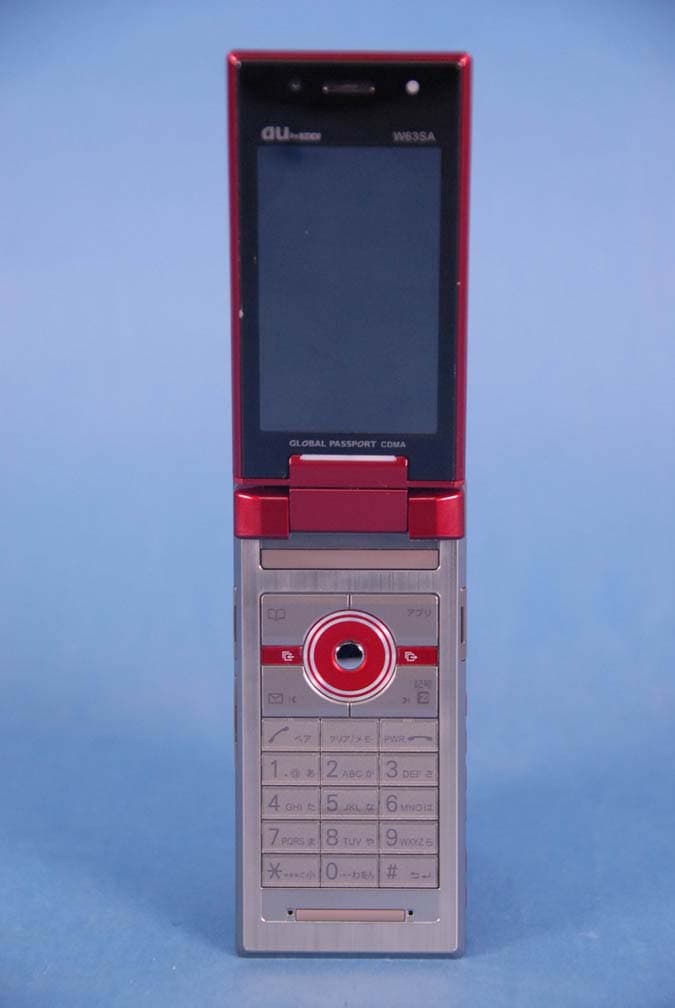
AEZW63SA
Mar 30, 2008Cellular CDMA Phone with Bluetooth
Equipment Class
TNE - Licensed Non-Broadcast Transmitter Held to Ear
AEZSCP-3800
Mar 09, 2008Cellular/ PCS CDMA Phone with Bluetooth
Equipment Class
JBP - Part 15 Class B Computing Device Peripheral
AEZSCP-25H
Sep 12, 2007Cellular/ PCS CDMA Phone with Bluetooth
Equipment Class
DSS - Part 15 Spread Spectrum Transmitter
AEZCPE-400-2C0
Jun 14, 2007W-CDMA subscriber terminal
Equipment Class
TNB - Licensed Non-Broadcast Station Transmitter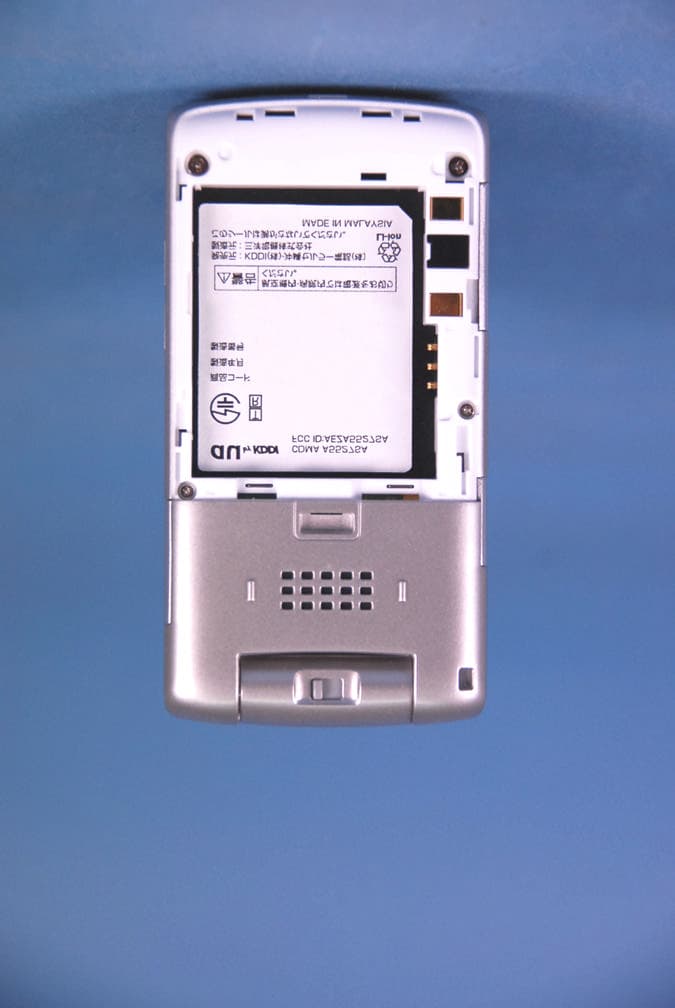
AEZA5527SA
May 29, 2007Cellular CDMA Phone
Equipment Class
TNE - Licensed Non-Broadcast Transmitter Held to Ear