AEZSUP-S750Mobile phone with GSM/GPRS functionality
Sanyo Electric Co Ltd
Click to zoom
Application Details
- Equipment Class
- PCE - PCS Licensed Transmitter held to ear
- Date of Grant
- Sep 23, 2004
- Application Purpose
- Original Equipment
- Date of Application
- Sep 23, 2004
- Equipment Note
- Mobile phone with GSM/GPRS functionality
- Frequency Range
- 1850.20000000 - 1909.80000000
- Company
- Sanyo Electric Co Ltd
- Country
- United States
Documents & Files
Document Text
Text extracted from the exhibit documents filed with the FCC. Open a document above to read the original.
Users Manual
guide to using your Sanyo S750 Note: The cover has been sent separately welcome 3 This guide will get you up and running with your Sanyo S750in no time. Before using your phone, please remember to register with Orange. The getting started section of this guide will take you through inserting your USIM Cardand using the main features of your phone for the first time. The guide shows you more about specific applications and services, as well as how to use your phone’s more advanced features. the future’s bright, the future’s Orange Note: The cover has been sent separately contents getting started After you register Orange will update your USIM Card over the air with a text message. When you first turn on your phone you will see the USIM update message. You can leave it in your inbox until you are ready to delete it. Turn your phone off and on again for the update to take effect. See page 14 to learn how to turn your phone on and off. And lastly When you apply to register on the Orange network, you and Orange agree to be bound by the Orange terms and conditions set out in the reference section of this guide. You may want to take time to read and consider them before you register. 1Find the IMEI number under the battery of your Sanyo S750. You may need the number in the future if your handset is lost or stolen. 2Find the USIM Card number on the back of your USIM Card. 3If you are already with Orange when you register, you will be asked for your Orange password. If you are new to Orange you should have a new password ready. 4Contact Orange Customer services to register. If you are already with Orange and wish to register an upgraded phone, call 0800 079 0027. If you are new to Orange and will be paying monthlycall07973 100 980. If you are new to Orange with pay as you go call 0800 079 0006. If you are a Business Solutions customer please call 07973 100 158to register or upgrade your phone. 1011 register with Orangeregister with Orange SIM/USIM Card 12 1Insert your USIM Card by sliding it into the card slot until it clicks into place. Make sure that the gold contacts are face down. 2Ensure that the gold contacts on the battery are meeting the gold contacts on the phone. Slide the battery onto the contact points and press it down until it clicks into place. 13 insert your USIM Card Charge the phone until the orange light goes out the first time you use the phone for optimum performance. Subsequent charges should be for approximately four hours if the battery is completely flat. You can make calls while charging as long as you have registered with Orange, although this may increase the time needed to fully charge your battery. 1Firmly insert the charger into the connection terminal on the bottom of your phone. 2Plug the charger into a mains socket. The charge indicator on the top of your phone will light red while the phone is charging. 3To r emove the charger, press the release buttons on each side of it and pull it from the phone. Note: Rechargeable batteries have a limited lifespan and Orange recommends that you purchase a new one every year. Call the Orange accessories hotline on 0500 178 178 for more details. plug in and charge 1514 rear camera lens antenna charger socket/ USB terminal outside your Sanyo S750 MenuCamera 10:10 outside your Sanyo S750 front camera lens navigation pad to move through your menu options and to access your shortcuts video call key power/end key press and hold to switch your phone on and off back/clear key press to return to the previous screen or, in the Home screen, press and hold to switch profiles on or off soft keys the functions of these change according to what you are doing OK key to select a function Orange World key headset connector call key 1716 Bluetooth ® Bluetooth ® is active see page 90 for more information 3G This icon shows when you are in 3G coverage Left soft key function This opens your camera/video camera your Home screen SD Card slot infrared port outside your Sanyo S750 Menu 10:10 Camera Signal strength The more bars visible, the stronger the signal Clock Preset to display 24-hour format Menu 10:10 Camera 1918 your Home screen Infrared Infrared is active. See page 93 for more information Home screen shortcut icons Shortcut to the features you use most on your phone your Home screen Battery strength Right soft key function This opens your main menu MenuCamera 10:10 Your Home screen provides shortcuts to certain features available on your phone. This means you can enjoy fast and easy access to the functions you use most frequently. From the Home screen: Press the navigation pad up and down to access the different shortcut menus. Press to the left or right to access the contacts list. Pressonce to start the camera, press again to start the video. Press Menu to access the following options: ■Games ■Camera ■Organiser ■Orange World ■Address Book ■Messaging ■Extras ■Media Album ■Settings. 2120 1To enter the menus, press Menu. 2Use the navigation pad to move through the menus. 3To make a selection, press Select or OK. The soft keys control how you choose a function. On your display you will see what feature the soft key controls, depending on what you are doing at the time. So, for example, from the Home screen the left soft key accesses your camera and the right soft key opens the main menu. From inside the menus, press to return to the previous screen, or press and to return to the Home screen. inside your Sanyo S750 Antenna The more bars shown, the stronger the signal. Voice and data services available Voice dialling and enhanced 3G data services available Battery level The battery symbol appears in green when the battery is fully charged. Call in progress Voice call in progress Video call in progress All calls are diverted Line 1 indicator (may not always appear) Line 2 indicator You have received a text/email/ picture message You have received an Answer Phone Message All signals are off, except the alarm and timer The alarm clock has been set …
Text truncated - open the document above for the full version.
External Photos
CETECOM ICT Services GmbH Test report No. 3-3986-01-04/04 Date: 2004-07-13 Page 48 (61) ANNEX B: Test Setup Photos CETECOM ICT Services GmbH Test report No. 3-3986-01-04/04 Date: 2004-07-13 Page 49 (61) CETECOM ICT Services GmbH Test report No. 3-3986-01-04/04 Date: 2004-07-13 Page 50 (61) CETECOM ICT Services GmbH Test report No. 3-3986-01-04/04 Date: 2004-07-13 Page 51 (61) CETECOM ICT Services GmbH Test report No. 3-3986-01-04/04 Date: 2004-07-13 Page 52 (61) ANNEX C: External Photos CETECOM ICT Services GmbH Test report No. 3-3986-01-04/04 Date: 2004-07-13 Page 53 (61) CETECOM ICT Services GmbH Test report No. 3-3986-01-04/04 Date: 2004-07-13 Page 54 (61) ANNEX D: Internal Photos CETECOM ICT Services GmbH Test report No. 3-3986-01-04/04 Date: 2004-07-13 Page 55 (61) CETECOM ICT Services GmbH Test report No. 3-3986-01-04/04 Date: 2004-07-13 Page 56 (61) CETECOM ICT Services GmbH Test report No. 3-3986-01-04/04 Date: 2004-07-13 Page 57 (61) CETECOM ICT Services GmbH Test report No. 3-3986-01-04/04 Date: 2004-07-13 Page 58 (61) CETECOM ICT Services GmbH Test report No. 3-3986-01-04/04 Date: 2004-07-13 Page 59 (61) CETECOM ICT Services GmbH Test report No. 3-3986-01-04/04 Date: 2004-07-13 Page 60 (61) CETECOM ICT Services GmbH Test report No. 3-3986-01-04/04 Date: 2004-07-13 Page 61 (61)
Internal Photos
CETECOM ICT Services GmbH Test report No. 3-3986-01-04/04 Date: 2004-07-13 Page 48 (61) ANNEX B: Test Setup Photos CETECOM ICT Services GmbH Test report No. 3-3986-01-04/04 Date: 2004-07-13 Page 49 (61) CETECOM ICT Services GmbH Test report No. 3-3986-01-04/04 Date: 2004-07-13 Page 50 (61) CETECOM ICT Services GmbH Test report No. 3-3986-01-04/04 Date: 2004-07-13 Page 51 (61) CETECOM ICT Services GmbH Test report No. 3-3986-01-04/04 Date: 2004-07-13 Page 52 (61) ANNEX C: External Photos CETECOM ICT Services GmbH Test report No. 3-3986-01-04/04 Date: 2004-07-13 Page 53 (61) CETECOM ICT Services GmbH Test report No. 3-3986-01-04/04 Date: 2004-07-13 Page 54 (61) ANNEX D: Internal Photos CETECOM ICT Services GmbH Test report No. 3-3986-01-04/04 Date: 2004-07-13 Page 55 (61) CETECOM ICT Services GmbH Test report No. 3-3986-01-04/04 Date: 2004-07-13 Page 56 (61) CETECOM ICT Services GmbH Test report No. 3-3986-01-04/04 Date: 2004-07-13 Page 57 (61) CETECOM ICT Services GmbH Test report No. 3-3986-01-04/04 Date: 2004-07-13 Page 58 (61) CETECOM ICT Services GmbH Test report No. 3-3986-01-04/04 Date: 2004-07-13 Page 59 (61) CETECOM ICT Services GmbH Test report No. 3-3986-01-04/04 Date: 2004-07-13 Page 60 (61) CETECOM ICT Services GmbH Test report No. 3-3986-01-04/04 Date: 2004-07-13 Page 61 (61)
RF Exposure Info
CETECOM ICT Services GmbH Untertuerkheimer Str. 6-10, 66117 Saarbruecken, Germany Phone: +49 (0) 681 598-0 Fax: -8475 SAR-Laboratory Phone: +49 (0) 681 598-8454 . As of 2004-07-08 Page 1 of 81 Accredited testing laboratory DAR registration number: TTI-P-G 081/94-D0 Federal Motor Transport Authority (KBA) DAR registration number: KBA-P 00070-97 Test report no. : 3-3986-01-03/04-B Type identification : SUP-S750 Test specification : IEEE P1528/D1.2 FCC-ID : AEZSUP-S750 Test specification : CETECOM ICT Services GmbH Test report no.: 3-3986-01-03/04-B As of 2004-07-08 Page 2 of 81 Table of Contents 1General Information............................................................................................................................................................... 3 1.1Notes ............................................................................................................................................................................... 3 1.1.1Statement of Compliance ....................................................................................................................................... 3 1.2Testing laboratory............................................................................................................................................................ 4 1.3Details of applicant.......................................................................................................................................................... 4 1.4Application details........................................................................................................................................................... 4 1.5Test item .......................................................................................................................................................................... 5 1.6Test specification(s) ........................................................................................................................................................ 6 1.6.1RF exposure limits ................................................................................................................................................. 6 2Technical test ......................................................................................................................................................................... 7 2.1Summary of test results ................................................................................................................................................... 7 2.2Test environment ............................................................................................................................................................. 7 2.3Measurement and test set-up ........................................................................................................................................... 7 2.4Measurement system ....................................................................................................................................................... 8 2.4.1System Description ................................................................................................................................................ 8 2.4.2Test environment ................................................................................................................................................... 9 2.4.3Probe description ................................................................................................................................................... 9 2.4.4Phantom description ............................................................................................................................................ 10 2.4.5Device holder description .................................................................................................................................... 10 2.4.6Scanning procedure.............................................................................................................................................. 11 2.4.7Spatial Peak SAR Evaluation............................................................................................................................... 12 2.4.8Data Storage and Evaluation................................................................................................................................ 13 2.4.9Test equipment utilized........................................................................................................................................ 15 2.4.10Tissue simulating liquids : dielectric properties................................................................................................... 16 2.4.11Tissue simulating liquids : parameters................................................................................................................. 17 2.4.12Measurement uncertainty evaluation for SAR test .............................................................................................. 18 2.4.13Measurement uncertainty evaluation for system validation................................................................................. 19 2.4.14System validation................................................................................................................................................. 20 2.4.15Validation procedure............................................................................................................................................ 21 2.5Test results (Head and Body SAR)................................................................................................................................ 22 2.5.1Description of test procedures ............................................................................................................................. 23 2.6Test results (conducted power measurement)......................................…
Text truncated - open the document above for the full version.
RF Exposure Info
CETECOM ICT Services GmbH Untertuerkheimer Str. 6-10, 66117 Saarbruecken, Germany Phone: +49 (0) 681 598-0 Fax: -8475 SAR-Laboratory Phone: +49 (0) 681 598-8454 . As of 2004-07-08 Page 1 of 29 Accredited testing laboratory DAR registration number: TTI-P-G 166/98 Federal Motor Transport Authority (KBA) DAR registration number: KBA-P 00070-97 Appendix to the Report 3-3986-01-03/04-B Calibration Data, Phantom Certificate and detail Information of the DASY4 System Test specification : CETECOM ICT Services GmbH Calibration Data and Phantom Information; Report No.: 3-3986-01-03/04-B As of 2004-07-08 Page 2 of 29 Table of Content 1 Calibration report “Probe ET3DV6”.......................................................................................................................................................3 2 Calibration report “1900 MHz System validation dipole”...............................................................................................................11 3 Calibration certificate of Data Aquisition Unit (DAE)......................................................................................................................21 4 Certificate of Conformity “SAM Twin Phantom V4.0/V4.0C”.......................................................................................................22 5 Application Note System Performance Check....................................................................................................................................24 CETECOM ICT Services GmbH Calibration Data and Phantom Information; Report No.: 3-3986-01-03/04-B As of 2004-07-08 Page 3 of 29 1 Calibration report “Probe ET3DV6” CETECOM ICT Services GmbH Calibration Data and Phantom Information; Report No.: 3-3986-01-03/04-B As of 2004-07-08 Page 4 of 29 CETECOM ICT Services GmbH Calibration Data and Phantom Information; Report No.: 3-3986-01-03/04-B As of 2004-07-08 Page 5 of 29 CETECOM ICT Services GmbH Calibration Data and Phantom Information; Report No.: 3-3986-01-03/04-B As of 2004-07-08 Page 6 of 29 CETECOM ICT Services GmbH Calibration Data and Phantom Information; Report No.: 3-3986-01-03/04-B As of 2004-07-08 Page 7 of 29 CETECOM ICT Services GmbH Calibration Data and Phantom Information; Report No.: 3-3986-01-03/04-B As of 2004-07-08 Page 8 of 29 CETECOM ICT Services GmbH Calibration Data and Phantom Information; Report No.: 3-3986-01-03/04-B As of 2004-07-08 Page 9 of 29 CETECOM ICT Services GmbH Calibration Data and Phantom Information; Report No.: 3-3986-01-03/04-B As of 2004-07-08 Page 10 of 29 CETECOM ICT Services GmbH Calibration Data and Phantom Information; Report No.: 3-3986-01-03/04-B As of 2004-07-08 Page 11 of 29 2 Calibration report “1900 MHz System validation dipole” CETECOM ICT Services GmbH Calibration Data and Phantom Information; Report No.: 3-3986-01-03/04-B As of 2004-07-08 Page 12 of 29 CETECOM ICT Services GmbH Calibration Data and Phantom Information; Report No.: 3-3986-01-03/04-B As of 2004-07-08 Page 13 of 29 CETECOM ICT Services GmbH Calibration Data and Phantom Information; Report No.: 3-3986-01-03/04-B As of 2004-07-08 Page 14 of 29 CETECOM ICT Services GmbH Calibration Data and Phantom Information; Report No.: 3-3986-01-03/04-B As of 2004-07-08 Page 15 of 29 CETECOM ICT Services GmbH Calibration Data and Phantom Information; Report No.: 3-3986-01-03/04-B As of 2004-07-08 Page 16 of 29 CETECOM ICT Services GmbH Calibration Data and Phantom Information; Report No.: 3-3986-01-03/04-B As of 2004-07-08 Page 17 of 29 CETECOM ICT Services GmbH Calibration Data and Phantom Information; Report No.: 3-3986-01-03/04-B As of 2004-07-08 Page 18 of 29 CETECOM ICT Services GmbH Calibration Data and Phantom Information; Report No.: 3-3986-01-03/04-B As of 2004-07-08 Page 19 of 29 CETECOM ICT Services GmbH Calibration Data and Phantom Information; Report No.: 3-3986-01-03/04-B As of 2004-07-08 Page 20 of 29 CETECOM ICT Services GmbH Calibration Data and Phantom Information; Report No.: 3-3986-01-03/04-B As of 2004-07-08 Page 21 of 29 3 Calibration certificate of Data Aquisition Unit (DAE) CETECOM ICT Services GmbH Calibration Data and Phantom Information; Report No.: 3-3986-01-03/04-B As of 2004-07-08 Page 22 of 29 4 Certificate of Conformity “SAM Twin Phantom V4.0/V4.0C” CETECOM ICT Services GmbH Calibration Data and Phantom Information; Report No.: 3-3986-01-03/04-B As of 2004-07-08 Page 23 of 29 CETECOM ICT Services GmbH Calibration Data and Phantom Information; Report No.: 3-3986-01-03/04-B As of 2004-07-08 Page 24 of 29 5 Application Note System Performance Check 5.1.1.1 Purpose of system performance check The system performance check verifies that the system operates within its specifica-tions. System and operator errors can be detected and corrected. It is recommended that the system performance check is performed prior to any usage of the system in order to guarantee reproducible results. The measurement of the Specific Absorption Rate (SAR) is a complicated task and the result depends on the proper functioning of many components and the correct settings of many param-eters. Faulty results due to drift, failures or incorrect parameters might not be recognized, since they often look similar in distribution to the correct ones. The Dosimetric Assessment System DASY4 incorporates a system performance check procedure to test the proper functioning of the system. The system performance check uses normal SAR measurements in a simplified setup (the at section of the SAM Twin Phantom) with a well characterized source (a matched dipole at a specified distance). This setup was selected to give a high sensitivity to all parameters that might fail or vary over time (e.g., probe, liquid parameters, and software settings) and a low sensitivity to external effects inherent in the system (e.g., positioning uncertainty of the device holder). The system performance check does not replace the calibration of the components. The accuracy of the system performance ch…
Text truncated - open the document above for the full version.
Test Report
CETECOM ICT Services GmbH Radio Satellite Communication Untertürkheimer Straße 6-10 . D-66117 Saarbrücken Telefon: +49 (0)681 598-0 Telefax: - 9075 Test report No.: 3-3986-01-04/04 This test report consists of 61 pages Page 1 (61) Recognized by the Federal Communications Commission Anechoic Chamber Registration No.: 90462 (FCC) Anechoic Chamber Registration No.: 3463 (IC) TCB ID: DE 0001 Accredited by the German Accreditation Council DAR–Registration Number TTI–P–G 081/94-D0 Independent ETSI compliance test house ETSI Test Report No.: 3-3986-01-04/04 Applicant: SANYO Telec. Co., Ltd. Type: SUP-S750 Test Standards: FCC Part 24 / RSS 133 FCC ID: AEZSUP-S750 CETECOM ICT Services GmbH Test report No. 3-3986-01-04/04 Date: 2004-07-13 Page 2 (61) Table of Contents 1 GENERAL INFORMATION ......................................................................................... 3 1.1 NOTES 3 1.2 T ESTING LABORATORY 3 1.3 D ETAILS OF APPLICANT 4 1.4 A PPLICATION DETAILS 4 1.6 T EST STANDARDS 6 2 STATEMENT OF COMPLIANCE.................................................................................. 7 2.1 SUMMARY OF MEASUREMENT RESULTS 7 2.1.1 PCS1900............................................................................................................. 7 3 MEASUREMENTS AND RESULTS.............................................................................. 8 3.1 PART PCS 1900 8 3.1.1 RF Power Output ................................................................................................ 8 3.1.2 Frequency Stability ........................................................................................... 12 3.1.3 Radiated Emissions .......................................................................................... 15 3.1.4 Receiver Radiated Emissions ........................................................................... 22 3.1.5 Conducted Spurious Emissions ........................................................................ 26 3.1.6 Block Edge Compliance .................................................................................... 30 3.1.7 Occupied Bandwidth ......................................................................................... 32 4 TEST EQUIPMENT AND ANCILLARIES USED FOR TESTS ................................... 39 ANNEX A: Part 15 B Tests................................................................................................ 41 ANNEX B: Test Setup Photos .......................................................................................... 48 ANNEX C: External Photos .............................................................................................. 52 ANNEX D: Internal Photos ............................................................................................... 54 CETECOM ICT Services GmbH Test report No. 3-3986-01-04/04 Date: 2004-07-13 Page 3 (61) 1 GENERAL INFORMATION 1.1 Notes The test results of this test report relate exclusively to the test item specified in 1.5. The CETECOM ICT Services GmbH does not assume responsibility for any conclusions and generalizations drawn from the test results with regard to other specimens or samples of the type of the equipment represented by the test item. The test report may only be reproduced or published in full. Reproduction or publication of extracts from the report requires the prior written approval of the CETECOM ICT Services GmbH. 1.2 Testing Laboratory CETECOM ICT Services GmbH Untertürkheimer Straße 6 - 10 66117 Saarbrücken Germany Telephone: + 49 681 598 - 9100 Telefax: + 49 681 598 - 9075 E-mail: [email protected] Internet: www.cetecom-ict.de Accredited testing laboratory The test laboratory (area of testing) is accredited according to DIN EN ISO/IEC 17025. DAR registration number: TTI-P-G-081/94-D0 Listed by: Federal Communications Commission (FCC) Identification/Registration No : 90462 Laboratory Manager : 2004-07-13 RSC 8431 Gillmann D Date Section Name Signature Technical responsibility for area of testing: 2004-07-13 RSC 8412 Hausknecht D. Date Section Name Signature CETECOM ICT Services GmbH Test report No. 3-3986-01-04/04 Date: 2004-07-13 Page 4 (61) 1.3 Details of Applicant Name: SANYO Telecommunications Co., Ltd. Address: 1-1 Sanyo-cho Daito City City: Osaka 574-8534 Country: Japan Phone: + 81-72-870-6340 Fax: + 81-72-870-6028 Contact: Yukinori Tokazu Phone: + 81-72-870-6340 Fax: + 81-72-870-6028 e-mail: [email protected] 1.4 Application Details Date of test: 2004-07-01 to 2004-07-02 CETECOM ICT Services GmbH Test report No. 3-3986-01-04/04 Date: 2004-07-13 Page 5 (61) 1.5 Test Item Type of equipment: Mobile Station (GSM/GPRS/UMTS) Type name: SUP-S750 Manufacturer: SANYO Telecommunications Co., Ltd. Address: 1-1 Sanyo-cho Daito City City: Osaka 574-8534 Country: Japan Frequency 1850.2 – 1909.8 MHz Type of modulation: 300KGXW Number of channels: 300 Output power GSM 1900: cond : 31.1 dBm Peak, EIRP: 28.5 dBm (Burst) Transmitter Spurious (worst case) μW (noise floor ) Receiver Spurious (worst case) μV/m @ 3m Antenna: Integral antenna Power supply (normal): 3,7 V DC Li-Polymer Battery Power supply (extreme): 3.3 – 4.4 V DC FCC ID: AEZSUP-S750 Certification No. IC: Open Area Test Site IC No.: 3436 IC Standards RSS133, Issue 2, Rev. 1 ATTESTATION: DECLARATION OF COMPLIANCE: I declare that the testing was performed or supervised by me; that the test measurements were made in accordance with the above-mentioned Industry Canada standard(s); and that the equipment identified in this application has been subjected to all the applicable test conditions specified in the Industry Canada standards and all of the requirements of the standard have been met. Laboratory Manager : 2004.07.13 RSC 8431 Gillmann D. Date Section Name Signature CETECOM ICT Services GmbH Test report No. 3-3986-01-04/04 Date: 2004-07-13 Page 6 (61) Test Setup Hardware: 1.0 Software 0.28001 Mobile IMEI: 353845000000894 (radiated measurements) Mobile; IMEI: 353845000000878 (conduct…
Text truncated - open the document above for the full version.
Contact Information
Applicant
Hideaki Mukaida
Test Firm
Cetecom ICT Services GmbHRalf Hoehn
Technical Specifications
| # | Rule Parts | Frequency Range | Power Output | Emission | Tolerance |
|---|---|---|---|---|---|
| 1 | 24E | 1.85 GHz - 1.91 GHz | 707.00 mW | 300KGXW | 0.0154000000 ppm |
Other Applications from Sanyo Electric Co Ltd
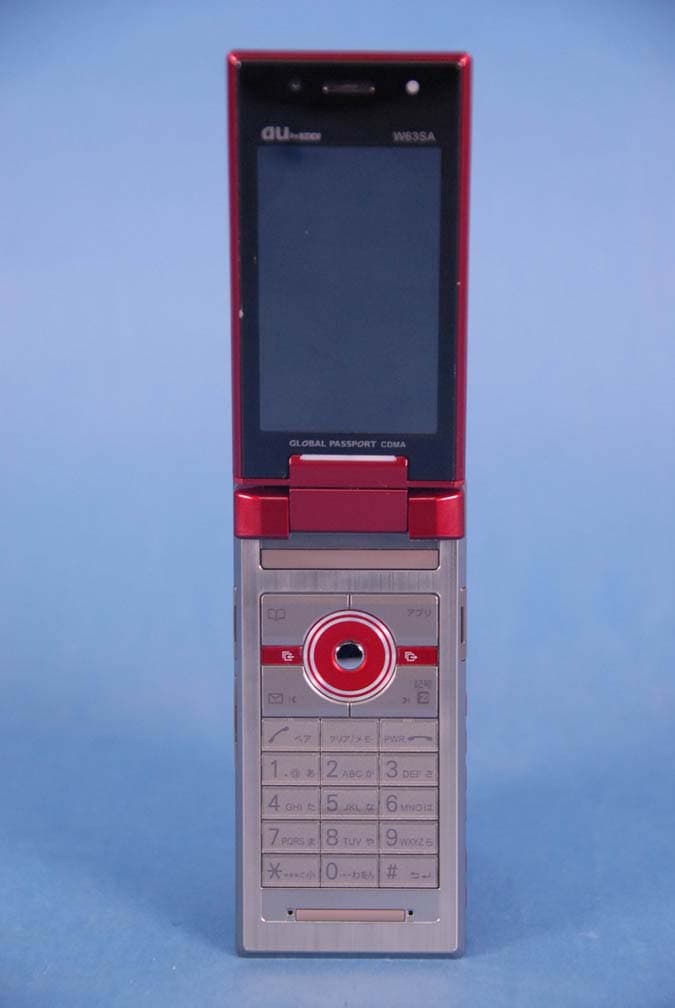
AEZW63SA
Mar 30, 2008Cellular CDMA Phone with Bluetooth
Equipment Class
TNE - Licensed Non-Broadcast Transmitter Held to Ear
AEZSCP-3800
Mar 09, 2008Cellular/ PCS CDMA Phone with Bluetooth
Equipment Class
JBP - Part 15 Class B Computing Device Peripheral
AEZSCP-25H
Sep 12, 2007Cellular/ PCS CDMA Phone with Bluetooth
Equipment Class
DSS - Part 15 Spread Spectrum Transmitter
AEZCPE-400-2C0
Jun 14, 2007W-CDMA subscriber terminal
Equipment Class
TNB - Licensed Non-Broadcast Station Transmitter
AEZNVM-4070
Jun 04, 2007PND (Personal Navigation Device)
Equipment Class
DXT - Part 15 Low Power Transceiver, Rx Verified