ASIV1A005GPS Navigation System
JVC KENWOOD Corporation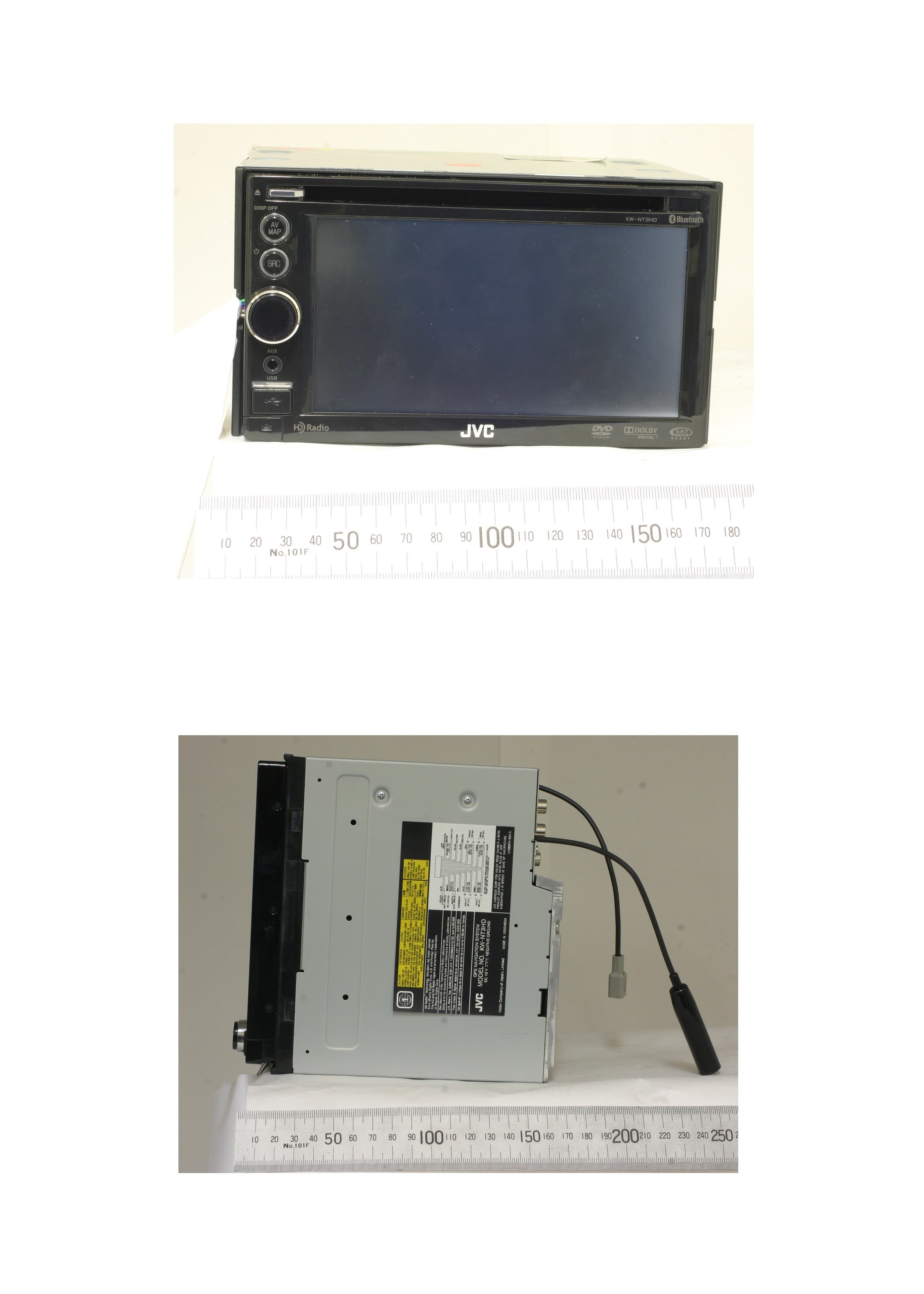
Click to zoom
Application Details
- Equipment Class
- DSS - Part 15 Spread Spectrum Transmitter
- Date of Grant
- Mar 28, 2010
- Application Purpose
- Original Equipment
- Date of Application
- Mar 28, 2010
- Equipment Note
- GPS Navigation System
- Frequency Range
- 2402.00000000 - 2480.00000000
- Company
- JVC KENWOOD Corporation
- Country
- Japan
Documents & Files
Document Text
Text extracted from the exhibit documents filed with the FCC. Open a document above to read the original.
Users Manual
ENGLISH ESPAÑOL FRANÇAIS ESPAÑOL For installation and connections, refer to the separate manual. Para la instalación y las conexiones, refiérase al manual separado. Pour l’installation et les raccordements, se référer au manuel séparé. INSTRUCTIONS MANUAL DE INSTRUCCIONES MANUEL D’INSTRUCTIONS For customer Use: Enter below the Model No. and Serial No. which are located on the top or bottom of the cabinet. Retain this information for future reference. Model No. Serial No. LVT2141-001A [J/C] KW-NT3HDT / KW-NT3HD GPS NAVIGATION SYSTEM SISTEMA DE NAVEGACIÓN GPS SYSTÈME DE NAVIGATION GPS HD Radio Traffic is available only for KW-NT3HDT. HD Radio Traffic is available only for KW-NT3HDT. HD Radio Traffic is available only for KW-NT3HDT. Only for KW-NT3HDT Only for KW-NT3HDT Only for KW-NT3HDT EN_KW-NT3[J]5.indb 2EN_KW-NT3[J]5.indb 210.3.28 9:56:41 AM10.3.28 9:56:41 AM ENGLISH 2 Thank you for purchasing a JVC product. Please read all instructions carefully before operation, to ensure your complete understanding and to obtain the best possible performance from the unit. IMPORTANT FOR LASER PRODUCTS 1. CLASS 1 LASER PRODUCT 2. CAUTION: Do not open the top cover. There are no user serviceable parts inside the unit; leave all servicing to qualified service personnel. 3. CAUTION: (For U.S.A.) Visible and/or invisible class II laser radiation when open. Do not stare into beam. (For Canada) Visible and/or invisible class 1M laser radiation when open. Do not view directly with optical instruments. 4. REPRODUCTION OF LABEL: CAUTION LABEL, PLACED OUTSIDE THE UNIT. INFORMATION (For U.S.A.) This equipment has been tested and found to comply with the limits for a Class B digital device, pursuant to Part 15 of the FCC Rules. These limits are designed to provide reasonable protection against harmful interference in a residential installation. This equipment generates, uses, and can radiate radio frequency energy and, if not installed and used in accordance with the instructions, may cause harmful interference to radio communications. However, there is no guarantee that interference will not occur in a particular installation. If this equipment does cause harmful interference to radio or television reception, which can be determined by turning the equipment off and on, the user is encouraged to try to correct the interference by one or more of the following measures: – Reorient or relocate the receiving antenna. – Increase the separation between the equipment and receiver. – Connect the equipment into an outlet on a circuit different from that to which the receiver is connected. – Consult the dealer or an experienced radio/TV technician for help. Caution Changes or modifications not approved by JVC could void the user’s authority to operate the equipment. (For USA) CAUTION: This device and its antenna(s) must not be co-located or operating in conjunction with any other antenna or transmitter. End user cannot modify this transmitter device. Any unauthorized modification made on the device could avoid the user’s authority to operate this device. (For Canada) “The installer of this radio equipment must ensure that the antenna is located or pointed such that it does not emit RF field in excess of Health Canada limits for the general population, consult Safety Code 6, obtainable from Health Canada’s website www. hc-sc.gc.ca/rpb” The term “IC:” before the radio certification number only signifies that Industry Canada technical specifications were met. This device complies with RSS 210 of Industry Canada “IC”. “Operation is subject to the following two conditions: (1) this device may not cause interference, and (2) this device must accept any interference, including interference that may cause undesired operation of the device.” L’ utilisation de ce dispositif est autorisée seulement aux conditions suivantes: (1) il ne doit pas produire de brouillage et (2) l’ utilisateur du dispositif doit étre prêt à accepter tout brouillage radioélectrique reçu, même si ce brouillage est susceptible de compromettre le fonctionnement du dispositif. EN_KW-NT3[J]5.indb 2EN_KW-NT3[J]5.indb 210.3.28 9:56:45 AM10.3.28 9:56:45 AM 3 ENGLISH • DO NOT install any unit or wire any cable in a location where; – it may obstruct the steering wheel and gearshift lever operations. – it may obstruct the operation of safety devices such as air bags. – it may obstruct visibility. • DO NOT operate the unit while driving. If you need to operate the unit while driving, be sure to look around carefully. • The driver must not watch the monitor while driving. • The monitor built in this unit has been produced with high precision, but it may have some ineffective dots. This is inevitable and is not malfunction. • Do not expose the monitor to direct sunlight. • Do not operate the touch panel using a ball-point pen or similar tool with the sharp tip. Touch the buttons on the touch panel with your finger directly (if you are wearing a glove, take it off). • When the temperature is very cold or very hot... – Chemical changes occur inside, causing malfunction. – Pictures may not appear clearly or may move slowly. Pictures may not be synchronized with the sound or picture quality may decline in such environments. WARNINGS: To prevent accidents and damage Cautions on the monitor: [European Union only] • Manufactured under license from Dolby Laboratories. Dolby and the double-D symbol are trademarks of Dolby Laboratories. • “DVD Logo” is a trademark of DVD Format/Logo Licensing Corporation registered in the US, Japan and other countries. • HD Radio™ Technology Manufactured Under License From iBiquity Digital Corp. U.S. and Foreign Patents.HD Radio™ and the HD and the HD Radio and Arc logos are proprietary trademarks of iBiquity Digital Corp. • “SIRIUS” and the SIRIUS dog logo are registered trademarks of SIRIUS Satellite Radio Inc. • XM and its corresponding logos are registered trademarks of XM Satellite Radio Inc. • “SAT Radio,” the SAT Radio logo and all related …
Text truncated - open the document above for the full version.
Users Manual
Disc operations 51 ENGLISH Playable disc types Disc typeRecording format, file type, etc.Playable DVD • DTS sound cannot be reproduced or output from this unit. DVD Video (Region Code: 1) * 1 DVD Audio DVD-ROM DVD Recordable/Rewritable (DVD-R/-RW * 2 , +R/+RW * 3 ) • DVD Video: UDF bridge • DVD-VR • MP3/WAV: ISO 9660 level 1, level 2, Romeo, Joliet DVD Video DVD-VR * 4 MP3/WAV JPEG WMA/AAC DivX/MPEG1/MPEG2/MPEG4 DVD+VR DVD-RAM Dual DiscDVD side Non-DVD side CD/VCDAudio CD/CD Text (CD-DA) VCD (Video CD) DTS-CD SVCD (Super Video CD) CD-ROM CD-I (CD-I Ready) CD Recordable/Rewritable (CD-R/-RW) • ISO 9660 level 1, level 2, Romeo, Joliet CD-DA MP3/WAV WMA/AAC JPEG DivX/MPEG1/MPEG2 MPEG4 * 1 If you insert a DVD Video disc of an incorrect Region Code, “Region code error” appears on the screen. * 2 DVD-R recorded in multi-border format is also playable (except for dual layer discs). DVD-RW dual layer discs are not playable. * 3 It is possible to play back finalized +R/+RW (Video format only) discs. “DVD” is selected as its disc type when a +R/+RW disc is loaded. +RW double layer discs are not playable. * 4 This unit cannot play back contents protected with CPRM (Content Protection for Recordable Media). EN_KW-NT3[J]5.indb 51EN_KW-NT3[J]5.indb 5110.3.28 9:57:45 AM10.3.28 9:57:45 AM 52 ENGLISH Audio format Title no./Chapter no./ Playing time [3 / 8]Starts playback/pauses. [7]Stops playback. [4] [¢]Press: Selects chapter. Hold: Reverse/forward search . (Search speed: x2 ] x10) [Aspect] Selects aspect ratio. (☞ page 68) [Angle]Selects view angle. [Audio]Selects audio language. [Subtitle]Selects subtitle language. [Menu] [Top M] Displays the disc menu. Disc type Playback mode Using the menu selecting screen Only for DVD Video/DVD-VR: Pressing DISP or touching the screen shows the operating buttons and playback information on the screen. The operating buttons and playback information disappear by pressing DISP or when no operation is done for about 5 seconds. [5] [∞] [2] [3]Selects the menu items. [Enter]Confirms the selection. [Return]Returns to the previous menu. [ ] Hides/displays the operating buttons on the screen. [ ] Adjusts the picture. (☞ page 68) [ ] Displays the menu selecting screen. (☞ below) [Mode]• Selects repeat playback mode. (☞ page 55) • Changes the settings for disc playback. (☞ page 56) Caution for DualDisc playback The Non-DVD side of a “DualDisc” does not comply with the “Compact Disc Digital Audio” standard. Therefore, the use of Non-DVD side of a DualDisc on this product may not be recommended. Disc operations Playback status (8: pause/7: stop) EN_KW-NT3[J]5.indb 52EN_KW-NT3[J]5.indb 5210.3.28 9:57:46 AM10.3.28 9:57:46 AM 53 ENGLISH Program no. (or Playlist no.)/Chapter no. (or file no.)/Playing time [3 / 8]Starts playback/pauses. [7]Stops playback. [4] [¢]Press: Selects chapter. Hold: Reverse/forward search . (Search speed: x2 ] x10) [Aspect] Selects aspect ratio. (☞ page 68) [Audio]Selects audio channel (ST: stereo, L: left, R: right). [Subtitle]Shows (ON)/hides (OFF) the subtitle. [Play L]Displays the Playlist. • For details about DVD-VR format and Playlist, refer to the instructions supplied with the recording equipment. [ ] Hides/displays the operating buttons on the screen. [ ] Adjusts the picture. (☞ page 68) [Mode]• Selects repeat playback mode. (☞ page 55) • Changes the settings for disc playback. (☞ page 56) [Prog.L]Displays the Original Program. Audio format Playback mode Disc type VR playback mode—VR-PRG (program) or VR-PLAY (playlist) Playback status (8: pause/7: stop) Disc operations EN_KW-NT3[J]5.indb 53EN_KW-NT3[J]5.indb 5310.3.28 9:57:47 AM10.3.28 9:57:47 AM 54 ENGLISH Disc operations [] [] Selects playback modes. (☞ page 55) [Mode]Changes the settings for disc playback. (☞ page 56) Track no./Playing time Playback modeSound mode (☞ page 66) Disc type The track information appears when it is recorded. [3 / 8]Starts playback/pauses. [4] [¢]Press: Selects track. Hold: Reverse/forward search. (Search speed: x2 ] x10) * When switching the folder, the folder name and file name appear for about 5 seconds even if tag data is recorded. Audio format (MP3/WAV) While playing, “Jacket picture” is shown if the file has the tag data including “Jacket picture.” [3 / 8]Starts playback/pauses. [4] [¢]Press: Selects track. Hold: Reverse/forward search . (Search speed: x2 ] x10) [5] [∞]Selects folder. Folder no./Track no./ Playing time Playback modeSound mode (☞ page 66) Disc type Tag data appears only when it is recorded. * (Current folder name and file name appear if not recorded.) [] [] Selects playback modes. (☞ page 55) [Mode]Changes the settings for disc playback. (☞ page 56) [List]Displays Folder/Track Lists. (☞ page 11) Playing Recordable/Rewritable discs • This unit can recognize a total of 5 000 files and 250 folders (a maximum of 999 files per folder). • Use only “finalized” discs. • This unit can play back multi-session discs; however, unclosed sessions will be skipped while playing. • Some discs or files may not be played back due to their characteristics or recording conditions. Playback status (8: pause) Playback status (8: pause) EN_KW-NT3[J]5.indb 54EN_KW-NT3[J]5.indb 5410.3.28 9:57:48 AM10.3.28 9:57:48 AM 55 ENGLISH Selecting playback modes For CD/MP3/WAV • You cannot activate the repeat mode and the random mode at the same time. • For CD: TRACK Repeats current track. DISCRandomly plays all tracks. • For MP3/WAV: TRACK Repeats current track. FOLDER Repeats all tracks of the current folder. FOLDERRandomly plays all tracks of current folder, then tracks of next folders. DISCRandomly plays all tracks. • Press the button repeatedly until the desired playback mode is selected. To cancel, press the button repeatedly until the indicator disappears. For DVD/DVD-VR 1 2 Select Repeat mode. • For DVD: ChapterRepeats current chapter. TitleRepeats current title. • For DVD-VR ChapterRepeats current chapter. ProgramRepeats current program (not available for Playlist playback).…
Text truncated - open the document above for the full version.
Test Report
Issue Date: March 09, 2010 Report No.: RY1003J09R1 Model: KW-NT3HDT / KW-NT3HD RFT RF Technologies Ltd. Page 1 of 49 TEST REPORT For GPS NAVIGATION SYSTEM (For Bluetooth) In conformity with FCC CFR 47 Part15 (October 1, 2009) / RSS-210 Issue 7, RSS-Gen Issue 2 Model: KW-NT3HDT / KW-NT3HD FCC ID/ IC Certification No.: ASIV1A005 / 2320A-V1A005 Test Item: GPS NAVIGATION SYSTEM (For Bluetooth) Report No: RY1003J09R1 Issue Date: March 09, 2010 RF Technologies Ltd. 472, Nippa-cho, Kohoku-ku, Yokohama, 223-0057, Japan Telephone: +81+(0)45- 534-0645 FAX: +81+(0)45- 534-0646 Prepared by Prepared for Victor Company of Japan, Limited 12,3-chome, Moriya-cho, Kanagawa-ku Yokohama-shi, Kanagawa-ken 221-8528, Japan This report shall not be reproduced, except in full, without the written permission of RF Technologies Ltd. The test results in this report apply only to the sample tested. RF Technologies Ltd. is managed to ISO17025 and has the necessary knowledge and test facilities for testing according to the referenced standards. 472, Nippa-cho, Kohoku-ku, Yokohama, 223-0057, Japan Telephone: +81+(0)45- 534-0645, FAX: +81+(0)45- 534-0646, Web: http://www.rft.jp Issue Date: March 09, 2010 Report No.: RY1003J09R1 Model: KW-NT3HDT / KW-NT3HD RF Technologies Ltd. Page 2 of 49 RFT Table of contents 1 General information...................................................................................................................... 3 1.1 Product description................................................................................................................................................3 1.2 Test(s) performed/ Summary of test result............................................................................................................ 3 1.3 Test facility............................................................................................................................................................4 1.4 Measurement uncertainty.......................................................................................................................................4 1.5 Summary of test results..........................................................................................................................................5 1.5.1 Table of test summary....................................................................................................................................5 1.6 Setup of equipment under test (EUT).................................................................................................................... 5 1.6.1 Test configuration of EUT............................................................................................................................. 5 1.6.2 Operating condition:......................................................................................................................................6 1.6.3 Setup diagram of tested system:..................................................................................................................... 6 1.7 Equipment modifications.......................................................................................................................................6 1.8 Deviation from the standard..................................................................................................................................6 2 Test procedure and test data ........................................................................................................ 7 2.1 Occupied Bandwidth (20 dB / 99%)...................................................................................................................... 7 2.2 Hopping Carrier Frequency Separation............................................................................................................... 12 2.3 Number of Hopping Channel...............................................................................................................................15 2.4 Average Time of Occupancy...............................................................................................................................19 2.5 Peak Output Power..............................................................................................................................................26 2.6 Conducted Spurious Emissions (Antenna Port)................................................................................................... 29 2.7 Transmitter Radiated spurious emissions............................................................................................................ 32 2.7.1 Below 30 MHz.............................................................................................................................................34 2.7.2 Between 30 – 1000 MHz............................................................................................................................. 35 2.7.3 Above 1000 MHz.........................................................................................................................................37 2.8 Receiver Radiated spurious emissions................................................................................................................. 42 2.8.1 Between 30 – 1000 MHz............................................................................................................................. 42 2.8.2 Above 1000 MHz.........................................................................................................................................44 3 Test setup photographs............................................................................................................... 45 3.1 Definition of the EUT axis...................................................................................................................................45 3.2 Antenna Port Measurements..................................................................................…
Text truncated - open the document above for the full version.
Test Setup Photos
Issue Date: March 09, 2010 Report No.: RY1003J09R1 Model: KW-NT3HDT / KW-NT3HD RF Technologies Ltd. Page 45 of 49 RFT 3 Test setup photographs 3.1 Definition of the EUT axis The following configuration is defined as X-Axis The following configuration is defined as Y-Axis 472, Nippa-cho, Kohoku-ku, Yokohama, 223-0057, Japan Telephone: +81+(0)45- 534-0645, FAX: +81+(0)45- 534-0646, Web: http://www.rft.jp Issue Date: March 09, 2010 Report No.: RY1003J09R1 Model: KW-NT3HDT / KW-NT3HD RF Technologies Ltd. Page 46 of 49 RFT The following configuration is defined as Z-Axis 472, Nippa-cho, Kohoku-ku, Yokohama, 223-0057, Japan Telephone: +81+(0)45- 534-0645, FAX: +81+(0)45- 534-0646, Web: http://www.rft.jp Issue Date: March 09, 2010 Report No.: RY1003J09R1 Model: KW-NT3HDT / KW-NT3HD RF Technologies Ltd. Page 47 of 49 RFT 3.2 Antenna Port Measurements 472, Nippa-cho, Kohoku-ku, Yokohama, 223-0057, Japan Telephone: +81+(0)45- 534-0645, FAX: +81+(0)45- 534-0646, Web: http://www.rft.jp Issue Date: March 09, 2010 Report No.: RY1003J09R1 Model: KW-NT3HDT / KW-NT3HD RF Technologies Ltd. Page 48 of 49 RFT 3.3 Radiated spurious emissions 472, Nippa-cho, Kohoku-ku, Yokohama, 223-0057, Japan Telephone: +81+(0)45- 534-0645, FAX: +81+(0)45- 534-0646, Web: http://www.rft.jp
Contact Information
Applicant
Yasukazu Katakai(Manager)
Technical Contact
RF Technologies LtdKazuyuki Ohnishi
[email protected]+81 45534 0645
472, Nippa-cho, Kohoku-ku · Yokohama · Japan
Non-Technical Contact
RF Technologies LtdKaori Komuro
[email protected]+81 45534 0645
Test Firm
SGS Japan Inc. Kitayamata LabTakayuki Okawara
Technical Specifications
| # | Rule Parts | Frequency Range | Power Output |
|---|---|---|---|
| 1 | 15C | 2.40 GHz - 2.48 GHz | 2.50 mW |
Other Applications from JVC KENWOOD Corporation

ASIZWSA1
Jul 27, 2020SMART HEADSETS
Equipment Class
DSS - Part 15 Spread Spectrum Transmitter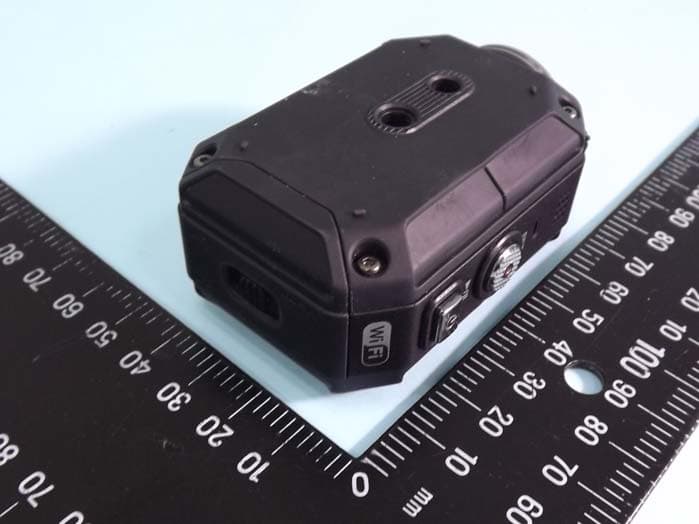
ASIP4C101
Jul 11, 2012Action Camera
Equipment Class
DTS - Digital Transmission System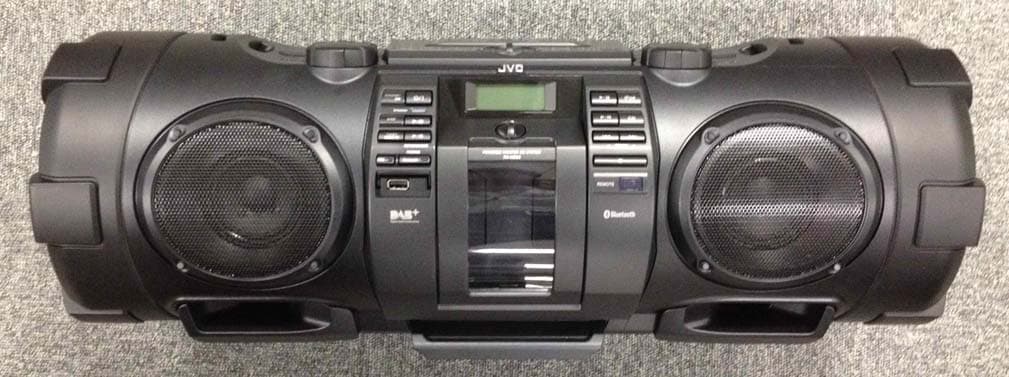
ASIVCB008
Apr 17, 2012POWERED WOOFER CD SYSTEM
Equipment Class
DSS - Part 15 Spread Spectrum Transmitter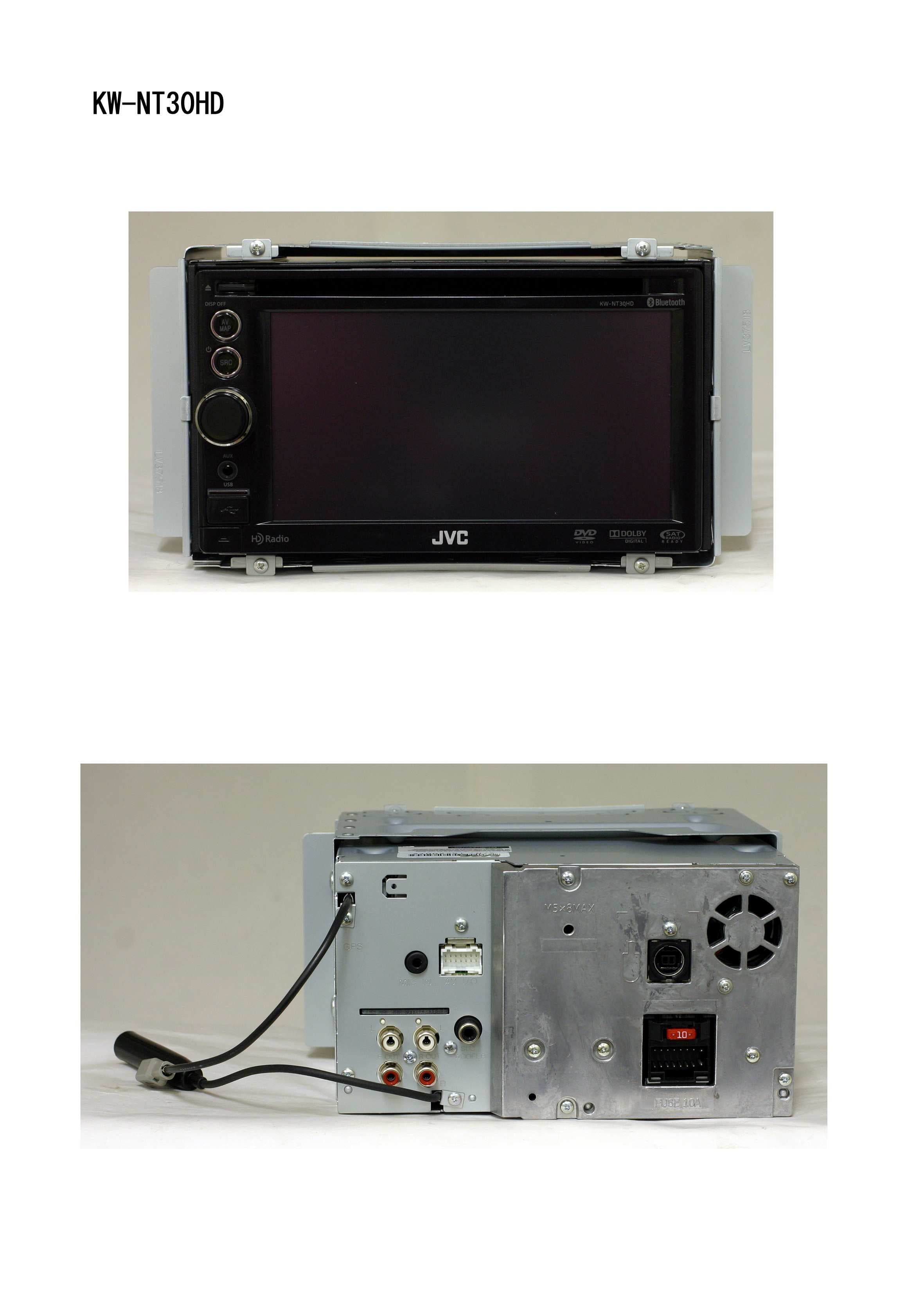
ASIV1B007
Jan 31, 2011GPS Navigation System
Equipment Class
DSS - Part 15 Spread Spectrum Transmitter
ASIVBA006
Nov 29, 2010Bluetooth audio adaptor for vehicle use.
Equipment Class
DSS - Part 15 Spread Spectrum Transmitter