AWA-NYNEREBELNYNE REBEL
NYNE MULTIMEDIA INC.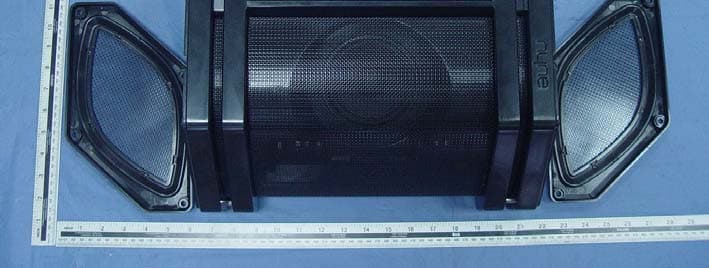
Click to zoom
Application Details
- Equipment Class
- DXX - Part 15 Low Power Communication Device Transmitter
- Date of Grant
- Dec 14, 2015
- Application Purpose
- Original Equipment
- Date of Application
- Dec 13, 2015
- Equipment Note
- NYNE REBEL
- Frequency Range
- 13.56000000 - 13.56000000
- Company
- NYNE MULTIMEDIA INC.
- Country
- United States
Documents & Files
Document Text
Text extracted from the exhibit documents filed with the FCC. Open a document above to read the original.
Users Manual
Guide d’utilisation rapide Istruzioni d’uso, semplificate Hurtig brugermanual Kurzanleitung Guía rápida del usuario Nopea käyttöopas Bærbar højttaler med Bluetooth Altavoz Bluetooth portátil Kannettava Bluetooth-kaiutin Enceinte portable Bluetooth Mobiler Bluetooth-Lautsprecher Altoparlante portatile Bluetooth FR DE DE DA FI FI DA ES ES IT Snelle gebruikershandleiding NL FR IT Draagbare Bluetooth-luidspreker NL Rebel Quick User Guide Portable Bluetooth Speaker nyne.com EN EN All registered and unregistered trademarks are property of their respective owners. Nyne Multimedia Inc. All rights reserved. QUG-Nyne Rebel-11-17-2015-V1.0 NYNE Rebel a b 2 cm OR 2 Play music on your device paired and connected with the speaker. Note: This speaker supports automatic connection with a previously paired device after power-off and power-on again. During music play: • Press +/- to adjust volume. • Press to skip to the previous or next song. • Press to pause or resume music play. When you make a call or there is an incoming call, you can use the speaker as a speaker phone. • When there is an incoming call, you can press to receive the call or press twice to reject the call. • During a call, you can press to end the call. • In BT mode, you can press twice to access the voice assistant on your smart device. To exit the voice assistant, press twice again. Tip: Music play is paused during a call and resumed automatically when the call ends. You can press and hold to disconnect the current Bluetooth connection. Reproduzca música en su dispositivo sincronizado y conectado con el altavoz. Nota: Este altavoz permite la conexión automática de un dispositivo previamente sincronizado cuando la unidad se apaga y se vuelve a encender. Durante la reproducción de música: • Pulse +/- para ajustar el volumen. • Pulse para pasar a la canción anterior o a la siguiente. • Pulse para dejar en pausa la reproducción de música o para reanudarla. Cuando realice o reciba una llamada, puede utilizar el altavoz como manos libres. • Cuando reciba una llamada, puede pulsar para responderla o pulsar dos veces para rechazarla. • Durante una llamada, puede pulsar para inalizarla. • En modo BT, puede pulsar dos veces para acceder al asistente de voz de su dispositivo inteligente. Para salir del asistente de voz, vuelva a pulsar dos veces. Consejo: La reproducción de música se pone en pausa durante una llamada y se reanuda automáticamente cuando inaliza la llamada. Si desea desactivar la conexión Bluetooth actual, mantenga pulsado . Riprodurre musica sul dispositivo abbinato e connesso con l’altoparlante. Nota: l’altoparlante supporta la connessione automatica a un dispositivo precedentemente abbinato al momento di una nuova accensione dopo lo spegnimento. Durante la riproduzione musicale: • Premere +/- per regolare il volume. • Premere per passare al brano precedente o successivo. • Premere per mettere in pausa o riprendere la riproduzione musicale. Quando si effettua o si riceve una chiamata, è possibile utilizzare l’altoparlante come altoparlante del telefono. • In caso di chiamata in arrivo, premere per ricevere la chiamata o premere due volte per riiutare la chiamata. • Durante una chiamata, premere per terminare la chiamata. • In modalità BT, premere due volte per accedere al supporto vocale del dispositivo smart. Per uscire dal supporto vocale, premere nuovamente per due volte. Suggerimento: la riproduzione musicale viene interrotta durante una chiamata e viene ripresa al termine della chiamata. Tenere premuto per scollegare la connessione Bluetooth corrente. Afspil musik på den enhed, der er parret og tilsluttet højttaleren. Bemærk: Højttaleren understøtter automatisk tilslutning til en tidligere parret enhed, efter at den er blevet slukket og tændt. Under musikafspilning: • Tryk på +/- for at justere lydstyrken. • Tryk på for at gå til forrige eller næste musiknummer. • Tryk på for at sætte en musikafspilning på pause eller genoptage afspilningen. Når du foretager opkald eller modtager et opkald, kan højttaleren bruges som telefonhøjttaler. • Når du modtager et opkald, skal du trykke på for at acceptere opkaldet eller trykke to gange på for at afvise opkaldet. • Under et opkald skal du trykke på for at afslutte opkaldet. • I BT-tilstand skal du trykke to gange på for at aktivere stemmestyring på din smart- enhed. DU kan afslutte stemmestyring ved at trykke to gange på igen. Tip: En musikafspilning sættes på pause under et opkald og genoptages automatisk, når opkaldet afsluttes. Tryk på , og hold den nede for at afbryde den aktuelle Bluetooth-forbindelse. Speelt muziek af op het apparaat dat gekoppeld is aan en verbonden is met de luidspreker. Opmerking: Deze luidspreker ondersteunt automatische verbinding met een voordien gekoppeld apparaat nadat deze werd uitgeschakeld en weer ingeschakeld. Tijdens muziekweergave: • Druk op +/- om het volume aan te passen. • Druk op om naar de vorige of volgende song te gaan. • Druk op om de muziek te pauzeren of te hervatten. Wanneer u telefoneert of er een oproep binnenkomt, kunt u de luidspreker als luidsprekertelefoon gebruiken. • Wanneer er een oproep binnenkomt, kunt u op drukken om de oproep te aanvaarden, of twee keer op drukken om de oproep te weigeren. • Tijdens een oproep kunt u op drukken om de oproep te beëindigen. • In de BT-modus kunt u twee keer op drukken om de spraakassistent op uw smart- apparaat te starten. Om de spraakassistent te sluiten, drukt u nogmaals twee keer op . Tip: De muziekweergave wordt gepauzeerd tijdens een oproep en automatisch hervat wanneer de oproep wordt beëindigd. U kunt ingedrukt houden om de huidige Bluetooth-verbinding te verbreken. Geben Sie Musik auf Ihrem mit dem Lautsprecher gepaarten und verbundenen Gerät wieder. Hinweis: Dieser Lautsprecher unterstützt die automatische Verbindung mit einem zuvor gepaarten Gerät nach der Aus- und Wiedereinschaltung. Während der Musikwiedergabe: • Drücken Sie +/- , um die Lautstärke anzupassen. • Drücken Sie , um …
Text truncated - open the document above for the full version.
Cover Letter(s)
SCS-F18: Project and Product Certification Representative Authorization Letter Page 1 of 2 Rev 5.0 775 Montague Expressway Milpitas, CA 95035 Tel: 408-526-1188 Fax: 408-526-1088 Email: [email protected] Project and Product Certification Representative Authorization Letter Revision History Reason for Amendment (current / obsolete) From To Approved Date Initial Release (obsolete) 1.0 1.0 Nov-14-2006 Revised wording (obsolete) 1.0 2.0 Sept–25-2007 Updated company template (obsolete) 2.0 3.0 Jan-31-2012 Updated letter information (obsolete) 3.0 4.0 May-23-2014 Added FCC ID field (current) 4.0 5.0 Sept 16 2014 SCS-F18: Project and Product Certification Representative Authorization Letter Page 2 of 2 Rev 5.0 NYNE MULTIMEDIA INC Dec 10, 2015 To: SIEMIC, INC. 775 Montague Expressway, Milpitas, CA 95035 USA Dear Sir/Madam, Re: Product Certification Representative Authorization Letter We, NYNE MULTIMEDIA INC hereby authorize SIEMIC, Inc. to act as a Certification Body for certifying for the following project(s): Product name: NYNE REBEL Model No.: NYNE REBEL FCC ID: AWA-NYNEREBEL Sincerely, Client’s signature Client’s name / title : Arman Arami/Manager Contact address: 3451 LUNAR COURT, OXNARD, California, United States. 93030 Contact telephone: 650 483 6373 Email: [email protected]
Cover Letter(s)
SCS-F19: Confidentiality Request Letter Page 1 of 2 Rev 5.0 775 Montague Expressway Milpitas, CA 95035 Tel: 408-526-1188 Fax: 408-526-1088 Email: [email protected] Confidentiality Request Letter Revision History Reason for Amendment (current / obsolete) From To Approved Date Initial Release (obsolete) 1.0 1.0 Nov-14-2006 Adding CFR 2.459 (obsolete) 1.0 2.0 August – 11 - 2008 Updated company template & Added text box (obsolete) 2.0 3.0 Jan-31-2012 Added IC confidentiality letter form (obsolete) 3.0 4.0 March-26-2015 Corrections to STC form. Added reference to KDB (current) 4.0 5.0 Nov 19 2015 SCS-F19: Confidentiality Request Letter Page 2 of 2 Rev 5.0 NYNE MULTIMEDIA INC Dec 10, 2015 To: Federal Communications Commission Authorization and Evaluation Division 7435 Oakland Mills Road Columbia, MD Subject: Permanent Confidentiality Request for FCC ID: AWA-NYNEREBEL Pursuant to sections 0.457 and 0.459 of CFR 47, we respectfully request permanent confidential treatment of the following Exhibits accompanying this application as: - Block Diagram - Schematics - Operational Description The above materials contain trade secrets and proprietary information not customarily released to the public. The public disclosure of these materials may be harmful to the applicant and provide unjustified benefits to its competitors. The applicant understands that disclosure of this application and all accompanying documentation will not be made before the date of the Grant for this application. Sincerely, Client’s signature Client’s name / title : Arman Arami/Manager Contact address: 3451 LUNAR COURT, OXNARD, California, United States. 93030 Contact telephone: 650 483 6373 Email: [email protected]
Cover Letter(s)
NYNE MULTIMEDIA INC To: Federal Communications Commission Authorization and Evaluation Division 7435 Oakland Mills Road Columbia, MD FCC ID: AWA-NYNEREBEL To Whom It May Concern: This letter is to ascertain that NYNE MULTIMEDIA INC (Product name: NYNE REBEL Model name: NYNE REBEL) The USB interface on the product is used to charge for the external product. the DOC test does not require. If you have any question or concerns, pls. contact us. Sincerely, Client’s signature Client’s name / title : Arman Arami/Manager Contact address: 3451 LUNAR COURT, OXNARD, California, United States. 93030 Contact telephone: 650 483 6373 Email: [email protected]
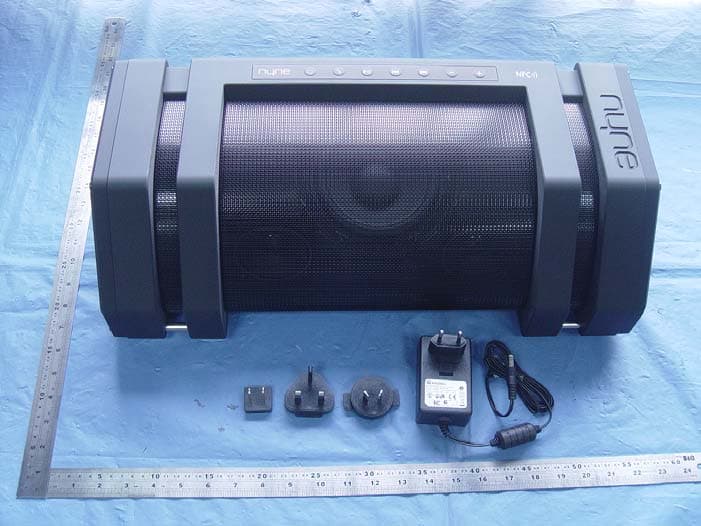
External Photos
External Photos
ID Label/Location Info
Label and label location
Internal Photos
Internal Photos
Test Report
Report No.: ATE20152368 Page 1 of 32 FCC ID: AWA-NYNEREBEL ACCURATE TECHNOLOGY CO., LTD APPLICATION FOR VERIFICATION On Behalf of NYNE MULTIMEDIA INC. NYNE REBEL Model No.: NYNE REBEL FCC ID: AWA- NYNEREBEL Prepared for : NYNE MULTIMEDIA INC. Address : 3451 LUNAR COURT, OXNARD, California, United States. 93030 Prepared by : Accurate Technology Co., Ltd. Address : F1, Bldg. A&D, Changyuan New Material Port, Keyuan Rd., Science & Industry Park, Nanshan District, Shenzhen 518057, P.R. China Tel: +86-755-26503290 Fax: +86-755-26503396 Report No. : ATE20152368 Date of Test : Nov 4-Dec 3, 2015 Date of Report : Dec 7, 2015 Report No.: ATE20152368 Page 2 of 32 FCC ID: AWA-NYNEREBEL ACCURATE TECHNOLOGY CO., LTD TABLE OF CONTENTS Description Page Test Report Declaration 1. GENERAL INFORMATION............................................................................................................ 5 1.1. Description of Device (EUT).................................................................................................................5 1.2. Special Accessory and Auxiliary Equipment......................................................................................6 1.3. Description of Test Facility...................................................................................................................6 1.4. Measurement Uncertainty.....................................................................................................................6 2. MEASURING DEVICE AND TEST EQUIPMENT...................................................................... 7 3. OPERATION OF EUT DURING TESTING.................................................................................. 8 3.1. Operating Mode ........................................................................................................................................8 3.2. Configuration and peripherals ..................................................................................................................8 4. TEST PROCEDURES AND RESULTS ......................................................................................... 9 5. POWER LINE CONDUCTED MEASUREMENT ..................................................................... 10 5.1. Block Diagram of Test Setup..................................................................................................................10 5.2. Power Line Conducted Emission Measurement Limits..........................................................................10 5.3. Configuration of EUT on Measurement .................................................................................................10 5.4. Operating Condition of EUT ..................................................................................................................10 5.5. Test Procedure ........................................................................................................................................11 5.6. Power Line Conducted Emission Measurement Results ........................................................................11 6. 20DB BANDWIDTH MEASUREMENT ...................................................................................... 18 6.1. Block Diagram of Test Setup..................................................................................................................18 6.2. The Requirement For Section 15.225 and 15.215(c) ..............................................................................18 6.3. EUT Configuration on Measurement .....................................................................................................18 6.4. Operating Condition of EUT ..................................................................................................................18 6.5. Test Procedure ........................................................................................................................................18 6.6. Test Result ..............................................................................................................................................19 7. FIELD STRENGTH OF FUNDAMENTAL EMISSIONS AND SPECTRUM MASK ........... 20 7.1. Block Diagram of Test Setup..................................................................................................................20 7.2. The Requirement For Section 15.225 .....................................................................................................20 7.3. EUT Configuration on Measurement .....................................................................................................20 7.4. Operating Condition of EUT ..................................................................................................................21 7.5. Test Procedure ........................................................................................................................................21 7.6. Test Result ..............................................................................................................................................21 8. RADIATED EMISSION MEASUREMENT................................................................................. 22 8.1. Block Diagram of Test Setup.............................................................................................................22 8.2. TEST CONFIGURATION....................................................................................................................22 8.3. Radiated Emission Limit.....................................................................................................................23 8.4. EUT Configuration on Measurement................................................................................................23 8.5. Operating Condition of EUT...............................................................................................................24 8.6. Test Procedure.........................................…
Text truncated - open the document above for the full version.
Test Setup Photos
Test photo
Contact Information
Applicant
Hootan Rouhani(Product Development Director)
Test Firm
Accurate Technology Co., Ltd.Sean Liu
Technical Specifications
| # | Rule Parts | Frequency Range | Power Output |
|---|---|---|---|
| 1 | 15C | 13.56 MHz - 13.56 MHz | - |
Other Applications from NYNE MULTIMEDIA INC.
AWA-NYNEROCK
Nov 30, 2015NYNE ROCK
Equipment Class
DTS - Digital Transmission System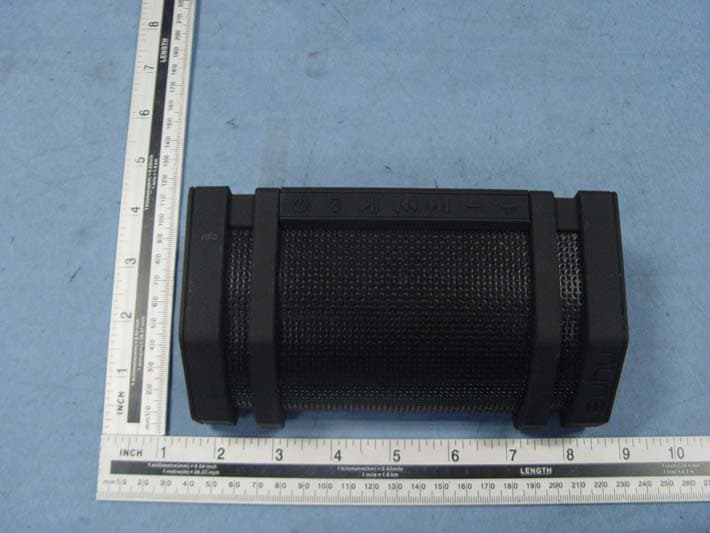
AWA-NYNEEDGE
Apr 29, 2015Bluetooth speaker
Equipment Class
DSS - Part 15 Spread Spectrum Transmitter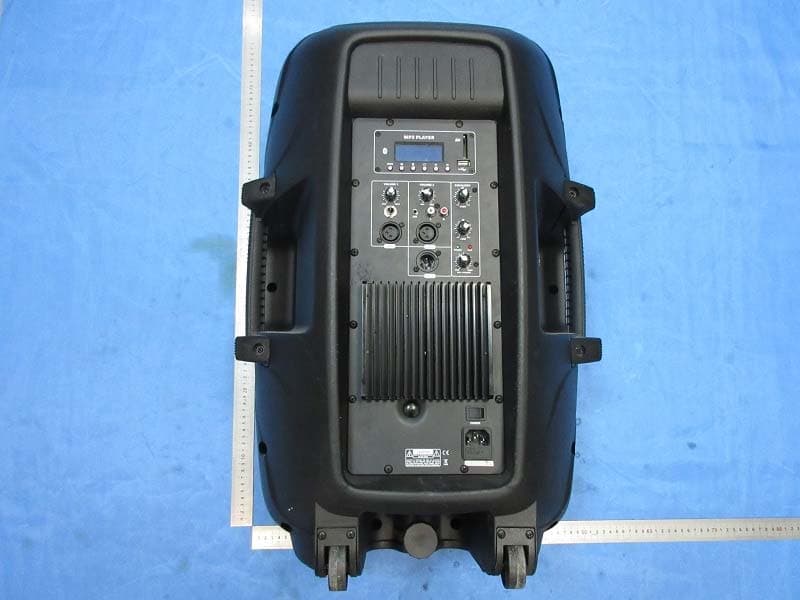
AWA-ADS15
Apr 23, 2015Speaker Box
Equipment Class
DSS - Part 15 Spread Spectrum Transmitter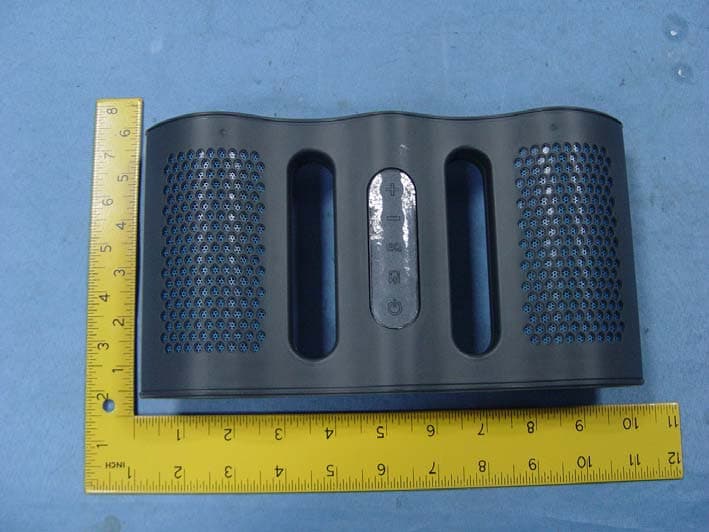
AWANYNE-AQUA
Jun 30, 2014Selfy Shutter Remote
Equipment Class
DSS - Part 15 Spread Spectrum Transmitter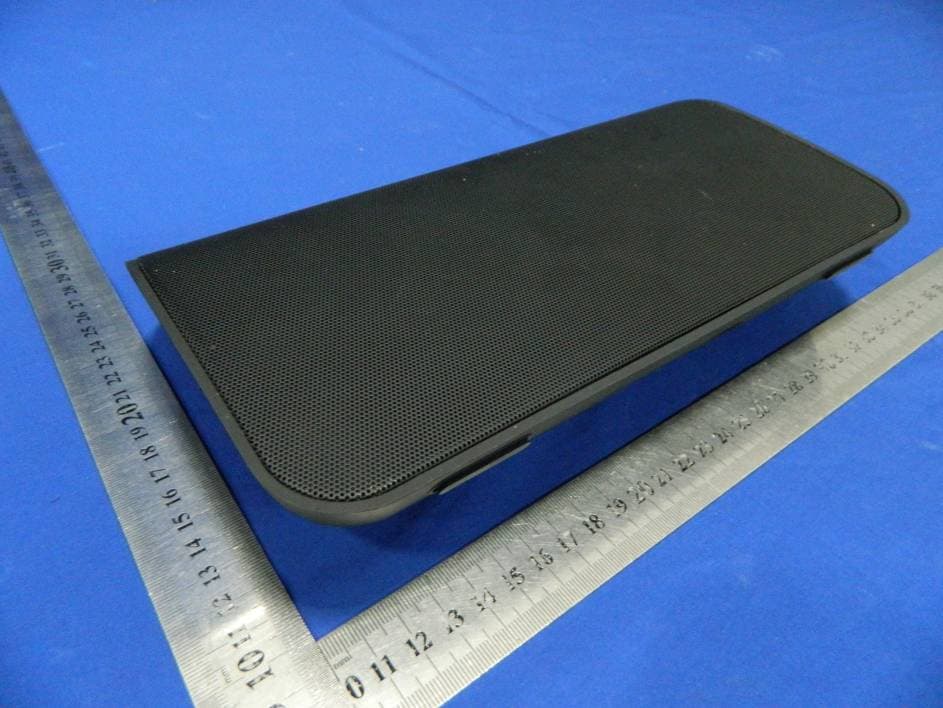
AWANB-250
Oct 08, 2012Bluetooth Wireless Speaker
Equipment Class
DSS - Part 15 Spread Spectrum Transmitter