AZ489FT4874AU SERIES, RLE1095A
Motorola Solutions, Inc.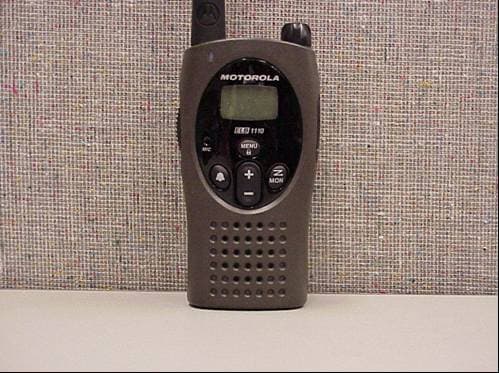
Click to zoom
Application Details
- Equipment Class
- TNF - Licensed Non-Broadcast Transmitter Held to Face
- Date of Grant
- Dec 19, 2005
- Application Purpose
- Original Equipment
- Date of Application
- Dec 19, 2005
- Equipment Note
- AU SERIES, RLE1095A
- Frequency Range
- 460.00000000 - 470.00000000
- Company
- Motorola Solutions, Inc.
- Country
- United States
Documents & Files
Document Text
Text extracted from the exhibit documents filed with the FCC. Open a document above to read the original.
Users Manual
AU Series Two-Way Radio's User Guide 6864110w15oTOC.fm Page 2 Wednesday, August 17, 2005 11:20 AM 1 Contents FCC Licensing Information .......... 2Product Safety and RF Exposure Compliance............................... 4 Introduction ................................... 5Radio Controls .............................. 6 Reading the Display .................... 7 Getting Started .............................. 8 Installing the Nicke l-Metal Hydride Battery ...................................... 9 Charging using the 53xxx Drop-In Charging Tray......................... 10 Battery Meter ............................. 11Attaching the Belt Clip ............... 11Turning the Radio On and Off ... 12Adjusting the Volume................. 12 Talking and Receiving ................ 13 Basic Radio Operation............... 13Signal Strength Indicator ........... 13 Programming Mode .................... 14 Entering Programming Mode..... 14 Features........................................ 17 Call Tone.................................... 17Hands-Free Use/VOX (ELB1210 Only) ....................................... 18 Locking the Keypad ................... 19End-of-Transmission Tone......... 19Time-Out Timer .......................... 19 Frequency and Code Charts....... 20Troubleshooting ......................... 26Limited Warranty ......................... 29 TOC.fm Page 1 Tuesday, August 30, 2005 12:03 PM FCC Licensing Information 2 FCC Licensing InformationELB Series professional two-way radios operate on radio frequencies that are regulated by the Federal Communications Commission (FCC). In order to transmit on these frequencies, you are required to have a license issued by the FCC.Application is made available on FCC Forms 601, schedules D and H, and remittance form 159. If ordering the forms by mail, phone, or from the FCC website, please request document number 000601 , which includes all forms and instructions. If using the FCC Fax-on-Demand system, use the 7-digit order numbers listed below. To obtain the required forms, please use the following contact information: Before filling out your application, you must decide which frequency(ies) you can operate on. See Frequency and Code Charts on page 20. For questions on determining your radio frequency, please call Motorola Product Services at 1-800-448-6686.Changes or modifications not expressly approved by Motorola may void the user’s authority granted by the FCC to operate this radio and should not be made. To comply with FCC requirements, transmitter adjustments Faxed contact the Fax-On-Demand system at: Mailed call the FCC forms hotline at: By Phone or Web or for questions regarding FCC license contact the FCC at: 1-202-418-0177 1-800-418-FORM 1-800-418-3676 1-888-CALL-FCC 1-888-225-5322 or: http://www.fcc.gov Request forms 3060001, 3060003, and 3060006 Request document 000601 Request document 000601 fcc.fm Page 2 Tuesday, August 30, 2005 12:03 PM FCC Licensing Information 3 should be made only by or under the supervision of a person certified as technically qualified to perform transmitter maintenance and repairs in the private land mobile and fixed services as certified by an organization representative of the user of those services. Replacement of any transmitter component (crystal, semiconductor, etc.) not authorized by the FCC equipment authorization for this radio could violate FCC rules.Note: Use of this radio outside the country where it was intended to be distributed is subject to government regulations and may be prohibited. fcc.fm Page 3 Tuesday, August 30, 2005 12:03 PM Product Safety and RF Exposure Compli- 4 Product Safety and RF Exposure Compliance ATTENTION! This radio is restricted to occupational use only to satisfy FCC RF energy exposure requirements. Before using this product, read the RF energy awareness information and operating instructions in the Product Safety and RF Exposure booklet enclosed with your radio (Motorola Publication part number 68P81095C98) to ensure compliance with RF energy exposure limits. For a list of Motorola-approved antennas, ba tteries, and other accessories, visit the following web site which lists approved accessories: http:/ /www.motorola.com/ cgiss/index.shtml. Before using this product, read the operating instructions for safe usage contained in the Product Safety and RF Exposure booklet enclosed with your radio. ! C a u t i o n safety.fm Page 4 Tuesda y, August 30, 2005 12:04 PM Introduction 5 Introduction Thank you for purchasing a Motoro la AU Series two-way radio product. The Motorola AU Series two-way radio models are products of Motorola’s 75-plus years of experience as a world l eader in designing and manufacturing communications equipment. The AU Series two-way radios are a perfect cost-effective communications solution for all of today’s fast-paced businesses and industries.Product registration is an important st ep. Registering helps facilitate warranty service and permits us to contact you should your Motorola product require an update or other service.To register your product on-line, visit www.motorola.com/warranty/radios . Please retain your original dated sales receipt for your record s. For warranty service of your Motorola product, you will need to provide a copy of your dated sales receipt to confirm warranty status. Registration is not required for warranty coverage. Note: Please be sure to save th is programming instructio ns for further reference. intro.fm Page 5 Tuesday, August 30, 2005 12:04 PM Radio Controls 6 Radio Controls MENU MON MIC Use P to: Turn radio on/offAdjust radio volume Use Push to Talk to: Ta l k Exit a menu Use to: Lock the keypad Scroll through menus MENU Use to: Monitor the frequency MON Microphone Accessory Jack Speaker Use and to: Change channelsChange menu settings LED Display Use to: Transmit a Call Tone getstart.fm Page 6 Friday, September 2, 2005 2:34 PM Radio Controls 7 Reading the DisplayNote: The radio display shown here is for icon location only. Ea…
Text truncated - open the document above for the full version.
Users Manual
Getting Started 9 Installing the Nickel-Metal Hydride BatteryThe AU Series radio operates using a Ni ckel-Metal Hydride (NiMH) rechargeable battery pack, which proves up to 9 hours 1 of usage. A battery, transformer, and drop- in charger tray are supplied with your radio.1. Make sure your radio is turned off, by turning the volume knob counterclockwise. 2. Remove the belt clip, if necessary (see page 11).3. With the radio back facing you, push the latch on the bottom of the radio away from you and slide the battery cover downward , toward you. 4. Insert the NiMH battery. Read battery pack installation instructions for appropriate fit. 5. Slide and snap the battery cover into place. Note: Remove batteries before storing your radi o for extended periods. Batteries corrode over time and may cause permanent damage to your radio. Exercise caution when handling batteries that are le aking. Dispose of exhausted batteries at a designated battery disposal unit and not in the household waste. 1. Based on a standard duty cycle of 5% Transmit, 5% Receive, and 90% Standby. DO NOT disassemble t he NiMH battery pack. 1 2 getstart.fm Page 9 Friday, September 2, 2005 2:34 PM Getting Started 10 Charging using the 53xxx Drop-In Charging TrayThe Drop-in Charging Tray can be placed on any flat surface and provides drop-in charging convenience. The battery must be charged while inside of the radio.1. Connect the transformer and the drop-in tray by inserting the plug of the transformer into the rear jack of the drop-in charging tray. 2. Plug the transformer into an AC outlet. 3. Turn the radio off. If the radio is on while charging, it will take lo nger to fully charge. 4. Insert the radio (with battery installed) into the charging tray pocket with the radio front facing the front of the charger. MENU MON ELB1210 MIC getstart.fm Page 10 Frida y, September 2, 2005 2:34 PM Getting Started 11 Battery MeterThe battery meter in the upper left corner of the display shows how much battery power is remaining.Attaching the Belt ClipYour radio includes a belt clip for your convenience.1. To attach the belt clip, s lide the belt clip into the grooves on the top of the radio and slide it down until it clicks into place. 2. To remove, pull back the release latch on the top of the belt clip and slide the belt clip up and away from the radio. Note: In case of loss, please contact your point-of-sales or call 1-800-353-2729 and request a replacement part number (53xxx for th e ELB1110 or 53xxx for the ELB1210). Battery Type 3 Bars 2 Bars 1 Bar Flashing db c m NiMH 100%–85% 85%–25% 25%–10% Final 10% getstart.fm Page 11 Frida y, September 2, 2005 2:34 PM Getting Started 12 Turning the Radio On and OffSee “Radio Controls” on page 6 for a basic radio diagram.Turn P clockwise to turn the radio ON, and co unterclockwise to turn the radio OFF. When you turn the radio on, the radio chirps and the display briefly shows all features and display segments. The LED on the front left of the radio flashes every three seconds when the radio is ON.The radio then displays the current channel (larger number) and the frequency assigned to that chan nel (on the right indicated by l ). The Interference Eliminator Code displays briefly (indicated by y ). The code will then disappear and the current channel remains displayed. Adjusting the VolumeTurn P clockwise to increase the vo lume, and counterclockwise to decrease the volume. Note: Do not hold the radio too close to your ear when adjusting the volume. getstart.fm Page 12 Frida y, September 2, 2005 2:34 PM Talking and Receiving 13 Talking and ReceivingBasic Radio OperationIt is good radio practice to monitor the channel you intend to use before transmitting. This practice ensures that you do not interrupt other users already on that same channel.To check for Channel activity, press and list en. If you hear stat ic, then the channel is free for use. If someone is already speaking on that ch annel do not transmit. Press again to stop monitoring. 1. To talk, press and hold the Push to Talk button and speak into the microphone. To maximize clarity, hold the radio 2 to 3 inches away from your mouth. 2. To listen, release the Push to Talk button . Note: The LED on the front left of the radio lights a steady red when transmitting. Signal Strength IndicatorWhen there is activity on a frequency, the radio displays w and the LED flashes once per second.When there is activity on the same frequency and code as your radio (your radio is receiving), the radio displays w and a signal strength from 1 (weakest) to 6 (strongest). This can help determine when a radio is moving out of range. Note: Obstacles that block the signal path may af fect the strength of the incoming signal. MON MON operation.fm Page 13 Tuesday, August 30, 2005 1:16 PM Programming Mode 14 Programming ModeIn order to speak with someone on your tw o-way radios, the following features must be set to the exact settings on all radios:• Channel: The current channel that the radio is using to transmit.• Frequency: The frequency your radio is using to transmit or receive (see page XX). • Interference Eliminator Code: These codes help to minimize interference by providing you with a choice of code combinations (see page XX). Entering Programming ModeOnce in Programming Mode, the radio beeps and displays k . Note: If you press and release the Push to Talk button when programming, you will exit Programming Mode. To Do This Press These Buttons While Turning the Radio ON Channel Push to Talk button and Frequency Push to Talk button and Interference Eliminator Code (this will disable “End of Transmission Tone” MON MENU operation.fm Page 14 Tuesday, August 30, 2005 1:16 PM Programming Mode 15 Make sure k is displayed. See Entering Programming Mode for instructions on how to access.Channel1. The Channel number flashes and the l and y indicators display alternately. 2. Press or until the desired Channel is selected. 3. Press the Push to Talk button to exit. F…
Text truncated - open the document above for the full version.
Users Manual
Features 19 Locking the KeypadYou can lock the keypad buttons to avoid accidentally changing your radio settings. 1. To lock the keypad, press and hold for 3 seconds. Note: The f icon will display. 2. To unlock, press and hold for 3 seconds. End-of-Transmission ToneIf enabled, your two-way radio transmits a tone when you finish transmitting. It is like saying Roger or Over . 1. To enable, press and hold as you turn the radio ON. 2. To disable, simply turn your radio OFF and press and hold as you turn the radio ON. Time-Out TimerThe radio will emit a warning tone and will stop transmitting if the Push to Talk button is pressed for more than 60 seconds continuously. MENU MENU operation.fm Page 19 Tuesday, August 30, 2005 1:16 PM Frequency and Code Charts 20 Frequency and Code ChartsThe charts on the following pages provide Frequency and Code information. These charts are useful when using Motorola AU Series two-way radios with other business radios. Frequency position is identi cal to Spirit M, GT, S, and XTN Series Frequencies (where applicable). VHF Frequencies Frequency (MHz) Bandwidth Frequency (MHz) Bandwidth 1 151.6250 25.0 16 151.8650 25.0 2 151.9550 25.0 17 151.8950 25.0 3 154.5700 25.0 18 151.9250 25.0 4 154.6000 25.0 19 152.7000 25.0 5 151.7000 12.5/25.0 20 154.4900 25.0 6 151.7600 12.5/25.0 21 154.5150 25.0 7 151.8200 12.5/25.0 22 154.5275 25.0 8 151.8800 12.5/25.0 23 154.5400 25.0 9 151.9400 25.0 24 154.6000 25.0 10 151.5125 25.0 25 154.6550 25.0 11 151.6550 25.0 26 158.4000 25.0 12 151.6850 125.0 27 158.4075 25.0 13 151.7150 25.0 14 151.7450 25.0 15 151.7750 25.0 operation.fm Page 20 Tuesday, August 30, 2005 1:16 PM Frequency and Code Charts 21 UHF Frequencies Frequency (MHz) Bandwidth Frequency (MHz) Bandwidth 1 464.5000 12.5/25.0 20 461.3125 12.5 2 464.5500 12.5/25.0 21 461.3375 12.5 3 467.7625 12.5 22 461.3625 12.5 4 467.8125 12.5 23 462.7625 12.5 5 467.8500 12.5/25.0 24 462.7875 12.5 6 467.8750 12.5/25.0 25 462.8125 12.5 7 467.9000 12.5/25.0 26 462.8375 12.5 8 467.9250 12.5/25.0 27 462.8625 12.5 9 461.0375 12.5 28 462.8875 12.5 10 461.0625 12.5 29 462.9125 12.5 11 461.0875 12.5 30 464.4875 12.5 12 461.1125 12.5 31 464.5125 12.5 13 461.1375 12.5 32 464.5375 12.5 14 461.1625 12.5 33 464.5625 12.5 15 461.1875 12.5 34 466.0375 12.5 16 461.2125 12.5 35 466.0625 12.5 17 461.2375 12.5 36 466.0875 12.5 18 461.2625 12.5 37 466.1125 12.5 19 461.2875 12.5 38 466.1375 12.5 operation.fm Page 21 Tuesday, August 30, 2005 1:16 PM Frequency and Code Charts 22 39 466.1625 12.5 48 467.7875 12.5 40 466.1875 12.5 49 467.8375 12.5 41 466.2125 12.5 50 467.8625 12.5 42 466.2375 12.5 51 467.8875 12.5 43 466.2625 12.5 52 467.9125 12.5 44 466.2875 12.5 53 469.4875 12.5 45 466.3125 12.5 54 469.5125 12.5 46 466.3375 12.5 55 469.5375 12.5 47 466.3625 12.5 56 469.5625 12.5 UHF Frequencies (Continued) Frequency (MHz) Bandwidth Frequency (MHz) Bandwidth operation.fm Page 22 Tuesday, August 30, 2005 1:16 PM Frequency and Code Charts 23 Interference Eliminator Codes Code Hz Code Hz Code Hz 1 67.0 14 107.2 27 167.9 2 71.9 15 110.9 28 173.8 3 74.4 16 114.8 29 179.9 4 77.0 17 118.8 30 186.2 5 79.7 18 123.0 31 192.8 6 82.5 19 127.3 32 203.5 7 85.4 20 131.8 33 210.7 8 88.5 21 136.5 34 218.1 9 91.5 22 141.3 35 225.7 10 94.8 23 146.2 36 233.6 11 97.4 24 151.4 37 241.8 12 100.0 25 156.7 38 250.3 13 103.5 26 162.2 operation.fm Page 23 Tuesday, August 30, 2005 1:16 PM Frequency and Code Charts 24 Digital Interference Eliminator Codes Code Hz Code Hz Code Hz 39 023 58 132 77 265 40 025 59 134 78 271 41 026 60 143 79 306 42 031 61 152 80 311 43 032 62 155 81 315 44 043 63 156 82 331 45 047 64 162 83 343 46 051 65 165 84 346 47 054 66 172 85 351 48 065 67 174 86 364 49 071 68 205 87 365 50 072 69 223 88 371 51 073 70 226 89 411 52 074 71 243 90 412 53 114 72 244 91 413 54 115 73 245 92 423 55 116 74 251 93 431 56 125 75 261 94 432 57 131 76 263 95 445 operation.fm Page 24 Tuesday, August 30, 2005 1:16 PM Frequency and Code Charts 25 96 464 105 606 114 703 97 465 106 612 115 712 98 466 107 624 116 723 99 503 108 627 117 731 100 506 109 631 118 732 101 516 110 632 119 734 102 532 111 654 120 743 103 546 112 662 121 754 104 565 113 664 Digital Interference Eliminator Codes (Continued) Code Hz Code Hz Code Hz operation.fm Page 25 Tuesday, August 30, 2005 1:16 PM Troubleshooting 26 Troubleshooting Symptom Try This: No Power Reposition, recharge or replace NiMH battery pack. Message not transmitting Make sure the Push to Talk button is completely pressed while transmitting.Reposition, recharge, replace the NiMH battery pack. Message not received Confirm that all radios have the same channel, frequency, and interference eliminator code settings.Make sure that the Push to Talk button is not inadvertently being pressed. Reposition, recharge, or replace the NiMH battery pack.Obstructions and operating indoors or in vehicles may interfere - change location. Hearing conversation or noise on a channel Check that the Interference Eliminator Code setting is not set to 0. A shared channel may be in use, try another. operation.fm Page 26 Tuesday, August 30, 2005 1:16 PM Troubleshooting 27 Limited talk range Steel and/or concrete structures, heavy foliage, buildings, or vehicles decrease range. Check for a clear line of sight to improve transmission. Wearing the radio close to the body such as in a pocket or on a belt decreases range. Change location of the radio. Heavy static or interference Radios are too close to one anot her. They must be at least 5 feet apart.Obstacles are interfering with transmission. Keypad locked Make sure menu us unlock ed. Unlock by holding for 3 seconds. Low batteries Recharge or replace NiMH battery pack. Extreme operating temperatures affect battery life. Charger light does not come on Check that radio/battery is properly inserted and check battery/charger contacts to be sure they are clean.Verify that the charging pin is inserted correctly. Symptom Try This: MENU operation.fm Page 27 Tuesday, August 30, 20…
Text truncated - open the document above for the full version.
Users Manual
Limited Warranty 29 Limited WarrantyMOTOROLA COMMUNIC ATIONS PRODUCTS Purchased in the United States and CanadaWarrantyI. What This Warranty Covers • Products. Defects in materials and work manship in wireless cellular telephones, pagers, and/or two-way radi os, and certain accessories that are sold with them, such as the battery, ba ttery charger, and holster manufactured and/or sold by MOTOROLA. • Batteries. Defects in materials and workmanship in batteries that are manufactured by MOTOROLA and/or sold with Products are covered by this warranty only if the fully-charged capacity falls below 80% of rated capacity or they leak. • Software. Physical defects in the media that tangibly embodies each copy of any software supplied with the Products. II. What the Period of Coverage Is From the date the Products are purchased by the first end-user: • Products. The warranty is for one year. • Software. The warranty is for 90 days. warranty.fm Page 29 Tues day, August 30, 2005 12:56 PM Limited Warranty 30 • Repairs/Replacements. The warranty is for the bal ance of the original warranty or for 90 days from the date you receive it, whichever is longer. III. Who is CoveredThis warranty extends to the first end-user purchaser only.IV. What We Will Do to Correct Warranty ProblemsAt no charge to you, we have the option to repair or replace the Products or software that do not conform to the warranty, or to refund the Products’ purchase price. We may use functionally equivalent reco nditioned/refurbished/pre-owned or new Products or parts. No software updates are provided. V. How to Obtain Warranty Se rvice or Other Information You will receive instructions on how to ship the Produc ts to MOTOROLA. You must ship the Products to us with freight, duti es and insurance prepaid. Along with the Products you must includ e: (a) a copy of your receipt, bill of sale or other comparable USA Two-Way Radios 1-800-448-6686 Canada All Products 1-800-461-4575 TTY TTY 1-888-390-6456 For Accessories and Software , please call the telephone number designated above. warranty.fm Page 30 Tues day, August 30, 2005 12:56 PM Limited Warranty 31 proof of purchase; (b) a wri tten description of the problem; (c) the name of your service provider (if this Product requir es subscription service); (d) the name and location of the installation facility (if ap plicable) and, most importantly; (e) your address and telephone number. If requested, you must also return all detachable parts such as antennas, batteries and chargers. RETAIN YOUR ORIGINAL PROOF OF PURCHASE.We will ship repaired or replacement Pro ducts at our expense for the freight and insurance, but at your expense for any duti es. If additional information is needed, please contact us at the telephone number listed on page 30. VI. What This Warrant y Does Not Cover • Products that are operated in combination with ancillary or peripher al equipment or software not furnished by MOTOROLA for use with the Products (“ancillary equipment”), or any damage to the Products or ancilla ry equipment as a result of such use. Among othe r things, “ancillary equipm ent” includes batteries, chargers, adaptors, and power supplies not manufactured or supplied by MOTOROLA. Any of these voids the warranty. • Someone other than MOTOROLA (or its authorized service centers) tests, adjusts, installs, maintains, alters, modifies, or services the Products in any way. Any of these voids the warranty. • Rechargeable batteries that: (a) are charged by other than the MOTOROLA approved battery charger specified for charging such batteries; (b) have any broken seals or show evidence of tampering; (c) are used in equipment other warranty.fm Page 31 Tues day, August 30, 2005 12:56 PM Limited Warranty 32 than the Product for which they are specif ied; or (d) are charged and stored at temperatures greater than 60 degrees centigrade. Any of these voids the warranty. • Products that have: (a) serial numbers or date tags that have been removed, altered, or obliterated; (b) board serial numbers that do not match each other, or board serial numbers that do not match the housing; or (c) nonconforming or non-MOTOROLA housings or parts. Any of these voids the warranty. • Defects or damage that result from: (a) use of the Products in a manner that is not normal or customary; (b) improper operation or misuse; (c) accident or neglect such as dropping the Products onto hard surfaces; (d) contact with water, rain, extreme humidity, or heavy perspiration; (e) contact with sand, dirt or the like; or (f) contact with extreme heat, or spills of food or liquid. • Physical damage to the surface of the Products, including scratches, cracks, or other damage to a display screen, lens, or other externally exposed parts. • Failure of Products that is due primarily to any communication service or signal you may subscribe to or use with the Products. • Coil cords that are stretched or that have any broken modular tabs. • Products that are leased.Flat-rate repair rates may apply to Products not covered by this warranty. To obtain information about Products needing repairs that are not covered by this warranty, warranty.fm Page 32 Tues day, August 30, 2005 12:56 PM Limited Warranty 33 please call the telephone nu mber previously listed. We will provide information on repair availability, rates, methods of payment , where to send the Products, etc. VII. Some Other LimitationsThis is MOTOROLA’s complete warranty for the Products, and states your exclusive remedies. This warranty is given in lieu of all other express warranties. Implied warranties, including without lim itation, the implied warran ties of merchantability and fitness for a particular purpose, are given onl y if specifically requ ired by applicable law. Otherwise, they are specifically excluded. No warranty is made as to coverage, availability, or grad e of service provided by the Products, whether through a service provider or otherwise. No warranty is made that the softwa…
Text truncated - open the document above for the full version.
Cover Letter(s)
8000 West Sunrise Boulevard, Fort Lauderdale, Florida 33322. 14thDecember 2005 Authorization and Evaluation Division Federal Communications Commission Laboratory 7435 Oakland Mills Road Columbia. MD 21046 Subject: Application for Certification of Transmitter with FCC ID: AZ489FT4874. Gentlemen : Motorola Inc., 8000 West Sunrise Boulevard, Fort Lauderdale, Florida 33322, herein submits its application for Certification of the transmitter with FCC ID: AZ489FT4874. This two-way handheld transmitter operates in the UHF band (460 – 470 MHz) with a maximum output power of 1 Watt. Certification is sought for this transceiver, and performance data is provided for that purpose. Enclosed is a complete Type Acceptance Application. Contact me (954) 723-5793 or Fax me at (954) 723-4794, if you require any additional information. Sincerely, /s/ Mike Ramnath (signed) Manager, Regulatory compliance Email: [email protected]
Cover Letter(s)
REQUEST FOR CONFIDENTIALITY 14 th November 2005 Authorization & Evaluation Division Federal Communications Commission Laboratory 7435 Oakland Mills Road Columbia, MD 21046 Request for Confidentiality for Transmitter with FCC ID: AZ489FT4874 Dear Sir / Madam, Motorola is requesting that Exhibit 4 (Circuit Descriptions), Exhibit 5 (Schematic Diagrams), Exhibit 10 (Parts List and Tune Up Procedures) and Exhibit 12 (Operational Description) not be made routinely available for public inspection. Motorola considers the information in these exhibits to be classified as trade secrets, pursuant to 47 CFR Section 0.457(d) and Section 552(b)(4) of the Freedom of Information Act. Please mark Exhibits 4, 5, 10 and 12 as “Confidential.” Please contact me at 954-723-5793 if you require any additional information. Sincerely, /s/ Mike Ramnath (signed) Manager, Regulatory Compliance Email: [email protected] EXHIBIT 13B
External Photos
FCC ID: AZ489FT4874 EXTERNAL PHOTOGRAPHS: 1 Front view of Radio 2 Rear view of Radio with battery cover. 3 Rear view of radio without battery cover. 4 Magnified view of FCC Label. FCC ID: AZ489FT4874 EXHIBIT 3 FCC ID: AZ489FT4874 \ EXHIBIT 3-A FCC ID: AZ489FT4874 EXHIBIT 3-B FCC ID: AZ489FT4874 EXHIBIT 3-C FCC ID: AZ489FT4874 EXHIBIT 3-D
ID Label/Location Info
FCC ID: AZ489FT4874 IDENTIFICATION LABEL LOCATION X See the attached Photograph, and Exhibit 3-D for the location of the Label on the device. Back of Radio Back of Radio under Belt Clip TYPE X The label is a paper polyester film laminate with a pressure sensitive adhesive backing. The adhesive is a permanent type acrylic with minimum peel strength of 40 oz/ inch. The label is laser etched into the Urethane paint, exposing the Nickel plating on the Zamak casting substrate. Since no adhesive is required, the label is permanent and tamper-proof. (** - NOTE- The label attached below is a paper polyester film laminate, as described above. This is just for sample purposes, as the actual label is laser etched into the casting) MARKINGS (TEXT) See Photograph, Exhibit 1. EXHIBIT 1 FCC ID: AZ489FT4874 GENERAL INFORMATION I. Production Plans—Pursuant 2.983 (c). Quantity production is planned. II. Application References -- Pursuant 2.1061 Reference is made to the following Motorola “Application References” 1. Portable Products and their application. 2. Portable Products Transmitter Modulations Methods. III. Data Submittal Procedure: Data is supplied in accordance with Part 2, Sub-part J of the Commissions’ Rules. \ EXHIBIT 1A
Internal Photos
FCC ID: AZ489FT4874 INTERNAL PHOTOGRAPHS: Printed Circuit Board 1. Component. (Front) 2. No components. (Rear) EXHIBIT 9 FCC ID: AZ489FT4874 EXHIBIT 9-A FCC ID: AZ489FT4874 EXHIBIT 9-B
RF Exposure Info
FCC ID: AZ489FT4874 SR2962 GEMS EME Form-SAR-Rpt-Rev. 4.00 Page 1 of 25 Certificate Number: 1449-01 FCC ID: AZ489FT4874 DECLARATION OF COMPLIANCE SAR ASSESSMENT Part 1 of 2 Government & Enterprise Mobility Solutions EME Test Laboratory 8000 West Sunrise Blvd Fort Lauderdale, FL. 33322 Date of Report: December 16, 2005 Report Revision: Rev. A Report ID: FCC rpt_RLE1095A_Rev A_051216 SR2962 Responsible Engineer: Deanna Zakharia (Elect. Principal Staff Eng.) Date/s Tested: 10/13/2005 – 10/14/2005 Manufacturer/Location: Motorola - China Sector/Group/Div.: CPD Date submitted for test: 10/5/2005 DUT Description: ELB1110 UHF, 1 channel 12.5KHz, Display, Fixed Antenna, 1Watt Radiated output power Test TX mode(s): CW Max. Power output: 1.0 watts Nominal Power: 1.0 watt Tx Frequency Bands: 460MHz – 470MHz Signaling type: FM Model(s) Tested: RLE1095A Model(s) Certified: RLE1095A Serial Number(s): 3454FL0065 & 3454FL0064 Classification: Occupational/Controlled Rule Part(s): 90 Approved Accessories: Antenna(s): Fixed antenna (UHF Helical 460-470MHz ¼ λ -2.0dBi gain) Battery(ies): IXNN4001A (3.6V NiMH rechargeable battery) Body worn accessory(ies): 1564019V01 (Spring belt clip); 1564017V01 (standard belt clip) Audio/Data cable accessory(ies): HMN9026C (Remote speaker microphone); NTN9159E (light headset); HMN9025C (Ear bud w/PTT microphone); HCSN4000C (Ear bud w/ PTT microphone); HCSN4001B (Earpiece w/ boom microphone); HMN9039D (Earpiece w/ boom microphone) Max. Calc. 1-g/10-g Avg. SAR: 0.57/0.39 mW/g (Body) Max. Calc. 1-g/10-g Avg. SAR: 0.49/0.35 mW/g (Face) Based on the information and the testing results provided herein, the undersigned certifies that when used as stated in the operating instructions supplied, said product complies with the national and international reference standards and guidelines listed in section 2.0 of this report. This report shall not be reproduced without written approval from an officially designated representative of the Motorola EME Laboratory. This reporting format is consistent with the test report guidelines of the TIA TSB-150 December 2004 The results and statements contained in this report pertain only to the device(s) evaluated. Signature on file – Ken Enger Ken Enger GEMS EME Lab Senior Resource Manager, Laboratory Director, 12/16/2005 Approval Date: Certification Date: 10/20/05 Certification No.: L1051028P FCC ID: AZ489FT487…
Text truncated - open the document above for the full version.
Contact Information
Applicant
Arine Lee(Certification Manager)
Test Firm
MotorolaWilliam Elliott
Technical Specifications
| # | Rule Parts | Frequency Range | Power Output | Emission | Tolerance |
|---|---|---|---|---|---|
| 2 | 9 | 460 MHz - 470 MHz | 1 W | 11K0F3E | 2.5 ppm |
Other Applications from Motorola Solutions, Inc.
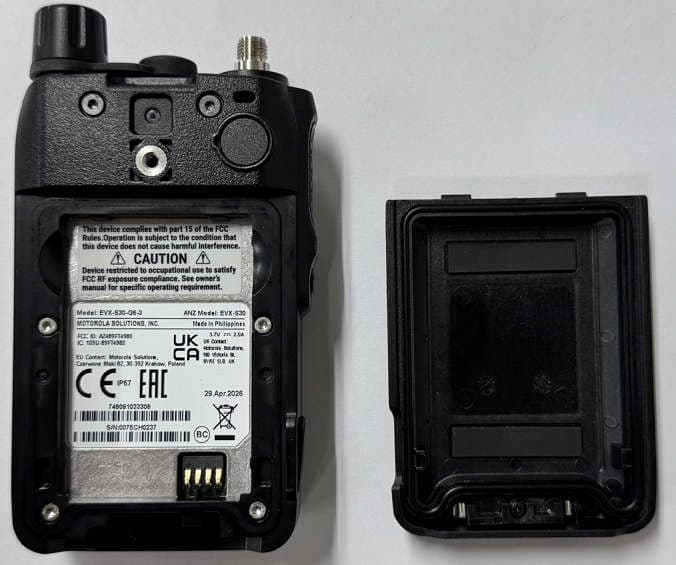
AZ489FT4980
Sep 08, 2026Portable two way radio
Equipment Class
TNF - Licensed Non-Broadcast Transmitter Held to FaceAZ489FT4981
Aug 14, 2026Handheld Portable - TANAPA BPR 45 400-470 MHZ 4W NKP
Equipment Class
TNF - Licensed Non-Broadcast Transmitter Held to Face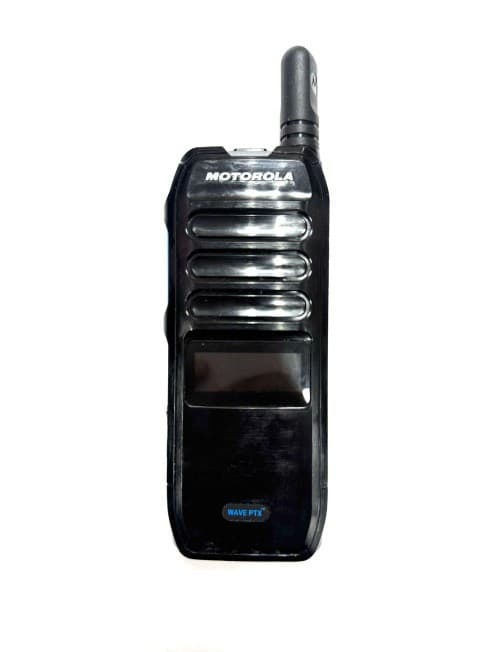
AZ489FT7187
Jul 13, 2026Portable 2-Way Radio with Bluetooth, Bluetooth LE, WIFI 2.4GHz, WIFI 5GHz, LTE
Equipment Class
DSS - Part 15 Spread Spectrum TransmitterAZ499FT6031
May 11, 2026Operation Critical Wireless Earpiece PTT
Equipment Class
DSS - Part 15 Spread Spectrum Transmitter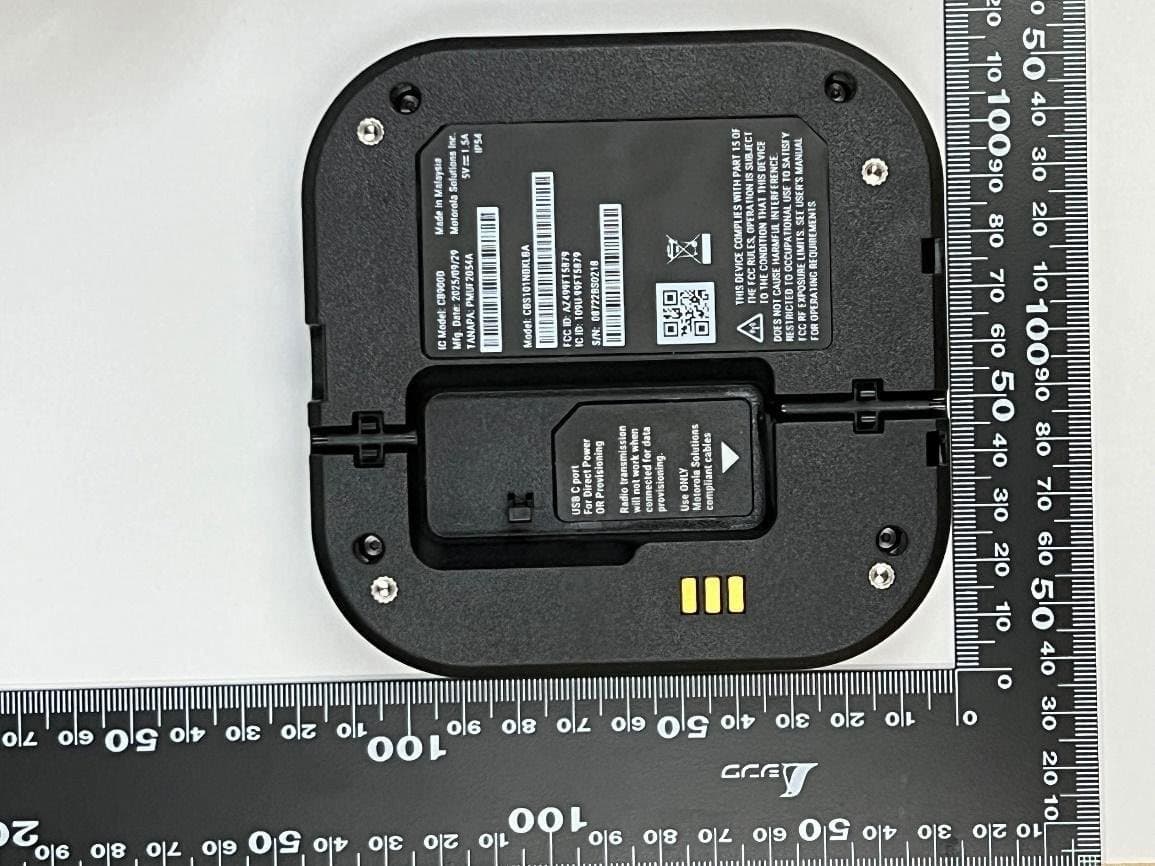
AZ499FT5879
Dec 19, 20252-way Portable Radio with BT, BTLE, WIFI, NFC and LTE
Equipment Class
DSS - Part 15 Spread Spectrum Transmitter