AZ489FT5845iDEN i415
Motorola Solutions, Inc.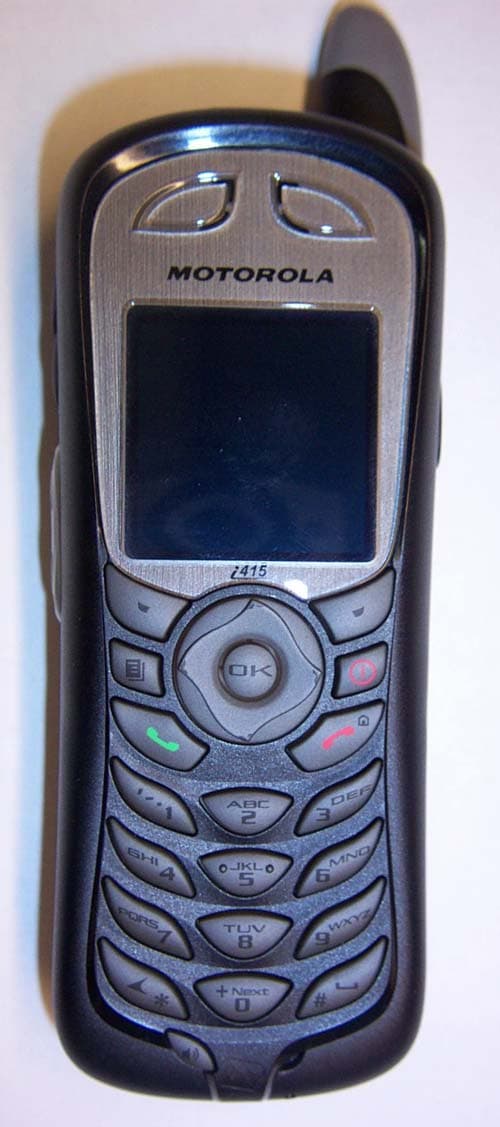
Click to zoom
Application Details
- Equipment Class
- TNE - Licensed Non-Broadcast Transmitter Held to Ear
- Date of Grant
- Jun 22, 2005
- Application Purpose
- Original Equipment
- Date of Application
- Jun 22, 2005
- Equipment Note
- iDEN i415
- Frequency Range
- 896.00000000 - 902.00000000
- Company
- Motorola Solutions, Inc.
- Country
- United States
Documents & Files
Document Text
Text extracted from the exhibit documents filed with the FCC. Open a document above to read the original.
Users Manual
i 415 Boost Mobile TM Phone User’s Guide NNTN6282ANNTN6282A i ContentsIntroduction................................................ 1 Welcome to Boost Mobile TM ................................... 1 Boost™ your way............................................. 1 Getting Started........................................... 2 Battery ............................................................. 4Activating Service ............................................ 8Powering On and Off ....................................... 8Enabling Over-the-Air Security ........................ 9Finding Your Phone Number and Boost TM Walkie-Talkie Number ..................................... 9Boost TM Voice Mail ........................................ 10 Phone Basics ................................................. 10SIM Security .................................................. 14Locking the Keypad ....................................... 16Accessories ................................................... 17Wireless Local Number Portability: Bringing Your Phone Number From Another Carrier ... 17Re-Boost TM .................................................... 17 Instant Re-Boost TM ........................................ 18 Boost TM Customer Care ................................ 18 Making Calls ............................................ 19 Phone Calls.................................................... 19Boost Walkie-Talkie TM Calls ® ........................ 19 Receiving Calls .............................................. 20Choosing a Number to Call ............................ 20Missed Phone Calls ....................................... 22Using Speakerphone ..................................... 22Using Mute ..................................................... 22Making Emergency Phone Calls.................... 22 Call Alerts ................................................ 24 Sending Call Alerts ........................................ 24Receiving Call Alerts...................................... 24Using the Call Alert Queue ............................ 24 Recent Calls............................................. 26 Calls and Call Alerts....................................... 26My Info From Other Phones........................... 26Contact Information From Other Phones ....... 27Viewing the Recent Calls List ........................ 27Storing Items to Contacts............................... 28Deleting Items ................................................ 28Making Calls From the Recent Calls List ....... 29 ii Entering Text............................................ 30 Using Word Mode .......................................... 30Special Function Keys ................................... 31 Contacts ................................................... 32 Accessing Contacts ....................................... 33Creating Entries ............................................. 33Editing Entries................................................ 35Viewing Entries .............................................. 35Deleting Entries ............................................. 37Checking Capacity ......................................... 37Creating Pauses and Waits ........................... 37International Numbers ................................... 38Making Calls From Contacts.......................... 38 Memo ........................................................ 40Call Forwarding........................................ 41 Forwarding All Calls ....................................... 41Turning Off Call Forwarding........................... 41Forwarding Missed Calls ............................... 41Viewing Call Forwarding Settings .................. 42 Advanced Calling Features .................... 43 Putting a Call on Hold .................................... 43Creating Pauses and Waits While Dialing ..... 43Making International Calls.............................. 43One Touch Boost TM Walkie-Talkie (WT) ....... 44 Call Timers..................................................... 44Using Your Phone as a Modem ..................... 45Making TTY Calls........................................... 46Special Dialing Codes.................................... 47Additional Phone Features............................. 48 Messages ................................................. 50 Message Notifications.................................... 50Voice Mail ...................................................... 51Boost Mobile TM Text and Numeric Messages51 Web Alerts ..................................................... 53 Ring Tones............................................... 54 Setting Your Phone to Vibrate ....................... 54Assigning Ring Tones to Contacts................. 55Ring and Vibrate ............................................ 55Viewing Ring Tone Assignments ................... 55Downloading More Ring Tones...................... 56 iii Managing Memory ......................................... 56Deleting Custom Ring Tones ......................... 56 Multi-Media Messages............................. 57 Navigating the Inbox, Drafts, and Sent Items 57Creating and Sending Messages................... 57Drafts ............................................................. 66Sent Items...................................................... 67Receiving a Message .................................... 68Navigating a Message ................................... 68Viewing Received Messages from the Message Center .............................. 69Actions for Received Messages .................... 70Customizing MMS.......................................... 73Managing Memory ......................................... 75 Boost Mobile TM Voice Mail ..................... 77 Setting Up Your Voice Mail Box..................... 77Playing Messages.......................................... 77Changing Your Password .............................. 78Recording Your Name ................................... 78Recording Your Active Greeting ...…
Text truncated - open the document above for the full version.
Users Manual
80 Boost Mobile TM Voice Mail Greetings ScheduleYou can choose to have your greetings automatically activated based on a pre-determined time schedule. By activating the Greeting Schedule, Greetings 1, 2, and 3 will automatically play according to the time schedule listed below.To activate the greeting schedule:1 From the main voice mail menu, press 3 to access the greetings menu. 2 Press 9 to activate your greeting schedule. 3 Press ** to return to the main menu. Note: The greeting schedule, when on, will override any other greeting that you may set as active. If a greeting is not recorded, a system standard greeting will be played. Automatic PlaybackBy default, the playback mode of your voice mail service is set to normal. This feature automatically plays and saves new messages when you log in. To activate automatic playback:1 From the main voice mail menu, press 4 to access personal options. 2 Press 4 to access personal preferences. 3 Press 2 to access playback preferences. 4 Press 2 to switch between automatic and normal playback. 5 Press ** to return to the main menu. Changing the Playback Order of MessagesYou can select the order in which you want unheard messages to be played. You may listen to the last received message first, or you may listen to the first received message first. To select the order in which new messages should be played:1 From the main voice mail menu, press 4 to access personal options. 2 Press 4 to access personal preferences. 3 Press 2 to access playback preferences. 4 Press 1 to switch between the playback orders. 5 Press ** to return to the main menu. Greeting 1 Evenings and Weekends 5:00 pm – 7:59 am, Monday – Friday 24-hours, Saturday and Sunday Greeting 2 Weekday Mornings 8:00 am – 11:59 am Monday – Friday Greeting 3 Weekday Afternoons Noon – 4:59 pm Monday – Friday 81 Advanced Voice Mail Features Recording, Forwarding, and Replying to MessagesThese functions allow you to record and send, reply to, or forward a message to an assigned destination address list number. If you record a complete or partial message, but do not send it, Boost Mobile TM Voice Mail service will refer to this message as an “in preparation” message. To record and send a message:1 From the main voice mail menu, press 2 to record a message. 2 Record your message and press # to end the message. 3 Press 9 at the prompt to indicate that you want to send the message or press 5 for delivery options. 4 Enter the mail box number list number(s). (A mail box number is the 10-digit Boost Mobile TM PTN of a Boost Mobile TM customer. The Boost Mobile TM customer must be in your local calling area. The name of the recipient plays if it is recorded.) 5 Press # to send. 6 Press ** to return to the main menu. Note: You can only send messages using this method to Boost Mobile TM customers in your home market. Delivery OptionsAfter you have created a message, you can assign the message to a category before you send it. Below is a list of the options that can be applied to a message:•Urgent — Recipient will hear this message before other messages. •Boost TM Walkie-Talkie — Recipient cannot copy the message to another mail box or phone number. • Notification of Non-Delivery — You will be notified if the recipient has not listened to your message by a certain date and time. • Future Delivery — You can specify a time and date (up to three months in advance) for the message to be delivered.Note: All dates must have digits in the MM/DD format (2 digits for the month and 2 digits for the date). For example, January 2nd would be 0102. Important: Once a message has been sent for future delivery, it cannot be retrieved or deleted. To set a special delivery option:1 After recording your message, but before sending it, press 5 for delivery options. 82 Boost Mobile TM Voice Mail 2 Press the number that corresponds with the desired delivery option:• Press 1 for urgent. • Press 2 for private. • Press 3 for notification of non-delivery. At prompt, specify time and date. • Press 4 for future delivery of messages. At prompt, specify time and date. • Press 9 to send the message immediately. 3 The list of options will be presented again. Select an additional option or press 9 to send the message. 4 Enter the destination mail box list number of the recipient(s). 5 Press # to send. 6 Press ** to return to the main menu. Working With Group ListsThis feature enables you to create a list and assign it a unique name. Then, you can add mail box numbers, group lists, or individuals. Once you create a list, you can send a voice message to everyone on the list by entering the group list number. You can have up to 40 group lists. Each list can hold up to 50 addresses. To set up a group list:1 From the main voice mail menu, press 4 to access personal options. 2 Press 2 to access your group lists. 3 Press 2 to create a group list. 4 Enter the 1- or 2-digit group list number and press # . 5 Record a name for the list and press # . 6 Select group members by mail box number, group list, or name. 7 Press # to save all entries added to the list. 8 Press ** to return to the main menu. To modify a group list:1 From the main voice mail menu, press 4 to access personal options. 2 Press 2 to access group lists. 3 Press 4 to modify a group list. Enter the number of the group list you want to modify. 4 Press 1 to add a new recipient. 5 Press # to save your changes. 6 Press ** to return to the main menu. To delete a group list:1 From the main voice mail menu, press 4 to access personal options. 83 Advanced Voice Mail Features 2 Press 2 to access group lists. 3 Press 3 to delete a group list. 4 Enter the number of the group list you want to delete. The system will play the name of the group list. 5 Press # to delete the list. 6 Press ** to return to the main menu. Message Forwarding Note: You can only forward messages to Boost Mobile customers in your home market. This feature allows you to program your phone to automatically forward incoming messa…
Text truncated - open the document above for the full version.
Cover Letter(s)
Applicant: Motorola Inc FCC ID: AZ489FT5845 iDEN, Motorola Inc., 8000 W. Sunrise Blvd., Plantation, FL 33322 www.mot.com/iDEN Exhibit 13 Page 1 of 2 21st June 2005 Authorization & Evaluation Division Federal Communications Commission Laboratory 7435 Oakland Mills Road Columbia, MD 21046 Subject: Application for Certification of transmitter with FCC ID: AZ489FT5845. Gentlemen; Motorola Inc., 8000 West Sunrise Boulevard, Fort Lauderdale, Florida 33322, herein submits its application for Certification of the transmitter with FCC ID: AZ489FT5845. This variable output power (0.070 to 640 milliwatt) transmitter is part of a handheld transceiver used in a SMR and EA SMR trunking system operating in the United States 806-821/851- 866 MHz and 896-901/935-940 MHz frequency band. Certification is sought for this transceiver, and performance data is provided for that purpose. This transceiver is of the receive-first type described in International Telecommunications Union Recommendation ITU-R M.1221 entitled “Technical and Operational Requirements for Cellular Multimode Mobile Radio Stations.” It must first find, acquire and lock onto a control channel from a predefined set of control channel frequencies assigned to a companion Authorized base station (e.g. – FCC ID: ABZ89FC5794). Transmission is not possible until lock to a base station control channel has been achieved, then transmission is limited to digitally modulated service request bursts on the reverse control channel. Upon recognition of a proper request, the control channel base station transmitter will then assign the transceiver a traffic channel for transmission of digital voice or circuit-switched data from the set of frequencies for which the trunking system is licensed. Attached Exhibit 12.1 provides additional descriptive details. It is expected that this handheld time division multiplexed transceiver marketed in the United States will also be used for itinerant operation with companion Authorized Base Stations by users requesting trunked radio and telephone interconnect service while roaming outside the United States. In some countries the companion base stations are licensed to operate at frequencies in the 821-825/866-870 MHz band in addition to some of those in the 806-821/851-866 MHz band normally used in United States SMR systems. Consequently, this transmitter has been designed to meet FCC requirements for operation in the 806-821 MHz band over the more global band of 806 - 825 MHz when used with a companion Authorized Base Station. Thus, performance data is provided to substantiate FCC compliant operation with a Companion Base Station over the broader 806 to 825 MHz band expected for global use of this handheld transceiver. Applicant: Motorola Inc FCC ID: AZ489FT5845 iDEN, Motorola Inc., 8000 W. Sunrise Blvd., Plantation, FL 33322 www.mot.com/iDEN Exhibit 13 Page 2 of 2 To facilitate global roaming it is kindly requested that a note be provided in the Grant for Equipment Authorization, which states that this ‘receive first’ type of equipment is compliant for transmitter operation over the broader range 806-825 MHz when used with a compatible Authorized Base Station. This will aid equipment authorization in foreign countries, which accept a United States FCC Grant for Equipment Authorization, yet not jeopardize United States public safety or cellular systems licensed to operate in the 821- 825 MHz frequency band since no compatible base station may be authorized on those frequencies in the United States. It is also expected that this transceiver type will be marketed outside the United States and brought into the United States for itinerant “roaming” operation on compatible 806 - 821 MHz base stations located within the United States. Consequently, upon receipt of Authorization, only those units of this equipment type authorized for marketing in countries outside the United States will also bear a label with the specified FCC identifier. In accordance with 47 CFR 2.1093(c) this transmitter may be used in “covered” SMR service so it has been subjected to routine environmental evaluation for RF exposure and found to be compliant with the limits specified in 47 CFR 2.1093(d)(2). The subject transmitter complies with 47 CFR 90.203 of the rules in that the operator cannot directly program transmit frequencies using only the unit's normally accessible external controls. This transceiver can function as a Part 15.3(r) computer peripheral device when functioning as an RF modem when connected to a computer via a data cable (ref: Exhibit 12.1). For this reason a Declaration of Conformity has been prepared and is provided on Page vi of the User Manual in the Exhibit 8. Enclosed is a complete Certification Application comprised of 12 Exhibits. Contact me at (954) 723-5793 if you require any additional information. Sincerely, /s/ Mike Ramnath (signed) Mike Ramnath Email: [email protected]
Cover Letter(s)
FCC ID: AZ489FT5845 ______________________________________________________________________________ Motorola Inc, 8000 West Sunrise Boulevard, Fort Lauderdale, Florida 33322. CONFIDENTIALITY REQUESTED Date: 21 st June 2005 Authorization & Evaluation Division Federal Communications Commission Laboratory 7435 Oakland Mills Road Columbia, MD 21046 Subject: Confidentiality Request for Transmitter with FCC ID: AZ489FT5845. Dear Sir or Madam: Motorola is requesting that Exhibit 4 (Circuit Descriptions and Block Diagrams), Exhibit 5 (Schematic Diagrams), Exhibit 10 (Parts List and Tune-Up Procedures), and Exhibit 12 (Operational Description) not be made routinely available for public inspection. Motorola considers the information in these exhibits to be classified as trade secrets, pursuant to 47 CFR Section 0.457(d) and Section 552(b)(4) of the Freedom of Information Act. We are also requesting that the FCC mark Exhibit 3 (External Photos) and Exhibit 9, (Internal Photos) as Temporary Confidentiality as outlined in Public Notice DA 04-1705, dated June 15, 2004. This provision will give Motorola temporary confidentiality prior to product launch. Please mark Exhibits 4, 5, 10, and 12 as “Confidential” And Exhibit 3 and 9 as “Temporary Confidential”. Please contact me if you require any additional information. Sincerely, /s/ Mike Ramnath (signed) Manager, Regulatory Compliance Tel: (954) 723-5793 E-mail: [email protected] EXHIBIT 13b
External Photos
FCC Filing Package for Motorola i415 Transceiver FCC ID: AZ489FT5845 Temporary Confidentiality Requested Exhibit 3. External Photographs -- Pursuant to 47 CFR 2.1033(c) 12 Photograph 3-2: Back view, battery cover attached. Photograph 3-1: Front view. IDEN, Motorola Inc., 8000 W. Sunrise Blvd., Plantation, FL 33322, USA WWW.MOT.COM/iDEN Exhibit 3 Page 1 of 3 FCC Filing Package for Motorola i415 Transceiver FCC ID: AZ489FT5845 Photograph 3-5: Button side view. Photograph 3-6: Antenna side view. IDEN, Motorola Inc., 8000 W. Sunrise Blvd., Plantation, FL 33322, USA WWW.MOT.COM/iDEN Exhibit 3 Page 2 of 3 FCC Filing Package for Motorola i415 Transceiver FCC ID: AZ489FT5845 Photograph 3.9: Location of label on back of unit’s housing (battery cover removed). Photograph 3.10: Zoom view of labels containing FCC ID and FCC Logo. IDEN, Motorola Inc., 8000 W. Sunrise Blvd., Plantation, FL 33322, USA WWW.MOT.COM/iDEN Exhibit 3 Page 3 of 3
ID Label/Location Info
FCC Filing Package for Motorola i415Transceiver FCC ID: AZ489FT5845 Exhibit 1. Identification Label -- Pursuant to 47 CFR 2.925, 2.1065 and 2.1033(c) 11 1.1 Location Back side of the radio product unit chassis (Photograph 1.1). 1.2 Type The label is a white polyester film laminate with a pressure sensitive adhesive backing. The adhesive is a permanent type acrylic with minimum peel strength of 5 lbs/in. 1.3 Markings (Text) Enlarged view of label (showing FCC ID and manufacturer type number): Photograph 1.1: Location of label on back of unit’s housing (battery cover removed). IDEN, Motorola Inc., 8000 W. Sunrise Blvd., Plantation, FL 33322, USA WWW.MOT.COM/iDEN Exhibit 1 Page 1 of 3 FCC Filing Package for Motorola i415Transceiver FCC ID: AZ489FT5845 Photograph 1.2: Zoom view of labels containing FCC ID and FCC Logo IDEN, Motorola Inc., 8000 W. Sunrise Blvd., Plantation, FL 33322, USA WWW.MOT.COM/iDEN Exhibit 1 Page 2 of 3 FCC Filing Package for Motorola i415Transceiver FCC ID: AZ489FT5845 Exhibit 1A. General Information 1A.1 Production Plans Quantity production is planned. 1A.2 Application References -- Pursuant to 47 CFR 2.948 and 2.1061 Reference is made to the following Motorola "Application References" 1. Open Area Test Site “OATS” (FCC Registration: 95517 and 98377 / Industry of Canada: 2056-A) 1A.3 Data Submittal Procedure Data located in Exhibit 6 is supplied in accordance with 47CFR2, Sub-part J and Part 90, Sub-parts I and Sub-part S of the Commission’s rules. 1A.4 Similar, currently Certified Transceiver FCC ID: AZ489FT5835 1A.5 Additional Considerations This radio product also integrates a receiver that will receive and process signals from Global Positioning System satellites. The radio product can also function as a Part 15.3(r) computer peripheral device when functioning as an RF modem when connected to a computer via a data cable accessory (Exhibit 12). A Declaration of Conformity in accordance with 47CFR2.1077(a) is provided in Exhibit 8 as evidence of compliance with Part 15 requirements for these additional Class B digital device functionalities per 47CFR15.101(a). Compliance with Part 15 requirements for the Direct-Conversion (zero IF superheterodyne) receiver has been determined by verification in accordance with 47CFR15.1. IDEN, Motorola Inc., 8000 W. Sunrise Blvd., Plantation, FL 33322, USA WWW.MOT.COM/iDEN Exhibit 1 Page 3 of 3
Internal Photos
FCC Filing Package for Motorola i415 Transceiver FCC ID: AZ489FT5845 Temporary Confidentiality Requested Exhibit 9. Internal Photographs -- Pursuant to 47 CFR 2.1033(c) 12 Photograph 9-2: Back side view of Photograph 9-1: Front side view of radio PCB. radio PCB. IDEN, Motorola Inc., 8000 W. Sunrise Blvd., Plantation, FL 33322, USA WWW.MOT.COM/iDEN Exhibit 9 Page 1 of 2 FCC Filing Package for Motorola i415 Transceiver FCC ID: AZ489FT5845 Photograph 9-3: Front side view of radio PCB without factory applied shields. Photograph 9-4: Back side view of radio PCB without factory applied shields. IDEN, Motorola Inc., 8000 W. Sunrise Blvd., Plantation, FL 33322, USA WWW.MOT.COM/iDEN Exhibit 9 Page 2 of 2
Operational Description
FCC Filing Package for Motorola i415 Transceiver FCC ID: AZ489FT5845 EXHIBIT 14. Receiver Block Diagram ÷7÷3 ÷2 U204 Prescaler Divider / Down-mixer U203 LNA Gain Adjust FL201 Dual-SAW U201 Switch U202 Switch U502 Switch 851-870MHz 935-941MHz To TX U300 Dual-band VCO 1702-1840 MHz, 1870-1882MHz ADC Digital Synthesizer U600 Synthesizer / Baseband IC U801 DSP/CPU Modem Voice out CODEC / DAC U001 Power / Audio IC ÷7÷7÷3÷3 ÷2÷2 U204 Prescaler Divider / Down-mixer U203 LNA Gain Adjust U203 LNA Gain Adjust Gain Adjust FL201 Dual-SAW FL201 Dual-SAW U201 Switch U201 Switch U202 Switch U202 Switch U502 Switch U502 Switch 851-870MHz 935-941MHz To TX U300 Dual-band VCO 1702-1840 MHz, 1870-1882MHz U300 Dual-band VCO U300 Dual-band VCO 1702-1840 MHz, 1870-1882MHz ADCADC Digital SynthesizerDigital Synthesizer U600 Synthesizer / Baseband IC U801 DSP/CPU Modem U801 DSP/CPU Modem Voice out CODEC / DAC U001 Power / Audio IC Voice out CODEC / DAC U001 Power / Audio IC 14.1 Receiver Description The receiver is of a super-heterodyne architecture and it operates in the frequency range of 851-870 MHz and 935-940 MHz. Upon application of power the receiver seeks to find one of its factory pre-programmed control channels. Upon acquisition, it down-converts the RF signal to a vector baseband signal in U204. The baseband analog signal is amplified, filtered, and digitized in U600, from where it is sent to U801 for demodulation and then to U001 for audio decoding and amplification. The receiver path includes the following active components: 1. U502, is an antenna switch which during receive mode disconnects the transmitter path and connects receiver path to the antenna. 2. U201 and U202 are RF switches used to select the desired pre-selector filter, depending on the band of operation. 3. FL201 is a module within which the two pre-selector filters are packaged. 4. U203 is a variable gain stage which performs the functions of RF fixed step attenuation, RF continuous attenuation, and low noise amplification. 5. U204 provides the mixing stages which convert RF input to a vector baseband output. 6. U300 is a dual band VCO which provides the LO drive, to the mixer stages (after appropriate frequency division within the IC). 7. U600 amplifiers, filters and outputs the digitally sampled version signal of the vector signal. 8. U801 performs the demodulation on the sampled signal. 9. U001 decodes the audio signal, reconstructs the analog messages, and amplifies the voice signal before it is provided to the speaker. IDEN, Motorola Inc., 8000 W. Sunrise Blvd., Plantation, FL 33322, USA WWW.MOT.COM/iDEN Exhibit 14 Page 1 of 1
RF Exposure Info
FCC ID: AZ489FT5845 SR2383 GEMS EME Form-SAR-Rpt-Rev. 4.00 Page 1 of 30 Certificate Number: 1449-01 FCC ID: AZ489FT5845 DECLARATION OF COMPLIANCE SAR ASSESSMENT Part 1 of 3 Government & Enterprise Mobility Solutions EME Test Laboratory 8000 West Sunrise Blvd Fort Lauderdale, FL. 33322 Date of Report: May 25, 2005 Report Revision: Rev. O Report ID: FCC rpt_i415_Rev O_050525 SR2383 Responsible Engineer: Kim Uong (EME lead Eng.) Date/s Tested: 5/11/05 – 5/19/05 & 5/24/2005 Manufacturer/Location: Motorola - Plantation Sector/Group/Div.: iDEN Subscriber Date submitted for test: 5/6/05 DUT Description: i415; TDMA: 1:6, 2:6, 81:120, 1:12; 64QAM, 16 QAM & QPSK Modulation; 0.6W Pulse Avg.; GPS capable Test TX mode(s): 1:3, 1:6, 81:120, Max. Power output: iDEN - 0.640W Nominal Power: iDEN - 0.60W Tx Frequency Bands: iDEN - 806-825, 896-902MHz Signaling type: TDMA: iDEN Model(s) Tested: H80XAH6RR1AN Model(s) Certified: H80XAH6RR1AN Serial Number(s): 364VFEPSR4 Classification: General Population/Uncontrolled Rule Part(s): 90 Approved Accessories: Antenna(s): 8515985H01 (806-825MHz Stubby ¼ wave antenna, -1.5dBd; 896-902MHz, 0dBd Battery(ies): SNN5705C (Hi performance Li Ion); NNTN6368A (Battery cover) Body worn accessory(ies): NNTN4747A (Belt clip) Audio/Data cable accessory(ies): NSN6066A (Light duty RSM), NNTN5004A (PTT headset over ear), NNTN5005A (PTT headset over head), SYN8390B (Privacy earpiece), SYN8146C (Lightweight headset w/ boom mic), NTN8496A (Lightweight headset w/ mic), NNTN4033A (Privacy Earpiece/mic w/ PTT), NNTN5006A (Silver Earbud), SYN7875C (Hearing Aide Neckloop), NTN8513B (Lightweight headband), NNTN5330A (Ear bud accessory), NNTN4620A (Silver ear bud), NNTN5211A (Falcon Surveillance kit); NKN6559A (USB Cable), NKN6560A (RS232), NNTN5405A (USB cable w/ charging), NNTN5406A (RS-232 data cable w/ charging); Max. Calc. 1-g Avg. SAR: 1.23 mW/g (Body) Max. Calc. 1-g Avg. SAR: 0.11 mW/g (Face) Max. Calc. 1-g Avg. SAR: 1.45 mW/g (Head) Based on the information and the testing results provided herein, the undersigned certifies that when used as stated in the operating instructions supplied, said product complies with the national and international reference standards and guidelines listed in section 2.0 of this report. This report shall not be reproduced without written approval from an officially designated representative of the Motorola EME Laboratory. This reporting format is consistent with the test report guidelines of the TIA TSB-150 December 2004 The results and statements contained in this report pertain only to the device(s) evaluated. Signature on file Ken Enger GEMS EME Lab Senior Resource Manager, Laboratory Director, Approval Date: 5/26/2005 Certification Date: 5/26/2005 Certification No.: L1050510P FCC ID: AZ489FT5845 SR2383 GEMS EME Form-SAR-Rpt-Rev. 4.00 Page 2 of 30 Part 1 of 3 1.0 Introduction and Overview .......................................................................................... 3 2.0 References, Standards, and Guidelines ........................................................................ 3 2.1 SAR Limits ............................................................................................................... 4 3.0 Description of Device Under Test (DUT).................................................................... 4 4.0 Description of Test System .......................................................................................... 5 4.1 Description of Robotics/Probes/Readout Electronics ............................................... 5 4.2 Description of Phantom(s) ........................................................................................ 5 4.3 Description of Equivalent Tissues ............................................................................ 5 5.0 Additional Test Equipment ......................................................................................... 7 6.0 SAR Measurement System Verification ..................................................................... 7 6.1 Equivalent Tissue Test results.................................................................................. 7 6.2 System Check Test results ....................................................................................... 8 7.0 DUT Test Strategy and Methodology ......................................................................... 8 7.1 Test Plan................................................................................................................... 8 7.2 Device Positioning Procedures ................................................................................ 9 8.0 Environmental Test Conditions................................................................................. 10 9.0 Test Results Summary............................................................................................... 10 9.1 Highest S.A.R. results calculation methodology.....................…
Text truncated - open the document above for the full version.
Contact Information
Applicant
Arine Lee(Certification Manager)
Technical Specifications
| # | Rule Parts | Frequency Range | Power Output | Emission | Tolerance |
|---|---|---|---|---|---|
| 2 | 9 | 896 MHz - 902 MHz | 640.00 mW | 18K3D7W | 0.5 ppm |
Other Applications from Motorola Solutions, Inc.
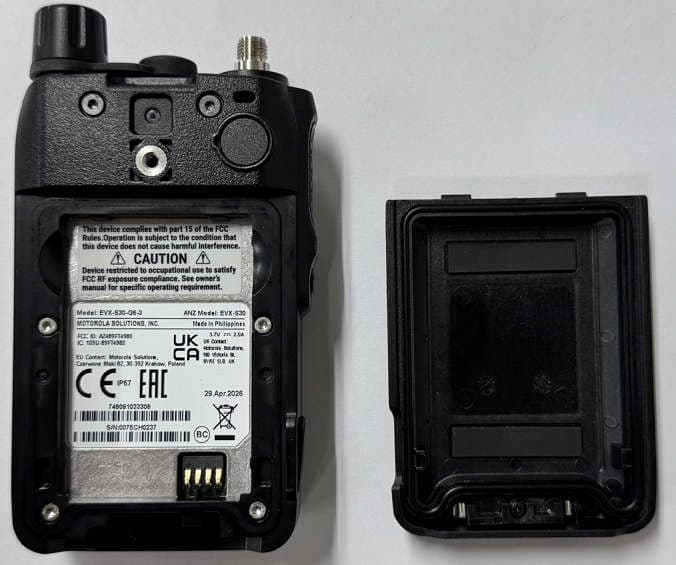
AZ489FT4980
Sep 08, 2026Portable two way radio
Equipment Class
TNF - Licensed Non-Broadcast Transmitter Held to FaceAZ489FT4981
Aug 14, 2026Handheld Portable - TANAPA BPR 45 400-470 MHZ 4W NKP
Equipment Class
TNF - Licensed Non-Broadcast Transmitter Held to Face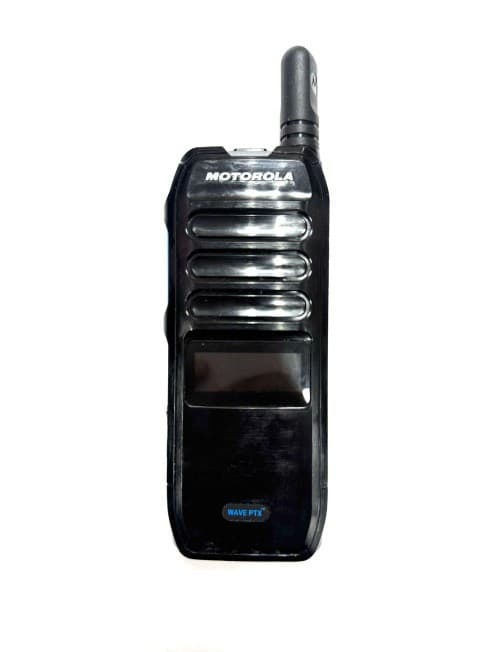
AZ489FT7187
Jul 13, 2026Portable 2-Way Radio with Bluetooth, Bluetooth LE, WIFI 2.4GHz, WIFI 5GHz, LTE
Equipment Class
DSS - Part 15 Spread Spectrum TransmitterAZ499FT6031
May 11, 2026Operation Critical Wireless Earpiece PTT
Equipment Class
DSS - Part 15 Spread Spectrum Transmitter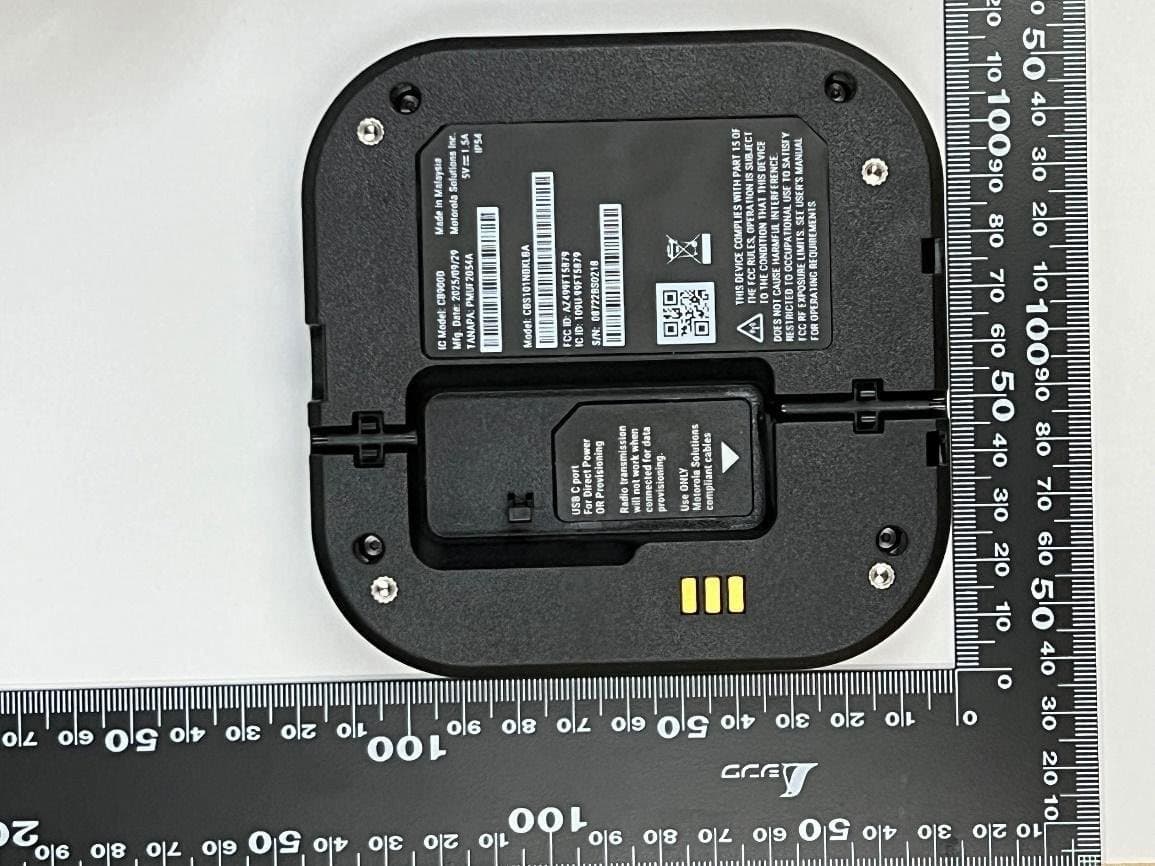
AZ499FT5879
Dec 19, 20252-way Portable Radio with BT, BTLE, WIFI, NFC and LTE
Equipment Class
DSS - Part 15 Spread Spectrum Transmitter