AZ489FT5853i880/i885, WiDEN, MOTOtalk, BT
Motorola Solutions, Inc.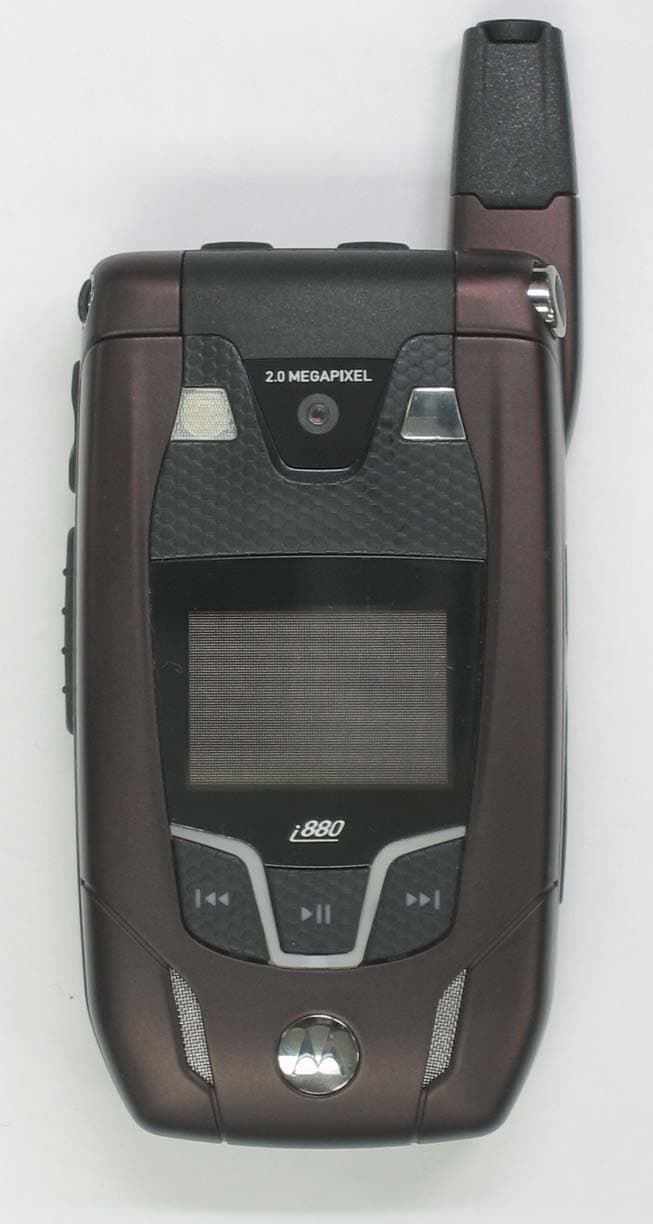
Click to zoom
Application Details
- Equipment Class
- TNE - Licensed Non-Broadcast Transmitter Held to Ear
- Date of Grant
- Aug 29, 2006
- Application Purpose
- Original Equipment
- Date of Application
- Aug 29, 2006
- Equipment Note
- i880/i885, WiDEN, MOTOtalk, BT
- Frequency Range
- 896.00000000 - 902.00000000
- Company
- Motorola Solutions, Inc.
- Country
- United States
Documents & Files
Document Text
Text extracted from the exhibit documents filed with the FCC. Open a document above to read the original.
Users Manual
Motorola iDEN Digital Multi-service Data-capable Phone i 880 Phone User’s Guide EME DRAFT @NNTN6996A@NNTN6996A IMPORTANT NOTICE: PLEASE READ PRIOR TO USING YOUR PHONEThe SIM card provided in this kit is intended for use with the phone provided in this package. Loss of certain features will result when using a SIM card from one of the following models: i 30 sx , i 35 s , i 50 sx , i 55 sr , i 58 s , i 60 c , i 80 s , i 85 s , i 88 s , i 90 c , i 95 cl series, and the i 2000 series. For more information on SIM card compatibility, go to www.motorola.com/iden/support.Defects or damage to your Motorola phone that result from the use of non-Motorola branded or certified Accessories, including but not limited to replacement housings and or other peripheral accessories, are excluded from warranty coverage. Please refer to the text of Motorola's Limited One Year warranty located in this user’s guide for complete details. i ContentsGetting Started........................................... 1 Locating Your SIM Card ....................................3Battery ...............................................................4Activating Service ..............................................6Powering On and Off.........................................6Phone Programming .........................................8Finding Your Phone Number.............................8Phone Basics ....................................................8Using a Memory Card .....................................13SIM Card Security ...........................................14Antenna ...........................................................18Accessories .....................................................19For More Information .......................................19 Making Calls ............................................. 20 Phone Calls .....................................................20Private Calls ....................................................20Receiving Calls................................................21Choosing a Number to Call .............................22Missed Phone Calls.........................................23 Using Speakerphone.......................................23Using Mute ......................................................24Making Emergency Phone Calls .....................24 MOTOtalk TM .......................................................... 25 Switching to MOTOtalk ...................................25Exiting MOTOtalk ............................................26Channels and Codes.......................................26Private MOTOtalk Calls...................................28Making Emergency Calls While in MOTOtalk TM Mode...........................................................29 Setup Options .................................................29 Call Alerts..................................................31 Sending Call Alerts..........................................31Receiving Call Alerts .......................................31Using the Call Alert Queue..............................31 Recent Calls ..............................................33 Viewing the Recent Calls List..........................33Calls and Call Alerts ........................................33PTX Items in Private Calls ..............................34Storing Items to Contacts ................................37Deleting Items .................................................38 ii Making Calls From the Recent Calls List ........38 Contacts ................................................... 40 Accessing Contacts.........................................41Creating Entries...............................................41Storing Numbers Faster ..................................43Editing Entries .................................................44Viewing Entries................................................44Deleting Entries ...............................................46Checking Capacity ..........................................47Creating Pauses and Waits.............................47International Numbers .....................................47Making Calls From Contacts ...........................48Accessing Contacts with GSM Phones ...........49 Entering Text............................................ 50 Using Word Mode............................................50Special Function Keys.....................................51 Call Forwarding........................................ 53 Forwarding All Calls ........................................53Turning Off Call Forwarding ............................53Forwarding Missed Calls .................................54 Viewing Call Forwarding Settings ...................54 Advanced Calling Features .....................55 Call Waiting .....................................................55Switching Between Calls .................................55Putting a Call on Hold .....................................56Calling 2 People ..............................................56Creating Pauses and Waits While Dialing.......57Making International Calls ...............................57Setting Flip Actions .........................................57Call Timers ......................................................58Using Your Phone as a Modem ......................59Features for the Hearing Impaired ..................60 Group Calls and Selective Dynamic Group Calls .......................................................63 Group Calls .....................................................63Selective Dynamic Group (SDG) Calls ...........65 Ring Tones ................................................70 Setting Your Phone to Vibrate.........................70Ring and Vibrate .............................................71Assigning Ring Tones to Contacts ..................71Viewing Ring Tone Assignments ....................72 iii Downloading More Ring Tones .......................72About DRM Ring Tones ..................................72Managing Memory......................…
Text truncated - open the document above for the full version.
Users Manual
105 Managing Memory Managing MemoryWhile you are taking pictures, the percentage of free memory in the default storage location appears on the screen. To view details about memory on either the memory card or your phone, access the Memory Usage screen.To view your used memory, free memory, and memory capacity on your phone and the memory card:1 Access the camera. 2 Press m . 3 Select Memory Usage . Tip: This option is available from many context-sensitive menus when you are using the camera. To free memory on your phone, delete items from the media center, voice records, or Java applications. To free memory on the memory card, delete items from the card’s folders. 106 Media CenterThe media center lets you access pictures, videos, and audio recordings stored in your phone’s memory or on a memory card inserted in your phone’s memory card slot.All pictures and videos stored in your phone’s memory can be accessed through the media center.The following audio recordings can be accessed through the media center:• Voice records created when your phone was not in a call • Musical ring tones in the list of ring tones • Audio recordings you downloaded to your phone Because the memory card inserted in your phone may contain files saved to it using a device other than your phone, not all types of pictures, videos, and audio recordings on the memory card may be accessed through your phone’s media center.For information on determining whether the files on the memory card can be accessed through the media center, see “Ensuring Files on the Memory Card Are Compatible With Your Phone” on page 83. Pictures in the media center can be sent in Private calls using Send via PTT or via Bluetooth. See “Using PTX Features” on page 116 and“Sending Contacts, Datebook Events and Pictures” on page 158. Viewing the Media CenterTo access the media center: From the main menu, select Media Center . -or- From the camera, press m . Select Media Center . Scroll to view the items in the media center. Choosing Thumbnail View or List ViewYou can set the media center to show a thumbnail of each picture as you view the list of items or show the list of items without thumbnails.To change views:1 Access the media center. 2 Press m . 3 Select Set View . 4 Select Plain List View or Thumbnail List View . 107 Viewing the Media Center Filtering by Media TypeYou can set the media center to show all types of media items, only pictures, only videos, or only audio recordings. If you have the memory card in your phone, the items stored in your phone’s memory are listed separately from the items stored on the memory card.If you do not have the memory card in your phone, you have these filtering options:•All — all items accessible through the media center. •Pictures — all pictures. •Audio — all audio recordings accessible through the media center. •Video — all videos. If you have the memory card in your phone, you have these filtering options:• Phone: All — all items in your phone’s memory that are accessible through the media center. • Phone: Pictures — all pictures in your phone’s memory. • Phone: Audio — all audio recordings in your phone’s memory that are accessible through the media center. • Phone: Video — all videos in your phone’s memory. •Card: All — all items on the memory card that are accessible through the media center. • Card: Pictures — all pictures on the memory card that are accessible through the media center. • Card: Audio — all audio recordings on the memory card that are accessible through the media center. •Card: Video — all videos on the memory card that are accessible through the media center. Setting Filtering1 Access the media center. 2 Press m . 3 Select Filter . 4 Select the filtering option you want.Tip: You can also scroll through these options while viewing the list of items by either scrolling left or right or pressing * or # . 108 Media CenterKeeping the Last Filter SettingYou can set the media center to show all items every time you access it or to keep the filtering setting you had when you last viewed it.1 Access the Media Center. 2 Press m . 3 Select Setup . 4 Select Remember Filter . 5 Select On to keep the filtering setting you had when you last viewed the media center. When you receive your phone, the media center is set to show all items every time you access it. Accessing Items ListedTo access a picture, video, or audio recording, select it from the list of items in the media center.With an item selected, scroll left or right to access the items that appear before and after it in the list.Sorting by Time or NameYou can set the media center to sort items by the time the item was created or by the name of the item.1 Access the media center. 2 Press m . 3 Select Setup . 4 Select Sort . 5 Select By Time or By Name . Forward Locked ItemsSome items saved to the media center from Private calls, or by downloading may be forward locked. Forward locked items are usually copyright protected, and you cannot share them with anyone, such as in Private calls or by uploading them from your phone. You cannot remove forward locking from an item.When you view items in the media center, one of these icons appears next to each forward locked item:When an item is locked, it cannot be deleted from the media center. See “Locking Items” on page 112. Locking an item has no effect on its forward locking. f Forward locked. c Forward lock and locked. 109 DRM Items DRM ItemsExcept for Java applications, which download to Java Apps, the default location for any DRM items that you download is the media center. Depending on the storage preference you have chosen, these items may be saved to your phone’s memory or the memory card inserted in your phone.Depending on how a given third-party vendor has set rights for an item, the item may include the following status icons. All DRM items are forward locked. As with other items in the media center, you can lock DRM items. See “Locking Items” on page 112. For more information about DRM item…
Text truncated - open the document above for the full version.
Cover Letter(s)
FCC ID: AZ489FT5853 iDEN, Motorola Inc., 8000 W. Sunrise Blvd., Plantation, FL 33322 www.mot.com/iDEN Page: 13- 1 17 th August 2006 Authorization & Evaluation Division Federal Communications Commission Laboratory 7435 Oakland Mills Road Columbia, MD 21046 Subject: Application for Certification of transmitter with FCC ID: AZ489FT5853. Gentlemen; Motorola Inc., 8000 West Sunrise Boulevard, Fort Lauderdale, Florida 33322, herein submits its application for Certification of the transmitter with FCC ID: AZ489FT5853. This variable output power (0.22 to 640 milliwatts) transmitter is part of a handheld transceiver used in a SMR and EA SMR trunking system operating in the United States 806-821/851- 866 MHz and 896-901/935-940 MHz frequency band. It also possesses a transmitter that operates in the ISM band (902 – 928 MHz). The two transmitters are configured so that they can only operate exclusive of each other (i.e. only one mode can operate at a time). The operation mode is selected via the user menu. Certification is also sought for this transceiver, and performance data is provided for that purpose. The first transceiver is of the receive-first type described in International Telecommunications Union Recommendation ITU-R M.1221 entitled Technical and Operational Requirements for Cellular Multimode Mobile Radio Stations. It must first find, acquire and lock onto a control channel from a predefined set of control channel frequencies assigned to a companion Authorized base station (e.g. – FCC ID: ABZ89FC5794). Transmission is not possible until lock to a base station control channel has been achieved, then transmission is limited to digitally modulated service request bursts on the reverse control channel. Upon recognition of a proper request, the control channel base station transmitter will then assign the transceiver a traffic channel for transmission of digital voice or circuit-switched data from the set of frequencies for which the trunking system is licensed. Attached Exhibit 12.1 provides additional descriptive details. To facilitate global roaming it is kindly requested that a note be provided in the Grant for Equipment Authorization, which states that this ‘receive first’ type of equipment is compliant for transmitter operation over the broader range 806-825 MHz when used with a compatible Authorized Base Station. This will aid equipment authorization in foreign countries, which accept a United States FCC Grant for Equipment Authorization, yet not jeopardize United States public safety or cellular systems licensed to operate in the 821- 825 MHz frequency band since no compatible base station may be authorized on those frequencies in the United States. FCC ID: AZ489FT5853 iDEN, Motorola Inc., 8000 W. Sunrise Blvd., Plantation, FL 33322 www.mot.com/iDEN Page: 13- 2 It is also expected that this transceiver type will be marketed outside the United States and brought into the United States for itinerant “roaming” operation on compatible 806 - 821 MHz base stations located within the United States. Consequently, upon receipt of Authorization, only those units of this equipment type authorized for marketing in countries outside the United States will also bear a label with the specified FCC identifier. In accordance with 47 CFR 2.1093(c) this transmitter may be used in “covered” SMR service so it has been subjected to routine environmental evaluation for RF exposure and found to be compliant with the limits specified in 47 CFR 2.1093(d)(2). The subject transmitter complies with 47 CFR 90.203 of the rules in that the operator cannot directly program transmit frequencies using only the unit's normally accessible external controls. This transceiver can function as a Part 15.3(r) computer peripheral device when functioning as an RF modem when connected to a computer via a data cable (ref: Exhibit 12.4). For this reason a Declaration of Conformity has been prepared and is provided on Page ix (13 th page) of the User Manual in the Exhibit 8. The second transceiver is a frequency hopping spread spectrum type, operating in the unlicensed ISM (902-928 MHz) band. It uses an FSK (Frequency Shift Key) modulation, 50 kHz spacing, up to 1 watt. The protocol is defined to have 10 interleaved hopsets of 50 frequencies each with 500 kHz separation between set members. All 10 hopsets span the entire ISM band. In this transceiver mode, conversations are held only via the speakerphone; the earpiece is disabled. This radio product is equipped with a Bluetooth (BT) transceiver. BT supports both voice and data for short range wireless communications. BT Band of Operation is 2.4 - 2.4835 GHz (1 MHz channel bandwidth). It is a class 2 type device, with power rated +4 to –6 dBm (typical 0 dBm). The BT antenna is implemented on the back side, lower corner of the board on the PTT side of the phone. The BT device was tested at TIMCO Engineering Lab at Newberry, FL 32669 and it complies 15.247 (c), 15.205 and 15.209 (b). Enclosed is a complete Certification Application comprised of 15 Exhibits. Contact me at (954) 723-5793 if you require any additional information. Regards, /s/ Mike Ramnath (signed) Manager, Regulatory Compliance Email: [email protected]
Cover Letter(s)
FCC ID: AZ489FT5853 ______________________________________________________________________________ Motorola Inc, 8000 West Sunrise Boulevard, Fort Lauderdale, Florida 33322. CONFIDENTIALITY REQUESTED Date: 17 th August 2006 Authorization & Evaluation Division Federal Communications Commission Laboratory 7435 Oakland Mills Road Columbia, MD 21046 Subject: Confidentiality Request for Transmitter with FCC ID: AZ489FT5853. Dear Sir or Madam: Motorola is requesting that Exhibit 4 (Circuit Descriptions), Exhibit 5 (Schematic Diagrams), Exhibit 10 (Parts List and Tune-Up Procedures), and Exhibit 12 (Transmitter Description) not be made routinely available for public inspection. Motorola considers the information in these exhibits should be classified as trade secrets, pursuant to 47 CFR Section 0.457(d) and Section 552(b)(4) of the Freedom of Information Act. Motorola is also requesting that the FCC mark Exhibit 3 (External Photos) and Exhibit 9, (Internal Photos) as Temporary Confidentiality as outlined in Public Notice DA 04-1705, dated June 15, 2004. This provision will give Motorola temporary confidentiality prior to product launch. Please mark Exhibits 4, 5, 10, and 12 as “Confidential” And Exhibit 3 and 9 as “Temporary Confidential”. Please contact me if you require any additional information. Sincerely, /s/ Mike Ramnath (signed) Manager, Regulatory Compliance Tel: (954) 723-5793 E-mail: [email protected] EXHIBIT 13b
External Photos
FCC Filing Package for Motorola i880 Transceiver FCC ID: AZ489FT5853 iDEN, Motorola Inc., 8000 W. Sunrise Blvd., Plantation, FL 33322, USA WWW.MOT.COM/iDEN Page: 3 - 1 Exhibit 3: External Photographs -- Pursuant to 47 CFR 2.1033(c) 12 Temporary Confidentiality Requested The radio product shapes, colors and housing/bezel may vary. Figure 3-1. Front of i880 radio, flip closed Figure 3-2. Back of i880 radio, flip closed FCC Filing Package for Motorola i880 Transceiver FCC ID: AZ489FT5853 iDEN, Motorola Inc., 8000 W. Sunrise Blvd., Plantation, FL 33322, USA WWW.MOT.COM/iDEN Page: 3 - 2 Figure 3-3. Front of i880 radio, flip open. Figure 3-4. Back of i880 radio, flip closed. FCC Filing Package for Motorola i880 Transceiver FCC ID: AZ489FT5853 iDEN, Motorola Inc., 8000 W. Sunrise Blvd., Plantation, FL 33322, USA WWW.MOT.COM/iDEN Page: 3 - 3 Figure 3-5. Back of i880 radio, flip open and antenna extended. Figure 3-6. Side of i880 radio, flip open and Figure 3-7. Side of i880 radio, flip open and antenna retracted. antenna retracted. FCC Filing Package for Motorola i880 Transceiver FCC ID: AZ489FT5853 iDEN, Motorola Inc., 8000 W. Sunrise Blvd., Plantation, FL 33322, USA WWW.MOT.COM/iDEN Page: 3 - 4 Figure 3-8. Side of i880 radio, flip open and Figure 3-9. Side of i880 radio, flip open and antenna extended. antenna extended. Figure 3-10. Button side of i880 radio FCC Filing Package for Motorola i880 Transceiver FCC ID: AZ489FT5853 iDEN, Motorola Inc., 8000 W. Sunrise Blvd., Plantation, FL 33322, USA WWW.MOT.COM/iDEN Page: 3 - 5 Figure 3-11. Antenna side of i880 radio. Figure 3-12. Top of i880 radio FCC Filing Package for Motorola i880 Transceiver FCC ID: AZ489FT5853 iDEN, Motorola Inc., 8000 W. Sunrise Blvd., Plantation, FL 33322, USA WWW.MOT.COM/iDEN Page: 3 - 6 Figure 3-13. Connector end of i880 radio. Figure 3-14. Battery Compartment of i880 radio.
ID Label/Location Info
FCC Filing Package for Motorola i880 Transceiver FCC ID: AZ489FT5853 iDEN, Motorola Inc., 8000 W. Sunrise Blvd., Plantation, FL 33322, USA WWW.MOT.COM/iDEN Pag e 1 - 1 Exhibit 1: Identification Label -- Pursuant to 47 CFR 2.925, 2.1065 and 2.1033(c) 11 1.1 Location Back side of the radio product unit’s chassis (Photograph 1.1) 1.2 Type The label is of a white polyester film laminate with a pressure sensitive adhesive backing. The adhesive is a permanent type acrylic with minimum peel strength of 5 lbs/in. 1.3 Markings (Text) Enlarged view of label showing FCC ID and manufacturer type number: Photograph 1.1: Zoom view of labels containing FCC ID, FCC Logo and Industry Canada ID FCC Filing Package for Motorola i880 Transceiver FCC ID: AZ489FT5853 iDEN, Motorola Inc., 8000 W. Sunrise Blvd., Plantation, FL 33322, USA WWW.MOT.COM/iDEN Pag e 1 - 2 Exhibit 1A: General Information 1A.1 Production Plans Quantity production is planned. 1A.2 Application References -- Pursuant to 47 CFR 2.948 and 2.1061 Reference is made to the following Motorola "Application References" 1. Open Area Test Site “OATS” (FCC Registration: 95517 and 98377 / Industry of Canada: 2056-A) 2. TIMCO Engineering Lab, 849 NW State Road. 45Newberry, Florida 32669 3. FAU EMI Lab, Florida Atlantic University, 3998 N.W. 8th Street (FAU Blvd) Suite #310, Boca Raton, FL 33431. 1A.3 Data Submittal Procedure Data located in Exhibit 6 is supplied in accordance with 47CFR2, Subpart J, Part 15 Subparts A, B, and C, and Part 90, Subparts I and S of the Commission’s rules. 1A.4 Similar, currently Certified Transceiver FCC ID: AZ489FT5848 1A.5 Additional Considerations This transceiver possesses two distinct modes of operation. The operation mode is selected via the user menu. The two transceivers can only operate independent of each other and only one mode can operate at a time. The first transceiver is of the receive-first type described in International Telecommunications Union Recommendation ITU-R M.1221 entitled Technical and Operational Requirements for Cellular Multimode Mobile Radio Stations. It must first find, acquire and lock onto a control channel from a predefined set of control channel frequencies assigned to a companion Authorized base station (e.g. – FCC ID: ABZ89FC5794). Transmission is not possible until lock to a base station control channel has been achieved, then transmission is limited to digitally modulated service request bursts on the reverse control channel. Upon recognition of a proper request, the control channel base station transmitter will then assign the transceiver a traffic channel for transmission of digital voice or circuit-switched data from the set of frequencies for which the trunking system is licensed. Attached Exhibit 12.1 provides additional descriptive details. The second transceiver is a frequency hopping spread spectrum type, operating in the unlicensed ISM (902-928 MHz) band. It uses an 8FSK (Frequency Shift Key) modulation, 50 kHz spacing up to 1 watt. The protocol is defined to have 10 interleaved hop sets of 50 frequencies each with 500 kHz separation between set members. All 10 hop sets span the entire ISM band. In the ISM transceiver mode, conversations are held only via the speakerphone; the earpiece is disabled. This radio product also integrates a receiver that will receive and process signals from Global Positioning System satellites. The radio product can also function as a Part 15.3(r) computer peripheral device when functioning as an RF modem when connected to a computer via a data cable accessory (Exhibit 12). FCC Filing Package for Motorola i880 Transceiver FCC ID: AZ489FT5853 iDEN, Motorola Inc., 8000 W. Sunrise Blvd., Plantation, FL 33322, USA WWW.MOT.COM/iDEN Pag e 1 - 3 A Declaration of Conformity in accordance with 47CFR 2.1077(a) is provided in Exhibit 8 as evidence of compliance with Part 15 requirements for these additional Class B digital device functionalities per 47CFR15.101(a). Compliance with Part 15 requirements for the Direct-Conversion (zero IF superheterodyne) receiver has been determined by verification in accordance with 47CFR15.1.
Internal Photos
FCC Filing Package for Motorola i880 Transceiver FCC ID: AZ489FT5853 iDEN, Motorola Inc., 8000 W. Sunrise Blvd., Plantation, FL 33322, USA WWW.MOT.COM/iDEN Page: 9- 1 Exhibit 9: Internal Photographs -- Pursuant to 47 CFR 2.1033(c) 12 Temporary Confidentiality Requested Photograph 9-1: Back side view of radio product PC Board Photograph 9-2: Back side view of radio product flip PC Board FCC Filing Package for Motorola i880 Transceiver FCC ID: AZ489FT5853 iDEN, Motorola Inc., 8000 W. Sunrise Blvd., Plantation, FL 33322, USA WWW.MOT.COM/iDEN Page: 9- 2 Photograph 9-3: Back side view of radio PC Board, without shields. Photograph 9-4: Front side view of radio with the keypad.
RF Exposure Info
FCC ID: AZ489FT5853 SR4122_4112 N&E EME Form-SAR-Rpt-Rev. 5.02 Page 1 of 22 Certificate Number: 2518.01 FCC ID: AZ489FT5853 DECLARATION OF COMPLIANCE SAR ASSESSMENT part 1 of 3 Networks & Enterprise EME Test Laboratory 8000 West Sunrise Blvd Fort Lauderdale, FL. 33322 Date of Report: 8/15/06 Report Revision: Rev O Report ID: i880_i885 060815 SR4122_4112 Responsible Engineer: Michael Sailsman (Sr. Staff EME Engineer) Date/s Tested: 7/11/06-8/10/06 Manufacturer/Location: Motorola – Plantation Sector/Group/Div.: iDEN Subscriber Date submitted for test: 6/23/06 DUT Description: i880 & i885; TDMA: 236:310 WiDEN (75%); 81:120, 2:6, 1:12, and 1:6; 64 QAM, 16 QAM, and QSPK Modulations; 0.6 W Pulse Avg. MOTOtalk (114:120 8FSK; 0.85 W nominal); GPS and Bluetooth capable Test TX mode(s): 1:3, 1:6, 114:120, 236:310, 81:120 Max. Power output: Mototalk - 0.891 W, iDEN/WiDEN - 0.640 W; Bluetooth – 2.5 mW Nominal Power: MOTOtalk - 0.85 W; iDEN/WiDEN - 0.60 W; Bluetooth – 1.0 mW Tx Frequency Bands: MOTOtalk - 902-928 MHz, iDEN/WiDEN – 806-825, 896-902 MHz Signaling type: TDMA: iDEN; WiDEN, MOTOtalk - (FHSS 8FSK) Model(s) Tested: i880-H94XAH6RR4AN/NWF0004A, i885-H94XAH6RR4AN/NWF1193A Model(s) Certified: i880-H94XAH6RR4AN/NWF0004A, i885-H94XAH6RR4AN/NWF1193A Serial Number(s): 364VGGGJW5, 364VGGGJY8 & 364VGGGJWM (i880); 364VGGGFX0 (i885) Classification: General Population/Uncontrolled Rule Part(s): 15, 90 Approved Accessories: Antenna(s): 8571042L01(i880 - retractable ¼ wave antenna: 806-825MHz , -0.6dBd; 896-902MHz , -0.9dBd; 902-928MHz , -0.9dBd) 8516836H01 (i885 - retractable ¼ Wave antenna: 806-825MHz , -0.7dBd; 896-902MHz , -1.2dBd; 902-928MHz , -1.2dBd) Battery(ies): SNN5782B (i880 & i885 - BT60 High performance Li Ion), NTN2359AXXX (High performance battery door); SNN5759A (i880 – BT90 Maximum capacity Li Ion), NTN2360AXXX (max capacity battery door) Body worn accessory(ies): NNTN6785A (i880 - Swivel carry holster); NNTN4747A (i880 & i885 belt clip) Audio/Data cable accessory(ies): NNTN5211A(Surveillance earpiece); NNTN5004A(PTT headset); NNTN5005A(PTT headset); NNTN5006A(PTT headset); NNTN5330A(PTT headset); NNTN5774A(PTT stereo headset); NNTN5751A(Stereo mixing headset w/ PTT); NNTN5752A(Stereo mixing headset); NNTN6312A(3-wire surveillance earpiece); NNTN5405A(USB data cable w/ charging); NNTN5406A(RS232 data cable w/ charging); NTN2074A (Qwerty keyboard: NNTN5491A/NNTN5863A/NNTN5496A/NNTN5715A) Max. Calc. : 1-g Avg. SAR: 1.57 W/kg (Body); 10-g Avg. SAR: 1.13 W/kg (Body) Max. Calc. : 1-g Avg. SAR: 0.77 W/kg (Face); 10-g Avg. SAR: 0.54 W/kg (Face) Max. Calc. : 1-g Avg. SAR: 1.30 W/kg (Head); 10-g Avg. SAR: 0.87 W/kg (Head) Based on the information and the testing results provided herein, the undersigned certifies that when used as stated in the operating instructions supplied, said product complies with the national and international reference standards and guidelines listed in section 2.0 of this report. This report shall not be reproduced without written approval from an officially designated representative of the Motorola EME Laboratory. This reporting format is consistent with the test report guidelines of the TIA TSB-150 December 2004 The results and statements contained in this report pertain only to the device(s) evaluated. Signature on file Ken Enger NE EME Lab Senior Resource Manager, Laboratory Director, Approval Date: 8/16/06 Certification Date: 8/16/06 Certification No.: L1060817P/L1060818P FCC ID: AZ489FT5853 SR4122_4112 N&E EME Form-SAR-Rpt-Rev. 5.02 Page 2 of 22 Part 1 of 3 1.0 Introduction and Overview...................................................................................... 3 2.0 Referenced Standards and Guidelines ..................................................................... 3 2.1 SAR Limits ................................................................................................... 3 3.0 Description of Device Under Test (DUT) ............................................................... 4 4.0 Description of Test System ..................................................................................... 5 4.1 Description of Robotics/Probes/Readout Electronics ................................... 5 4.2 Description of Phantom(s) ............................................................................ 5 4.2.1 Flat Phantom................................................................................... 5 4.2.2 SAM Phantom ................................................................................ 6 4.3 Description of Equivalent Tissues ................................................................ 6 5.0 Additiona…
Text truncated - open the document above for the full version.
Contact Information
Applicant
Arine Lee(Certification Manager)
Test Firm
MotorolaWilliam Elliott
Technical Specifications
| # | Rule Parts | Frequency Range | Power Output | Emission | Tolerance |
|---|---|---|---|---|---|
| 8 | 9 | 896 MHz - 902 MHz | 640.00 mW | 93K3D7D | 0.5 ppm |
Other Applications from Motorola Solutions, Inc.
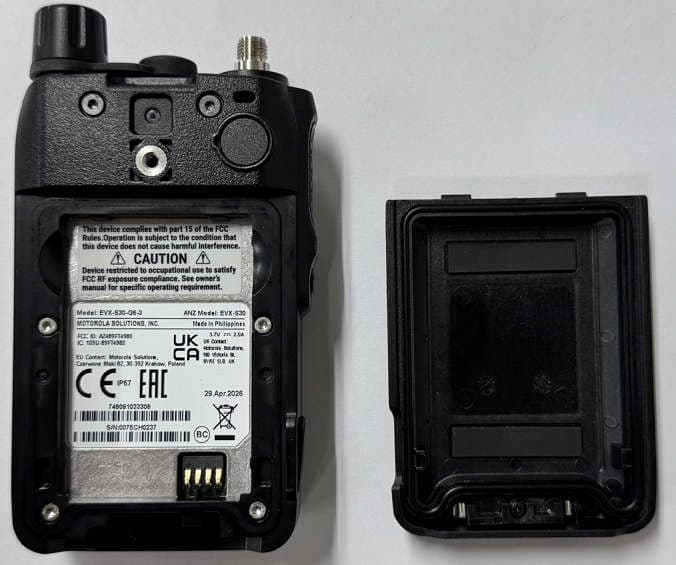
AZ489FT4980
Sep 08, 2026Portable two way radio
Equipment Class
TNF - Licensed Non-Broadcast Transmitter Held to FaceAZ489FT4981
Aug 14, 2026Handheld Portable - TANAPA BPR 45 400-470 MHZ 4W NKP
Equipment Class
TNF - Licensed Non-Broadcast Transmitter Held to Face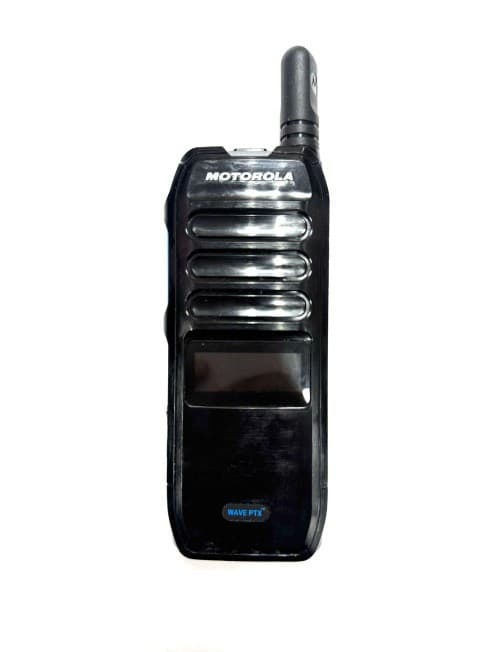
AZ489FT7187
Jul 13, 2026Portable 2-Way Radio with Bluetooth, Bluetooth LE, WIFI 2.4GHz, WIFI 5GHz, LTE
Equipment Class
DSS - Part 15 Spread Spectrum TransmitterAZ499FT6031
May 11, 2026Operation Critical Wireless Earpiece PTT
Equipment Class
DSS - Part 15 Spread Spectrum Transmitter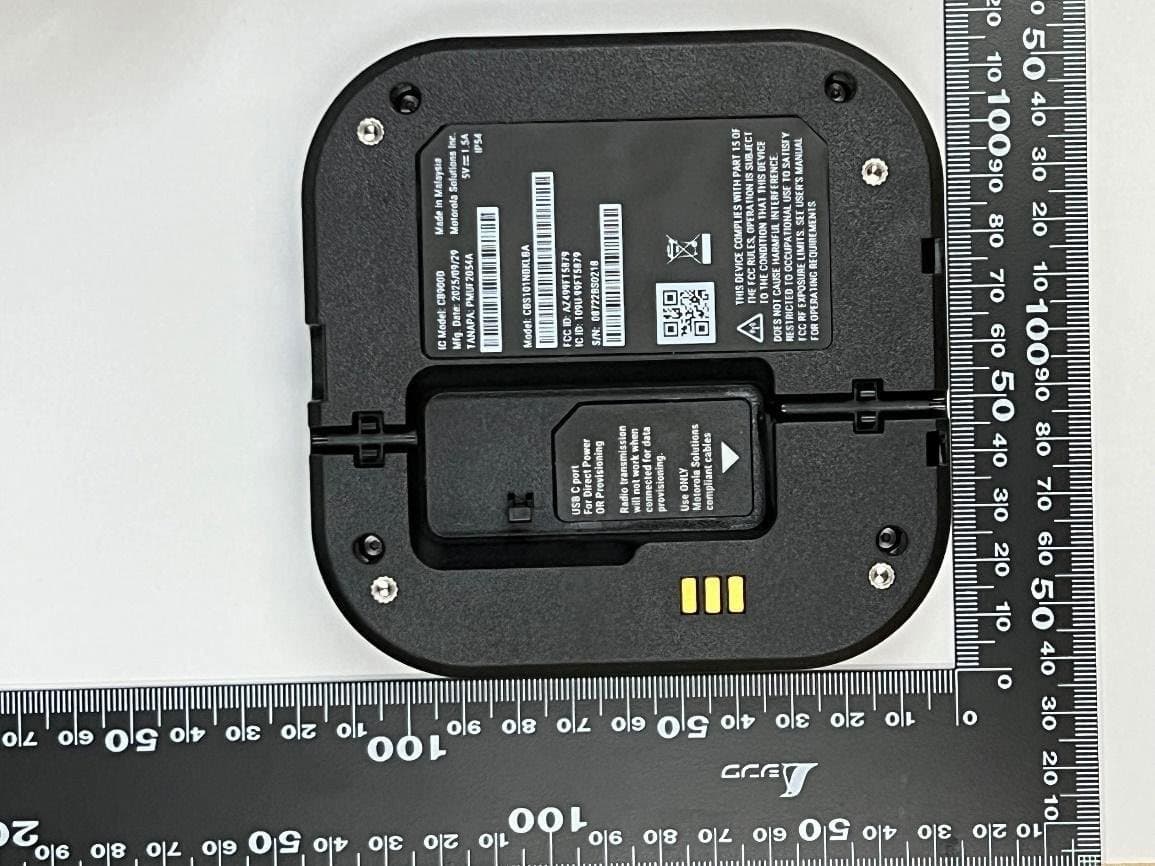
AZ499FT5879
Dec 19, 20252-way Portable Radio with BT, BTLE, WIFI, NFC and LTE
Equipment Class
DSS - Part 15 Spread Spectrum Transmitter