AZ489FT7068Portable 2-Way Radio with BT and WiFi
Motorola Solutions, Inc.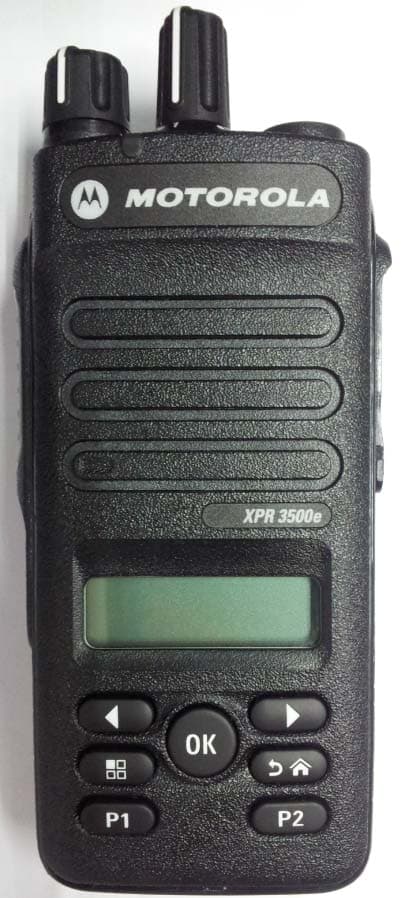
Click to zoom
Application Details
- Equipment Class
- DTS - Digital Transmission System
- Date of Grant
- Dec 30, 2015
- Application Purpose
- Original Equipment
- Date of Application
- Dec 16, 2015
- Equipment Note
- Portable 2-Way Radio with BT and WiFi
- Frequency Range
- 2412.00000000 - 2462.00000000
- Company
- Motorola Solutions, Inc.
- Country
- United States
Documents & Files
Document Text
Text extracted from the exhibit documents filed with the FCC. Open a document above to read the original.
Users Manual
PROFESSIONAL DIGITAL TWO-WAY RADIO MOTOTRBO MC XPR 3500/XPR 3500e LIMITED KEYPAD PORTABLE PORTATIVES AVEC CLAVIER LIMITÉ USER GUIDE GUIDE DE L’UTILISATEUR fr-CA en Contents Declaration of Conformity......................... 6 Important Safety Information..........8 Software Version..............................9 Computer Software Copyrights....10 Handling Precautions....................11 Getting Started...............................12 How to Use This Guide..................................12 What Your Dealer/System Administrator Can Tell You.............................................12 Preparing Your Radio for Use.......13 Charging the Battery ...................................... 13 Attaching the Battery..................................... 13 Attaching the Antenna................................... 14 Attaching the Belt Clip................................... 15 Attaching the Universal Connector Cover (Dust Cover).............................................15 Attaching the Accessory Connector...............16 Powering Up the Radio..................................17 Adjusting the Volume.....................................18 Identifying Radio Controls............19 Radio Controls...............................................19 Programmable Buttons..................................20 Assignable Radio Functions............... 20 Assignable Settings or Utility Functions.......................................22 Accessing the Programmed Functions..........22 Push-To-Talk (PTT) Button............................23 Switching Between Conventional Analog and Digital Mode.......................................24 IP Site Connect..............................................25 Capacity Plus.................................................25 Contents 1 English Linked Capacity Plus.....................................26 Identifying Status Indicators......... 28 Display Icons................................................. 28 Call Icons.......................................................30 Advanced Menu Icons...................................31 Mini Notice Icons........................................... 31 Sent Item Icons ......................................... 31 LED Indicator.................................................31 Alert Tones.................................................... 33 Indicator Tones..............................................33 Making and Receiving Calls..........34 Selecting a Zone............................................34 Selecting a Channel.......................................34 Receiving and Responding to a Radio Call...35 Receiving and Responding to a Group Call......................................35 Receiving and Responding to a Private Call ................................36 Receiving an All Call .......................... 37 Receiving and Responding to a Selective Call .............................37 Making a Radio Call............................ 38 Making a Radio Call.......................................41 Making a Group Call........................... 42 Making a Private Call ......................42 Making an All Call ..............................43 Making a Selective Call ..................44 Stopping a Radio Call ................................45 Talkaround..................................................... 45 Monitoring Features.......................................46 Monitoring a Channel..........................46 Permanent Monitor............................. 46 Advanced Features........................48 Radio Check..................................................48 Sending a Radio Check......................48 Scan Lists......................................................48 Viewing an Entry in the Scan List....... 49 Editing the Scan List...........................49 Scan...............................................................51 Starting and Stopping Scan................51 Responding to a Transmission During a Scan................................52 Deleting a Nuisance Channel............. 52 Restoring a Nuisance Channel...........53 Vote Scan ..................................................53 Contact Settings............................................53 Contents 2 English Making a Group Call from Contacts....54 Making a Private Call from Contacts .................................... 55 Setting a Default Contact ................55 Call Indicator Settings.................................... 56 Activating and Deactivating Call Ringers for Call Alert ................. 56 Activating and Deactivating Call Ringers for Private Calls ............57 Activating and Deactivating Call Ringers for Selective Call ..........57 Assigning Ring Styles......................... 58 Selecting a Ring Alert Type................ 58 Configuring Vibrate Style....................59 Escalating Alarm Tone Volume...........60 Call Log Features.......................................... 60 Viewing Recent Calls..........................60 Deleting a Call from a Call List............61 Viewing Details from a Call List.......... 61 Call Alert Operation....................................... 62 Receiving and Responding to a Call Alert........................................62 Making a Call Alert from the Contact List....................................62 Making a Call Alert with the One Touch Access Button.....................63 Emergency Operation....................................63 Sending an Emergency Alarm............ 64 Sending an Emergency Alarm with Call.................................................64 Sending an Emergency Alarm with Voice to Follow ..........................65 Reinitiating an Emergency Mode........67 Exiting Emergency Mode After Sending the Emergency Alarm......67 Privacy .......................................................67 Security..........................................................69 Radio Disable ......................................69 Radio Enable...................................... 71 Lone Worker.....…
Text truncated - open the document above for the full version.
Users Manual
PROFESSIONAL DIGITAL TWO-WAY RADIO MOTOTRBO MC XPR 3300/ XPR 3300e USER GUIDE GUIDE DE L’UTILISATEUR NON-DISPLAY PORTABLE PORTATIF, SANS AFFICHEUR fr-CA en BASE HUE Contents Declaration of Conformity......................... 5 Important Safety Information..........7 Software Version..............................8 Computer Software Copyrights......9 Handling Precautions....................10 Getting Started...............................11 How to Use This Guide..................................11 What Your Dealer/System Administrator Can Tell You.............................................11 Preparing Your Radio for Use.......12 Charging the Battery ...................................... 12 Attaching the Battery..................................... 12 Attaching the Antenna................................... 13 Attaching the Belt Clip................................... 14 Attaching the Universal Connector Cover (Dust Cover).............................................14 Attaching the Accessory Connector...............15 Powering Up the Radio..................................16 Adjusting the Volume.....................................17 Identifying Radio Controls............18 Radio Controls...............................................18 Programmable Buttons..................................18 Assignable Radio Functions............... 19 Assignable Settings or Utility Functions.......................................20 Push-To-Talk (PTT) Button............................20 Switching Between Conventional Analog and Digital Mode.......................................21 IP Site Connect..............................................22 Capacity Plus.................................................23 Linked Capacity Plus.....................................23 Contents 1 English Identifying Status Indicators.........25 LED Indicator................................................. 25 Alert Tones.................................................... 26 Indicator Tones..............................................26 Making and Receiving Calls..........27 Selecting a Channel.......................................27 Receiving and Responding to a Radio Call...27 Receiving and Responding to a Group Call......................................27 Receiving and Responding to a Private Call ................................28 Receiving an All Call ..........................29 Receiving and Responding to a Selective Call .............................29 Making a Radio Call............................ 30 Making a Radio Call.......................................33 Making a Group Call...........................33 Making a Private Call ......................34 Making an All Call .............................. 35 Making a Selective Call ..................35 Stopping a Radio Call ................................36 Talkaround ..................................................... 36 Monitoring Features.......................................37 Monitoring a Channel.......................... 37 Permanent Monitor............................. 37 Advanced Features........................38 Scan Lists......................................................38 Scan...............................................................38 Starting and Stopping Scan................38 Responding to a Transmission During a Scan................................39 Deleting a Nuisance Channel............. 39 Restoring a Nuisance Channel...........39 Vote Scan ..................................................40 Call Indicator Settings....................................40 Selecting a Ring Alert Type................ 40 Configuring Vibrate Style....................41 Escalating Alarm Tone Volume...........41 Call Alert Operation....................................... 41 Receiving and Responding to a Call Alert........................................41 Making a Call Alert with the One Touch Access Button.....................42 Emergency Operation....................................42 Sending an Emergency Alarm............43 Contents 2 English Sending an Emergency Alarm with Call................................................. 43 Sending an Emergency Alarm with Voice to Follow ..........................44 Reinitiating an Emergency Mode........45 Exiting Emergency Mode After Sending the Emergency Alarm......46 Privacy .......................................................46 Lone Worker.................................................. 47 Password Lock Features...............................47 Accessing the Radio from Password.......................................48 Unlocking the Radio from Locked State.............................................. 48 Changing the Password......................49 Auto-Range Transponder System (ARTS) .............................................................. 50 Over-the-Air-Programming (OTAP)............... 50 Wi-Fi Operation..............................................50 Turning Wi-Fi On or Off.......................50 Connecting to a Network Access Point...............................................51 Utilities...........................................................51 Setting the Squelch Level...................51 Setting the Power Level......................51 Turning the Voice Operating Transmission (VOX) Feature On or Off........................................ 52 Turning the Radio Tones/Alerts On or Off..............................................52 Intelligent Audio.................................. 52 Turning the Acoustic Feedback Suppressor Feature On or Off ...53 Authorized Accessories List.........54 Antennas ........................................................54 Batteries.........................................................54 Carry Devices................................................55 Chargers........................................................55 Earbuds and Earpieces................................. 55 Headsets and Headset Accessories..............56 Remote Speaker Microphones..…
Text truncated - open the document above for the full version.
Users Manual
English RF ENERGY EXPOSURE AND PRODUCT SAFETY GUIDE FOR PORTABLE TWO-WAY RADIOS Before using this radio, read this guide which contains important operating instructions for safe usage and RF energy awareness and control for compliance with applicable standards and regulations. Motorola Solutions, Inc. 1303 E. Algonquin Rd., Schaumburg, IL 60196, U.S.A. 6881095C98-J *NNTN7223F* NNTN7223F MOTOROLA, MOTO, MOTOROLA SOLUTIONS and the Stylized M logo are trademarks or registered trademarks of Motorola Trademark Holdings, LLC and are used under license. All other trademarks are the property of their respective owners. © 2007 – 2013 Motorola Solutions, Inc. All rights reserved. ATTENTION! 6881095C98-J_SafetyP.book Page 1 Tuesday, May 21, 2013 2:35 PM 2 English RF Energy Exposure Awareness and Control Information and Operational Instructions for Occupational Use NOTICE: This radio is intended for use in occupational/controlled conditions where users have full knowledge of their exposure and can exercise control over their exposure to meet the occupational limits in FCC and International standards. This radio device is NOT authorized for general population consumer use. This two-way radio uses electromagnetic energy in the radio frequency (RF) spectrum to provide communications between two or more users over a distance. It uses radio frequency (RF) energy or radio waves to send and receive calls. RF energy is one form of electromagnetic energy. Other forms include, but are not limited to, sunlight and x-rays. RF energy, however, should not be confused with these other forms of electromagnetic energy, which when used improperly, can cause biological damage. Very high levels of x-rays, for example, can damage tissues and genetic material. Experts in science, engineering, medicine, health, and industry work with organizations to develop standards for safe exposure to RF energy. These standards provide recommended levels of RF exposure for both workers and the general public. These recommended RF exposure levels include substantial margins of protection. All Motorola two-way radios are designed, manufactured, and tested to ensure they meet government-established RF exposure levels. In addition, manufacturers also recommend specific operating instructions to users of two-way radios. These instructions are important because they inform users about RF energy exposure and provide simple procedures on how to control it. 6881095C98-J_SafetyP.book Page 2 Tuesday, May 21, 2013 2:35 PM 3 English Please refer to the following websites for more information on what RF energy exposure is and how to control your exposure to assure compliance with established RF exposure limits: http://www.fcc.gov/oet/rfsafety/rf-faqs.html www.who.int/en/ www.motorolasolutions.com/rfhealth Federal Communication Commission (FCC) Regulations When two-way radios are used as a consequence of employment, the FCC requires users to be fully aware of and able to control their exposure to meet occupational requirements. Exposure awareness can be facilitated by the use of a product label directing users to specific user awareness information. Your Motorola two-way radio has a RF Exposure Product Label. Also, your Motorola user manual, or separate safety booklet includes information and operating instructions required to control your RF exposure and to satisfy compliance requirements. Compliance with RF Exposure Standards Your Motorola two-way radio is designed and tested to comply with a number of national and International standards and guidelines (listed below) for human exposure to radio frequency electromagnetic energy. This radio complies with the IEEE (FCC) and ICNIRP exposure limits for occupational/controlled RF exposure environments at operating duty factors of up to 50% talk-50% listen and is approved for occupational use only. In terms of measuring RF energy for compliance with these exposure guidelines, your radio generates measurable RF energy only while it is transmitting (during talking), not when it is receiving (listening) or in standby mode. 6881095C98-J_SafetyP.book Page 3 Tuesday, May 21, 2013 2:35 PM 4 English NOTE:The approved batteries, supplied with this radio, are rated for a 5-5-90 duty factor (5% talk-5% listen-90% standby) even though this radio complies with FCC occupational exposure limits and may operate at duty factors of up to 50% talk. Your Motorola two-way radio complies with the following RF energy exposure standards and guidelines: • United States Federal Communications Commission (FCC), Code of Federal Regulations; 47 CFR et seq. & FCC, OET Bulletin 65 • Institute of Electrical and Electronic Engineers (IEEE) C95.1 • International Commission on Non-Ionizing Radiation Protection (ICNIRP) • Ministry of Health (Canada) Safety Code 6 & Industry Canada RSS-102 • Australian Communications Authority Radiocommunications Standard et seq. • ANATEL ANNEX to Resolution No. 303 et seq. RF Exposure Compliance and Control Guidelines and Operating Instructions for Two-Way Radio Operations To control your exposure and ensure compliance with the occupational/controlled environment exposure limits, always adhere to the following procedures. • DO NOT remove the RF Exposure Label from the device. • User awareness instructions should accompany device when transferred to other users. 6881095C98-J_SafetyP.book Page 4 Tuesday, May 21, 2013 2:35 PM 5 English Two-Way Radio Operation • Transmit no more than the rated duty factor of 50% of the time. To transmit (talk), push the Push-To-Talk (PTT) button. To receive calls, release the PTT button. The PTT button may reside on the radio itself or may be hosted on approved wired or wireless (for example, a Bluetooth enabled remote Push-to-Talk button) accessories. Transmitting 50% of the time, or less, is important because this radio generates measurable RF energy exposure only when transmitting (in terms of measuring for standards compliance). • In front of the face. Hold the radio in a…
Text truncated - open the document above for the full version.
Cover Letter(s)
FCC ID: AZ489FT7068 Motorola Solutions Inc. Exhibit 13a 8000 West Sunrise Boulevard, Fort Lauderdale, Florida 33322 Date: December 4, 2015 Office of Engineering and Technology Laboratory Division Equipment Authorization Branch Federal Communications Commission Laboratory 7435 Oakland Mills Road Columbia, MD 21046 Subject: Application for Certification of Transmitter with FCC ID: AZ489FT7068 Dear Sir or Madam: Motorola Solutions Inc (8000 West Sunrise Boulevard, Fort Lauderdale, Florida) herein submits application for certification of the subject transmitter: AZ489FT7068 – MOTOTRBO XPR3500e UHF Wideband (403MHz – 527MHz), BT and WiFi 2.4GHz. This transmitter is primarily intended for uses in a portable radio application with capabilities for conventional communications with variable transmit power operating within the following frequency ranges: Frequency Rated Power FCC Rule Parts 403 – 527 MHz 1.0 – 4.0 W, Max = 4.8 W 22, 74, 80, 90 2402-2480 MHz (BT and BT LE) 8.9 mW, Max = 10 mW 15C 2400-2462 MHz (WiFi) 55.0 mW, Max = 69.9 mW 15C We are requesting certification under Part(s) of the Commission’s Rules listed above to allow operation of this equipment. The subject transmitter complies with Section 90.203 and 80.203(b) of the Rules in that the operator cannot directly program transmit frequencies using the unit's normally accessible external controls. Enclosed is a complete Certification Application. Please contact me if you require any additional information. Sincerely, Kim Uong Regulatory Compliance Engineer Tel: (954) 723-5422 E-mail: [email protected]
Cover Letter(s)
FCC ID: AZ489FT7068 Motorola Solutions Inc. Exhibit 13b 8000 West Sunrise Boulevard, Fort Lauderdale, Florida 33322 CONFIDENTIALITY REQUESTED Date: December 4, 2015 Office of Engineering and Technology Laboratory Division Equipment Authorization Branch Federal Communications Commission Laboratory 7435 Oakland Mills Road Columbia, MD 21046 Subject: Confidentiality Request Regarding Application for Transmitter with FCC ID: AZ489FT7068 Dear Sir or Madam: Motorola Solutions Inc (8000 West Sunrise Boulevard, Fort Lauderdale, Florida) is requesting for the following Exhibits be held as Permanently Confidential, and not be made routinely available for public inspection: Exhibit 4 Circuit Descriptions/Block diagrams Exhibit 5 Schematic Diagrams Exhibit 10 Parts List and Tune Up Procedures Exhibit 12 Operational Description Motorola considers the information in these exhibits to be classified as trade secrets, pursuant to 47 CFR Sections 0.457(d), 0.459 and 552(b)(4) of the Freedom of Information Act. Please mark these Exhibits as “Confidential.” Please contact me if you require any additional information. Sincerely, Kim Uong Regulatory Compliance Engineer Tel: (954) 723-5422 E-mail: [email protected]
External Photos
Applicant: Motorola Solutions Inc FCC ID: AZ489FT7068 / IC: 109U-89FT7068 EXHIBIT 3 SHEET 1 OF 10 EXHIBIT 3 EXTERNAL PHOTOGRAPHS - Pursuant to 47 CFR 2.1033(c) 12 The following photographs are attached. Exhibit 1. Font View With Display and Keypad Model & Non Keypad Model 3A 2. Back View With Battery 3B 3. Back View (FCC labels) 3C 4. Side View (Right) 3D 5. Side View (Left) 3E 6. Top View (With and Without Antenna) 3F 7. Bottom View (With Battery) 3G 8. Type of Antenna 3H Applicant: Motorola Solutions Inc FCC ID: AZ489FT7068 / IC: 109U-89FT7068 EXHIBIT 3 SHEET 2 OF 10 Exhibit 3A Front view with display and limited keypad model Applicant: Motorola Solutions Inc FCC ID: AZ489FT7068 / IC: 109U-89FT7068 EXHIBIT 3 SHEET 3 OF 10 Front view with non keypad model (Plain Model) Applicant: Motorola Solutions Inc FCC ID: AZ489FT7068 / IC: 109U-89FT7068 EXHIBIT 3 SHEET 4 OF 10 Exhibit 3B Back View with Battery for Limited Keypad and Plain Model Applicant: Motorola Solutions Inc FCC ID: AZ489FT7068 / IC: 109U-89FT7068 EXHIBIT 3 SHEET 5 OF 10 Exhibit 3C Back View for Limited Keypad and Plain Model (FCC label) Applicant: Motorola Solutions Inc FCC ID: AZ489FT7068 / IC: 109U-89FT7068 EXHIBIT 3 SHEET 6 OF 10 Exhibit 3D Side View for Limited Keypad and Plain Model (Right) Applicant: Motorola Solutions Inc FCC ID: AZ489FT7068 / IC: 109U-89FT7068 EXHIBIT 3 SHEET 7 OF 10 Exhibit 3E Side View for Limited Keypad and Plain Model (Left) Applicant: Motorola Solutions Inc FCC ID: AZ489FT7068 / IC: 109U-89FT7068 EXHIBIT 3 SHEET 8 OF 10 Exhibit 3F Top View for Limited Keypad and Plain Model (with Antenna) Top View for Limited Keypad and Plain Model (without Antenna) Applicant: Motorola Solutions Inc FCC ID: AZ489FT7068 / IC: 109U-89FT7068 EXHIBIT 3 SHEET 9 OF 10 Exhibit 3G Bottom View with Battery for Limited Keypad and Plain Model Applicant: Motorola Solutions Inc FCC ID: AZ489FT7068 / IC: 109U-89FT7068 EXHIBIT 3 SHEET 10 OF 10 Exhibit 3H FIGURE 3-13: TYPES OF ANTENNAS NO ATTENNA TYPE COLOUR LENGTH 1. PMAE4070A, UHF stubby antenna (440 – 490 MHz) Green 9 cm 2. PMAE4071A, UHF stubby antenna (470 – 527 MHz) White 9 cm 3. PMAE4069A, UHF stubby antenna (403 – 450 MHz) Red 9 cm 4. PMEA4079A, UHF Slim whip antenna (403 – 527 MHz) Orange 15 cm 2 1 4 3
ID Label/Location Info
Applicant: Motorola Solutions Inc FCC ID: AZ489FT7068 / IC: 109U-89FT7068 EXHIBIT 1 SHEET 1 OF 2 Identification Label LOCATION See the Attached Photograph or Sketch _ Top of Radio X _ Back of Radio _ Back of Radio under Belt Clip TYPE X The label is a polyester film laminate with a pressure sensitive adhesive backing. The adhesive is a permanent type acrylic with the minimum peel strength of 32 oz/inch. MARKINGS (TEXT) X See the Attached Photograph and Exhibit 3-5 for the actual location of the FCC label on the device. Label Attached Below. See Attached Drawing. RADIO Radio Vintage : Quantity production plan pursuant 2.908 Figure 1A: Label for model AAH02RDH9VA1AN (Limited keypad) Applicant: Motorola Solutions Inc FCC ID: AZ489FT7068 / IC: 109U-89FT7068 EXHIBIT 1 SHEET 2 OF 2 Figure 1B: Label for model AAH02RDC9VA1AN (Non keypad)
Internal Photos
Applicant: Motorola Solutions Inc FCC ID: AZ489FT7068 / IC: 109U-89FT7068 EXHIBIT 9 SHEET 1 OF 11 Internal Photographs The following photographs are attached. Exhibit 1. RF board with Shields (Top). 9A 2. RF board without Shields (Top). 9B 3. RF board with Shields (Bottom). 9C 4. RF board without Shields (Bottom). 9D 5. RF board with chassis and housing with Display and Keypad Model & Non Keypad Model (front side) 9E 6. Chassis and Housing (back side) 9F 7. Limited Keypad board (Top) 9G 8. Limited Keypad board (Bottom). 9H 9. Exploded View of FKP radio 9I 10. Exploded View of NKP radio 9J Applicant: Motorola Solutions Inc FCC ID: AZ489FT7068 / IC: 109U-89FT7068 EXHIBIT 9 SHEET 2 OF 11 Exhibits 9A RF board with Shields (Top) Applicant: Motorola Solutions Inc FCC ID: AZ489FT7068 / IC: 109U-89FT7068 EXHIBIT 9 SHEET 3 OF 11 Exhibit 9B RF board without Shields (Top) Applicant: Motorola Solutions Inc FCC ID: AZ489FT7068 / IC: 109U-89FT7068 EXHIBIT 9 SHEET 4 OF 11 Exhibit 9C RF board with Shields (Bottom) Applicant: Motorola Solutions Inc FCC ID: AZ489FT7068 / IC: 109U-89FT7068 EXHIBIT 9 SHEET 5 OF 11 Exhibit 9D RF board without Shields (Bottom) Applicant: Motorola Solutions Inc FCC ID: AZ489FT7068 / IC: 109U-89FT7068 EXHIBIT 9 SHEET 6 OF 11 Exhibit 9E RF board with chassis and housing with display and limited keypad model (front side) Applicant: Motorola Solutions Inc FCC ID: AZ489FT7068 / IC: 109U-89FT7068 EXHIBIT 9 SHEET 7 OF 11 RF board with chassis and housing with non keypad model (front side) Applicant: Motorola Solutions Inc FCC ID: AZ489FT7068 / IC: 109U-89FT7068 EXHIBIT 9 SHEET 8 OF 11 Exhibit 9F Chassis and Housing (back side) Applicant: Motorola Solutions Inc FCC ID: AZ489FT7068 / IC: 109U-89FT7068 EXHIBIT 9 SHEET 9 OF 11 Exhibit 9G Limited Keypad board (Top) Exhibit 9H Limited Keypad board (Bottom) Applicant: Motorola Solutions Inc FCC ID: AZ489FT7068 / IC: 109U-89FT7068 EXHIBIT 9 SHEET 10 OF 11 Exhibit 9I Exploded View of FKP Radio Tx/Rx Antenna BT/WiFI Antenna Applicant: Motorola Solutions Inc FCC ID: AZ489FT7068 / IC: 109U-89FT7068 EXHIBIT 9 SHEET 11 OF 11 Exhibit 9J Exploded View of NKP Radio Tx/Rx Antenna BT/WiFI Antenna
RF Exposure Info
FCC ID: AZ489FT7068 / IC: 109U-89FT7068 Report ID: P2801-EME-00037/00038 Motorola Solutions Inc. EME Form-SAR -Rpt- Rev. 13.16 Page 1 of 98 TESTING CERT # 2518.05 DECLARATION OF COMPLIANCE SAR ASSESSMENT Part 1 of 2 Motorola Solutions Inc. EME Test Laboratory Motorola Solutions Malaysia Sdn Bhd (455657-H) Plot 2, Bayan Lepas Technoplex Industrial Park, Mukim 12 SWD 11900 Bayan Lepas Penang, Malaysia. Date of Report: 12/04/2015 Report Revision: A Responsible Engineer: Tiong Nguk Ing (EME Engineer) Report Author: Tiong Nguk Ing (EME Engineer) Date/s Tested: 11/7/2015-11/19/2015 Manufacturer: Motorola Solutions Inc. DUT Description: Handheld Portable – 403-527 MHz 4W LKP CFS WIFI, 403- 527 MHz 4W NKP CFS WIFI Test TX mode(s): CW (PTT) , Bluetooth, WLAN 802.11 b/g/n Max. Power output: 4.8 W (LMR 403-527 MHz band), 10 mW (Bluetooth), 69.9 mW (WLAN 802.11 b), 18.6 mW (WLAN 802.11g), 12.6 mW (WLAN 802.11n) Nominal Power: 4.0 W (LMR 403-527 MHz band), 8.9 mW (Bluetooth), 55.0 mW (WLAN 802.11 b), 14.8 mW (WLAN 802.11g), 10 mW (WLAN 802.11n) Tx Frequency Bands: LMR 403-527 MHz; Bluetooth 2.402-2.480 GHz; WLAN 802.11 b/g/n 2.412-2.462 GHz Signaling type: FM (LMR), FHSS (Bluetooth), 802.11 b/g/n (WLAN) Model(s) Tested: PMUE3836B, PMUE3838B Model(s) Certified: PMUE3836B, PMUE3838B Serial Number(s): 446TRT7269, 446TRT7258 and 867TRT4943 Classification: Occupational/Controlled FCC ID: AZ489FT7068; LMR 406.125-512 MHz, Bluetooth 2.402-2.480 GHz, WLAN 802.11 b/g/n 2.412-2.462 GHz This report contains results that are immaterial for FCC equipment approval, which are clearly identified. IC: 109U-89FT7068; This report contains results that are immaterial for IC equipment approval, which are clearly identified. The test results clearly demonstrate compliance with FCC Occupational/Controlled RF Exposure limits of 8 W/kg averaged over 1 gram per the requirements of OET Bulletin 65. The 10 grams result is not applicable to FCC filing. The test results clearly demonstrate compliance with ICNIRP (1998) Guidelines for limiting exposure in time-varying electric, magnetic, and electromagnetic fields (up to 300 GHz), Health Physics 74, 494-522 RF Exposure limits of 10 W/kg averaged over 10grams of contiguous tissue. Based on the information and the testing results provided herein, the undersigned certifies that when used as stated in the operating instructions supplied, said product complies with the national and international reference standards and guidelines listed in section 4.0 of this report. This report shall not be reproduced without written approval from an officially designated representative of the Motorola Solutions Inc EME Laboratory. I attest to the accuracy of the data and assume full responsibility for the completeness of these measurements. This reporting format is consistent with the suggested guidelines of the TIA TSB-150 December 2004. The results and statements contained in this report pertain only to the device(s) evaluated. Deanna Zakharia EME Lab Senior Resource Manager, Laboratory Director Approval Date: 12/4/2015 FCC ID: AZ489FT7068 / IC: 109U-89FT7068 Report ID: P2801-EME-00037/00038 Motorola Solutions Inc. EME Form-SAR -Rpt- Rev. 13.16 Page 2 of 98 Part 1 of 2 1.0 Introduction ................................................................................................................................. 4 2.0 FCC SAR Summary .................................................................................................................... 4 3.0 Abbreviations / Definitions ......................................................................................................... 4 4.0 Referenced Standards and Guidelines ........................................................................................ 5 5.0 SAR Limits ............................................................................................................................…
Text truncated - open the document above for the full version.
Contact Information
Applicant
Arine Lee(Certification Manager)
Test Firm
TUV SUD PSB Pte LtdJunHong Deng
[email protected]65-69736268
Technical Specifications
| # | Rule Parts | Frequency Range | Power Output |
|---|---|---|---|
| 2 | 15C | 2.41 GHz - 2.46 GHz | 69.90 mW |
Other Applications from Motorola Solutions, Inc.
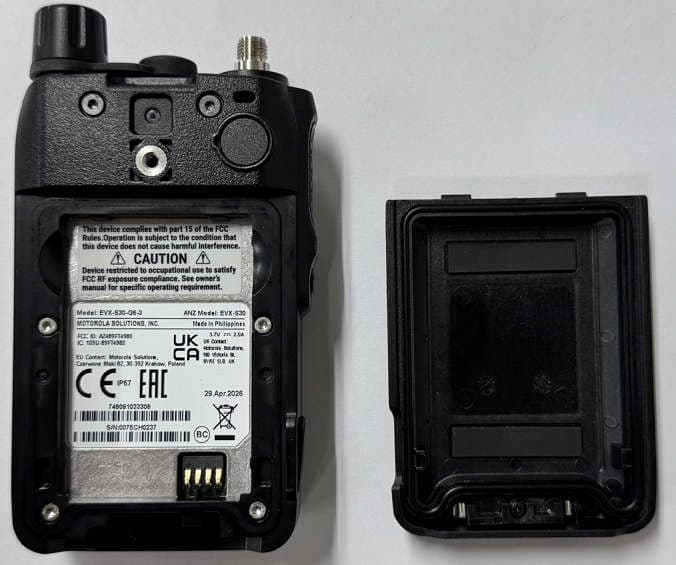
AZ489FT4980
Sep 08, 2026Portable two way radio
Equipment Class
TNF - Licensed Non-Broadcast Transmitter Held to FaceAZ489FT4981
Aug 14, 2026Handheld Portable - TANAPA BPR 45 400-470 MHZ 4W NKP
Equipment Class
TNF - Licensed Non-Broadcast Transmitter Held to Face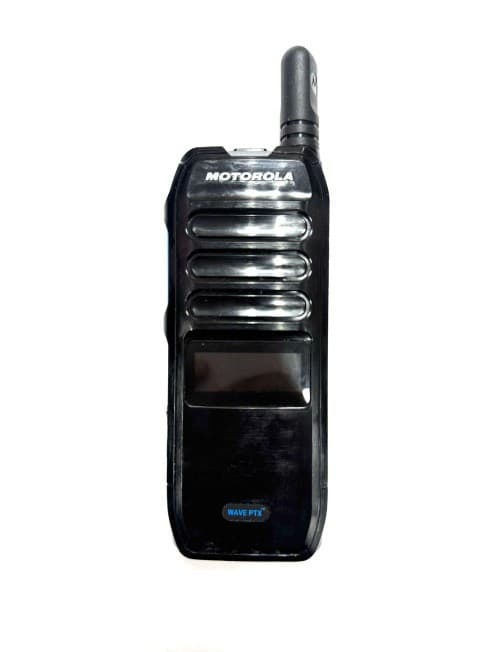
AZ489FT7187
Jul 13, 2026Portable 2-Way Radio with Bluetooth, Bluetooth LE, WIFI 2.4GHz, WIFI 5GHz, LTE
Equipment Class
DSS - Part 15 Spread Spectrum TransmitterAZ499FT6031
May 11, 2026Operation Critical Wireless Earpiece PTT
Equipment Class
DSS - Part 15 Spread Spectrum Transmitter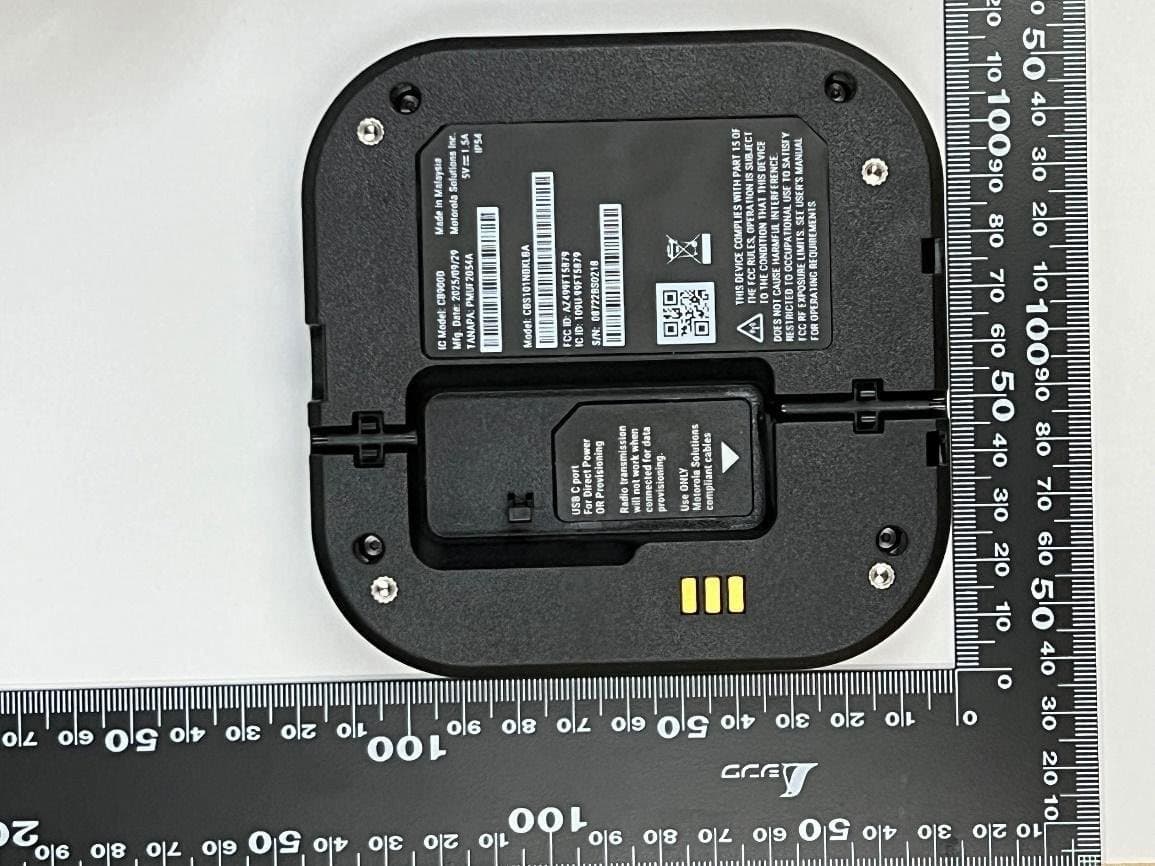
AZ499FT5879
Dec 19, 20252-way Portable Radio with BT, BTLE, WIFI, NFC and LTE
Equipment Class
DSS - Part 15 Spread Spectrum Transmitter