BPO-DOPO-M7088Tablet
Bright Win Technology Co., Ltd.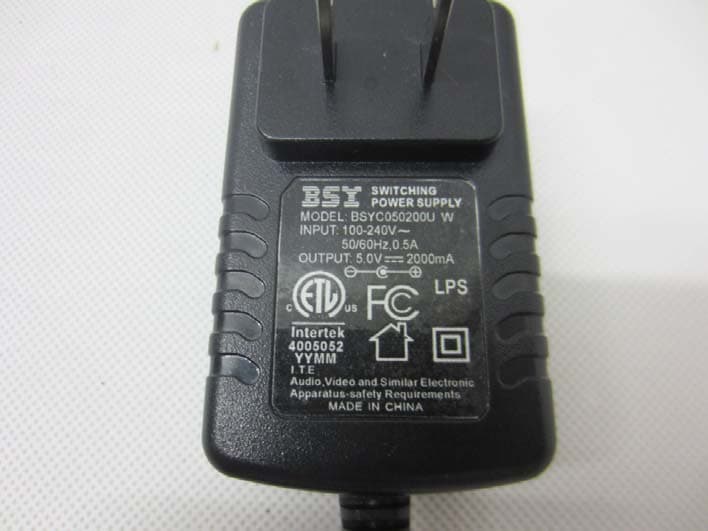
Click to zoom
Application Details
- Equipment Class
- DTS - Digital Transmission System
- Date of Grant
- Nov 15, 2012
- Application Purpose
- Original Equipment
- Date of Application
- Nov 15, 2012
- Equipment Note
- Tablet
- Frequency Range
- 2412.00000000 - 2462.00000000
- Country
- China
Documents & Files
Document Text
Text extracted from the exhibit documents filed with the FCC. Open a document above to read the original.
Users Manual
User Manual Internet Tablet M7088 Read this manual before installation and use. Important Safety Instructions ....................................... Features ........................................................................ ................................................ Basic Operations .......................................................... Getting Started ............................................................. Home Screen at a Glance ............................................ About Applications ..................................................... Preinstalled Applications ...................................... Browser .......................................................... Settings .......................................................... ApkInstaller .................................................... Video Player ................................................... Music ............................................................. Gallery ........................................................... Explorer ......................................................... Soud Recorder ................................................ Calculator ...................................................... Canlendar ...................................................... Clock ............................................................. Camera .......................................................... Introducing your device 4 5 6 7 8 8 9 10 10 10 11 11 12 14 14 15 15 15 15 16 Connecting to the Internet ....................................................... Troubleshooting ....................................................................... Compliance Information .......................................................... Warranty .................................................................................... 17 18 19 21 Contents M7088 3 EN READ THIS FIRST BEFORE USING YOUR TABLET Thank you for your purchase of the 7" Internet Tablet 4EN M7088 Important Safety Instructions 1. Do not use the tablet in extremely hot, cold, dusty or damp environments. 2. Do not drop the tablet when using it. 3. The usage life of battery is subject to the operating condition and environment. 4. Please charge the battery in the following instances: A. The icon of battery level shows weak B. System powers off automatically, and powers off again after restarting C. Keys do not work. 5. During the formatting or uploading/downloading, do not disconnect the tablet from the PC. Disconnection during updating or data transfer may damage files or the tablet. 6. Static discharge to the cable during connection to the computer may corrupt files or the storage area of the tablet. 7. The images in this manual may vary slightly from actual product. 8. Dismantling the tablet and will void the warranty. Please check the trouble shooting section of this manual if experiencing problems. 9. Our company reserves the right to improve the product. Different software and hardware versions might affect the product performance and functions, therefore the product shall be subject to change without further notice. 10. Please respect the copyright laws in your area. 11. The tablet is equipped with the touch screen, so keys on machine surface are for assistance only. ※ All warranty information, product features and specifications are subject to change without notice. M7088 Features 7" 1024*600 HD capacitive touch screen. Support MP3/WMA/ AAC/OGG /WAV music format. Support video of AVI/ WMV/MP4/ MKV/ RM/RMVB/TS/ FLV format, up to 1080P. Support Micro SD Card. Support picture auto browse in PNG/JPG/BMP/JPEG/GIF format. Energy-saving setting, brightness control and sleep. Support multi languages. Support Win2000 /Win XP/Vista system/Win 7. Support downloading files from internet. USB2.0 high speed transfer Support APK program installation. Portable disk. OTG function. Support play files from USB device, of which the rated current should be lower than 500mA, via OTG port. When play files saved in a hard disk, for the power consumption is large, please connect an outer power. G-Sensor function. Dual Cameras . Support multi-point touch function Support WIFI Wireless Connection Support firmware upgrade. 5EN Keys and interfaces on machine surface have functions shown below: M7088 Introducing your device 6EN NameDescription 1 2 3 4 5 6 7 8 9 No. 10 11 12 13 23 1 5 6 7 8 9 10 11 12 13 4 Camera 0.3M Camera MIC key Microphone HDMI 1080P HDMI output Mini USB port Connect to a computer via a USB cable to transfer data(e.g.music, video, photos and other files). Reset holePress to reset the tablet.Insert a paper clip or other small object with a narrow tip into this reset hole. Power jack (DC input) Connect to a 5V output adapter Earphone jackTo connect your earphone TF card slotTo insert an TF card SpeakerSpeaker Vol + key Vol - key Press to increase the volume. Press to decrease the volume. Power and lock key Key to switch the tablet on or off. Camera2.0M Camera How to Power On/Off the tablet? To power on/off the tablet, please press power key and hold for 3S. This period will need several seconds, please wait patiently. How to turn on/off the LCD? After powering on the tablet, if you are not watching video, you can short press power key to turn off the LCD to save power. To turn on the LCD, please short press power key again. Note: The screen is locked also when the screen is turned off, to unlock the screen, please pull the lock icon to unlock icon . Touch & type Use your fingers to manipulate icons, buttons, menus, the onscreen keyboard, and other items on the touchscreen. You can also change the screen's orientation. To select or activate something, touch it. To type something, such as a name, password, or search terms, just touch where you want to type. A keyboard pops up that lets you type into the field. Other common gestures include: a) Touch & hold: Touch & hold an item on the screen by touching it and not lifting your f…
Text truncated - open the document above for the full version.
Users Manual
7 Touch to play video in different size. 8 Touch to return the previous directory. 9 Touch to show sub menu which includes items Delete Bookmark and Play from beginning, Delete bookmark, Play mode, Help and Return. To hide/show the toolbar, please touch the screen centre directly. Note: If a bookmark is set, then, then if a movie had not been played completely last time, the tablet will remember the pause point. User can select whether play this movie from the pause point next time. On the video file list, long pressing a file can popup the file delete frame, on which user can select whether delete the selected file. > Music From a Home or All Apps screen, touch the Music icon to enter the music file listing interface shown below: 1 Progress bar: it is used to view video playing progress. Dragging it can fast reverse/forward the video. 2 Volume: touch to decrease/increase the volume. 3 Touch to add the current point to be a bookmark. 4 5 Touch to set the screen brightness. Touch to play the previous/next video. Long press to fast reverse/forward the current video. 6 Play/ play. Pause: touch to pause/ resume the normal 98 7 6 2 5 4 1 3 2 5 M7088 Getting Started 12EN Icons in the tool bar shown on the above interface have functions shown below: 1 Touch to popup the music list 2 Touch to "turn on /off shuffle" 3 Touch to set the song repeat mode to repeat off, repeating all songs, repeatting current song. Touch to popup lrc. 4 5 Progress bar: it is used to view video playing progress. Dragging it can fast reverse/forward the video. 1 Touch to sort song by singer. 2 Touch to sort song by album. 3 Touch to list all music files on screen. Touch to check latest add songs. 4 Drag your finger on the screen up and down to view the list and touch any one to enter audio playing interface like the below: 24 3 1 5 6 78 M7088 Getting Started 24 3 1 13EN Touch can enter into CAM app directly. Choose a album, then choose a photo, can play the photo. When play the photo touch icon can popup submenu as below: icon > Explorer From a Home or All Apps screen, touch the Explorer icon, enter the corresponding interface. User can browers all the file in this device. In file list interface,long press a file or a folder, can popup an edit dialog, here, user can copy, delete, move, paste, rename the file. 6 7 Play/ play. Pause: touch to pause/ resume the normal Long press to fast forward the current song, short touch to play the next song 8 Touch once fast reverse the current song to begin, fast touch twice to play the previous song. > Gallery From a Home or All Apps screen, touch the Gallery icon, it is used for you to view photo files in your device. you can also download another APK program to view photos from market or other ways. The photo play interface is shown as the below: M7088 Getting Started 14EN > Calculator From a Home or All Apps screen, touch the Calculator icon, enter the corresponding interface, user can do some calculation here. > Canlendar From a Home or All Apps screen, touch the Canlendar icon, enter the corresponding interface, user can check canlendar here,and built new event here. > Clock From a Home or All Apps screen, touch the Clock icon, enter the corresponding interface, user can setting clock here and add alarm. > SoudRecorder From a Home or All Apps screen, touch the SoudRecorder icon, enter the corresponding interface . Touching can start record, after finish the record, touching can popup the record saving dialogue, this time touching can listen to record just recorded. All the record files (VXXXX.3gpp) are saved in folder Record, which is located in the root directory. User can play the record file like play songs. M7088 Getting Started 15EN > Camera From a Home or All Apps screen, touch the Camera icon, enter the corresponding interface. Shift front and back camera White balance Unhide setting menu Touch to comfirm take photo Exposure Touch to shift take photo to picture recording Shift front and back camera Hide setting menu Start or pause recording picture Shift recording picture to take photo Pause recording picture Adjust focus M7088 Getting Started 16EN Requirements M7088 Connecting to the Internet Note: Note: 17EN This tablet can utilize Wi-Fi data networks to connect to the Internet. Wireless Wi-Fi technology can provide Internet access at distances of over 300 feet; however, this distance can be affected by your surrounding environment and Wi-Fi router. The tablet cannot be turned on. Please charge it via the DC charger to check if the battery is low. If not, then please reset the tablet. No sound can be heard from the earphones. 1. Check if the volume is set as 0. Adjust the volume as required. 2. Check the volume of the file attempting to be played. 3. Confirm the earphone is properly connected. Noise through earphones. 1. Check if the earphone plug is clean, foreign particles can cause static to be heard through the earphone during playback. 2. Check if the music file is damaged. Confirm by playing other music. The damaged file might create serious noises or voice dithering. Incorrect language displayed. Please make sure that you have selected the correct language. Set language in (Settings) => (personal) => (Language &input) Files cannot be downloaded. 1. Make sure the proper connection between computer and tablet. 2. Check if the memory is full. 3. Check if the USB cable is damaged and replace if necessary. Audio files not playable. This tablet cannot play audio files that are copy protected. Please ensure that only files that contain no copy protection are transferred to the tablet. Video files not playable. Please check that the video files transferred to the tablet are in the correct size and format. Some files may need to be re encoded to be played on this tablet. Fail to open the web page. Please check whether successfully create the Wi-Fi connection. Forgot the password or lock pattern Please contact our customer service team through email or phone, you will be…
Text truncated - open the document above for the full version.
Cover Letter(s)
Ersteller: D. Brandhorst Revision: 00 Erstelldatum: 21.06.07 Datum: 00.00.00 Seite 1 von 1 Bright Win Technology Co., Ltd. Date: 2012-10-31 Subject: Ad Hoc Mode Function Declaration FCC ID: BPO-DOPO-M7088 To Whom it may concern, This device is acting as slave and operating in the 2.4 GHz (2412 – 2462 MHz) band. Ad Hoc function is supported but not able to operate on non-US frequencies. Please contact the one signed below or the authorized agent for this filing. Thank you. Regards, (YOUR CONTACT DETAILS) Name: Mark Wen Position: General Manager Company: Most Technology Service Co., Ltd. Shenzhen,Guangdong, China Tel.: +86-755-2601 3588 Fax.: +86-755-8617 0310 E-Mail: [email protected] Adress: No.5, Langshan 2nd Rd., North Hi-Tech Industrial park, Nanshan,
Cover Letter(s)
Ersteller: D. Brandhorst Revision: 00 Erstelldatum: 07.03.2008 Datum: 00.00.00 Seite 1 von 1 PHOENIX TEST-LAB GmbH Product Certification Königswinkel 10 D 32825 Blomberg Date:2012-10-31 FCC ID: BPO-DOPO-M7088 Subject: Attestation Letter “Declaration of Conformity” Dear Sirs, Our products with the above FCC ID are defined as composite device. The transmitter is authorized under the “Certification” procedure. The device is also defined as “PC Periphery” acc to §15.101 Equipment authorization of unintentional radiators, where we hereby declare, that we apply and follow the “Declaration of Conformity” procedure. If you have any questions, please feel free to contact me at the address shown below. Yours sincerely, Signatory Signature Name Yang Ming Title General Manager Bright Win Technology Co., Ltd.
Cover Letter(s)
Bright Win Technology Co., Ltd. PHOENIX TEST-LAB GmbH Product Certification Königswinkel 10 D 32825 Blomberg Date: 06.11.2012 Authority to Act as an Agent We declare that the following representative (agent) Name Mark Wen Position General Manager Company Name Most Technology Service Co., Ltd. Address No.5, 2 nd Langshan Road, North District, Hi-Tech Industrial Park, Nanshan, Shenzhen, Guangdong, China Tel / Fax 86-755-86170306/86-755-86170310 E-Mail [email protected] to act on our behalf on all matters concerning the application and documents submitted to PHOENIX TEST-LAB for product certification below Product Name 7" Internet Tablet Model Name M7088, M766, M7066, M7166, M798, M728, M7188, M7288, M7688, M799, M7099, DA788, M868, M8088, M8016 Brand Name DOPO We also authorize BZT – TCP Certification GmbH, Ms.Wanida Patthanavoj (address: Hermann - Loens - Weg 6, 15859 Storkow b. Berlin Germany) to process the application. Yours sincerely, Signatory Name Yang Ming Position General Manager Company Name Bright Win Technology Co., Ltd. Address Huafeng Technology Building, Bao’an, Shenzhen, China Tel / Fax (852) 30658116 E-Mail [email protected] In case of FCC, we certify that we are not subject to a denial of Federal benefits, that include FCC benefits, pursuant to Section 5301 of the Anti-Drug Abuse Act of 1988, 21 U.S.C. §862 because of a conviction for possession or distribution of a controlled substance.
Cover Letter(s)
Bright Win Technology Co., Ltd. Federal Communications Commission Equipment Authorization Branch 7435 Oakland Mills Road Columbia, MD 21046 Request for Confidentiality Company name: Bright Win Technology Co., Ltd. FCC ID: BPO-DOPO-M7088 FCC Part 15 Certification Gentlemen, Pursuant to 47 CFR 0.457(d)(1)(ii) and 0.459 we hereby requests permanent confidentiality of the following documents for the subject application: Exhibit Type Description ☒ Schematics All circuitry of devices and component values ☐ Block Diagrams Details of device showing the frequency of all oscillators ☒ Bill Of Materials Parts list of the product for the radio device ☒ Operational Description Description of the circuit functions Note: Exhibit types that are commonly held confidential are: (1) Schematics, (2) Block Diagrams, (3) Bill Of Materials, (4) Operational Descriptions. Any exhibit NOT granted confidentiality is viewable on the FCC website as soon as a grant is issued. These documents contain detailed system and equipment description and related information about the product which we considers to be proprietary, confidential and a custom design and otherwise would not release to the general public. Since the design is a basis from which future technological products will evolve, we consider that this information would be of benefit to its competitors and that the disclosure of the information in these documents would give competitors an unfair advantage in the market. Yours sincerely, Signatory Name Yang Ming Position General Manager Company Name Bright Win Technology Co., Ltd. Address Huafeng Technology Building, Bao’an, Shenzhen, China Tel / Fax (852) 30658116 E-Mail [email protected]
External Photos
Page 1 of 4 FRONT VIEW OF SAMPLE BACK VIEW OF SAMPLE Page 2 of 4 UP VIEW OF SAMPLE DOWN VIEW OF SAMPLE Page 3 of 4 LEFT VIEW OF SAMPLE RIGHT VIEW OF SAMPLE Page 4 of 4 PHOTO OF POWER SUPPLY PHOTO OF THE ENTIRE SAMPLE
ID Label/Location Info
This device complies with part 15 of the FCC rules. Operation is subject to the following two conditions (1)this device may not cause harmful interference, and (2)this device must accept any interference received, including interference that may cause undesired operation. Double Power 7"Internet Tablet Model No:M7088 Made in China FCC ID:BPO-DOPO-M7088 INPUT:DC 5V/2.5A
Internal Photos
INTERNAL PHOTO OF SAMPLE - 1 INTERNAL PHOTO OF SAMPLE - 2 INTERNAL PHOTO OF SAMPLE - 3 INTERNAL PHOTO OF SAMPLE - 4 INTERNAL PHOTO OF SAMPLE - 5 INTERNAL PHOTO OF SAMPLE - 6 INTERNAL PHOTO OF SAMPLE - 7 INTERNAL PHOTO OF SAMPLE - 8 INTERNAL PHOTO OF SAMPLE - 9 INTERNAL PHOTO OF SAMPLE - 10 INTERNAL PHOTO OF SAMPLE - 11 INTERNAL PHOTO OF SAMPLE - 12 INTERNAL PHOTO OF SAMPLE - 13 INTERNAL PHOTO OF SAMPLE - 14 INTERNAL PHOTO OF POWER SUPPLY - 1 INTERNAL PHOTO OF POWER SUPPLY - 2 INTERNAL PHOTO OF POWER SUPPLY - 3
RF Exposure Info
FCC ID : BPO-DOPO-M7088 WLAN(Portable device) According to §15.247(e)(i)and§1.1307(b)(1),systems operating under the provisions of this section shall be operated in a manner that ensures that the public is not exposed to radio frequency energy level in excess of the Commission’s guidelines. According to KDB 447498(2)(a)(i) Frequency Range Low Frequency(MHz) High Frequency(MHz) Center frequency (MHz) 60/f SAR Limitation(mw) 2412 2462 2441 25 Maximum measured transmitter power:802.11b Conducted Power(dBm) Max Antenna Gain (dBi)EIRP(mw) 10.58 2.0 18.11 Maximum measured transmitter power:802.11g Conducted Power(dBm) Max Antenna Gain (dBi)EIRP(mw) 9.20 2.0 13.18 Maximum measured transmitter power:802.11n HT20 Conducted Power(dBm) Max Antenna Gain (dBi)EIRP(mw) 8.19 2.0 10.45 Threshold at which no SAR required is 25 mw. Maximum Tx power is 18.11mw EIRP. Conclusion:No SAR is required.
Test Report
FCC 47 CFR PART 15 SUBPART C TEST REPORT For Applicant : Bright Win Technology Co., Ltd. Address : Huafeng Technology Building, Bao’an, Shenzhen, China Product Name : 7” Internet Tablet Model Name : M7088, M766, M7066, M7166, M798, M728, M7188, M7288, M7688, M799, M7099, DA788, M868, M8088, M8016 Brand Name : DOPO FCC ID : BPO-DOPO-M7088 Report No. : MTE/DAL/D12101609 Date of Issue : Nov. 13, 2012 Issued by : Most Technology Service Co., Ltd. Address : No.5, Langshan 2nd Rd., North Hi-Tech Industrial park, Nanshan, Shenzhen, Guangdong, China Tel : 86-755-8617 0306 Fax : 86-755-8617 0310 The report consists 57 pages in total. It may be duplicated completely for legal use with the approval of the applicant. It should not be reproduced except in full, without the written approval of our laboratory. The client should not use it to claim product endorsement by MOST. The test results in the report only apply to the tested sample. The test report shall be invalid without all the signatures of testing engineers, reviewer and approver. FCC ID: BPO-DOPO-M7088 Report No.: MTE/DAL/D12101609 Page 2 of 57 TABLE OF CONTENTS 1. VERIFICATION OF CONFORMITY ....................................................................................... 4 2. GENERAL INFORMATION.................................................................................................... 5 2.1 Product Information..................................................................................................................................... 5 2.2 Objective ..................................................................................................................................................... 6 2.3 Test Standards and Results ........................................................................................................................ 6 2.4 Environmental Conditions ........................................................................................................................... 6 2.5 MEASUREMENT UNCERTAINTY ............................................................................................................... 6 3. TEST FACILITY ..................................................................................................................... 7 3.2 Test Conditions ............................................................................................................................................. 8 3.3 Channel List ................................................................................................................................................. 8 3.4 Description of Test Modes ............................................................................................................................ 8 3.5 Table of Parameters of Text Software Setting............................................................................................... 8 4. TEST EQUIPMENT LIST ....................................................................................................... 9 4.1. TEST EQUIPMENT LIST ............................................................................................................................ 9 4.2 SUPPORT EQUIPMENT............................................................................................................................ 10 5. 47 CFR Part 15 C 15.247 Requirements.............................................................................11 5.1 6dB Bandwidth ........................................................................................................................................ 11 5.1.1 Definition ..........................................................................................................................................11 5.1.2 Limit..................................................................................................................................................11 5.1. 3 Test Configuration.............................................................................................................................11 5.1.4 Test Procedure...................................................................................................................................11 5.1.5 Test Result.........................................................................................................................................11 5.2 Peak Output Power ................................................................................................................................. 17 5.2.1 Definition ......................................................................................................................................... 17 5.2.2 Limit................................................................................................................................................. 17 5.2.3 Test Configuration............................................................................................................................ 17 5.2.4 Test Procedure.................................................................................................................................. 17 5.2.5 Test Result........................................................................................................................................ 17 5.3 Conducted Spurious Emission .............................................................................................................. 19 5.3.1 Definition ......................................................................................................................................... 19 5.3.2 Test Description ............................................................................................................................... 19 5.3.3 Test Result........................................................................................................................................ 19 5.4 Band Edge .............................…
Text truncated - open the document above for the full version.
Test Setup Photos
CE TEST SETUP RE TEST SETUP SPURIOUS EMISSION TEST SETUP
Contact Information
Applicant
Ming Yang(General Manager)
Test Firm
Most Technology Service Co., Ltd.Mark Wen
Technical Specifications
| # | Rule Parts | Frequency Range | Power Output |
|---|---|---|---|
| 1 | 15C | 2.41 GHz - 2.46 GHz | 11.00 mW |
Other Applications from Bright Win Technology Co., Ltd.
BPO-TM88
Nov 23, 2014Bluetooth Keyboard
Equipment Class
DXX - Part 15 Low Power Communication Device Transmitter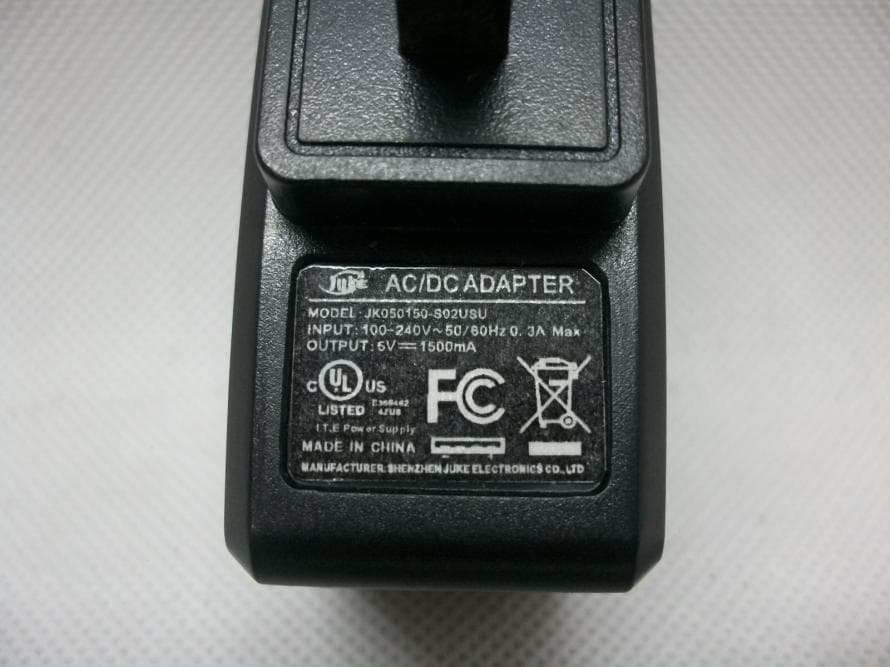
BPO-S7SA13
Sep 29, 2013Tablet
Equipment Class
DTS - Digital Transmission System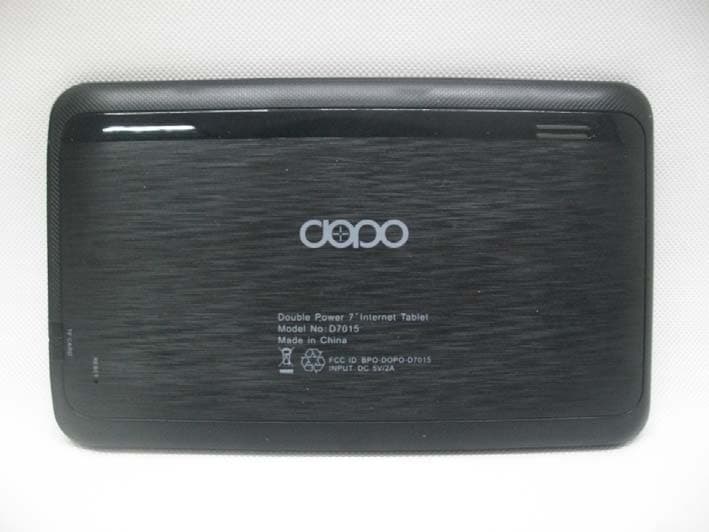
BPO-DOPO-D7015
Jan 30, 2013Tablet
Equipment Class
DTS - Digital Transmission System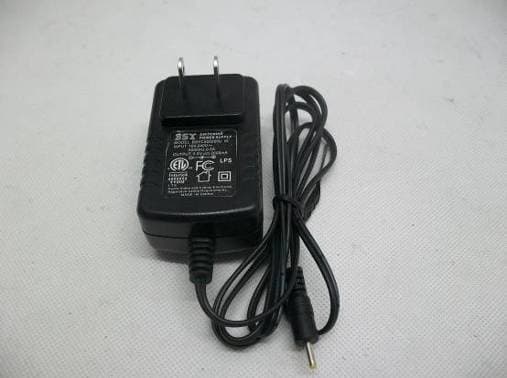
BPO-DAGE-DA988
Nov 13, 20129"Internet Tablet
Equipment Class
DTS - Digital Transmission System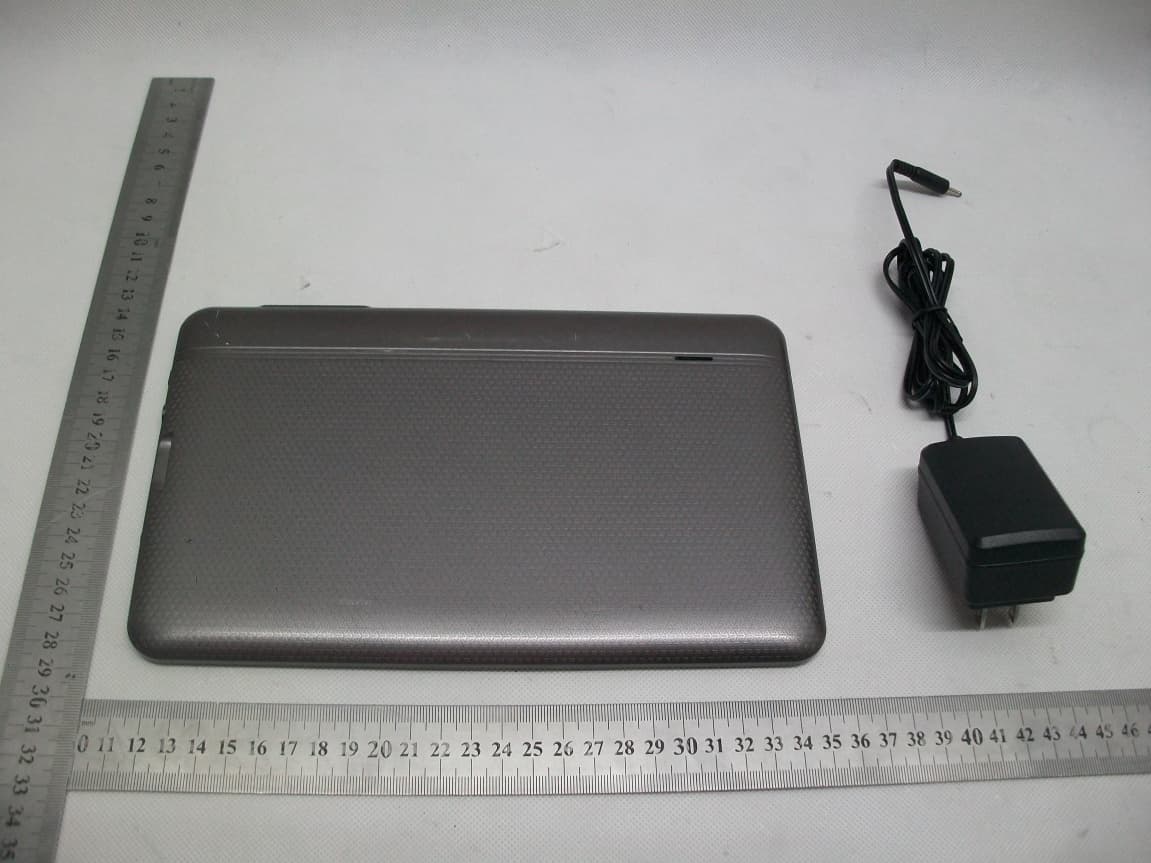
BPO-DOPO-M975
Sep 30, 2012Tablet PC
Equipment Class
DTS - Digital Transmission System