BPO-S7SA13Tablet
Bright Win Technology Co., Ltd.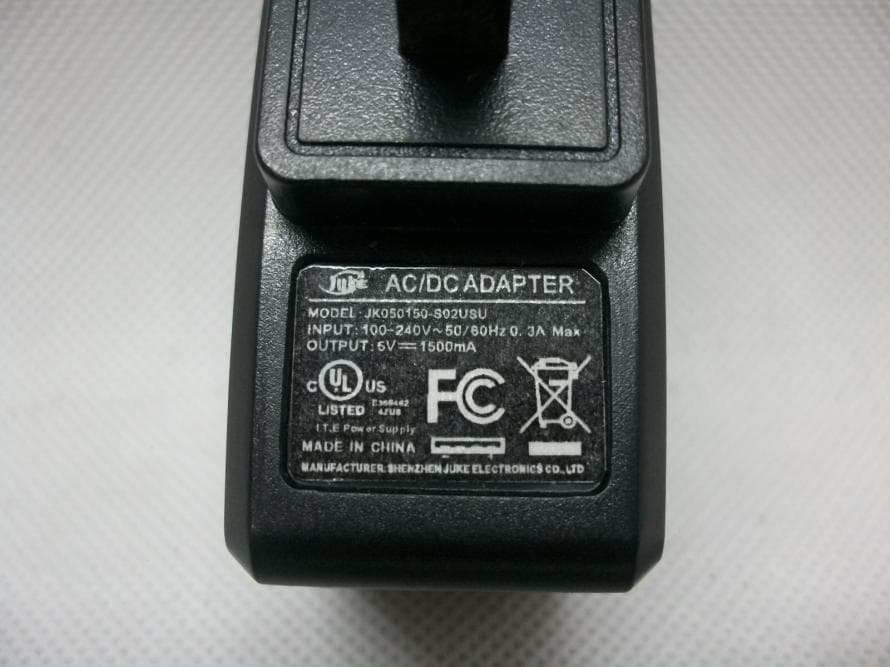
Click to zoom
Application Details
- Equipment Class
- DTS - Digital Transmission System
- Date of Grant
- Sep 29, 2013
- Application Purpose
- Original Equipment
- Date of Application
- Sep 29, 2013
- Equipment Note
- Tablet
- Frequency Range
- 2422.00000000 - 2452.00000000
- Country
- China
Documents & Files
Document Text
Text extracted from the exhibit documents filed with the FCC. Open a document above to read the original.
Users Manual
User’s Manual Internet Tablet D7016 Read this manual before installation and use. We would like you to have a safe and enjoyable experience. Please read the following instructions and notices before using the tablet. Avoid using the tablet in extremely hot, cold, dusty, damp or wet environments. The tablet is not moisture/water-resistant. Avoid using the tablet around sources of water. Avoid dropping or forcibly placing the tablet onto a hard surface. This may damage the screen or internal electronic components. Do not use alcohol, thinner or benzene to clean the surface of the tablet. Use only cleaning products designed for computer tablet devices Do not use the tablet while walking or driving. Excessive use of earphones at high volume may lead to hearing impairment. Limit earphone usage, and adjust the volume to a moderate level when doing so. The images in this manual may vary slightly from the actual product. Charge the tablet batery under any the following circumstances: 1.The battery level icon indicates low power, by showing a drained, red battery icon. 2.The tablet powers-off automatically, and continues to do even after restarting. 3.On-screen keys do not work. Do not suddenly disconnect the tablet when formatting, uploading or downloading data. This can lead to program errors(e.g.,system or screen “freezing”.) Static discharge in the cable, while it is con- nected to a computer, may corrupt files or damage the memory of the tablet. Dismantling the tablet will void the manu- facture’s warranty. If experiencing problems, review the Troubleshooting section of this manual. The tablet functions, hardware, software, and warranty information may be improved or modified by the manufacturer or their respec- tive owners, and is subject to change without notice. 2 Important Safety lnstructions and Notices Features 7"800X480 Capacitive touch-screen, with multi-point touch function. Wi-Fi . Play all formats of music, video and picture file, Supports resolution up to 1080P. TF card for data storage and transfer. Energy-saving brightness control and sleep functions. Supports multiple languages. USB 2.0 high-speed transfer. APK program installation using the Applnstaller. Supports firmware upgrades. G-Sensor function: Detects the environment, orientation and position of the tablet, to provide input for various applications. Camera: Front (facing user)0.3MP The DOPO D7016 7"Tablet AC Adapter User’s Manual USB Cable 3 Features/What’s In the Box What’s in the Box Important Safety lnstructions and Notices 1 3 4 5 6 7 2 MIC 8 10 9 5 1Camera 0.3Mcamera on front of tablet (facing the user.) 2 MIC Key 3 4 5 6 7 8 10 Reset Button Speaker Microphone. Press to reset the tablet. This requires a paper-clip or other small, narrow-tipped item to insert and trigger the reset. (Be careful not to apply excessive pressure to the button located inside the tablet.) Power/Lock Key Earphone Jackuse with a standard 3.5mm stereo headphone jack. Micro USB Port Volume+ / - KeyIncreases/ Decreases audio volume in either speakers or earphones. Connect to a computer via mini USB cable to transfer data (I.e. music, video, photo, data files.) Powers ON/OFF when held for about 3 seconds. Locks and unlocks the tablet in Stand-by Mode. Power JackConnects to an AC adapter 9 TF Card SlotSlot for a TransFlash card (also referred to as an Micro SD card.) Speaker Powering ON/OFF To power ON/OFF the tablet, press and hold the Power button for about 3 seconds. When turning the tablet ON, you will go to the initial Startup screen and have the option of unlocking it and going to the Home screen, or directly to the Camera app, When turning OFF the tablet, a window will open, verifying your action. 6 Basic Operations Touching and Typing The D7016 tablet screen is designed for you to touch it to move, select and manipulate information. To select an item on the screen, simply tap it Stand-by Mode if you do not want to power-off the tablet, you can opt to deactivate just the LCD screen. This will keep the tablet in Stand-by mode. To deactivate the screen, quickly press and release the Power button. The screen will go black. To reactivate, simply press and release the Power button again. (You may have to unlock the tablet in order to use it, depending on your security settings.) once with your fingertip or stylus. Some items may require you to”double-tap”. To type into on text field(i.e.,when inputting your name, or a web address),tap the text field. The on-screen keyboard will appear, and allow you to type the information you wish to enter. Other common finger gestures include: Touch and Hold: Touching and keeping your finger on an on-screen item, until a light glow appears around it, may activate a separate menu or other options for that item. This is often used for deleting an item from the tablet. Drag: To move an object, or activate functionality, Touch and Hold an item until it glows, then “drag”it to another location on the screen without lifting your finger or stylus. 7 Swipe/Slide: A motion often used to move through menus, pictures or multiple options. This is done with a light tap or flick of the finger/stylus into the direcion you want the item, menu or screen to move toward. Double-Tap: Some items will require two taps in order to activate, zoom-in, zoom-out. Pinch: In some apps (such as Maps, Brower, and Gallery), you can zoom in and out by placing two fingers on the screen at once, and pinching them together (to zoom out) or spreading them apart(to zoom in.) Changing the screen orientation First, maks sure the “Auto-rotate screen”option is selected in the Settings menu(Settings> Accessibility). With this option selected, the screen will automatically rotate based on the vertical/ horizontal orientation it is being held in. To“lock” an orientation, simple deselect the“Auto-rotate screen” option. Resetting the Tablet if the tablet is unresponsive to either touch input or function keys, use a paperclip or similarly-sized pin and p…
Text truncated - open the document above for the full version.
Block Diagram
Bright Win Technology Co., Ltd. Federal Communications Commission Equipment Authorization Branch 7435 Oakland Mills Road Columbia, MD 21046 Request for Confidentiality Company name: Bright Win Technology Co., Ltd. FCC ID: BPO-S7SA13 FCC Part 15 Certification Gentlemen, Pursuant to 47 CFR 0.457(d)(1)(ii) and 0.459 we hereby requests permanent confidentiality of the following documents for the subject application: Exhibit Type Description ☒ Schematics All circuitry of devices and component values ☒ Block Diagrams Details of device showing the frequency of all oscillators ☐ Bill Of Materials Parts list of the product for the radio device ☒ Operational Description Description of the circuit functions Note: Exhibit types that are commonly held confidential are: (1) Schematics, (2) Block Diagrams, (3) Bill Of Materials, (4) Operational Descriptions. Any exhibit NOT granted confidentiality is viewable on the FCC website as soon as a grant is issued. These documents contain detailed system and equipment description and related information about the product which we considers to be proprietary, confidential and a custom design and otherwise would not release to the general public. Since the design is a basis from which future technological products will evolve, we consider that this information would be of benefit to its competitors and that the disclosure of the information in these documents would give competitors an unfair advantage in the market. Yours sincerely, Signatory Name Ming Yang Position General Manager Company Name Bright Win Technology Co., Ltd. Address Huafeng Technology Building, Bao’an, Shenzhen, China Tel / Fax (852) 30658116/ (852) 30658115 E-Mail [email protected]
Cover Letter(s)
Ersteller: D. Brandhorst Revision: 00 Erstelldatum: 21.06.07 Datum: 00.00.00 Seite 1 von 1 Bright Win Technology Co., Ltd. Date: 2013-09-13 Subject: Ad Hoc Mode Function Declaration FCC ID: BPO-S7SA13 To Whom it may concern, This device is acting as slave and operating in the 2.4 GHz (2412 – 2462 MHz) band. Ad Hoc function is supported but not able to operate on non-US frequencies. Please contact the one signed below or the authorized agent for this filing. Thank you. Regards, (YOUR CONTACT DETAILS) Name: Mark Wen Position: General Manager Company: Most Technology Service Co., Ltd. Shenzhen,Guangdong, China Tel.: +86-755-2601 3588 Fax.: +86-755-8617 0310 E-Mail: [email protected] Adress: No.5, Langshan 2nd Rd., North Hi-Tech Industrial park, Nanshan,
Cover Letter(s)
Bright Win Technology Co., Ltd. PHOENIX TEST-LAB GmbH Product Certification Königswinkel 10 D 32825 Blomberg Date: 13.09.2013 Authority to Act as an Agent We declare that the following representative (agent) Name Mark Wen Position General Manager Company Name Most Technology Service Co., Ltd. Address No.5, 2 nd Langshan Road, North District, Hi-Tech Industrial Park, Nanshan, Shenzhen, Guangdong, China Tel / Fax 86-755-86170306/86-755-86170310 E-Mail [email protected] to act on our behalf on all matters concerning the application and documents submitted to PHOENIX TEST-LAB for product certification below Product Name 7” Internet Tablet Model Name D7016, D7020, D7020-WHT, D7020-BLK, D7020-RED, D7020-PNK, D7020-GRN, D7018, M7018, M7028, M766, D788, TM-7S118, TM- 7S228, AP-7S338, AP-7S448, AP-7S118, AP-7S228, TM-7S448, TM- 7S778, AP-7S338, AP-7S448, M7031, DA07QHD, M7016, GS728, Q728 Brand Name D.AGE, DOPO, APEX, TMAX Yours sincerely, Signatory Name Ming Yang Position General Manager Company Name Bright Win Technology Co., Ltd. Address Huafeng Technology Building, Bao’an, Shenzhen, China Tel / Fax (852) 30658116/ (852) 30658115 E-Mail [email protected] In case of FCC, we certify that we are not subject to a denial of Federal benefits, that include FCC benefits, pursuant to Section 5301 of the Anti-Drug Abuse Act of 1988, 21 U.S.C. §862 because of a conviction for possession or distribution of a controlled substance.
Cover Letter(s)
Ersteller: D. Brandhorst Revision: 00 Erstelldatum: 07.03.2008 Datum: 00.00.00 Seite 1 von 1 PHOENIX TEST-LAB GmbH Product Certification Königswinkel 10 D 32825 Blomberg Date:2013-09-13 FCC ID: BPO-S7SA13 Subject: Attestation Letter “Declaration of Conformity” Dear Sirs, Our products with the above FCC ID are defined as composite device. The transmitter is authorized under the “Certification” procedure. The device is also defined as “PC Periphery” acc to §15.101 Equipment authorization of unintentional radiators, where we hereby declare, that we apply and follow the “Declaration of Conformity” procedure. If you have any questions, please feel free to contact me at the address shown below. Yours sincerely, Signatory Signature Name Yang Ming Title General Manager Bright Win Technology Co., Ltd.
External Photos
Model No.: D7016 FRONT VIEW OF SAMPLE BACK VIEW OF SAMPLE Model No.: D7016 UP VIEW OF SAMPLE DOWN VIEW OF SAMPLE Model No.: D7016 LEFT VIEW OF SAMPLE RIGHT VIEW OF SAMPLE Model No.: D7016 PHOTO OF POWER SUPPLY PHOTO OF THE ENTIRE SAMPLE Model No.: D7016 PHOTO OF THE ENTIRE SAMPLE
Internal Photos
Model No.: D7016 INTERNAL PHOTO OF SAMPLE - 1 INTERNAL PHOTO OF SAMPLE - 2 Model No.: D7016 INTERNAL PHOTO OF SAMPLE - 3 INTERNAL PHOTO OF SAMPLE - 4 Model No.: D7016 INTERNAL PHOTO OF SAMPLE - 5 INTERNAL PHOTO OF SAMPLE - 6 Model No.: D7016 INTERNAL PHOTO OF SAMPLE - 7 INTERNAL PHOTO OF SAMPLE – 8 Model No.: D7016 INTERNAL PHOTO OF SAMPLE – 9
RF Exposure Info
FCC ID : BPO-S7SA13 WLAN(Portable device) According to FCC§2.1093 and§1.1307(b)(1),systems operating under the provisions of this section shall be operated in a manner that ensures that the public is not exposed to radio frequency energy level in excess of the Commission’s guidelines. According to KDB 447498D01 General RF Exposure Guidance v05 Frequency Range Low Frequency(MHz) High Frequency(MHz) Center frequency (MHz) SAR Limitation(mw) 2412 2462 2441 10 Maximum measured transmitter power:802.11b Conducted Power(dBm) EIRP(mw) 9.80 9.55 Maximum measured transmitter power:802.11g Conducted Power(dBm) EIRP(mw) 9.79 9.53 Maximum measured transmitter power:802.11n HT20 Conducted Power(dBm) EIRP(mw) 9.64 9.20 Maximum measured transmitter power:802.11n HT40 Conducted Power(dBm) EIRP(mw) 7.082 5.11 The time-averaged output power is 9.55 mW<the exclusion thresholds 10 mW Conclusion:No SAR is required.
Test Report
FCC 47 CFR PART 15 SUBPART C TEST REPORT For Applicant : Bright Win Technology Co., Ltd. Address : Huafeng Technology Building, Bao’An, Shenzhen, China Product Name : 7” Internet Tablet Model Name : D7016, D7020, D7020-WHT, D7020-BLK, D7020-RED, D7020-PNK, D7020-GRN, D7018, M7018, M7028, M766, D788, TM-7S118, TM-7S228, AP-7S338, AP-7S448, AP-7S118, AP-7S228, TM-7S448, TM-7S778, AP-7S338, AP-7S448, M7031, DA07QHD, M7016, GS728, Q728 Brand Name : D.AGE, DOPO, APEX, TMAX FCC ID : BPO-S7SA13 Report No. : MTE/DAL/T13091265 Date of Issue : Sep. 14, 2013 Issued by : Most Technology Service Co., Ltd. Address : No.5, Langshan 2nd Rd., North Hi-Tech Industrial park, Nanshan, Shenzhen, Guangdong, China Tel : 86-755-8617 0306 Fax : 86-755-8617 0310 The report consists 78 pages in total. It may be duplicated completely for legal use with the approval of the applicant. It should not be reproduced except in full, without the written approval of our laboratory. The client should not use it to claim product endorsement by MOST. The test results in the report only apply to the tested sample. The test report shall be invalid without all the signatures of testing engineers, reviewer and approver. FCC ID: BPO-S7SA13 Report No.: MTE/DAL/T13091265 Page 2 of 78 TABLE OF CONTENTS 1. VERIFICATION OF CONFORMITY ....................................................................................... 2 2. GENERAL INFORMATION.................................................................................................... 2 2.1 Product Information.................................................................................................................................. 2 2.2 Objective.................................................................................................................................................... 2 2.3 Test Standards and Results ..................................................................................................................... 2 2.4 Environmental Conditions........................................................................................................................ 2 2.5 MEASUREMENT UNCERTAINTY ............................................................................................................... 2 3. TEST FACILITY ..................................................................................................................... 2 3.2 Test Conditions .......................................................................................................................................... 2 3.3 Channel List................................................................................................................................................ 2 3.4 Description of Test Modes......................................................................................................................... 2 3.5 Table of Parameters of Text Software Setting.......................................................................................... 2 4. TEST EQUIPMENT LIST ....................................................................................................... 2 5. 47 CFR Part 15 C 15.247 Requirements.............................................................................. 2 5.1 6dB Bandwidth .......................................................................................................................................... 2 5.1.1 Definition ........................................................................................................................................... 2 5.1.2 Limit................................................................................................................................................... 2 5.1. 3 Test Configuration.............................................................................................................................. 2 5.1.4 Test Procedure.................................................................................................................................... 2 5.1.5 Test Result.......................................................................................................................................... 2 5.2 Peak Output Power ................................................................................................................................... 2 5.2.1 Definition ........................................................................................................................................... 2 5.2.2 Limit................................................................................................................................................... 2 5.2.3 Test Configuration.............................................................................................................................. 2 5.2.4 Test Procedure.................................................................................................................................... 2 5.2.5 Test Result.......................................................................................................................................... 2 5.3 Conducted Spurious Emission ................................................................................................................ 2 5.3.1 Definition ........................................................................................................................................... 2 5.3.2 Test Description ................................................................................................................................. 2 5.3.3 Test Result.......................................................................................................................................... 2 5.4 Band Edge ................................................................................................................................................. 2 5.4.1 Definition .........................…
Text truncated - open the document above for the full version.
Test Setup Photos
Model No.: D7016 CE TEST SETUP Model No.: D7016 RE TEST SETUP Model No.: D7016 Model No.: D7016 SPURIOUS EMISSION TEST SETUP
Contact Information
Applicant
Ming Yang(General Manager)
Test Firm
Most Technology Service Co., Ltd.Mark Wen
Technical Specifications
| # | Rule Parts | Frequency Range | Power Output |
|---|---|---|---|
| 2 | 15C | 2.42 GHz - 2.45 GHz | 5.00 mW |
Other Applications from Bright Win Technology Co., Ltd.
BPO-TM88
Nov 23, 2014Bluetooth Keyboard
Equipment Class
DXX - Part 15 Low Power Communication Device Transmitter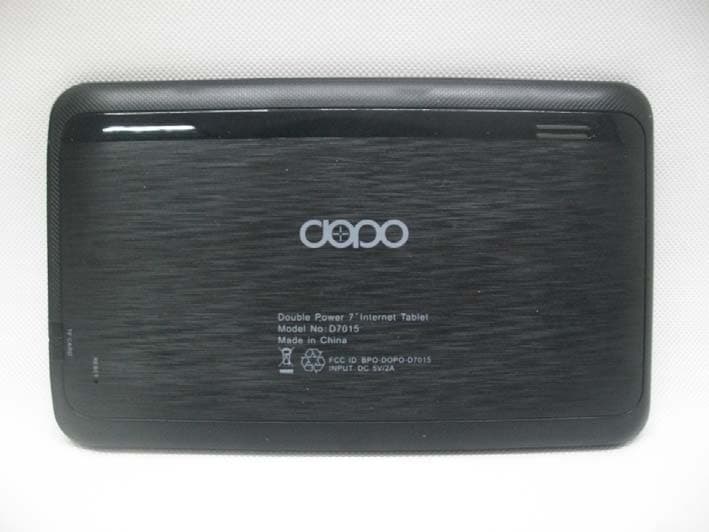
BPO-DOPO-D7015
Jan 30, 2013Tablet
Equipment Class
DTS - Digital Transmission System
BPO-DOPO-M7088
Nov 15, 2012Tablet
Equipment Class
DTS - Digital Transmission System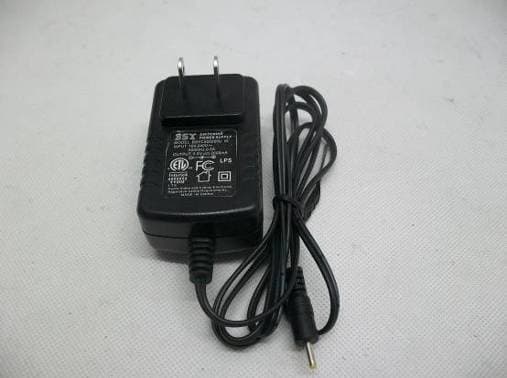
BPO-DAGE-DA988
Nov 13, 20129"Internet Tablet
Equipment Class
DTS - Digital Transmission System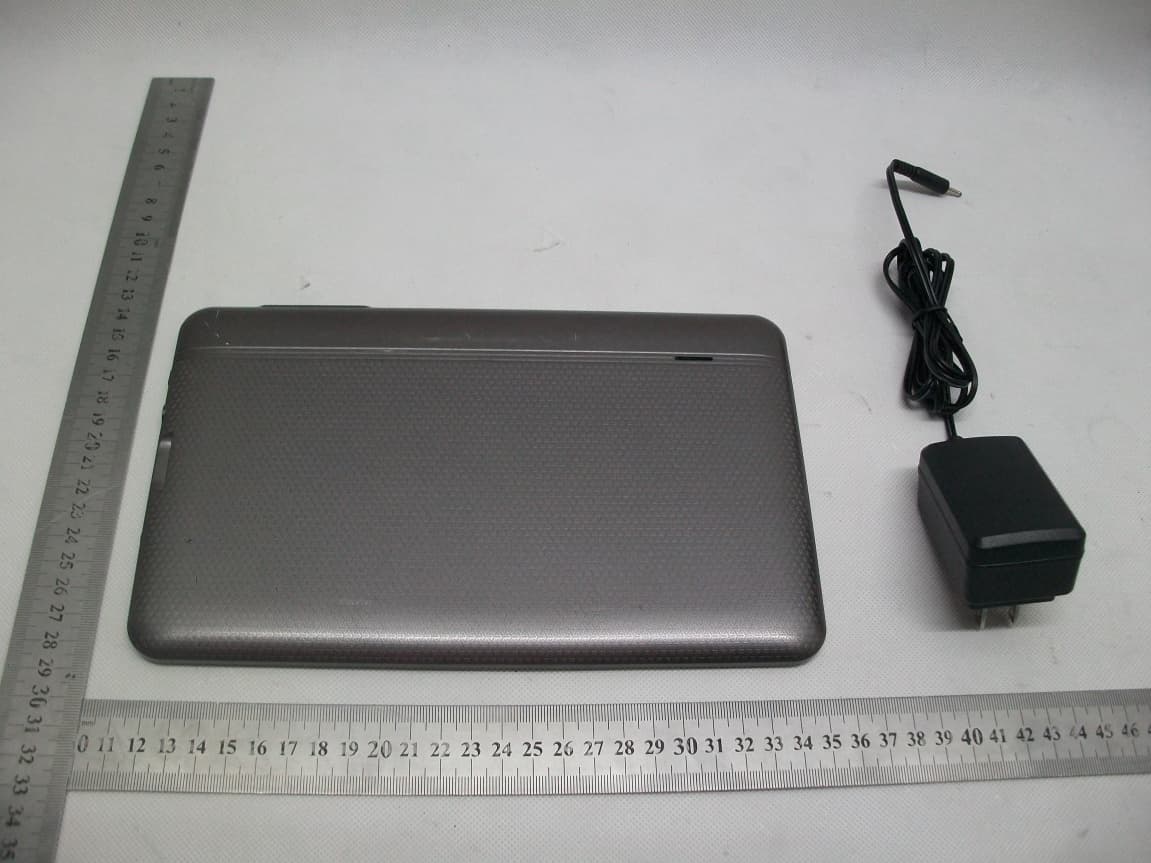
BPO-DOPO-M975
Sep 30, 2012Tablet PC
Equipment Class
DTS - Digital Transmission System