BY4BRX5200APortable Bluetooth Wireless Transmitter & Receiver
Trans Electric Co., Ltd.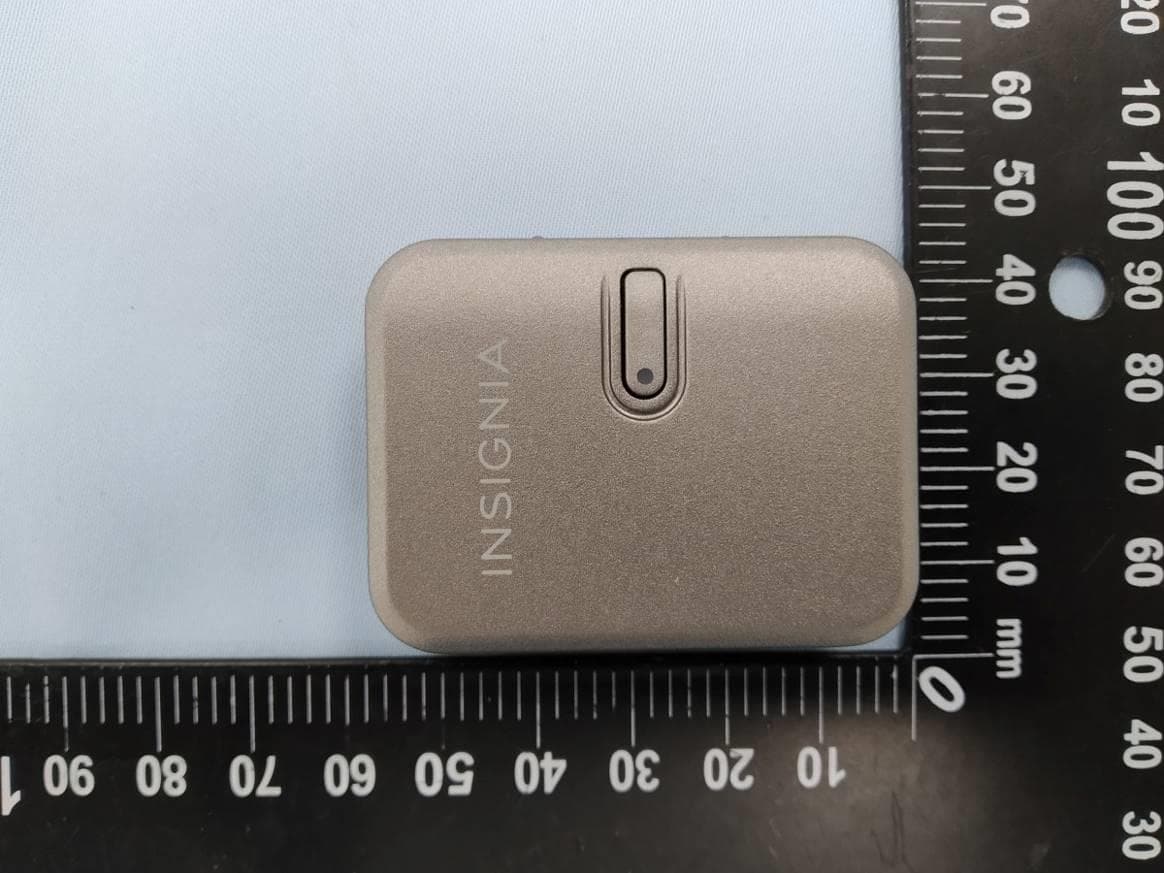
Click to zoom
Application Details
- Equipment Class
- DSS - Part 15 Spread Spectrum Transmitter
- Date of Grant
- Sep 25, 2022
- Application Purpose
- Original Equipment
- Date of Application
- Sep 19, 2022
- Equipment Note
- Portable Bluetooth Wireless Transmitter & Receiver
- Frequency Range
- 2402.00000000 - 2480.00000000
- Company
- Trans Electric Co., Ltd.
- Country
- Taiwan
Documents & Files
Document Text
Text extracted from the exhibit documents filed with the FCC. Open a document above to read the original.
Users Manual
Home theater receiver PACKAGE CONTENTS •Wir eless adapter •USB to USB-C cable •3.5 mm audio cable •Quick Setup Guide FEATURES • Receives or transmits Bluetooth signals to add connectivity to many devices, including listening through two headphones simultaneously • LEVEL mode optimizes audio performance • Two ports let you charge the device using a USB-C or Lightning cable (not included) • Up to 16 hours (transmitter mode) or up to 13 hours (receiver mode) of batt ery life keeps your device working longer. OVERVIEW FrontBack CHARGING YOUR ADAPTER • Plug the included USB to USB-C cable or a Lightning cable (not included) into your wall charger. Plug the other end of the cable into the USB-C or Lightning port on your adapter . Notes: • Do not use the USB-C and Lightning ports on your adapter at the same time. • You can use a USB-C to USB-C cable (not included) to charge your adapter if the power draw is less than 100W. • When the batt ery is charging, the red LED lights solid. • When the batt ery is fully charged, the red TRANSMITTER MODE In transmitter mode, you can connect your adapter to a media source, and play the audio on your earbuds or headset via Bluetooth. Setting up your wireless adapter (TX mode) 1 Switch to TX (transmit) mode by moving the mode switch to TX. 2 Connect one end of the included audio cable to the 3.5 mm jack on your adapter . 3 Connect the other end to an audio output on your media source. 1 Put your Bluetooth headphone or Bluetooth music receiver in pairing mode. Consult the documenta tion for those devices for more information. 2 Press and hold the MFB button for three seconds to turn on the adapter and enter pairing mode. 3 Connect to the second headset or music receiver 1 Put your second Bluetooth headphones or music receiver into pairing mode. Consult the documenta tion for those devices for more information. 2 Press the MFB button twice to pair with a second device. The blue LED blinks quickly for two minutes while pairing. 3 • Press and hold the MFB button for one and a half seconds to turn the adapter on. The LED blinks red and blue once. The adapter automatically connects to Note Optimizing volume and sound quality (TX mode) • When you connect your earbuds with your adapter and the audio is too low, t oo loud, or over driven (causing clipping distortion), you can slide the level switch to optimize the volume. Understanding LED indicators (TX mode) RECEIVER MODE In receiver mode, your adapter can receive audio from your Bluetooth device and send the signal to be played on ster eo speakers. Setting up your wireless adapter (RX mode) 1 Switch to “RX” mode. 2 Connect one end of the included audio cable to the 3.5 mm jack on your adapter . 3 Connect the other end to an audio input on your home ster eo system. See your ster eo system's user manual for more information on connections. Pairing your wireless adapter (RX mode) 1 Press and hold the MFB button for three seconds turn on your adapter and enter pairing mode. LED blinks red and blue. 2 Turn on Bluetooth on your smartphone and set it to pairing mode. 3 On your smartphone, select BRX-5200A. 1 Press and hold the MFB button for one and a half seconds to turn the adapter on. The LED blinks red and blue once. The adapter automatically connects to the last device it 2 Press the MFB button once to play or pause music. 3 Press the MFB button twice to play the next track. 4 Press the MFB button three times to play the previous track. Note General Pairing Notes: • Some devices, such as an iPhone, connect immediately after pairing so the blue LED on the Bluetooth audio adapter blinks once • Your Bluetooth audio adapter saves pairing information for up to two devices in each mode. • When you turn on your Bluetooth audio adapter , it automatically connects to the last connected device if that device is in ra • The auto-connect feature may not work with some Bluetooth devices. If this occurs, use your Bluetooth device settings menu to manually select BRX-5200A fr om the list of found Bluetooth devices. Understanding LED indicators (RX mode) Before using your new product, r ead these instructions to prevent any damage. QUICK SETUP GUIDE Bluetooth Wir eless Portable Transmitter and Receiver (Long cable not included) TX mode 3.5 mm audio cable (included) Media source TV *For the best performance, do not place behind your TV Headset 2nd paired L R Earbuds 1st paired RESETTING YOUR WIRELESS ADAPTER • To reset and clear all saved devices, switch to TX mode by pressing and holding the MFB TROUBLESHOOTING No power. • Make sure that your adapter power cable is connected to your adapter and a power outlet. • Make sure that your adapter is turned on. No sound or low volume TX mode: • Shorten the distance between your devices and adapter . • Make sure that all connections are secure. • Turn up the volume on your media source. • Make sure that your earbuds or headset has a Bluetooth connection with your adapter . RX mode: • Shorten the distance between your devices and adapter . • Make sure that all connections are secure. • Turn up the volume on your media source. • Make sure that your media source has a Bluetooth connection with your adapter . Cannot establish a Bluetooth connection. • Shorten the distance between your adapter and your Bluetooth device. • Make sure that you have selected BRX-5200A on your Bluetooth device. • Make sure that your adapter is not paired to another Bluetooth device. • Make sure that your adapter and Bluetooth device are both in pairing mode. • Make sure that your Bluetooth device is not connected to any other device. My adapter does not appear on my Bluetooth device. • Shorten the distance between your adapter and your Bluetooth device. • Put your adapter into pairing mode, then refresh your list of Bluetooth devices. For more information, see the documenta tion that came with your Bluetooth device. SAFETY WARNINGS • The adapter requires full connection and both hands to install. • The adapter has Lit…
Text truncated - open the document above for the full version.
Users Manual
Pairing your wireless adapter (RX mode) 1 Add LED behaviors so amend as below:Press and hold the MFB button for three seconds to enter to pairing mode. And Red and Blue LED blinks alternatively. 2 Turn on Bluetooth on your smartphone and set it to pairing mode. 3 When your adapter and device is connected, the blue LED blinks once every ve second. Then music can be played. PACKAGE CONTENTS • Wir eless adapter • USB to USB-C cable • 3.5 mm audio cable • Soft pouch • Quick Setup Guide FEATURES • Receives or transmits Bluetooth signals to add connectivity to many devices, including listening through two headphones simultaneously • LEVEL mode optimizes audio performance • Two ports let you charge the device using a USB-C or Lightning cable (not included) • Up to 16 hours (transmitter mode) or up to 13 hours (receiver mode) of batt ery life keeps your device working longer. OVERVIEW Front Back CHARGING YOUR ADAPTER • Plug the included USB to USB-C cable or a Lightning cable (not included) into your wall charger. Plug the other end of the cable into the USB-C or Lightning port on your adapter . Notes: • Do not use the USB-C and Lightning ports on your adapter at the same time. • You can use a USB-C to USB-C cable (not included) to charge your adapter if the power draw is less than 100W. • When the batt ery is charging, the red LED lights solid. • When the batt ery is fully charged, the red TRANSMITTER MODE In transmitter mode, you can connect your adapter to a media source, and play the audio on your earbuds or headset via Bluetooth. Setting up your wireless adapter (TX mode) 1 Switch to “TX” mode. 2 Connect one end of the included audio cable to the 3.5 mm jack on your adapter . 3 Connect the other end to an audio output on your media source. • Press 1.5 second to turn on the adapter. The adapter will connect back to last paired devices. • When turn on rst time, Red and Blue LED blinks. When connected, the Blue LED blinks once every ve seconds. 1 Put your Bluetooth headphone or Bluetooth music receiver in pairing mode. Consult the documenta tion for those devices for more information. 2 Add LED behaviors so amend as below: Press and hold the MFB button for three seconds to enter to pairing mode. And Red and Blue LED blinks alternatively. 3 Connect to the second headset or music receiver 1 Put your second Bluetooth headphones or music receiver into pairing mode. Consult the documenta tion for those devices for more information. 2 Press the MFB button twice to pair with a second device. The blue LED blinks quickly for two minutes while pairing. 3 evices simultaneously. RECEIVER MODE In receiver mode, your adapter can receive audio from your Bluetooth device and send the signal to be played on ster eo speakers. Setting up your wireless adapter (RX mode) 1 Switch to “RX” mode. 2 Connect one end of the included audio cable to the 3.5 mm jack on your adapter . 3 Connect the other end to an audio input on your home ster eo system. See your ster eo’s user manual for more information on connections. Before using your new product, r ead these instructions to prevent any damage. QUICK SETUP GUIDE Bluetooth Wir eless Transmitter & Receiver Flat size (W×H): 15.75 × 10.63 in. (400 × 270 mm) Final folded size: 3.15 × 3.5 in. (80 × 90 mm) c orrect mode. • If you want to clear all saved devices, press and hold the MFB button for seven seconds while the adapter is o . The Red LED blinks slowly 5 times to indicate devices cleared then enter into pairing mode. TROUBLESHOOTING No power. • Make sure that your adapter power cable is connected to your adapter and a power outlet. • Make sure that your adapter is turned on. No sound or low volume TX mode: • Shorten the distance between your devices and adapter . • Make sure that all connections are secure. • Turn up the volume on your media source. • Make sure that your earbuds or headset has a Bluetooth connection with your adapter . RX mode: • Shorten the distance between your devices and adapter . • Make sure that all connections are secure. • Turn up the volume on your media source. • Make sure that your media source has a Bluetooth connection with your adapter . Cannot establish a Bluetooth connection. • Shorten the distance between your adapter and your Bluetooth device. • Make sure that you have selected Insignia NS-HPBTAA23 on your Bluetooth device. • Make sure that your adapter is not paired to another Bluetooth device. • Make sure that your adapter and Bluetooth device are both in pairing mode. • Make sure that your Bluetooth device is not connected to any other device. My adapter does not appear on my Bluetooth device. • Shorten the distance between your adapter and your Bluetooth device. • Put your adapter into pairing mode, then refresh your list of Bluetooth devices. For more information, see the documenta tion that came with your Bluetooth device. SAFETY WARNINGS • The adapter requires full connection and both hands to install. • The adapter has Lithium – Polymer batt eries. Please do not open the unit to prevent unwanted short circuit happening. • Do not use the adapter near water (for example, a bath tub, wash bowl, kitchen sink, laundry tub, wet basement, swimming pool, or other areas located near water). • Clean with a dry cloth. • the adapter before cleaning. • Install the adapter far away from heat sources. • Use only the attached accessories. • the adapter when unused for long time. SPECIFICATIONS Dimensions (H×W×D): 2.05 × 1.54 × 0.6 in. (5.2 × 3.9 × 1.53 cm) Weight: .049 lbs. (0.022 kg) Charging input: 5V/0.2A USB-C or Lightning Audio input/output: 3.5 mm Bluetooth range: 66 ft. (20 m) Note: Range may vary on your other Bluetooth devices. Bluetooth version: BT 5.3 Codec compatibility: SBC LEGAL NOTICES FCC Information This device complies with Part 15 of the FCC Rules. Operation is subject to the following two conditions: (1) this device may not cause harmful interfer ence, and (2) this device must accept any interfer ence received, including…
Text truncated - open the document above for the full version.
External Photos
Appendix EP Photographs of EUT Page 1 of 8 CN22F021 (P15C-BT) 001 CN22F021 (FCC-MPE) 001 Product: Bluetooth Wireless Transmitter & Receiver Type Identification: NS-HPBTAA23, BRX-5200A Appendix EP Photographs of EUT Page 2 of 8 CN22F021 (P15C-BT) 001 CN22F021 (FCC-MPE) 001 Product: Bluetooth Wireless Transmitter & Receiver Type Identification: NS-HPBTAA23, BRX-5200A Appendix EP Photographs of EUT Page 3 of 8 CN22F021 (P15C-BT) 001 CN22F021 (FCC-MPE) 001 Product: Bluetooth Wireless Transmitter & Receiver Type Identification: NS-HPBTAA23, BRX-5200A
ID Label/Location Info
Model no.: NS-HPBTAA23 FCC ID: BY4BRX5200A IC: 3780A-HPBTAA23 Made in Taiwan 22G22B000001A Portable Bluetooth Wireless Transmitter & Receiver Model: BRX-5200A FCC ID: BY4BRX5200A Made in Taiwan 5mm 7mm
Internal Photos
Appendix EP Photographs of EUT Page 4 of 8 CN22F021 (P15C-BT) 001 CN22F021 (FCC-MPE) 001 Product: Bluetooth Wireless Transmitter & Receiver Type Identification: NS-HPBTAA23, BRX-5200A Appendix EP Photographs of EUT Page 5 of 8 CN22F021 (P15C-BT) 001 CN22F021 (FCC-MPE) 001 Product: Bluetooth Wireless Transmitter & Receiver Type Identification: NS-HPBTAA23, BRX-5200A Appendix EP Photographs of EUT Page 6 of 8 CN22F021 (P15C-BT) 001 CN22F021 (FCC-MPE) 001 Product: Bluetooth Wireless Transmitter & Receiver Type Identification: NS-HPBTAA23, BRX-5200A Antenna Appendix EP Photographs of EUT Page 7 of 8 CN22F021 (P15C-BT) 001 CN22F021 (FCC-MPE) 001 Product: Bluetooth Wireless Transmitter & Receiver Type Identification: NS-HPBTAA23, BRX-5200A Appendix EP Photographs of EUT Page 8 of 8 CN22F021 (P15C-BT) 001 CN22F021 (FCC-MPE) 001 Product: Bluetooth Wireless Transmitter & Receiver Type Identification: NS-HPBTAA23, BRX-5200A
Parts List/Tune Up Info
-1- INPAQ Taiwan TEL:+886-37-585-555 FAX: +886-37-585-511 Application Note no.004 ACA5036A2 Rev.A1 06/2009 INPAQ Technology Co., LTD Applications This antenna is designed for Bluetooth\WLAN application and it’s suitable for cellular phones, PDA, notebook, navigator, and all devices which have Bluetooth\WLAN function. Features Electrical Characteristics ITEM SPECIFICATION Frequency Band 2.40GHz~2.50GHz VSWR Less than 2.5 Polarization Linear Layout A 3 dBi Typ. *Peak Gain Layout B 2.1 dBi Typ. Layout A 80% Typ. *Efficiency Layout B 74% Typ Impedance 50Ω Typ. * Test condition: Test board size 80*40 mm Matching circuit: Pi matching circuit will be required Antenna Dimension Chip Antenna L W A B L1 W1 H ACA5036 5.2±0.3 3.7±0.3 0.45±0.25 0.45±0.25 1.1±0.20 0.55±0.20 0.70±0.15 ‧Omni-directional radiation ‧High Efficiency ‧Low profile and compact size(5.2 x 3.7 x 0.7mm) ‧Low cost ‧Lead free soldering compatible ‧RoHS compliant ‧Tape and reel packing
RF Exposure Info
Prü fbericht - Produkte Test Report - Products Prü fbericht-Nr.: Test report no.: CN22F021 (FCC-MPE) 001 Auftrags-Nr.: Order no.: 238545917 Seite 1 von 10 Page 1 of 10 Kunden-Referenz-Nr.: Client reference no.: N/A Auftragsdatum: Order date: 2022-07-06 Auftraggeber: Client: Trans Electric Co., Ltd. 771, sec 2, chungshan road, huatan, changhwa, taiwan Prü fgegenstand: Test item: Bluetooth Wireless Transmitter & Receiver Bezeichnung / Typ-Nr.: Identification / Type no.: NS-HPBTAA23, BRX-5200A Auftrags-Inhalt: Order content: FCC Certification Prü fgrundlage: Test specification: IEEE Std C95.1 47 CFR §2.1091 47 CFR §1.1310 KDB 447498 D04 Wareneingangsdatum: Date of sample receipt: 2022-08-02 Prü fmuster-Nr.: Test sample no: A003311854-012 A003311854-011 Prü fzeitraum: Testing period: 2022-08-05 - 2022-08-18 Ort der Prü fung: Place of testing: EMC/RF Taipei Testing Site Prü flaboratorium: Testing laboratory: Taipei Testing Laboratories Prü fergebnis*: Test result*: Pass ü berprü ft von: compiled by: Ethan Shao genehmigt von: authorized by: Brenda Chen Datum: Date: 2022-08-31 Ausstellungsdatum: Issue date: 2022-08-31 Stellung / Position: Assistant Project Engineer Stellung / Position: Senior Project Manager Sonstiges / Other: Zustand des Prü fgegenstandes bei Anlieferung: Condition of the test item at delivery: Prüfmuster vollständig und unbeschädigt Test item complete and undamaged * Legende: 1 = sehr gut 2 = gut 3 = befriedigend 4 = ausreichend 5 = mangelhaft P(ass) = entspricht o.g. Prüfgrundlage(n) F(ail) = entspricht nicht o.g. Prüfgrundlage(n) N/A = nicht anwendbar N/T = nicht getestet * Legend: 1 = very good 2 = good 3 = satisfactory 4 = sufficient 5 = poor P(ass) = passed a.m. test specification(s) F(ail) = failed a.m. test specification(s) N/A = not applicable N/T = not tested Dieser Prüfbericht bezieht sich nur auf das o.g. Prüfmuster und darf ohne Genehmigung der Prüfstelle nicht auszugsweise vervielfältigt werden. Dieser Bericht berechtigt nicht zur Verwendung eines Prü fzeichens. This test report only relates to the a. m. test sample. Without permission of the test center this test report is not permitted to be duplicated in extracts. This test report does not entitle to carry any test mark. TUV Rheinland Taiwan Ltd. 11F., No. 758, Sec. 4, Bade Rd., Taipei 105, Taiwan, R.O.C. Mail: [email protected] ∙ Web: www.tuv.com Prü fbericht - Produkte Test Report - Products Prü fbericht - Nr.: Test Report No. CN22F021 (FCC-MPE) 001 Seite 2 von 10 Page 2 of 10 Contents 1 GENERAL REMARKS ............................................................................................. 4 1.1 COMPLEMENTARY MATERIALS ............................................................................... 4 2 TEST SITES .......................................................................................................... 5 2.1 TEST FACILITIES ................................................................................................... 5 3 GENERAL PRODUCT INFORMATION ......................................................................... 6 3.1 PRODUCT FUNCTION AND INTENDED USE ............................................................... 6 3.2 RATINGS AND SYSTEM DETAILS ............................................................................. 6 4 MAXIMUM PERMISSIBLE EXPOSURE EVALUATION .................................................... 7 4.1 INTRODUCTION ..................................................................................................... 7 4.2 REFERENCE LEVELS ............................................................................................. 7 4.3 CLASSIFICATION OF THE ASSESSMENT METHODS.................................................... 9 5 TEST RESULTS ................................................................................................... 10 5.1 MAXIMUM POWER DENSITY ................................................................................. 10 APPENDIX EP - PHOTOGRAPHS OF EUT Prü fbericht - Produkte Test Report - Products Prü fbericht - Nr.: Test Report No. CN22F021 (FCC-MPE) 001 Seite 3 von 10 Page 3 of 10 HISTORY OF THIS TEST REPORT Report No. Description Date Issued CN22F021 (FCC-MPE) 001 Original Release 2022-08-31 Prü fbericht - Produkte Test Report - Products Prü fbericht - Nr.: Test Report No. CN22F021 (FCC-MPE) 001 Seite 4 von 10 Page 4 of 10 1 General Remarks 1.1 Complementary Materials All attachments are integral parts of this test report. This applies especially to the following appendix: Appendix EP - Photographs of EUT 1.2 Decision Rule of Conformity The decision rule of conformity of this test report is following the requirements of the requested standard in the quotation, and agreed among testing laboratory and manufacturer (applicant) to exclude the consideration of Measurement Uncertainty, unless it is required by the specific standard. Prü fbericht - Produkte Test Report - Products Prü fbericht - Nr.: Test Report No. CN22F021 (FCC-MPE) 001 Seite 5 von 10 Page 5 of 10 2 Test Sites 2.1 Test Facilities Taipei Testing Laboratories 11F. No.758, Sec. 4, Bade Rd., Songshan Dist. Taipei City 105 Taiwan (R.O.C.) 2.2 Test Facility Taipei Testing Laboratories No.458-18, Sec. 2, Fenliao Rd., Linkou Dist., New Taipei City 244 Taiwan (R.O.C.) Prü fbericht - Produkte Test Report - Products Prü fbericht - Nr.: Test Report No. CN22F021 (FCC-MPE) 001 Seite 6 von 10 Page 6 of 10 3 General Product Information 3.1 Product Function and Intended Use The EUT is Bluetooth Wireless Transmitter & Receiver. It contains Bluetooth compatible module enabling the user to communicate data through a Wireless interface. For details refer to the User Guide, Data Sheet and Circuit Diagram. 3.2 Ratings and System Details Basic Information of EUT Item EUT Information Kind of Equipment/Test Item Bluetooth Wireless Transmitter & Receiver Type Identification NS-HPBTAA23, BRX-5200A FCC ID BY4BRX5200A Technical Specification of EUT Item EUT Information Operating Fre…
Text truncated - open the document above for the full version.
Test Report
Prü fbericht - Produkte Test Report - Products Prü fbericht-Nr.: Test report no.: CN22F021 (P15C-BT) 001 Auftrags-Nr.: Order no.: 238545917 Seite 1 von 29 Page 1 of 29 Kunden-Referenz-Nr.: Client reference no.: N/A Auftragsdatum: Order date: 2022-07-06 Auftraggeber: Client: Trans Electric Co., Ltd. 771, sec 2, chungshan road, huatan, changhwa, taiwan Prü fgegenstand: Test item: Bluetooth Wireless Transmitter & Receiver Bezeichnung / Typ-Nr.: Identification / Type no.: NS-HPBTAA23, BRX-5200A Auftrags-Inhalt: Order content: FCC Part 15C Test report (BT) Prü fgrundlage: Test specification: FCC 47CFR Part 15: Subpart C Section 15.247 Wareneingangsdatum: Date of sample receipt: 2022-08-02 Prü fmuster-Nr.: Test sample no: A003311854-012 A003311854-011 Prü fzeitraum: Testing period: 2022-08-05 - 2022-08-18 Ort der Prü fung: Place of testing: EMC/RF Taipei Testing Site Prü flaboratorium: Testing laboratory: Taipei Testing Laboratories Prü fergebnis*: Test result*: Pass überprü ft von: compiled by: Ethan Shao genehmigt von: authorized by: Brenda Chen Datum: Date: 2022-08-31 Ausstellungsdatum: Issue date: 2022-08-31 Stellung / Position: Assistant Project Engineer Stellung / Position: Senior Project Manager Sonstiges / Other: Zustand des Prü fgegenstandes bei Anlieferung: Condition of the test item at delivery: Prüfmuster vollständig und unbeschädigt Test item complete and undamaged * Legende: 1 = sehr gut 2 = gut 3 = befriedigend 4 = ausreichend 5 = mangelhaft P(ass) = entspricht o.g. Prüfgrundlage(n) F(ail) = entspricht nicht o.g. Prüfgrundlage(n) N/A = nicht anwendbar N/T = nicht getestet * Legend: 1 = very good 2 = good 3 = satisfactory 4 = sufficient 5 = poor P(ass) = passed a.m. test specification(s) F(ail) = failed a.m. test specification(s) N/A = not applicable N/T = not tested Dieser Prü fbericht bezieht sich nur auf das o.g. Prü fmuster und darf ohne Genehmigung der Prü fstelle nicht auszugsweise vervielfältigt werden. Dieser Bericht berechtigt nicht zur Verwendung eines Prü fzeichens. This test report only relates to the a. m. test sample. Without permission of the test center this test report is not permitted to be duplicated in extracts. This test report does not entitle to carry any test mark. TUV Rheinland Taiwan Ltd. 11F., No. 758, Sec. 4, Bade Rd., Taipei 105, Taiwan, R.O.C. Mail: [email protected] ∙ Web: www.tuv.com Prü fbericht - Produkte Test Report - Products Prü fbericht - Nr.: Test Report No. CN22F021 (P15C-BT) 001 Seite 2 von 29 Page 2 of 29 TEST SUMMARY Report Section FCC Clause Test Item Result 5.1.1 15.247(b) & 15.203 Antenna Requirement Pass 5.1.2 15.247(b)(1) Peak Output Power Pass 5.1.3 15.247(a)(1) 20 dB Bandwidth Pass 5.1.3 2.1049 99% Occupied Bandwidth Pass 5.1.4 15.247(d) Conducted Spurious Emission and Band Edges Pass 5.1.5 15.247(d) & 15.205 & 15.209 Radiated Spurious Emissions and Band Edges Pass 5.1.6 15.247(a)(1) Hopping Channel Separation Pass 5.1.7 15.247(a)(1) (iii) Number of Hopping Frequency Used Pass 5.1.8 15.247(a)(1) (iii) Dwell Time on Each Channel Pass 5.2.1 15.207 Mains Conducted Emission Pass Note: 1. If the Frequency Hopping Systems operating in 2400-2483.5 MHz band and the output power less than 125 mW. The hopping channel carrier frequencies separated by a minimum of 25 kHz or two- thirds of the 20 dB bandwidth of hopping channel whichever is greater. 2. Determining compliance based on the results of the compliance measurement, not taking into account measurement instrumentation uncertainty. Prü fbericht - Produkte Test Report - Products Prü fbericht - Nr.: Test Report No. CN22F021 (P15C-BT) 001 Seite 3 von 29 Page 3 of 29 Contents HISTORY OF THIS TEST REPORT .............................................................................. 5 1. GENERAL REMARKS ............................................................................................. 6 1.1 COMPLEMENTARY MATERIALS ............................................................................... 6 1.2 DECISION RULE OF CONFORMITY ........................................................................... 6 2. TEST SITES .......................................................................................................... 7 2.1 TEST LABORATORY .............................................................................................. 7 2.2 TEST FACILITY ...................................................................................................... 7 2.3 TRACEABILITY ...................................................................................................... 8 2.4 CALIBRATION ....................................................................................................... 8 2.5 MEASUREMENT UNCERTAINTY ............................................................................... 8 3. GENERAL PRODUCT INFORMATION ......................................................................... 9 3.1 PRODUCT FUNCTION AND INTENDED USE ............................................................... 9 3.2 SYSTEM DETAILS AND RATINGS ............................................................................. 9 3.3 NOISE GENERATING AND NOISE SUPPRESSING PARTS .......................................... 10 3.4 SUBMITTED DOCUMENTS ..................................................................................... 10 4. TEST SET-UP AND OPERATION MODES ................................................................. 11 4.1 PRINCIPLE OF CONFIGURATION SELECTION .......................................................... 11 4.2 CARRIER FREQUENCY AND CHANNEL ................................................................... 11 4.3 TEST OPERATION AND TEST SOFTWARE ............................................................... 12 4.4 SPECIAL ACCESSORIES AND AUXILIARY EQUIPMENT ............................................. 13 4.5 TEST SETUP DIAGRAM ........................................................................................ 14 5. TEST RESULTS .......................…
Text truncated - open the document above for the full version.
Test Setup Photos
Appendix SP Photographs of Test Setup Page 1 of 5 CN22F021 (P15C-BT) 001 Product: Bluetooth Wireless Transmitter & Receiver Type Identification: NS-HPBTAA23, BRX-5200A Photograph 1: Test Setup for Spurious Emissions (Front View 1) Photograph 2: Test Setup for Spurious Emissions (Front View 2) Appendix SP Photographs of Test Setup Page 2 of 5 CN22F021 (P15C-BT) 001 Product: Bluetooth Wireless Transmitter & Receiver Type Identification: NS-HPBTAA23, BRX-5200A Photograph 3: Test Setup for Spurious Emissions (Back View 1) Photograph 4: Test Setup for Spurious Emissions (Back View 2) Appendix SP Photographs of Test Setup Page 3 of 5 CN22F021 (P15C-BT) 001 Product: Bluetooth Wireless Transmitter & Receiver Type Identification: NS-HPBTAA23, BRX-5200A Photograph 5: Test Setup for Spurious Emissions (Back View 3) Photograph 6: Test Setup for Spurious Emissions (Back View 4) Appendix SP Photographs of Test Setup Page 4 of 5 CN22F021 (P15C-BT) 001 Product: Bluetooth Wireless Transmitter & Receiver Type Identification: NS-HPBTAA23, BRX-5200A <With Type-C Cable> Photograph 7: Test Setup for Mains Conducted Emissions (Front View) Photograph 8: Test Setup for Mains Conducted Emissions (Back View) Appendix SP Photographs of Test Setup Page 5 of 5 CN22F021 (P15C-BT) 001 Product: Bluetooth Wireless Transmitter & Receiver Type Identification: NS-HPBTAA23, BRX-5200A <With Lightning Cable> Photograph 9: Test Setup for Mains Conducted Emissions (Front View) Photograph 10: Test Setup for Mains Conducted Emissions (Back View)
Contact Information
Applicant
Grace Wang(Vice-General Manager, Intel' sales Dept.)
Test Firm
TUV Rheinland Taiwan Ltd. Taipei Testing Lab.Ivan Hsieh
Technical Specifications
| # | Rule Parts | Frequency Range | Power Output |
|---|---|---|---|
| 1 | 15C | 2.40 GHz - 2.48 GHz | 2.79 mW |
Other Applications from Trans Electric Co., Ltd.
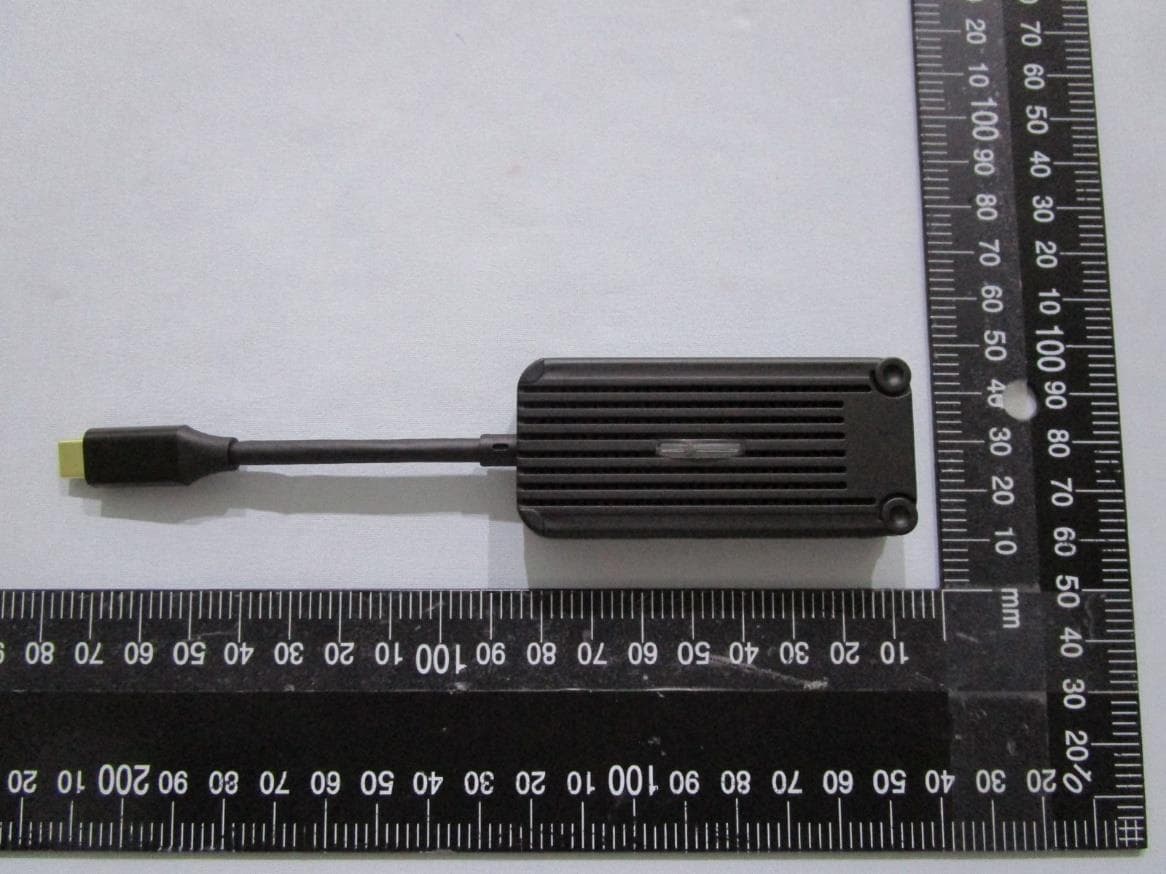
BY4WTR1500C
Sep 18, 2024Wireless HD Transmitter & Receiver Kit
Equipment Class
NII - Unlicensed National Information Infrastructure TX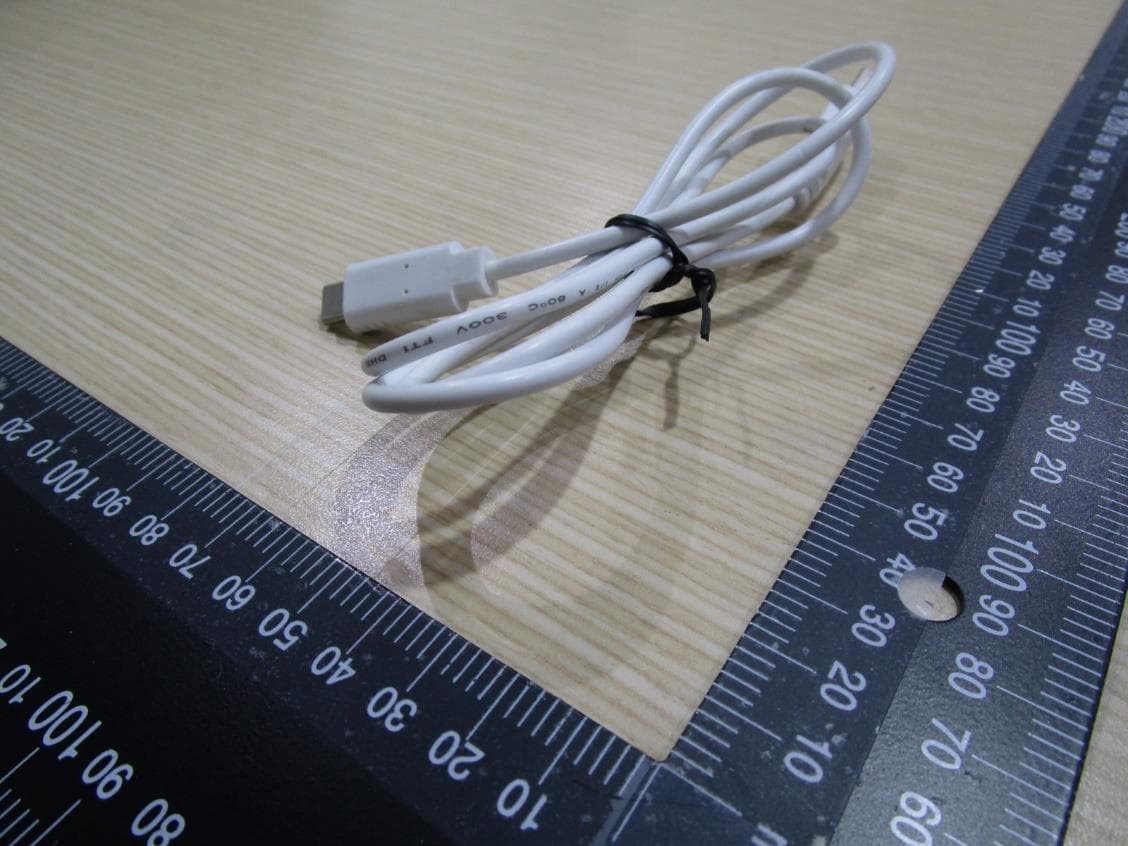
BY4WFD5000PRO
Jan 17, 20224K UHD Wireless Presentation Receiver
Equipment Class
DTS - Digital Transmission System
BY4WFD1500PRO
Jan 17, 2022Full-HD Wireless Presentation Receiver
Equipment Class
DTS - Digital Transmission System
BY4WTR6000TX
Jul 28, 2021HD Wireless Conference System
Equipment Class
NII - Unlicensed National Information Infrastructure TX
BY4WTR1000
Nov 15, 20151080P HD wireless sender
Equipment Class
NII - Unlicensed National Information Infrastructure TX