CJ6DCE37529ATri-Mode Dual Band Mobile Telephone
Dynabook Inc.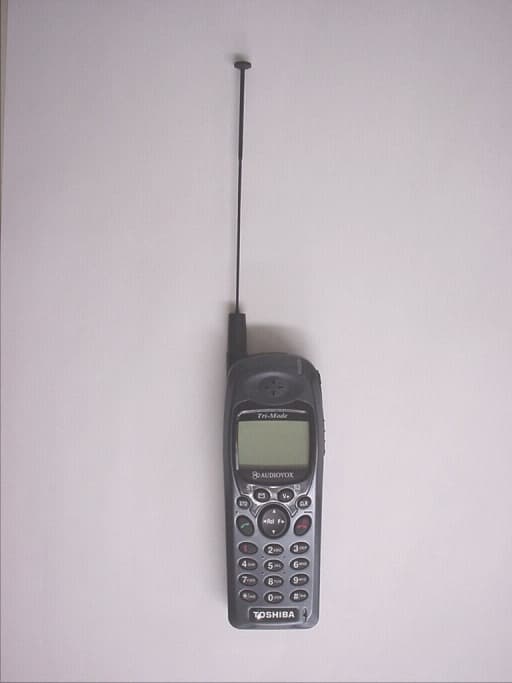
Click to zoom
Application Details
- Equipment Class
- PCE - PCS Licensed Transmitter held to ear
- Date of Grant
- Mar 20, 2000
- Application Purpose
- Original Equipment
- Date of Application
- Feb 03, 2000
- Equipment Note
- Tri-Mode Dual Band Mobile Telephone
- Frequency Range
- 824.04000000 - 848.97000000
- Company
- Dynabook Inc.
- Country
- Japan
Documents & Files
Document Text
Text extracted from the exhibit documents filed with the FCC. Open a document above to read the original.
Users Manual
CDM- 9000 TRI-MODE, WEB BROWSING DIGITAL CDMA TELEPHONE OWNER’S OPERATING MANUAL 555 Wireless Blvd., Hauppauge, NY 11788 • 631-233-3300 • http://www.audiovox.com © 2000 Audiovox Communications Corporation • Printed in Japan • 03/00 2 TABLE OF CONTENTSTABLE OF CONTENTS SAFETY INFORMATION FOR WIRELESS HANDHELD PHONES .......................................... 6 PRECAUTIONS ......................................................... 9 SYSTEM CONFIGURATION ................................... 10 WRIST STRAP ATTACHMENT ............................... 11 BATTERY INSTALLATION AND RECHARGING .................................................... 12 To Attach the Battery Pack ..................................... 12 To Detach the Battery Pack ................................... 12 To Recharge Battery ............................................... 12 FUNCTIONS ............................................................ 14 External View ......................................................... 14 Function of Keys .................................................... 15 LCD Display Indication ........................................... 15 GETTING STARTED ............................................... 16 Turning the Phone On/Off ...................................... 16 Antenna Position .................................................... 16 Receiving Signal Strength Indicator ( ) ............ 16 Battery Level Indicator ........................................... 16 Power Management ............................................... 16 BASIC OPERATION ................................................ 17 Placing Calls ............................................................ 17 To Place a Call ............................................................ 17 To Terminate a Call ...................................................... 17 Last Number Redial ..................................................... 17 To Dial the Last Number Received .............................. 17 Phonebook Dialing ...................................................... 17 To Mute a Phone Conversation ................................... 17 Speed Dialing .............................................................. 18 Quick Dialing ............................................................... 18 Emergency Call ........................................................... 18 OneTouch Emergency Call .......................................... 19 Emergency Call Mode ................................................ 19 Receiving Calls ........................................................ 19 To Receive a Call ......................................................... 19 Any Key Answering ...................................................... 19 Caller ID with Name .................................................... 20 Automatic Calls-in-Absence Indicator .......................... 20 Ringing Tone with Melody ............................................ 20 Distinctive Ringing (Audible Caller ID) ......................... 20 During Calls ............................................................. 20 To Adjust the Earpiece Volume .................................... 20 Scratch Pad Dialing ..................................................... 20 Automatic Talk Timer ................................................... 21 Call Waiting ................................................................. 21 Three-Way Calling ....................................................... 21 Standby ..................................................................... 21 Clock Indicator ............................................................. 21 Clock Alarm ................................................................. 21 Countdown Timer ........................................................ 21 End to End Signaling .............................................. 22 Touch Tone™ from Display .......................................... 22 Touch Tone™ from Memory ........................................ 22 PHONEBOOK OPERATION ................................... 23 Phonebook Entry ..................................................... 23 To Store a Number without Name ............................... 23 Overwrite Warning ....................................................... 24 Auto Hyphenation ........................................................ 24 Manual Hyphenation ................................................... 25 Automatic Storing into Phonebook .............................. 25 To Store Dual Numbers in Phonebook ........................ 26 To Store a Name with the Phone Number ................... 27 Alpha Mode ................................................................. 27 To Store a Ring Type with the Phone Number ............. 29 3 Recall Menu .............................................................. 30 Recall Menu Tree ......................................................... 30 Phonebook Recall ................................................... 31 Phonebook Address Mode .......................................... 31 Phonebook Sort Scroll Mode ...................................... 31 Phonebook Key Word Search Mode ........................... 32 To Dial Dual Numbers ................................................. 33 To Review Long Numbers ........................................... 33 To Review Long Names ............................................... 33 Prepending Dialing ...................................................... 33 Phonebook Edit ........................................................ 34 To Modify Numbers and Names .................................. 34 To Move Numbers and Names .................................... 35 To Change Priority of Dual Numbers ........................... 36 To Erase Numbers and Names ................................... 36 Secret Memory ......................................................... 37 To Store a Secret Number ........................................... 37 To Recall a Se…
Text truncated - open the document above for the full version.
Users Manual
55 Display Features Own Telephone Number Display (F21) This feature enables you to display your own telephone number and the ID number (SID) of your “Home” Cellu- lar System. Press F 2 ABC 1 . Backlight Control (Standby) (F22-1) The LCD display and keypad are backlighted automati- cally after Power-On. The backlighting duration can be changed. Four modes are available. 1. Press F 2 ABC 2 ABC . 2. Press F . 3. You can change the current mode by or . 4. Press F to set. • 10SEC – 10 Seconds Mode Backlight is on for 10 seconds after a key is pressed. It also lights automatically when the power is turned on and for an incoming call. The duration is variable be- tween 5 to 30 seconds, by pressing F . •OFF – Off Mode Backlight is on momentarily when the power is first turned on, but remains off thereafter. •ALWAYS ON –Always On Mode Backlight is always on. Note:You can keep the backlight on while you are en- gaged in a conversation. See Backlight Con- trol (In-Use) (F22-2) on page 56. 56 Backlight Control (In-Use) (F22-2) For ease of operation, you may select to have the back- light always on while you are engaged in a conversation. When this feature is set to the “ALWAYS ON” mode, the backlight is turned on as long as the call is connected. 1. Press F 2 ABC 2 ABC , and scroll to “IN–USE”. 2. Press F . 3. Scroll with or to “NORMAL” or “AL- WAYS ON”. 4. Press F to set. Auto Hyphenation (F23) See Auto Hyphenation on page 24. 1. Press F 2 ABC 3 DEF . 2. Scroll with or to “ON” or “OFF”. 3. Press F to set. SMS Text Lines Selection (F24) You can select to have Text Messages displayed in ei- ther 3 or 4 lines. 1. Press F 2 ABC 4 GHI . 2. Scroll with or to “3LINES” or “4LINES”. 3. Press F to set. Contrast Control (F25) The LCD display contrast can be adjusted in 7 steps for your best condition. 1. Press F 2 ABC 5 JKL . 2. Adjust the contrast with or . 3. Press F to set. 57 Software Version Review (F26) This feature permits you to review the software version which is installed in your phone. 1. Press F 2 ABC 6 MNO . 2. Press F to exit. Last Rescan SID Indicator (F27) This menu item permits you to view the System Identi- fication number (SID), which your phone is currently using. 1. Press F 2 ABC 7 PQRS . 2. Press F to exit. PRL ID Review (F28) This menu item permits you to view the Preferred Roaming List (PRL) version that is programmed in your phone. 1. Press F 2 ABC 8 TUV . 2. Press F to exit. Volume and Tone Controls Alert Tone Volume Control (F31) This feature allows you to adjust the ringer/melody vol- ume. The following adjustment will also change the sound volume of Clock Alarm and Countdown Timer. 1. Press F 3 DEF 1 . 2. Keep pressing or until you get the de- sired sound level, or “silent” mode. Note:In “silent” alert mode, alert tone is not given for an incoming call. However, if Automatic Answer- ing feature is ON, alert tone is given with the lowest available volume. 58 Ring Type Selection (F32) This feature permits you to select an alert tone pattern from 15 options including melody ringers. 1. Press F 3 DEF 2 ABC . 2. Press or to select the alert tone. 3. Press F to set. Key Tone Volume Control (F33) 1. Press F 3 DEF 3 DEF . 2. Keep pressing or until you achieve the desired sound level, or “silent” mode. Note:Key tone will be off in “silent mode”, but tone will be heard on the other side of the line. To Mute a Phone Conversation (F34) You can mute your conversation at any time during a call. 1. Press F 3 DEF 4 GHI . 2. Then the “Mute” indicator is displayed. The transmit audio will be muted but the receive audio will still be heard from the receiver. 3. To return to normal conversation, press F 3 DEF 4 GHI again. 4. Mute is reset when the call is terminated. Sending DTMF (F35) This feature allows you to activate or deactivate Send- ing DTMF (Touch Tone™) when you enter a number during a call. 1. Press F 3 DEF 5 JKL . 2. Scroll to “ON” or “OFF” to select. 3. Press F to set. 59 Setting Tones (F36) This is a group of 9 functions related to the setting of tones. Key Tone Length (F36-1) This feature selects the duration of the tone length when a key is pressed. 1. Press F 3 DEF 6 MNO and 1 . 2. You can change the current mode by or . 3. Press F to set. •NORMAL – Normal Mode Tone is heard as long as the key is being pressed. •SHORT – Short Mode Tone is heard for a short time even if the key remains pressed. Single Alert Beep Tone (F36-2) This feature is used to signal an incoming call with only a single beep. This feature can only be used with the “silent” alert mode. See Alert Tone Volume Control (F31) on page 57. 1. Press F 3 DEF 6 MNO and 2 ABC . 2. You can turn this feature on/off by or . 3. Press F to set. Voice Mail Alert (F36-3) This feature audibly alerts you when a Voice Mail Noti- fication is received. A Voice Mail Notification is received if your Voice Mail contains messages that have not been reviewed. 1. Press F 3 DEF 6 MNO and 3 DEF . 2. You can turn this feature on/off by or . 3. Press F to set. 60 Text Message Alert (F36-4) This feature audibly alerts you when a Text Message is received. 1. Press F 3 DEF 6 MNO and 4 GHI . 2. You can turn this feature on/off by or . 3. Press F to set. Caller ID Alert (F36-5) This feature audibly alerts you when a Caller ID is re- ceived. 1. Press F 3 DEF 6 MNO and 5 JKL . 2. You can turn this feature on/off by or . 3. Press F to set. Service Mode Alert (F36-6) With this feature on, an audible tone alerts you when the service mode changes from Digital to Analog, or vice versa. 1. Press F 3 DEF 6 MNO and 6 MNO . 2. You can turn this feature on/off by or . 3. Press F to set. Voice Privacy Alert (F36-7) This feature audibly alerts you when the voice privacy service is provided, and also when the service is can- celed. 1. Press F 3 DEF 6 MNO and 7 PQRS . 2. You can turn this feature on/off by or . 3. Press F to set. 61 One Minute Beep Tone (F36-8) With this feature on, you will be notified during a call, once every minute by a short beep tone. In additi…
Text truncated - open the document above for the full version.
Users Manual
FCC RF EXPOSURE INFORMATION In August 1996 the Federal Communications Commission (FCC) of the United States with its action in Report and Order FCC 96-326 adopted an updated safety standard for human exposure to radio frequency (RF) electromagnetic energy emitted by FCC regulated transmitters. Those guidelines are consistent with the safety standard previously set by both U.S. and international standards bodies. The design of this phone complies with the FCC guidelines and these international standards. Use only the supplied or an approved antenna. Unauthorized antennas, modifications, or attachments could impair call quality, damage the phone, or result in violation of FCC regulations. Do not use the phone with a damaged antenna. If a damaged antenna comes into contact with the skin, a minor burn may result. Please contact your local dealer for replacement antenna. Body-worn Operation This device was tested for typical body-worn operations with the back of the phone kept 0.8 inches (2 cm) from the body. To comply with FCC RF exposure requirements, a minimum separation distance of 0.8 inches (2 cm) must be maintained between the user’s body and the back of the phone, including the antenna, whether extended or retracted. Third-party belt-clips, holsters and similar accessories containing metallic components should not be used. All body-worn accessories that cannot maintain 0.8 inch (2 cm) separation distance between the user’s body and the back of the phone, and have not been tested for typical body-worn operations may not comply with FCC RF exposure limits and should be avoided. For more information about RF exposure, please visit the FCC website at www.fcc.gov Read this information before using your phone
Attestation Statements
TOSHIBA TOSHIBA CORPORATION HINO WORKS PHONE (042) 5~5-~111 PAGE 1 ATTESTATION STATEMENTS 1-1, ASAH1GAOKA 3-CHOME, HINO CITY, TOKYO 191-8555 JAPAN Date: 02-04-00 TRANSCEIVER TYPE: CJ6DCE37529A Federal Communications Commission Equipment Approval Services P.O.Box 358315 Pittsburgh, PA 15251-5315 Subject: Affidavit for Cellular Mobile Telephone, and Request for Confidentiality FCC ID: CJ6DCE37529A Gentle men: I hereby certify that the Transceiver FCC ID: CJ6DCE37529A manufactured by TOSHIBA Corporation complies with all Requirements of QET Bulletin 53 as referenced in Section 22.933 of the FCC Rules and all technical/test data enclosed with this application are true and correct. In accordance with 0.459 of CFR 47, TOSHIBA Corporation hereby requests confidentiality of the Block Diagrams attachment, Circuit Diagrams attachment, Technical Description attachment, Operational Description attachment, Parts/Tune-Up Procedure attachment for the above-reference Certification application. These documents contain detailed system and equipment description and related information about the product which Toshiba Corp. considers to be proprietary, confidential, and a custom design and otherwise, would not release to the general public. Since this design is a basis from which future technological products will Evolve, Toshiba considers that this information would be of benefit to its competitors, and that the disclosure of the information in these documents would give our competitors an unfair advantage in the market. The applicant understands that pursuant to Rule 0.457(d) (L) (ii) disclosure of this application and all the Accompanying documentation will not be made before the date of the Grant for this application. Yours faithfully, Kuniyoshi Marui Chief Specialist Mobile Communication Engineering Dept PAGE 2 OF EXHIBIT TYPE "Attestation Statement" TOSHIBA TOSHIBA CORPORATION HINO WORKS PHONE (042) 585-3111 1-1, ASAHJGAOKA 3-CHOME, HINO CITY, TOKYO 191-8555 JAPAN Date: 02-04-00 TRANSCEIVER TYPE: CJ6DCE37529A Federal Communications Commission Equipment Approval Services P.OBox 358315 Pittsburgh, PA 15251-5315 Subject: Affidavit for ESN Protection of Cellular Mobile Telephone FCC ID: CJ6DCE37529A Gentlemen: I hereby Certify that the Transceiver FCC ID: CJ6DCE37529A is so designed that it complies with all the requirements for ESN protection specified in Section 22.919. (a)The transmitter in service has a unique ESN. (b) The ESN host component is permanently attached to a Logic board of the Handheld portable the integrity of the unit's operating software can not be alterable. The ESN is isolated from fraudulent contact and tampering. The ESN is encoded using multiplication by a polynomial and the ESN data programmed in the memory with other information. (c)The ESN is factory set and can not be alterable, transferable, removable or otherwise able to be manipulated. Cellular mobile equipment is specifically designed such that any attempt to remove, tamper with, or change the ESN chip, its logic system, or firmware originally programmed by the manufacturer will render the mobile transmitter inoperative. Yours faithfully, Kuniyoshi Marui Chief Specialist Mobile Communication Engineering Dept. TOSHIBA TOSHIBA CORPORATION HINO WORKS PHONE (042)585-3111PAGE 3 ATTESTATION STATEMENTS 1-1, :ASAHIGAOKA 3-CHOME, HINO CITY, 'TOKYO 191-8555 JAPAN Date: 02-04-00 TRANSCEIVER TYPE: CJ6DCE37529A Federal Communications Commission Equipment Approval Services P.O.Box 358315 Pittsburgh, PA 15251-5315 Subject: Affidavit for Cellular Mobile Telephone, FCC ID: CJ6DCE37529A Gentlemen: I hereby certify that the Transceiver FCC ID: CJ6DCE37529A manufactured by TOSHIBA Corporation complies with Section 2.1093 of the FCC Rules. Yours faithfully Kuniyoshi Marui Chief Specialist Mobil Communication Engineering Dept. TOSHIBA TOSHIRA CORPORATION HJNO WORKS PHONE (042) 585-3111PAGE 4 - ATTESTATION STATEMENTS 1-1, ASAHIGAOKA 3-CHOME, HINO CITY, TOKYO 191-8555 JAPAN Date: 02-04-00 TRANSCEVER TYPE: CJ6DCE37529A Federal Communications Commission Equipment Approval Services P.O.Box 358315 Pittsburgh, PA 15251-5315 Subject:Affidavit for Cellular Mobile telephone, FCC ID: CJ6DCE37529A I hereby certify that the Transceiver FCC ID: CJ6DCE37529A is so designed that it complies with Section 22.921 of the FCC rules. And this Transceiver FCC ID: CJ6DCE37529A is designed "Automatic A/B Roaming-Intelligent Retry' 9 which is one of the method proposed by FCC to comply with Section 22.921 of FCC rule. Reference: Part 22.921 911 Call Processing Procedures: 911-Onlv Calling Mode. All mobile phone manufactured after February 13, 2000,and capable of operating in an analog mode, i.e., in compliance with "Cellular System Mobile Station-Land station Compatibility Specification" (April 1981 Ed.). Office of Engineering and Technology Bulletin No.53, referenced in Part 22.933, incorporate a special procedure for processing "9-1-1" calls. Such procedure must recognize when a "9- 1-1" call is made and, at such time, must override any programming in the mobile unit that determines the handling of non-911 call and permit carriers. This special procedure must incorporate any one or more of the 9-1-1 call system selection processes endorsed or approved by the Commission. Kuniyoshi Marui Chief Specialist Mobil Communication Engineering Dept.
Cover Letter(s)
TOSHIBA TOSHIBA CORPORATION PRINCIPAL OFFICE PRODUCT SAFETY GROUP, TECHNOLOGY & QUALITY MANAGEMENT DIV DIGITAL MEDIA EQUIPMENT & SERVICES COMPANY I-I-I, SHIBAUIIA, MINATO-KU, TOKYO 105-8001, JAPAN PHONE +81(3)3457-2565FAx +81(3)5444-94O5 Date : 02-04-00 Ref. No. :HFA-C022 Federal Communication Commission Equipment Approval Services P. 0. Box 358315 Pittsburgh, PA 15251-5315 Subject:Application for Certification of a Handheld Portable Cellular Telephone, FCC ID: CJ6DCE37529A Please find attached an Application with Technical Brief submitted by Toshiba Corporation for Certification of the Transmitter portion of a Handheld Portable Cellular Telephone Transceiver to operate under Part 22, 24 of the FCC Rules and Regulations. As more fully discussed in Exhibit type "ID Label/Location Info.", the Transceiver will initially be manufactured by Toshiba Corporation, Hino Works, in Japan, but subsequently may be manufactured or finally assembled at the plant of Toshiba America Information Systems, Inc. in Irvine, California or in People's Republic of China, at WELCO CHINA LIMITED, a member of Wong's international (Holdings) Ltd. in Hong Kong. A check for $610.00 has been submitted with Fee Form 159 to Mellon Bank. (Check no. 5612) If you have any questions, please contact with Mr. P. Leone of Toshiba America Information Systems. Inc. (949-587-6473) or Fax: (949-583-3204) We would appreciate your proceeding with the above investigation at your earliest convenience. Yours very truly, Keiji Inada Group Manager Product Safety Group Technology & Quality Management Div. Date : 02-04-00 CC: Mr. P. Leone, TAISTAIS Ref. No.: 00F-02
External Photos
APPLICANT:TRANSCEIVER TYPE: TOSHIBA CORPORATIONCJ6DCE37529A PAGE1OFEXHIBITType“External Photos” Handheld Portable General Appearance APPLICANT:TRANSCEIVER TYPE: TOSHIBA CORPORATIONCJ6DCE37529A PAGE2OFEXHIBITType“External Photos” Handheld Portable Inside View (Showing FCC ID Nameplate)
ID Label/Location Info
APPLICANT:TRANSCEIVER TYPE: TOSHIBA CORPORATIONCJ6DCE37529A PAGE 1 OF EXIBIT Type “ID Label/ Location Information” Subsection 2.1033 (c)(1).Manufacturer: TOSHIBA Corporation/ Toshiba America Information System Inc./ Welco China Limited Address: 1-1,Sibaura 1-Chome, Minato-ku, Tokyo, 105-8001 Japan/ 9740 Irvine Boulevard, Irvine, California 92618-1697 U.S.A./ Man Fung Industrial Estate, Shajing, Po On, Shenzhen, Guang Dong Province Peoples Republic of China MANUFACTURING LOCATION The equipment which is the subject of this Application will initially be manufactured by Toshiba Corporation, Hino Works, Asahigaoka 3-1-1 Hino-shi, Tokyo 191-8555, Japan. End in 2000, Toshiba Corporation plans to transfer a part of the manufacturing process for this product to the United States, at Irvine Works of Toshiba America Information Systems, Inc., 9740 Irvine Boulevard, Irvine, California 92618-1697. When units are completed by Toshiba America Information Systems Inc. at Irvine Works, the design and initial manufacturing of the product, or least its major components, will still be done at Hino Works in Japan. Final Assembly and Testing will be done at Irvine Works. It has not yet been finally decided how much of the manufacturing process will be done at Irvine Works, nor has it been decided how many units will be completed at Hino Works and how many at Irvine Works. Those numbers will vary from time to time depending on market demand for the product and available plant capacity at each location. Toshiba America Information Systems, Inc. is a wholly owned subsidiary of Toshiba Corporation. The procedures at Irvine Works will be similar to those at Hino Works and will be designed and supervised by Hino technical personnel. The end product will be identical in design, performance, and quality, regardless of where final assembly takes place, and will not be distinguishable by the user based on the local of final assembly. In addition to above, end in 2000, Toshiba corporation plans to transfer the manufacturing process for this product to China, at Welco China Limited a member of Wong ' s International (Holding’s) Ltd. in Hong Kong. Man Fung Industrial Estate, Shajing, Po On, Shenzen, Guang Dong province, People's Republic of China. Even though, the units are completed by Welco China Limited in China, the design and initial manufacture of the product has done at Hino Works in Japan as above mentioned. And when units are completed by Welco China Limited in China, most components will still be supplied from Japan as same the units are manufactured at Hino Works. The procedures at Irvine Works and Welco China Limited will be similar to those at Hino works and will be designed and supervised by Hino technical personnel. The end product will be identical in design, performance, and quality, regardless of where final assembly takes place, and will not be distinguishable by the user based on the local of final assembly. APPLICANT:TRANSCEIVER TYPE: TOSHIBA CORPORATIONCJ6DCE37529A PAGE 2 OF EXIBIT Type “ID Label/ Location Information” The FCC Identifier will be the same regardless of the location where a unit of the product is finally assembled, at Hino Works, Irvine Works or Welco China Limited. The final assembly point of any one unit may be determined by the Serial Number. The Number Assignment Rule is as follows. M M Y Z Z Z Z Z Z Z Z Serial Number Last Digit of the Year Month in which the Unit is manufactured APPLICANT:TRANSCEIVER TYPE: TOSHIBA CORPORATIONCJ6DCE37529A PAGE 3 OF EXIBIT Type “ID Label/ Location Information” Subsection 2.1033 (c) (2) FCC ID: CJ6DCE37529A Unit: mm FCC ID Nameplate A Nameplate of this type or one similar to this will be affixed to every Transceiver. It will be placed on the outside of the Handheld Portable Telephone as shown in the EXHIBIT No. 4. For Units for which manufacture or final assembly is performed in the United States, the words MADE IN JAPAN may remain or may be changed to ASSEMBLED IN USA FROM JAPANESE COMPONENTS or a similar expression depending upon how much of the process is done in the United States and an analysis of the requirements of U.S. Customs Law under those circumstances. For Units for which manufacture or final assembly is performed in China, the words MADE IN JAPAN will be changed to MADE IN CHINA or ASSEMBLED IN CHINA.
Internal Photos
APPLICANT:TRANSCEIVER TYPE: TOSHIBA CORPORATIONCJ6DCE37529A PAGE1OFEXHIBITType“Internal Photos” Handheld Portable TR Board (With Shield Cover) APPLICANT:TRANSCEIVER TYPE: TOSHIBA CORPORATIONCJ6DCE37529A PAGE2OFEXHIBITType“Internal Photos” Handheld Portable TR Board (With Shelled Cover Removed) APPLICANT:TRANSCEIVER TYPE: TOSHIBA CORPORATIONCJ6DCE37529A PAGE3OFEXHIBITType“Internal Photos” Handheld Portable CU Board (Front side) APPLICANT:TRANSCEIVER TYPE: TOSHIBA CORPORATIONCJ6DCE37529A PAGE4OFEXHIBITType“Internal Photos” Handheld Portable CU Board (Back side)
Operational Description
APPLICANT:TRANSCEIVER TYPE: TOSHIBA CORPORATIONCJ6DCE37529A PAGE1OF EXHIBITType“Operation Description” 2.1033 (c) TECHNICAL REPORT Subsection 2.1033 (c)(1).APPLICANT: TOSHIBA Corporation ADDRESS: 1-1, Shibaura 1-Chome, Minato-ku, Tokyo, 105-8001 JAPAN Subsection 2.1033 (c) (2) FCC ID: CJ6DCE37529A Subsection 2.1033 (c) (3) Instruction Book: Operating Instruction(EXHIBIT No.13) Subsection 2.1033 (c) (4) Types of Emission: 40K0F8W, 40K0F1D, 1M25F9W Subsection 2.1033 (c) (5) Frequency Range ANSI/TIA/EIA-95-B Analog System and Band Class 0 CDMA Channel Transmit Frequency Band :824.025-848.985 MHz Receive Frequency Band:869.025-893.985 MHz ANSI/TIA/EIA-95-B Band Class 1 CDMA Channel Transmit Frequency Band :1850-1910 MHz Receive Frequency Band:1930-1990 MHz Subsection 2.1033 (c) (6) Specific Operating Power Range Analog System; Power ATT. 0dB +27.8dBm +/-0.5dB ERP Power ATT. 4dB +23.8dBm +2.0/-4.0dB ERP Power ATT. 8dB +19.8dBm +2.0/-4.0dB ERP Power ATT. 12dB +15.8dBm +2.0/-4.0dB ERP Power ATT. 16dB +11.8dBm +2.0/-4.0dB ERP Power ATT. 20dB + 7.8dBm +2.0/-4.0dB ERP Note; Maximum antenna gain is 1.3 dBd. Band Class 0 CDMA Channel Mobile Station III; Operating Range: -50dBm ERP to 25.0dBm ERP (Step range: 1 dB) Note; Maximum antenna gain is 1.0 dBd. Band Class 1 CDMA Channel Mobile Station II; Operating Range: -50dBm EIRP to 24.5dBm EIRP (Step range: 1 dB) Note; Maximum antenna gain is 0.5 dBi. Maximum transmit power is monitored by detecting PA output power and controlled by transmit IF signal to maintain the maximum transmit power within the specific level. The transmit power attenuation and step are determined by calculating characteristics of transmit power versus TX_AGC_ Adjustment Voltage. Subsection 2.1033 (c) (7) Maximum Power Rating Analog SystemUpper Limit:-2.2dBW(0.6W)ERP Band Class 0 CDMA Channel Mobile Station III:Lower Limit:-7dBW(0.2W)ERP APPLICANT:TRANSCEIVER TYPE: TOSHIBA CORPORATIONCJ6DCE37529A PAGE2OF EXHIBITType“Operation Description” Upper Limit:0dBw(1.0W)ERP Band Class 1 CDMA Channel Mobile Station II:Lower Limit:-7dBW(0.2W)EIRP Upper Limit:0dBw(1.0W)EIRP Subsection 2.1033 (c) (8) DC Voltage and Current into the Final Amplifier Module: Supply Voltage= 3.7Vdc Collector Voltage = 3.5Vdc Collector Current = 0.7 - 0.1Amp. Subsection 2.1033 (c) (9) Tune-up Procedure: Tune-up Procedure(EXHIBIT No.8) Standard Test Conditions: The following Conditions and Procedures were applied during Testing of this transmitter. Room Temperature = 23 - 27degrees Celsius Room Humidity= 30 - 50percent Relative Humidity Supply Voltage= 3.7V Prior to Testing, the Unit should be tuned-up according to the Manufacturer's Alignment Procedure. 2.1033 (c) (10) Circuit Descriptions Means for Frequency Stabilization: The output frequency of the VCTCXO is frequency locked to the RF signal transmitted from a cellular base station by an AFC circuit. Therefore the frequency stability of an RF signal transmitted from a cellular base station is maintained. The Transmitter Frequencies are determined by a Voltage Controlled Oscillator Phase Locked to a 30kHz Signal for operation in 800MHz band and to a 10KHz Signal for operation in 1.9GHz band derived from this High Stability Oscillator known as the Reference Oscillator Means for suppression of Spurious Emissions: Spurious and Harmonic suppression is obtained by proper Shielding Techniques, and the use of (800Mhz Band) Band pass SAW Filters (1900MHz Band)Band pass Dielectric Filters. Under digital mode, in order to keep the transmission level within the linear operation range of the power amplifier, the highest gain of the Transmission Variable Amplifier is limited. This enable to suppress “conductive Spurious Emissions” under the specified values Means for Limiting Modulation: This transmitter is equipped with a device that prevent modulation in excess of 100%. This device, an instantaneous deviation control (IDC) precedes the modulator of the transmitter. It is instantaneous in action for controlling the modulating wave from introduced into the transmitter’s frequency modulator. The devia…
Text truncated - open the document above for the full version.
Contact Information
Applicant
Ryuichi Kamimura(Senior Manager)
Technical Contact
Toshiba America Information Systems, Inc.Peter Leone
[email protected](949)587-6473
9740 Irvine Boulevard · Irvine, California · United States
Non-Technical Contact
Toshiba America Information Systems, Inc.Peter Leone
[email protected](949)587-6473
Technical Specifications
| # | Rule Parts | Frequency Range | Power Output | Emission | Tolerance |
|---|---|---|---|---|---|
| 4 | 22H | 824.04 MHz - 848.97 MHz | 600.00 mW | 40K0F1D | 2.5 ppm |
Other Applications from Dynabook Inc.
CJ6PA5347RT
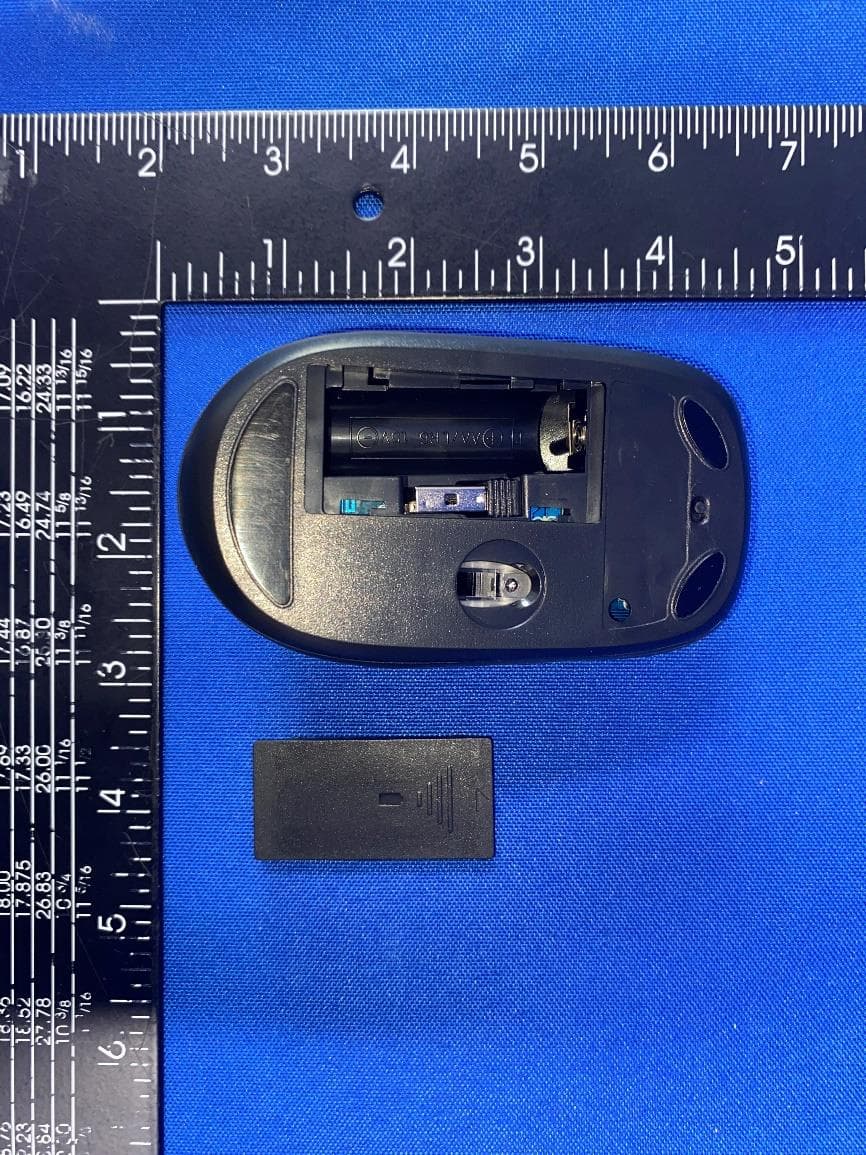
Oct 20, 2022dynabook Wireless Optical Silent Mouse
Equipment Class
DXX - Part 15 Low Power Communication Device Transmitter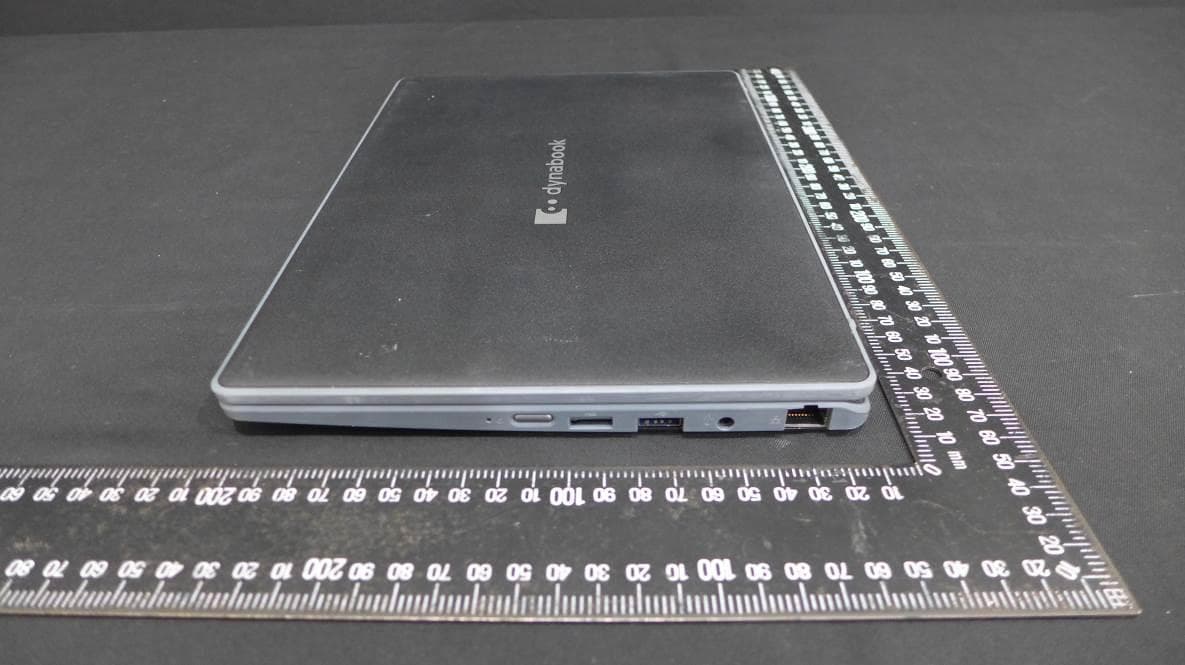
CJ6PYT0XPC
Apr 28, 2021Notebook Computer
Equipment Class
DSS - Part 15 Spread Spectrum Transmitter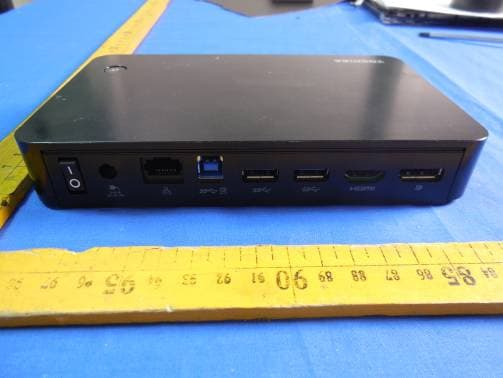
CJ6UPA5238WL
Sep 01, 2015dynadock WiAC
Equipment Class
NII - Unlicensed National Information Infrastructure TX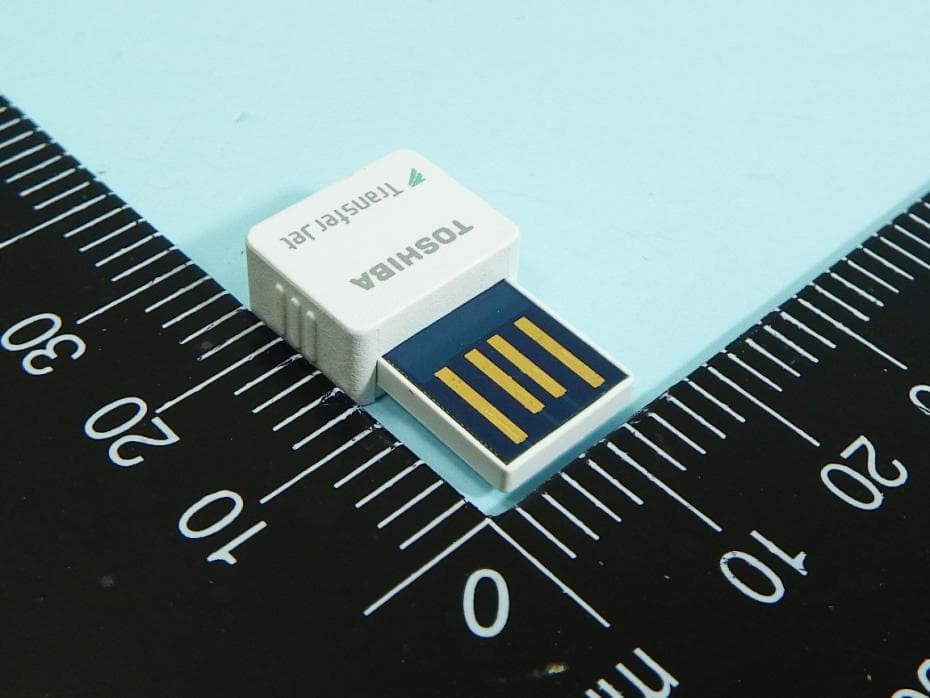
CJ6UPA5144TJ
Aug 07, 2014TransferJet USB Adapter
Equipment Class
JBP - Part 15 Class B Computing Device Peripheral
CJ6UPA5145TJ
Aug 07, 2014TransferJet MicroUSB Adapter
Equipment Class
UWB - Ultra Wideband Transmitter