CJ6UPP350WL2Laptop with CSR BT & 802.11a/b Combo WLAN Module
Dynabook Inc.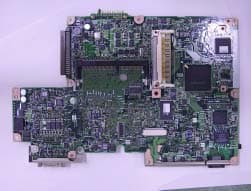
Click to zoom
Application Details
- Equipment Class
- NII - Unlicensed National Information Infrastructure TX
- Date of Grant
- Mar 11, 2003
- Application Purpose
- Original Equipment
- Date of Application
- Dec 23, 2002
- Equipment Note
- Laptop with CSR BT & 802.11a/b Combo WLAN Module
- Frequency Range
- 5180.00000000 - 5320.00000000
- Company
- Dynabook Inc.
- Country
- Japan
Documents & Files
Document Text
Text extracted from the exhibit documents filed with the FCC. Open a document above to read the original.
Users Manual
TOSHIBA 3500 Portable Personal Computer User’s Manual Copyright © 2002 by TOSHIBA Corporation. All rights reserved. Under the copyright laws, this manual cannot be reproduced in any form without the prior written permission of TOSHIBA. No patent liability is assumed, with respect to the use of the informa- tion contained herein. TOSHIBA 3500 Portable Personal Computer User’s Manual First edition November 2002 Disclaimer This manual has been validated and reviewed for accuracy. The instructions and descriptions it contains are accurate for the TOSHIBA 3500 Portable Personal Computer at the time of this manual’s production. However, succeeding computers and manuals are subject to change without notice. TOSHIBA assumes no liability for damages incurred directly or indirectly from errors, omissions or discrepancies between the computer and the manual. Trademarks Intel and Pentium are registered trademarks and SpeedStep is a trademark of Intel Corporation. Windows and Microsoft are registered trademarks of Microsoft Corporation. Photo CD is a trademark of Eastman Kodak. Other trademarks and registered trademarks not listed above may be used in this manual. FCC information Product Name : Portégé 3500 Model number : PP350 FCC notice "Declaration of Conformity Information" This equipment has been tested and found to comply with the limits for a Class B digital device, pursuant to part 15 of the FCC rules. These limits are designed to provide reasonable protection against harmful interference in a residential installa- tion. This equipment generates, uses and can radiate radio frequency energy and, if not installed and used in accordance with the instructions, may cause harmful interference to radio communications. However, there is no guarantee that interfer- ence will not occur in a particular installation. If this equipment does cause harmful interference to radio or television reception, which can be determined by turning the equipment off and on, the user is encouraged to try to correct the interference by one or more of the following measures: ❑Reorient or relocate the receiving antenna. ❑Increase the separation between the equipment and receiver. ❑Connect the equipment into an outlet on a circuit different from that to which the receiver is connected. ❑Consult the dealer or an experienced radio/TV technician for help. WARNING: Only peripherals complying with the FCC class B limits may be attached to this equipment. Operation with non-compliant peripher- als or peripherals not recommended by TOSHIBA is likely to result in interference to radio and TV reception. Shielded cables must be used between the external devices and the computer’s external monitor port, USB port and microphone jack. Changes or modifications made to this equipment, not expressly approved by TOSHIBA or parties authorized by TOSHIBA could void the user’s authority to operate the equipment. The modular cable that comes with the computer must be used to connect a modem. Connect the end of the modular cable with the core to the computer. FCC conditions This device complies with part 15 of the FCC Rules. Operation is subject to the following two conditions: 1. This device may not cause harmful interference. 2. This device must accept any interference received, including interference that may cause undesired operation. Contact Address:TOSHIBA America Information Systems, Inc. 9740 Irvine Boulevard Irvine, California 92618-1697 Telephone:(949) 583-3000 EU Declaration of Conformity TOSHIBA declares, that the product: PP350* conforms to the following Standards: Supplementary Information:“The product complies with the requirements of the Low Voltage Directive 73/23/EEC, the EMC Directive 89/336/EEC and/or the R&TTE Directive 1999/05/EEC.” This product is carrying the CE-Mark in accordance with the related European Directives. Responsible for CE-Marking is TOSHIBA Europe, Hammfelddamm 8, 41460 Neuss, Germany. VCCI Class B Information Modem warning notice Conformity Statement The equipment has been approved to [Commission Decision “CTR21”] for pan- European single terminal connection to the Public Switched Telephone Network (PSTN). However, due to differences between the individual PSTNs provided in different countries/regions the approval does not, of itself, give an unconditional assurance of successful operation on every PSTN network termination point. In the event of problems, you should contact your equipment supplier in the first instance. Network Compatibility Statement This product is designed to work with, and is compatible with the following networks. It has been tested to and found to conform with the additional require- ments conditional in EG 201 121. GermanyATAAB AN005,AN006,AN007,AN009,AN010 and DE03,04,05,08,09,12,14,17 GreeceATAAB AN005,AN006 and GR01,02,03,04 PortugalATAAB AN001,005,006,007,011 and P03,04,08,10 SpainATAAB AN005,007,012, and ES01 SwitzerlandATAAB AN002 All other countries/regionsATAAB AN003,004 Specific switch settings or software setup are required for each network, please refer to the relevant sections of the user guide for more details. The hookflash (timed break register recall) function is subject to separate national type approvals. It has not been tested for conformity to national type regulations, and no guarantee of successful operation of that specific function on specific national networks can be given. Japan regulations Region selection If you are using the computer in Japan, technical regulations described in the Telecommunications Business Law require that you select the Japan region mode. It is illegal to use the modem in Japan with any other selection. Redial Up to two redial attempts can be made. If more than two redial attempts are made, the modem will return Black Listed. If you are experiencing problems with the Black Listed code, set the interval between redials at one minute or longer. Japan’s Telecommunications Business Law permits up to two redials on analogue telephones, bu…
Text truncated - open the document above for the full version.
Users Manual
User’s Manual LAN The computer is equipped with a LAN card that supports Ether Ethernet LAN (10Mbit/s,10BASE-T)and Fast Ethernet LAN(100 Mbit/s,100BASE-Tx). WirelessLAN In some markets, the computer is equipped with a Wireless LAN mini-PCI card that is compatible with other LAN systems based on Direct Sequence Spread Spectrum radio technology that complies with the IEEE 802.11 Standard(Revision A or B). Revision-A supports data transfer up to 54 Mbit/s. Revision-B supports data transfer up to 11 Mbit/s. Turbo Mode (USA, Canada only) supports data transfer up to 108 Mbit/s. It has Frequency Channel Selection (5GHz or 2.4 GHz) and allows roaming over multiple channels. This description is applicable to the model equipped with wireless LAN function. Bleutooth Circuit supporting Bluetooth communications standards enable wireless connection to compatible devices. This description is applicable to the model equipped with Bluetooth function. Security Security lock slot Connect on optical security lock to anchor the computer to a desk or other large object Software Operating System One of the following operating systems are Windows XP Tablet PC Edition. Refer to the preinstalled software section at the front of this chapter. TOSHIBA Utilities A number of utilities and drivers are preinstalled to make your computer more convenient to use. Refer to the Utilities section in this chapter. Plug and Play When you connect an external device to the computer or when you install a component, Plug and Play capability enables the system to recognize the connection and make to necessary configurations automatically. 1-6 User’s Manual The computer’s wireless communication function supports both wireless LAN and Bluetooth device. In this chapter, the descriptions on Wireless LAN or Bluetooth are applicable to the model equipped with Wireless LAN or Bluetooth function respectively. Wireless LAN The wireless LAN is compatible with other LAN systems based on Direct Sequence Spread Spectrum radio technology that complies with IEEE 802.11 wireless LAN standard (Revision A or B) and Turbo Mode. It supports the following features: Automatic Transmit Rate Select mechanism in the transmit range of 54,48,36,24,18,12,9 and 6 Mbit/s.(Revision A) Automatic Transmit Rate Select mechanism in the transmit range of 11, 5.5, 2 and 1 Mbit/s.(Revision B) Automatic Transmit Rate Select mechanism in the transmit range of 108,96,72,48,36,24,18,and 12 Mbit/s.(Turbo Mode) Frequency Channel Selection (Revision A/Turbo Mode:5GHz Revision B:2.4GHz) Roaming over multiple channels Card Power Management Wired Equivalent Privacy (WEP) data encryption, based on the 152 bit RC4 encryption algorithm as defined in the IEEE 802.11 standard on wireless LANs. Advanced Encryption Standard(AES)data encryption, based on the 256 bit encryption algorithm. Wake-up on LAN does not function on a wireless LAN. Bluetooth wireless technology Bluetooth TM wireless technology eliminates the need for cables between electronic device such as desktop computers, printers and mobile phones. You cannot use the built-in Bluetooth functions and an optional Bluetooth PC card simultaneously. Bluetooth wireless technology has the following features: Worldwide operation The Bluetooth radio transmitter and receiver operates in the 2.45 GHz band, which is license-free and compatible with radio systems in most countries in the world. Radio link You can easily establish links between two or more devices. The link is maintained even if the devices are not within line of sight. 4-14 AppendixF In some markets, the computer is equipped with a Wireless LAN mini-PCI card that is compatible with other LAN systems based on Direct Sequence Spread Spectrum radio technology that complies with the IEEE 802.11 Standard (Revision A or B). Revision-A supports data transfer up to 54 Mbit/s. Revision-B supports data transfer up to 11 Mbit/s. Turbo Mode (USA, Canada only) supports data transfer up to 108 Mbit/s. It has Frequency Channel Selection (5GHz or 2.4 GHz) and allows roaming over multiple channels. For a description of Wireless LAN features and TOSHIBA Wireless LAN card specifications, refer to the online manual. For details on Wireless LAN settings, refer to the LAN Card Settings help file. These reference has the latest information. F-1
Users Manual
Atheros AR5001X Mini PCI Wireless Network AdapterAtheros AR5001X Mini PCI Wireless Network Adapter Client Utility HelpClient Utility Help IntroductionIntroduction.....................................................................................................................................................2 Station ConfigurationStation Configuration..................................................................................................................................3 Add or Edit a Configuration ProfileAdd or Edit a Configuration Profile.............................................................................................................3 General TabGeneral Tab..............................................................................................................................................4 Security TabSecurity Tab..............................................................................................................................................4 Advanced TabAdvanced Tab............................................................................................................................................5 Ad Hoc Mode Profile ConfigurationAd Hoc Mode Profile Configuration.............................................................................................................5 Ad Hoc ModeAd Hoc Mode.............................................................................................................................................6 Access Point Mode Profile ConfigurationAccess Point Mode Profile Configuration....................................................................................................6 Access Point ModeAccess Point Mode....................................................................................................................................7 Remove a Configuration ProfileRemove a Configuration Profile...................................................................................................................7 TCP/IP ConfigurationTCP/IP Configuration..................................................................................................................................7 Station ConfigurationStation Configuration..................................................................................................................................7 Security TabSecurity Tab.....................................................................................................................................................9 Define Static Encryption KeysDefine Static Encryption Keys.....................................................................................................................9 Check the Status Information or StatisticsCheck the Status Information or Statistics...................................................................................................11 Link StatuLink Statuss..................................................................................................................................................11 Advanced Link Status StatisticsAdvanced Link Status Statistics.............................................................................................................11 WLAN Status TabWLAN Status Tab.......................................................................................................................................12 Driver InfoDriver Informationrmation......................................................................................................................................13 StatisticsStatistics......................................................................................................................................................13 Site SurveySite Survey..................................................................................................................................................14 WLAN Status: Available APs andWLAN Status: Available APs and Ad Hoc Networks List Ad Hoc Networks List..............................................................................14 ToolsTools................................................................................................................................................................16 Tray IconTray Icon......................................................................................................................................................16 Display SettingsDisplay Settings..............................................................................................................................................17 Information sheetInformation sheet...........................................................................................................................................18 Introduction The Atheros AR5001X Mini PCI Wireless Network Adapter are reference designs based on the Atheros AR5001 chipsets. These reference designs support all IEEE 802.11a data rates (6 to 54 Mbps) and 802.11b data rates (1 to 11 Mbps). In the Atheros Turbo ModeTM, they support data rates up to 108 Mbps. The Atheros Client Utility (ACU) is a user-mode utility designed to display information and statistics pertaining to a selected Atheros NIC, as well as to allow users to edit and add configuration profiles. Station Configuration Configure the Atheros AR5001X Mini PCI Wireless Network Adapter through the Atheros Client Utility. The wireless network adapter (also called wireless card) works in either access point mode (infrastructure mode - leverages an AP) or ad hoc mode (a group of stations participating in the WLAN). To switch to another configuration profile, click on the profile name in the Select Profile list, then click the Apply button. l To add a configuration profile l To edit a configuration profile l Access Point (infrastructure) mode profile configuration l Ad Hoc mode profile configuration Add or Edit a Configuration Profile 1. To add a …
Text truncated - open the document above for the full version.
Cover Letter(s)
Dec 24, 2002 Federal Communications Commission Authorization and Evaluation Division 7435 Oakland Mills Road Columbia, MD 21046 Re: Request for Confidentiality In reference to the application under FCC ID: CJ6UPP35ASY, and pursuant to Sections 0.457(d)(1)(ii) and 0.459 of the Commission's Rules, the Applicant hereby requests confidential treatment of the accompanying information as outlined below: Document titled "FNBSY2_03_020912.pdf”, Schematic, 106 pages; Document titled " Block Diagram of Nimbus.pdf” Block Diagram, 1 page. The above materials contain trade secrets and proprietary information not customarily released to the public. The public disclosure of these matters might be harmful to the Applicant and provide unjustified benefits to its competitors. The Applicant understands that pursuant to Rule 0.457(d)(1)(ii), disclosure of this Application and all accompanying documentation will not be made before the date of the Grant for this application. Sincerely, H. Abe Chief Specialist Digital Media Network Company Toshiba Corporation
Cover Letter(s)
FCC, VCCI, CISPR, CE, ACA, NZ 561F Monterey Road, Morgan Hill, CA 95037-9001 UL, CSA, TUV, BSMI, DHHS, NVLAP PHONE: (408) 463-0885 FAX: (408) 463-0888 www.ccsemc.com 1/22/03 Federal Communications Commission Authorization and Evaluation Division 7435 Oakland Mills Road Columbia, MD 21046 Re: Toshiba Corporation Product Safety Group FCC ID Number Changed Dear Ms. Linda Elliott: Our client, Toshiba Corporation Product Safety Group, has just decided to change the FCC ID Number from CJ6UPP35ASY to CJ6UPP350WL2. I am requesting for you to enter the New FCC ID Number of the Form 731 for both applications. The 731 Confirmation are as follows: 1. EA761626 (DTS) 2. EA484371 (UNII) Because of this FCC ID Number change, I am re-submitting the required documents. They are as follows: 1. FCC ID Label (Note: This Revised FCC ID Label should address the CRN 24703 and CRN24702.) 2. Request for Confidentiality 3. 2GHz SAR Revised Report. Thank you for your assistance! Please contact me if you need further information. My phone number is 408-463-0885x123 or email [email protected]. Best Regards, Christine Vu Client Advocate Supervisor Compliance Certification Services
Cover Letter(s)
Dear Andy, Submitted herewith, on behalf of Toshiba Cooperation, is in response to the request for additional technical information addressed in CRN 24816. We trust this information is sufficient to issue the grant. If you have any questions please do not hesitate to contact us. Best regards, Steve Cheng Compliance Certification Services [email protected] 1) The Test Report appears to be incomplete. The Test Report seems to only have radiated emissions and conducted emissions data. The Test Report mentioned that the Bluetooth TX was previously Granted as a limited modular approval under a different FCC ID. I checked that application and the Test Report looks like it contains all of the missing data. I suggest that you transfer the appropriate data from that report to this application. Of course, any radiated measurements will not be applicable. If you choose to do this, explain everything in your correspondence. <Response> Per your request UNII report for WLAN module has been attached to this submission for your review. Below is a short description for the relation between related submissions: 1. This application, Toshiba touch screen platform with 802.11 a/b combo wireless LAN module with option co-working Bluetooth card, used two FCC module approved devise 2. Since this application include a tablet PC with a built-in LAN module and a option BT card, the application includes the following test data -EMC performance related to digital portion of Notebook Computer. -EMC performance related to LAN & Bluetooth module -EMC performance related to the co-location of LAN and BT module -SAR performance related to 2.4G 802.11b LAN and 2.4G Bluetooth inside Notebook -SAR performance related to 5G 802.11a/b LAN inside Notebook -SAR performance related to the co-location of LAN and BT module inside Notebook 3. The above necessary info has been address in individual file as documented below -EMC performance related to digital portion of Notebook Computer. Submitted file: DIGITAL TEST REPORT PART 1.pdf (in both UNII & DTS filling) DIGITAL TEST REPORT PART 2.pdf (in both UNII & DTS filling) -EMC performance related to LAN & Bluetooth module Submitted file: CRN-24816 WLAN module UNII EMC report.pdf (in UNII filling) CRN-24817 WLAN module DTS EMC report.pdf (in DTS filling) CRN-24817 BT module EMC Report.pdf (in DTS filling) -EMC performance related to the co-location of LAN and BT module Submitted file: FCC UNII REPORT.pdf (in UNII filling) FCC DTS REPORT (in DTS filling) -SAR performance related to 2.4G 802.11b LAN and 2.4G Bluetooth inside Notebook Submitted file: 2GHz REVISED SAR TEST REPORT FCC ID CHANGED.pdf (in DTS filling) -SAR performance related to 5G 802.11a/b LAN inside Notebook Submitted file: 5GHz SAR TEST REPORT.pdf (in both UNII & DTS filling) -SAR performance related to the co-location of LAN and BT module inside Notebook Submitted file: 2GHz REVISED SAR TEST REPORT FCC ID CHANGED.pdf (in DTS filling) 5GHz SAR TEST REPORT.pdf (in both UNII & DTS filling) 2) It appears that the AC line conducted data was only done down to 450 kHz. Refer to Report and Order FCC 02-157 for new rules. To avoid a Grant condition that prohibits manufacture and sale after July 1994, I suggest that this test be repeated in accordance with FCC 02-157. <Response> Thanks very much for the advice, due to the fast changing nature of this product, applicant believe that July 1994 limitation is OK for them and if necessary they will file another C2PC later. SAR Issues: 1) Op desc states: NOTE:The internal Wireless LAN Card can't be used with the "Toshiba Wireless LAN PC Card". What is Tosh. Wireless LAN PC Card? <Response> Toshiba wireless LAN PC Card refer to existing Toshiba wireless LAN cards on the market. Since the Notebook computer submitted in this filing already equipped with 802.11 a/b WLAN, End user has no need to install additional WLAN card. 2) User man. mentions only 2.4GHz LAN. Please submit applicable user manual or page corrections. <Response> Three corrected pages have been uploaded to the OET web. Files name “CRN-24816 revised manual pages.PDF”. 3) User man. pdf pg 184 mentions internal and plug-in Bluetooth cannot operate simultaneously. Please describe hardware or software restriction details. Does that apply to all plug-in card formats? <Response> Since MS window is an open architecture, Toshiba do not have special implementation to prevent both internal / external Bluetooth or WLAN card to work simultaneously. The strong language in P184 of user manual “Make sure no optional Bluetooth PC card is installed in the computer. The built-in Bluetooth function and an optional Bluetooth PC card cannot operate simultaneously ” is used to warn the user that used of any external duplicated BT or WLAN pc card may not work properly due to the facts that it is not yet verified by the Toshiba and Toshiba does not encourage the usage. 4) Is cross-check similar to 3) above used for LAN cards? Please describe. <Response> Same as Q3. 5) Are Bluetooth and LAN always installed, or are there depopulated versions that may need separate FCC IDs? <Response> LAN is always installed, while Bluetooth card is optional. When Bluetooth is installed, additional FCC ID: CJ6UPP350BT will be shown on the system. This procedures is based upon previous instructions provided by Tim and Joe. 6) User man. Fig 3-2 shows tablet mode with antennas held against body. Edge SAR tests were done in lid-open notebook mode only. Please explain how present SAR data applies to this use condition, or submit additional SAR data if needed. <Response> Figures 5a and b of the SAR report show the antennas pressed against the phantom with lid- open notebook mode. However, there was no difference in SAR whether the non-radiating keyboard was left open or was shut as for the tablet mode. Thus, the SAR data in Tables 3-6 for Configuration 2 (edge-on position) pertains also to the tablet mode with antennas held against the body. 7) User man. Fig 3-3 shows ant…
Text truncated - open the document above for the full version.
External Photos
[Appendix I]: Photographs, External Outline (Normal) [Front View] [Rear View] (Tablet) [Front View] [Front View] Document No.: OFD-H3395 Page 96 of 112 Toshiba Corp., Ome Operations Modem Modular Cable [Front View] Toshiba Tablet Pen [Front View] [Rear View] AC Adaptor PA3241U-1ACA [Front View] [Rear View] Document No.: OFD-H3395 Page 111 of 112 Toshiba Corp., Ome Operations PA3153U-1ACA [Front View] [Rear View] Document No.: OFD-H3395 Page 112 of 112 Toshiba Corp., Ome Operations
ID Label/Location Info
Nimbus FCC ID Label Information [Rating Label] FCC ID LABEL [Bottom view] ations Toshiba Corp., Ome Oper
ID Label/Location Info
Nimbus FCC ID Label Information [Rating Label] FCC ID LABEL [Bottom view] ations Toshiba Corp., Ome Oper
Internal Photos
[Appendix I]: Photographs, Internal [Front View] LCD/Top Cover Removed [Front View] Document No.: OFD-H3395 Page 96 of 112 Toshiba Corp., Ome Operations System Board [Front View] [Rear View] DC IN Harness [Front View] [Rear View] Sound Board [Front View] [Rear View] Document No.: OFD-H3395 Page 97 of 112 Toshiba Corp., Ome Operations Sound Relay Flexible Board [Front View] [Rear View] Speaker [Front View] [Rear View] Microphone [Front View] [Rear View] Document No.: OFD-H3395 Page 98 of 112 Toshiba Corp., Ome Operations Microphone Relay Harness [Front View] [Rear View] Modem Daughter Card [Front View] [Rear View] Modular Harness [Front View] [Rear View] Document No.: OFD-H3395 Page 99 of 112 Toshiba Corp., Ome Operations LED/FIR Board [Front View] [Rear View] LED/FIR Relay Board 1 [Front View] [Rear View] LED/FIR Relay Board 2 [Front View] [Rear View] Document No.: OFD-H3395 Page 100 of 112 Toshiba Corp., Ome Operations Touch Pad Unit [Front View] [Rear View] Touch Pad Relay Flexible Board [Front View] [Rear View] Power Switch Board [Front View] [Rear View] Document No.: OFD-H3395 Page 101 of 112 Toshiba Corp., Ome Operations Function Switch Board [Front View] [Rear View] Keyboard Unit [Front View] [Rear View] RTC Battery (Ni-MH) [Front View] [Rear View] Document No.: OFD-H3395 Page 102 of 112 Toshiba Corp., Ome Operations CPU Fan Module [Front View] [Rear View] Main Battery Pack (Li-Ion) [Front View] [Rear View] Digitizer Unit [Front View] [Rear View] Document No.: OFD-H3395 Page 103 of 112 Toshiba Corp., Ome Operations FL Inverter [Front View] [Rear View] LCD (Provided with FL) [Front View] [Rear View] LCD and Utility Harness [Front View] [Rear View] Document No.: OFD-H3395 Page 104 of 112 Toshiba Corp., Ome Operations LCD Sensor Switch Board (with Hinge of LCD) [Front View] [Rear View] Hard Disk Drive (20 GB) Type: HDD2168, Toshiba Corp. [Front View] [Rear View] (30 GB) Type: HDD2181, Toshiba Corp. [Front View] [Rear View] Document No.: OFD-H3395 Page 105 of 112 Toshiba Corp., Ome Operations Type: DK23EA-30, Hitachi Ltd. [Front View] [Rear View] (40 GB) Type: HDD2171, Toshiba Corp. [Front View] [Rear View] Type: DK23EB-40, Hitachi Ltd. [Front View] [Rear View] Document No.: OFD-H3395 Page 106 of 112 Toshiba Corp., Ome Operations Type: IC25N040ATCS05-0, IBM Corp. [Front View] [Rear View] (60 GB) Type: HDD2184, Toshiba Corp. [Front View] [Rear View] Memory Module [Front View] [Rear View] Document No.: OFD-H3395 Page 107 of 112 Toshiba Corp., Ome Operations Wireless LAN Card Type PA3189U, Toshiba Corp. [Front View] [Rear View] Type PA3236U, Toshiba Corp. [Front View] [Rear View] Dualband Film Antenna for Wireless LAN (RX and TX/RX) [Front View] [Rear View] Document No.: OFD-H3395 Page 108 of 112 Toshiba Corp., Ome Operations Duaband Film Antenna Element for Wireless LAN (RX and TX/RX) [Front View] [Rear View] Dualband Film Antenna (Wideband Dual Antenna) for Wireless LAN (RX and TX/RX) [Front View] [Rear View] Dualband Film Antenna (Wideband Dual Antenna) Element for Wireless LAN (RX and TX/RX) [Front View] [Rear View] Document No.: OFD-H3395 Page 109 of 112 Toshiba Corp., Ome Operations Bluetooth Module [Front View] [Rear View] BT Relay Flexible Board [Front View] [Rear View] Antenna Board for Bluetooth [Front View] [Rear View] Document No.: OFD-H3395 Page 110 of 112 Toshiba Corp., Ome Operations
Operational Description
Wireless LANWireless LAN This appendix describes Wireless LAN features and TOSHIBA Wireless LAN card specifications. For details on Wireless LAN settings, refer to the LAN Card Settings and Client Manager help file. These references have the latest information. About Toshiba Wireless Solution The Wireless LAN Card Kit enables you to: n Connect your computer to a peer-to-peer workgroup of wireless computing devices. n Connect your computer to a Local Area Network (LAN) Infrastructure that includes Wireless LAN Access Points, or other IEEE802.11 compliant LAN systems. n Expand the capabilities of your Wireless LAN Access Points, to support wireless devices that have been equipped with Wireless LAN Card. NOTE:The internal Wireless LAN Card can’t be used with the “Toshiba Wireless LAN PC Card”. Peer-to-Peer Workgroup The Peer-to-Peer workgroup configuration enables you to quickly set up a small wireless workgroup, where the workgroup participants can exchange files using features such as Files and Printer Sharing as supported by Microsoft Networking. Figure 1-1 Peer-to-Peer Wireless Workgroup You can use this option to setup a temporary or ad-hoc network in environments where no access points are available, for example in Small Office/Home Office (SOHO) environments. As long as the stations are within range of one another, this is the easiest and least expensive way to set up a wireless network…
Text truncated - open the document above for the full version.
Contact Information
Applicant
Ryuichi Kamimura(Senior Manager)
Technical Contact
COMPLIANCE CERTIFICATION SERVICESSTEVE CHENG
[email protected]408-463-0885
561F MONTEREY ROAD · MORGAN HILL, California · United States
Non-Technical Contact
COMPLIANCE CERTIFICATION SERVICESCHRISTINE VU
[email protected]408-463-0885
Test Firm
Compliance Certification Services IncSteve Cheng
Technical Specifications
| # | Rule Parts | Frequency Range | Power Output |
|---|---|---|---|
| 1 | 15E | 5.18 GHz - 5.32 GHz | 50.00 mW |
Other Applications from Dynabook Inc.
CJ6PA5347RT
Oct 20, 2022dynabook Wireless Optical Silent Mouse
Equipment Class
DXX - Part 15 Low Power Communication Device Transmitter
CJ6PYT0XPC
Apr 28, 2021Notebook Computer
Equipment Class
DSS - Part 15 Spread Spectrum Transmitter
CJ6UPA5238WL
Sep 01, 2015dynadock WiAC
Equipment Class
NII - Unlicensed National Information Infrastructure TX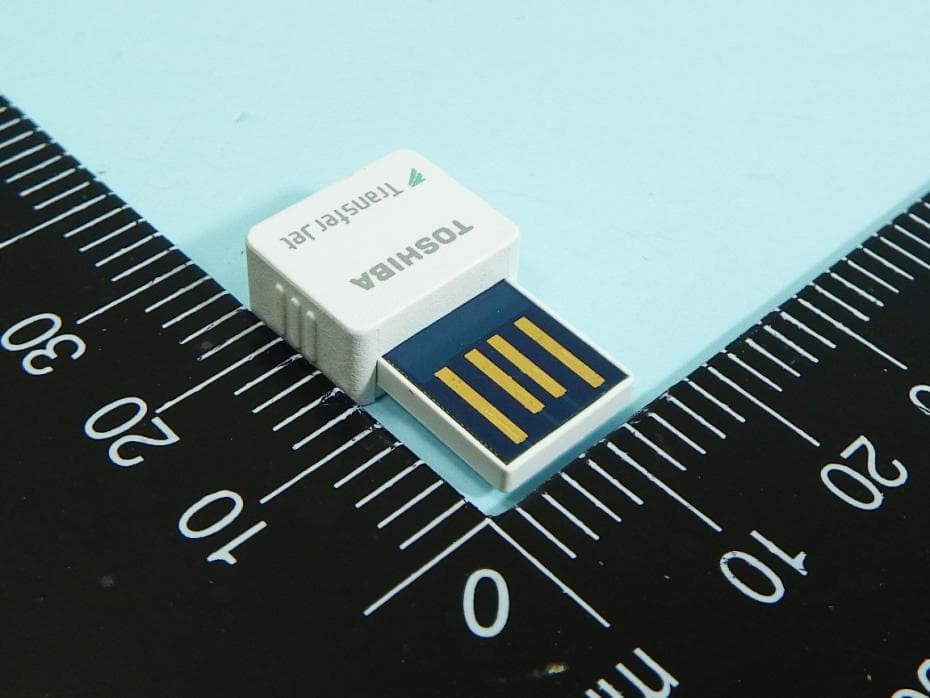
CJ6UPA5144TJ
Aug 07, 2014TransferJet USB Adapter
Equipment Class
JBP - Part 15 Class B Computing Device Peripheral
CJ6UPA5145TJ
Aug 07, 2014TransferJet MicroUSB Adapter
Equipment Class
UWB - Ultra Wideband Transmitter