CJ6UZPCN064WL802.11a Access Point
Dynabook Inc.
Click to zoom
Application Details
- Equipment Class
- DTS - Digital Transmission System
- Date of Grant
- Aug 07, 2003
- Application Purpose
- Original Equipment
- Date of Application
- Aug 07, 2003
- Equipment Note
- 802.11a Access Point
- Frequency Range
- 5745.00000000 - 5825.00000000
- Company
- Dynabook Inc.
- Country
- Japan
Documents & Files
Document Text
Text extracted from the exhibit documents filed with the FCC. Open a document above to read the original.
Users Manual
IPCN064 A A c c c c e e s s s s P P o o i i n n t t O O p p e e r r a a t t i i o o n n M M a a n n u u a a l l All other product names and trademarks in this document are trademarks of their respective companies. 2003/07/09 Access Point User’s Manual ii No part of this publication may be reproduced in any form by any means without the prior written permission. Other trademarks or brand names mentioned herein are trademarks or registered trademarks of their respective companies. 2003/07/09 Rev:01 Safety Notes For Installation n Use only the type of power source indicated on the marking labels. n Use only the power adapter supplied with the product. n Do not overload wall outlet or extension cords as this may increase the risk of electric shock or file. If the power cord is frayed, replace it with a new one. n Proper ventilation is necessary to prevent the product overheating. Do not block or cover the slots and openings on the device, which are intended for ventilation and proper operation. It is recommended to mount the product with a stack. n Do not place the product near any source of heat or expose it to direct sunshine. n Do not expose the product to moisture. Never spill any liquid on the product. n Do not attempt to connect with any computer accessory or electronic product without instructions from qualified service personnel. This may result in risk of electronic shock or file. n Do not place this product on an unstable stand or table. For Using n Power off and unplug this product from the wall outlet when it is not in use or before cleaning. Pay attention to the temperature of the power adapter. The temperature might be high. n After powering off the product, power on the product at least 15 seconds later. n Do not block the ventilating openings of this product. n When the product is expected to be not in use for a period of time, unplug the power cord of the product to prevent it from the damage of storm or sudden increases in rating. For Service Do not attempt to disassemble or open covers of this unit by yourself. Nor should you attempt to service the product yourself, which may void the user’s authority to operate it. Contact qualified service personnel under the following conditions: n If the power cord or plug is damaged or frayed. n If liquid has been spilled into the product. n If the product has been exposed to rain or water. n If the product does not operate normally when the operating instructions are followed. n If the product has been dropped or the cabinet has been damaged. n If the product exhibits a distinct change in performance. Warning n This equipment must be installed and operated in accordance with provided instructions and a minimum 20 cm spacing must be provided between computer mounted antenna and person’s body (excluding extremities of hands, wrist and feet) during wireless modes of operation. n This device complies with Part 15 of the FCC Rules. Operation is subject to the following two conditions: (1) this device may not cause harmful interference, and (2) this device must accept any interference received, including interference that may cause undesired operation. Caution n Any changes or modifications not expressly approved by the party responsible for compliance could void the authority to operate equipment. iii Contents Chapter 1: Introduction.......................................................................................................................................................1 Unpacking................................................................................................................................................................1 Chapter 2: Hardware Connection.......................................................................................................................................3 LAN Connection......................................................................................................................................................3 Wireless Connection.................................................................................................................................................3 Connecting the power adapter..................................................................................................................................3 Chapter 3: Configuring the Access Point via Web Browser.............................................................................................5 Setting up a Host PC.................................................................................................................................................5 Using Web Configuration.........................................................................................................................................5 Home Page...............................................................................................................................................................6 Status........................................................................................................................................................................6 Change the User Name and Password......................................................................................................................7 Update the Firmware................................................................................................................................................8 Appendix: Specifications......................................................................................................................................................9 Access Point User’s Manual iv Chapter 1: Introduction 1 Chapter 1: Introduction IPCN064, a base station, functions as a bridge among a router/gateway and computers. Through the Access Point, any client (like notebook or PDA) with a wireless network card installed can connect to a host by air to access into Internet easily. Unpacking Check the contents o…
Text truncated - open the document above for the full version.
Users Manual
1 Information sheet Wireless Interoperability The TOSHIBA IPCN064A is designed to be interoperable with any wireless LAN product that is based on Direct Sequence Spread Spectrum (DSSS) radio technology, and is compliant to: The IEEE 802.11 Standard on Wireless LANs(Revision A/B), as defined and approved by the Institute of Electrical and Electronics Engineers. The Wireless Fidelity(WiFi) certification as defined by the WECA Wireless Ethernet Compatibility Alliance. CAUTION Bluetooth™ and WirelessLAN devices operate within the same radio frequency range and may interfere with one another. If you use Bluetooth™ and WirelessLAN devices simultaneously, you may occasionally experience a less than optimal network performance or even lose your network connection. If you should experience any such problem, immediately turn off either one of your Bluetooth™ or WirelessLAN. Please contact Toshiba PC product support on web site http://www.toshiba-europe.com/computers/tnt/bluetooth.htm in Europe or http://www.pc.support.global.toshiba.com in the United States for more information. CAUTION This device is restricted to indoor use due to its operation in the 5.15 to 5.85 GHz frequency range. Wireless LAN and your Health Wireless LAN products, like other radio devices, emit radio frequency electromagnetic energy. The level of energy emitted by Wireless LAN devices however is far much less than the electromagnetic energy emitted by wireless devices like for example mobile phones. Because Wireless LAN products operate within the guidelines found in radio frequency safety standards and recommendations, TOSHIBA believes Wireless LAN is safe for use by consumers. These standards and recommendations reflect the consensus of the scientific community and result from deliberations of panels and committees of scientists who continually review and interpret the extensive research literature. In some situations or environments, the use of Wireless LAN may be restricted by the proprietor of the building or responsible representatives of the organization. These situations may for example include: Using the Wireless LAN equipment on board of airplanes, or In any other environment where the risk of interference to other devices or services is perceived or identified as harmful. If you are uncertain of the policy that applies on the use of wireless devices in a specific organization or environment (e.g. airports), you are encouraged to ask for authorization to use the Wireless LAN device prior to turning on the equipment. 2 Regulatory Information The TOSHIBA IPCN064A must be installed and used in strict accordance with the manufacturer’s instructions as described in the user documentation that comes with the product. This device complies with the following radio frequency and safety standards. USA-Federal Communications Commission (FCC) This device complies with Part 15 of FCC Rules. Operation of the devices in a Wireless LAN System is subject to the following two conditions: This device may not cause harmful interference. This device must accept any interference that may cause undesired operation. TOSHIBA is not responsible for any radio or television interference caused by unauthorized modification of the devices included with this TOSHIBA IPCN064A, or the substitution or attachment of connecting cables and equipment other than specified by TOSHIBA. The correction of interference caused by such unauthorized modification, substitution or attachment will be the responsibility of the user. Caution: Radio Frequency Interference Requirements. This device is restricted to indoor use due to its operation in the 5.15 to 5.25 GHz frequency range. FCC requires this product to be used indoors for frequency range 5.15 to 5.25 GHz to reduce the potential for harmful interference to co-channel Mobile Satellite systems. High power radars are allocated as primary users of the 5.25 to 5.35 GHz and 5.65 to 5.85 GHz bands. These radar stations can cause interference with and/or damage this device. Trademark Bluetooth is a trademark owned by its proprietor and used by TOSHIBA under license.
Cover Letter(s)
The antenna of AP21U Pure 5G Manufacturer Ethertronics Model Name GY01002-D Feature Appendix I Type Shaping Frequency Range 5.150 ~ 5.825 GHz Bandwidth 675 MHz Gain (Max.) ANT1 – Peak : 4.94 dBi / Ave.: -2.04 dBi ANT2 – Peak : 4.34 dBi / Ave.: -2.45 dBi VSWR < 2 Polarization Linear Impedance 50 ohm unbalanced Detail drawing Appendix II Antenna Position Appendix III Antenna characteristic Appendix IV RL & Isolation Appendix V Radiation Pattern Appendix VI Appendix I : Feature Appendix II : Detail Drawing Appendix III : Antenna Position Appendix IV : Antenna Characteristic ANT1 : ANT2 : Appendix V : RL & Isolation Appendix VI : Radiation Pattern Test position Test position : H Test position : E Test position : EE
ID Label/Location Info
PROPOSED FCC ID LABEL AND LOCATION TOSHIBA CORPORATION DIGITAL MEDIA NETWORK COMPANY This device complies with Part 15 of the FCC Rules. Operation is subject to the following two conditions: (1) this device may not cause harmful interference, and (2) this device must accept any interference received, including interference that may cause undesired operation. FCC ID: CJ6UZPCN064WL FCC ID LABEL LOCATION
Test Report
FCC CFR47 PART 15 SUBPART C CERTIFICATION TEST REPORT FOR 802.11a ACCESS POINT MODEL NUMBER: IPCN064A BRAND NAME: TOSHIBA FCC ID: CJ6UZPCN064WL REPORT NUMBER: 03U2067-1 ISSUE DATE: JULY 24 TH , 2003 Prepared for TOSHIBA CORPORATION DIGITAL MEDIA NETWORK COMPANY OME COMPLEX, 2-9, SUEHIRO-CHO, OME TOKYO 198-8710 JAPAN Prepared by COMPLIANCE CERTIFICATION SERVICES 561F MONTEREY ROAD, MORGAN HILL, CA 95037, USA TEL: (408) 463-0885 FAX: (408) 463-0888 REPORT NO: 03U2067-1 DATE: JULY 24, 2003 EUT: 802.11a ACCESS POINT FCC ID: CJ6UZPCN064WL Page 2 of 63 COMPLIANCE CERTIFICATION SERVICES DOCUMENT NO: CCSUP4031A 561F MONTEREY ROAD, MORGAN HILL, CA 95037 USA TEL: (408) 463-0885 FAX: (408) 463-0888 This report shall not be reproduced except in full, without the written approval of CCS. This document may be altered or revised by Compliance Certification Services personnel only, and shall be noted in the revision section of the document. TABLE OF CONTENTS 1. TEST RESULT CERTIFICATION.................................................................................................3 2. EUT DESCRIPTION.........................................................................................................................4 3. TEST METHODOLOGY..................................................................................................................5 4. FACILITIES AND ACCREDITATION..........................................................................................5 4.1. FACILITIES AND EQUIPMENT.................................................................................................5 4.2. TABLE OF ACCREDITATIONS AND LISTINGS........................................................................6 5. CALIBRATION AND UNCERTAINTY.........................................................................................7 5.1. MEASURING INSTRUMENT CALIBRATION............................................................................7 5.2. MEASUREMENT UNCERTAINTY..............................................................................................7 5.3. TEST AND MEASUREMENT EQUIPMENT...............................................................................8 6. SETUP OF EQUIPMENT UNDER TEST.......................................................................................9 7. APPLICABLE LIMITS AND TEST RESULTS...........................................................................11 7.1. 6 dB BANDWIDTH.....................................................................................................................11 7.2. 99% BANDWIDTH.....................................................................................................................17 7.3. PEAK OUTPUT POWER...........................................................................................................23 7.4. MAXIMUM PERMISSIBLE EXPOSURE...................................................................................30 7.5. AVERAGE POWER....................................................................................................................32 7.6. PEAK POWER SPECTRAL DENSITY.......................................................................................33 7.7. CONDUCTED SPURIOUS EMISSIONS...................................................................................39 7.8. RADIATED EMISSIONS............................................................................................................50 7.9. POWERLINE CONDUCTED EMISSIONS................................................................................56 8. SETUP PHOTOS..............................................................................................................................59 REPORT NO: 03U2067-1 DATE: JULY 24, 2003 EUT: 802.11a ACCESS POINT FCC ID: CJ6UZPCN064WL Page 3 of 63 COMPLIANCE CERTIFICATION SERVICES DOCUMENT NO: CCSUP4031A 561F MONTEREY ROAD, MORGAN HILL, CA 95037 USA TEL: (408) 463-0885 FAX: (408) 463-0888 This report shall not be reproduced except in full, without the written approval of CCS. This document may be altered or revised by Compliance Certification Services personnel only, and shall be noted in the revision section of the document. 1. TEST RESULT CERTIFICATION COMPANY NAME: TOSHIBA CORP. DIGITAL MEDIA NETWORK COMPANY OME COMPLEX, 2-9, SUEHIRO-CHO, OME TOKYO 198-8710 JAPAN EUT DESCRIPTION: 802.11A ACCESS POINT MODEL: IPCN064A DATE TESTED: JULY 14-18, 2003 APPLICABLE STANDARDS STANDARD TEST RESULTS FCC PART 15 SUBPART C NO NON-COMPLIANCE NOTED Compliance Certification Services, Inc. tested the above equipment in accordance with the requirements set forth in the above standards. The test results show that the equipment tested is capable of demonstrating compliance with the requirements as documented in this report. Note: This document reports conditions under which testing was conducted and results of tests performed. This document may not be altered or revised in any way unless done so by Compliance Certification Services and all revisions are duly noted in the revisions section. Any alteration of this document not carried out by Compliance Certification Services will constitute fraud and shall nullify the document. Note: The 5.8 GHz bands are applicable to this report; another band of operation (5.2 GHz) is documented in a separate report. Approved & Released For CCS By: Tested By: THU CHAN CHIN PANG EMC SUPERVISOR EMC TECHNICIAN COMPLIANCE CERTIFICATION SERVICES COMPLIANCE CERTIFICATION SERVICES REPORT NO: 03U2067-1 DATE: JULY 24, 2003 EUT: 802.11a ACCESS POINT FCC ID: CJ6UZPCN064WL Page 4 of 63 COMPLIANCE CERTIFICATION SERVICES DOCUMENT NO: CCSUP4031A 561F MONTEREY ROAD, MORGAN HILL, CA 95037 USA TEL: (408) 463-0885 FAX: (408) 463-0888 This report shall not be reproduced except in full, without the written approval of CCS. This document may be altered or revised by Compliance Certification Services personnel only, and shall be noted in the revision section of the docume…
Text truncated - open the document above for the full version.
Test Setup Photos
REPORT NO: 03U2067-1 DATE: JULY 24, 2003 EUT: 802.11a ACCESS POINT FCC ID: CJ6UZPCN064WL Page 59 of 63 COMPLIANCE CERTIFICATION SERVICES DOCUMENT NO: CCSUP4031A 561F MONTEREY ROAD, MORGAN HILL, CA 95037 USA TEL: (408) 463-0885 FAX: (408) 463-0888 This report shall not be reproduced except in full, without the written approval of CCS. This document may be altered or revised by Compliance Certification Services personnel only, and shall be noted in the revision section of the document. 8. SETUP PHOTOS ANTENNA PORT CONDUCTED RF MEASUREMENT SETUP ANTENNA PORT CONDUCTED PHOTO REPORT NO: 03U2067-1 DATE: JULY 24, 2003 EUT: 802.11a ACCESS POINT FCC ID: CJ6UZPCN064WL Page 60 of 63 COMPLIANCE CERTIFICATION SERVICES DOCUMENT NO: CCSUP4031A 561F MONTEREY ROAD, MORGAN HILL, CA 95037 USA TEL: (408) 463-0885 FAX: (408) 463-0888 This report shall not be reproduced except in full, without the written approval of CCS. This document may be altered or revised by Compliance Certification Services personnel only, and shall be noted in the revision section of the document. RADIATED RF MEASUREMENT SETUP RADIATED FRONT PHOTO REPORT NO: 03U2067-1 DATE: JULY 24, 2003 EUT: 802.11a ACCESS POINT FCC ID: CJ6UZPCN064WL Page 61 of 63 COMPLIANCE CERTIFICATION SERVICES DOCUMENT NO: CCSUP4031A 561F MONTEREY ROAD, MORGAN HILL, CA 95037 USA TEL: (408) 463-0885 FAX: (408) 463-0888 This report shall not be reproduced except in full, without the written approval of CCS. This document may be altered or revised by Compliance Certification Services personnel only, and shall be noted in the revision section of the document. RADIATED BACK PHOTO REPORT NO: 03U2067-1 DATE: JULY 24, 2003 EUT: 802.11a ACCESS POINT FCC ID: CJ6UZPCN064WL Page 62 of 63 COMPLIANCE CERTIFICATION SERVICES DOCUMENT NO: CCSUP4031A 561F MONTEREY ROAD, MORGAN HILL, CA 95037 USA TEL: (408) 463-0885 FAX: (408) 463-0888 This report shall not be reproduced except in full, without the written approval of CCS. This document may be altered or revised by Compliance Certification Services personnel only, and shall be noted in the revision section of the document. POWERLINE CONDUCTED EMISSIONS MEASUREMENT SETUP LINE CONDUCTED FRONT PHOTO REPORT NO: 03U2067-1 DATE: JULY 24, 2003 EUT: 802.11a ACCESS POINT FCC ID: CJ6UZPCN064WL Page 63 of 63 COMPLIANCE CERTIFICATION SERVICES DOCUMENT NO: CCSUP4031A 561F MONTEREY ROAD, MORGAN HILL, CA 95037 USA TEL: (408) 463-0885 FAX: (408) 463-0888 This report shall not be reproduced except in full, without the written approval of CCS. This document may be altered or revised by Compliance Certification Services personnel only, and shall be noted in the revision section of the document. END OF REPORT LINE CONDUCTED BACK PHOTO
Contact Information
Applicant
Ryuichi Kamimura(Senior Manager)
Test Firm
Compliance Certification Services IncSteve Cheng
Technical Specifications
| # | Rule Parts | Frequency Range | Power Output |
|---|---|---|---|
| 1 | 15C | 5.75 GHz - 5.83 GHz | 96.00 mW |
Other Applications from Dynabook Inc.
CJ6PA5347RT
Oct 20, 2022dynabook Wireless Optical Silent Mouse
Equipment Class
DXX - Part 15 Low Power Communication Device Transmitter
CJ6PYT0XPC
Apr 28, 2021Notebook Computer
Equipment Class
DSS - Part 15 Spread Spectrum Transmitter
CJ6UPA5238WL
Sep 01, 2015dynadock WiAC
Equipment Class
NII - Unlicensed National Information Infrastructure TX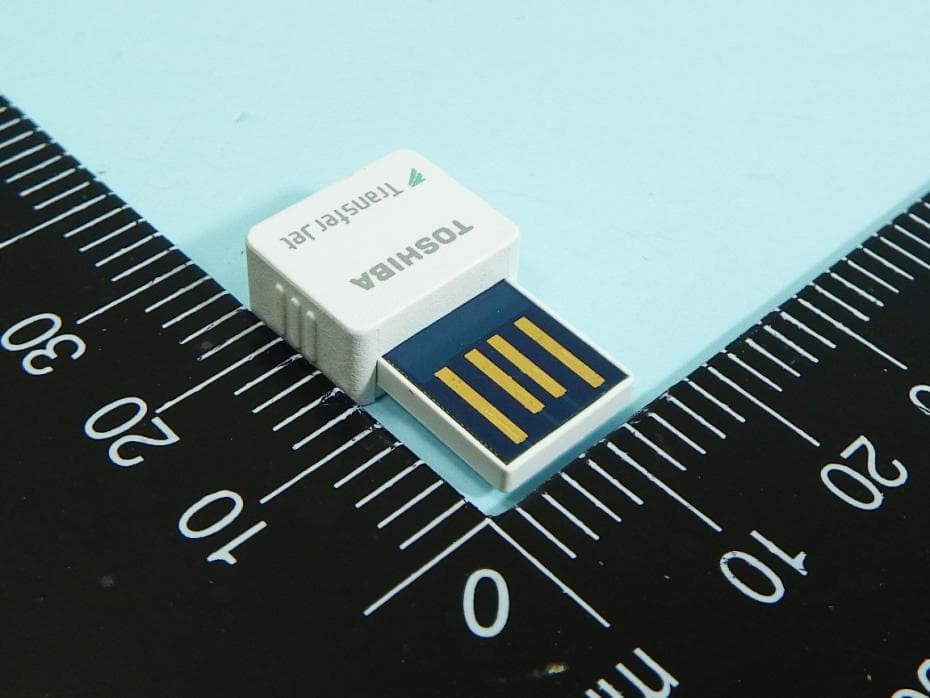
CJ6UPA5144TJ
Aug 07, 2014TransferJet USB Adapter
Equipment Class
JBP - Part 15 Class B Computing Device Peripheral
CJ6UPA5145TJ
Aug 07, 2014TransferJet MicroUSB Adapter
Equipment Class
UWB - Ultra Wideband Transmitter