CNFHWRP1Camera
GoPro, Inc.
Click to zoom
Application Details
- Equipment Class
- DTS - Digital Transmission System
- Date of Grant
- May 11, 2015
- Application Purpose
- Original Equipment
- Date of Application
- May 11, 2015
- Equipment Note
- Camera
- Frequency Range
- 2412.00000000 - 2462.00000000
- Company
- GoPro, Inc.
- Country
- United States
Documents & Files
Document Text
Text extracted from the exhibit documents filed with the FCC. Open a document above to read the original.
Users Manual
USER MANUAL ROCKY POINT 23 / Join the GoPro Movement twitter.com/GoPro facebook.com/GoPro youtube.com/GoPro instagram.com/GoPro To download this user manual in a different language, visit gopro.com/support. Pour télécharger ce manuel de l’utilisateur dans une autre langue, rendez-vous sur gopro.com/support. Wenn Sie dieses Benutzerhandbuch in einer anderen Sprache herunterladen möchten, besuchen Sie gopro.com/support. Per scaricare questo manuale utente in un’altra lingua, visita gopro.com/support. Para descargar este manual de usuario en otro idioma, visite gopro.com/support. Para baixar este manual do usuário em outro idioma, acesse gopro.com/support. このユーザーマニュアルの他言語版をダウンロードするには、 gopro.com/supportにアクセスしてください。 若要下載其他語言版本的使用說明書,請前往: gopro.com/support。 如需下载本用户手册的其他语言版本,请访问 gopro.com/support。 Чтобы загрузить это руководство пользователя на другом языке, посетите страницу gopro.com/support. 45 The Basics6 Getting Started7 Capturing Video and Time Lapse Photos16 Accessing Camera Settings20 Camera Icons26 Camera Modes and Settings28 Video Mode30 Photo Mode44 Multi-Shot Mode47 Setup Mode55 Protune™66 Transferring Files to a Computer70 Playing Back Video and Photos72 Important Messages74 The Frames77 Using the Mounts79 Battery89 Troubleshooting94 Customer Support98 Regulatory Information98 / Table of Contents/ Table of Contents 67 / The Basics 1. Camera Status Screen 2. Shutter/Select Button [ ] 3. Microphone 4. Camera Status Light (red) / Wireless Status Light (blue) 5. Micro USB Port 6. microSD Card Slot 7. Camera Status/Wireless Button / Getting Started CHARGING THE BATTERY The integrated battery comes partially charged. No damage occurs to the camera or battery if used before being fully charged. To Charge the Battery: 1. Open the side door.2. Charge the battery using the included USB cable. 6 7 For #3, show dots like in first drawing, but in square pattern (3 across, 3 down) Note: The battery cannot be removed from the camera. 89 / Getting Started The camera status lights (red) turn on during charging and turn off when charging is complete. When charging the camera with a computer, be sure that the computer is connected to a power source. If the camera status lights do not turn on to indicate charging, use a different USB port. NOTICE: Using a wall charger other than a GoPro Wall Charger can damage the battery. Only use USB charging adapters marked 5V 1A. If you do not know the voltage and amperage of your charger, use the included USB cable to charge the camera from your computer. For more battery information, see Battery (page 89). WARNING: Use caution when using your GoPro as part of your active lifestyle. Always be aware of your surroundings to avoid injury to yourself and others. Abide by all local laws when using your GoPro and related mounts and accessories, including all privacy laws, which may restrict recording in certain areas. / Getting Started 1011 / Getting Started INSERTING + REMOVING MEMORY CARDS Use brand name memory cards (sold separately) that meet these requirements: • microSD, microSDHC, or microSDXC • Class 10 or UHS-1 rating • Capacity up to 64GB For a list of the recommended microSD cards, visit gopro.com/support. / Getting Started NOTICE: Use care when handling memory cards. Avoid liquids, dust, and debris. As a precaution, power off the camera before inserting or removing the card. Check manufacturer guidelines regarding use in acceptable temperature ranges. CAMERA SOFTWARE UPDATES To get the latest features and best performance from your HERO4 Session camera, make sure you are using the most current camera software. You can update your camera software with the GoPro App, GoPro Studio, or at gopro.com/getstarted. 1213 / Getting Started POWERING ON + OFF HERO4 Session automatically powers on when you short press the Shutter/Select button [ ] to begin capturing video or Time Lapse photos. When you press the Shutter/Select button [ ] again to stop recording, the camera automatically powers off to conserve battery power. PRO TIP: When carrying your camera in a bag or pocket, place the camera upside down in a frame with the Shutter/Select button [ ] covered to prevent the camera from accidentally powering on. / Getting Started DISPLAYING THE CAMERA STATUS Short press the Camera Status/Wireless button. The status screen cycles through the information below, then automatically turns off. 1. Capture Mode/Software Version 2. Available Memory/ Capture Mode Settings 3. Wireless (when on) 4. Battery Status 5. Wireless Connection Confirmation 6. Current Wireless Option 7. Additional Wireless Options Add “7” here 1415 / Getting Started GEAR CHECK Follow these guidelines to get the best performance from your camera: ☑The camera is waterproof to 30’ (10m)—no housing needed. Ensure that the side door is closed before using the camera in or around water, dirt, or sand. ☑Before opening the side door, be sure the camera is free of water or debris. ☑If sand or debris hardens around the side door, soak the camera in warm tap water for 15 minutes and then rinse thoroughly to remove the debris before opening the door. ☑For best audio performance, shake the camera to remove water and debris from the microphone holes. (Blowing on the mic holes does not remove water and debris.) ☑After every use in salt water, rinse the camera with fresh water, and dry with a soft cloth. ☑If the camera lens becomes foggy, let it sit until it dries. PRO TIP: During water activities, tether your camera for added security and use a Floaty to keep your camera afloat (sold separately). For more information, visit gopro.com. / Getting Started 1617 When your camera is not connected to the remote (sold separately) or the GoPro App, two capture modes are available: Video and Time Lapse. To access more modes or change camera settings, see Accessing Camera Settings (page 20). CAPTURING VIDEO The default video resolution is 1080p48 SuperView. To Start Recording Video: Short press the Shutter/Select button [ ]. Your cam…
Text truncated - open the document above for the full version.
Users Manual
WARNING (ENGLISH) Important Safety and Product Information For more detailed information on camera or remote control features and settings, download the user manual for the product online at gopro.com/support. If your camera has a built-in battery and/or housing, some of the warnings below may not apply. Exercise caution when using your GoPro camera as part of your active lifestyle. Always be aware of your surroundings to avoid injur y to yourself and others. Obser ve proper precautions when handling batteries. Batteries may leak or explode if products with batteries are improperly handled. Obser ve the following precautions to avoid a batter y explosion or fire: • Do not drop, disassemble, open, crush, bend, deform, puncture, shred, microwave, incinerate or paint the camera or remote control. • Do not insert foreign objects into the batter y opening on the camera. • Do not use the camera, batter y, or the remote control if it has been damaged—for example, if cracked, punctured or harmed by water. • Do not turn on your camera if it is wet. If your camera is already on, turn it off and remove the batter y immediately. Allow the camera to dr y thoroughly before using it again. • Do not dr y the camera, batter y, or remote control with an external heat source such as a microwave oven or hair dr yer. • Do not store your batter y with metal objects, such as coins, keys or necklaces. If the batter y terminals come in contact with metal objects, this may cause a fire. • Keep the camera dr y. The camera housing protects the camera and batter y from water damage. Always secure the camera in its housing when using the camera in or near water. Do not get the camera or the batter y wet. Failure to obser ve this precaution could result in fire or electric shock. Damage to the camera or batter y caused by contact with liquid is not covered under the warranty. • Only use authentic GoPro batteries. When charging the camera or the remote control, do not handle the plug or charger with wet hands. Failure to obser ve this precaution could result in electric shock. Using a wall charger other than a GoPro Wall Charger can damage the GoPro camera batter y and could result in fire or leakage. Only use chargers marked: Output 5V 1A. If you do not know the voltage and current of your charger, use the included USB cable to charge the camera from your computer. If using your camera with a GoPro helmet mount, always select a helmet that meets the applicable safety standard. Choose the right helmet for your particular sport or activity and make sure that it is the right fit and size for you. Inspect your helmet to ensure that it is in good condition and follow the helmet manufacturer’s instructions on safe helmet use. Any helmet that has sustained a major impact should be replaced. No helmet can protect against injur y in ever y accident. Your GoPro camera lens is glass. Should the lens break, care should be taken to avoid injur y due to broken glass. Keep out of reach of children. The temperature icon and CAMERA TOO HOT appear on the camera status screen when the camera becomes too hot and needs to cool down. Simply let it sit and cool before attempting to use it again. For info about camera temperature when using HERO4 Black to record in high resolution, high frame rate video modes, see the HERO4 Black User Manual. CAUTION: When using GoPro products near another device, read that device’s user guide for any safety instructions. To limit potential interference with digital transceivers such as avalanche beacons, consult with the transceiver’s user manual regarding the use of other GPS or electronic devices, such as the GoPro camera, when engaged in the avalanche beacon search mode. Power your camera off whenever it is forbidden to use it or when it may cause interference. NOTICES: Avoid exposing your camera, batter y, or remote control to ver y cold or ver y hot temperatures. Low or high temperature conditions may temporarily shorten the batter y life or cause the camera to temporarily stop working properly. Avoid dramatic changes in temperature or humidity when using the camera or remote control, as condensation may form on or within the product. Abide by all local laws when using your GoPro and related mounts and accessories, including all privacy laws, which may restrict recording in certain areas. ATTENTION (FRENCH) Informations importantes relatives au produit et à la sécurité Pour des informations plus détaillées sur les fonctionnalités et paramètres des caméras et télécommandes, téléchargez le manuel de l’utilisateur en ligne pour le produit à l’adresse gopro.com/support. Si votre caméra est dotée d’une batterie intégrée et/ou d’un boîtier, certains des avertissements mentionnés ci-dessous peuvent ne pas s’appliquer. Soyez prudent lorsque vous utilisez votre GoPro dans le cadre de vos activités sportives. Faites attention à ce qui se passe autour de vous afin d’éviter de vous blesser ou de blesser autrui. Veuillez prendre toutes les précautions nécessaires lorsque vous manipulez les batteries. Les batteries peuvent fuir ou exploser si les produits contenant des batteries ne sont pas manipulés correctement. Veuillez respecter les consignes suivantes afin d’éviter que la batterie n’explose ou ne prenne feu : • Ne pas laisser tomber, démonter, ouvrir, écraser, plier, déformer, percer, lacérer, exposer aux micro-ondes, incinérer ou peindre la caméra ou la télécommande. • Ne pas introduire de corps étrangers dans le compartiment de la batterie de la caméra. • Ne pas utiliser la caméra, la batterie ou la télécommande si elles ont été endommagées, par exemple si elles sont fissurées, percées ou si elles ont pris l’eau. • N’allumez pas votre caméra si elle est mouillée. Si votre caméra est déjà allumée, éteignez-la et retirez immédiatement la batterie. Laissez-la sécher complètement avant de la réutiliser. • N’essayez pas de sécher la caméra, la batterie ou la télécommande avec une source de chaleur comme un four mi…
Text truncated - open the document above for the full version.
Cover Letter(s)
3000 Clearview Way, San Mateo, CA 94402 650.332.7600 www.gopro.com FCC Authorization 2/23/15 FEDERAL COMMUNICATIONS COMMISSIONS Authorization and Evaluation Division 7435 Oakland Mills Road Columbia, MD 21046 Subject: Agent Authorization To whom it may concern: We GoPro, Inc. , the undersigned, Hereby authorizes Bay Area Compliance Laboratories Corporation to act on its behalf in all matters relating to application for Equipment authorization, including the signing of all documents relating to these matters. All acts carried out by Bay Area Compliance Laboratory Corporation on our behalf shall have the same effect as our own action. We, the undersigned, hereby certify that we are not subject to a denial of federal benefits, that includes FCC benefits, pursuant to Section 5301 of the Anti-Drug Abuse Act of 1988, 21 U.S.C. 862. This authorization is valid until further written notice from the applicant. Sincerely Yours, Steven Kim / Senior QA Compliance Engineer Email: [email protected] 3000 Clearview Way San Mateo, CA 94402
Cover Letter(s)
3000 Clearview Way, San Mateo, CA 94402 650.332.7600 www.gopro.com FCC Confidential Authorization 2015/02/23 FEDERAL COMMUNICATIONS COMMISSIONS Authorization and Evaluation Division 7435 Oakland Mills Road Columbia, MD 21046 Subject: Confidentiality Request regarding application for certification of FCC ID: CNFHWRP1 In accordance with Sections 0.457 and 0.459 of the Commission’s Rules, GoPro, Inc. hereby requests long-term confidential treatment of information accompanying this application as outlined below: Block Diagram Schematics Operation Description As well as short-term confidential treatment of information accompanying this application as outlined below: Internal Photos User’s Manual External Photos Test Set-up Photos The above materials contain proprietary and confidential information not customarily released to the public. The public disclosure of these materials provides unjustified benefits to its competitors in the market. Sincerely, Steven Kim / Senior QA Compliance Engineer Email: [email protected] 3000 Clearview Way San Mateo, CA 94402
External Photos
GoPro, Inc. FCC ID: CNFHWRP1, IC: 10193A-HWRP1 Report Number: R1504031-247 Page 75 of 82 FCC Part 15C/IC RSS-210 Test Report 14 Exhibit C – EUT Photographs 14.1 EUT- Top View 14.2 EUT- Bottom View GoPro, Inc. FCC ID: CNFHWRP1, IC: 10193A-HWRP1 Report Number: R1504031-247 Page 76 of 82 FCC Part 15C/IC RSS-210 Test Report 14.3 EUT- Side View 1 14.4 EUT- Side View 2 GoPro, Inc. FCC ID: CNFHWRP1, IC: 10193A-HWRP1 Report Number: R1504031-247 Page 77 of 82 FCC Part 15C/IC RSS-210 Test Report 14.5 EUT- Front View 14.6 EUT- Back View
ID Label/Location Info
HWRP1 PRODUCT LABEL Label Location: The label will be placed at the bottom of the camera
Internal Photos
GoPro, Inc. FCC ID: CNFHWRP1, IC: 10193A-HWRP1 Report Number: R1504031-247 Page 78 of 82 FCC Part 15C/IC RSS-210 Test Report 14.7 EUT- Open Case Top View 14.8 EUT- Open Case Bottom View GoPro, Inc. FCC ID: CNFHWRP1, IC: 10193A-HWRP1 Report Number: R1504031-247 Page 79 of 82 FCC Part 15C/IC RSS-210 Test Report 14.9 EUT- Open Case Side View 1 14.10 EUT- Open Case Side View 2 GoPro, Inc. FCC ID: CNFHWRP1, IC: 10193A-HWRP1 Report Number: R1504031-247 Page 80 of 82 FCC Part 15C/IC RSS-210 Test Report 14.11 EUT- Main Board View -1 14.12 EUT- Main Board View -2 GoPro, Inc. FCC ID: CNFHWRP1, IC: 10193A-HWRP1 Report Number: R1504031-247 Page 81 of 82 FCC Part 15C/IC RSS-210 Test Report 14.13 EUT- PCB Board View -1 14.14 EUT- PCB Board View -2 GoPro, Inc. FCC ID: CNFHWRP1, IC: 10193A-HWRP1 Report Number: R1504031-247 Page 82 of 82 FCC Part 15C/IC RSS-210 Test Report 14.15 EUT- Lens View-1 14.16 EUT- Lens View -2 --- END OF REPORT ---
RF Exposure Info
Note: This test report is prepared for the customer shown above and for the device described herein. It may not be duplicated or used in part without prior written consent from Bay Area Compliance Laboratories Corp. This report must not be used by the customer to claim product certification, approval, or endorsement by A2LA* or any agency of the Federal Government. * This report may contain data that are not covered by the A2LA accreditation and are marked with an asterisk “*” (Rev.3) SAR EVALUATION REPORT For GoPro, Inc. 3000 Clearview way, San Mateo, CA 94402, USA FCC ID: CNFHWRP1 IC: 10193A-HWRP1 Report Type: Original Report Product Type: Portable Camera with 2.4 GHz WLAN and BLE Prepared By: Simon Ma Report Number: R1504031-FCC IC SAR Rev C Report Date: 2015-05-14 Reviewed By: Bo Li Bay Area Compliance Laboratories Corp. 1274 Anvilwood Avenue, Sunnyvale, CA 94089, USA Tel: (408) 732-9162 Fax: (408) 732 9164 GoPro, Inc. FCC ID: CNFHWRP1, IC: 10193A-HWRP1 Report Number: R1504031-FCC IC SAR Rev C SAR Evaluation Report Page 2 of 66 Summary of Test Results Rule Part(s): FCC §2.1093, IC RSS-102, Issue 5 Test Procedure(s): IEEE 1528: 2013, IEEE 6209-2: 2010 KDB 248227, KDB 447498, KDB 865664 Device Category: Exposure Category: Portable Device General Population/Uncontrolled Exposure Device Type: Portable Device Modulation Type: CCK, OFDM, GFSK TX Frequency Range: 802.11b/g/n: 2412-2462 MHz Bluetooth LE: 2402-2480 MHz Maximum Conducted Power: 802.11 b/g/n: 18.77 dBm BLE: 5.5 dBm Antenna Type(s) Tested: Internal Antenna Body-Worn Accessories: None Face-Head Accessories: None Battery Type (s) Tested: Li-Ion: 3.8V/1030mAh Max. SAR Level (s) Measured: Level (W/Kg) Position Operational Band/Mode 0.39 (1g Body Tissue) Back Side Touch 2.4 GHz/802.11b 0.40 (1g Head Tissue) Bottom Side Touch 2.4 GHz/802.11b GoPro, Inc. FCC ID: CNFHWRP1, IC: 10193A-HWRP1 Report Number: R1504031-FCC IC SAR Rev C SAR Evaluation Report Page 3 of 66 TABLE OF CONTENTS 1 GENERAL DESCRIPTION ................................................................................................................................ 6 1.1 PRODUCT DESCRIPTION FOR EQUIPMENT UNDER TEST (EUT) ........................................................................ 6 1.2 EUT TECHNICAL SPECIFICATION .................................................................................................................... 6 2 TEST FACILITY .................................................................................................................................................. 7 3 REFERENCE, STANDARDS AND GUIDELINES .......................................................................................... 8 3.1 SAR LIMITS .................................................................................................................................................... 9 4 EQUIPMENT LIST AND CALIBRATION ..................................................................................................... 10 4.1 EQUIPMENT LIST & CALIBRATION INFO........................................................................................................ 10 5 EUT TEST STRATEGY AND METHODOLOGY ......................................................................................... 11 5.1 TEST POSITIONS FOR BODY-SUPPORTED DEVICE AND OTHER CONFIGURATIONS ............................................ 11 5.2 CHEEK/TOUCH POSITION .............................................................................................................................. 12 5.3 EAR/TILT POSITION....................................................................................................................................... 12 5.4 TEST POSITIONS FOR BODY-WORN AND OTHER CONFIGURATIONS ................................................................. 13 5.5 SAR EVALUATION PROCEDURE .................................................................................................................... 14 5.6 TEST METHODOLOGY ................................................................................................................................... 14 6 DASY4 SAR EVALUATION PROCEDURE .................................................................................................. 15 6.1 POWER REFERENCE MEASUREMENT ............................................................................................................. 15 6.2 AREA SCAN ................................................................................................................................................... 15 6.3 ZOOM SCAN .................................................................................................................................................. 16 6.4 POWER DRIFT MEASUREMENT ....................................................................................................................... 16 6.5 Z-SCAN ......................................................................................................................................................... 16 7 DESCRIPTION OF TEST SYSTEM ................................................................................................................ 17 7.1 TISSUE DIELECTRIC PARAMETERS ................................................................................................................ 18 7.2 MEASUREMENT SYSTEM DIAGRAM .............................................................................................................. 19 7.3 SYSTEM COMPONENTS .................................................................................................................................. 20 8 SAR MEASUREMENT SYSTEM VERIFICATION ..................................................................................... 28 8.1 SYSTEM ACCURACY VERIFICATION .............................................................................................................. 28 8.2 SAR SYSTEM VERIFICATION SETUP AND PROCEDURE ...............…
Text truncated - open the document above for the full version.
Test Report
Note: This test report is prepared for the customer shown above and for the device described herein. It may not be duplicated or used in part without prior written consent from Bay Area Compliance Laboratories Corp. This report must not be used by the customer to claim product certification, approval, or endorsement by A2LA*, NIST, or any agency of the Federal Government. * This report may contain data that are not covered by the A2LA accreditation and are marked with an asterisk “*” (Rev.2) FCC PART 15, SUBPART C IC RSS-210, ISSUE 8, DECEMBER 2010 TEST AND MEASUREMENT REPORT For GoPro, Inc. 3000 Clearview Way, San Mateo, CA 94402, USA FCC ID: CNFHWRP1 IC: 10193A-HWRP1 Report Type: Original Report Product Type: Portable Camera with 2.4 GHz WLAN and BLE Prepared By Bo Li Report Number R1504031-247 Report Date 2015-05-06 Reviewed By Simon Ma Bay Area Compliance Laboratories Corp. 1274 Anvilwood Avenue, Sunnyvale, CA 94089, USA Tel: (408) 732-9162 Fax: (408) 732-9164 GoPro, Inc. FCC ID: CNFHWRP1, IC: 10193A-HWRP1 Report Number: R1504031-247 Page 2 of 82 FCC Part 15C/IC RSS-210 Test Report TABLE OF CONTENTS 1 General Description ..................................................................................................................................................... 5 1.1 Product Description for Equipment Under Test (EUT) ...................................................................................... 5 1.2 Mechanical Description of EUT ......................................................................................................................... 5 1.3 Objective ............................................................................................................................................................. 5 1.4 Related Submittal(s)/Grant(s) ............................................................................................................................. 5 1.5 Test Methodology ............................................................................................................................................... 5 1.6 Measurement Uncertainty ................................................................................................................................... 5 1.7 Test Facility ........................................................................................................................................................ 6 2 System Test Configuration.......................................................................................................................................... 7 2.1 Justification ......................................................................................................................................................... 7 2.2 EUT Exercise Software....................................................................................................................................... 7 2.3 Equipment Modifications.................................................................................................................................... 7 2.4 Local Support Equipment ................................................................................................................................... 7 2.5 EUT Internal Configuration Details .................................................................................................................... 7 2.6 Power Supply and Line Filters ............................................................................................................................ 8 2.7 Interface Ports and Cabling ................................................................................................................................. 8 3 Summary of Test Results ............................................................................................................................................ 9 4 FCC §15.247(i), §2.1093 & IC RSS-102 – RF Exposure ........................................................................................... 10 4.1 Applicable Standards ........................................................................................................................................ 10 4.2 Test Result ........................................................................................................................................................ 10 5 FCC §15.203 & IC RSS-Gen §8.3 – Antenna Requirements ................................................................................... 11 5.1 Applicable Standards ........................................................................................................................................ 11 5.2 Antenna Description ......................................................................................................................................... 11 6 FCC §15.207 & IC RSS-Gen §8.8 – AC Line Conducted Emissions ....................................................................... 12 6.1 Applicable Standards ........................................................................................................................................ 12 6.2 Test Setup ......................................................................................................................................................... 13 6.3 Test Procedure .................................................................................................................................................. 13 6.4 Corrected Amplitude & Margin Calculation ..................................................................................................... 13 6.5 Test Setup Block Diagram ................................................................................................................................ 14 6.6 Test Equipment List and Details ....................................................................................................................... 14 6.7 Test Envir…
Text truncated - open the document above for the full version.
Test Setup Photos
GoPro, Inc. FCC ID: CNFHWRP1, IC: 10193A-HWRP1 Report Number: R1504031-247 Page 72 of 82 FCC Part 15C/IC RSS-210 Test Report 13 Exhibit B – Test Setup Photographs 13.1 Radiated Emission below 1 GHz Front View at 3 Meters 13.2 Radiated Emission below 1 GHz Rear View at 3 Meters GoPro, Inc. FCC ID: CNFHWRP1, IC: 10193A-HWRP1 Report Number: R1504031-247 Page 73 of 82 FCC Part 15C/IC RSS-210 Test Report 13.3 Radiated Emission above 1 GHz Front View at 3 Meters 13.4 Radiated Emission above 1 GHz Rear View at 3 Meters GoPro, Inc. FCC ID: CNFHWRP1, IC: 10193A-HWRP1 Report Number: R1504031-247 Page 74 of 82 FCC Part 15C/IC RSS-210 Test Report 13.5 AC Line Conducted Emission Front View 13.6 AC Line Conducted Emission Side View
Test Setup Photos
GoPro, Inc. FCC ID: CNFHWRP1, IC: 10193A-HWRP1 Report Number: R1504031-FCC IC SAR Rev A SAR Evaluation Report Page 61 of 66 17 Appendix G – Test Setup Photos 17.1 EUT Back Side Touch to the Flat Phantom 17.2 EUT Bottom Side Touch to the Flat Phantom GoPro, Inc. FCC ID: CNFHWRP1, IC: 10193A-HWRP1 Report Number: R1504031-FCC IC SAR Rev A SAR Evaluation Report Page 62 of 66 17.3 EUT Right Side 19mm to the Flat Phantom 17.4 EUT Left Side 19mm to the Flat Phantom
Contact Information
Applicant
Michelle Tsai(Director of Product Safety and Compliance)
Test Firm
Bay Area Compliance Laboratories Corp.Lisa Tang
Technical Specifications
| # | Rule Parts | Frequency Range | Power Output |
|---|---|---|---|
| 2 | 15C | 2.41 GHz - 2.46 GHz | 139.00 mW |
Other Applications from GoPro, Inc.
CNFACVT2
Apr 09, 2026BATTERY GRIP/TRIPOD/REMOTE
Equipment Class
DTS - Digital Transmission SystemCNFCPSS1
Aug 28, 2024Camera with Bluetooth and Wi-Fi
Equipment Class
NII - Unlicensed National Information Infrastructure TXCNFAMFR1
Mar 25, 2024Camera
Equipment Class
DTS - Digital Transmission System
CNFACCH1
Aug 31, 2023Remote Control
Equipment Class
DTS - Digital Transmission System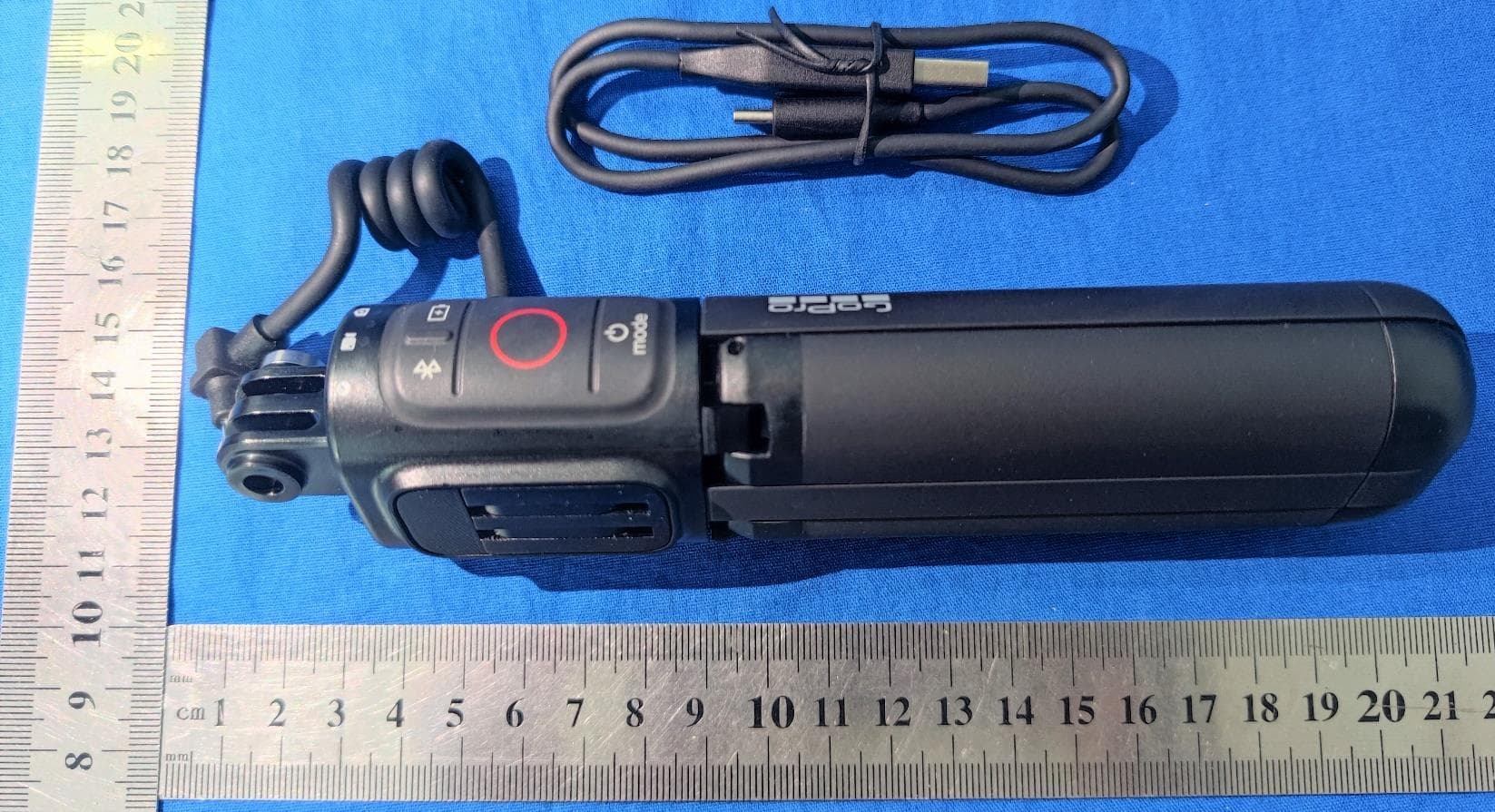
CNFACVT1
Aug 09, 2021Grip supports Bluetooth Low Energy
Equipment Class
DTS - Digital Transmission System