COW81000057Portable Stereo Sound System
Beats Electronics, LLC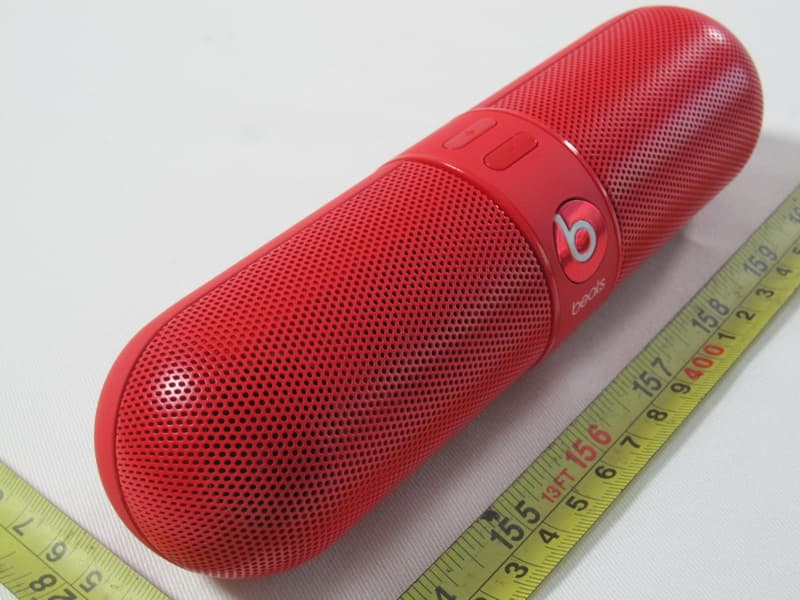
Click to zoom
Application Details
- Equipment Class
- DSS - Part 15 Spread Spectrum Transmitter
- Date of Grant
- Sep 17, 2012
- Application Purpose
- Original Equipment
- Date of Application
- Sep 13, 2012
- Equipment Note
- Portable Stereo Sound System
- Frequency Range
- 2402.00000000 - 2480.00000000
- Company
- Beats Electronics, LLC
- Country
- United States
Documents & Files
Document Text
Text extracted from the exhibit documents filed with the FCC. Open a document above to read the original.
Users Manual
BeatsPill Active Ingredients: (Portable Stereo Bluetooth Speaker) 8.5HR EN1. POWER ON/OFF To Turn on BeatsPill, firmly press and release the power button, the Beats logo will light and after a brief startup period, an audio cue will indicate the system is on. To turn Beatspill off, firmly press and release the power button. The Beats logo will fade out and an audio cue will indicate power off. 2. CONNECTED To pair Beatspill with a compatible bluetooth device for A2DP (stereo audio) and/or HFP (phone calls), press and hold the rear power button for a full 5 sec. The rear BT LED will blink WHITE rapidly, indicating that Beatspill is in pairing mode and is discoverable by a source device. Pairing mode can be cancelled by pressing the power button. Beatspill will remain in pairing mode for approx. 3 minutes. If no pair is achieved, it will enter an unconnected state and pairing mode must be reinitiated. Connected When Beatspill is successfully paired and connected to a Bluetooth device, the rear BT LED will be solid WHITE. When Beatspill is not connected to any BT device, the rear BT LED will be unlit. Beatspill can remember up to eight paired devices in its memory and will automatically try to connect with the most recently connected device , however, HFP (telephone) devices will take priority over stereo audio devices when Beatspill searches for an auto connection. Stealing If Beatspill is paired to two or more compatible devices and automatically connects to a non-preferred device, you can “steal” the connection with your preferred device by selecting “beatspill” in your devices BT list IMPORTANT SAFETY INFORMATION 1. READ these instructions. 2. KEEP these instructions. 3. HEED all warnings. 4. FOLLOW all instructions. 5. DO NOT use this apparatus near water. 6. CLEAN ONLY with dry cloth. 7. DO NOT block any ventilation openings. Install in accordance with the manufacturer’s instructions. 8. DO NOT install near any heat sources such as radiators, heat registers, stoves, or other apparatus (including amplifiers) that produce heat. 9. PROTECT the power cord from being walked on or pinched, particularly at the plugs and the point where it exits from the apparatus. 10. ONLY USE attachments/accessories specified by the manufacturer. 11. UNPLUG this apparatus during lightning storms or when unused for long periods of time. 12. DO NOT expose this apparatus to dripping or splashing and ensure that no objects filled with liquids, such as vases, are placed on the apparatus. 13. To completely disconnect this apparatus from the AC mains, disconnect the power supply cord plug from the AC receptacle. 14. The mains plug of the power supply cord shall remain readily operable. and initiating a connection. 3. AUX INPUT To play audio using the supplied 3.5mm cable, simply plug the cable into the music source device into the “audio in” jack on the Beatspill. 4. AUDIO OUT The audio output of the Beatspill can be used to connect to the line in of an alternate audio system, such as a home theater, or BeatsbyDre Beatbox. This allows the pill to act as a Bluetooth receiver for audio playback devices that do not have Bluetooth capability. When audio out jack is used, the Beatspill internal speakers will be disabled and the volume controls are also inactive. When a phone call is received while also using the audio out, audio out will be temporarily disabled and phone call functionality will be enabled on the Beatspill. 5. VOLUME When using BT or Aux in as the audio source, the Beatspill volume can be adjusted with the volume up and down buttons on the front top surface of the Beatspill. To quickly adjust the volume, press and hold the up or down volume button. *Volume buttons are disabled when Audio out is used. 6. BLUETOOTH CONTROLS Audio play and pause When listening to stereo audio wirelessly thru a connected bluetooth device (A2DP) music can be paused and un-paused by pressing the front B logo multifunction button (MFB). Phone Calls Beatspill can be used to make and receive phone calls when connected to a HFP1.6 Bluetooth compatible handset. Audio playback will be paused when a phone call is in progress. To answer a call when connected to a BT compatible handset, press the front MFB. This will accept an incoming call. To Reject an incoming call, press and hold the MFB. To Hang up a call in progress, press the front MFB. To answer an incoming call when already on a call in progress: press the front MFB. This will answer the incoming call and put the current call on hold. To Reject an incoming call when already on a call in progress: press and hold the MFB. This will reject the incoming call and current call will remain active. To switch between an active call and a call on hold: press the front MFB. Pressing again will switch back to the previous call. To Switch the audio output back to the handset instead of Beatspill: press the MFB twice quickly when on an active call. 7. CHARGING AND BATTERY To charge the Beatspill, plug the USB cable into the rear USB port and into a USB compatible power supply/ source. Charging will be indicated by a solid RED ring around the USB port. When full charge is reached, the ring around the USB port will change to solid GREEN. Battery life should be approximately 8.5 hrs at moderate listening levels. When Beatspill detects that it has 20% battery life remaining and USB cable is unplugged, USB port will blink, indicating that power source should be connected. 8. TECHNICAL SPECIFICATIONS Weight: 325g Battery Life: 8.5 hours (average at 80dB) Power Adapter Output Rating: 5Vdc, 2.1A Power Adapter Input Rating: 100-240V ~ 50/60Hz, 0.5A BeatsPill Active Ingredients: (Portable Stereo Bluetooth Speaker) 8.5HR EN1. POWER ON/OFF To Turn on BeatsPill, firmly press and release the power button, the Beats logo will light and after a brief startup period, an audio cue will indicate the system is on. To turn Beatspill off, firmly press and release the power button. The Beats logo wi…
Text truncated - open the document above for the full version.
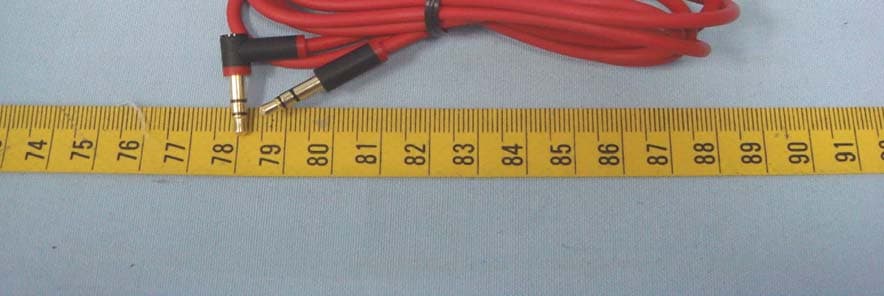
External Photos
Neutron Engineering Inc. Project No.: 1206C194 Page 2 of 18 1206C194 1206C194 Neutron Engineering Inc. Project No.: 1206C194 Page 3 of 18 1206C194 1206C194 Neutron Engineering Inc. Project No.: 1206C194 Page 4 of 18 1206C194 1206C194 Neutron Engineering Inc. Project No.: 1206C194 Page 5 of 18 1206C194 1206C194 Neutron Engineering Inc. Project No.: 1206C194 Page 6 of 18 1206C194 1206C194
Internal Photos
Neutron Engineering Inc. Project No.: 1206C194 Page 7 of 18 1206C194 1206C194 Neutron Engineering Inc. Project No.: 1206C194 Page 8 of 18 1206C194 1206C194 Neutron Engineering Inc. Project No.: 1206C194 Page 9 of 18 1206C194 1206C194 Neutron Engineering Inc. Project No.: 1206C194 Page 10 of 18 1206C194 1206C194 Neutron Engineering Inc. Project No.: 1206C194 Page 11 of 18 1206C194 1206C194 Neutron Engineering Inc. Project No.: 1206C194 Page 12 of 18 1206C194 1206C194 Neutron Engineering Inc. Project No.: 1206C194 Page 13 of 18 1206C194 1206C194 Neutron Engineering Inc. Project No.: 1206C194 Page 14 of 18 1206C194 1206C194 Neutron Engineering Inc. Project No.: 1206C194 Page 15 of 18 1206C194 1206C194 Neutron Engineering Inc. Project No.: 1206C194 Page 16 of 18 1206C194 1206C194 Neutron Engineering Inc. Project No.: 1206C194 Page 17 of 18 1206C194 1206C194 Neutron Engineering Inc. Project No.: 1206C194 Page 18 of 18 1206C194 1206C194
RF Exposure Info
Neutron Engineering Inc. FCC RF EXPOSURE REPORT FCC ID: COW81000057 Project No. : 1206C194 Equipment : Portable Stereo Sound System Model : Pill Applicant : Beats Electronics, LLC Address : 1601 Cloverfield Blvd. Suite 5000N Santa Monica, CA 90404, USA According: : FCC Guidelines for Human Exposure IEEE C95.1 Neutron Engineering Inc. No.3, Jinshagang 1st Road, ShiXia, Dalang Town, Dong Guan, China. TEL : (0769) 8318-3000 FAX : (0769) 8319-6000 Neutron Engineering Inc. MPE CALCULATION METHOD: Calculation Method of RF Safety Distance: where: S = power density P = power input to the antenna G = power gain of the antenna in the direction of interest relative to an isotropic radiator R = distance to the center of radiation of the antenna Ant. Brand name Model Name Antenna TypeConnector Gain (dBi) 1 N/A N/A PIFA AntennaN/A -1.95 TEST RESULTS EUT: Portable Stereo Sound System Model Name : Pill Temperature: 25 °C Relative Humidity: 58 % Pressure: 1009 hPa Test Voltage : AC 120V/60Hz Test Mode : CH00/ CH39 /CH78 -1Mbps Antenna Gain (dBi) Antenna Gain (numeric) Peak Output Power (dBm) Peak Output Power (mW) Power Density (S) (mW/cm 2 ) Limit of Power Density (S) (mW/cm 2 ) Te s t Result -1.95 0.6383 6.15 4.1210 0.000523541 Complies -1.95 0.6383 5.66 3.6813 0.000467681 Complies -1.95 0.6383 5.18 3.2961 0.000418751 Complies EUT: Portable Stereo Sound System Model Name : Pill Temperature: 25 °C Relative Humidity: 58 % Pressure: 1009 hPa Test Voltage : AC 120V/60Hz Test Mode : CH00/ CH39 /CH78 -3Mbps Antenna Gain (dBi) Antenna Gain (numeric) Peak Output Power (dBm) Peak Output Power (mW) Power Density (S) (mW/cm 2 ) Limit of Power Density (S) (mW/cm 2 ) Te s t Result -1.95 0.6383 5.37 3.4435 0.000437471 Complies -1.95 0.6383 4.75 2.9854 0.000379271 Complies -1.95 0.6383 4.00 2.5119 0.000319121 Complies
Test Report
Neutron Engineering Inc. Report No.: NEI-FICP-1-1206C194 Page 1 of 114 FCC/IC Radio Test Report FCC ID: COW81000057 IC: 10188A-81000057 This report concerns (check one) : Original Grant Class II Change Issued Date : Aug. 07, 2012 Project No. : 1206C194 Equipment : Portable Stereo Sound System Model Name : Pill Applicant : Beats Electronics, LLC Address : 1601 Cloverfield Blvd. Suite 5000N Santa Monica, CA 90404, USA Manufacturer : Beats Electronics, LLC Address : 1601 Cloverfield Blvd. Suite 5000N Santa Monica, CA 90404, USA Tested by: Neutron Engineering Inc. EMC Laboratory Date of Receipt: Jun. 25, 2012 Date of Test: Jun. 25, 2012 ~ Aug. 06, 2012 Testing Engineer : (David Mao) Technical Manager : (Leo Hung) Authorized Signatory : (Steven Lu) Neutron Engineering Inc. No.3,Jinshagang 1st Road, ShiXia, Dalang Town, Dong Guan, China. TEL : (0769) 8318-3000 FAX : (0769) 8319-6000 Neutron Engineering Inc. Report No.: NEI-FICP-1-1206C194 Page 2 of 114 Declaration Neutron represents to the client that testing is done in accordance with standard procedures as applicable and that test instruments used has been calibrated with the standards traceable to National Measurement Laboratory (NML) of CHINA, or National Institute of Standards and Technology (NIST) of U.S.A. Neutron's reports apply only to the specific samples tested under conditions. It is manufacture’s responsibility to ensure that additional production units of this model are manufactured with the identical electrical and mechanical components. Neutron shall have no liability for any declarations, inferences o r generalizations drawn by the client or others from Neutron issued reports. Neutron’s reports must not be used by the client to claim product endorsement by the authorities or any agency of the Government. This report is the confidential property of the client. As a mutual protection to the clients, the public and Neutron-self, extracts from the test report shall not be reproduced except in full with Neutron’s authorized written approval. Neutron’s laboratory quality assurance procedures are in compliance with the ISO Guide 17025 requirements, and accredited by the conformity assessment authorities listed in this test report. Limitation For the use of the authority's logo is limited unless the Test Standard(s)/Scope(s)/Item(s) mentioned in this test report is (are) included in the conformity assessment authorities acceptance respective. Neutron Engineering Inc. Report No.: NEI-FICP-1-1206C194 Page 3 of 114 Table of Contents Page 1 . CERTIFICATION 6 2 . SUMMARY OF TEST RESULTS 7 2.1 TEST FACILITY 8 2.2 MEASUREMENT UNCERTAINTY 8 3 . GENERAL INFORMATION 9 3.1 GENERAL DESCRIPTION OF EUT 9 3.2 DESCRIPTION OF TEST MODES 11 3.3 TABLE OF PARAMETERS OF TEXT SOFTWARE SETTING 11 3.4 BLOCK DIGRAM SHOWING THE CONFIGURATION OF SYSTEM TESTED 12 3.5 DESCRIPTION OF SUPPORT UNITS 13 4 . EMC EMISSION TEST 14 4.1 CONDUCTED EMISSION MEASUREMENT 14 4.1.1 POWER LINE CONDUCTED EMISSION LIMITS 14 4.1.2 MEASUREMENT INSTRUMENTS LIST AND SETTING 14 4.1.3 TEST PROCEDURE 15 4.1.4 DEVIATION FROM TEST STANDARD 15 4.1.5 TEST SETUP 15 4.1.6 EUT OPERATING CONDITIONS 15 4.1.7 TEST RESULTS 16 4.2 RADIATED EMISSION MEASUREMENT 18 4.2.1 RADIATED EMISSION LIMITS 18 4.2.2 MEASUREMENT INSTRUMENTS LIST ANS SETTING 19 4.2.3 TEST PROCEDURE 20 4.2.4 DEVIATION FROM TEST STANDARD 20 4.2.5 TEST SETUP 21 4.2.6 EUT OPERATING CONDITIONS 22 4.2.7 TEST RESULTS (BELOW 30MHZ) 23 4.2.8 TEST RESULTS (BETWEEN30 – 1000 MHZ) 24 4.2.9 TEST RESULTS (ABOVE 1000 MHZ) 32 5 . NUMBER OF HOPPING CHANNEL 68 5.1 APPLIED PROCEDURES / LIMIT 68 5.1.1 MEASUREMENT INSTRUMENTS LIST AND SETTING 68 5.1.2 TEST PROCEDURE 68 5.1.3 DEVIATION FROM STANDARD 68 5.1.4 TEST SETUP 68 5.1.5 EUT OPERATION CONDITIONS 68 5.1.6 TEST RESULTS 69 Neutron Engineering Inc. Report No.: NEI-FICP-1-1206C194 Page 4 of 114 Table of Contents Page 6 . AVERAGE TIME OF OCCUPANCY 71 6.1 APPLIED PROCEDURES / LIMIT 71 6.1.1 MEASUREMENT INSTRUMENTS LIST 71 6.1.2 TEST PROCEDURE 71 6.1.3 DEVIATION FROM STANDARD 71 6.1.4 TEST SETUP 72 6.1.5 EUT OPERATION CONDITIONS 72 6.1.6 TEST RESULTS 73 7 . HOPPING CHANNEL SEPARATION MEASUREMENT 85 7.1 APPLIED PROCEDURES / LIMIT 85 7.1.1 MEASUREMENT INSTRUMENTS LIST AND SETTING 85 7.1.2 TEST PROCEDURE 85 7.1.3 DEVIATION FROM STANDARD 85 7.1.4 TEST SETUP 85 7.1.5 EUT OPERATION CONDITIONS 85 7.1.6 TEST RESULTS 86 8 . BANDWIDTH TEST 90 8.1 APPLIED PROCEDURES / LIMIT 90 8.1.1 MEASUREMENT INSTRUMENTS LIST AND SETTING 90 8.1.2 TEST PROCEDURE 90 8.1.3 DEVIATION FROM STANDARD 90 8.1.4 TEST SETUP 90 8.1.5 EUT OPERATION CONDITIONS 90 8.1.6 TEST RESULTS 91 9 . PEAK OUTPUT POWER TEST 95 9.1 APPLIED PROCEDURES / LIMIT 95 9.1.1 MEASUREMENT INSTRUMENTS LIST AND SETTING 95 9.1.2 TEST PROCEDURE 95 9.1.3 DEVIATION FROM STANDARD 95 9.1.4 TEST SETUP 95 9.1.5 EUT OPERATION CONDITIONS 95 9.1.6 TEST RESULTS 96 10 . ANTENNA CONDUCTED SPURIOUS EMISSION 100 10.1 APPLIED PROCEDURES / LIMIT 100 10.1.1 MEASUREMENT INSTRUMENTS LIST AND SETTING 100 10.1.2 TEST PROCEDURE 100 10.1.3 DEVIATION FROM STANDARD 100 10.1.4 TEST SETUP 100 10.1.5 EUT OPERATION CONDITIONS 100 10.1.6 TEST RESULTS 101 Neutron Engineering Inc. Report No.: NEI-FICP-1-1206C194 Page 5 of 114 Table of Contents Page 11 . EUT TEST PHOTO 113 Neutron Engineering Inc. Report No.: NEI-FICP-1-1206C194 Page 6 of 114 1. CERTIFICATION Equipment : Portable Stereo Sound System Brand Name : Beats by Dr. Dre Model Name : Pill Applicant : Beats Electronics, LLC Factory : Premium Loudspeakers (Huizhou) Co., Ltd Address : Tymphany Industrial Area Xinlian Village, Xinxu Tow, Huizhou City, Guangdong, P.R China Date of Test : Jun. 25, 2012 ~ Aug. 06, 2012 Test Item : ENGINEERING SAMPLE Standards : FCC Part15, Subpart C(15.247) / ANSI C63.4 : 2009 FCC Public Notice DA 00-705, March 30, 2000. Canada RSS-210:2010 The above equipment has been tested and found compliance with the requirement of the relative standards by Neutron Engineering Inc. EMC Laboratory. The test data, data evaluation, an…
Text truncated - open the document above for the full version.
Test Setup Photos
Neutron Engineering Inc. Report No.: NEI-FICP-1-1206C194 Page 113 of 114 11. EUT TEST PHOTO Conducted Measurement Photos Neutron Engineering Inc. Report No.: NEI-FICP-1-1206C194 Page 114 of 114 Radiated Measurement Photos
Contact Information
Applicant
Chuong Nguyen
Technical Contact
Test Firm
BTL Inc.Daisy Dai
Technical Specifications
| # | Rule Parts | Frequency Range | Power Output |
|---|---|---|---|
| 1 | 15C | 2.40 GHz - 2.48 GHz | 4.00 mW |
Other Applications from Beats Electronics, LLC
COWB0501
Sep 29, 2013Studio Wireless
Equipment Class
DTS - Digital Transmission System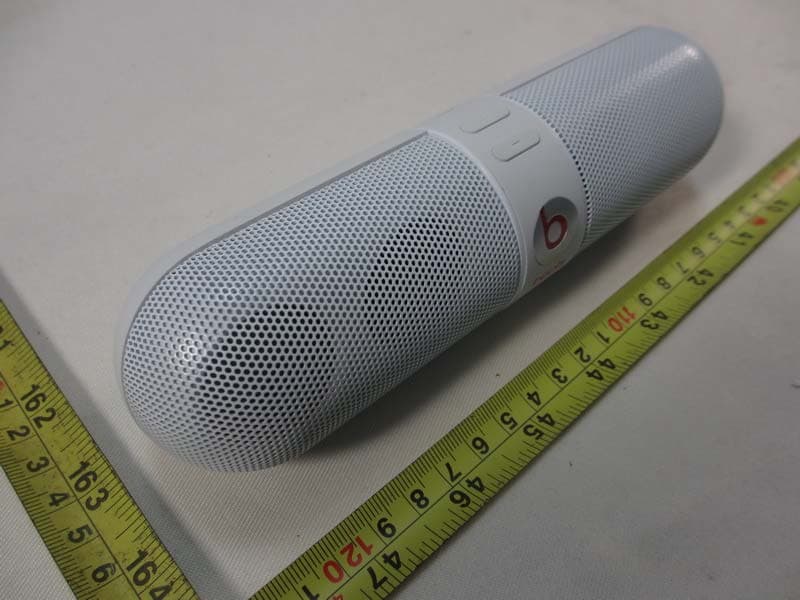
COWB0513
Aug 04, 2013Portable Bluetooth Speaker
Equipment Class
DXX - Part 15 Low Power Communication Device Transmitter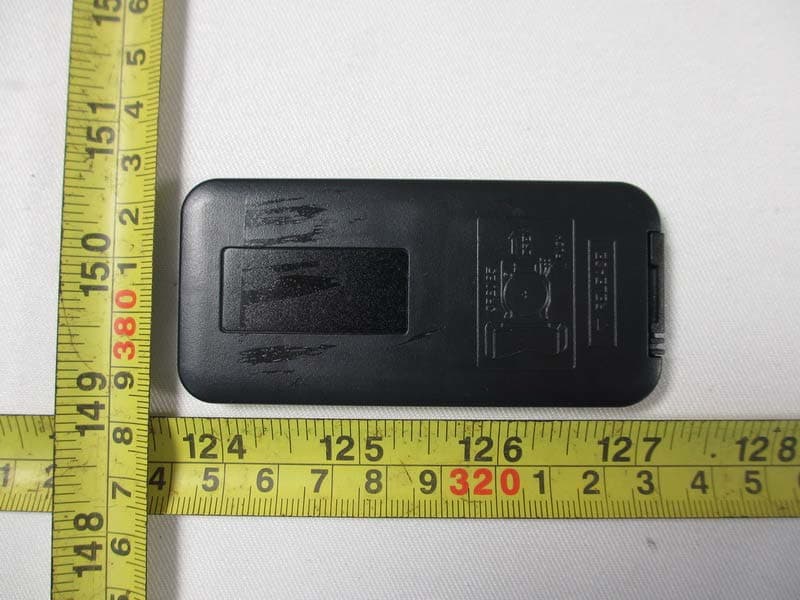
COW81000015
Dec 19, 2012Portable Stereo Sound System with custom color
Equipment Class
DSS - Part 15 Spread Spectrum Transmitter
COW81000071
Dec 13, 2012Portable Stereo Sound System with USB Port
Equipment Class
DSS - Part 15 Spread Spectrum Transmitter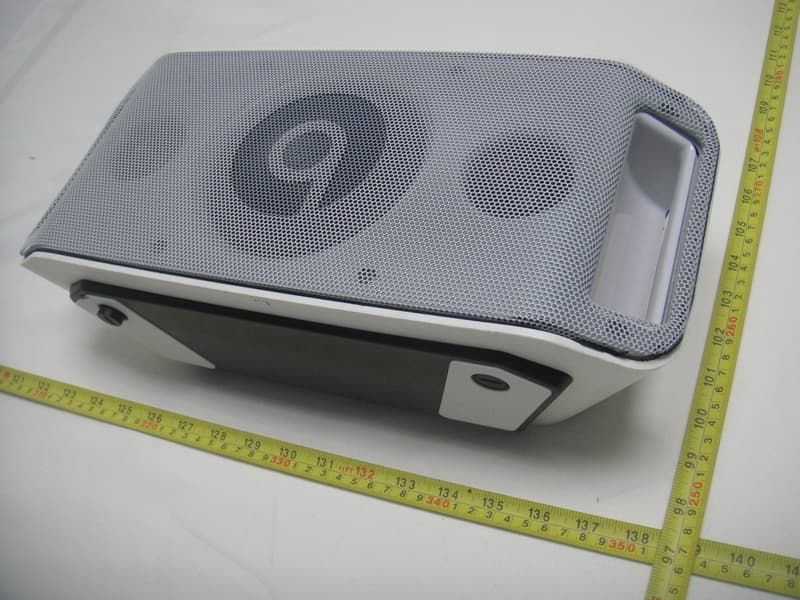
COW81000052
Jun 17, 2012Portable Stereo Sound System
Equipment Class
DSS - Part 15 Spread Spectrum Transmitter