F3JMX1111800 MHz CDMA/AMPS Cellular Phone,Model MX-1111
Midland Radio Corporation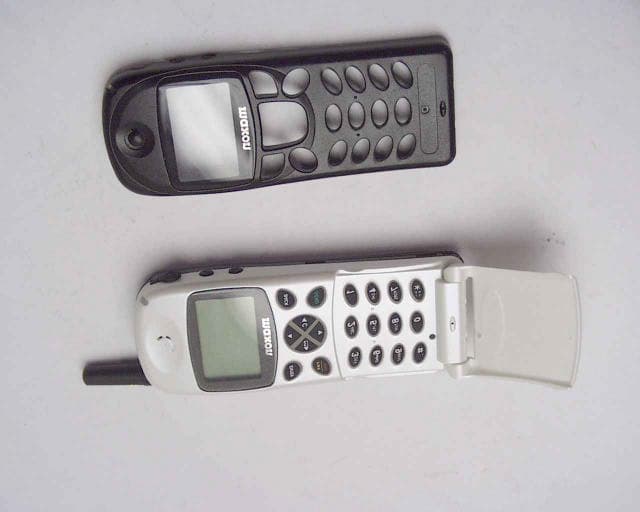
Click to zoom
Application Details
- Equipment Class
- TNE - Licensed Non-Broadcast Transmitter Held to Ear
- Date of Grant
- Feb 14, 2001
- Application Purpose
- Original Equipment
- Date of Application
- Jun 27, 2000
- Equipment Note
- 800 MHz CDMA/AMPS Cellular Phone,Model MX-1111
- Frequency Range
- 824.00000000 - 849.00000000
- Company
- Midland Radio Corporation
- Country
- United States
Documents & Files
Document Text
Text extracted from the exhibit documents filed with the FCC. Open a document above to read the original.
Users Manual
nautomatic digital/analog network mode n199 name and number memory n56 X 105 full graphic display neasy to use feature menu nsupports voice mail alert and calling number identification ncall timers none - touch dialing nscratch pad nin call budget timer ncall list and missed call indicator nown number display nSMS ( short message service ) support nDTMF tones ndimensions 115 X 45 X 17.8mm nflip type design Issue:Draft 6/00 800Mhz Cellular Dual Mode M X - 1 1 1 1 A n t e n n a . Buzzer for ringing signal. Ear piee. Visual Alert indicator. Hands free jack. Volume adjustment. M i c r o p o n e Contents Introduction Security Safety The Networks Getting Started Making Calls Customizing The Feature Menu The Phone Book The Data/Fax Services Network Features Troubleshooting Glossary Accessories Index 2 10.2 2 1 3 5 4 6 7 8 10 9 11 13 12 14 15 (Flip not shown for carity) Digital mode indicator. Analog Mode indicator. Service available. No service. Battery power level. Signal strength indicator. Mail indicator. Roam indicator. Alarm mode indicator. Go back to previous menu or Clear entry or exit a feature. Select menu or set current feature and exit. Dial a displayed number. Power On/Off plus End a call and exit feature menu. Clear entry or Go back to previous menu or Exit a feature. Select menu or access Mails. Scroll up or Upward search. Scroll down or Downward search. Display Icon’s: 2 2.1 Security If your phone is lost or stolen, you must report it to your network operator or service provider so that they can restrict the phone from use. This is important, as you may be liable for the cost of unauthorized calls until the equipment is restricted. You can help prevent mobile phone crime by taking the following precautions: - set the phone in lock mode. - set call restrictions. - don’t leave your phone visible in a vehicle when you leave it. Take the phone with you or lock it in the trunk or glove compartment of your car. Introduction Congratulations on choosing the Maxon MX-1111 dual Mode Cellular mobile phone. The MX-1111 Phone has been designed to operate on both the digital CDMA Cellular network and the analog AMPS network. To help you understand the features of the MX-1111 and how it operates on a cellular networks, we have included a glossary of common terms in Section 13 of this guide and have provided information about the cellular networks on pages 4.1 and 5.7. Your mobile phone is intended for use with the supplied rechargeable battery, charger and any of the approved accessories shown in section 14 of this user guide. Usage of devices and accessories not approved for this unit may invalidate any approval given to this equipment and may be dangerous. The MX-1111 conforms to IS-95A, IS-96A and IS-98 A standards for cellular dual mode mobile phones. Maxon reserves the right to make changes and improvements to any of the products described in this guide without prior notice. 1 1.1 Battery Use nDo not short-circuit the battery terminals. This will damage the battery, produce heat and may cause a fire nNever dispose of batteries in a fire as it can cause them to explode. Return dead batteries to your supplier or an approved recycling centre. DO NOT dispose along with household waste W A R N I N G :If the battery case breaks, avoid contact with the contents. Wash contaminated skin with lots of water and seek medical attention. On the Road nBefore making or receiving calls acquaint yourself thoroughly with the applicable local laws and guidelines regarding the use of mobile radio telephones and observe them at all times nAir safety bags, anti-lock brakes, speed control and fuel injection systems are normally immune to radio transmissions but if you experience problems, consult your vehicle dealer. nSwitch off your mobile phone when refueling or where there are signs restricting the use of 2-way radio equipment. Do not store or carry flammable or explosive materials in the same compartment as your mobile phone, internal sparks could cause ignition. Inside Aircraft nSwitch off your mobile phone when in an aircraft. The use of mobile phones in an aircraft may be dangerous to the operation of the aircraft, disrupt the cellular network and is illegal. Safety Personal nOperation of any radio equipment including mobile phones, may interfere with the function of inadequately shielded medical devices such as hearing aids and pacemakers. You must consult the manufacturer of these device or your physician, before use nDo not switch on your mobile phone in hospitals (unless areas where mobiles can be used are clearly marked) as mobile phone can cause interference to medical equipment. nObserve restrictions on the use of radio equipment in fuel depots, chemical plants, in areas where explosive gases are present or where blasting operations are in progress. Your mobile phone will continue to transmit call responses if left in stand-by mode. You must switch off when requested to do so nDo not move the antenna close to, or touching any exposed part of the body when making a call, a damaged antenna may cause a minor burn Mobile Phone Use nYour mobile phone produces magnetic fields. Do not place next to magnetic storage media such as computer diskettes, credit cards. nOperating your mobile phone close to other electrical equipment such as televisions, phones, radios and personal computers, may cause interference nDo not expose your mobile phone to strong sunlight, direct heat or liquids (such as water) 3 3.1 3 3.2 Getting Started Read this section before attempting to use your phone. It tells you how to attach, charge and care for the phone’s battery. We have also included information about the wake-up and stand-by screen displays, how to turn the phone ON and OFF, and what to do if you are having difficulty in connecting to a network. The Battery5.1 Fully Charge The Battery5.1 Attaching and Removing the Battery5.1 Charging the Battery5.1 Battery Performance5.3 Battery Power Level5.3 Usable TIme for Battery5.3 …
Text truncated - open the document above for the full version.
Users Manual
M X - 1 1 1 1 nautomatic digital/analog network mode n199 name and number memory n56 X 105 full graphic display neasy to use feature menu nsupports voice mail alert and calling number identification ncall timers none - touch dialing nscratch pad nin call budget timer ncall list and missed call indicator nown number display nSMS ( short message service ) support nDTMF tones ndimensions 115 X 45 X 17.8mm nflip type design Issue:Draft 6/009 3 7 6 4 4 800Mhz Cellular Dual Mode A n t e n n a . Buzzer for ringing signal. Ear piece. Visual alert indicator. Hands free jack. Volume adjustment. M i c r o p h o n e Accessory socket Contents Introduction Security Safety The Networks Getting Started Making Calls Customizing The Feature Menu The Phone Book The Data/Fax Services Network Features Troubleshooting Glossary Accessories Index 2 10.2 2 1 3 5 4 6 7 8 10 9 11 13 12 14 15 Digital mode indicator. Analog Mode indicator. Service available. No service. Battery power level. Signal strength indicator. Mail indicator. Roam indicator. Alarm mode indicator. Keypad lock V i b r a t o r Go back to previous menu or Clear entry or exit a feature. Select menu or set current feature and exit. Dial a displayed number. Power On/Off plus End a call and exit feature menu. Clear entry or Go back to previous menu or Exit a feature. Select menu or access Mails. Scroll up or Upward search. Scroll down or Downward search. Display Icon’s: 2 2.1 Security If your phone is lost or stolen, you must report it to your network operator or service provider so that they can restrict the phone from use. This is important, as you may be liable for the cost of unauthorized calls until the equipment is restricted. You can help prevent mobile phone crime by taking the following precautions: - set the phone in lock mode. - set call restrictions. - don’t leave your phone visible in a vehicle when you leave it. Take the phone with you or lock it in the trunk or glove compartment of your car. Introduction Congratulations on choosing the Maxon MX-1111 dual Mode mobile phone. The MX-1111 has been designed to operate on both the digital CDMA Cellular network and the analog AMPS network. To help you understand the features of the MX-1111 and how it operates on a cellular networks, we have included a glossary of common terms in Section 13 of this guide and have provided information about the cellular networks in sections 4.1 (page 12) and 5.7 (page 20). Your mobile phone is intended for use with the supplied rechargeable battery, charger and any of the approved accessories shown in section 14 of this user guide. Usage of devices and accessories not approved for this unit may invalidate any approval given to this equipment and may be dangerous. The MX-1111 conforms to IS-95B and IS-98B standards for cellular dual mode mobile phones. Maxon reserves the right to make changes and improvements to any of the products described in this guide without prior notice. 1 1.1 Battery Use nDo not short-circuit the battery terminals. This will damage the battery, produce heat and may cause a fire nNever dispose of batteries in a fire as it can cause them to explode. Return dead batteries to your supplier or an approved recycling center. DO NOT dispose along with household waste W A R N I N G :If the battery case breaks, avoid contact with the contents. Wash contaminated skin with lots of water and seek medical attention. On the Road nBefore making or receiving calls acquaint yourself thoroughly with the applicable local laws and guidelines regarding the use of mobile radio telephones and observe them at all times nAir safety bags, anti-lock brakes, speed control and fuel injection systems are normally immune to radio transmissions but if you experience problems, consult your vehicle dealer. nSwitch off your mobile phone when refueling or where there are signs restricting the use of 2-way radio equipment. Do not store or carry flammable or explosive materials in the same compartment as your mobile phone, internal sparks could cause ignition. Inside Aircraft nThis model phone meets the government’s requirements for exposure to radio waves. nYour wireless phone is a radio transmitter and receiver. If is designed and manufactured not to exceed the emission limits f or exposure to radiofrequency(RF) energy set by Federal Communications Commission of the U.S. Government. Safety Personal nOperation of any radio equipment including mobile phones, may interfere with the function of inadequately shielded medical devices such as hearing aids and pacemakers. You must consult the manufacturer of these device or your physician, before use nDo not switch on your mobile phone in hospitals (unless areas where mobiles can be used are clearly marked) as mobile phone can cause interference to medical equipment nObserve restrictions on the use of radio equipment in fuel depots, chemical plants, in areas where explosive gases are present or where blasting operations are in progress. Your mobile phone will continue to transmit call responses if left in stand-by mode. You must switch off when requested to do so nDo not move the antenna close to, or touch any exposed part of the body when making a call. Mobile Phone Use nMobile phones produce magnetic fields. Do not place next to magnetic storage media such as computer diskettes, credit cards nOperating your mobile phone close to other electrical equipment such as televisions, phones, radios and personal computers, may cause interference nDo not expose your mobile phone to strong sunlight, direct heat or liquids (such as water) 3 3.1 3 3.2 3 3.4 various positions, they all meet the government r e q u i r e m e n t nThe FCC has granted an Equipment Authorization for this model phone with all reported SAR levels evaluated as in compliance with the FCC RF emission guidelines. SAR information on this model phone is on file with the FCC and can be found under the Display Grant section of h t t p : / / w w w . f c c . g o v / o e t / f c…
Text truncated - open the document above for the full version.
Users Manual
M X - 1 1 1 1 nautomatic digital/analog network mode n199 name and number memory n56 X 105 full graphic display neasy to use feature menu nsupports voice mail alert and calling number identification ncall timers none - touch dialing nscratch pad nin call budget timer ncall list and missed call indicator nown number display nSMS ( short message service ) support nDTMF tones ndimensions 115 X 45 X 17.8mm nflip type design Issue:Draft 6/009 3 7 6 4 4 800Mhz Cellular Dual Mode A n t e n n a . Buzzer for ringing signal. Ear piece. Visual alert indicator. Hands free jack. Volume adjustment. M i c r o p h o n e Accessory socket Contents Introduction Security Safety The Networks Getting Started Making Calls Customizing The Feature Menu The Phone Book The Data/Fax Services Network Features Troubleshooting Glossary Accessories Index 2 10.2 2 1 3 5 4 6 7 8 10 9 11 13 12 14 15 Digital mode indicator. Analog Mode indicator. Service available. No service. Battery power level. Signal strength indicator. Mail indicator. Roam indicator. Alarm mode indicator. Keypad lock V i b r a t o r Go back to previous menu or Clear entry or exit a feature. Select menu or set current feature and exit. Dial a displayed number. Power On/Off plus End a call and exit feature menu. Clear entry or Go back to previous menu or Exit a feature. Select menu or access Mails. Scroll up or Upward search. Scroll down or Downward search. Display Icon’s: 2 2.1 Security If your phone is lost or stolen, you must report it to your network operator or service provider so that they can restrict the phone from use. This is important, as you may be liable for the cost of unauthorized calls until the equipment is restricted. You can help prevent mobile phone crime by taking the following precautions: - set the phone in lock mode. - set call restrictions. - don’t leave your phone visible in a vehicle when you leave it. Take the phone with you or lock it in the trunk or glove compartment of your car. Introduction Congratulations on choosing the Maxon MX-1111 dual Mode mobile phone. The MX-1111 has been designed to operate on both the digital CDMA Cellular network and the analog AMPS network. To help you understand the features of the MX-1111 and how it operates on a cellular networks, we have included a glossary of common terms in Section 13 of this guide and have provided information about the cellular networks in sections 4.1 (page 12) and 5.7 (page 20). Your mobile phone is intended for use with the supplied rechargeable battery, charger and any of the approved accessories shown in section 14 of this user guide. Usage of devices and accessories not approved for this unit may invalidate any approval given to this equipment and may be dangerous. The MX-1111 conforms to IS-95B and IS-98B standards for cellular dual mode mobile phones. Maxon reserves the right to make changes and improvements to any of the products described in this guide without prior notice. 1 1.1 Battery Use nDo not short-circuit the battery terminals. This will damage the battery, produce heat and may cause a fire nNever dispose of batteries in a fire as it can cause them to explode. Return dead batteries to your supplier or an approved recycling center. DO NOT dispose along with household waste W A R N I N G :If the battery case breaks, avoid contact with the contents. Wash contaminated skin with lots of water and seek medical attention. Recycling/Disposal of Batteries nThe U.S. Environmental Protection Agency (EPA) classifies used Ni-Cd batteries as hazardous waste, unless certain exemptions apply. nThe battery should be recycled at the end of its useful life. Under various state and local laws, such batteries must be recycled or disposed of properly and cannot be dumped in landfills or incinerators. Maxon America, Inc. fully endorses and encourages the recycling of Ni-Cd batteries. nA national program to collect and recycle used Ni-Cd batteries has been implemented by the Rechargeable Battery Recycling Corporation (RBRC T M ). This program is being funded through the use of license fees paid by the battery and product manufacturers to place the R B R C TM Seal on the batteries. Following is a partial list of facilities where the batteries can be shipped to be recycled. Contact these facilities for proper packaging and shipping guidelines. Safety Personal nOperation of any radio equipment including mobile phones, may interfere with the function of inadequately shielded medical devices such as hearing aids and pacemakers. You must consult the manufacturer of these device or your physician, before use nDo not switch on your mobile phone in hospitals (unless areas where mobiles can be used are clearly marked) as mobile phone can cause interference to medical equipment nObserve restrictions on the use of radio equipment in fuel depots, chemical plants, in areas where explosive gases are present or where blasting operations are in progress. Your mobile phone will continue to transmit call responses if left in stand-by mode. You must switch off when requested to do so nDo not move the antenna close to, or touch any exposed part of the body when making a call. Mobile Phone Use nMobile phones produce magnetic fields. Do not place next to magnetic storage media such as computer diskettes, credit cards nOperating your mobile phone close to other electrical equipment such as televisions, phones, radios and personal computers, may cause interference nDo not expose your mobile phone to strong sunlight, direct heat or liquids (such as water) 3 3.1 3 3.2 INMETCO 245 Portersville Road Ellwood City, PA 16117 TEL: (724) 758-2800 FAX: (724) 758-2845 Kinsbursky Brothers Inc. 1314 N. Lemon Street Anaheim, CA 92801 TEL: (714) 738-8516 (800) 548-8797 FAX: (714) 441-0857 3 3.4 standard operating positions specified by the FCC with the phone transmitting at its highest certified power level in all tested frequency bands. Although the SAR is determined at the highest certified power level, the actu…
Text truncated - open the document above for the full version.
Cover Letter(s)
UltraTech Group of Labs July 21, 2000 FEDERAL COMMUNICATIONS COMMISSION 7435 Oakland Mills Road Columbia, MD 21046 USA Subject:Type Acceptance Application under FCC CFR 47, Parts 2 and 22 (Subpart H) - Cellular RadioTelephone Service in the frequency bands 824-849 MHz . Applicant:Maxon America Inc. Product:800 MHz CDMA/AMPS Cellular Phone Model:MX-1111 FCC ID:F3JMX1111 Dear Sir/Madam, As appointed agent for Maxon America Inc., we would like to apply for the Certification for the above product under FCC Part 22. Our test report covers the 2 modes of operations, Analogue and Wideband Digital. Tests for CDMA mode of operation were performed by Maxon and the test report is submitted in a different file. The FCC certification fee in the amount of US 475.00 has been submitted to Mellon Bank. If you have any queries, please do not hesitate to contact us by our TOLL FREE numbers: OUR TELEPHONE NO.:1-877-765-4173 Yours truly, Tri Minh Luu, P. Eng., V.P., Engineering TML/AK Encl. 2 3000 Bristol Circle, Oakville, Ontario, Canada L6H 6G4 Telephone (905) 829-1570 Facsimile (905) 829-8050 Website: www.ultratech-labs.com Email: [email protected] 2 3000 Bristol Circle, Oakville, Ontario, Canada L6H 6G4 Telephone (905) 829-1570 Facsimile (905) 829-8050 Website: www.ultratech-labs.com Email: [email protected] July 21, 2000 Maxon America Inc. 10828 NW AirWorld Drive, Suite 218 Kansas, MO USA, 64153 Attn.:Mr. Roger Bisby Subject:Certification Testing in accordance with FCC CFR 47, Parts 2 and 22 (Subpart H) - Cellular RadioTelephone Service in the frequency bands 824-849 MHz . Product:800 MHz CDMA/AMPS Cellular Phone Model:MX-1111 FCC ID:F3JMX1111 Dear Mr. Bisby, The product sample has been tested in accordance with FCC CFR 47, Parts 2 and 22 (Subpart H) - Cellular RadioTelephone Service in the frequency bands 824- 849 MHz , and the results and observation were recorded in the engineering report, Our File No.: MXA-002F22 Enclosed you will find copies of the engineering report. If you have any queries, please do not hesitate to contact us. Yours truly, Tri Minh Luu, P.Eng Vice President - Engineering Encl. UltraTech Group of Labs
Cover Letter(s)
Federal Communications Commission 7435 Oakland Mills Road Columbia, MD. 21046 25 July 2000 To whom it may concern; Maxon hereby certifies that the Cellular Subscriber unit, Model MX-1111 Complies with FCC OST 53 pursuant to 47 CFR 22.915. Furthermore, in conjunction with 47 CFR 22.919, Electronic Serial Number (ESN), and the protection requirements contained therein, the MX-1111 Complies with all provisions. Pursuant to 47 CFR 22.919 The Enhanced 911 (E 911) requirements are satisfied by the A / B method. Whereas, if poor or no service is available on the "A" system that has service provisioned, the unit will seek a control channel in the "B" carriers system for E 911 dialing. Sincerely, Roger R. Bisby Staff Engineer Maxon America, Inc. 10828 N.W. Air World Dr. Kansas City, MO. 64153-1238 816-891-3434 Ext. 721 816-891-8815 Fax. [email protected]
Cover Letter(s)
2 3000 Bristol Circle, Oakville, Ontario, Canada L6H 6G4 Telephone (905) 829-1570 Facsimile (905) 829-8050 Website: www.ultratech-labs.com Email: [email protected] UltraTech Group of Labs Oct. 06,2000 Federal Communications Commission Attention: Mr. Frank Coperich Ref.:FCC ID: F3JMX1111 Correspondence Reference Number: 15560 731 Confirmation No.:EA98047 Dear Mr. Coperich, We finally got all the correction in the User’s Manual from the manufacturer per your request. Please the revised manual in the users manual folder. This concerns your questions and request for the above reference application: (1) On our EMC test report, the technician (Hung) measured the power as 27 dBm (0.5 W) at lowest channel frequency, 26.6 dBm at the middle channel frequency and 24.8 dBm at the highest channel frequency. In the SAR test, the other technician (Jay) measured the RF power only in the middle channel frequency as 26.5 dBm. The error between 2 technician is only 0.1 dB which is within an acceptable tolerance. In fact, the SAR technician should record the maximum power level of 0.5 Watts since both technicians test on the same radio sample. The SAR tests were performed with lowest, middle and highest channel frequencies which shall cover all variation of power through out the band. Remark:As matter of fact, the SAR tests were performed with the original rf output power programmed at 0.65 Watts, but it failed at this power rating. Therefore, the manufacturer decided to drop the rf output power so that it passed at the smallest margin as shown. In CDMA and AMPS mode, the average power is dropped down because of the characteristics of modulation. Maxon has ERP power measured at Hyak Laboratories (Springfield, VA, USA) and the test results provided are as follows: Channel FrequencyERP Measurements 824.9750 MHz23.31 dBm or 214.3 mW 836.4951 MHz23.37 dBm or 217.3 mW 848.9940 MHz23.23 dB m or 210.4 mW (2) Attached in the Test Report folder, please find the SAR test report and data with body tissue for EUT with the body worn carry case. Test was found to comply. (3) Please find attached the page #5 of the revised User’s Manual with warning for body- worn SAR compliance applicable to this specific leather case only. (4) At this present time, only one battery is available. Therefore, other batteries can not be tested. The manufacturer has removed the other optional batteries from the Revised User’s Manual. (5) This retractable antenna was tested for SAR before the submission to FCC. But it was found to exceed the SAR limit. The manufacturer decided not to supply this antenna with the EUT. Therefore, it shall be also removed from all advertising literature, users’ manual and ant technical description materials. Best Regards Tri Luu, P.Eng. Vice President of Engineering
Cover Letter(s)
2 3000 Bristol Circle, Oakville, Ontario, Canada L6H 6G4 Telephone (905) 829-1570 Facsimile (905) 829-8050 Website: www.ultratech-labs.com Email: [email protected] UltraTech Group of Labs Dec.14, 2000 FEDERAL COMMUNICATIONS COMMISSION 7435 Oakland Mills Road Columbia, MD 21046 USA Attention:Mr. Frank Coperich, Ref.:FCC ID: F3JMX1111, 731 Confirmation Number: EA98047 Correspondence Number: 17329 Applicant:MAXOM AMERICA Dear Mr. Coperich, This concerns your questions and request in the correspondence#: 17329 ß Answer to your question number #1: a) In fact there is no much change in the power at all as per our earlier explanation. The SAR tests were conducted with the same test sample and same type of battery (battery is fully charged). The variation of power measurement in within 1 dB error is considered to be normal due to accuracy of measurement method and thermal condition of the radio. I do not think that the rf power measurement can be always accurate with different time of measurements, there always be some uncertainty error. b) We used the tissue specified in “the Tissue Dielectric Properties CGI software, based on the 4-Cole-Cole Analysis in - Compilation of the Dielectric Properties of Body Tissues at RF and Microwave Frequencies by Camelia Gabriel” listed in the FCC’s web site (http://www.fcc.gov/fcc-bin/dielec.sh) because the IEEE SC34 Draft (Nov. 2000) was not available at the time we conducted the tests. Now we have a copy and it will be referenced to this reference standard. We wish you can accept the uncertainty of the rf output power measurements within this very reasonable error (from 0.5 dB to 1.1 dB). The fact Maxon has been repeated this many time with us with the power reduction for compliance with SAR limits in the worst case. We would like to ask you to accept this power level for compliance with SAR test without further reduction of the rf output power and re-tests. If Maxom has to reduce the rf output power, please advise how much power you suggest them to reduce, 0.5 dB or 1 dB? Is it necessary to repeat the SAR tests afetrreduction of rf output power. ß Answer to your question number #2 Our SAR test result submitted to FCC was the worst case after careful prescans with all possible orientations. After prescans it was found that the worst case is when the antenna tip touched the body phantom . The final measurements were than performed with the worst position. According to our test engineer’s record, the highest SAR result with the leather holster flat against the body phantom is 0.299 W/Kg which is not the worst case since the antenna tip would not touch the phantom. 2 3000 Bristol Circle, Oakville, Ontario, Canada L6H 6G4 Telephone (905) 829-1570 Facsimile (905) 829-8050 Website: www.ultratech-labs.com Email: [email protected] UltraTech Group of Labs ß Answer to your question number #3 The answer for this would be the same as #2, after orientation the worst case was found is when the antenna tip touched the body phantom. If we placed the leather holster flat against the body phantom and does not matter which side facing to the phantom, the SAR reading is very low (highest is 0.299 W/Kg). Please consider our request for not repeating this configuration since it has already been pre-scanned and found that was not the worst case. Answer to your question number #4 Customer will work on this with the manufacturer in Korea. I know that the manual will be an issue to hold back the certification. But would you please respond to me with all concerns about the acceptance of our requests on items # 1 to #3. Thanks. Your promptness regarding to this matter is very much appreciated since this application has been delayed for over 6 months and our client has been bearing lots of his patience with us. I think will be our history record of how long it takes. Mr. Coperich, we wish you, your family and all of your colleagues at FCC a very merry Christmas and a very good year to come. Tri M.Luu, P.Eng. Authorized Agent Ultratech Engineering Labs Inc.
External Photos
EXHIBIT 11 - External Photos of the EUTFCC ID: F3JMX111 Photo #1 EXHIBIT 11 - External Photos of the EUTFCC ID: F3JMX111 Photo #2 EXHIBIT 11 - External Photos of the EUTFCC ID: F3JMX111 Photo #3
ID Label/Location Info
MX-1111 FCC Label.
ID Label/Location Info
LOCATION OF FCC & IC LABEL FCC/IC ID Label
Internal Photos
EXHIBIT 12 - Internal Photos of the EUTFCC ID: F3JMX111 Photo #1 EXHIBIT 12 - Internal Photos of the EUTFCC ID: F3JMX111 Photo #2 EXHIBIT 12 - Internal Photos of the EUTFCC ID: F3JMX111 Photo #3 EXHIBIT 12 - Internal Photos of the EUTFCC ID: F3JMX111 Photo #4 EXHIBIT 12 - Internal Photos of the EUTFCC ID: F3JMX111 Photo #5 EXHIBIT 12 - Internal Photos of the EUTFCC ID: F3JMX111 Photo #6 EXHIBIT 12 - Internal Photos of the EUTFCC ID: F3JMX111 Photo #7 EXHIBIT 12 - Internal Photos of the EUTFCC ID: F3JMX111 Photo #8 EXHIBIT 12 - Internal Photos of the EUTFCC ID: F3JMX111 Photo #9 EXHIBIT 12 - Internal Photos of the EUTFCC ID: F3JMX111 Photo #10 EXHIBIT 12 - Internal Photos of the EUTFCC ID: F3JMX111 Photo #11
Operational Description
MX-1110/1111 CIRCUIT DESCRIPTION & THEORY OF OPERATION Product Description: MX-1110/1111 Wireless Local Loop The function of the MX-1110/1111 is to provide a wire-free interface between a Telephone Service Provider and the telephone wiring in a home or business. Up to 4 Telephones (or equivalent telephone-like loads) may be connected through up to 1000 Feet (~300 meters) of wire to the MX-1110/1111 to support a single-line (single phone number) telephone service. The MX-1110/1111 interfaces to the Public Switched Telephone Network (PSTN) via the 800E MHz CDMA Cellular Phone Interface per IS- 95A. The MX-1110/1111 provides all features associated with a standard ‘Plain Old Telephone System’ (POTS), plus Enhanced Features including the following: Telephone Battery Voltage (-60 to -68VDC), Telephone RINGING Voltages (40 Vrms minimum), Call Progress Signaling (Dial Tone, Stutter Tone, Receiver Off-Hook, Busy Signal, etc.) Caller-ID Signaling per GR-30-CORE, Call Waiting, Cancel Call Waiting, 3-Way Calling, Call Forwarding, and Cancel Call Forwarding. An optional expanded feature of the SAU_800E is the ability to add an analog modem to the …
Text truncated - open the document above for the full version.
Contact Information
Applicant
Jeff Brame(Director of Engineering)
Technical Contact
Ultratech Engineering Labs Inc.Tri M Luu
[email protected]1-877-765-4173
3000 Bristol Circle · Oakville, Ontario · Canada
Non-Technical Contact
Ultratech Engineering Labs Inc.Tri M Luu
[email protected]1-877-765-4173
Test Firm
UltraTech Engineering Labs Inc.Tri Luu
Technical Specifications
| # | Rule Parts | Frequency Range | Power Output | Emission | Tolerance |
|---|---|---|---|---|---|
| 3 | 22.901(d) | 824 MHz - 849 MHz | 217.00 mW | 1M25F9W | 1.1 ppm |
Other Applications from Midland Radio Corporation
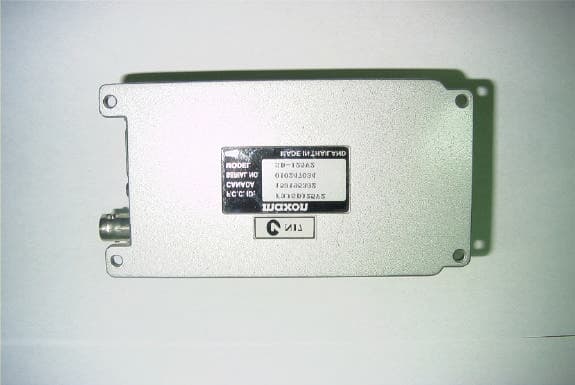
F3JSD125V3
Oct 09, 2002Data Radio
Equipment Class
TNB - Licensed Non-Broadcast Station Transmitter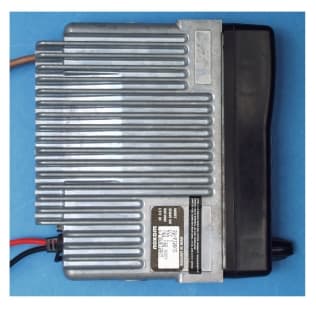
F3JSM6150V2
Sep 07, 2000VHF Mobile Transceiver
Equipment Class
TNB - Licensed Non-Broadcast Station Transmitter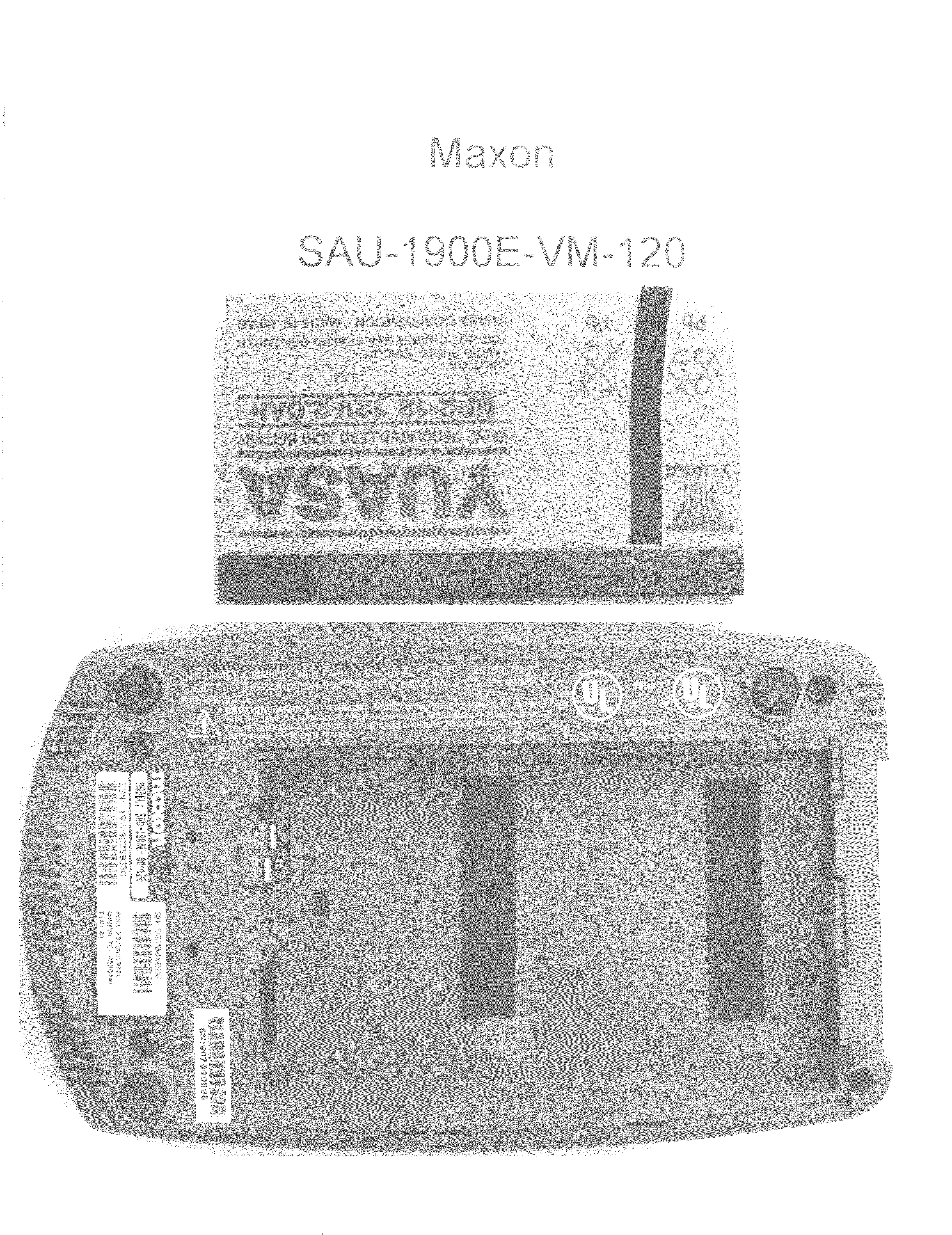
F3JSAU1900E
Aug 02, 2000PCS Band CDMA Wireless Local Loop Transceiver
Equipment Class
TNB - Licensed Non-Broadcast Station Transmitter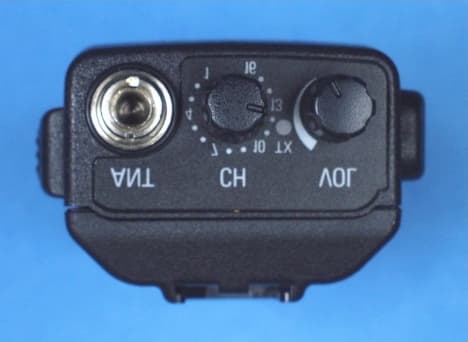
F3JSP150V2
Aug 02, 2000Portable Transceiver
Equipment Class
TNB - Licensed Non-Broadcast Station Transmitter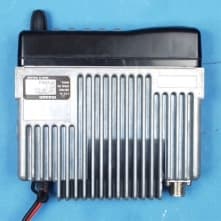
F3JSM6450U6
Mar 20, 2000UHF mobile transceiver
Equipment Class
TNB - Licensed Non-Broadcast Station Transmitter