FDI-04610108-0DC-HSDPA Portable WiFi Router
BUFFALO INC.
Click to zoom
Application Details
- Equipment Class
- DTS - Digital Transmission System
- Date of Grant
- Nov 29, 2011
- Application Purpose
- Original Equipment
- Date of Application
- Nov 29, 2011
- Equipment Note
- DC-HSDPA Portable WiFi Router
- Frequency Range
- 2412.00000000 - 2462.00000000
- Company
- BUFFALO INC.
- Country
- Japan
Documents & Files
Document Text
Text extracted from the exhibit documents filed with the FCC. Open a document above to read the original.
Users Manual
GP03 User Manual Introduction Installing the GP03 Wireless Connection to the GP03 Internet Connection Settings Use Overseas Troubleshooting 1 2 3 4 5 6 Thank you for purchasing the GP03. This manual describes product installation and its default settings. It also provides troubleshooting information. Please always read this manual before using the product. Appendix 7 1 1 Introduction 1 Main Features This section describes the main product features. • Supports NTT Docomo ”Xi”. (When receiving: Max. 37.5 Mbps; When sending: Max. 12.5 Mbps) ※ The communication speeds are the maximum values in sending and receiving standards. However, these do not indicate actual communication speeds. Data transmission is provided over a best-effort network. For that reason, actual communication speeds may vary according to the communication environ- ment and the traffic load on the network. ※ When outside of the Xi area, this can also be used in a FOMA high-speed area (when receiving: Max. 7.2 Mbps; when sending: Max. 5.7 Mbps). • The Internet connection automatically switches in public wireless LAN areas, such as Mzone, from the Xi line or FOMA line to the public wireless LAN. • The included cradle provides a wired port connection, and recharges the product. • Connects up to 10 wireless LAN devices, such as personal computers and game consoles. • Connects to wireless LAN devices with one touch using AOSS or WPS. Operating Environment This section describes the product operating environment. Supported Devices iPad, iPod touch, game console (Nintendo 3DS ™ , Nintendo DS ® , PSP ® ”PlayStation Portable”), and devices that support wireless LAN. 2 Supported OS (Personal Computers) Windows 7 (32 bit/64 bit), Vista (32 bit/64 bit), XP (32 bit), Mac OS X (10.4/10.5/10.6) ※ Supports Windows 7 Starter/Home Premium/Professional/Ultimate. ※ Supports Windows Vista Home Basic/Home Premium/Business/Ultimate. ※ Windows XP must have Service Pack 3 or later installed. Supported Browsers Internet Explorer 6/7/8/9 Firefox 3.5/3.6/4 Nintendo DS Browser, Nintendo DSi Browser PSP ® Internet Browser Internet Explorer Mobile (Windows Mobile 6.x) Opera Mobile 9/10 Safari 3/4/5 (Mac OS/iPod touch) ※ To change the product's settings, or to check the setting contents, use Internet Explorer 6/7/8/9, or Firefox 3.5/3.6/4 (Windows 7/Vista/XP). Browsers provided in game console or cell phones cannot implement all product settings. 3 Mobile Wi-Fi Router (GP03) Unit (Rear Cover GP03, Includes Warrantee) Desktop Cradle GP03 (Includes Warrantee) AC Adapter GP03 (Includes Warrantee)Battery Pack GP03 Main Unit Accessories Before using this product, check that all of the accessories are included. 4 Note If separate, additional information is included, refer to that. USB Cable GP03 LAN Cable (Free Sample) User Manual (This Manual)Mobile Device Connection Guide 5 Part Names and Functions Front Panel 1. WIRELESS LED Glowing (light blue) : When in Xi area Glowing (purple) : When in FOMA international roaming area Glowing (blue) : When in FOMA area Glowing (green) : When in wireless LAN area Glowing (red) : When outside of Xi area, FOMA line and wireless LAN area, and when not connected to wired Internet Glowing (yellow) : When in power saving mode Flashing (light blue) : When communicating on Xi line Flashing (purple) : When communicating on FOMA international roaming line Flashing (blue) : When communicating on FOMA line Flashing (green) : When communicating on wireless LAN Off : When connected to wired Internet 2. BATTERY LED Glowing (blue) : Battery capacity is 50% or higher Recharging is completed and the power is turned on Glowing (green) : Battery capacity is 50 - 25% Glowing (red) : Battery capacity is 25 - 10% Flashing (red) : Battery capacity is 10% or lower Glowing (yellow) : Recharging Off : Recharging is completed and the power is turned off ※ Battery capacity is a general indicator. 1 2 3 6 3. AOSS/DIAG LED Glowing (yellow) : Security key exchange succeeds (AOSS/ WPS succeeds)/Wireless LAN security setting completed Flashing Two Times (blue) : This product can exchange security keys. (LAN Side: AOSS/WPS Idling) (Internet Side: AOSS Idling) *1 Continuous Flashing (blue) : Failed to exchange security keys (AOSS/WPS failed) Flashing (red) : The number of flashes indicates the status of the product. Off : Wireless LAN security is not set. Flashing (red) status ContentStatus Continuous Flashing *2 • Booting up system • Updating the firmware • Saving settings • Initializing • Accessing internal storage region Flashing Three Times *3 Wired LAN Error Wired LAN controller is malfunctioning. Flashing Four Times *3 Wireless LAN errorWireless LAN controller is malfunctioning. Flashing Five Times IP Address Setting ErrorCommunication is not possible because the network addresses are the same on the Internet side and the LAN side. Change the product's LAN-side IP address setting. Flashing Six Times Temperature ErrorThe internal product temperature is high. Turn the power to the product off and allow it to cool for a while before using it. 7 *1 Devices idling with AOSS switch to flashing two times (yellow) when detected by the Internet side of the product. *2 Do not turn off the power when the device is continuously flashing. Doing so can damage it. *3 When the AC adapter is disconnected from the device, turn off the power to it, and remove the battery pack. Return the battery pack to its original position after waiting for a while. Side Panel 4. Power Button When the power is off, hold down the power button for approximately three seconds to turn the power on. When operating this device, hold down the power button for approximately three seconds to turn the power off. 5. AOSS Button When the power is on, hold down the button (for approximately three seconds) until the AOSS/DIAG LED flashes in blue to enter a status (AOSS operating status) where security keys can be exchanged. 6. Strap Hole Attaches commercially available straps. 7. Cradle Connector C…
Text truncated - open the document above for the full version.
Internal Photos
FDI-04610108-0 Internal Photo
Test Report
Report No.: RZA1110-1740RF03R1 Page 1of 128 TESTING No. L2264 Part 15C TEST REPORT Product Name DC-HSDPA Portable WiFi Router Model GP03 FCC ID FDI-04610108-0 Client BUFFALO TA Technology (Shanghai) Co., Ltd. TA Technology (Shanghai) Co., Ltd. Test Report Report No.: RZA1110-1740RF03R1 Page 2of 128 GENERAL SUMMARY Product Name DC-HSDPA Portable WiFi Router Model GP03 FCC ID FDI-04610108-0 Report No. RZA1110-1740RF03R1 Client BUFFALO Manufacturer Shanghai Longcheer 3g Technology Co., Ltd Reference Standard(s) FCC CFR47 Part 15C (2010-12) Radio Frequency Devices 15.205 Restricted bands of operation; 15.207 Conducted limits; 15.209 Radiated emission limits; general requirements; 15.247 Operation within the bands 902-928 MHz,2400-2483.5 MHz, and 5725-5850MHz. ANSI C63.4 Methods of Measurement of Radio-Noise Emission from Low-Voltage Electrical and Electronic Equipment in the Range of 9 KHz to 40GHz. (2003) KDB 558074 Measurement of Digital Transmission Systems Operating under Section 15.247 (2005) Conclusion This portable wireless equipment has been measured in all cases requested by the relevant standards. Test results in Chapter 2 of this test report are below limits specified in the relevant standards. General Judgment: Pass (Stamp) Date of issue: November 11 th ,2011 Comment The test result only responds to the measured sample. Approved by Director Revised by RF Manager Performed by RF Engineer TA Technology (Shanghai) Co., Ltd. Test Report Report No.: RZA1110-1740RF03R1 Page 3of 128 TABLE OF CONTENT 1. General Information ..................................................................................................................... 4 1.1. Notes of the test report.........................................................................................................4 1.2. Testing laboratory .................................................................................................................4 1.3. Applicant Information ............................................................................................................5 1.4. Manufacturer Information ......................................................................................................5 1.5. Information of EUT................................................................................................................6 1.6. Test Date ..............................................................................................................................7 2. Test Information ........................................................................................................................... 8 2.1. Summary of test results ........................................................................................................8 2.2. Peak Power Output –Conducted...........................................................................................9 2.3. Occupied Bandwidth (6dB) .................................................................................................12 2.4. Band Edge Compliance......................................................................................................27 2.5. Spurious Radiated Emissions in the restricted band...........................................................36 2.6. Power Spectral Density.......................................................................................................46 2.7. Spurious RF Conducted Emissions ....................................................................................61 2.8. Radiated Emission ..............................................................................................................87 2.9. Conducted Emissions.......................................................................................................117 2. Main Test Instruments .............................................................................................................. 125 ANNEX A: EUT Appearance and Test Setup................................................................................... 126 A.1 EUT Appearance ..............................................................................................................126 A.2 Test Setup ........................................................................................................................128 TA Technology (Shanghai) Co., Ltd. Test Report Report No.: RZA1110-1740RF03R1 Page 4of 128 1. General Information 1.1. Notes of the test report TA Technology (Shanghai) Co., Ltd. guarantees the reliability of the data presented in this test report, which is the results of measurements and tests performed for the items under test on the date and under the conditions stated in this test report and is based on the knowledge and technical facilities available at TA Technology (Shanghai) Co., Ltd. at the time of execution of the test. TA Technology (Shanghai) Co., Ltd. is liable to the client for the maintenance by its personnel of the confidentiality of all information related to the items under test and the results of the test. This report only refers to the item that has undergone the test. This report standalone dose not constitute or imply by its own an approval of the product by the certification Bodies or competent Authorities. This report cannot be used partially or in full for publicity and/or promotional purposes without previous written approval of TA Technology (Shanghai) Co., Ltd. and the Accreditation Bodies, if it applies. If the electrical report is inconsistent with the printed one, it should be subject to the latter. 1.2. Testing laboratory Company: TA Technology (Shanghai) Co., Ltd. Address: No.145, Jintang Rd, Tangzhen Industry Park, Pudong City: Shanghai Post code: 201201 Country: P. R. China Contact: Yang Weizhong Telephone: +86-021-50791141/2/3 Fax: +86-021-50791141/2/3-8000 Website: http://www.ta-shanghai.com E-mail: [email protected] TA Technology (Shanghai) Co., Ltd. Test Report Report No.: RZA1110-1…
Text truncated - open the document above for the full version.
Test Setup Photos
FDI-04610108-0_FCC Test Setup Photo 1. RSE 2、Part15C RE 3、Part15C CE
Contact Information
Applicant
Mr. Masaya Ishimaru(General Manager)
Technical Contact
TA Technology(Shanghai) Company, LimitedWeizhong Yang
[email protected]+86-21-50791141
No.145,Jintang Rd,Tangzhen Industry Park,Pudong, · Shanghai · China
Non-Technical Contact
TA Technology(Shanghai) Company, LimitedJia Yu
[email protected]+86-21-50791141
Test Firm
TA Technology (Shanghai) Co., Ltd.Zhihui Liu
Technical Specifications
| # | Rule Parts | Frequency Range | Power Output |
|---|---|---|---|
| 1 | 15C | 2.41 GHz - 2.46 GHz | 35.00 mW |
Other Applications from BUFFALO INC.
FDI000000028
Mar 15, 2015AirStation
Equipment Class
DTS - Digital Transmission System
FDI000000027
Jan 22, 2015MiniStation
Equipment Class
DXX - Part 15 Low Power Communication Device Transmitter
FDI000000022
Oct 12, 2014AirStation
Equipment Class
DTS - Digital Transmission System
FDI000000026
Oct 01, 2014AirStation
Equipment Class
DTS - Digital Transmission System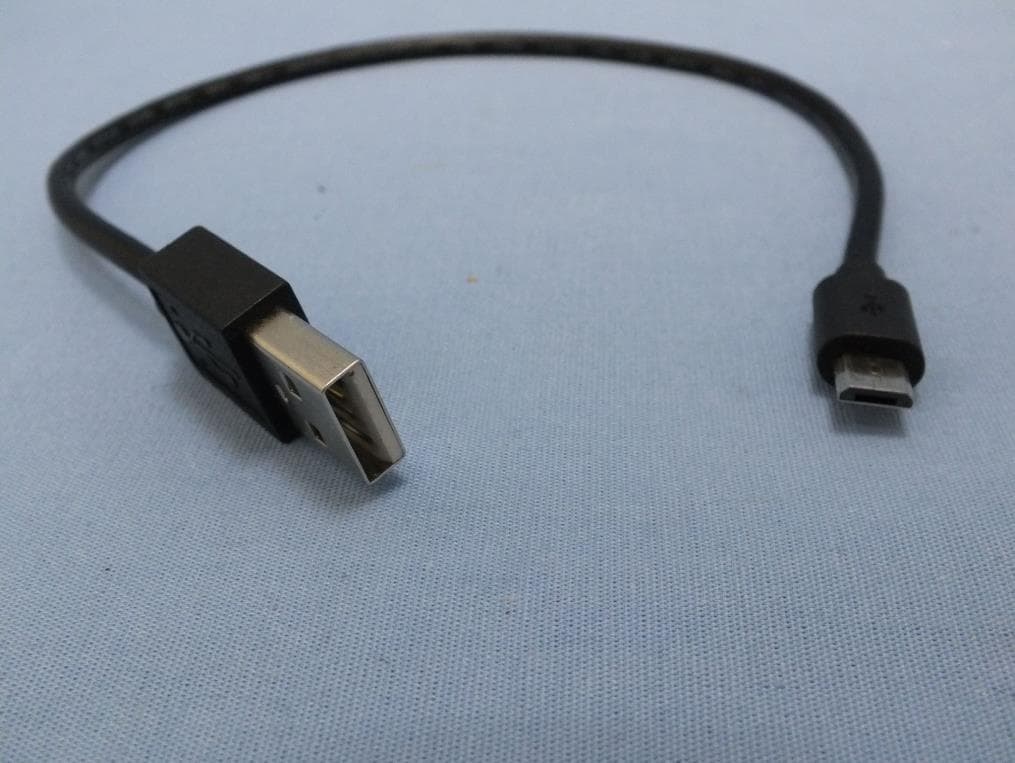
FDI000000024
Apr 21, 2014AirStation
Equipment Class
DTS - Digital Transmission System