FFMDM510Dual-Mode Cellular Phone (AMPS/CDMA)
LG Electronics, Inc.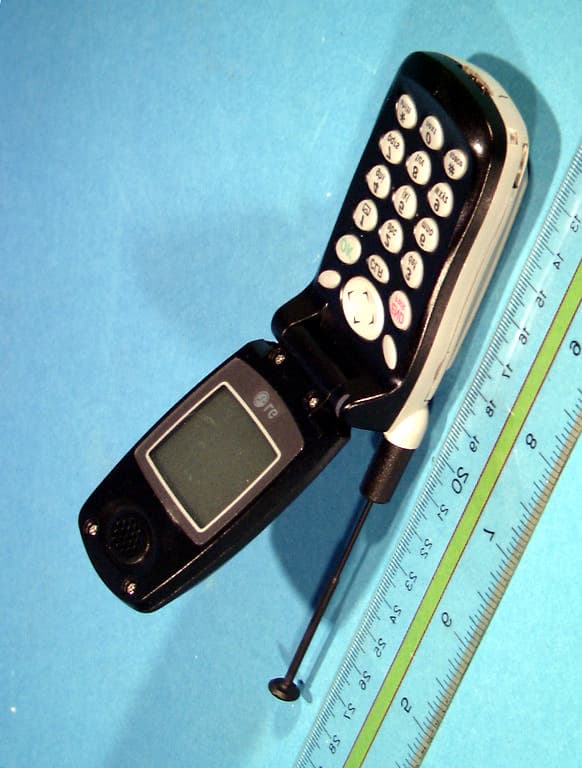
Click to zoom
Application Details
- Equipment Class
- TNE - Licensed Non-Broadcast Transmitter Held to Ear
- Date of Grant
- Mar 29, 2000
- Application Purpose
- Original Equipment
- Date of Application
- Feb 03, 2000
- Equipment Note
- Dual-Mode Cellular Phone (AMPS/CDMA)
- Frequency Range
- 824.70000000 - 848.31000000
- Company
- LG Electronics, Inc.
- Country
- South Korea
Documents & Files
Document Text
Text extracted from the exhibit documents filed with the FCC. Open a document above to read the original.
Users Manual
1 DM510 Ver. 1.1.5 LG-DM510 User Manual i FCC RF EXPOSURE INFORMATION In August 1996 the Federal Communications Commission (FCC) of the United States with its action in Report and Order FCC 96-326 adopted an updated safety standard for human exposure to radio frequency (RF) electromagnetic energy emitted by FCC regulated transmitters. Those guidelines are consistent with the safety standard previously set by both U.S. and international standards bodies. The design of this phone complies with the FCC guidelines and these international standards. Use only the supplied or an approved antenna. Unauthorized antennas, modifications, or attachments could impair call quality, damage the phone, or result in violation of FCC regulations. Do not use the phone with a damaged antenna. If a damaged antenna comes into contact with the skin, a minor burn may result. Please contact your local dealer for replacement antenna. Body-worn Operation This device was tested for typical body-worn operations with the back of the phone kept 0.79 inches (2 cm) from the body. To comply with FCC RF exposure requirements, a minimum separation distance of 0.79 inches (2 cm) must be maintained between the user’s body and the back of the phone, including the antenna, whether extended or retracted. Third-party belt-clips, holsters and similar accessories containing metallic components should not be used. Body-worn accessories that cannot maintain 0.79 inch (2 cm) separation distance between the user’s body and the back of the phone, and have not been tested for typical body-worn operations may not comply with FCC RF exposure limits and should be avoided. Vehicle Mounted External Antenna (optional, if available.) A minimum separation distance of 7.9 inches (20 cm) must be maintained between the user/bystander and the vehicle mounted external antenna to satisfy FCC RF exposure requirements. For more information about RF exposure, please visit the FCC website at www.fcc.gov WARNING! Read this information before using your phone 2 DM510 Ver. 1.1.5 CHAPTER 1. THE NAME AND FUNCTIONS Hold Icon Rm Signal Strength (RSSI) In Use No Service Digital Service is available Roaming Short Message (Voice) Battery Level Short Message (Text) Vibrator Enabled D 3 DM510 Ver. 1.1.5 CHAPTER 2. BASIC FUNCTIONS Turning the Phone On and Off <Turning the Terminal On> 1. Connect the terminal to the charged battery or the external power supply. 2. Press the [END/PWR] key for about 1.5 seconds until a red right appears on the upper side of the terminal. < Turning the Terminal Off > 1. Press the [END/PWR] key until the end message appears on the LCD, and then stop pressing the key. 2. If an antenna is stretched, push it in for safety. Making a Call <Method1> Entering the Entire Phone Number 1. If the terminal is turned off, turn it on. 2. Enter the phone number. (Enter the area code, if necessary.) 3. Press the [OK] key. - If the terminal is locked on, enter the password to unlock the terminal. Then, attempt the call again. - If the call is not connected, “Call Failed” signal will be indicated on the LCD. 4. Press the [END] key. <Method2> Using Phone Book Entry 1. Enter the phone entry number, and press the [OK] key or press the related phone entry number for some time. Then, the call will be attempted. e.g.) Press the [2] key for some time, then call will be connected to the phone number stored in the Entry #2. 4 DM510 Ver. 1.1.5 2. If you are not sure of the phone entry number, select the Soft Key(BOOK) with the Right Mouse Button. 3. Place the cursor on the Phone Book, and press the Soft Key(SEL) with the Left Mouse Button. 4. Search the Phone Book Entry number or name requested in the Phone Book to attempt a call to the phone number stored in it. <Method3> Using the Recent Call History 1. Select the Soft Key(BOOK) with the Right Mouse Button.. 2. If the screen changes, place the cursor on the Call History. Then, press the Soft Key(SEL) with the Left Mouse Button. 3. If the “Outgoing”, “Incoming”, and “Missed” are indicated on the screen, select the menu requested. Ten phone numbers of the recent calls are stored in each menu. Place the cursor on the menu requested, and press the Soft Key(SEL) with the Left Mouse Button. 4. The phone number list appears on the screen. Then, search and place the cursor on the phone number or name requested, and press the [OK] key. 5 DM510 Ver. 1.1.5 Correcting Dialing Mistakes 1. Press the Soft Key(CLR) with the Right Mouse Button of the screen to erase the number or character of the last entry. 2. Press the Soft Key(CLR) with the Right Mouse Button for one second, then all the number or character requested will be erased. Receiving Calls 1. Press any key except for the [END/PWR] key to receive a call. HPress the END Key once to stop the bell or vibration. HH Press the END Key twice to end the incoming call 2. When the call completes, press the [END/PWR] key. 3. Or close the flip. Mute 1. Press the Soft Key(MENU) with the Left Mouse Button during the call. Redialing Last Outgoing Number <Method 1> 1. Just press [OK] key to redial the last outgoing number. Then, the call will be attempted. <Method 2> using the Call History 1. Press the Soft Key(BOOK) with the Right Mouse Button. 2. Place the cursor on the Call history menu on the screen, and press the Soft Key(SEL) with the Left Mouse Button. 2. If a popup menu appears on the screen, place the cursor on the Mute menu and press the Soft Key(SEL) with the Left Mouse Button to select the Mute state. (The message”Mute” will be indicated on the screen.) 3. Press the Soft Key(OPT) with the Left Mouse Button to clear the function. The popup menu will appear. Select the Unmute menu. (The message “Mute” will be disappear on the screen 6 DM510 Ver. 1.1.5 3. Then, three menus will appear. - “Outgoing”: Ten last outgoing calls are stored in this menu. - “Incoming”: Ten last incoming calls are stored in this menu. - “Missed”: Ten last missed calls are stored in this menu. 4. Place t…
Text truncated - open the document above for the full version.
Users Manual
1 DM510 Ver. 1.1.5 LG-DM510 User Manual i FCC RF EXPOSURE INFORMATION In August 1996 the Federal Communications Commission (FCC) of the United States with its action in Report and Order FCC 96-326 adopted an updated safety standard for human exposure to radio frequency (RF) electromagnetic energy emitted by FCC regulated transmitters. Those guidelines are consistent with the safety standard previously set by both U.S. and international standards bodies. The design of this phone complies with the FCC guidelines and these international standards. Use only the supplied or an approved antenna. Unauthorized antennas, modifications, or attachments could impair call quality, damage the phone, or result in violation of FCC regulations. Do not use the phone with a damaged antenna. If a damaged antenna comes into contact with the skin, a minor burn may result. Please contact your local dealer for replacement antenna. Body-worn Operation This device was tested for typical body-worn operations with the back of the phone kept 0.79 inches (2 cm) from the body. To comply with FCC RF exposure requirements, a minimum separation distance of 0.79 inches (2 cm) must be maintained between the user’s body and the back of the phone, including the antenna, whether extended or retracted. Third-party belt-clips, holsters and similar accessories containing metallic components should not be used. Body-worn accessories that cannot maintain 0.79 inch (2 cm) separation distance between the user’s body and the back of the phone, and have not been tested for typical body-worn operations may not comply with FCC RF exposure limits and should be avoided. For more information about RF exposure, please visit the FCC website at www.fcc.gov WARNING! Read this information before using your phone 2 DM510 Ver. 1.1.5 CHAPTER 1. THE NAME AND FUNCTIONS Hold Icon Rm Signal Strength (RSSI) In Use No Service Digital Service is available Roaming Short Message (Voice) Battery Level Short Message (Text) Vibrator Enabled D 3 DM510 Ver. 1.1.5 CHAPTER 2. BASIC FUNCTIONS Turning the Phone On and Off <Turning the Terminal On> 1. Connect the terminal to the charged battery or the external power supply. 2. Press the [END/PWR] key for about 1.5 seconds until a red right appears on the upper side of the terminal. < Turning the Terminal Off > 1. Press the [END/PWR] key until the end message appears on the LCD, and then stop pressing the key. 2. If an antenna is stretched, push it in for safety. Making a Call <Method1> Entering the Entire Phone Number 1. If the terminal is turned off, turn it on. 2. Enter the phone number. (Enter the area code, if necessary.) 3. Press the [OK] key. - If the terminal is locked on, enter the password to unlock the terminal. Then, attempt the call again. - If the call is not connected, “Call Failed” signal will be indicated on the LCD. 4. Press the [END] key. <Method2> Using Phone Book Entry 1. Enter the phone entry number, and press the [OK] key or press the related phone entry number for some time. Then, the call will be attempted. e.g.) Press the [2] key for some time, then call will be connected to the phone number stored in the Entry #2. 4 DM510 Ver. 1.1.5 2. If you are not sure of the phone entry number, select the Soft Key(BOOK) with the Right Mouse Button. 3. Place the cursor on the Phone Book, and press the Soft Key(SEL) with the Left Mouse Button. 4. Search the Phone Book Entry number or name requested in the Phone Book to attempt a call to the phone number stored in it. <Method3> Using the Recent Call History 1. Select the Soft Key(BOOK) with the Right Mouse Button.. 2. If the screen changes, place the cursor on the Call History. Then, press the Soft Key(SEL) with the Left Mouse Button. 3. If the “Outgoing”, “Incoming”, and “Missed” are indicated on the screen, select the menu requested. Ten phone numbers of the recent calls are stored in each menu. Place the cursor on the menu requested, and press the Soft Key(SEL) with the Left Mouse Button. 4. The phone number list appears on the screen. Then, search and place the cursor on the phone number or name requested, and press the [OK] key. 5 DM510 Ver. 1.1.5 Correcting Dialing Mistakes 1. Press the Soft Key(CLR) with the Right Mouse Button of the screen to erase the number or character of the last entry. 2. Press the Soft Key(CLR) with the Right Mouse Button for one second, then all the number or character requested will be erased. Receiving Calls 1. Press any key except for the [END/PWR] key to receive a call. HPress the END Key once to stop the bell or vibration. HH Press the END Key twice to end the incoming call 2. When the call completes, press the [END/PWR] key. 3. Or close the flip. Mute 1. Press the Soft Key(MENU) with the Left Mouse Button during the call. Redialing Last Outgoing Number <Method 1> 1. Just press [OK] key to redial the last outgoing number. Then, the call will be attempted. <Method 2> using the Call History 1. Press the Soft Key(BOOK) with the Right Mouse Button. 2. Place the cursor on the Call history menu on the screen, and press the Soft Key(SEL) with the Left Mouse Button. 2. If a popup menu appears on the screen, place the cursor on the Mute menu and press the Soft Key(SEL) with the Left Mouse Button to select the Mute state. (The message”Mute” will be indicated on the screen.) 3. Press the Soft Key(OPT) with the Left Mouse Button to clear the function. The popup menu will appear. Select the Unmute menu. (The message “Mute” will be disappear on the screen 6 DM510 Ver. 1.1.5 3. Then, three menus will appear. - “Outgoing”: Ten last outgoing calls are stored in this menu. - “Incoming”: Ten last incoming calls are stored in this menu. - “Missed”: Ten last missed calls are stored in this menu. 4. Place the cursor on the menu requested, and press the Soft Key(SEL) with the Left Mouse Button. e.g.) Place the cursor on the “Outgoing” menu and press the Soft Key (SEL) with the Left Mouse Button. 5. The phone number list will appear. Place the…
Text truncated - open the document above for the full version.
Attestation Statements
459-9, Kasan-dong, Kemchun-ku Seoul 153-023, Korea Tel : 82-2-850-3850 Fax : 82-2-850-386 1 http://[email protected] AFFIDAVIT FOR ESN PROTECTION OF CELLULAR MOBILE TELEPHONES We hereby certify that the LGIC Handheld Portable Cellular Telephone ( FCC ID: FFMDM510) is so designed that it complies with all the requirements for ESN protection specified in section 22.919 of the FCC Rules. A) The transmitter in service has a unique ESN. B) The ESN host component is permanently attached to a main circuit board of the mobile transmitter and the integrity of the unit operating software cannot be altered. The ESN is plated from fraudulent contact and tampering. The ESN is encoded using multiplication by a polynomial and the ESN data programmed in the memory with other information. C) The ESN is factory-set and cannot be altered, transferred, removed or otherwise able to be manipulated. Cellular mobile equipment is specifically designed such that any attempt to remove, tamper with, or change the ESN chip, its logic system, or firmware originally programmed by the manufacturer will render the mobile transmitter inoperative. Sincerely, Harris Ahn Principal Engineer Communication Terminal Research Lab LG Information k Communications, Ltd.
Cover Letter(s)
February 05, 2000 Federal Communications Commission Equipment Approval Services 7435 Oakland Mills Road Columbia, MD 21046 SUBJECT:LG Information & Communications, Ltd. FCC ID: FFMDM510 Part 22 Certification Gentlemen: Submitted herewith, on behalf of LG Information & Communications Ltd., is an application for Part 22 Certification of the following dual-mode cellular phone: FCC ID:FFMDM510 TRADE/MODEL(s):LGIC LG-DM510 EUT TYPE:Dual-Mode Cellular Phone (AMPS/CDMA) Tx Freq. Range(s):824.04 – 848.97 MHz (AMPS) 824.70 – 848.31 MHz (CDMA) Max. RF Output Power:0.6 W ERP AMPS (27.8 dBm) / 0.387 W ERP CDMA (25.88 dBm) Attached is the applicant’s Letter of Authorization, Confidentiality Request, ESN Affidavit, measurement report test data and plots, RF Exposure measurement report and data, FCC ID label and location, test setup photographs, internal and external photographs, block diagram (confidential), circuit diagrams & description (confidential), operational description (confidential), parts list & tune-up procedure (confidential), and the user's manual. Should you have any questions or comments concerning the above, please contact the undersigned. cc:Mr. Harris Ahn Principal Engineer Communication Terminal Research Lab, LGIC
External Photos
Test Report S/N: 22.200131043.FFMFCC Part 22 Test Date(s): Jan. 31 - Feb. 05, 2000Certification © 2000 PCTEST Lab FCC ID: FFMDM510 (Tx 824 - 849 MHz) NVLAP Lab Code: 100431-0 LGIC Dual-Mode Cellular Phone (AMPS/CDMA) Test Report S/N: 22.200131043.FFMFCC Part 22 Test Date(s): Jan. 31 - Feb. 05, 2000Certification © 2000 PCTEST Lab FCC ID: FFMDM510 (Tx 824 - 849 MHz) NVLAP Lab Code: 100431-0 LGIC Dual-Mode Cellular Phone (AMPS/CDMA) Test Report S/N: 22.200131043.FFMFCC Part 22 Test Date(s): Jan. 31 - Feb. 05, 2000Certification © 2000 PCTEST Lab FCC ID: FFMDM510 (Tx 824 - 849 MHz) NVLAP Lab Code: 100431-0 LGIC Dual-Mode Cellular Phone (AMPS/CDMA) Test Report S/N: 22.200131043.FFMFCC Part 22 Test Date(s): Jan. 31 - Feb. 05, 2000Certification © 2000 PCTEST Lab FCC ID: FFMDM510 (Tx 824 - 849 MHz) NVLAP Lab Code: 100431-0 LGIC Dual-Mode Cellular Phone (AMPS/CDMA) Test Report S/N: 22.200131043.FFMFCC Part 22 Test Date(s): Jan. 31 - Feb. 05, 2000Certification © 2000 PCTEST Lab FCC ID: FFMDM510 (Tx 824 - 849 MHz) NVLAP Lab Code: 100431-0 LGIC Dual-Mode Cellular Phone (AMPS/CDMA) Test Report S/N: 22.200131043.FFMFCC Part 22 Test Date(s): Jan. 31 - Feb. 05, 2000Certification © 2000 PCTEST Lab FCC ID: FFMDM510 (Tx 824 - 849 MHz) NVLAP Lab Code: 100431-0 LGIC Dual-Mode Cellular Phone (AMPS/CDMA) Test Report S/N: 22.200131043.FFMFCC Part 22 Test Date(s): Jan. 31 - Feb. 05, 2000Certification © 2000 PCTEST Lab FCC ID: FFMDM510 (Tx 824 - 849 MHz) NVLAP Lab Code: 100431-0 LGIC Dual-Mode Cellular Phone (AMPS/CDMA)
ID Label/Location Info
© 2000 PCTEST Lab FCC ID SAMPLE LABEL & LOCATION LABELLING REQUIREMENTS PER §§ 2.925 The Label shown shall be permanently affixed at a conspicuous location on the device and be readily visible to the user at the time of purchase. (SEE NEXT PAGE) LG Information & Communication 00-1-18 LG Information & Communications, Ltd. LGIC Model No. : LG-DM510 FCC ID : FFMDM510 S/N : Made in Korea
Internal Photos
Test Report S/N: 22.200131043.FFMFCC Part 22 Test Date(s): Jan. 31 - Feb. 05, 2000Certification © 2000 PCTEST Lab FCC ID: FFMDM510 (Tx 824 - 849 MHz) NVLAP Lab Code: 100431-0 LGIC Dual-Mode Cellular Phone (AMPS/CDMA) Test Report S/N: 22.200131043.FFMFCC Part 22 Test Date(s): Jan. 31 - Feb. 05, 2000Certification © 2000 PCTEST Lab FCC ID: FFMDM510 (Tx 824 - 849 MHz) NVLAP Lab Code: 100431-0 LGIC Dual-Mode Cellular Phone (AMPS/CDMA) Test Report S/N: 22.200131043.FFMFCC Part 22 Test Date(s): Jan. 31 - Feb. 05, 2000Certification © 2000 PCTEST Lab FCC ID: FFMDM510 (Tx 824 - 849 MHz) NVLAP Lab Code: 100431-0 LGIC Dual-Mode Cellular Phone (AMPS/CDMA) Test Report S/N: 22.200131043.FFMFCC Part 22 Test Date(s): Jan. 31 - Feb. 05, 2000Certification © 2000 PCTEST Lab FCC ID: FFMDM510 (Tx 824 - 849 MHz) NVLAP Lab Code: 100431-0 LGIC Dual-Mode Cellular Phone (AMPS/CDMA) Test Report S/N: 22.200131043.FFMFCC Part 22 Test Date(s): Jan. 31 - Feb. 05, 2000Certification © 2000 PCTEST Lab FCC ID: FFMDM510 (Tx 824 - 849 MHz) NVLAP Lab Code: 100431-0 LGIC Dual-Mode Cellular Phone (AMPS/CDMA) Test Report S/N: 22.200131043.FFMFCC Part 22 Test Date(s): Jan. 31 - Feb. 05, 2000Certification © 2000 PCTEST Lab FCC ID: FFMDM510 (Tx 824 - 849 MHz) NVLAP Lab Code: 100431-0 LGIC Dual-Mode Cellular Phone (AMPS/CDMA) Test Report S/N: 22.200131043.FFMFCC Part 22 Test Date(s): Jan. 31 - Feb. 05, 2000Certification © 2000 PCTEST Lab FCC ID: FFMDM510 (Tx 824 - 849 MHz) NVLAP Lab Code: 100431-0 LGIC Dual-Mode Cellular Phone (AMPS/CDMA) Test Report S/N: 22.200131043.FFMFCC Part 22 Test Date(s): Jan. 31 - Feb. 05, 2000Certification © 2000 PCTEST Lab FCC ID: FFMDM510 (Tx 824 - 849 MHz) NVLAP Lab Code: 100431-0 LGIC Dual-Mode Cellular Phone (AMPS/CDMA) Test Report S/N: 22.200131043.FFMFCC Part 22 Test Date(s): Jan. 31 - Feb. 05, 2000Certification © 2000 PCTEST Lab FCC ID: FFMDM510 (Tx 824 - 849 MHz) NVLAP Lab Code: 100431-0 LGIC Dual-Mode Cellular Phone (AMPS/CDMA) Test Report S/N: 22.200131043.FFMFCC Part 22 Test Date(s): Jan. 31 - Feb. 05, 2000Certification © 2000 PCTEST Lab FCC ID: FFMDM510 (Tx 824 - 849 MHz) NVLAP Lab Code: 100431-0 LGIC Dual-Mode Cellular Phone (AMPS/CDMA) Test Report S/N: 22.200131043.FFMFCC Part 22 Test Date(s): Jan. 31 - Feb. 05, 2000Certification © 2000 PCTEST Lab FCC ID: FFMDM510 (Tx 824 - 849 MHz) NVLAP Lab Code: 100431-0 LGIC Dual-Mode Cellular Phone (AMPS/CDMA)
RF Exposure Info
© 2000 PCTEST Engineering Lab., Inc. PCTEST Engineering Laboratory, Inc. 6660-B Dobbin Road 6660-B Dobbin Road •• Columbia, MD 21045 Columbia, MD 21045 •• U.S.A. U.S.A. TEL (410) 290-6652 TEL (410) 290-6652 •• FAX (410) 290-6654 FAX (410) 290-6654 www.pctestlab.comwww.pctestlab.com CERTIFICATE OF COMPLIANCE (SAR EVALUATION) LG Information & Communications, Ltd.Dates of Tests: Jan. 31 - Feb. 02, 2000 Communication Terminal Research LabTest Report S/N: SAR.200131044.FFM 459-9, Kasan-dong, Keumchun-kuTest Site: PCTEST Lab, Columbia MD U.S.A. Seoul 153-023, Korea Attn: Harris Ahn, Principal Engineer FCC ID FFMDM510 APPLICANT LG INFORMATION & COMMUNICATIONS, LTD. EUT Type:Dual-Mode Cellular Phone (AMPS/CDMA) Tx Frequency:824.04 – 848.97 MHz (AMPS) / 824.70 – 848.31 MHz (CDMA) Rx Frequency:869.04 – 893.97 MHz (AMPS) / 869.70 – 893.31 MHz (CDMA) Max. RF Output Power:0.6W ERP AMPS (27.8 dBm) / 0.387W ERP CDMA (25.88 dBm) Trade Name/Model(s):LGIC LG-DM510 FCC Classification:Non-Broadcast Transmitter Held to Ear (TNE) Application Type:Certification Serial Number:n/a (pre-production) FCC Rule Part(s):§ 2.1093; ET Docket 96.326 This wireless portable device has been shown to be capable of compliance for localized specific absorption rate (SAR) for uncontrolled environment/general population exposure limits specified in ANSI/IEEE Std. C95.1-1992 and had been tested in accordance with the measurement procedures specified in ANSI/IEEE Std. C95.3-1992 (See Test Report). I attest to the accuracy of data. All measurements reported herein were performed by me or were made under my supervision and are correct to the best of my knowledge and belief. I assume full responsibility for the completeness of these measurements and vouch for the qualifications of all persons taking them. NVLAP accreditation does not constitute any product endorsement by NVLAP or any agency of the United States Government. PCTEST certifies that no party to this application has been denied the FCC benefits pursuant to Section 5301 of the Anti-Drug Abuse Act of 1988, 21 U.S.C. 853(a). 200131044.FFM SAR Measurement ReportFCC Part 22 Certification © 2000 PCTEST Labi Table of Contents 1.1 SCOPE 1 2.1 INTRODUCTION / SAR DEFINITION 2 3.1 SAR MEASUREMENT SET-UP 3 4.1 E-FIELD PROBE SYSTEM 4 5.1 E-FIELD PROBE CALIBRATION PROCESS 5 5.3 DATA EXTRAPOLATION 6 6.1 PHANTOM, HOLDER & EQUIVALENT TISSUES 7 7.1 SYSTEM SPECIFICATIONS 8 8.1 MEASUREMENT PROCESS 9 9.1 TEST POSITION OF THE PHONE 10 10.1 BODY-WORN CONFIGURATION 11 11.1 ANSI/IEEE C95.1 RF EXPOSURE LIMITS 12 12.1 MEASUREMENT UNCERTAINTIES 13 13.1 TEST DATA SUMMARY 14 13.3 BODY-WORN TEST DATA SUMMARY15 14.1 SAR TEST EQUIPMENT LIST 16 15.1 CONCLUSION 17 16.1 REFERENCES 18 Test Report S/N: SAR.200131044.FFMSAR Measurement Report Test Dates: Jan. 31 - Feb. 02, 2000FCC Part 22 Certification Dual-Mode Cellular Phone (AMPS/CDMA) © 2000 PCTEST LabLGIC FCC ID: FFMDM510 (Tx 824-849 MHz)1 SAR MEASUREMENT REPORT 1.1 Scope Environmental evaluation measurements of specific absorption rate 1 (SAR) distributions in simulated human head and body tissues exposed to radiofrequency (RF) radiation from wireless portable devices for compliance with the rules and regulations of the U.S. Federal Communications Commission (FCC). 2 Company Name:LG Information & Communications, Ltd. Address:459-9, Kasan-dong, Keumchun-ku Seoul 153-023, Korea Attention:Harris Ahn, Principal Engineer Communication Terminal Research Lab • EUT Type:Dual-Mode Cellular Phone (AMPS/CDMA) • Trade Name:LGIC • FCC IDENTIFIER:FFMDM510 • Model:LG-DM510 • S/N:Pre-production • Tx Frequency:824.04 – 848.97 MHz (AMPS) 824.70 – 848.31 MHz (CDMA) • Rx Frequency:869.04 – 893.97 MHz (AMPS) 869.70 – 848.31 MHz (CDMA) • Application Type: Certification • FCC Classification:Non-Broadcast Transmitter Held to Ear (TNE) • FCC Rule Part(s):§ 2.1093, Docket 96-326 • Max. RF Output Power:0.6W ERP AMPS (27.8 dBm) 0.387W ERP CDMA (25.88 dBm) • Modulation:AMPS / CDMA • Antenna Type:Helical (λ/4) • Antenna Dimensions:8.2 cm. (Length) • Dates of Test(s):Jan. 31 - Feb. 02, 2000 • Place of Test(s):PCTEST Engineering Lab. Columbia, MD, U.S.A. • Report Serial No.:SAR.200131044.FFM 1 Specific Absorption Rate (SAR) is a measure of the rate of energy absorption due to exposure to an RF transmitting source (wireless portable device). 2 IEEE/ANSI Std. C95.1-1992 limits are used to determine compliance with FCC ET Docket 93-62. Fig. 1 SAR Test Setup Test Report S/N: SAR.200131044.FFMSAR Measurement Report Test Dates: Jan. 31 - Feb. 02, 2000FCC Part 22 Certification Dual-Mode Cellular Phone (AMPS/CDMA) © 2000 PCTEST LabLGIC FCC ID: FFMDM510 (Tx 824-849 MHz)2 2.1 INTRODUCTION The FCC has adopted the guidelines for evaluating the environmental effects of radiofrequency radiation in ET Docket 93-62 on Aug. 6, 1996 to protect the public and workers from the potential hazards of RF emissions due to FCC-regulated portable devices.[1] The safety limits used for the environmental evaluation measurements are based on the criteria published by the American National Standards Institute (ANSI) for localized specific absorption rate (SAR) in IEEE/ANSI C95.1-1992 Standard for Safety Levels with Respect to Human Exposure to Radio Frequency Electromagnetic Fields, 3 kHz to 300 GHz. (c) 1992 by the Institute of Electrical and Electronics Engineers, Inc., New York, New York 10017.[2] The measurement procedure described in IEEE/ANSI C95.3-1992 Recommended Practice for the Measurement of Potentially Hazardous Electromagnetic Fields - RF and Microwave[3] is used for guidance in measuring SAR due to the RF radiation exposure from the Equipment Under Test (EUT). These criteria for SAR evaluation are similar to those recommended by the National Council on Radiation Protection and Measurements (NCRP) in Biological Effects and Exposure Criteria for Radiofrequency Electromagnetic Fields,” NCRP Report No. 86 (c) NCRP, 1986, Bethesda, MD 20814.[4] SAR is a measure of the rate of energy absorption due to exposur…
Text truncated - open the document above for the full version.
RF Exposure Info
LGIC FCC ID: FFMDM510 FM Brain SAR Generic Twin Phantom; Left Hand Section; Probe: ET3DV5 - SN1368 -- Probe Cal Date 2/99 Medium Parameters 835 MHz Brain: σ = 0.86 mho/m ε r = 42.5 ρ = 1.00 g/cm 3 Antenna Position -- In; Crest Factor 1.0 SAR (1g): 0.743 mW/g, SAR (10g): 0.464 mW/g LGIC Dual-mode Model: DM510 w/ Galtronix antenna FM Mode, Ch. 0991 [824.04MHz] Conducted Power = 27.0dBm; Flip = open Test Date -- 01-31-2000 SAR Tot [mW/g] 7.43E-2 4.46E-1 PCTEST ENGINEERING LAB., INC. LGIC FCC ID: FFMDM510 FM Brain SAR Generic Twin Phantom; Left Hand Section; Probe: ET3DV5 - SN1368 -- Probe Cal Date 2/99 Medium Parameters 835 MHz Brain: σ = 0.86 mho/m ε r = 42.5 ρ = 1.00 g/cm 3 Antenna Position -- Out; Crest Factor 1.0 SAR (1g): 0.388 mW/g, SAR (10g): 0.242 mW/g LGIC Dual-mode Model: DM510 w/ Galtronix antenna FM Mode, Ch. 0991 [824.04MHz] Conducted Power = 27.0dBm; Flip = open Test Date -- 01-31-2000 SAR Tot [mW/g] 3.95E-2 2.37E-1 PCTEST ENGINEERING LAB., INC. LGIC FCC ID: FFMDM510 FM Brain SAR Generic Twin Phantom; Left Hand Section; Probe: ET3DV5 - SN1368 -- Probe Cal Date 2/99 Medium Parameters 835 MHz Brain: σ = 0.86 mho/m ε r = 42.5 ρ = 1.00 g/cm 3 Antenna Position -- In; Crest Factor 1.0 SAR (1g): 0.934 mW/g, SAR (10g): 0.575 mW/g LGIC Dual-mode Model: DM510 w/ Galtronix antenna FM Mode, Ch. 0383 [836.49MHz] Conducted Power = 27.0dBm; Flip = open Test Date -- 01-31-2000 SAR Tot [mW/g] 9.35E-2 5.61E-1 PCTEST ENGINEERING LAB., INC. LGIC FCC ID: FFMDM510 FM Brain SAR Generic Twin Phantom; Left Hand Section; Probe: ET3DV5 - SN1368 -- Probe Cal Date 2/99 Medium Parameters 835 MHz Brain: σ = 0.86 mho/m ε r = 42.5 ρ = 1.00 g/cm 3 Antenna Position -- Out; Crest Factor 1.0 SAR (1g): 0.509 mW/g, SAR (10g): 0.315 mW/g LGIC Dual-mode Model: DM510 w/ Galtronix antenna FM Mode, Ch. 0383 [836.49MHz] Conducted Power = 27.0dBm; Flip = open Test Date -- 01-31-2000 SAR Tot [mW/g] 5.10E-2 3.06E-1 PCTEST ENGINEERING LAB., INC. LGIC FCC ID: FFMDM510 FM Brain SAR Generic Twin Phantom; Left Hand Section; Probe: ET3DV5 - SN1368 -- Probe Cal Date 2/99 Medium Parameters 835 MHz Brain: σ = 0.86 mho/m ε r = 42.5 ρ = 1.00 g/cm 3 Antenna Position -- In; Crest Factor 1.0 SAR (1g): 1.08 mW/g, SAR (10g): 0.648 mW/g LGIC Dual-mode Model: DM510 w/ Galtronix antenna FM Mode, Ch. 0799 [848.97MHz] Conducted Power = 27.0dBm; Flip = open Test Date -- 01-31-2000 SAR Tot [mW/g] 1.05E-1 6.31E-1 PCTEST ENGINEERING LAB., INC. LGIC FCC ID: FFMDM510 FM Brain SAR Generic Twin Phantom; Left Hand Section; Probe: ET3DV5 - SN1368 -- Probe Cal Date 2/99 Medium Parameters 835 MHz Brain: σ = 0.86 mho/m ε r = 42.5 ρ = 1.00 g/cm 3 Antenna Position -- Out; Crest Factor 1.0 SAR (1g): 0.671 mW/g, SAR (10g): 0.406 mW/g LGIC Dual-mode Model: DM510 w/ Galtronix antenna FM Mode, Ch. 0799 [848.97MHz] Conducted Power = 27.0dBm; Flip = open Test Date -- 01-31-2000 SAR Tot [mW/g] 6.80E-2 4.08E-1 PCTEST ENGINEERING LAB., INC. LGIC FCC ID: FFMDM510 CDMA Brain SAR Generic Twin Phantom; Left Hand Section; Probe: ET3DV5 - SN1368 -- Probe Cal Date 2/99 Medium Parameters 835 MHz Brain: σ = 0.86 mho/m ε r = 42.5 ρ = 1.00 g/cm 3 Antenna Position -- In; Crest Factor 1.0 SAR (1g): 0.713 mW/g, SAR (10g): 0.438 mW/g LGIC Dual-mode Model: DM510 w/ Galtronix antenna CDMA Mode, Ch. 0777 [848.31MHz] Conducted Power = 25.0dBm; Flip = open Test Date -- 01-31-2000 SAR Tot [mW/g] 6.95E-2 4.17E-1 PCTEST ENGINEERING LAB., INC. LGIC FCC ID: FFMDM510 CDMA Brain SAR Generic Twin Phantom; Left Hand Section; Probe: ET3DV5 - SN1368 -- Probe Cal Date 2/99 Medium Parameters 835 MHz Brain: σ = 0.86 mho/m ε r = 42.5 ρ = 1.00 g/cm 3 Antenna Position -- Out; Crest Factor 1.0 SAR (1g): 0.475 mW/g, SAR (10g): 0.288 mW/g LGIC Dual-mode Model: DM510 w/ Galtronix antenna CDMA Mode, Ch. 0777 [848.31MHz] Conducted Power = 25.0dBm; Flip = open Test Date -- 01-31-2000 SAR Tot [mW/g] 4.69E-2 2.81E-1 PCTEST ENGINEERING LAB., INC.
RF Exposure Info
Test Report S/N: SAR.200131044.FFMFCC Part 22 Test Date(s): Jan. 31 - Feb. 05, 2000FCC Part 22 Certification © 2000 PCTEST Lab Dual-Mode Cellular Phone (AMPS/CDMA) NVLAP Lab Code: 100431-0 LGIC FCC ID: FFMDM510 (Tx 824-849 MHz) Test Report S/N: SAR.200131044.FFMFCC Part 22 Test Date(s): Jan. 31 - Feb. 05, 2000FCC Part 22 Certification © 2000 PCTEST Lab Dual-Mode Cellular Phone (AMPS/CDMA) NVLAP Lab Code: 100431-0 LGIC FCC ID: FFMDM510 (Tx 824-849 MHz) Test Report S/N: SAR.200131044.FFMFCC Part 22 Test Date(s): Jan. 31 - Feb. 05, 2000FCC Part 22 Certification © 2000 PCTEST Lab Dual-Mode Cellular Phone (AMPS/CDMA) NVLAP Lab Code: 100431-0 LGIC FCC ID: FFMDM510 (Tx 824-849 MHz)
RF Exposure Info
LGIC FCC ID: FFMDM510 FM Hand SAR Generic Twin Phantom; Flat Section; Probe: ET3DV5 - SN1368 -- Probe Cal Date 2/99 Medium Parameters 835 Muscle: σ = 0.95 mho/m ε r = 56.2 ρ = 1.00 g/cm 3 Antenna Position -- In; Crest Factor 1.0 SAR (1g): 3.05 mW/g, SAR (10g): 1.79 mW/g LGIC Dual-mode Model: DM510 w/ Galtronix antenna FM Mode, Ch. 0799 [848.97MHz]; Conducted Power = 27.0dBm Flip = open; spacing = touch flat phantom & 1.0cm from antenna to flat phantom Test Date -- 02-01-2000 SAR Tot [mW/g] 2.17E-1 1.30E+0 PCTEST ENGINEERING LAB., INC. LGIC FCC ID: FFMDM510 FM Hand SAR Generic Twin Phantom; Flat Section; Probe: ET3DV5 - SN1368 -- Probe Cal Da…
Text truncated - open the document above for the full version.
Contact Information
Applicant
GeunChang Do
Technical Contact
PCTEST Engineering Laboratory, Inc.Randy Ortanez
[email protected]410-290-6652
6660-B Dobbin Road · Columbia, Maryland · United States
Non-Technical Contact
PCTEST Engineering Laboratory, Inc.Randy Ortanez
[email protected]410-290-6652
Test Firm
PCTEST Engineering Laboratory, Inc.Randy Ortanez
Technical Specifications
| # | Rule Parts | Frequency Range | Power Output | Emission | Tolerance |
|---|---|---|---|---|---|
| 3 | 22.901(d) | 824.7 MHz - 848.31 MHz | 387.00 mW | 1M25F9W | 2.5 ppm |
Other Applications from LG Electronics, Inc.
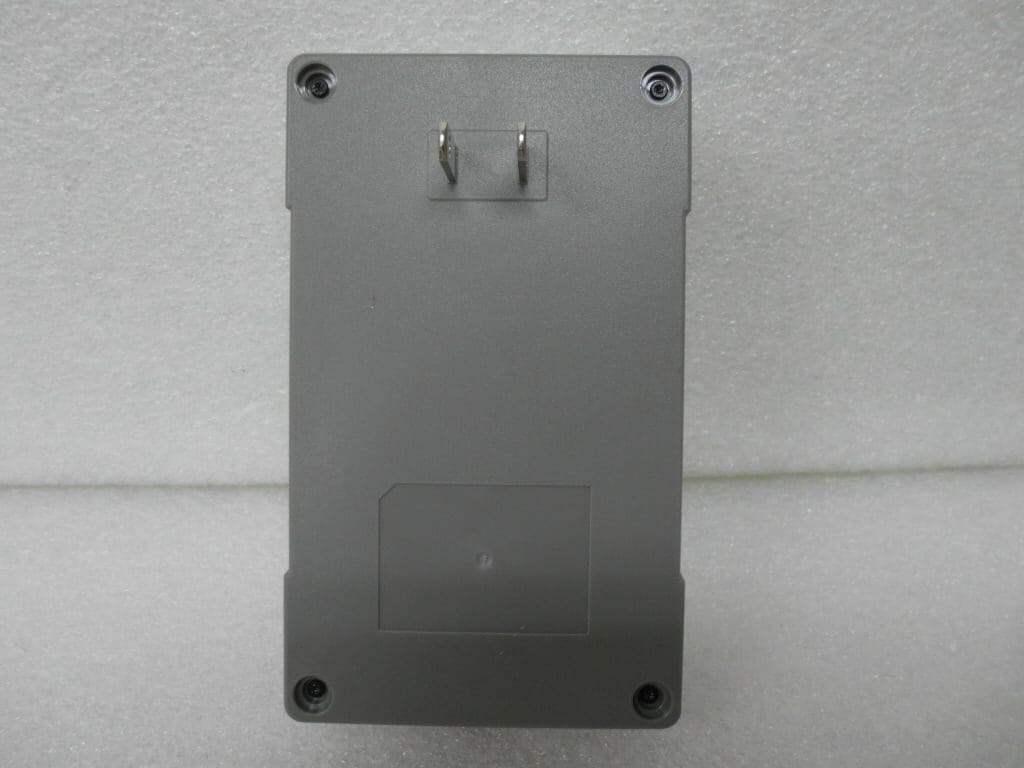
FFMHG10ZZ0ENCXLUS
Dec 12, 2012SMART GATEWAY
Equipment Class
DTS - Digital Transmission System
FFMXTICK-BAPL
Jul 14, 2004USB Drive
Equipment Class
JBP - Part 15 Class B Computing Device Peripheral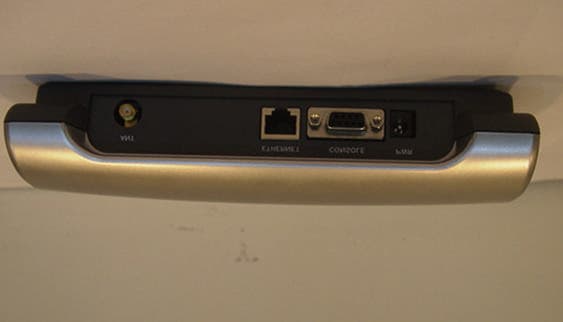
FFMLW1100AP
Nov 28, 2001WLAN Access Point
Equipment Class
DSS - Part 15 Spread Spectrum Transmitter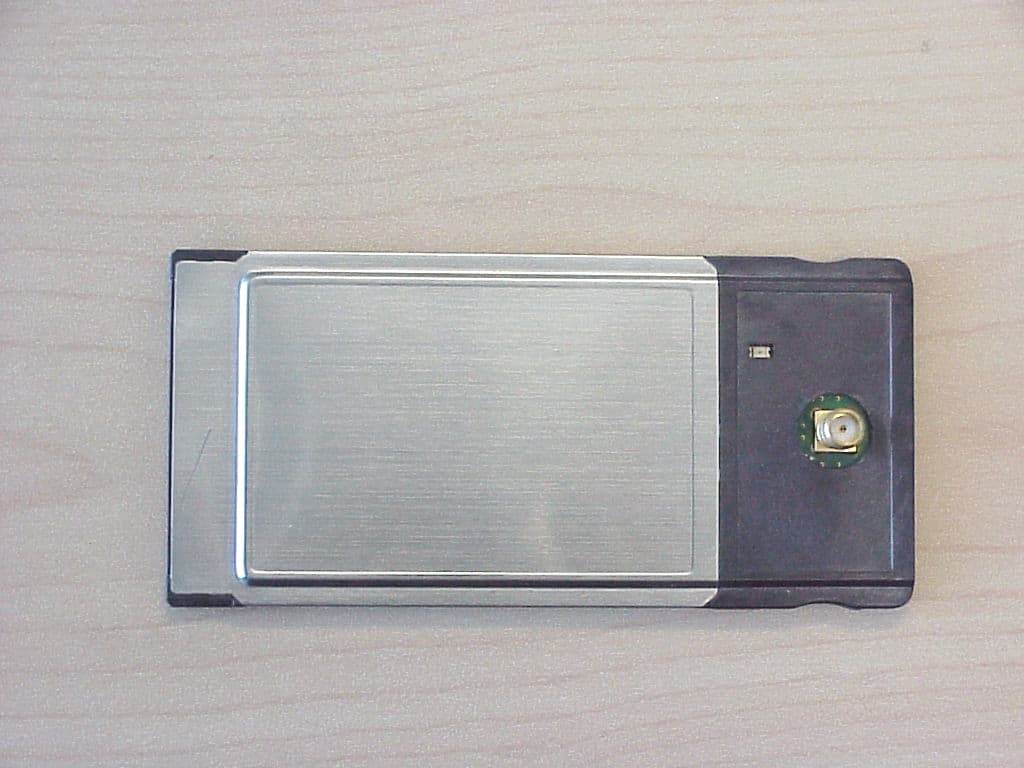
FFMLW1100N
Oct 25, 2001LP PCMCIA Card, model LW1100N
Equipment Class
DSS - Part 15 Spread Spectrum Transmitter
FFMLW1100P
Jul 10, 2001Wireless LAN PCI Card
Equipment Class
DSS - Part 15 Spread Spectrum Transmitter