H9PMC18N0MC18 Personal Shopper - Barcode Scanner
Symbol Technologies Inc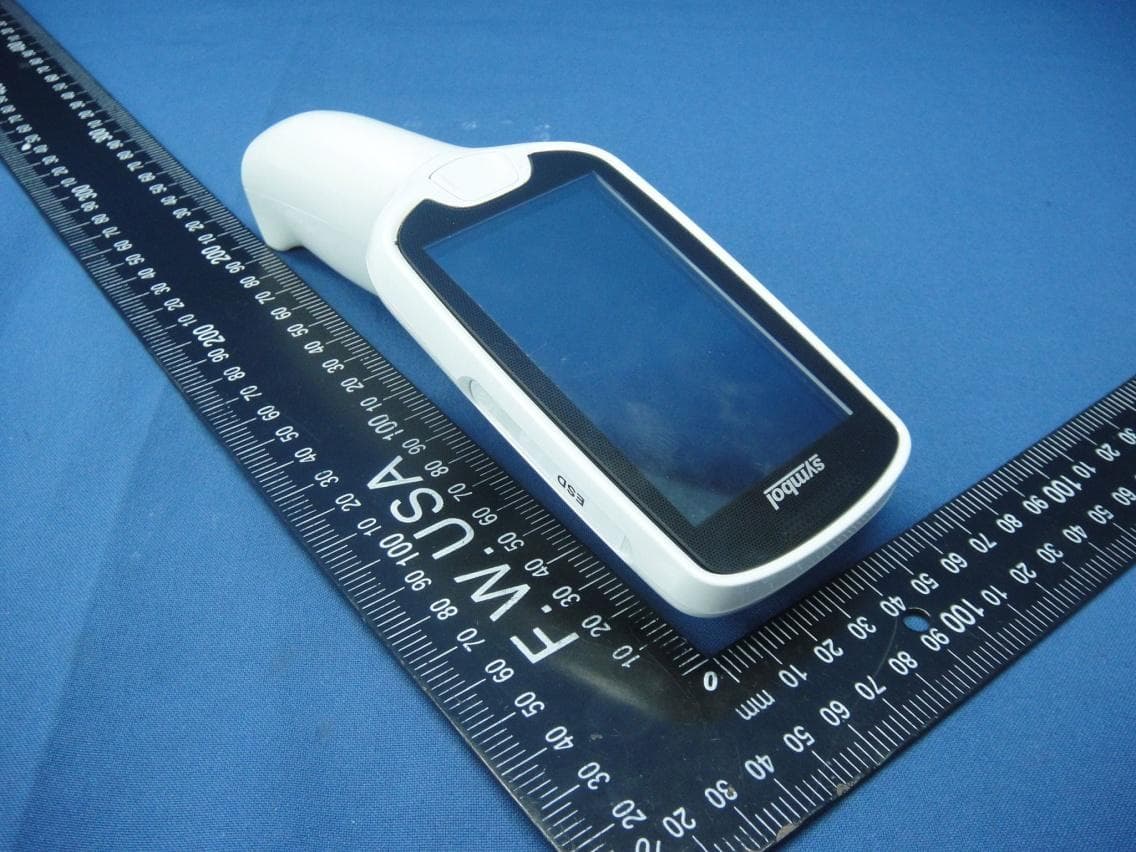
Click to zoom
Application Details
- Equipment Class
- DSS - Part 15 Spread Spectrum Transmitter
- Date of Grant
- Aug 10, 2014
- Application Purpose
- Original Equipment
- Date of Application
- Aug 10, 2014
- Equipment Note
- MC18 Personal Shopper - Barcode Scanner
- Frequency Range
- 2402.00000000 - 2480.00000000
- Company
- Symbol Technologies Inc
- Country
- United States
Documents & Files
Document Text
Text extracted from the exhibit documents filed with the FCC. Open a document above to read the original.
Users Manual
MC18 PRODUCT REFERENCE GUIDE MC18 Product Reference Guide MN000834A01 Rev. A June 2014 iiMC18 Product Reference Guide © 2014 by Symbol Technologies, Inc. All rights reserved. No part of this publication may be reproduced or used in any form, or by any electrical or mechanical means, without permission in writing from Symbol Technologies. This includes electronic or mechanical means, such as photocopying, recording, or information storage and retrieval systems. The material in this manual is subject to change without notice. The software is provided strictly on an “as is” basis. All software, including firmware, furnished to the user is on a licensed basis. Symbol Technologies grants to the user a non-transferable and non-exclusive license to use each software or firmware program delivered hereunder (licensed program). Except as noted below, such license may not be assigned, sublicensed, or otherwise transferred by the user without prior written consent of Symbol Technologies. No right to copy a licensed program in whole or in part is granted, except as permitted under copyright law. The user shall not modify, merge, or incorporate any form or portion of a licensed program with other program material, create a derivative work from a licensed program, or use a licensed program in a network without written permission from Symbol Technologies. The user agrees to maintain Symbol Technologies copyright notice on the licensed programs delivered hereunder, and to include the same on any authorized copies it makes, in whole or in part. The user agrees not to decompile, disassemble, decode, or reverse engineer any licensed program delivered to the user or any portion thereof. Symbol Technologies reserves the right to make changes to any software or product to improve reliability, function, or design. Symbol Technologies does not assume any product liability arising out of, or in connection with, the application or use of any product, circuit, or application described herein. No license is granted, either expressly or by implication, estoppel, or otherwise under any Symbol Technologies, Inc., intellectual property rights. An implied license only exists for equipment, circuits, and subsystems contained in Symbol Technologies products. iii Revision History Changes to the original manual are listed below: ChangeDateDescription 01 Rev. A06/27/14Initial release. ivMC18 Product Reference Guide TABLE OF CONTENTS Revision History .............................................................................................................................. ii About This Guide Introduction ..................................................................................................................................... xi Documentation Set ................................................................................................................... xi Configurations................................................................................................................................. xii Software Versions..................................................................................................................... xiii OEM Software........................................................................................................................... xiii Fusion Software ........................................................................................................................ xiii Chapter Descriptions ...................................................................................................................... xiv Notational Conventions................................................................................................................... xv Related Documents and Software .................................................................................................. xv Service Information ......................................................................................................................... xvi Chapter 1: Getting Started Introduction .................................................................................................................................... 1-1 Unpacking ...................................................................................................................................... 1-1 Features ......................................................................................................................................... 1-2 Accessories ................................................................................................................................... 1-4 LED Indicators ............................................................................................................................... 1-5 Keypad ........................................................................................................................................... 1-5 Getting Started ............................................................................................................................... 1-6 Connecting the Battery ................................................................................................................. 1-6 Charging the Battery ................................................................................................................ 1-9 Manual Release of MC18 from the Cradle ............................................................................... 1-10 Software Release of MC18 from the Cradle ............................................................................ 1-11 Starting the MC18 .......................................................................................................................... 1-12 Touch Screens ............................................................................................................................... 1-13 Data Capture .........................................................................…
Text truncated - open the document above for the full version.
Users Manual
CHAPTER 7 POCKET BROWSER Introduction This feature-rich, mobile application development tool is designed to allow Web developers to rapidly create robust mobile applications that can include a wide range of advanced data capture capabilities. Whether you want to streamline your warehouse, delivery or service operations, or enable more robust asset tracking or visibility, Pocket Browser will help you get your enterprise mobility solution up and running faster — and more cost efficiently. The Pocket Browser Developer Help provides detailed information about how to use each feature of the browser. Each feature includes a sample for you to use, however, please be aware that the sample does not necessarily show the only way to implement each feature. Pocket Browser enables developers and integrators to provide advanced Web-based solutions to select Microsoft® Windows Mobile and Windows CE mobile computers. PocketBrowser makes the most of enterprise-level applications while speeding up development time and reducing costs. With it, making the transition to web-based solutions is now fast, easy and affordable - especially in high-volume mobile environments. Pocket Browser is a software tool that extends the core rendering engine functionality of Microsoft PocketIE or Microsoft IE with Symbol Technologies application programming interfaces (APIs). It provides interfaces to the MC18 hardware and features using meta tags and Microsoft ActiveX® components designed specifically for Symbol Technologies systems. Pocket Browser offers easy integration with bar code scanners, RFID readers and other peripherals such as printers and magnetic stripe readers (MSR) for complete transaction processing. Sample Application The MC18 comes with a sample PocketBrowser v 3.1.0 applications factory-installed. The sample application is accessible from the Programs menu. To start PocketBrowser, select Start > Programs > Pocket Browser. The PocketBrowser window appears. 7 - 2MC18 Product Reference Guide Figure 7-1 Sample PocketBrowser Screen The sample PocketBrowser provides the following information: •Battery level status bars •WLAN signal strength status bars •Battery Details: •Battery strength in percentage •Battery change / no charge status •WLAN details: •ESSID name •Signal •IP Address of the MC18 •MAC address of the MC18 The three buttons at the bottom of the screen: •UNLOCK/LOCK - Unlocks and locks the MC18 into the cradle •LEDS - Illuminates the cradle LEDs •QUIT - Exits the sample PocketBrowser application Configuring the Pocket Browser The information on the Pocket Browser startup page can be configured by changing the Config.xml file (from the MC18 root directory, select Program Files > PocketBrowser > Config > Config.xml). Before launching the Pocket Browser for configuration, the MC18 must be connected to a network. Battery Status Indicator Wireless Signal Strength Indicator CHAPTER 8 CRADLE INSTALLATION Introduction A system is comprised of a family of hardware devices interconnected through a WLAN radio backbone to the retail establishment’s server(s). The hardware devices are the MC18 mobile computers, single-slot or three slot cradles, power supplies and cables. A dispenser typically refers to a piece of furniture which has mounted to it the cradles, their power supplies, and cables. Customers (retail establishments) design their own dispensers to meet their particular floor space and display requirements. The information in this chapter should help a customer to design a dispenser and to understand the installation requirements. Installation of the Single-Slot Cradle Removing the Front Cover Use this procedure to remove the front cover: 1.Loosen two captive screws securing the front cover to the base. Figure 8-1 Remove Screws 2.Pull front cover away from base and then lift out of the base. IMPORTANTThe MC18 cradles are NOT compatible with MC17 cradles and the MC17 cradles are NOT compatible with MC18 cradles. 8 - 2MC18 Product Reference Guide Figure 8-2 Cover Removal Mounting the Cradle The charge cradle contains mounting holes in the back housing so that it can be bolted to supporting furniture. In addition, it comes with plugs and a variety of cable routing outlets. Cable outlets not used can be concealed with the plugs provided. Figure 8-3 provide the information required to design correct mounting holes for the charge cradles. Alignment Holes Cradle Installation8 - 3 Figure 8-3 Cradle Mounting Template Mounting holes (4) 20.5 mm (0.80”) 86 ± 0.2 mm (3.39 ± 0.01”) 10 mm (0.40”) 127 mm ± 0.4 mm (5.0” ± 0.02”) 154 ± 0.2 mm (6.06” ± 0.01”) 271.8 mm ± 0.7 mm (10.70” ± 0.03”) 8 - 4MC18 Product Reference Guide Figure 8-4 Overall Depth of Cradle Wiring 1.Install power supply, including AC line cord and power cable, into Decorative Housing. Figure 8-5 Connecting Power Supply Depth of cradle: 99 mm (3.9”) NOTEDuring installation ensure all interconnect cables are fully enclosed within the power supply or cradle enclosure. Power Cable 25-66420-01R Power Supply PWRS-14000-241R (inside Decorative Housing) Cradle Installation8 - 5 2.Insert power cable through a cable outlet of cradle back housing. 3.Plug connector into power connector on printed circuit board. 4.If more than one cradle, connect the interconnect cable from the first cradle to the second cradle. Figure 8-6 Daisy-Chaining Cradles 5.Use plugs to cover un-used cable outlets. Figure 8-7 Cable Hole Plug Installation Assembly 1.Replace cover. 2.Secure cover with screws. Interconnect Cable 25-66431-01R 8 - 6MC18 Product Reference Guide Figure 8-8 Replace Cover 3.Insert bar code target cover. 4.Push target cover into front cover until it snaps into place. Figure 8-9 Replace Target Bar Code Cover NOTEDo not install the target cover until you are sure that you do not need to remove the front cover again. Cradle Installation8 - 7 System Cabling There are some general limitations that must be taken into account when designing a dispenser and ordering hardware…
Text truncated - open the document above for the full version.
Users Manual
Symbol Technologies reserves the right to make changes to any product to improve reliability, function, or design. Symbol Technologies does not assume any product liability arising out of, or in connection with, the application or use of any product, circuit, or application described herein. No license is granted, either expressly or by implication, estoppel, or otherwise under any patent right or patent, covering or relating to any combination, system, apparatus, machine, material, method, or process in which Symbol Technologies products might be used. An implied license exists only for equipment, circuits, and subsystems contained in Symbol Technologies products. Warranty For the complete hardware product warranty statement, go to: http://www.motorolasolutions.com/warranty. Service Information If you have a problem using the equipment, contact your facility’s Technical or Systems Support. If there is a problem with the equipment, they will contact the Global Customer Support at: http://www.motorolasolutions.com/support. For detailed documentation and the latest version of this guide go to: http://www.motorolasolutions.com/support MC18 QUICK REFERENCE GUIDE Symbol® is a registered trademark, and The Enterprise Mobility Company is a trademark of Symbol Technologies, Inc. All other trademarks and service marks are proprietary to their respective owners. © 2014 Symbol Technologies, Inc. All Rights Reserved. MN000835A01 Revision A - July 2014 Introduction This Quick Reference Guide describes the main features of the MC18, scanning bar codes, installing and removing a battery and manual release of a locked MC18 from a cradle. This guide also provides regulatory information. Unpacking Carefully remove all items from the shipping box and save the shipping box for later storage and shipping. Verify that you received all the items listed below: •MC18 •Lithium-ion battery •This Quick Reference Guide. Features Scanning Bar Codes To s c a n : 1. Launch a scanning application. 2. Press the scan key and aim the MC18 at a bar code. 3. Adjust the position of the MC18 so that the red aiming dot appears at the center of the bar code. Upon successful decode, the LED blinks green and the unit may also beep. Installing the Battery To install the battery: 1.Using Torx T8 drive, remove two screws that secure the battery cover. 2.Lift the battery cover from the handle. 3.Guide and press the battery cable connector into the female connector inside the battery compartment. The connector is designed to only fit one way. LED Display Scan Window Single green blink: Successful decode. Scan key Speaker Battery Cover Power Connector Red Aiming Dot Wrong Right 4.Place the battery inside the battery compartment. 5.Place the battery cover onto the handle. Secure the battery cover with the two Torx screws using a T8 Torx drive. Torque the screws to 3.6 Kgf-cm (3.1 in-lb). Removing the Battery To remove the battery: 1.Use T8 Torx drive to remove the two screws that secure the battery cover. 2.Lift the battery cover from the handle. 3.Inside the battery compartment, press down the plastic tab of the Battery cable connector and slide it out of the female connector. 4.Remove the battery from the battery compartment. Charging the Battery To charge the battery, Insert the MC18 into the cradle. With a fully depleted battery, the MC18 fully charges in approximately four hours. Refer to the MC18 Product Reference Guide for specific charging profile information. Battery Cover Battery Battery Compartment Battery Cable Connector Battery Cable Connector Press down plastic tab to release Three Slot Cradle Single Slot Cradle Manual Release of MC18 from Charging Cradles Some cradle models contain a locking mechanism that locks the MC18 into the cradle. The MC18 releases from the cradle via a software command to the cradle. If the MC18 does not unlock from the cradle, unlock it manually as described below. Three Slot Cradle - Release Key 1.Insert the release key straight into the socket. 2.While pressing the release key all the way to the end of the socket, remove the MC18 from the socket. Single Slot Cradle - Release Key 1.Insert the release key into the slot located at the bottom side of the cradle. 2.While pressing the release key all the way into the slot, remove the MC18 from the cradle Regulatory Information This device is approved under Symbol Technologies, Inc. This guide applies to the following Model Number: MC18N0. All Symbol devices are designed to be compliant with rules and regulations in locations they are sold and will be labeled as required. Local language translations are available at the following website: www.motorolasolutions.com/support Any changes or modifications to Symbol equipment, not expressly approved by Symbol, could void the user's authority to operate the equipment. Bluetooth® Wireless Technology This is an approved Bluetooth ® product. For more information or to view End Product Listing, please visit https://www.bluetooth.org/tpg/listings.cfm Wireless Device Country Approvals Regulatory markings, subject to certification, are applied to the device signifying the radio(s) is approved for use in the following countries: United States, Canada, Australia and Europe 1 . Please refer to the Declaration of Conformity (DoC) for details of other country markings. This is available at: http://www.motorolasolutions.com/doc 1 Note: For 2.4GHz or 5GHz Products: Europe includes, Austria, Belgium, Bulgaria, Croatia, Czech Republic, Cyprus, Denmark, Estonia, Finland, France, Germany, Greece, Hungary, Iceland, Ireland, Italy, Latvia, Liechtenstein, Lithuania, Luxembourg, Malta, Netherlands, Norway, Poland, Portugal, Romania, Slovak Republic, Slovenia, Spain, Sweden, Switzerland and the United Kingdom. Operation of the device without regulatory approval is illegal. Ad-Hoc Operation (2.4 GHz band) Ad-Hoc operation is limited to Channels 1-11 (2412- 2462 MHz). CAUTIONDo not use any device to unlock the cradle other than the t…
Text truncated - open the document above for the full version.
Cover Letter(s)
Symbol Technologies, Inc. One Motorola Plaza, | Holtsville, NY 11742 | 1.631.738.2400 phone | 1.631.627.7179 fax | www.motorolasolution.com Date: June 25, 2014 Address: One Motorola Plaza Holtsville NY 11742-1300 USA Federal Communications Commission Authorization and Evaluation Division Confidentiality Request Subject: Attestations and Requests for FCC ID: H9PMC18N0 To the Commission: The transmitter power is fixed at the factory and in the firmware, there are no controls that allow the End User to adjust or change the transmitter power beyond what is listed on the FCC Grant, this includes 2.4 GHz, channels 12 and 13. Further, we attest that this device does not support “Ad-Hoc or Peer to Peer on DFS frequencies. Further, pursuant to Section 0.459 of the Commission’s Rules, and Section 552(b)(4) of the Freedom of Information Act, Symbol hereby requests short term confidential treatment of information accompanying this Application for Equipment Authorization with FCC ID: H9PMC18N0 for Exhibits as outlined below: 1. Internal Photographs 2. External Photographs 3. Test Setup Photographs 4. User’s Manual The above materials contain images, trade secrets, and proprietary information not customarily released to the public prior to offering for sale. The public disclosure of these matters might be harmful to Symbol and provide unjustified benefits to its competitors. Pursuant to Sections 0.457 and 0.459 of the Commission’s Rules, the Applicant we request confidential treatment of information accompanying this application as outlined below: EXHIBIT (1) Operational Description EXHIBIT (2) Block Diagram EXHIBIT (3) Schematic Diagrams The above materials contain trade secrets and proprietary information not customarily released to the public. The public disclosure of these matters might be harmful to the Applicant and provide unjustified benefits to its competitors. Symbol Technologies, Inc. One Motorola Plaza, | Holtsville, NY 11742 | 1.631.738.2400 phone | 1.631.627.7179 fax | www.motorolasolution.com The Applicant understands that pursuant to Rule 0.457, disclosure of this Application and all accompanying documentation will not be made before the date of the Grant for this application. We, the undersigned, attest that this device does not support access, by any party (End User or Professional Installer), to set the frequency or disable DFS. There are no controls or selections in the product firmware that can turn off / disable DFS. The client software and associated drivers will not initiate any transmission on DFS frequencies without initiation by a master. We, the undersigned, attest that this device does not support access, by any party (End User or Professional Installer) to make adjustments to which channels support active or passive scanning, enabling or disabling channels to support Ad-Hoc operations. There are no controls or selections in the product firmware that can add or subtract support of these functions on additional channels. Channel Plan Symbol Technologies, Inc. One Motorola Plaza, | Holtsville, NY 11742 | 1.631.738.2400 phone | 1.631.627.7179 fax | www.motorolasolution.com Symbol Technologies, Inc. One Motorola Plaza, | Holtsville, NY 11742 | 1.631.738.2400 phone | 1.631.627.7179 fax | www.motorolasolution.com If you have any questions regarding the authorization, please don't hesitate to contact me. Respectfully, -------------------------------------------- Marco Belli Manager - Regulatory Compliance - Worldwide Enterprise Solutions +44 1256 484296 [email protected]
Cover Letter(s)
Regulatory Engineering Symbol Technologies, Inc. One Motorola Plaza, | Holtsville, NY 11742 | 1.631.738.2400 phone | 1.631.627.7179 fax | www.motorolasolution.com Date: June 25, 2014 Address: One Motorola Plaza Holtsville NY 11742-1300 USA Federal Communications Commission Authorization and Evaluation Division Subject: FCC - Authorization to act as Agent Letter To the Commission: We, the undersigned, hereby authorize Bureau Veritas Consumer Products Services (H.K.) Ltd., Taoyuan Branch (BV CPS Taoyuan) of Taiwan to act on our behalf, as our agent, in the following matters related to the FCC approval of the MC18N0 under FCC ID: H9PMC18N0 report submittal, related correspondence, the signing of all documents relating to these matters, and any other lawful activity necessary to obtain such certification. Any act carried out by BV CPS Taoyua within the scope of this authorization shall have the same effects as our own. Respectfully, -------------------------------------------- Marco Belli Manager - Regulatory Compliance - Worldwide Enterprise Solutions +44 1256 484296 [email protected]
Cover Letter(s)
Regulatory Engineering Symbol Technologies, Inc. Symbol Technologies, Inc. One Motorola Plaza, | Holtsville, NY 11742 | 1.631.738.2400 phone | 1.631.627.7179 fax | www.motorolasolution.com Date: June 25, 2014 Federal Communications Commission Office of Engineering and Technology Equipment Authorization Division 7345 Oakland Mills Road Columbia MD 21046 Authorization Letter As the designated signatory for FCC applications under the Grantee code H9P (Symbol Technologies, Inc.), I hereby authorize Marco Belli to sign all corresponding application documents relating to the processes of FCC Approval. This authorization is limited to the following FCC ID(s) FCC ID: H9PMC18N0 If you have any questions regarding the authorization, please don’t hesitate to contact us. Respectfully, Mark S. Luksich DMTS, Regulatory Engineering 631-738-5134 [email protected]
External Photos
Report No.: 140609E04 Page 1 CONSTRUCTION PHOTOS OF EUT Model No.: MC18N0 Rev 1.0 Report No.: 140609E04 Page 2
ID Label/Location Info
The Enterprise Mobility Company MC18N0 MC18 Personal Shopper - Barcode Scanner Label FCC ID: H9PMC18N0 Qing Jeffl 07/09’14 07/09’14 59-467634-01 2B-049562 MC18 MAIN LABEL 3. Color(): P413U, 6. Barcode can be scanned clearly.( 1: Wheelie bin, CE, exclamation mark, FCC marking 5mm. Note1: Wheelie bin, CE, exclamation mark, FCC marking can’t small than 5mm. 2: Symbol Technologies and address3.5pt. Note2: Symbol Technologies and address font size is 3.5pt. 3: MADE IN, UL mark text FCC/IC ID 3pt. Note3: MADE IN, UL mark text,FCC/IC ID font size is 3pt. 4: DC rating 4pt. Note4: DC rating font size is 4pt. 2. Thickness(): 0.12 0.01mm 1. Material(): WAIGHA(MH25635) PET 3M 7816 (WG-7816-XX) Print Area Color(): White background and black text( P All Pre EV or Prototype units : P; All EV units :E; All DV units : D MV and Production units back to normal format : 0 to 9. Barcode: SYYDDDZZZZPSSSS 3. P/N: Please check PDM page2 “Customer P/N”. 4. WLAN MAC: XXXXXXXXXXXX WLAN MAC content combine texts and numbers. 4. Bar code format(): code 128 5. suggestion for Ink(: Richo B110C or Sony 4070 or TTM164 7. Printing,text can be visibled clearly.( 5: AU marking3mm1mm. Note5: AU marking height is 3mm & font height is 1mm. 8. UL Certificate: Company name(WAIGHA); UL File(MH25635); UL Category code: PGJI2 UL Marking: WAIGHA, PGJI2 UG/CVS/SHD1/KSED/MDE A1 Note for regulatory logo print: (Pre-print at supplier side) 5 4 0 28 0.1 10.5 7 0.1 37. 6 0.1 33.03 0.1 (Printing Area) 31. 26 0.1 ° ° MFD: DDMMMYY MODEL (): MC18N0 P/N: XXXXXXXXXXXXXXXX (S)S/N: YYDDDZZZZPSSSS WLAN MAC: XXXXXXXXXXXX FCC ID: H9PMC18N0 IC: 1549D-MC18N0 E177793 E0420 MADE IN CHINA KS 5V 3A ® Symbol Technologies, Inc. Holtsville, N.Y. 11742
Internal Photos
Report No.: 140609E04 Page 1 CONSTRUCTION PHOTOS OF EUT Model No.: MC18N0 Rev 1.0 Report No.: 140609E04 Page 2 Rev 1.0 Report No.: 140609E04 Page 3 Rev 1.0 Report No.: 140609E04 Page 4 Report No.: 140609E04 Page 5 Report No.: 140609E04 Page 6 Report No.: 140609E04 Page 7 Report No.: 140609E04 Page 8 Report No.: 140609E04 Page 9 Report No.: 140609E04 Page 10 Report No.: 140609E04 Page 11 Report No.: 140609E04 Page 12
RF Exposure Info
FCC SAR Test Report Report Format Version 5.0.0 Page No. : 1 of 26 Report No. : SA140609E04 Issued Date : Jul. 30, 2014 FCC SAR Test Report Report No. : SA140609E04 Applicant : Symbol Technologies, Inc. Address : One Motorola Plaza, Holtsville, NY 11742-1300, USA Product : MC18 Personal Shopper - Barcode Scanner FCC ID : H9PMC18N0 Brand : Symbol Model No. : MC18N0 Standards : FCC 47 CFR Part 2 (2.1093) / IEEE C95.1:1992 / IEEE 1528:2003 IEEE 1528a-2005 / KDB 865664 D01 v01r03 KDB 248227 D01 v01r02 / KDB 447498 D01 v05r02 Sample Received Date : Jun. 09, 2014 Date of Testing : Jun. 28, 2014 ~ Jun. 29, 2014 CERTIFICATION: The above equipment have been tested by Bureau Veritas Consumer Products Services (H.K.) Ltd., Taoyuan Branch – Lin Kou Laboratories, and found compliance with the requirement of the above standards. The test record, data evaluation & Equipment Under Test (EUT) configurations represented herein are true and accurate accounts of the measurements of the sample’s SAR characteristics under the conditions specified in this report. It should not be reproduced except in full, without the written approval of our laboratory. The client should not use it to claim product certification, approval, or endorsement by TAF or any government agencies. Prepared By : Evonne Liu / Specialist Approved By : Roy Wu / Manager This report is for your exclusive use. Any copying or replication of this report to or for any other person or entity, or use of our name or trademark, is permitted only with our prior written permission. This report sets forth our findings solely with respect to the test samples identified herein. The results set forth in this report are not indicative or representative of the quality or characteristics of the lot from which a test sample was taken or any similar or identical product unless specifically and expressly noted. Our report includes all of the tests requested by you and the results thereof based upon the information that you provided to us. You have 60 days from date of issuance of this report to notify us of any material error or omission caused by our negligence, provided, however, that such notice shall be in writing and shall specifically address the issue you wish to raise. A failure to raise such issue within the prescribed time shall constitute your unqualified acceptance of the completeness of this report, the tests conducted and the correctness of the report contents. Unless specific mention, the uncertainty of measurement has been explicitly taken into account to declare the compliance or non-compliance to the specification. FCC SAR Test Report Report Format Version 5.0.0 Page No. : 2 of 26 Report No. : SA140609E04 Issued Date : Jul. 30, 2014 Table of Contents Release Control Record ............................................................................................................................................................... 3 1. Summary of Maximum SAR Value ....................................................................................................................................... 4 2. Description of Equipment Under Test ................................................................................................................................. 5 3. SAR Measurement System ................................................................................................................................................... 6 3.1 Definition of Specific Absorption Rate (SAR) ............................................................................................................... 6 3.2 SPEAG DASY System ................................................................................................................................................. 6 3.2.1 Robot.................................................................................................................................................................. 7 3.2.2 Probes ................................................................................................................................................................ 8 3.2.3 Data Acquisition Electronics (DAE) ........................................…
Text truncated - open the document above for the full version.
Contact Information
Applicant
Qianlin Zhou(Regulatory Specialist)
Test Firm
Bureau Veritas CPS (H.K.) Ltd., Taoyuan BranchRichard Chen
Technical Specifications
| # | Rule Parts | Frequency Range | Power Output |
|---|---|---|---|
| 1 | 15C | 2.40 GHz - 2.48 GHz | 3.00 mW |
Other Applications from Symbol Technologies Inc

H9PCCHUB1
Jun 30, 2015Customer Concierge
Equipment Class
NII - Unlicensed National Information Infrastructure TX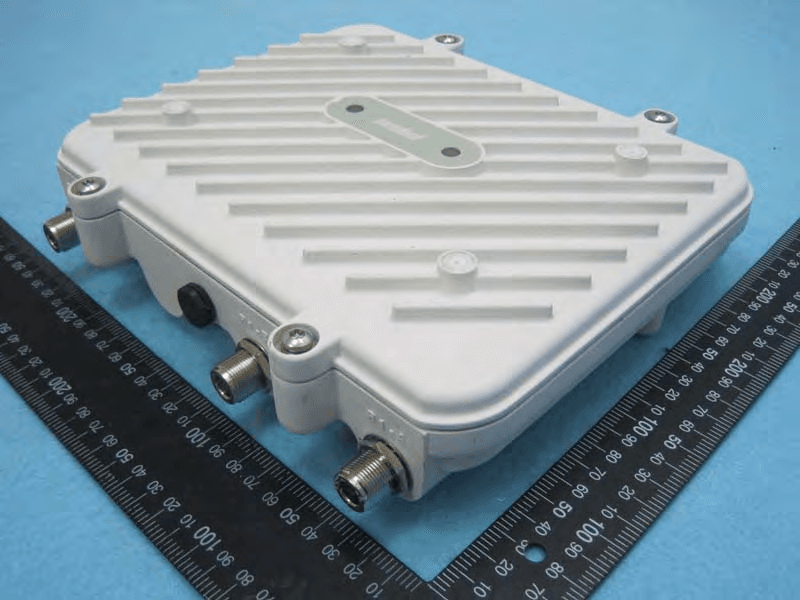
H9PAP7562
May 10, 2015802.11 abgn/ac Access Point
Equipment Class
DTS - Digital Transmission System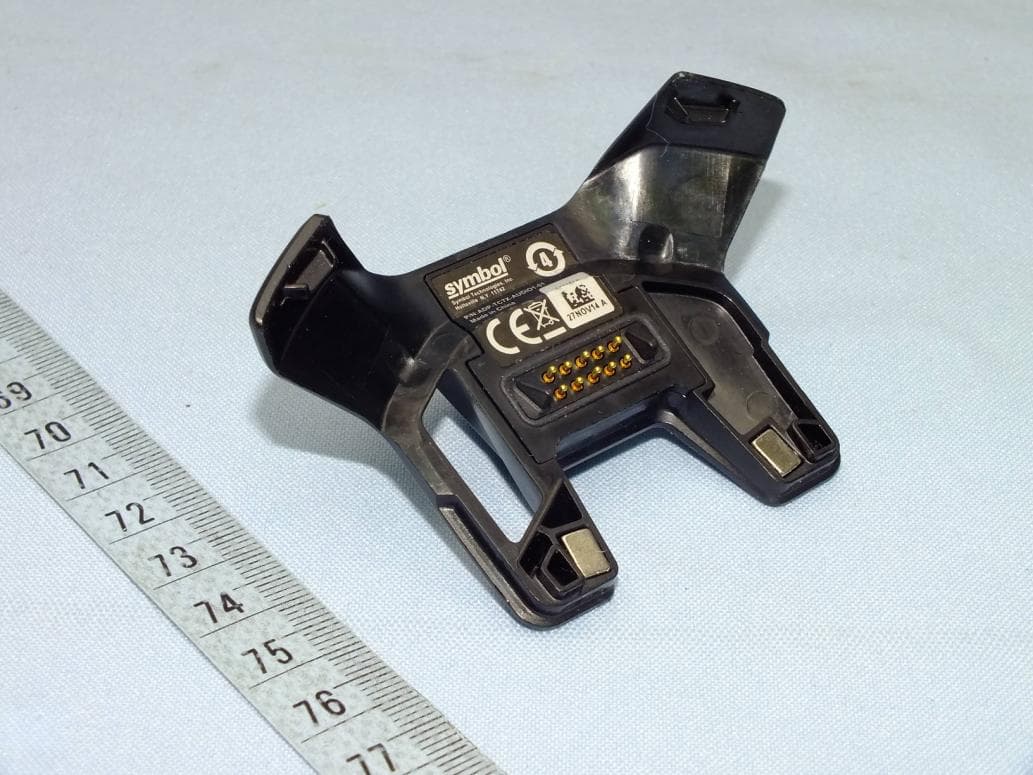
H9PTC75AH
Mar 26, 2015Touch Computer
Equipment Class
NII - Unlicensed National Information Infrastructure TX
H9PRA1202
Sep 24, 2014UHF Narrowband Radio Module
Equipment Class
TNB - Licensed Non-Broadcast Station Transmitter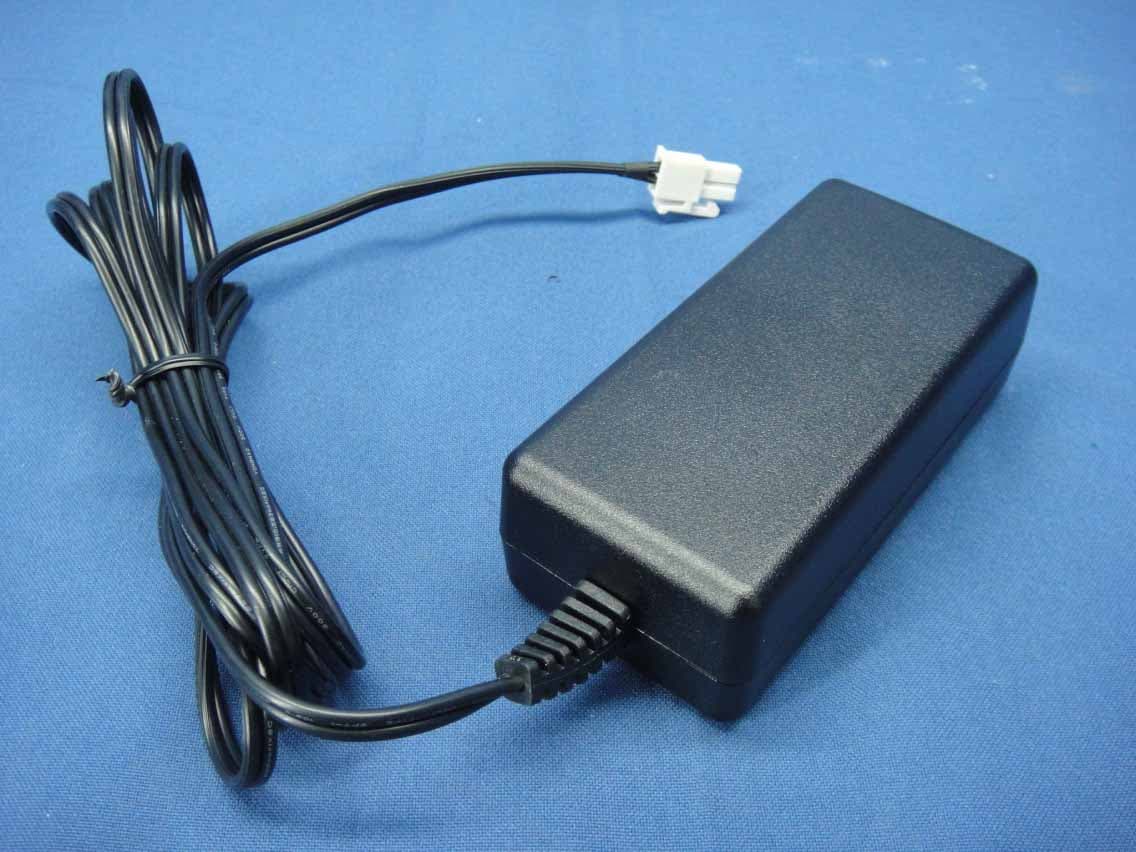
H9PEMG101
Aug 26, 2014802.15.4 Gateway
Equipment Class
DTS - Digital Transmission System