H9PMC55A0ENTERPRISE DIGITAL ASSISTANT (EDA)
Symbol Technologies Inc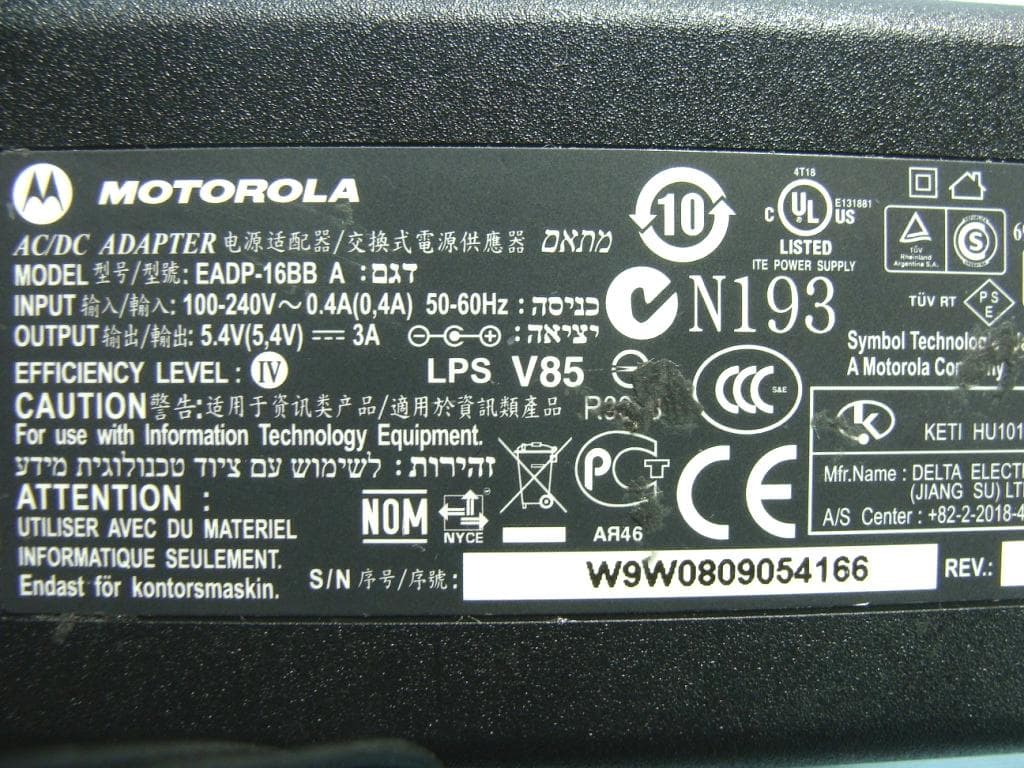
Click to zoom
Application Details
- Equipment Class
- DSS - Part 15 Spread Spectrum Transmitter
- Date of Grant
- Dec 02, 2010
- Application Purpose
- Original Equipment
- Date of Application
- Dec 02, 2010
- Equipment Note
- ENTERPRISE DIGITAL ASSISTANT (EDA)
- Frequency Range
- 2402.00000000 - 2480.00000000
- Company
- Symbol Technologies Inc
- Country
- United States
Documents & Files
Document Text
Text extracted from the exhibit documents filed with the FCC. Open a document above to read the original.
Users Manual
1 2 3 MC55 1 2 2 1 6 11 5 8 1 2 3 7 9 10 12 7 3 4 3 1 2 3 4 3 2 5 1 2 3 4 3 5 7 2 6 8 8 6 10 9 10 9 18 17 13 19 14 15 21 16 20 22 23 1 3 4 3 5 9 2 2 2 10 2 Create a Partnership Install ActiveSync ® Communicate with Host 1 Scan/Action Button 2 Up/Down Button 3 Microphone 4 Power Button 5 I/O Connector 6 Keypad 7 Scan/Action Button 8 Touch Screen (with screen protector) 9 Scan/Decode LED 10 Charging/Battery Status LED 11 Radio Status LED 12 Phone Speaker 13 Handstrap 14 Battery 15 Battery Latch 16 Camera Flash (optional) 17 Camera (optional) 18 Exit Window (see Data Capture Options) 19 Tether 20 Scan/Action Button 21 Action Button 22 Stylus 23 Speaker 1 Talk 2 Navigation 3 Soft Key 4 Scan/Action Button 5 End 6 Orange Key 7 Backlight 8 Blue Key 9 OK 10 Start Menu Note 1: To reset the MC55, press and hold the Power button for five (5) seconds. FEATURES PHONE SETUP COMMUNICATION GETTING STARTED - BATTERY INSTALLATION Numeric Keypad Alpha-Numeric Keypad PIM Keypad CHARGING SIM Card Installation (MC5574 only) Quick Start Guide Download ActiveSync ® 4.5 or higher from http://www.microsoft.com and follow the instructions to install ActiveSync onto the host computer. Follow the on-screen ActiveSync instructions to establish a connection between the MC55 and the host computer. Blue Key Use this key to access function keys shown on the keypad in blue. > Orange Key Use this key to access the secondary layer of characters and actions. > > > > > Press the Blue key once to activate this state temporarily, followed by another key. Press the Blue key twice to lock this state. Press the Blue key a third time to unlock. Press the Orange key once to activate this state temporarily, followed by another key. Press the Orange key twice to lock this state. Press the Orange key a third time to unlock. Notifications Charging/Battery Status LED: Scan/Decode LED: Slow blinking amber: Battery charging Solid amber: Fully charged Fast blinking amber: Charging error Red: Scanning active Green: Good Decode Scan/Decode Charging/Battery Status Radio Status Radio Status LED: Green: RF active Insert the Battery Remove the Battery 1. Insert the battery, bottom first, into the battery compartment. 2. Press down on the battery until the battery latch snaps into place. 3. Replace the handstrap. 1. Press the Power button. 2. Remove handstrap. 3. Slide battery latch to the right. The battery ejects slightly. 4. Grasp the battery and lift from the MC55. Charge the MC55 Charge the Battery Slow Blinking Amber = Charging Charging/Battery Status LED Solid Amber = Fully charged Fast Blinking Amber = Charging error Note: The 2400 mAh battery charges in less than four hours and the 3600 mAh battery charges in less than six hours. Use the Four-slot Battery Charger to charge batteries separately. 1. Remove battery pack. 2. Lift rubber access door. 3. Slide SIM card holder up to unlock. 4. Lift card holder. 5. Insert SIM card into SIM holder. NOTE : The proper position of the SIM card—the card connector (i.e., gold area) should be facing outwar d with the bevelled cor ner facing away. 6. Lower the SIM card holder down. 7. Slide SIM card holder down to lock into place. 8. Close rubber access door. 9. Reinstall battery pack. Enter Your PIN After installing the SIM card activate your mobile service connection. In most cases, SIM cards are preset with a PIN (Personal Identity Number), provided by your service provider. 1. Press the Power button to turn on the MC55. 2. Tap Start > Phone. 3. Enter the PIN from your service provider. 4. Tap Enter. Turn On the Phone Function 1. Launch the Wir eless Manager application. • On the Today screen, tap the Wir eless Manager icon. or • On the Today screen, tap the signal icon and select Wireless Manager. 2. On the Wireless Manager screen, tap Phone to turn on the phone function. The signal icon (wireless off) changes to (not connected) and then to (searching) indicating the MC55 is searching for a mobile connection. This may take a few seconds. The signal icon then changes to once a good mobile connection is established. Turn Off the Phone Function 1. Launch the Wir eless Manager application. • On the Today screen, tap the Wir eless Manager icon. or • On the Today screen, tap the signal icon and select Wireless Manager. 2. On the Wireless Manager screen, tap Phone to turn off phone function. Note: Remove protective shipping film that covers the touch screen, exit window and camera window before using. Press the Orange key once to lock the keypad into Alpha state. Press the Orange key a second time to return to the normal state. Press the Blue key once to activate this state, followed by another key. Blue Key Use this key to access function keys shown on the keypad in blue. > Orange Key Use this key to access the secondary layer of characters. > > 4 (Note 1) Use the Single-slot cradles (USB or Ethernet/Modem/USB), Four-slot cradles (Charge Only or Ethernet) or cables to charge the battery in the MC55. You can also charge a spare battery using the Single-slot cradle. AVOID EXTREME WRIST ANGLESAVOID EXTREME WRIST ANGLESAVOID EXTREME WRIST ANGLES MC5590 MC5574 MC55A0 MC55 Laser Scanning AVOID EXTREME WRIST ANGLES Screen Protector Charge Only Cable Motorola recommends the continued use of a screen protector to minimize wear and tear. Screen protectors enhance the usability and durability of touch screen displays. Benefits include: • Protection from scratches and gouges • Durable writing and touch surface with tactile feel • Abrasion and chemical resistance • Glare reduction • Keeping the device’s screen looking like new • Quick and easy installation. Not using a screen protector can affect your warranty coverage. An initial screen protector is already applied to your MC55. Contact your local account manager or Motorola, Inc. for more information and purchasing details. Part number: KT-67525-01R Screen Protector 3/pk. Quick Start Guide MOTOROLA, MOTO, MOTOROLA SOLUTIONS and the Stylized M Logo are trademarks or r…
Text truncated - open the document above for the full version.
Users Manual
Motorola reserves the right to make changes to any product to improve reliability, function, or design. Motorola does not assume any product liability arising out of, or in connection with, the application or use of any product, circuit, or application described herein. No license is granted, either expressly or by implication, estoppel, or otherwise under any patent right or patent, covering or relating to any combination, system, apparatus, machine, material, method, or process in which Motorola products might be used. An implied license exists only for equipment, circuits, and subsystems contained in Motorola products. Warranty For the complete Motorola hardware product warranty statement, go to: http://www.motorola.com/enterprisemobility/warranty. Service Information If you have a problem using the equipment, contact your facility’s Technical or Systems Support. If there is a problem with the equipment, they will contact the Motorola Enterprise Mobility Support at: http://www.motorola.com/enterprisemobility/contactsupport. For the latest version of this guide go to: http://supportcentral.motorola.com. Motorola, Inc. One Motorola Plaza Holtsville, New York 11742, USA 1-800-927-9626 http://www.motorola.com/enterprisemobility MOTOROLA, MOTO, MOTOROLA SOLUTIONS and the Stylized M Logo are trademarks or registered trademarks of Motorola Trademark Holdings, LLC and are used under license. All other trademarks are the property of their respective owners. © 2010 Motorola, Inc. All rights reserved. 72-108860-02 Revision A — October 2010 MC55 Regulatory Guide Regulatory Information This device is approved under the Symbol Technologies brand; Symbol Technologies, Inc., is the Enterprise Mobility business of Motorola, Inc. (“Motorola”). This guide applies to the following Model Numbers: MC5574, MC5590, MC55A0. All Symbol devices are designed to be compliant with rules and regulations in locations they are sold and will be labeled as required. Any changes or modifications to Symbol equipment, not expressly approved by Symbol, could void the user's authority to operate the equipment. Declared maximum operating temperature: 50°C. This guide is available in local languages, translations can be downloaded from the following website: http://supportcentral.motorola.com. UL Listed Products with GPS Underwriters Laboratories Inc. (UL) has not tested the performance or reliability of the Global Positioning System (GPS) hardware, operating software or other aspects of this product. UL has only tested for fire, shock or casualties as outlined in UL’s Standard(s) for Safety for Information Technology Equipment, UL60950-1. UL Certification does not cover the performance or reliability of the GPS hardware and GPS operating software. UL MAKES NO REPRESENTATIONS, WARRANTIES OR ERTIFICATIONS WHATSOEVER REGARDING THE PERFORMANCE OR RELIABILITY OF ANY GPS RELATED FUNCTIONS OF THIS PRODUCT. Bluetooth ® Wireless Technology This is an approved Bluetooth product. For more information or to view the End Product Listing, please visit http://www.bluetooth.org/tpg/listings.cfm. Wireless Devices Country Approvals Regulatory markings, subject to certification, are applied to the device signifying the radio(s) are approved for use in the following countries: United States, Canada, Japan 2 , S. Korea 2 , Australia, and Europe 1 . Please refer to the Motorola / Symbol Declaration of Conformity (DoC) for details of other country markings. This is available at http://www.motorola.com/doc. Country Roaming This device incorporates the International Roaming feature (IEEE802.11d) which will ensure the product operates on the correct channels for the particular country of use. Ad-Hoc Operation 2 Ad-Hoc operation is limited to Channels 36-48 (5150-5250 MHz). Use of this band is restricted to Indoor Use Only, any other use will make the operation of this device illegal. Frequency of Operation – FCC and IC 5 GHz Only 2 The use in the UNII (Unlicensed National Information Infrastructure) band 1 5150-5250 MHz band is restricted to Indoor Use Only; any other use will make the operation of this device illegal. 2.4 GHz Only The available channels for 802.11 b/g operation in the US are Channels 1 to 11. The range of channels is limited by firmware. Note 1: Europe includes Austria, Belgium, Bulgaria, Czech Republic, Cyprus, Denmark, Estonia, Finland, France, Germany, Greece, Hungary, Iceland, Ireland, Italy, Latvia, Liechtenstein, Lithuania, Luxembourg, Malta, Netherlands, Norway, Poland, Portugal, Romania, Slovak Republic, Slovenia, Spain, Sweden, Switzerland and the United Kingdom. Note 2: MC5590 only. Health and Safety Recommendations Ergonomic Recommendations • Reduce or eliminate repetitive motion • Maintain a neutral postures • Reduce or eliminate excessive force • Keep objects that are used frequently within easy reach • Perform tasks at correct heights • Reduce or eliminate vibration • Reduce or eliminate direct pressure • Provide adjustable workstations • Provide adequate clearance • Provide a suitable working environment • Improve work procedures • Alternate hands whenever possible when performing a repetitive task. Vehicle Installation RF signals may affect improperly installed or inadequately shielded electronic systems in motor vehicles (including safety systems). Check with the manufacturer or its representative regarding your vehicle. You should also consult the manufacturer of any equipment that has been added to your vehicle. An air bag inflates with great force. DO NOT place objects, including either installed or portable wireless equipment, in the area over the air bag or in the air bag deployment area. If in-vehicle wireless equipment is improperly installed and the air bag inflates, serious injury could result. Position your device within easy reach. Be able to access your device without removing your eyes from the road. Note: Connection to an alert device that will cause a vehicle horn to sound or lights to flash, on recei…
Text truncated - open the document above for the full version.
Cover Letter(s)
Symbol Technologies, Inc. A Motorola Company • One Motorola Plaza, Holtsville, NY 11742-1300 • 1.631.738.5134 November 9, 2010 Regulatory Engineering Federal Communications Commission Office of Engineering and Technology Equipment Authorization Division 7345 Oakland Mills Road Columbia MD 21046 Subject: Request for Permanent Confidentiality FCC ID: H9PMC55A0 To the Commission: Pursuant to Sections 0.457 and 0.459 of the Commission’s Rules, the Applicant Hereby requests confidential treatment of information accompanying this Application As outlined below: EXHIBIT (12) Operational Description EXHIBIT (4) Block Diagram EXHIBIT (5) Schematic Diagrams EXHIBIT (5) Parts List The above materials contain trade secrets and proprietary information not customarily released to the public. The public disclosure of these matters might be harmful to the Applicant and provide unjustified benefits to its competitors. The Applicant understands that pursuant to Rule 0.457, disclosure of this Application and all accompanying documentation will not be made before the date of the Grant for this application Respectfully, Mark S. Luksich DMTS, Regulatory Engineering 631-738-5134 [email protected]
Cover Letter(s)
Symbol Technologies, Inc. A Motorola Company • One Motorola Plaza, Holtsville, NY 11742-1300 • 1.631.738.5134 November 9, 2010 Regulatory Engineering Federal Communications Commission Office of Engineering and Technology Equipment Authorization Division 7345 Oakland Mills Road Columbia MD 21046 Subject: Declaration of Conformity for FCC ID: H9PMC55A0 To the Commission: We Motorola Inc., as the grantee of this device with FCC ID: H9PMC55A0, declare that the composite portion categorized as computer peripheral has been authorized under the Declaration of Conformity procedures. Respectfully, Mark S. Luksich DMTS, Regulatory Engineering 631-738-5134 [email protected]
Cover Letter(s)
Symbol Technologies Inc One Motorola Plaza, Holtsville, New York 11742, United States Tel: 631-738-5134 ; Fax: 631 738-3915 Date: November 9, 2010 Power of Attorney To whom it may concern, Please be notified that I, Mark S. Luksich, have designated Roy Wu in Sporton International Inc. as the person being responsible for this project and to sign the form 731 and other documentation. Any and all acts carried out by Roy Wu in Sporton International Inc. on the matters of relating to all processes required in the FCC approval and any communication needed with the national authority, shall have the same legal authority as acts on our own behalf. We further certifies that neither the applicant nor any party to this application, as defined in 47 CFR Ch. 1.2002 (b), is subject to a denial to Federal benefits, that include FCC benefits, pursuant to section 5301 of the Anti-Drug Abuse Act of 1998, 21 U.S.C. 835(a). This authorization is limited to the product of as following: FCC ID: H9PMC55A0 If you have any acknowledgement and response, please send it to Sporton International Inc. directly. Should you have any questions or comments regarding this matter, please have my best attention. Respectfully, Contact Person: Mark S. Luksich Company: Symbol Technologies Inc TEL: 631-738-5134 FAX: 631 738-3915 E-mail: [email protected]
Cover Letter(s)
Symbol Technologies, a wholly owned subsidiary of Motorola Inc. • One Motorola Plaza, Holtsville, NY 11742-1300 • 1.631.738.5134 • www.symbol.com December 2, 2010 Regulatory Engineering Federal Communications Commission Office of Engineering and Technology Equipment Authorization Division 7345 Oakland Mills Road Columbia MD 21046 Subject: No 3 rd Party Access FCC ID: H9PMC55A0 To the Commission: We, Symbol Technologies, Inc., hereby declare that no third party will have software, or configuration control, to program the device out of compliance of the technical rules under which it has been certified. The function of this end product may not be changed by the end user. Respectfully, Mark S. Luksich DMTS, Regulatory Engineering 631-738-5134 [email protected]
External Photos
Photographs of EUT Report No.: EP0O0411 Brand Name: Motorola / Model Name: MC55A0 SPORTON INTERNATIONAL INC. Page Number : 1 of 38 TEL : 886-3-327-3456 Report Issued Date : Nov. 15, 2010 FAX : 886-3-328-4978 Report Version : Rev. 01 FCC ID : H9PMC55A0 IC : 1549D-MC55A0 1. External Photograph of EUT Qwerty Keypad + 1D Scanner Photographs of EUT Report No.: EP0O0411 Brand Name: Motorola / Model Name: MC55A0 SPORTON INTERNATIONAL INC. Page Number : 2 of 38 TEL : 886-3-327-3456 Report Issued Date : Nov. 15, 2010 FAX : 886-3-328-4978 Report Version : Rev. 01 FCC ID : H9PMC55A0 IC : 1549D-MC55A0 Photographs of EUT Report No.: EP0O0411 Brand Name: Motorola / Model Name: MC55A0 SPORTON INTERNATIONAL INC. Page Number : 3 of 38 TEL : 886-3-327-3456 Report Issued Date : Nov. 15, 2010 FAX : 886-3-328-4978 Report Version : Rev. 01 FCC ID : H9PMC55A0 IC : 1549D-MC55A0 Qwerty Keypad + 2D Scanner Photographs of EUT Report No.: EP0O0411 Brand Name: Motorola / Model Name: MC55A0 SPORTON INTERNATIONAL INC. Page Number : 4 of 38 TEL : 886-3-327-3456 Report Issued Date : Nov. 15, 2010 FAX : 886-3-328-4978 Report Version : Rev. 01 FCC ID : H9PMC55A0 IC : 1549D-MC55A0 Photographs of EUT Report No.: EP0O0411 Brand Name: Motorola / Model Name: MC55A0 SPORTON INTERNATIONAL INC. Page Number : 5 of 38 TEL : 886-3-327-3456 Report Issued Date : Nov. 15, 2010 FAX : 886-3-328-4978 Report Version : Rev. 01 FCC ID : H9PMC55A0 IC : 1549D-MC55A0 Numeric Keypad + 1D Scanner Photographs of EUT Report No.: EP0O0411 Brand Name: Motorola / Model Name: MC55A0 SPORTON INTERNATIONAL INC. Page Number : 6 of 38 TEL : 886-3-327-3456 Report Issued Date : Nov. 15, 2010 FAX : 886-3-328-4978 Report Version : Rev. 01 FCC ID : H9PMC55A0 IC : 1549D-MC55A0 Photographs of EUT Report No.: EP0O0411 Brand Name: Motorola / Model Name: MC55A0 SPORTON INTERNATIONAL INC. Page Number : 7 of 38 TEL : 886-3-327-3456 Report Issued Date : Nov. 15, 2010 FAX : 886-3-328-4978 Report Version : Rev. 01 FCC ID : H9PMC55A0 IC : 1549D-MC55A0 Numeric Keypad + 2D Scanner Photographs of EUT Report No.: EP0O0411 Brand Name: Motorola / Model Name: MC55A0 SPORTON INTERNATIONAL INC. Page Number : 8 of 38 TEL : 886-3-327-3456 Report Issued Date : Nov. 15, 2010 FAX : 886-3-328-4978 Report Version : Rev. 01 FCC ID : H9PMC55A0 IC : 1549D-MC55A0 Photographs of EUT Report No.: EP0O0411 Brand Name: Motorola / Model Name: MC55A0 SPORTON INTERNATIONAL INC. Page Number : 9 of 38 TEL : 886-3-327-3456 Report Issued Date : Nov. 15, 2010 FAX : 886-3-328-4978 Report Version : Rev. 01 FCC ID : H9PMC55A0 IC : 1549D-MC55A0 PIM Keypad + 1D Scanner Photographs of EUT Report No.: EP0O0411 Brand Name: Motorola / Model Name: MC55A0 SPORTON INTERNATIONAL INC. Page Number : 10 of 38 TEL : 886-3-327-3456 Report Issued Date : Nov. 15, 2010 FAX : 886-3-328-4978 Report Version : Rev. 01 FCC ID : H9PMC55A0 IC : 1549D-MC55A0 Photographs of EUT Report No.: EP0O0411 Brand Name: Motorola / Model Name: MC55A0 SPORTON INTERNATIONAL INC. Page Number : 11 of 38 TEL : 886-3-327-3456 Report Issued Date : Nov. 15, 2010 FAX : 886-3-328-4978 Report Version : Rev. 01 FCC ID : H9PMC55A0 IC : 1549D-MC55A0 PIM Keypad + 2D Scanner Photographs of EUT Report No.: EP0O0411 Brand Name: Motorola / Model Name: MC55A0 SPORTON INTERNATIONAL INC. Page Number : 12 of 38 TEL : 886-3-327-3456 Report Issued Date : Nov. 15, 2010 FAX : 886-3-328-4978 Report Version : Rev. 01 FCC ID : H9PMC55A0 IC : 1549D-MC55A0 720510 Photographs of EUT Report No.: EP0O0411 Brand Name: Motorola / Model Name: MC55A0 SPORTON INTERNATIONAL INC. Page Number : 13 of 38 TEL : 886-3-327-3456 Report Issued Date : Nov. 15, 2010 FAX : 886-3-328-4978 Report Version : Rev. 01 FCC ID : H9PMC55A0 IC : 1549D-MC55A0 List of Accessory: Specification of Accessory AC Adapter Brand Name MOTOROLA Model Name EADP-16BB A Battery 1 Brand Name MOTOROLA Model Name 82-111094-01 Battery 2 Brand Name MOTOROLA Model Name 82-107172-01 USB Cable Brand Name MOTOROLA Model Name 25-108022-01R Holster-Rigid Brand Name MOTOROLA Model Name SG-MC5511110-01R Holster-Soft Brand Name MOTOROLA Model Name SG-MC5521110-01R Remark: For accessories equipped with this EUT, please refer to the following photos. 2. Photograph of Accessory Photographs of EUT Report No.: EP0O0411 Brand Name: Motorola / Model Name: MC55A0 SPORTON INTERNATIONAL INC. Page Number : 14 of 38 TEL : 886-3-327-3456 Report Issued Date : Nov. 15, 2010 FAX : 886-3-328-4978 Report Version : Rev. 01 FCC ID : H9PMC55A0 IC : 1549D-MC55A0 Photographs of EUT Report No.: EP0O0411 Brand Name: Motorola / Model Name: MC55A0 SPORTON INTERNATIONAL INC. Page Number : 15 of 38 TEL : 886-3-327-3456 Report Issued Date : Nov. 15, 2010 FAX : 886-3-328-4978 Report Version : Rev. 01 FCC ID : H9PMC55A0 IC : 1549D-MC55A0 Photographs of EUT Report No.: EP0O0411 Brand Name: Motorola / Model Name: MC55A0 SPORTON INTERNATIONAL INC. Page Number : 16 of 38 TEL : 886-3-327-3456 Report Issued Date : Nov. 15, 2010 FAX : 886-3-328-4978 Report Version : Rev. 01 FCC ID : H9PMC55A0 IC : 1549D-MC55A0 Photographs of EUT Report No.: EP0O0411 Brand Name: Motorola / Model Name: MC55A0 SPORTON INTERNATIONAL INC. Page Number : 17 of 38 TEL : 886-3-327-3456 Report Issued Date : Nov. 15, 2010 FAX : 886-3-328-4978 Report Version : Rev. 01 FCC ID : H9PMC55A0 IC : 1549D-MC55A0 Photographs of EUT Report No.: EP0O0411 Brand Name: Motorola / Model Name: MC55A0 SPORTON INTERNATIONAL INC. Page Number : 18 of 38 TEL : 886-3-327-3456 Report Issued Date : Nov. 15, 2010 FAX : 886-3-328-4978 Report Version : Rev. 01 FCC ID : H9PMC55A0 IC : 1549D-MC55A0 Photographs of EUT Report No.: EP0O0411 Brand Name: Motorola / Model Name: MC55A0 SPORTON INTERNATIONAL INC. Page Number : 19 of 38 TEL : 886-3-327-3456 Report Issued Date : Nov. 15, 2010 FAX : 886-3-328-4978 Report Version : Rev. 01 FCC ID : H9PMC55A0 IC : 1549D-MC55A0 Photographs of EUT Report No.: EP0O0411 Brand Name: Motorola / Model Name: MC55A0 SPORTON INTERNATIONAL INC. Page Number : 20 of 38 TEL : 886-3-327-3456 Report Issued…
Text truncated - open the document above for the full version.
ID Label/Location Info
FCC ID: H9PMC55A0 Label Location The Battery and EDA are packed separated in the box, when user is taking the EDA, the FCC ID label will be visible. Rear side of EUT FCC Label Battery compartment
ID Label/Location Info
V2 1510- Paper / Other Label(外購+自印) V1New 2010/09/24 FCC IDIC 2010/10/11 V2 V3 PART NO. DRAFTER PART NAME MODEL NO. MATERIAL 材質 代號 Product Unit 整捲入料 出 紙 方 向 PCT9250LBW-D97(ROHS) Emma_Feng 50#白色特多龍(亮面壓花膠) Joint-Regulatory Manufacturing Label (55A0) Notes: 1.供應商: 2.被貼物材質:PC GE EXL 9330 塑件機器下蓋(無咬花) 3.印刷:黑色印刷 4.PGJI2的UL原材代碼:YC-HTLW50-2 5.碳帶型號:B110CR 99.10.11 HTLW50 COMPLIES WITH 21 CFR1040.10 AND 1040.11 EXCEPT FOR DEVIATIONSPURSUANT TO LASER NOTICE NO. 50, DATED JUNE 24, 2007 ANDIEC 60825 (Ed. 2.0), EN60825-1:2007. PART: MC55A0-XXXXXX S/N BAR CODE (S)SN: XXXXXXXXXXXX 2.5R*4 57.2mm 71.1mm MFD: XXXXXXX X FCC ID: H9PMC55A0 IC: 1549D-MC55A0 24.5mm 2 Factory ID 3.0mm 2.4mm 5.2mm MC55A0
Internal Photos
Photographs of EUT Report No.: EP0O0411 Brand Name: Motorola / Model Name: MC55A0 SPORTON INTERNATIONAL INC. Page Number : 24 of 38 TEL : 886-3-327-3456 Report Issued Date : Nov. 15, 2010 FAX : 886-3-328-4978 Report Version : Rev. 01 FCC ID : H9PMC55A0 IC : 1549D-MC55A0 3. Internal Photograph of EUT Qwerty Key + 1D Scanner Photographs of EUT Report No.: EP0O0411 Brand Name: Motorola / Model Name: MC55A0 SPORTON INTERNATIONAL INC. Page Number : 25 of 38 TEL : 886-3-327-3456 Report Issued Date : Nov. 15, 2010 FAX : 886-3-328-4978 Report Version : Rev. 01 FCC ID : H9PMC55A0 IC : 1549D-MC55A0 Photographs of EUT Report No.: EP0O0411 Brand Name: Motorola / Model Name: MC55A0 SPORTON INTERNATIONAL INC. Page Number : 26 of 38 TEL : 886-3-327-3456 Report Issued Date : Nov. 15, 2010 FAX : 886-3-328-4978 Report Version : Rev. 01 FCC ID : H9PMC55A0 IC : 1549D-MC55A0 Qwerty Key + 2D Scanner Photographs of EUT Report No.: EP0O0411 Brand Name: Motorola / Model Name: MC55A0 SPORTON INTERNATIONAL INC. Page Number : 27 of 38 TEL : 886-3-327-3456 Report Issued Date : Nov. 15, 2010 FAX : 886-3-328-4978 Report Version : Rev. 01 FCC ID : H9PMC55A0 IC : 1549D-MC55A0 Photographs of EUT Report No.: EP0O0411 Brand Name: Motorola / Model Name: MC55A0 SPORTON INTERNATIONAL INC. Page Number : 28 of 38 TEL : 886-3-327-3456 Report Issued Date : Nov. 15, 2010 FAX : 886-3-328-4978 Report Version : Rev. 01 FCC ID : H9PMC55A0 IC : 1549D-MC55A0 Numeric Keypad + 1D Scanner Photographs of EUT Report No.: EP0O0411 Brand Name: Motorola / Model Name: MC55A0 SPORTON INTERNATIONAL INC. Page Number : 29 of 38 TEL : 886-3-327-3456 Report Issued Date : Nov. 15, 2010 FAX : 886-3-328-4978 Report Version : Rev. 01 FCC ID : H9PMC55A0 IC : 1549D-MC55A0 Photographs of EUT Report No.: EP0O0411 Brand Name: Motorola / Model Name: MC55A0 SPORTON INTERNATIONAL INC. Page Number : 30 of 38 TEL : 886-3-327-3456 Report Issued Date : Nov. 15, 2010 FAX : 886-3-328-4978 Report Version : Rev. 01 FCC ID : H9PMC55A0 IC : 1549D-MC55A0 Numeric Keypad + 2D Scanner Photographs of EUT Report No.: EP0O0411 Brand Name: Motorola / Model Name: MC55A0 SPORTON INTERNATIONAL INC. Page Number : 31 of 38 TEL : 886-3-327-3456 Report Issued Date : Nov. 15, 2010 FAX : 886-3-328-4978 Report Version : Rev. 01 FCC ID : H9PMC55A0 IC : 1549D-MC55A0 Photographs of EUT Report No.: EP0O0411 Brand Name: Motorola / Model Name: MC55A0 SPORTON INTERNATIONAL INC. Page Number : 32 of 38 TEL : 886-3-327-3456 Report Issued Date : Nov. 15, 2010 FAX : 886-3-328-4978 Report Version : Rev. 01 FCC ID : H9PMC55A0 IC : 1549D-MC55A0 PIM Keypad + 1D Scanner Photographs of EUT Report No.: EP0O0411 Brand Name: Motorola / Model Name: MC55A0 SPORTON INTERNATIONAL INC. Page Number : 33 of 38 TEL : 886-3-327-3456 Report Issued Date : Nov. 15, 2010 FAX : 886-3-328-4978 Report Version : Rev. 01 FCC ID : H9PMC55A0 IC : 1549D-MC55A0 Photographs of EUT Report No.: EP0O0411 Brand Name: Motorola / Model Name: MC55A0 SPORTON INTERNATIONAL INC. Page Number : 34 of 38 TEL : 886-3-327-3456 Report Issued Date : Nov. 15, 2010 FAX : 886-3-328-4978 Report Version : Rev. 01 FCC ID : H9PMC55A0 IC : 1549D-MC55A0 PIM Keypad + 2D Scanner Photographs of EUT Report No.: EP0O0411 Brand Name: Motorola / Model Name: MC55A0 SPORTON INTERNATIONAL INC. Page Number : 35 of 38 TEL : 886-3-327-3456 Report Issued Date : Nov. 15, 2010 FAX : 886-3-328-4978 Report Version : Rev. 01 FCC ID : H9PMC55A0 IC : 1549D-MC55A0 Photographs of EUT Report No.: EP0O0411 Brand Name: Motorola / Model Name: MC55A0 SPORTON INTERNATIONAL INC. Page Number : 36 of 38 TEL : 886-3-327-3456 Report Issued Date : Nov. 15, 2010 FAX : 886-3-328-4978 Report Version : Rev. 01 FCC ID : H9PMC55A0 IC : 1549D-MC55A0 WLAN Main Antenna <Tx / Rx> Photographs of EUT Report No.: EP0O0411 Brand Name: Motorola / Model Name: MC55A0 SPORTON INTERNATIONAL INC. Page Number : 37 of 38 TEL : 886-3-327-3456 Report Issued Date : Nov. 15, 2010 FAX : 886-3-328-4978 Report Version : Rev. 01 FCC ID : H9PMC55A0 IC : 1549D-MC55A0 WLAN Aux Antenna <Rx only> Photographs of EUT Report No.: EP0O0411 Brand Name: Motorola / Model Name: MC55A0 SPORTON INTERNATIONAL INC. Page Number : 38 of 38 TEL : 886-3-327-3456 Report Issued Date : Nov. 15, 2010 FAX : 886-3-328-4978 Report Version : Rev. 01 FCC ID : H9PMC55A0 IC : 1549D-MC55A0 720510 Bluetooth Antenna <Tx / Rx>
RF Exposure Info
SPORTON INTERNATIONAL INC. Page Number : 1 of 39 TEL : 886-3-327-3456 Report Issued Date : Nov. 19, 2010 FAX : 886-3-328-4978 Report Version : Rev. 01 FCC ID : H9PMC55A0 FCC SAR Test Report Report No. : FA0O0411 FCC SAR Test Report APPLICANT : Symbol Technologies Inc. EQUIPMENT : Enterprise Digital Assistant (EDA) BRAND NAME : Motorola MODEL NAME : MC55A0 FCC ID : H9PMC55A0 STANDARD : FCC 47 CFR Part 2 (2.1093) IEEE C95.1-1999 IEEE 1528-2003 FCC OET Bulletin 65 Supplement C (Edition 01-01) The product was received on Oct. 04, 2010 and completely tested on Nov. 12, 2010. We, SPORTON INTERNATIONAL INC., would like to declare that the tested sample has been evaluated in accordance with the procedures and shown the compliance with the applicable technical standards. The test results in this report apply exclusively to the tested model / sample. Without written approval of SPORTON INTERNATIONAL INC., the test report shall not be reproduced except in full. Reviewed by: Roy Wu / Manager SPORTON INTERNATIONAL INC. No. 52, Hwa Ya 1 st Rd., Hwa Ya Technology Park, Kwei-Shan Hsiang, Tao Yuan Hsien, Taiwan, R.O.C. SPORTON INTERNATIONAL INC. Page Number : 2 of 39 TEL : 886-3-327-3456 Report Issued Date : Nov. 19, 2010 FAX : 886-3-328-4978 Report Version : Rev. 01 FCC ID : H9PMC55A0 FCC SAR Test Report Report No. : FA0O0411 Table of Contents Revision History ................................................................................................................................................................ 3 1. Statement of Compliance .......................................................................................................................................... 4 2. Administration Data ................................................................................................................................................... 5 2.1 Testing Laboratory ............................................................................................................................................ 5 2.2 Applicant ........................................................................................................................................................... 5 2.3 Manufacturer .................................................................................................................................................... 5 2.4 Application Details ............................................................................................................................................ 5 3. General Information ................................................................................................................................................... 6 3.1 Description of Device Under Test (DUT) ...........................…
Text truncated - open the document above for the full version.
Contact Information
Applicant
Qianlin Zhou(Regulatory Specialist)
Test Firm
Sporton International Inc.Alex Chen
Technical Specifications
| # | Rule Parts | Frequency Range | Power Output |
|---|---|---|---|
| 1 | 15C | 2.40 GHz - 2.48 GHz | 2.00 mW |
Other Applications from Symbol Technologies Inc

H9PCCHUB1
Jun 30, 2015Customer Concierge
Equipment Class
NII - Unlicensed National Information Infrastructure TX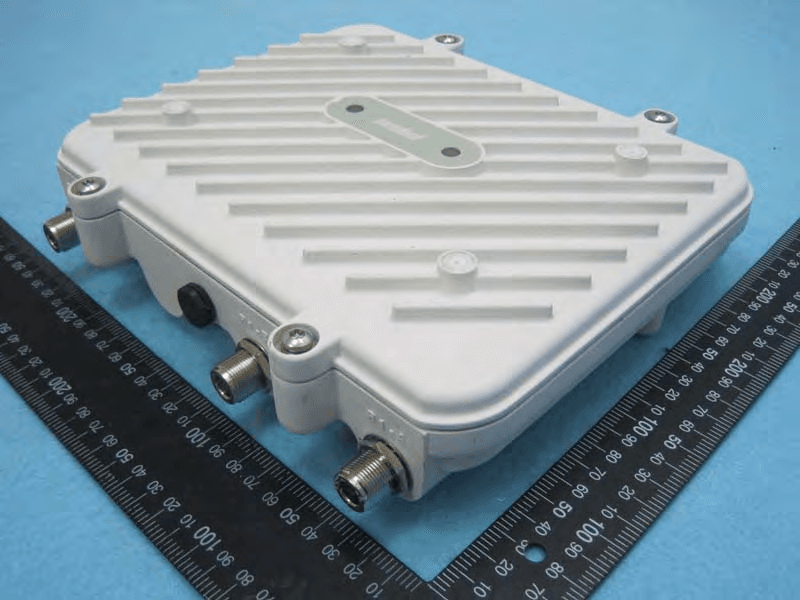
H9PAP7562
May 10, 2015802.11 abgn/ac Access Point
Equipment Class
DTS - Digital Transmission System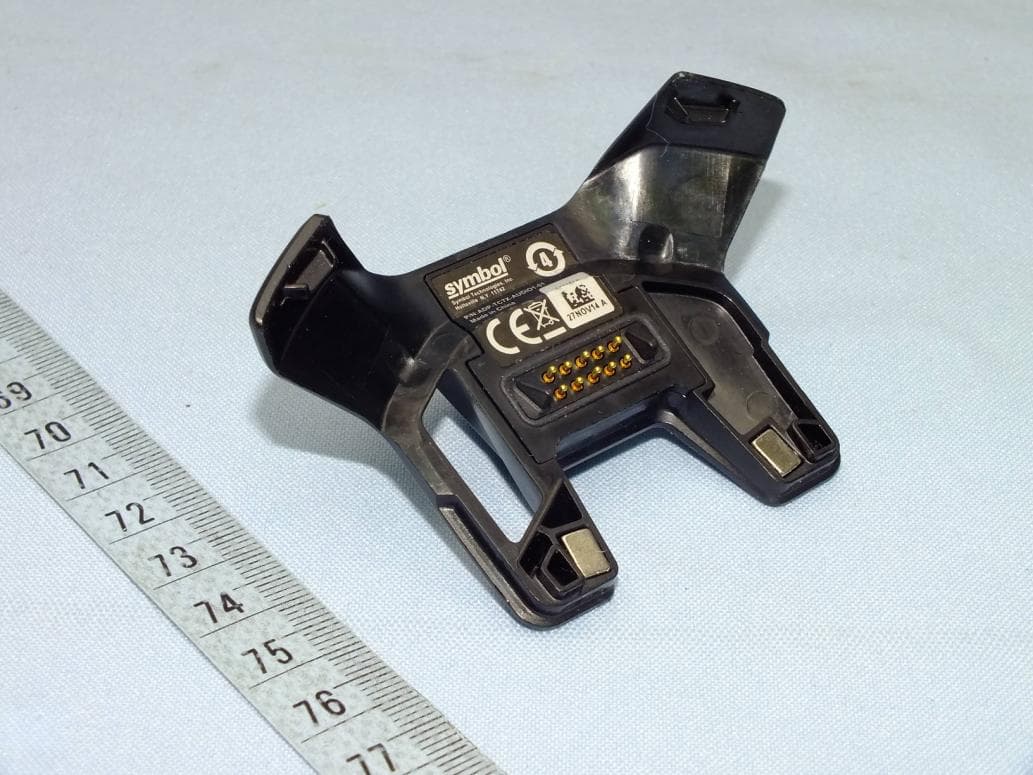
H9PTC75AH
Mar 26, 2015Touch Computer
Equipment Class
NII - Unlicensed National Information Infrastructure TX
H9PRA1202
Sep 24, 2014UHF Narrowband Radio Module
Equipment Class
TNB - Licensed Non-Broadcast Station Transmitter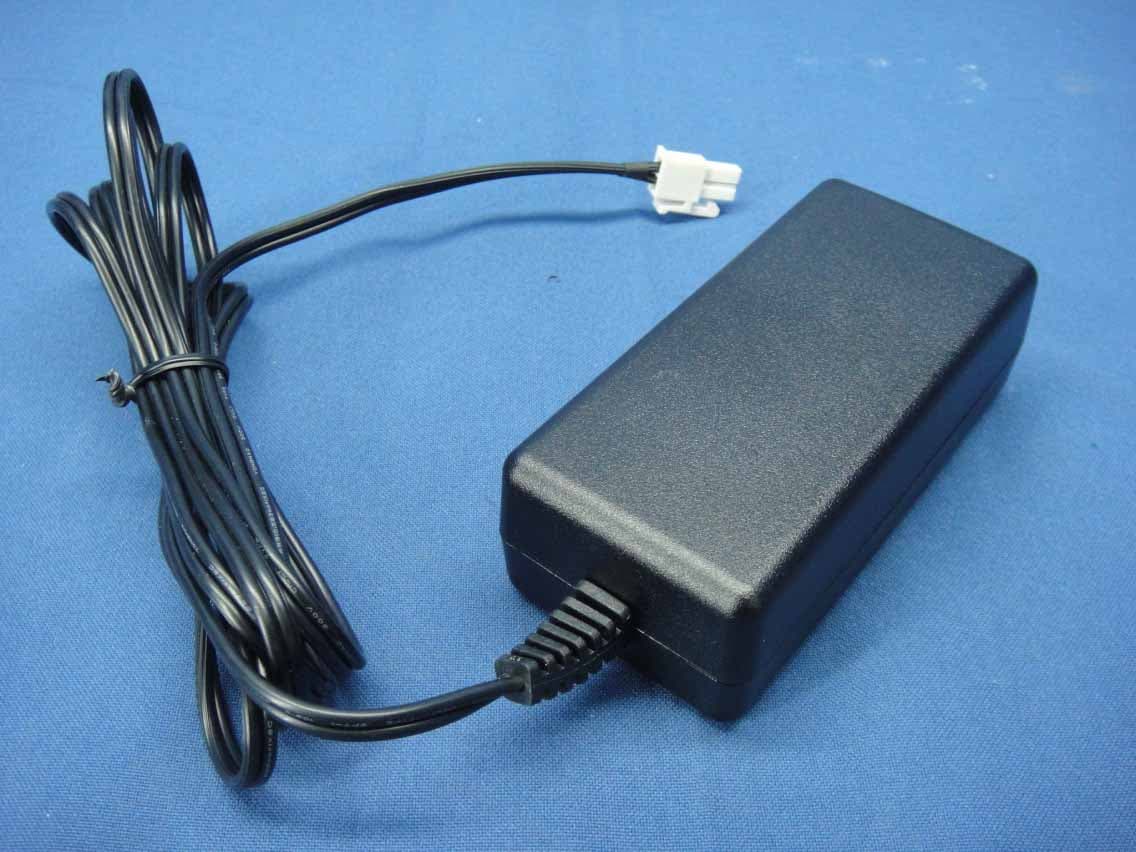
H9PEMG101
Aug 26, 2014802.15.4 Gateway
Equipment Class
DTS - Digital Transmission System