HQXTT02TPMS Trigger
Sysgration Ltd.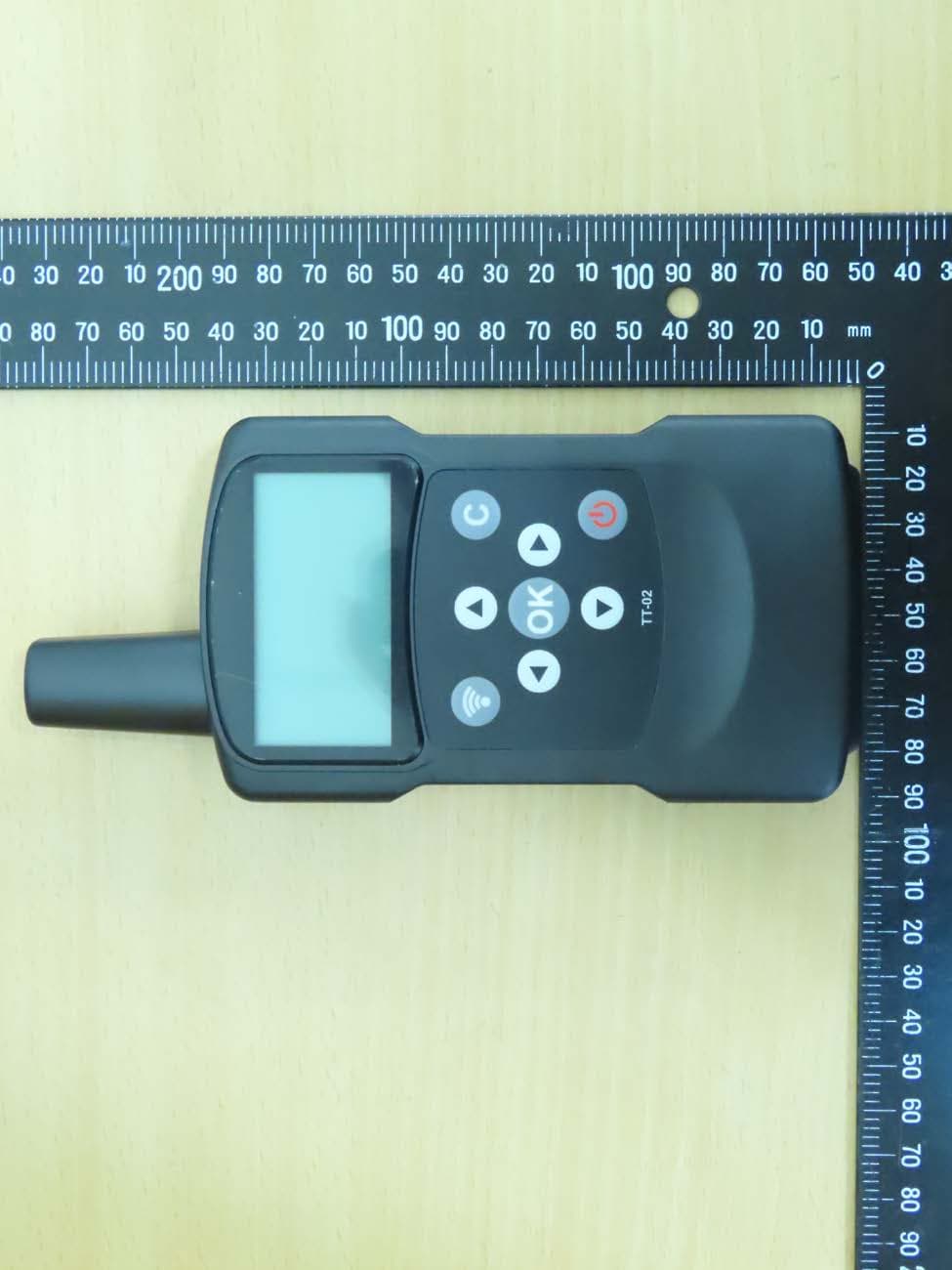
Click to zoom
Application Details
- Equipment Class
- DCD - Part 15 Low Power Transmitter Below 1705 kHz
- Date of Grant
- May 27, 2020
- Application Purpose
- Original Equipment
- Date of Application
- May 27, 2020
- Equipment Note
- TPMS Trigger
- Frequency Range
- 0.12500000 - 0.12500000
- Company
- Sysgration Ltd.
- Country
- Taiwan
Documents & Files
Document Text
Text extracted from the exhibit documents filed with the FCC. Open a document above to read the original.
Users Manual
TPMS TT02 User Guide Sysgration Confidential 1 TPMS Trigger Tool TT02 User Guide V0.2 Prepared by: Sysgration Inc. Cooperation TPMS TT02 User Guide Sysgration Confidential 2 Outline Button UI: .................................................................................................................................... 3 User Guide: ................................................................................................................................. 5 TT02 RS232 command settings ................................................................................................ 14 FW Upgrade Operation Guide .................................................................................................. 20 Upgrade thru USB: .................................................................................................................... 20 Upgrade thru Bluetooth (Cellphone): ........................................................................................ 22 TPMS TT02 User Guide Sysgration Confidential 3 Button UI: Screen state Action Power Off Power On (display 2s) Main Menu TPMS CHECK (no sensor) TPMS CHECK (searching) TPMS CHECK (found sensor) Long press Power key (USB plug out) Power on Power off Power off Power off Power off Short press UP key Cursor up Short press Down key Cursor down Short press OK key No response for TPMS INFO item Short press Cancel key Back to main menu Cancel trigger Back to main menu Short press Trigger key Start trigger Start trigger TPMS TT02 User Guide Sysgration Confidential 4 Screen state Action Settings menu Enter combo box field FW Upgrade screen BT upgrade screen USB upgrade screen (without USB plug in) RESTORE screen ABOUT screen Long press Power key(USB plug out) Power off Power off Power off Power off Power off Power off Power off Short press UP key Cursor up Switch field data item Cursor up Short press Down key Cursor down Switch field data item Cursor down Short press OK key Respond item: FW UPGRADE、 RESTORE、 ABOUT Respond item: USB、 BLUETOOTH Reset to default settings then back to settings menu Short press Cancel key Back to main menu Back to settings menu Back to FW upgrade menu Back to FW upgrade menu Back to settings menu Back to settings menu Short press Trigger key Short press Left key Exit combo box field Short press Right key Jump to combo box field item pointed by cursor. Plug-in USB Enter USB DFU TPMS TT02 User Guide Sysgration Confidential 5 User Guide: Power on: TT02 Screen Power off: TT02 Screen Note:TT02 Will keep power on if under USB connection. Display TT02 information for 2 seconds when powering on. Enter MAIN screen TPMS TT02 User Guide Sysgration Confidential 6 Trigger Sensor: TT02 Screen Press or to make the cursor move to “TPMS CHECK” , then press to enter the “TPMS CHECK” screen. Press to trigger sensor Start searching the sensor as below, or you can stop the trigger progress by pressing. Found the sensor Fail to find the sensor TPMS TT02 User Guide Sysgration Confidential 7 Pressure / Temperature Units Setting: TT02 Screen Buzzer On/Off Setting: TT02 Screen Press or to make the cursor move to “SETTINGS” , then press to enter the “SETTINGS” menu. Press or to make the cursor move to “UNITS” , then press to enter the “UNITS” item. Press or to make the cursor move to “SETTINGS”, then press to enter the “SETTINGS” menu. Press or to make the cursor move to “BUZZER” , then press to enter the “BUZZER” item. Press or to switch the following options ( PSI / ⁰F PSI / ⁰C kPa / ⁰F kPa / ⁰C Bar / ⁰F Bar / ⁰C ) , then press to exit the “UNITS” item. Press or to switch the following options ( ON OFF ) , then press to exit the “BUZZER” item. TPMS TT02 User Guide Sysgration Confidential 8 Backlight On/Off Setting: TT02 Screen LF Power Setting: TT02 Screen Press or to make the cursor move to “LF POWER” , then press to enter “LF POWER” item. Press or to switch the following options ( HIGH NORMAL LOW ) , then press to exit the “LF POWER” item. Press or to make the cursor move to “SETTINGS”, then press to enter the “SETTINGS” menu. Press or to make the cursor move to “BACKLIGHT”, then press to enter the “BACKLIGHT” item. Press or to switch the following options ( ON OFF ) , then can press to exit the “BACKLIGHT” item. Press or to make the cursor move to “SETTINGS”, then press to enter the “SETTINGS” menu. TPMS TT02 User Guide Sysgration Confidential 9 USB Port Working Mode Setting (USB HID/ UART): TT02 Screen Auto Power OFF Time: TT02 Screen ※Check if the USB is plugged out. Press or to make the cursor move to “SETTINGS” , then press to enter the “SETTINGS” menu. Press or to make the cursor move to “USB MODE” , then press to enter “USB MODE” item. Press or to make the cursor move to “AUTO OFF”, then press to enter the “AUTO OFF” item: Press or to switch the following options ( USBHID UART ) , then press to exit the “USB MODE” item. Press or to make the cursor move to “SETTINGS”, then press to enter the “SETTINGS” menu. Press or to switch the following options ( 5 min 3 min 1 min OFF ) , then press to exit the “AUTO OFF” item. TPMS TT02 User Guide Sysgration Confidential 10 TPMS Low Battery Alert: TT02 Screen FW Upgarde – Thru BLUETOOTH: TT02 Screen Press or to make the cursor move to “SETTINGS”, then press to enter the “SETTINGS” menu. Press or to make the cursor move to “FW UPGARDE”, then press to enter the “FW UPGARDE” item. Waiting for the connection with phone APP in 30s, otherwise it will exit “BLUETOOTH” screen automatically, or you can press to exit below screen by manual within 30s. Press or to make the cursor move to “BLUETOOTH”, then press to enter the “BLUETOOTH” item: Press or to make the cursor move to “TPMS LB”, then press to enter the “TPMS LB” item: Press or to make the cursor move to “SETTINGS”, then press to enter the “SETTINGS” menu. Press or to switch the following options ( 2.7V 2.6V 2.5V 2.4V 2.3V OFF ) , then press to exit the “TPMS LB” item. T…
Text truncated - open the document above for the full version.
Users Manual
TPMS TT02 User Guide Sysgration Confidential 1 TPMS Trigger Tool TT02 User Guide V0.2 Prepared by: Sysgration Inc. Cooperation TPMS TT02 User Guide Sysgration Confidential 2 Outline Button UI: .................................................................................................................................... 3 User Guide: ................................................................................................................................. 5 TT02 RS232 command settings ................................................................................................ 14 FW Upgrade Operation Guide .................................................................................................. 20 Upgrade thru USB: .................................................................................................................... 20 Upgrade thru Bluetooth (Cellphone): ........................................................................................ 22 TPMS TT02 User Guide Sysgration Confidential 3 Button UI: Screen state Action Power Off Power On (display 2s) Main Menu TPMS CHECK (no sensor) TPMS CHECK (searching) TPMS CHECK (found sensor) Long press Power key (USB plug out) Power on Power off Power off Power off Power off Short press UP key Cursor up Short press Down key Cursor down Short press OK key No response for TPMS INFO item Short press Cancel key Back to main menu Cancel trigger Back to main menu Short press Trigger key Start trigger Start trigger TPMS TT02 User Guide Sysgration Confidential 4 Screen state Action Settings menu Enter combo box field FW Upgrade screen BT upgrade screen USB upgrade screen (without USB plug in) RESTORE screen ABOUT screen Long press Power key(USB plug out) Power off Power off Power off Power off Power off Power off Power off Short press UP key Cursor up Switch field data item Cursor up Short press Down key Cursor down Switch field data item Cursor down Short press OK key Respond item: FW UPGRADE、 RESTORE、 ABOUT Respond item: USB、 BLUETOOTH Reset to default settings then back to settings menu Short press Cancel key Back to main menu Back to settings menu Back to FW upgrade menu Back to FW upgrade menu Back to settings menu Back to settings menu Short press Trigger key Short press Left key Exit combo box field Short press Right key Jump to combo box field item pointed by cursor. Plug-in USB Enter USB DFU TPMS TT02 User Guide Sysgration Confidential 5 User Guide: Power on: TT02 Screen Power off: TT02 Screen Note:TT02 Will keep power on if under USB connection. Display TT02 information for 2 seconds when powering on. Enter MAIN screen TPMS TT02 User Guide Sysgration Confidential 6 Trigger Sensor: TT02 Screen Press or to make the cursor move to “TPMS CHECK” , then press to enter the “TPMS CHECK” screen. Press to trigger sensor Start searching the sensor as below, or you can stop the trigger progress by pressing. Found the sensor Fail to find the sensor TPMS TT02 User Guide Sysgration Confidential 7 Pressure / Temperature Units Setting: TT02 Screen Buzzer On/Off Setting: TT02 Screen Press or to make the cursor move to “SETTINGS” , then press to enter the “SETTINGS” menu. Press or to make the cursor move to “UNITS” , then press to enter the “UNITS” item. Press or to make the cursor move to “SETTINGS”, then press to enter the “SETTINGS” menu. Press or to make the cursor move to “BUZZER” , then press to enter the “BUZZER” item. Press or to switch the following options ( PSI / ⁰F PSI / ⁰C kPa / ⁰F kPa / ⁰C Bar / ⁰F Bar / ⁰C ) , then press to exit the “UNITS” item. Press or to switch the following options ( ON OFF ) , then press to exit the “BUZZER” item. TPMS TT02 User Guide Sysgration Confidential 8 Backlight On/Off Setting: TT02 Screen LF Power Setting: TT02 Screen Press or to make the cursor move to “LF POWER” , then press to enter “LF POWER” item. Press or to switch the following options ( HIGH NORMAL LOW ) , then press to exit the “LF POWER” item. Press or to make the cursor move to “SETTINGS”, then press to enter the “SETTINGS” menu. Press or to make the cursor move to “BACKLIGHT”, then press to enter the “BACKLIGHT” item. Press or to switch the following options ( ON OFF ) , then can press to exit the “BACKLIGHT” item. Press or to make the cursor move to “SETTINGS”, then press to enter the “SETTINGS” menu. TPMS TT02 User Guide Sysgration Confidential 9 USB Port Working Mode Setting (USB HID/ UART): TT02 Screen Auto Power OFF Time: TT02 Screen ※Check if the USB is plugged out. Press or to make the cursor move to “SETTINGS” , then press to enter the “SETTINGS” menu. Press or to make the cursor move to “USB MODE” , then press to enter “USB MODE” item. Press or to make the cursor move to “AUTO OFF”, then press to enter the “AUTO OFF” item: Press or to switch the following options ( USBHID UART ) , then press to exit the “USB MODE” item. Press or to make the cursor move to “SETTINGS”, then press to enter the “SETTINGS” menu. Press or to switch the following options ( 5 min 3 min 1 min OFF ) , then press to exit the “AUTO OFF” item. TPMS TT02 User Guide Sysgration Confidential 10 TPMS Low Battery Alert: TT02 Screen FW Upgarde – Thru BLUETOOTH: TT02 Screen Press or to make the cursor move to “SETTINGS”, then press to enter the “SETTINGS” menu. Press or to make the cursor move to “FW UPGARDE”, then press to enter the “FW UPGARDE” item. Waiting for the connection with phone APP in 30s, otherwise it will exit “BLUETOOTH” screen automatically, or you can press to exit below screen by manual within 30s. Press or to make the cursor move to “BLUETOOTH”, then press to enter the “BLUETOOTH” item: Press or to make the cursor move to “TPMS LB”, then press to enter the “TPMS LB” item: Press or to make the cursor move to “SETTINGS”, then press to enter the “SETTINGS” menu. Press or to switch the following options ( 2.7V 2.6V 2.5V 2.4V 2.3V OFF ) , then press to exit the “TPMS LB” item. T…
Text truncated - open the document above for the full version.
Cover Letter(s)
Sysgration Ltd. 5F-1., No.1, Sec.1,Tiding Blvd., Neihu Dist., Taipei City 114 Taiwan Federal Communications Commission Authorization and Evaluation Division Equipment Authorization Branch 7435 Oakland Mills Road Columbia, MD 21046 Date: 2020-05-17 To whom it may concern: We, the undersigned, hereby authorize Worldwide Testing Services (Taiwan) Co., Ltd to act on our behalf in all matters relating to applications for equipment authorization FCC ID: HQXTT02 including the signing of all documents related to these matters. Any and all acts carried out by Worldwide Testing Services (Taiwan) Co., Ltd on our behalf shall have the same effect as acts of our own. We also hereby certify that no party to this application is subject to a denial of benefits, including FCC benefits, pursuant to Section 5301 of the Anti-Drug Abuse Act of 1988, 21 U.S.C. 862. Sincerely, Signature Name: Paul Huang Title: Manager Company: Sysgration Ltd. May 18, 2020
Cover Letter(s)
Sysgration Ltd. 5F-1., No.1, Sec.1,Tiding Blvd., Neihu Dist., Taipei City 114 Taiwan Federal Communications Commission Equipment Authorization Branch 7435 Oakland Mills Road Columbia, MD 21046 Date: 2020-05-17 Request for Long-Term Confidentiality Company name: Sysgration Ltd. FCC ID: HQXTT02 FCC Part 15 Certification To whom it may concern: In accordance with §§ 0.457(d) and 0.459 of CFR 47, Sysgration Ltd. hereby requests Long-Term confidentiality of all Block Diagrams, Schematics, Operational Description attachments for the subject application. These documents contain detailed system and equipment description and related information about the product which Sysgration Ltd. considers to be proprietary, confidential and a custom design and otherwise would not release to the general public. Since the design is a basis from which future technological products will evolve, Sysgration Ltd. considers that this information would be of benefit to its competitors and that the disclosure of the information in these documents would give competitors an unfair advantage in the market. Sincerely, Signature Name: Paul Huang Title: Manager Company: Sysgration Ltd. May 18, 2020
Cover Letter(s)
Sysgration Ltd. 5F-1., No.1, Sec.1,Tiding Blvd., Neihu Dist., Taipei City 114 Taiwan Federal Communications Commission Equipment Authorization Branch 7435 Oakland Mills Road Columbia, MD 21046 Date: 2020-05-17 Request for Long-Term Confidentiality Company name: Sysgration Ltd. FCC ID: HQXTT02 FCC Part 15 Certification To whom it may concern: In accordance with §§ 0.457(d) and 0.459 of CFR 47, Sysgration Ltd. hereby requests Long-Term confidentiality of all Block Diagrams, Schematics, Operational Description attachments for the subject application. These documents contain detailed system and equipment description and related information about the product which Sysgration Ltd. considers to be proprietary, confidential and a custom design and otherwise would not release to the general public. Since the design is a basis from which future technological products will evolve, Sysgration Ltd. considers that this information would be of benefit to its competitors and that the disclosure of the information in these documents would give competitors an unfair advantage in the market. Sincerely, Signature Name: Paul Huang Title: Manager Company: Sysgration Ltd. May 18, 2020
External Photos
Registration number: W6M22004-19859-FCC FCC ID: HQXTT02 External Photos Worldwide Testing Services(Taiwan) Co., Ltd. Appendix page 2 of 20 Registration number: W6M22004-19859-FCC FCC ID: HQXTT02 Worldwide Testing Services(Taiwan) Co., Ltd. Appendix page 3 of 20 Registration number: W6M22004-19859-FCC FCC ID: HQXTT02 Worldwide Testing Services(Taiwan) Co., Ltd. Appendix page 4 of 20 Registration number: W6M22004-19859-FCC FCC ID: HQXTT02 Worldwide Testing Services(Taiwan) Co., Ltd. Appendix page 5 of 20 Registration number: W6M22004-19859-FCC FCC ID: HQXTT02 Worldwide Testing Services(Taiwan) Co., Ltd. Appendix page 6 of 20 Registration number: W6M22004-19859-FCC FCC ID: HQXTT02 Worldwide Testing Services(Taiwan) Co., Ltd. Appendix page 7 of 20
External Photos
Registration number: W6M22004-19859-FCC FCC ID: HQXTT02 External Photos Worldwide Testing Services(Taiwan) Co., Ltd. Appendix page 2 of 20 Registration number: W6M22004-19859-FCC FCC ID: HQXTT02 Worldwide Testing Services(Taiwan) Co., Ltd. Appendix page 3 of 20 Registration number: W6M22004-19859-FCC FCC ID: HQXTT02 Worldwide Testing Services(Taiwan) Co., Ltd. Appendix page 4 of 20 Registration number: W6M22004-19859-FCC FCC ID: HQXTT02 Worldwide Testing Services(Taiwan) Co., Ltd. Appendix page 5 of 20 Registration number: W6M22004-19859-FCC FCC ID: HQXTT02 Worldwide Testing Services(Taiwan) Co., Ltd. Appendix page 6 of 20 Registration number: W6M22004-19859-FCC FCC ID: HQXTT02 Worldwide Testing Services(Taiwan) Co., Ltd. Appendix page 7 of 20
Internal Photos
Registration number: W6M22004-19859-FCC FCC ID: HQXTT02 Internal Photos Worldwide Testing Services(Taiwan) Co., Ltd. Appendix page 8 of 20 Registration number: W6M22004-19859-FCC FCC ID: HQXTT02 Worldwide Testing Services(Taiwan) Co., Ltd. Appendix page 9 of 20 Registration number: W6M22004-19859-FCC FCC ID: HQXTT02 Worldwide Testing Services(Taiwan) Co., Ltd. Appendix page 10 of 20 Registration number: W6M22004-19859-FCC FCC ID: HQXTT02 Worldwide Testing Services(Taiwan) Co., Ltd. Appendix page 11 of 20 Registration number: W6M22004-19859-FCC FCC ID: HQXTT02 Worldwide Testing Services(Taiwan) Co., Ltd. Appendix page 12 of 20 Registration number: W6M22004-19859-FCC FCC ID: HQXTT02 Worldwide Testing Services(Taiwan) Co., Ltd. Appendix page 13 of 20 Registration number: W6M22004-19859-FCC FCC ID: HQXTT02 Worldwide Testing Services(Taiwan) Co., Ltd. Appendix page 14 of 20 Registration number: W6M22004-19859-FCC FCC ID: HQXTT02 Worldwide Testing Services(Taiwan) Co., Ltd. Appendix page 15 of 20
Test Setup Photos
Registration number: W6M22004-19859-FCC FCC ID: HQXTT02 Set Up Photo of Radiated Emission 125kHz Below 30 MHz Worldwide Testing Services(Taiwan) Co., Ltd. Appendix page 16 of 20 Registration number: W6M22004-19859-FCC FCC ID: HQXTT02 Above 30 MHz Worldwide Testing Services(Taiwan) Co., Ltd. Appendix page 17 of 20 Registration number: W6M22004-19859-FCC FCC ID: HQXTT02 BLE Below 1 GHz Worldwide Testing Services(Taiwan) Co., Ltd. Appendix page 18 of 20 Registration number: W6M22004-19859-FCC FCC ID: HQXTT02 Above 1 GHz Worldwide Testing Services(Taiwan) Co., Ltd. Appendix page 19 of 20 Registration number: W6M22004-19859-FCC FCC ID: HQXTT02 Set Up Photo of Conducted Emission Worldwide Testing Services(Taiwan) Co., Ltd. Appendix page 20 of 20
Test Setup Photos
Registration number: W6M22004-19859-FCC FCC ID: HQXTT02 Set Up Photo of Radiated Emission 125kHz Below 30 MHz Worldwide Testing Services(Taiwan) Co., Ltd. Appendix page 16 of 20 Registration number: W6M22004-19859-FCC FCC ID: HQXTT02 Above 30 MHz Worldwide Testing Services(Taiwan) Co., Ltd. Appendix page 17 of 20 Registration number: W6M22004-19859-FCC FCC ID: HQXTT02 BLE Below 1 GHz Worldwide Testing Services(Taiwan) Co., Ltd. Appendix page 18 of 20 Registration number: W6M22004-19859-FCC FCC ID: HQXTT02 Above 1 GHz Worldwide Testing Services(Taiwan) Co., Ltd. Appendix page 19 of 20 Registration number: W6M22004-19859-FCC FCC ID: HQXTT02 Set Up Photo of Conducted Emission Worldwide Testing Services(Taiwan) Co., Ltd. Appendix page 20 of 20
Contact Information
Applicant
Ken Chen(Manager)
Technical Contact
Worldwide Testing Services (Taiwan) Co., Ltd.Danny Sung
[email protected]+886266068877
6F., No.58, Lane 188, Ruiguang Rd., Neihu District · Taipei · Taiwan
Test Firm
Worldwide Testing Services (Taiwan) Co., Ltd.Rex Kao
Technical Specifications
| # | Rule Parts | Frequency Range | Power Output |
|---|---|---|---|
| 1 | 15C | 0.125 MHz - 0.125 MHz | - |
Other Applications from Sysgration Ltd.
HQXSWA02
Jun 03, 2026TPMS
Equipment Class
DSR - Part 15 Remote Control/Security Device Transceiver
HQXBSI1505
Dec 02, 2025TPMS-VALVE ASSY, BLE
Equipment Class
DTS - Digital Transmission System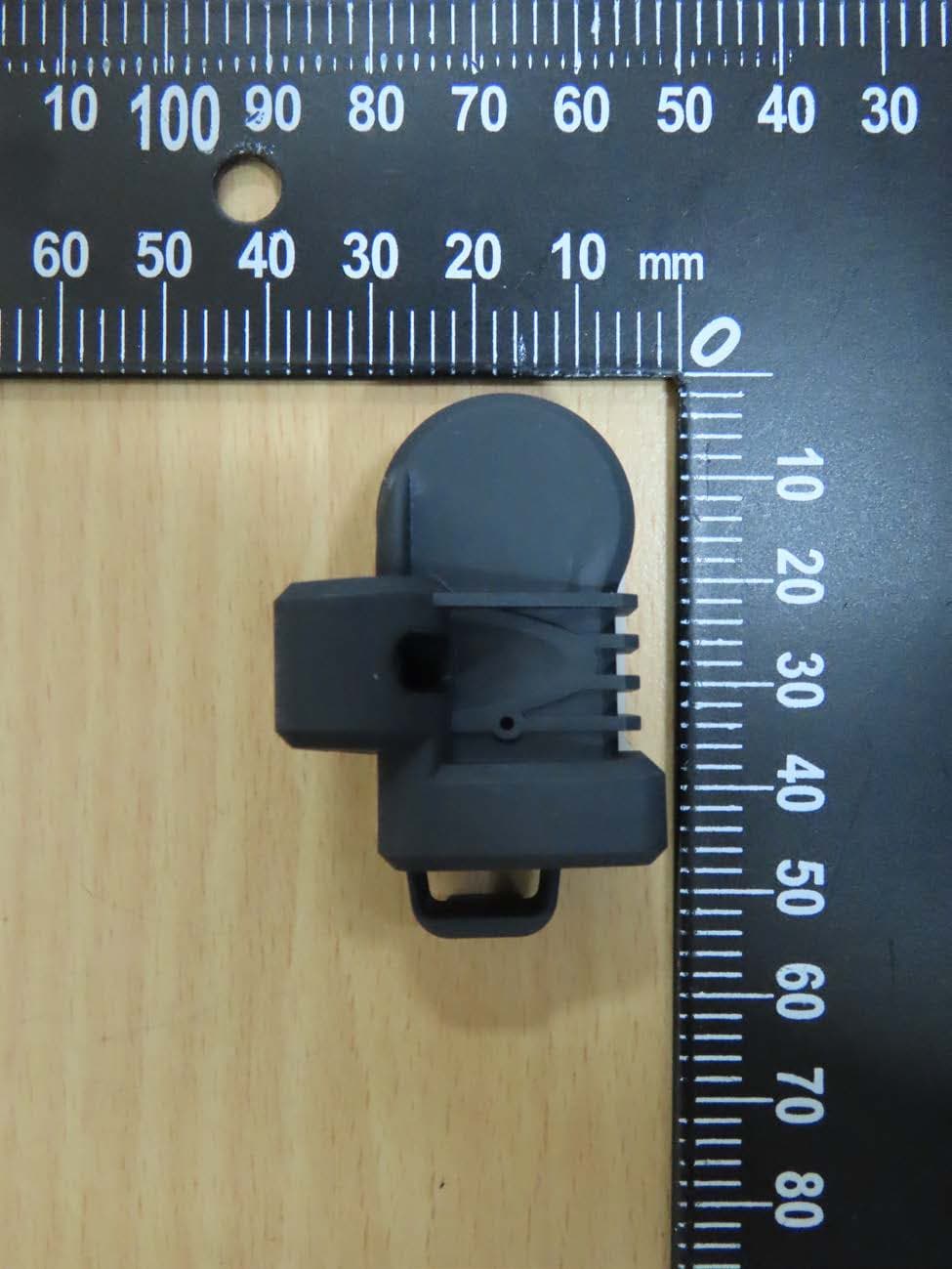
HQXRSI30
Sep 02, 2024TPMS
Equipment Class
DSC - Part 15 Security/Remote Control Transmitter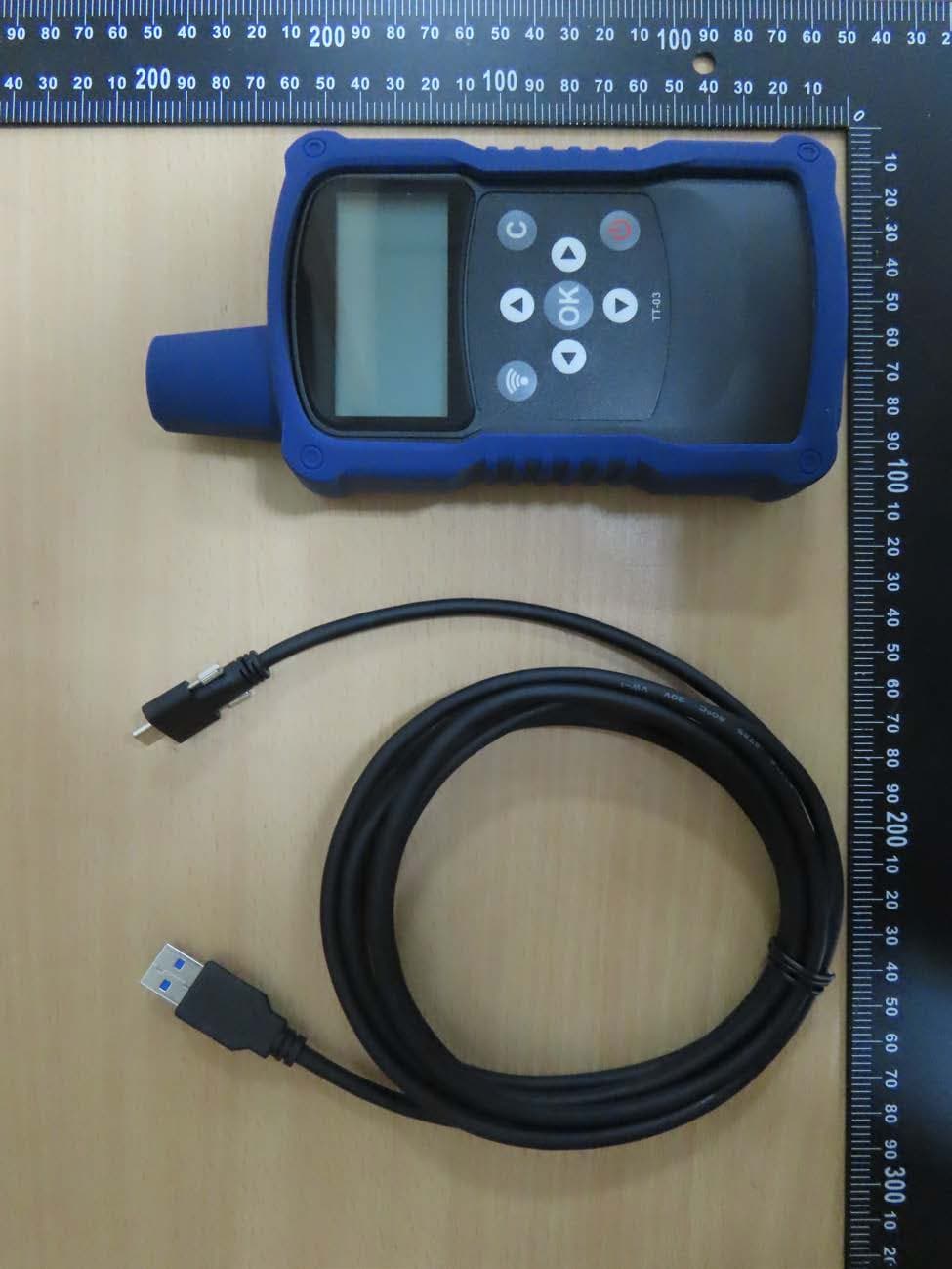
HQXTT03
Jul 01, 2024TPMS Trigger
Equipment Class
DCD - Part 15 Low Power Transmitter Below 1705 kHz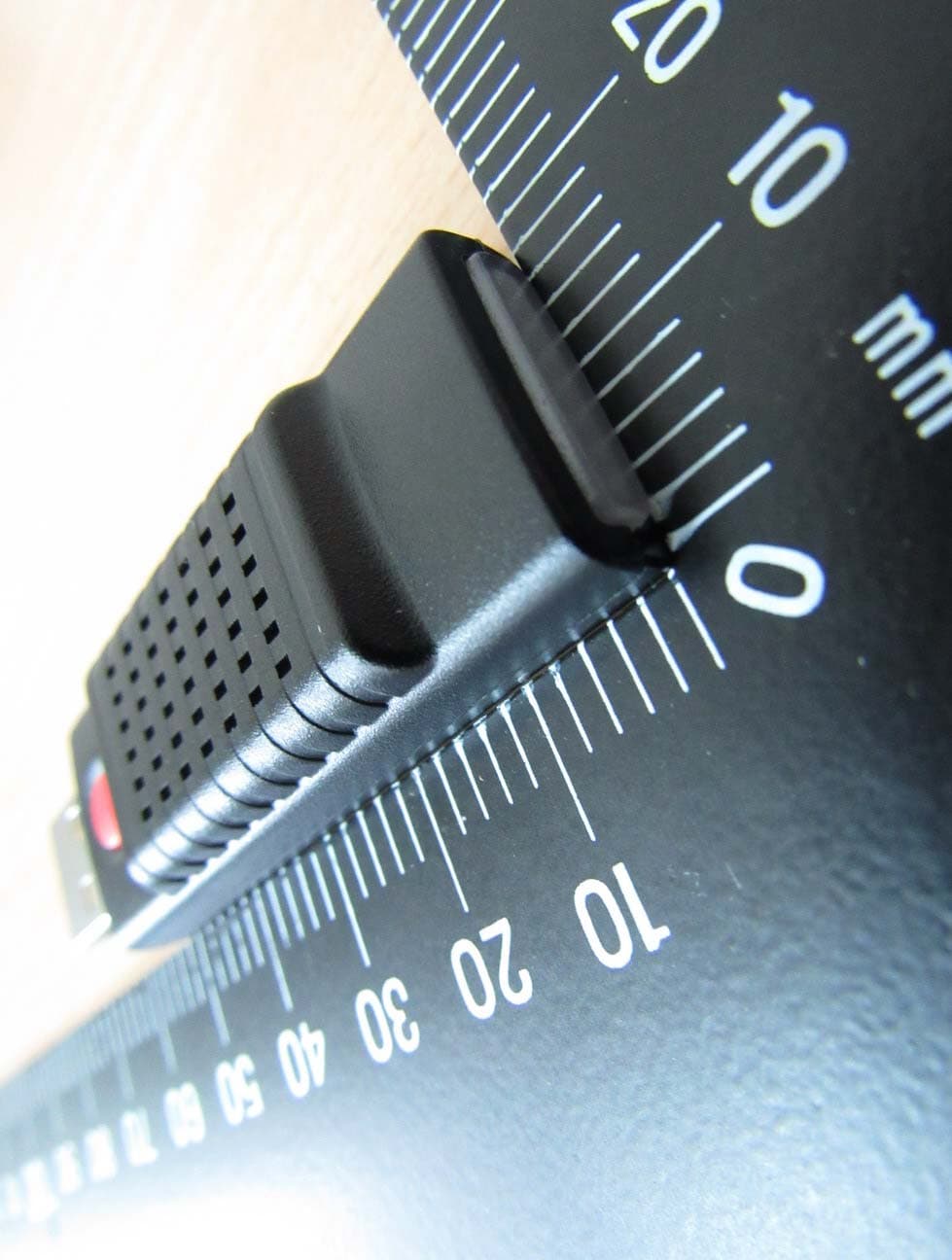
HQXTA84
Sep 27, 2015Voice Dongle
Equipment Class
DTS - Digital Transmission System