I28-ZBR4EZ3EZ320 with BT radio
Zebra Technologies Corporation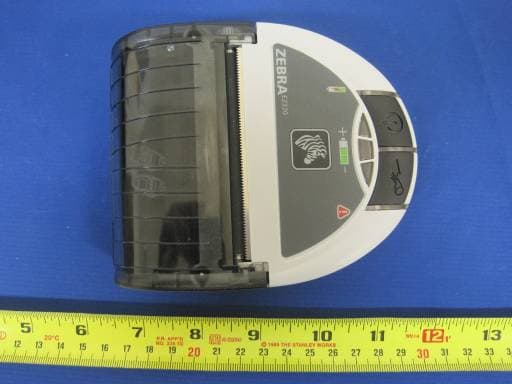
Click to zoom
Application Details
- Equipment Class
- DSS - Part 15 Spread Spectrum Transmitter
- Date of Grant
- Nov 13, 2011
- Application Purpose
- Original Equipment
- Date of Application
- Nov 13, 2011
- Equipment Note
- EZ320 with BT radio
- Frequency Range
- 2402.00000000 - 2480.00000000
- Country
- United States
Documents & Files
Document Text
Text extracted from the exhibit documents filed with the FCC. Open a document above to read the original.
Users Manual
Mobile Printer EZ320 ™ Zebra Technologies Corporation 475 Half Day Road, Suite 500 Lincolnshire, IL 60069 Phone: 1.847.634.6700 or 1.800.423.0442 Fax: 1.847.913.8766 P1027984-001 January, 2011 2 EZ320 User Guide continued Table of Contents Proprietary Statements ............................................................................................4 Document Conventions ...........................................................................................6 Introduction to the EZ320 .......................................................................................7 Unpacking and Inspection ...............................................................7 Reporting Damage ...........................................................................7 Getting Ready to Print ...........................................................................................10 Battery .............................................................................................10 Installing and Removing the Battery ..........................................................10 EZ320 Single Bay Charger .....................................................................................14 Charger Safety .............................................................................................15 Loading the Media (80 mm) ...........................................................16 60 mm Roll of Media ......................................................................18 Media Black Bar Sensor ................................................................18 Operator Controls ..........................................................................19 Verify the Printer Is Working .........................................................21 Printing a Configuration Label ....................................................................21 Connecting the Printer ...................................................................21 Wireless Communications with Bluetooth™ ..............................................23 Bluetooth Networking Overview ................................................................23 About Bluetooth Security ...........................................................................23 Carrying the Printer ................................................................................................25 Belt Strap .....................................................................................................25 Nylon Soft Case ...........................................................................................26 Preventive Maintenance .......................................................................................27 Extending Battery Life ...................................................................27 General Cleaning Instructions .......................................................28 Troubleshooting ......................................................................................................30 Interpreting Indicators . ..................................................................30 Troubleshooting Topics .................................................................30 Resetting an EZ320 Printer ............................................................32 Determining Your Printer Version ...............................................................32 Troubleshooting Tests ...................................................................33 Printing a Configuration Label ....................................................................33 Communications Diagnostics .....................................................................33 Calling Technical Support ...........................................................................34 Specifications ............................................................................................................38 Printing Specifications ...............................................................................38 Memory and Communications Specifications, EZ320 ..............................38 Media Specifications ...................................................................................39 Font and Bar Code Specifications for EZ320 .............................................40 USB Communications Port .........................................................................43 Physical, Environmental and Electrical Specifications ..............................43 EZ320 Accessories .....................................................................................45 Appendix A ................................................................................................................45 Interface Cables ...........................................................................................45 USB Cable ....................................................................................................45 More Interface Cables ................................................................................45 Appendix B.................................................................................................................45 3 EZ320 User Guide Maintenance Supplies .................................................................................45 Appendix C ................................................................................................................46 Media Supplies ............................................................................................46 EZ320 Media ................................................................................................46 Appendix D ................................................................................................................47 Product Support ..........................................................................................47 Product Support Contacts ..........................................................................48 Appendix E ............…
Text truncated - open the document above for the full version.
Users Manual
26 EZ320 User Guide Nylon Soft Case The EZ320 printer also has the option of being used with a Nylon Soft Case (not included) which allows the user greater portability. The case loops onto a user’s belt and provides ac- cess to the printer’s paper path and printer controls. Use of the soft case is illustrated in Figure 14 below. Figure 14: Using the Optional Soft Case Belt 1) Slide the EZ320 printer into the soft case so that the paper exit path lines up with the opening on the case. 2) The belt is fed through the belt loop on the back of the soft case to secure in place. 27 EZ320 User Guide Preventive Maintenance Extending Battery Life • A lways observe the safety precautions in the Lithium- Ion Battery Technical Bulletin included with each Battery Pack. • N ever expose the battery to direct sunlight or tempera- tures over 60° C (140° F). • D o not charge the battery when the temperature exceeds 45° C (113° F). • A lways use a Zebra power supply designed specifical- ly for the EZ320 printers. Use of any other kind of power supply may damage the battery. • U se the correct media for your printing requirements. An authorized Zebra re-seller can help you determine the op- timum media for your application. • I f you print the same text or graphic on every label, con- sider using a pre-printed label. • Ch oose the correct print darkness, and print speed for your media. NOTE: The Tone setting can be modified via a Set/Get/Do command. Please refer to the CPCL Programming Manual at www.zebra.com/manuals for details. • Re member that any rechargeable battery will lose its ability to maintain a charge over time. It can only be re- charged a finite number of times before it must be re- placed. Always dispose of batteries properly. • I f you print while charging the battery, charge times will be prolonged. Extensive printing while charging could deplete the battery enough to cause the low battery warning indicator to turn on. You should suspend printing at that time and allow the battery to re-charge completely. continued 28 EZ320 User Guide General Cleaning Instructions Caution • To avoid possible personal injury or damage to the printer, never insert any pointed or sharp objects into the printer. Always turn the printer off before performing any cleaning procedures. Use care when working near the tear bar. The edges are very sharp. Caution • The printhead can be very hot after prolonged printing. Allow it to cool off before attempting any cleaning procedures. Only use the cleaning pen or a cotton swab saturated with alcohol for cleaning the printhead. Caution • Use only cleaning agents specified in the following tables. Zebra Technologies Corporation will not be responsible for damage caused by any other cleaning materials used on this printer. AreaMethodInterval Printhead Use a Zebra cleaning pen or a 70% Isopropyl alcohol solution on a cotton swab to clean the print elements from end to end (the print elements are located in the thin gray line on the printhead). After every five rolls of media (or more often, if needed) Platen Rotate the platen roller and clean it thoroughly with a Zebra cleaning pen or a 70% Isopropyl alcohol solution and a cotton swab. Tear bar Clean thoroughly with a Zebra cleaning pen or a 70% Isopropyl alcohol solution and a cotton swab. Exterior Water dampened clothAs needed Media Compartment Interior Brush/air blow. After every five rolls of media (or more often, if needed) Media/Black Bar Sensor EZ320 Cleaning Instructions 29 EZ320 User Guide continued Figure 15: EZ320 Cleaning Note • Twelve packs of approved cleaning pens are available from Zebra as p/n AN11209-1. Caution • To avoid possible personal injury or damage to the Printer, never insert any pointed or sharp objects into the Printer. Media Compartment Tear Bar Media/Black Bar Sensor Printhead Elements Platen Surface 30 EZ320 User Guide Troubleshooting Interpreting Indicators The printer’s indicators display various printer functions and their status. Check the indicator status, then refer to the Troubleshooting topic referenced in the chart. Function Indicator Color Indicator Status: Steady Indicator Status: Blinking Troubleshooting Topic Battery Status Indicator Green Indicates printer is on and battery condition is OK to use. One (of three) LED’s blinks and printer beeps to signify Low Battery 3 Charger Amber/ Green Off indicates battery is not charging. Am- ber indicates battery is charging. Green indicates battery is charged. N/A1,6,10 ErrorAmber Off indicates no error condition. No media or media door is open. Application may be missing or corrupted 2,4,7,9 Bluetooth Blue Bluetooth: Printer has paired with another Bluetooth device. Solid blue indicates connected. Fast blink- ing indicates data is being received 5,8 Troubleshooting Topics 1. No power: • E nsure you press and hold the Power switch until the Battery Status Indicator lights come on. • C heck that battery is installed properly. • R echarge or replace battery as necessary. 2. Media does not feed: • B e sure Media Cover is closed and latched. • C heck media compartment. Ensure media is not binding on the sides of the compartment. 3. Poor or faded print • C lean printhead. • C heck battery for possible damage. Recharge or replace as necessary. • C heck quality of media. • C heck the “Tone” setting using Zebra Setup Utility. 31 EZ320 User Guide 4. Partial or missing print: • C heck media alignment. • C lean printhead. • E nsure Media Cover is properly closed and latched. 5. No print: • R eplace battery. • C heck cable to terminal. • ( Bluetooth units only) Re-Pair Bluetooth connection with Master device. 6. Reduced battery life: • C heck battery date code — if battery is one to two years old, short life may be due to normal aging. • R echarge or replace battery. 7. Flashing Amber indicator: • Ch eck that media is loaded and that printhead is closed and s ecurely latched. • I f media is present and latch is closed, indicates that no application is p…
Text truncated - open the document above for the full version.
Users Manual
Zebra Wireless Compliance Information and Safety Guide (EZ320) NCC (Taiwan) Compliance Statement “經型式認證合格之低功率射頻電機,非經許可,公司、商號或使用者均不得擅自變更頻率、加大功率 或變更原設計之特性及功能。低功率射頻電機之使用不得影響飛航安全及干擾合法通信;經發現有干擾 現象時,應立即停用,並改善至無干擾時方得繼續使用。前項合法通信,指依電信法規定作業之無線電 通信。低功率射頻電機須忍受合法通信或工業、科學 醫療用電波輻射性電機設備之干擾。” “ According to “Administrative Regulations on Low Power Radio Waves Radiated Devices” Without permission granted by the NCC, any company, enterprise, or user is not allowed to change frequency, enhance transmitting power or alter original characteristic as well as performance to a approved low power radio- frequency devices. The low power radio-frequency devices shall not influence aircraft security and interfere legal communications; If found, the user shall cease operating immediately until no interference is achieved. The said legal commu- nications means radio communications is operated in compliance with the Tele- communications Act. The low power radio-frequency devices must be susceptible with the interfer- ence from legal communications or ISM radio wave radiated devices.” SRRC (China) Compliance Statement CMIIT ID: 2011DJ0767 FCC Compliance Statement for EZ320 This equipment has been tested and found to comply with the limits for a Class A digital device, pursuant to Part 15 of the FCC Rules. These limits are designed to provide reasonable protection against harmful interference when the equipment is operated in a commercial environment. This equipment generates, uses, and can radiate radio frequency energy and, if not installed and used in accordance with the instruction manual, may cause harmful interference to radio communications. Operation of this equipment in a residential area is likely to cause harmful interference in which case the user will be required to correct the interference at his own expense. WARNING: Exposure to Radio Frequency radiation with certain versions of the printer used with this product. To conform to FCC RF exposure requirements this device shall be used in accordance with the operating conditions and instructions listed in the printer’s User Guide. There are several radio options available with the printer used in conjunction with this product. Additional regulatory information is contained in the printer’s Users Guide in sections devoted to each radio option. Changes or modifications to this unit not expressly approved by Zebra Technologies Corporation could void the user’s authority to operate this equipment. Proprietary Statements This manual contains proprietary information of Zebra Technologies Corpora- tion. It is intended solely for the information and use of parties operating and maintaining the equipment described herein. Such proprietary information may not be used, reproduced, or disclosed to any other parties for any other purpose without the expressed written permission of Zebra Technologies Corporation. Product Improvements Since continuous product improvement is a policy of Zebra Technologies Corpo- ration, all specifications and signs are subject to change without notice. Changes or modifications to this unit not expressly approved by Zebra Technol- ogies Corporation could void the user’s authority to operate this equipment. Agency Approvals and Regulatory Information • Design certified by TUV • China CCC • EN60950-1: Safety Standard • China SRRC • Taiwan NCC • Taiwan BSMI Liability Disclaimer Inasmuch as every effort has been made to supply accurate information in this manual, Zebra Technologies Corporation is not liable for any erroneous informa- tion or omissions. Zebra Technologies Corporation reserves the right to correct any such errors and disclaims liability resulting therefrom. No Liability for Consequential Damage In no event shall Zebra Technologies Corporation or anyone else involved in the creation, production, or delivery of the accompanying product (includ- ing hardware and software) be liable for any damages whatsoever (including, without limitation, damages for loss of business profits, business interruption, loss of business information, or other pecuniary loss) arising out of the use of or the results of use of or inability to use such product, even if Zebra Technolo- gies Corporation has been advised of the possibility of such damages. Because some states do not allow the exclusion of liability for consequential or incidental damages, the above limitation may not apply to you. ® P1032071-002 Rev. A November 2011 Zebra Technologies Corporation 475 Half Day Road, Suite 500 Lincolnshire, IL 60069 USA Important Safety Information Cautions - Static Discharge and Thermal Printing Caution • Static Discharge The discharge of electrostatic energy can damage or destroy the printhead or electronic components used in this device. DO NOT TOUCH the printhead or any exposed electronic components. Caution • Hot Surfaces The printhead can become hot after prolonged printing. Caution • Pause Between Labels When printing, there must be a wait time of one second between labels to remain within the printer’s optimal performance specifications. Battery Safety Caution • Short Circuits Avoid accidental short-circuiting of any battery. Allowing battery terminals to contact conductive material will create a short circuit, which could cause burns and other injuries or could start a fire. Caution • Always Use Zebra Battery Chargers Use of any Battery Charger not approved specifically by Zebra for use with its batteries could cause damage to the battery pack or the printer and will void the warranty. Important • Battery Disposal Always dispose of used batteries in accordance with local regulations. Placing used batteries into the trash or the municipal waste stream may be illegal in your area. Insulate battery contacts with a piece of tape prior to disposal. Caution Do not incinerate, disassemble, short circuit or expose to temperature higher than 60 o C (140 o F) Charger Safety Important • Charger Location Use care in locating Battery Chargers. Do not block the ventilat…
Text truncated - open the document above for the full version.
Attestation Statements
333 Corporate Woods Parkway Vernon Hills, IL 60061-3109 USA T: +1 847 634 6700 F: +1 847 914 8766 www.zebra.com Date: Nov 1, 2011 To: Federal Communications Commission 7435 Oakland Mills Road Columbia, MD FCC ID: I28-ZBR4EZ3 To Whom It May Concern: This letter is to ascertain that Zebra Technologies Corp. Product EZ320 has been the units used for conducting FCC compliance testing, the DoC part will be tested by FCC recognized test lab. If you have any question or concerns, pls. contact us. Sincerely, Charles A. Derrow Director, Compliance Engineering 333 Corporate Woods Pkwy Vernon Hills, Illinois 60061 Tel: 847.793.5719 [email protected]
Cover Letter(s)
333 Corporate Woods Parkway Vernon Hills, IL 60061-3109 USA T: +1 847 634 6700 F: +1 847 914 8766 www.zebra.com Oct 31, 2011 To: SIEMIC, INC. 2206 Ringwood Avenue, San Jose, CA 95131 USA Dear Sir/Madam, Re: Project and Product Certification Representative Authorization Letter We, Zebra Technologies Corporation hereby authorize SIEMIC, INC. to act as a Certification Body for certifying for the following project(s): EZ320 We affirm that between SIEMIC and Zebra Technologies Corporation, any difference in understanding, including test plan, measurement methods, applicable standards and relevant procedures and processes have been resolved prior to commencement of testing activities. Sincerely, Charles A. Derrow Director, Compliance Engineering 333 Corporate Woods Pkwy Vernon Hills, Illinois 60061 Tel: 847.793.5719 [email protected]
Cover Letter(s)
333 Corporate Woods Parkway Vernon Hills, IL 60061-3109 USA T: +1 847 634 6700 F: +1 847 914 8766 www.zebra.com Oct 31, 2011 To: Federal Communications Commission Authorization and Evaluation Division 7435 Oakland Mills Road Columbia, MD Subject: Permanent Confidentiality Request for FCC ID: I28-ZBR4EZ3 We hereby request confidential treatment of information accompanying this application as outlined below: - Schematics - Block Diagrams - Technical descriptions The above materials contain trade secrets and proprietary information not customarily released to the public. The public disclosure of these materials may be harmful to the applicant and provide unjustified benefits to its competitors. The applicant understands that pursuant to Section 0.457 & 0.459 of the Rules, disclosure of this application and all accompanying documentation will not be made before the date of the Grant for this application. Sincerely, Charles A. Derrow Director, Compliance Engineering 333 Corporate Woods Pkwy Vernon Hills, Illinois 60061 Tel: 847.793.5719 [email protected]
ID Label/Location Info
Label Location Label Drawing
Internal Photos
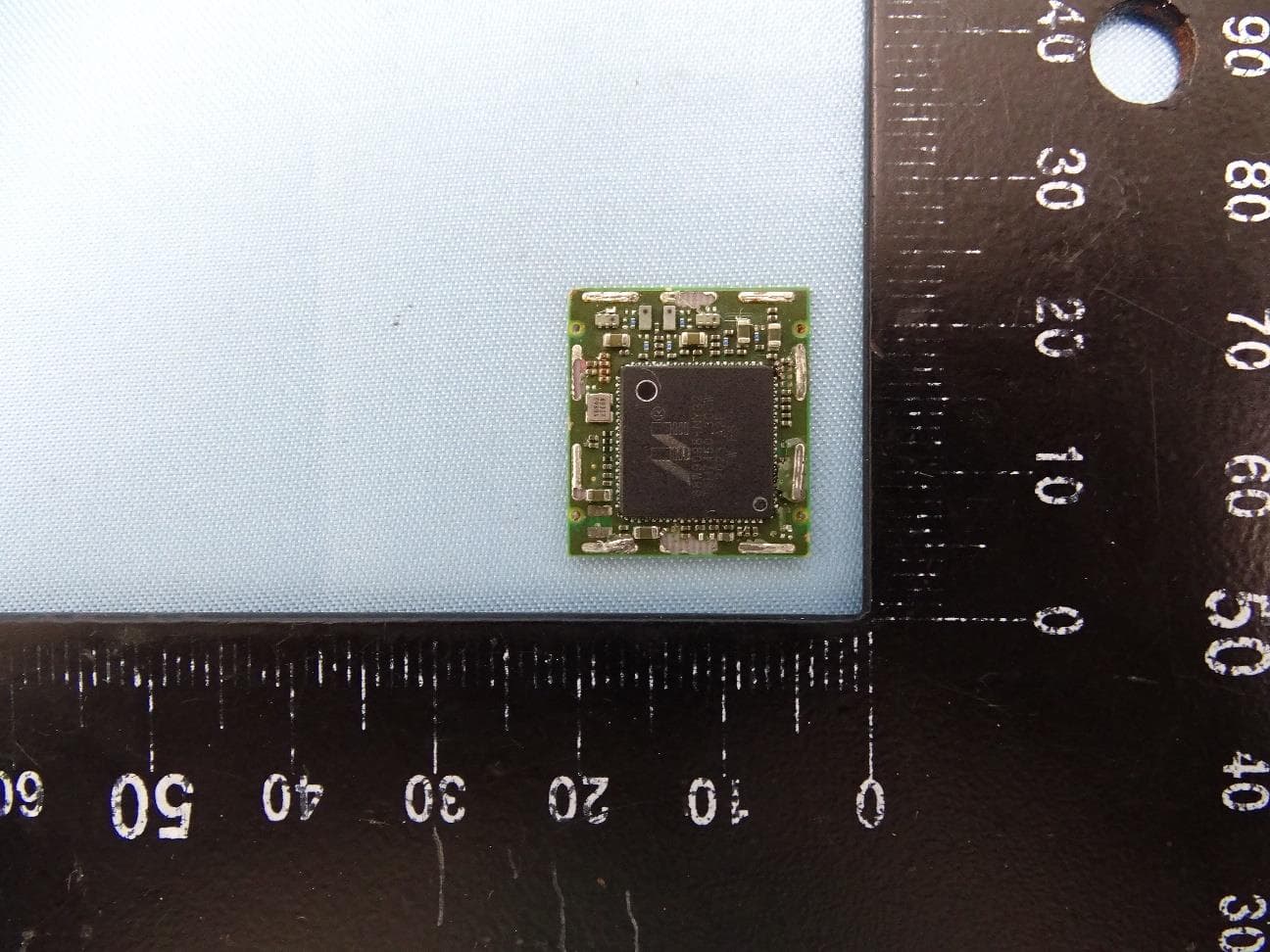
EUT Cover off View PCB Top View PCB Bottom View Radio Module Radio Module without RF shield
RF Exposure Info
According to §15.247(e)(i) and §1.1307(b)(1), systems operating under the provisions of this section shall be operated in a manner that ensures that the public is not exposed to radio frequency energy level in excess of the Commission’s guidelines. According to TCB Exclusions list, no SAR required if power is lower than the flowing threshold: Bluetooth Frequency Range Low Frequency (MHz) High Frequency(MHz) Center frequency (MHz) 60/f SAR Limitation (mW) 2402 2480 2441 25 Maximum measured transmitter power: Bluetooth Basic Data Rate (1Mbps) Conducted Power (dBm) Max Antenna Gain (dBi) EIRP (mW) -1.67 -2.68 0.367 Maximum measured transmitter power: Bluetooth Enhanced Data Rate (3Mbps) Conducted Power (dBm) Max Antenna Gain (dBi) EIRP (mW) 0.50 -2.68 0.605 Threshold at which no SAR required is 25 mW. Maximum Tx power is 0.605mW EIRP. Conclusion: No SAR is required. No Simultaneous transmission occurs.
Test Report
ZEBRA TECHNOLOGIES CORP PORTABLE PRINTER Model: EZ320 Oct 30th 2011 Report No.: SL11100601-ZBR-064_RF(FCC DSS) Rev1.0 (This report supersedes: SL11100601-ZBR-064_RF(FCC DSS)) This Test Report is Issued Under the Authority of: David Compliance Engineer Leslie Bai Director of Certification Modifications made to the product : None This test report may be reproduced in full only. All Test Data Presented in this report is only applicable to presented Test sample. Title: RF Test Report of Zebra Technologies Corp Model : EZ320 To FCC 15.247:2011 Serial# SL11100601-ZBR-064_RF(FCC DSS) Rev1.0 Issue Date Oct 30th 2011 Page 2 of 72 www.siemic.com Laboratory Introduction SIEMIC, headquartered in the heart of Silicon Valley, with superior facilities in US and Asia, is one of the leading independent testing and certification facilities providing customers with one-stop shop services for Compliance Testing and Global Certifications. In addition to testing and certification, SIEMIC provides initial design reviews and compliance management through out a project. Our extensive experience with China, Asia Pacific, North America, European, and international compliance requirements, assures the fastest, most cost effective way to attain regulatory compliance for the global markets . Accreditations for Conformity Assessment Country/Region Accreditation Body Scope USA FCC, A2LA EMC , RF/Wireless , Telecom Canada IC, A2LA, NIST EMC, RF/Wireless , Telecom Taiwan BSMI , NCC , NIST EMC, RF, Telecom , Safety Hong Kong OFTA , NIST RF/Wireless ,Telecom Australia NATA, NIST EMC, RF, Telecom , Safety Korea KCC/RRA, NIST EMI, EMS, RF , Telecom, Safety Japan VCCI, JATE, TELEC, RFT EMI, RF/Wireless, Telecom Mexico NOM, COFETEL, Caniety Safety, EMC , RF/Wireless, Telecom Europe A2LA, NIST EMC, RF, Telecom , Safety Accreditations for Product Certifications Country Accreditation Body Scope USA FCC TCB, NIST EMC , RF , Telecom Canada IC FCB , NIST EMC , RF , Telecom Singapore iDA, NIST EMC , RF , Telecom EU NB EMC & R&TTE Directive Japan MIC, (RCB 208) RF , Telecom HongKong OFTA (US002) RF , Telecom Title: RF Test Report of Zebra Technologies Corp Model : EZ320 To FCC 15.247:2011 Serial# SL11100601-ZBR-064_RF(FCC DSS) Rev1.0 Issue Date Oct 30th 2011 Page 3 of 72 www.siemic.com This page has been left blank intentionally. Title: RF Test Report of Zebra Technologies Corp Model : EZ320 To FCC 15.247:2011 Serial# SL11100601-ZBR-064_RF(FCC DSS) Rev1.0 Issue Date Oct 30th 2011 Page 4 of 72 www.siemic.com CONTENTS 1 EXECUTIVE SUMMARY & EUT INFORMATION................................................................................................................6 2 TECHNICAL DETAILS......................................................................................................................................................7 3 MODIFICATION................................................................................................................................................................8 4 TEST SUMMARY.............................................................................................................................................................9 5 MEASUREMENTS, EXAMINATION AND DERIVED RESULTS........................................................................................10 ANNEX A. TEST INSTRUMENT & METHOD...........................................................................................................................40 ANNEX B EUT AND TEST SETUP PHOTOGRAPHS..............................................................................................................44 ANNEX C. TEST SETUP AND SUPPORTING EQUIPMENT......................................................................................................44 ANNEX D USER MANUAL, BLOCK DIAGRAM, CIRCUIT DIAGRAM....................................................................................48 ANNEX E SIEMIC ACCREDITATION......................................................................................................................................49 Title: RF Test Report of Zebra Technologies Corp Model : EZ320 To FCC 15.247:2011 Serial# SL11100601-ZBR-064_RF(FCC DSS) Rev1.0 Issue Date Oct 30th 2011 Page 5 of 72 www.siemic.com This page has been left blank intentionally. Title: RF Test Report of Zebra Technologies Corp Model : EZ320 To FCC 15.247:2011 Serial# SL11100601-ZBR-064_RF(FCC DSS) Rev1.0 Issue Date Oct 30th 2011 Page 6 of 72 www.siemic.com 1 Executive Summary & EUT information The purpose of this test programmed was to demonstrate compliance of the Zebra Technologies Corp Model: EZ320 against the current Stipulated Standards. The portable Printer has demonstrated compliance with the FCC 15.247:2011. The test has demonstrated that this unit complies with stipulated standards. EUT Information EUT Description : Portable Printer with Bluetooth Model No : EZ320 Serial No : XXEZJ110800024 Input Power : 7.4V, 15A Classification Per Stipulated Test Standard : Spread Spectrum System / Device Title: RF Test Report of Zebra Technologies Corp Model : EZ320 To FCC 15.247:2011 Serial# SL11100601-ZBR-064_RF(FCC DSS) Rev1.0 Issue Date Oct 30th 2011 Page 7 of 72 www.siemic.com 2 TECHNICAL DETAILS Purpose Compliance testing of portable Printer model EZ320 with stipulated standard Applicant / Client Zebra Technologies Corp Manufacturer Zebra Technologies Corp 333 Corporate Woods Parkway. Vernon Hills, IL 60061 Laboratory performing the tests SIEMIC Laboratories Test report reference number SL11100601-ZBR-064_RF(FCC DSS) Rev1.0 Date EUT received Oct 17th 2011 Standard applied See Page 9 Dates of test (from – to) Oct 17th - 28th 2011 No of Units: 1 Equipment Category: DSS Trade Name: Zebra Technologies Corp Model Name: EZ320 RF Operating Frequency (ies) Bluetooth : 2402MHz - 2480MHz Number of Channels: Bluetooth : 79Ch Modulation: Bluetooth : GFSK, DQPSK, 8-DPSK Rated Input Power: 7.4V, 1.5A Port / Connectors: USB FCC ID: I28-ZBR4EZ3 Title…
Text truncated - open the document above for the full version.
Test Setup Photos
Radiated Emission Radiated Emission Test Setup (below 1GHz) - Front View Radiated Emission Test Setup (above 1GHz) – Rear View Radiated Emission Test Setup (above 1GHz) - Front View Radiated Emission Test Setup (above 1GHz) – Rear View Conducted Emission Conducted Emission Test Setup – Front View Conducted Emission Test Setup – Rear View
Contact Information
Applicant
Jay Cadiz(Sr. Manager, Regulatory)
Test Firm
Bureau Veritas Consumer Products Services, Inc.Sarb Shelopal
[email protected]+1 925 963 4420
Technical Specifications
| # | Rule Parts | Frequency Range | Power Output |
|---|---|---|---|
| 1 | 15C | 2.40 GHz - 2.48 GHz | 1.20 mW |
Other Applications from Zebra Technologies Corporation
I28-WYSBHVDXP
May 19, 2021WLAN/BTLE module
Equipment Class
DTS - Digital Transmission System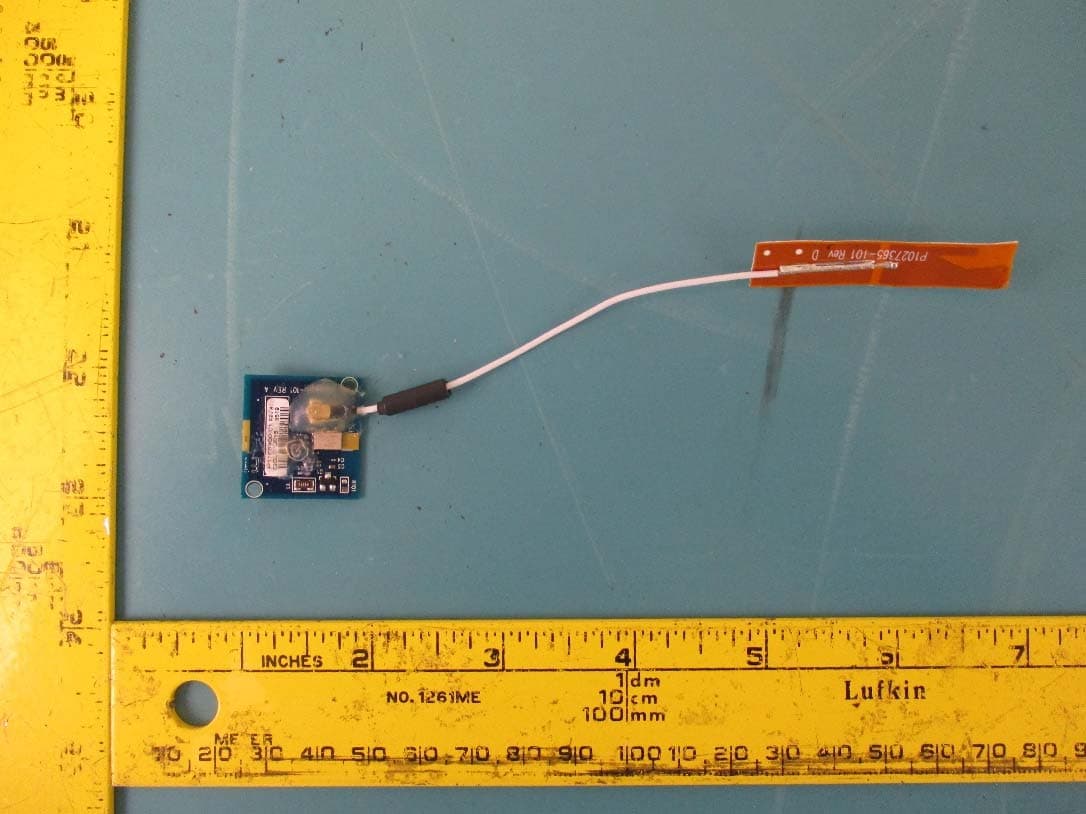
I28-EYSNSNZWWZ1
May 04, 2021BT5 Radio Module
Equipment Class
DTS - Digital Transmission System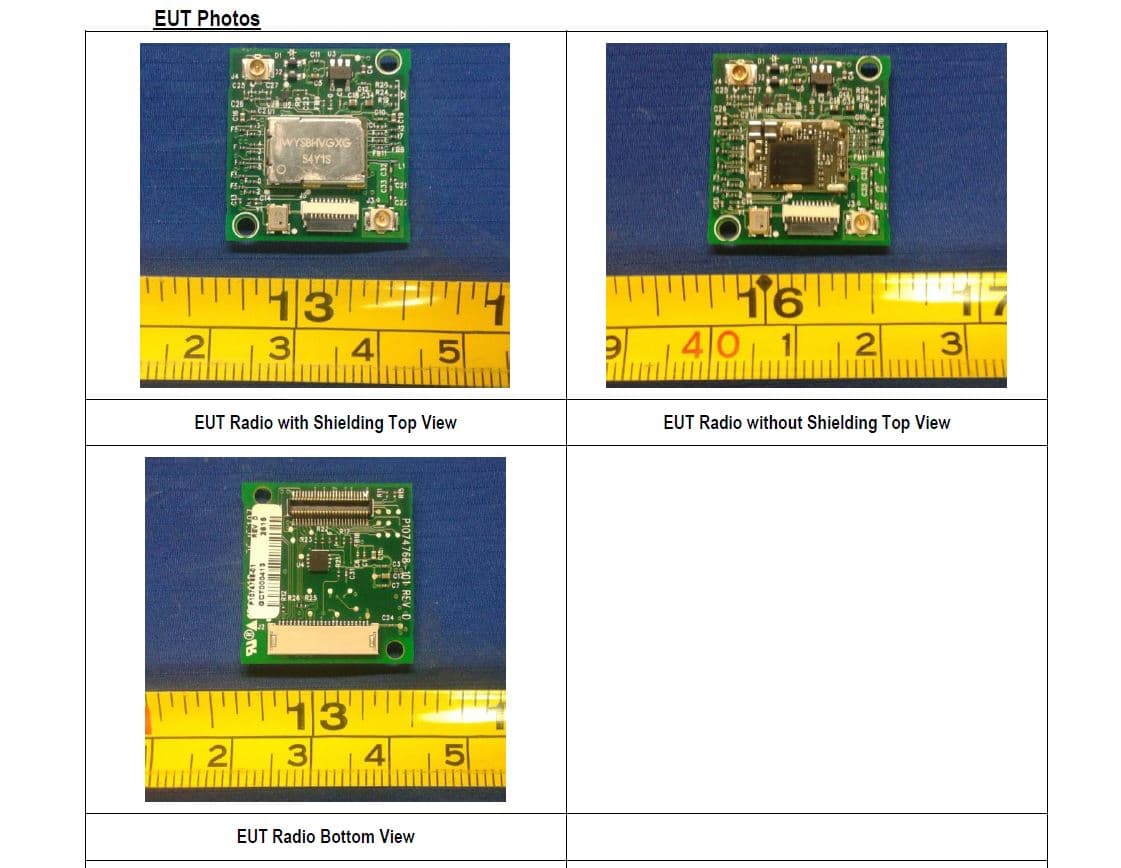
I28MD-FXLAN11AC
Nov 22, 2015Wireless 802.11ac + Bluetooth Module
Equipment Class
DSS - Part 15 Spread Spectrum Transmitter
I28MD-ZBRBLE
Nov 19, 2015Bluetooth Low Energy Module
Equipment Class
DTS - Digital Transmission System
I28MD-ZBR7BTLE
Jan 19, 2015Bluetooth 4.0 LE Module
Equipment Class
DSS - Part 15 Spread Spectrum Transmitter