JUP96420PDA
Trimble, Inc.
Click to zoom
Application Details
- Equipment Class
- JBP - Part 15 Class B Computing Device Peripheral
- Date of Grant
- Feb 01, 2012
- Application Purpose
- Original Equipment
- Date of Application
- Feb 01, 2012
- Equipment Note
- PDA
- Company
- Trimble, Inc.
- Country
- United States
Documents & Files
Document Text
Text extracted from the exhibit documents filed with the FCC. Open a document above to read the original.
Users Manual
USERGUIDE TrimbleJuno SeriesHandhelds: TNJ31 and TNJ32 ʳSafetyinformation ʳAbout theJunoseries handhelds ʳGettingstarted ʳUsingtheWindowsEmbedded Handheld operating system ʳConnectingtoan office computer ʳUsingtheintegratedradiosto connecttootherdevices ʳUsingtheGNSSreceiver ʳUsingthecamera ʳTroubleshooting Version 1.00 Revision A February 2012 2JunoSeries Handhelds UserGuide TrimbleNavigationLimited 10355 WestmoorDrive Suite#100 Westminster,CO 80021 USA www.trimble.com LegalNotices CopyrightandTrademarks ©2008-2011, TrimbleNavigationLimited.Allrightsreserved. Trimble, th e Globe&Trianglelogo,GPSPathfinder,andJunoare trademarksofTrimbleNavigationLimited,registeredinthe United States andinother countries.EVEREST,GeoBeacon,GPSAnalyst, GPScorrect,H-Star,TerraSync,TrimPix, andVRS aretrademarksof TrimbleNavigationLimited. Microsoft,ActiveSync,Excel,Outlook,PowerPoint,Windows,Windows Live,WindowsMedia,WindowsMobile,WindowsVista,andthe WindowsStartlogo are eitherregisteredtrademarksortrademarksof M icrosoftCorporationinthe UnitedStates and/or other countries. The Bluetooth word mark and logos are owned by the BluetoothSIG, Inc. and anyuse of such marks byTrimbleNavigationLimited isunder license. All othertrademarksaretheproperty of their respective owners. Release Notice This is the February 2012release(Revision A) of theJunoSeries HandheldsUser Guide,covering ModelsTNJ31 andTNJ32.TheJuno serieshandheld’s operatingsystemis based onMicrosoftWindows Embedded Handheld6.5 Professionaloperatingsystem. Limited WarrantyTe r m s a n dConditions Product LimitedWarranty Subjecttotheterms and conditionssetforthherein,TrimbleNavigation Limited(“Trimble”) warrantsthatfor a period of (1) year fromdateof purchasethisTrimbleproduct(the“Product”)willsubstantially conformtoTrimble's publicly available specifications fortheProduct andthatthehardwareandanystoragemedia components ofthe Productwillbesubstantially free from defectsinmaterialsand workmanship. ProductSoftware Productsoftware,whetherbuilt intohardware circuitryas firmware, providedas astandalonecomputer software product, embeddedinflash m emory,orstoredon magneticorother media,islicensedsolely for use withor asan integralpartof the Product andisnotsold.Thetermsof theend userlicenseagreement,as includedbelow,governtheuse ofthe ProductSoftware,including any differinglimitedwarrantyterms, exclusions and limitations, which shallcontroloverthetermsand conditions set forthinthelimitedProductwarranty. WarrantyRemedies If the Trimble Product fails duringthewarrantyperiod forreasons covered by thislimitedwarranty and you notifyTrimbleof suchfailure during thewarrantyperiod,TrimblewillrepairOR replacethe nonconforming Productwithnew,equivalent tonew,orreconditioned partsorProduct, OR refundtheProduct purchase price paid by you,at Trimble’soption,upon yourreturnoftheProductinaccordancewith Trimble's productreturnprocedures thenineffect. How to Obtain WarrantyService Toobtainwarranty service fortheProduct, pleasecontact yourTrimble deal er.Alternatively,you may contactTrimbletorequestwarranty serviceat+1-408-481-6940 (24 hoursa day) or email yourrequestto [email protected] preparedtoprovide: – your name,address,and telephonenumbers; – proof of purchase; –a copy ofthisTrimblewarranty – adescription of the nonconforming Product includingthemodel number;and – anexplanationof the problem. The customer servicerepresentativemay needadditionalinformation from you depending onthenatureof the problem. WarrantyExclusions and Disclaimer This Productlimitedwarrantyshall only applyinthe event andto the extentthat(i)the Product is properly and correctlyinstalled,configured, interfaced,maintained,stored,andoperatedinaccordancewith Trimble's applicable operator's manual andspecifications,and;(ii) the Productisnotmodified or misused.This Productlimitedwarrantyshall notapply to, and Trimble shallnotberesponsiblefor,defectsor performance problemsresultingfrom(i)the combinationorutilization of theProductwithhardware or software products,information,data, systems,interfaces,ordevicesnotmade,supplied,orspecifiedby Trimble;(ii)the operation of theProductunder anyspecificationother than,orinaddition to, Trimble'sstandardspecifications foritsproducts; (iii)the unauthorized installation,modification,or use of theProduct; (iv) damage causedby:accident,lightning orotherelectricaldischarge, fresh or saltwaterimmersionorspray(outsideofProduct specifications);or exposuretoenvironmental conditionsfor whichtheProductisnot in tended;(v) normal wear and tear on consumableparts(e.g.,batteries); or(vi)cosmeticdamage.Trimbledoesnotwarrantor guarantee the resultsobtained throughtheuse oftheProductorSoftware,or that software componentswilloperate errorfree. NOTICEREGARDINGPRODUCTS EQUIPPEDWITH TECHNOLOGY CAPABLE OF TRACKINGSATELLITESIGNALS FROM SATELLITEBASED AUGMENTATIONSYSTEMS(SBAS) (WAAS/EGNOS,ANDMSAS), OMNISTAR,GPS,MODERNIZEDGPS OR GLONASS SATELLITES,OR FROMIALABEACON SOURCES:TRIMBLEIS NOT RESPONSIBLEFOR THEOPERATION OR FAILURE OFOPERATIONOF ANYSATELLITE BASED POSITIONING SYSTEM ORTHEAVAILABILITYOFANY SATELLITE BASEDPOSITIONINGSIGNALS. THE FOREGOINGLIMITEDWARRANTY TERMS STATE TRIMBLE’SENTIRE LIABILITY,AND YOUR EXCLUSIVEREMEDIES,RELATING TO THETRIMBLE PRODUCT.EXCEPT ASOTHERWISEEXPRESSLYPROVIDEDHEREIN,THE PRODUCT,AND ACCOMPANYING DOCUMENTATION AND MATERIALS ARE PROVIDED “AS-IS”AND WITHOUTEXPRESS ORIMPLIED WARRANTYOF ANY KI ND,BY EITHER TRIMBLE OR ANYONE WHO HASBEENINVOLVED INITSCREATION,PRODUCTION,INSTALLATION,ORDISTRIBUTION, INCLUDING,BUT NOTLIMITEDTO,THEIMPLIED WARRANTIES OF MERCHANTABILITY AND FITNESS FORAPARTICULAR PURPOSE,TITLE, AND NONINFRINGEMENT.THE STATEDEXPRESSWARRANTIES AREIN LIEU OFALLOBLIGATIONSORLIABILITIESONTHEPART OF TRIMBLE AR ISINGOUTOF,ORINCONNECTIONWITH,ANYPRODUCT.BECAUSE SOME STATES AND JURISDICTIONSDO NOTALLOW LIMITATIONSON DURATION OR THE EXCLUSION OF AN IMPLIEDWARRANTY,THE ABOVE LIMITATIONMAY NOT APPLY TOYOU. LimitationofLiability TRIMBLE'SENTIRE LIAB…
Text truncated - open the document above for the full version.
Users Manual
8. Follow the steps in the Setup wizard. If the connection settings are not automatically downloaded from the Internet, you must enter them using the connection details supplied by your ISP or networ k administrator. Note – You cannot change the account name lat er. 9. Tap Finish. 10. Tap OK to download mail immediately. B Tip – To receive TerraSync data files by email, edit the settings for the email account you have set up. To do this, tap Menu and then select Options. In the Accounts tab, tap the e-mail account you want to use to receive TerraSync files. The Email Setup wizard appears. Tap Next until you reach the last page of the wizard. From the Message download limit drop-down list, select Entire message. When you connect the handheld to the email server, new messages are downloaded to the Messaging folder, messages in the Outbox folder are sent, and messages that have been deleted on the email server are removed from the Messaging folder. Messages received directly from an email server are link ed to the email server rather than an office computer. When you delete a message on the handheld, it is also deleted fr om the email server the next time you connect the handheld to the email server. You can work online or offline. When working online, you read and respond to messages while connected to the email server. Messages are sent as soon as you tap Send, which saves space on the handheld. When working offline, you can disconnect from the email server after you download new message headers or parti al messages and then decide which messages to download completely. The next time you connect, Messaging downloads the complete messages you have marked for retrieval and sends any messages that you have written. Voice calls Use the TNJ32 handheld to make and receive phone calls. You can enter a number to dial using the keypad, or select a number from your Contacts list. To make a phone call: 1. Make sure that a SIM card is installed. See Installing and removing the SIM card, page 26. 2. Make sure that the phone is turned on. See Turning on and tur ning off the integrated radios, page 49. 1. On the Home screen, do one of the following: – Tap / Phone. – Tap the Phone item, and then tap the Phone item again. Juno Series Handhelds User Guide 4 1 2. On the Phone screen which appears, do one of the following:: – Use the keypad to dial a phone number and then tap Talk. – Tap to hide the keypad and select an option from the list of previously dialled numbers. Alternatively, tap the left softkey, tap the required contact and then tap Call. Note – When you make or receive a voice call, the screen automati cally locks, and the touch screen cannot be used unless you use the Unlock (left) softkey or Call End (right) softkey. To answer a phone call, press the Start call button or the left softkey. Note – When you answer a voice call, the screen is blank. To end a phone call, press the End call button or the right soft key. Phone settings Note – You must have a SIM card in the handheld to access and change the phone settings. You can change th e ring type, ring tone, and keypad sound. If required, you can also set a PIN for the SIM card, or change the type of network or the name of the network you want to connect to. 1. To access Phone Settings, do one of the following: – Tap the modem status icon on the title bar of the Home screen and then tap Settings. – Tap / Settings / Personal / Phone. 2. Do any of the following: – Select the Sounds tab to set the required ri ng type, ring to ne, and keypad sound. – Select the Security tab to set a PIN, change the PIN, or set the handheld to require a PIN to be entered every time the phone is used. For more information on setting a PIN, see Setting a PIN on the TNJ32 handheld, page 50. – Select the GSM/UMTS tab to sele ct a particular type of network to connect to. By default, GSM/UMTS is selected and the phone will connect to either that is available. Alternatively you can specifically select GSM or UMTS fr om the drop-d own menu. – Select the Network tab to view which networ k you are connected to or manually select a desired network. 4 2 Juno Series Handhelds User Guide Text messaging Use the phone functionality on the TNJ32 handheld to send and receive text messages. 1. Make sure that a SIM card is installed. See Installing and removing the SIM card, page 26. 2. Make sure that the phone is turned on. See Turning on and tur ning off the integrated radios, page 49. 3. Do one of the following: • To send a text message: a. On the Home screen, select the Text item (this shows Text Messages: x unread, or No New messages). Alternatively, tap / Text b. Tap / New. c. To enter a contact number, make sure that the cursor is flashing in the To field and then do one of the following: – Use the keyboard to enter a phone number. – Select Menu / Add Recipient to select a number from your Contacts. d. Tap in the message area (the cursor will flash) and then enter the text using the keyboard. e. Tap to send the message. • To access your text message folders. a. On the Home screen, select the Text item (th is may show Text Messages: x unread, or No New messages) and then tap again. b. Click the Inbox drop-down arrow. c. Click the required folder to view messages in that folder. Juno Series Handhelds User Guide 4 3 Connecting to an office computer Connect the Juno series handheld to an office computer to transfer information, settings, and files from one device to the other, or to install software onto the handheld. You can connect the handheld to a computer using the USB cable or a Bluetooth wireless link. C CAUTION – When using the USB port at the bottom of the handheld, make sure that it is kept dry. Water damage may cause the USB connection to fail and the handheld will not connect to the office computer. To protect your data, Trimble recommends that you regularly copy import ant data to an offic e computer. Connection management software To install software onto a Win dows e…
Text truncated - open the document above for the full version.
Cover Letter(s)
Trimble Navigation Ltd. 935 Stewart Drive, Sunnyvale, CA 94088-3642 U.S.A. Date: Jan. 18, 2012 Subject: Ad Hoc Mode Function Declaration FCC ID: JUP96420 To Whom it may concern, This device is able to be operated on both master and client mode. Ad Hoc function is available on client mode and not able to work on non-US frequencies. Please contact the one signed below or the authorized agent for this filing. Thank you. Regards, Name: Bruce Maule Title: GIS Data Collection Division – Compliance Engineer Tel: +1 408 481-8204 E-mail: [email protected] Date: Jan. 18, 2012
Cover Letter(s)
Trimble Navigation Ltd. 935 Stewart Drive, Sunnyvale, CA 94088-3642 U.S.A. Tel: 408 481-8284 ; Fax: 408 481-7866 Dec. 14, 2011 Federal Communications Commission Authorization and Evaluation Division FCC ID:JUP96420 Confidentiality Request Pursuant to Sections 0.457 and 0.459 of the Commission’s Rules, the applicant hereby requests confidential treatment of information applied this application as outlined below: 1. Block Diagram 2. Circuit Diagram 3. Operational Description 4. Parts List 5. Tune-up Procedure The above materials contain trade secrets and proprietary information not customarily released to the public. The public disclosure of these matters might be harmful to the applicant and provide unjustified benefits to its competitors. The Applicant understands that pursuant to Rule 0.457, disclosure of this Application and all accompanying documentation will not be made before the date of the Grant for this application Sincerely, Contact Person: Bruce Maule Company: Trimble Navigation Ltd. TEL: +1 408 481-8204 FAX: +1 408 481-7371 E-mail: [email protected]
Cover Letter(s)
Trimble Navigation Ltd. 935 Stewart Drive, Sunnyvale, CA 94088-3642 U.S.A. Tel: 408 481-8284 ; Fax: 408 481-7866 Date: December 14, 2011 Statement We, Trimble Navigation Ltd., state that our device, FCC ID: JUP96420, has no space to put the label except the battery compartment of this device. The label will put under the battery compartment and it is visible to the users as they purchase the products and install the battery. Sincerely yours, Bruce Maule
Cover Letter(s)
Trimble Navigation Ltd. Trimble Navigation Ltd. 935 Stewart Drive, Sunnyvale, CA 94088-3642 U.S.A. Date: Jan. 18, 2012 Subject: DoC declaration To Whom it may concern, We, as the grantee of this project FCC ID: JUP96420, would like to declare that the composite portion categorized as computer peripheral has been authorized under the Declaration of Conformity procedures. Regards, Signature Name/Title: Bruce Maule / GIS Data Collection Division – Compliance Engineer Company Name: Trimble Navigation Ltd. Address: 935 Stewart Drive, Sunnyvale, CA 94088-3642 U.S.A. TEL: +1 408 481-8204 FAX: +1 408 481-7371 Email: [email protected]
Cover Letter(s)
Trimble Navigation Ltd. 935 Stewart Drive, Sunnyvale, CA 94088-3642 U.S.A. Tel: 408 481-8284 ; Fax: 408 481-7866 Jan 18, 2012 Dear Sir, I hereby have entrusted the following person to be a proxy regarding application for Type Certification. Compliance Certification Services Inc. Address: No. 11, Wu-Gong 6 th Rd., Wugu Industrial Park, New Taipei City 248, Taiwan (R.O.C.) Mr. Jason Lin Job Title: Section Manager Email: [email protected] I am therefore responsible for the contents of the application. Brand Name and Model Name of the specified radio equipment: Trimble (Brand Name) / TNJ32 (Model Name) FCC ID: JUP96420 Product Name: PDA This authority is subject to the terms and conditions of the Device Development and Supply Agreement between Trimble and Goldtek Technology Co., Ltd. dated November 1st, 2011 (the “Agreement”) as they relate to Products testing, manufacture and certification. This authority becomes effective on the date of this letter and expires on the earlier of: (i) 30 June 2012 (ii) termination of the Agreement or (iii) revocation by the Company. Contact Person: Bruce Maule Company: Trimble Navigation Ltd. E-mail: [email protected]
External Photos
Compliance Certification Services Inc. Report No.: T111215004 Date of Issue: January 10, 2012 A1 - 1 Total Page: 27 APPENDIX 1 - PHOTOGRAPHS OF EUT EXTERNAL PHOTOGRAPHS OF EUT Compliance Certification Services Inc. Report No.: T111215004 Date of Issue: January 10, 2012 A1 - 2 Compliance Certification Services Inc. Report No.: T111215004 Date of Issue: January 10, 2012 A1 - 3 Compliance Certification Services Inc. Report No.: T111215004 Date of Issue: January 10, 2012 A1 - 4 Compliance Certification Services Inc. Report No.: T111215004 Date of Issue: January 10, 2012 A1 - 5 Compliance Certification Services Inc. Report No.: T111215004 Date of Issue: January 10, 2012 A1 - 6
ID Label/Location Info
Model No. : TNJ32 Part No. : 96420-00 IC : 1756A-96420 FCC ID : JUP96420 Input: DC 5V 3.0A IMEI:XXXXXXXXXXXXXXX Juno 3D Juno 3B Made in Taiwan 台灣製造 Made in Taiwan S/N: TTTTTTTTYYWWXXXXX S/N: TTTTTTTTYYWWXXXXX Model No. ( 型號 ) : TNJ32 掌上型電腦 Input ( 輸入 ) : DC 5V 3.0A CMIIT ID : XXXXXXXXXX Model No. : TNJ31 Part No. : 96410-00 IC : 1756A-96410 FCC ID : JUP96410 Input: DC 5V 3.0A Made in Taiwan This device complies with part 15 of the FCC Rules. Operation is subject to the following two conditions: (1) This device may not cause harmful interference, and (2) this device must accept any interference received, including interference that may cause undesired operation. N324 10 1177 TA-2010/1514 N324 CZ02 REM-XXX-KCC XXXXXXXX REM-XXX-KCC-XXXXX XXXXXXXX 台灣製造 Made in Taiwan 10 1177 TA-2010/1514 CZ02 Model No. ( 型號 ) : TNJ31 掌上型電腦 Input ( 輸入 ) : DC 5V 3.0A CMIIT ID : XXXXXXXXXX This device complies with part 15 of the FCC Rules. Operation is subject to the following two conditions: (1) This device may not cause harmful interference, and (2) this device must accept any interference received, including interference that may cause undesired operation. T XXXXXXXXXXXX R XXXXXXXXXXXX T XXXXXXXXXXXX
Internal Photos
Compliance Certification Services Inc. Report No.: T111215004 Date of Issue: January 10, 2012 A1 - 7 INTERNAL PHOTOGRAPHS OF EUT Compliance Certification Services Inc. Report No.: T111215004 Date of Issue: January 10, 2012 A1 - 8 Compliance Certification Services Inc. Report No.: T111215004 Date of Issue: January 10, 2012 A1 - 9 Compliance Certification Services Inc. Report No.: T111215004 Date of Issue: January 10, 2012 A1 - 10 Compliance Certification Services Inc. Report No.: T111215004 Date of Issue: January 10, 2012 A1 - 11 Compliance Certification Services Inc. Report No.: T111215004 Date of Issue: January 10, 2012 A1 - 12 Compliance Certification Services Inc. Report No.: T111215004 Date of Issue: January 10, 2012 A1 - 13 Compliance Certification Services Inc. Report No.: T111215004 Date of Issue: January 10, 2012 A1 - 14 Compliance Certification Services Inc. Report No.: T111215004 Date of Issue: January 10, 2012 A1 - 15 Compliance Certification Services Inc. Report No.: T111215004 Date of Issue: January 10, 2012 A1 - 16 BT & WLAN Antenna Compliance Certification Services Inc. Report No.: T111215004 Date of Issue: January 10, 2012 A1 - 17 3G Module BT & WLAN Module Compliance Certification Services Inc. Report No.: T111215004 Date of Issue: January 10, 2012 A1 - 18 Compliance Certification Services Inc. Report No.: T111215004 Date of Issue: January 10, 2012 A1 - 19 Compliance Certification Services Inc. Report No.: T111215004 Date of Issue: January 10, 2012 A1 - 20 BT & WLAN Module Compliance Certification Services Inc. Report No.: T111215004 Date of Issue: January 10, 2012 A1 - 21 3G Module Compliance Certification Services Inc. Report No.: T111215004 Date of Issue: January 10, 2012 A1 - 22 Compliance Certification Services Inc. Report No.: T111215004 Date of Issue: January 10, 2012 A1 - 23 GPS Compliance Certification Services Inc. Report No.: T111215004 Date of Issue: January 10, 2012 A1 - 24 Compliance Certification Services Inc. Report No.: T111215004 Date of Issue: January 10, 2012 A1 - 25 3G Antenna Compliance Certification Services Inc. Report No.: T111215004 Date of Issue: January 10, 2012 A1 - 26 3G Antenna Compliance Certification Services Inc. Report No.: T111215004 Date of Issue: January 10, 2012 A1 - 27 Battery
Test Report
FCC ID: JUP96420 Report No: T111215004-D Page 1 / 28 FCC 47 CFR PART 15 SUBPART B & IC ICES-003 TEST REPORT for PDA MODEL: TNJ32 Test Report Number: T111215004-D Issued for Trimble Navigation Ltd. 935 Stewart Drive, Sunnyvale, CA 94088-3642 U.S.A. Issued By: Compliance Certification Services Inc. Wugu Laboratory No.11, Wu-Gong 6th Rd., Wugu Industrial Park, New Taipei City 248, Taiwan (R.O.C.) TEL: 886-2-2299-9720 FAX: 886-2-2299-9721 E-Mail: [email protected] Issued Date: January 10, 2012 Note: This report shall not be reproduced except in full, without the written approval of Compliance Certification Services Inc. This document may be altered or revised by Compliance Certification Services Inc. personnel only, and shall be noted in the revision section of the document. The client should not use it to claim product endorsement by TAF, A2LA, NIST or any government agencies. The test results in the report only apply to the tested sample. FCC ID: JUP96420 Report No: T111215004-D Page 2 This report shall not be reproduced except in full, without the written approval of Compliance Certification Services. Revision History Rev. Issue Date Revisions Effect Page Revised By 00 January 10, 2012 Initial Issue ALL Eunice Shen FCC ID: JUP96420 Report No: T111215004-D Page 3 This report shall not be reproduced except in full, without the written approval of Compliance Certification Services. TABLE OF CONTENTS 1 TEST RESULT CERTIFICATION......................................................................................... 4 2 EUT DESCRIPTION............................................................................................................. 5 3 TEST METHODOLOGY....................................................................................................... 6 3.1. DECISION OF FINAL TEST MODE ............................................................................. 6 3.2. EUT SYSTEM OPERATION ......................................................................................... 6 4 SETUP OF EQUIPMENT UNDER TEST ............................................................................. 7 4.1. DESCRIPTION OF SUPPORT UNITS ......................................................................... 7 4.2. CONFIGURATION OF SYSTEM UNDER TEST .......................................................... 8 5 FACILITIES AND ACCREDITATIONS ................................................................................. 9 5.1. FACILITIES................................................................................................................... 9 5.2. ACCREDITATIONS ...................................................................................................... 9 5.3. MEASUREMENT UNCERTAINTY.............................................................................. 10 6 CONDUCTED EMISSION MEASUREMENT......................................................................11 6.1. LIMITS OF CONDUCTED EMISSION MEASUREMENT............................................11 6.2. TEST INSTRUMENTS.................................................................................................11 6.3. TEST PROCEDURES ................................................................................................ 12 6.4. TEST SETUP.............................................................................................................. 13 6.5. DATA SAMPLE ........................................................................................................... 13 6.6. TEST RESULTS ......................................................................................................... 14 7 RADIATED EMISSION MEASUREMENT ......................................................................... 16 7.1. LIMITS OF RADIATED EMISSION MEASUREMENT................................................ 16 7.2. TEST INSTRUMENTS................................................................................................ 18 7.3. TEST PROCEDURES ................................................................................................ 19 7.4. TEST SETUP.............................................................................................................. 20 7.5. DATA SAMPLE ........................................................................................................... 21 7.6. TEST RESULTS ......................................................................................................... 22 8 PHOTOGRAPHS OF THE TEST CONFIGURATION ........................................................ 26 APPENDIX 1 - PHOTOGRAPHS OF EUT FCC ID: JUP96420 Report No: T111215004-D Page 4 This report shall not be reproduced except in full, without the written approval of Compliance Certification Services. 1 TEST RESULT CERTIFICATION Product: PDA Model: TNJ32 Brand: Trimble Applicant: Trimble Navigation Ltd. 935 Stewart Drive, Sunnyvale, CA 94088-3642 U.S.A. Manufacturer: GOLDTEK Technology Co., Ltd. 6F., No. 3, Ln 768, Sec.4, Pateh Rd., Taipei 115, Taiwan, R.O.C. Tested: January 9 ~ 10, 2012 Test Voltage: 120VAC, 60Hz EMISSION Standard Item ResultRemarks Conducted (Power Port) PASS Meet Class B limit FCC 47 CFR Part 15 Subpart B (October 1, 2010), ICES-003 Issue 4 ANSI C63.4-2009 Radiated PASS Meet Class B limit Note: 1. The statements of test result on the above are decided by the request of test standard only; the measurement uncertainties are not factored into this compliance determination. 2. The information of measurement uncertainty is available upon the customer’s request. Deviation from Applicable Standard None The above equipment has been tested by Compliance Certification Services Inc., and found compliance with the requirements set forth in the technical standards mentioned above. The results of testing in this report apply only to the product/system, which was tested. Other simiar equipment will not necessarily produce the same results due to production tolerance and measurement uncertain…
Text truncated - open the document above for the full version.
Contact Information
Applicant
Tony Phan(Engineering Management, GNSS Core R&D)
Test Firm
Compliance Certification Services Inc.Hank Lee
Technical Specifications
| # | Rule Parts | Frequency Range | Power Output |
|---|---|---|---|
| 1 | 15B | - | - |
Other Applications from Trimble, Inc.
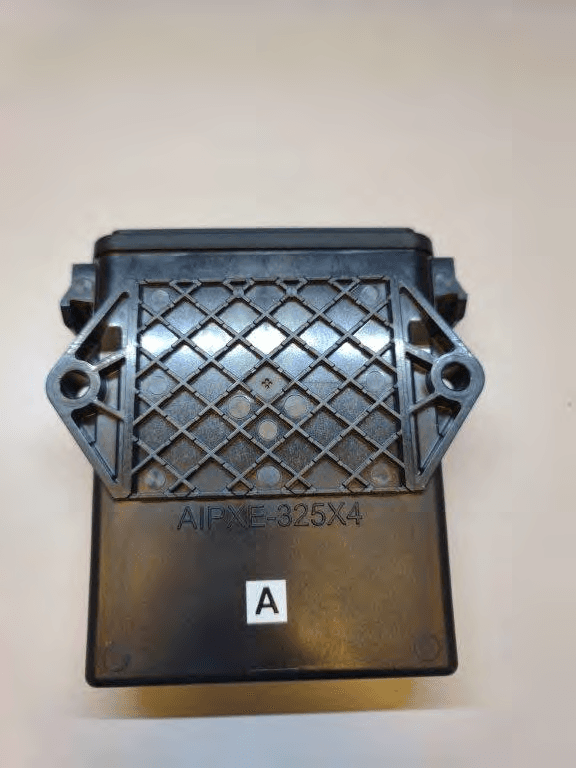
JUP-SMSE013
Apr 16, 2024RFID Read/Writer for Chemical and Fertilizer application system
Equipment Class
DSS - Part 15 Spread Spectrum Transmitter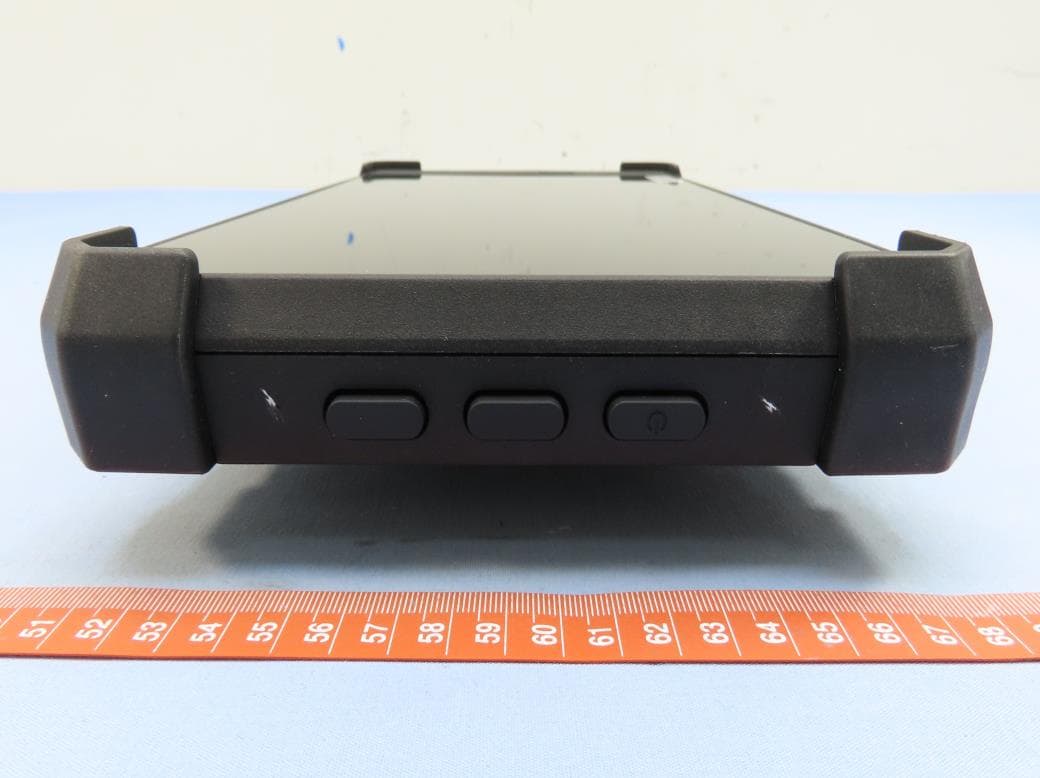
JUP-TD540
Jul 17, 202210 inch Touch Display
Equipment Class
DXX - Part 15 Low Power Communication Device Transmitter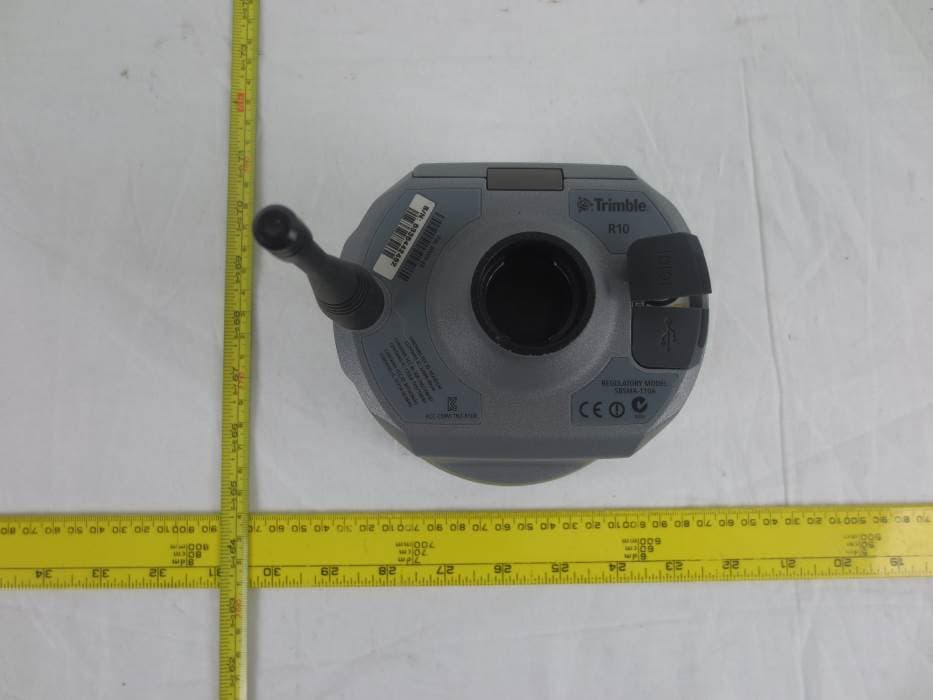
JUP-9091191
Jan 15, 2015GNSS Receiver+900 MHz+Wi-Fi+Bluetooth
Equipment Class
DSS - Part 15 Spread Spectrum Transmitter
JUP-95807WFBT
Sep 14, 2014WLAN+ Bluetooth Combo Module
Equipment Class
DSS - Part 15 Spread Spectrum Transmitter
JUP88161
Oct 20, 2013GeoExplorer(R) 7 Series handheld, Geo 7X
Equipment Class
DTS - Digital Transmission System