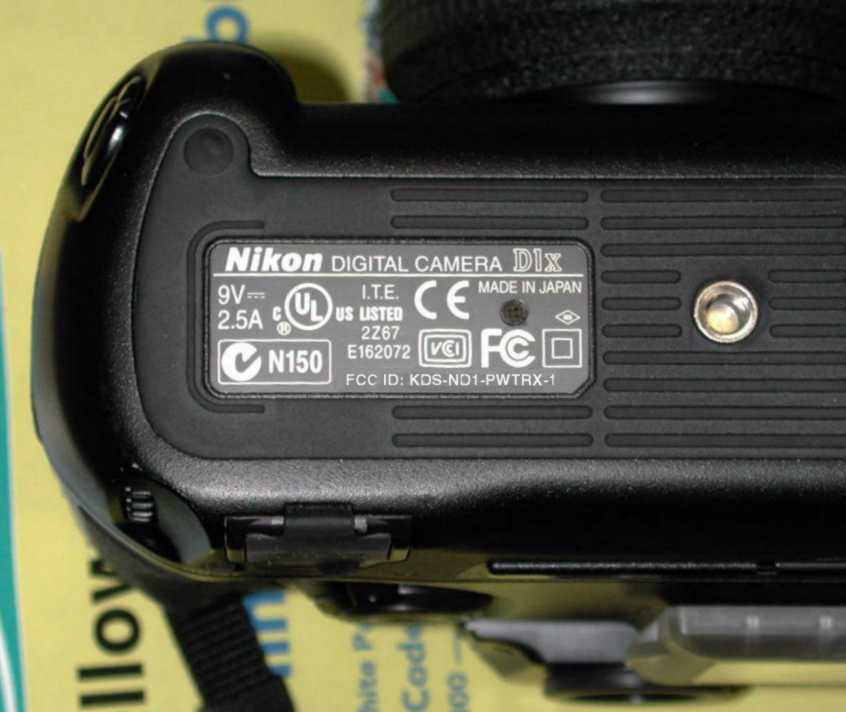
KDS-ND1-PWTRX-1Remote Control Transceiver
Lab Partners Associates Inc
Click to zoom
Application Details
- Equipment Class
- DSR - Part 15 Remote Control/Security Device Transceiver
- Date of Grant
- Jan 23, 2002
- Application Purpose
- Original Equipment
- Date of Application
- Jan 23, 2002
- Equipment Note
- Remote Control Transceiver
- Frequency Range
- 344.00000000 - 360.00000000
- Company
- Lab Partners Associates Inc
- Country
- United States
Documents & Files
Document Text
Text extracted from the exhibit documents filed with the FCC. Open a document above to read the original.
Users Manual
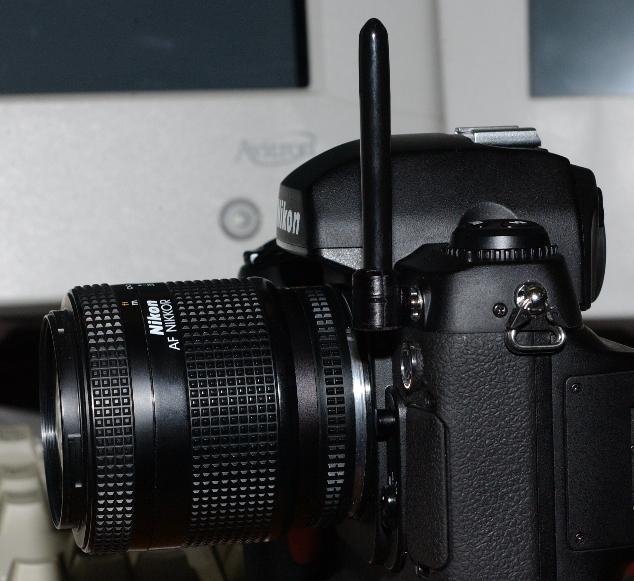
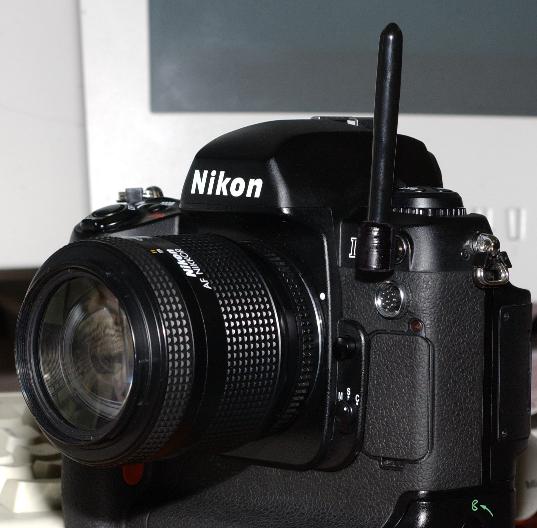
Nikon D1 Radio User Instructions DRAFT 11/15/2001 Table of Contents: 1.The PocketWizard System of Radios a.Using the camera in PocketWizard Mode i.Setting the channels ii.Transmit mode iii.Receive mode iv.Relay mode v.Prerelease lock 2.The FlashWizard II System of Radios a.Using the camera in FlashWizard II Mode b.Programming the radio settings (Learn Mode) c.Lag Time Control and shutter speeds 3.FCC Statement 4.Troubleshooting Guide 5.Specifications The PocketWizard System of Radio Controls Photographers can enjoy wireless connectivity to their professional flash and camera equipment using a variety of different models of the PocketWizard radio controls made by LPA Design. The first generation of PocketWizard called the “Classic” had 16 channels and was meant to be mounted to the photographers shirt pocket with a cord connecting it to the camera. The PocketWizards revolutionized the wireless flash connectivity industry with reliability and range that no other brand of radio could achieve. The next generation of PocketWizards has two versions: The PLUS and the MAX. The PLUS is a 4 channel radio with great range and now is mounted to the camera using a the hot shoe (top of camera) rather than sitting in a shirt pocket. The MAX is a 32 channel radio that has 4 (quad) zone selective flash control and many other new features. The software to the MAX was eventually given an upgrade and the new MultiMAX radio was born. The MultiMAX was a full two way transceiver that the user could select to transmit or receive with the flip of a switch, but it still mounted in the camera shoe. PocketWizard Inside - “The Next Generation”: The newest generation of PocketWizard products take this evolution to the ultimate step. It puts the radio inside the camera as a very small module with no external device needed. This leaves the shoe open for an on camera flash. LPA Design with the help of Mamiya America and many other partner companies have teamed together to bring about “Digital Wireless Freedom” . This new system of compatible radios and built in modules will all work together to make wireless photographic controls a standard in the industry. The antenna for this radio system plugs into the front PC connector on the camera. The radio can intelligently detect if a regular PC cable is attached, or if an antenna is attached. The radio is only activated if it sees an antenna connected. D1 - PocketWizard Compatibility Mode The Nikon D1, D1X or D1H radio module inside your camera is compatible with all 32 PocketWizard channels. To activate the camera’s radio, you will need to plug in the antenna into the front PC sync port of the camera. The power on default is for the radio to come up in PocketWizard mode. Channel selection: firing remote flash packs. The user can change the channel of operation by first setting up a remote receiver on the channel they wish to use for triggering the flash. Steps- 1) Turn receiver on and select channel. If using a MultiMAX, make sure it is set to receive mode. 2) While camera is on, press and hold the “Flash” button on top of camera. It’s the button next to the “BKT” button. 3) Spin the front command dial (just below the trigger button) up or down while holding the “Flash” button to change the channel up and down. When you spin the dial and the remote flash suddenly pops, you have just hit the channel that the receiver is on. If you go below channel 1 it will wrap around to channel 32. If you go above channel 32, it will wrap around back to channel 1. 4) To confirm you’re still on the correct channel, press and release again the “Flash” button. If the flash fires, than you’re on the correct channel and can start shooting. If the flash does not fire, you might have gone past the channel. If it does not flash when you tap the “Flash” button, go back to step 3. The camera will remember the transmit channel once it is set, even if the batteries are removed. When you power the camera up the next time it will be on the last channel you have selected. Channel selection: remotely firing the camera. The radio is in receiver mode most of the time. The receive channel is always linked one channel up from the transmit channel. If you set the cameras transmit channel to channel 5, the camera will receive remote triggers on channel 6. The only exception to this is for channel 32. If the transmit channel is set to 32, then the receive channel will be channel 1. The best way to set the receive channel is to know what channel you set for transmit and add 1. An alternative way to set the receive channel is as follows- 1) Turn on a PocketWizard transmitter and select a channel. 2) Press and hold the transmitters TEST button so that it keeps transmitting. 3) Press and hold the “Flash” button on the camera and spin the front command dial up or down. 4) Let go of the “Flash” button on the camera and see if the camera triggers. If the camera does not trigger, you are not on the correct channel yet. Repeat step 3 until the camera fires. This method is much slower than setting a transmit channel (see previous section), but is a way to set the channel if you do not have a PocketWizard receiver. Remote camera and flash Relay mode: The radio can automatically switch between transmit and receive modes. If the camera receives a remote radio trigger signal, it will automatically switch to transmit mode and wait for the flash sync signal from the shutter. When it sees this signal it will transmit the trigger command to a remote receiver to fire the flash and then automatically switch back to receive mode to wait for the next remote trigger. So to set up this system, you need two PocketWizards. One PocketWizard receiver for the flash and one transmitter for you to hold in you hand to fire the camera. Set the camera’s transmit channel so that it can fire the flash. You can check if this is set correctly by pressing the “Flash” button on top of the camera. Next, you set the PocketWizard transmitter that you will…
Text truncated - open the document above for the full version.
Contact Information
Applicant
Bryan Bourgeois(General Manager)
Technical Contact
Retlif Testing LaboratoriesScott Wentworth
[email protected]1 603 497 4600
101 New Boston Road · Goffstown, New Hampshire · United States
Test Firm
Retlif Testing LaboratoriesScott Wentworth
Technical Specifications
| # | Rule Parts | Frequency Range | Power Output |
|---|---|---|---|
| 1 | 15C | 344 MHz - 360 MHz | - |
Other Applications from Lab Partners Associates Inc

KDS-PWX-100
Feb 10, 2013Remote Flash Control Transceiver
Equipment Class
DSR - Part 15 Remote Control/Security Device Transceiver
KDS-PW3-100
Mar 18, 2012Remote Flash Control Transceiver
Equipment Class
DSR - Part 15 Remote Control/Security Device Transceiver
KDS-PW3-008
Dec 08, 2010Remote Flash Control Transceiver
Equipment Class
DSR - Part 15 Remote Control/Security Device Transceiver
KDS-PW3-007
Dec 08, 2010Remote Flash Control Transceiver
Equipment Class
DSR - Part 15 Remote Control/Security Device Transceiver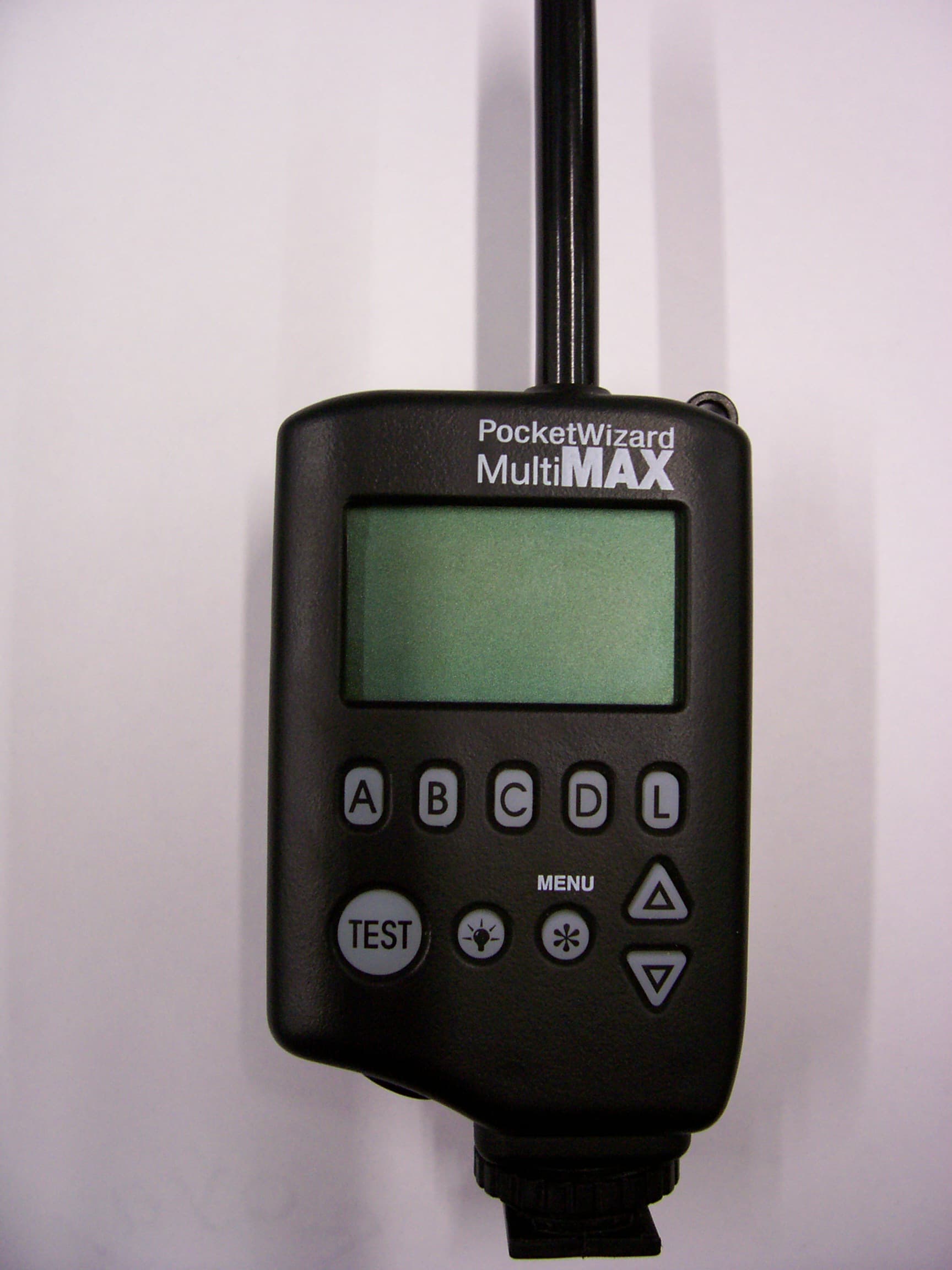
KDS-PW2-101
Jan 07, 2008Remote Flash Control Transceiver
Equipment Class
DSR - Part 15 Remote Control/Security Device Transceiver