L7MR015Wireless Receiver
Wireless Computing Inc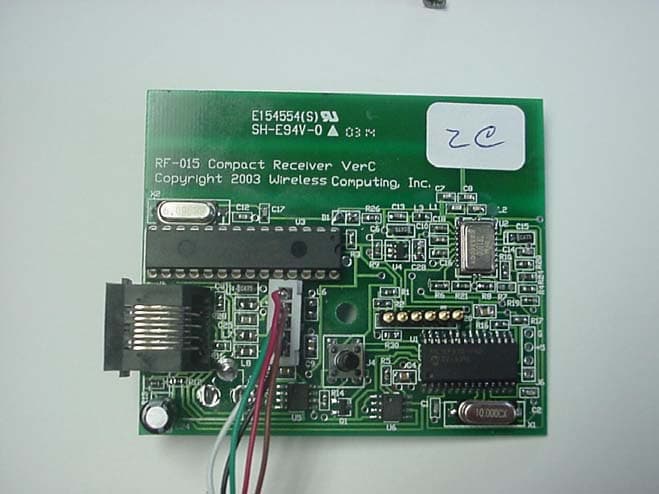
Click to zoom
Application Details
- Equipment Class
- DXX - Part 15 Low Power Communication Device Transmitter
- Date of Grant
- Jul 01, 2003
- Application Purpose
- Original Equipment
- Date of Application
- Jul 01, 2003
- Equipment Note
- Wireless Receiver
- Frequency Range
- 916.50000000 - 916.50000000
- Company
- Wireless Computing Inc
- Country
- United States
Documents & Files
Document Text
Text extracted from the exhibit documents filed with the FCC. Open a document above to read the original.
Users Manual
Exhibit I: Users Manual Wireless Computing RF-015 Compact Receiver TM www.wireless-computing.com HANDHELD MOUSE RF-150 INSTRUCTIONS 1. Install Battery. Insert one AA alkaline battery (included) in the handheld’s battery compartment. 2. Connect Receiver. Plug the black receiver into your computer’s USB port. If you see a series of dialog boxes about USB drivers, press Enter repeatedly to accept the standard USB drivers in Windows. Tip: Do not place receiver in an equipment cabinet or near other strong EMI sources. 3. Set Address. Press and release the address button on the bottom of the receiver. While the green LED blinks, simultaneously press the handheld’s left and right buttons. Repeat until the green LED on the handheld blinks. This matches the address in the handheld to the address in the receiver. OPERATION The RF-150 will operate PowerPoint slideshows and other mouse-controllable computer applications. When you press the mousedisk or click a button, both the handheld and receiver’s green LEDs should blink. The RF-150 is designed to transmit reliably at a distance of 100 feet (31 meters). Operating . range will vary depending on receiver and handheld positioning, nearby sources of interference, and other factors. To protect the battery from accidental discharge, the handheld stops transmitting if a mouse button, or the mousedisk, is held down for more than 60 seconds. TO USE MORE THAN ONE HANDHELD OR KEYBOARD ON A COMPUTER If desired, you can set multiple RF-150s and RF- 250 Wireless Keyboards to operate the same computer. 1. Connect one receiver to the computer. 2. Press and release the address button on the bottom of the receiver. 3. While the green LED on the receiver blinks, on every RF-150, simultaneously press the left and right mouse buttons to set their addresses. Next, press the Addr key on each RF-250 to set its address. After a handheld or keyboard retrieves an address, the receiver LED continues blinking for another 30 seconds. Left Click Ri ght Click Mousedisk Copyright 2003 Wireless Computing, Inc. All Rights Reserved. Wireless Computing is a trademark of Wireless Computing, Inc., Austin, TX. Windows and PowerPoint are registered trademarks of Microsoft Corp. Macintosh is a registered trademark of Apple Computer. TROUBLESHOOTING Green LED on receiver is not lit • Ensure computer is powered on and receiver’s USB cable is connected to USB port. • Unplug the receiver’s USB cable and plug it into the computer again. Button presses don’t get through • If neither the green nor red LED on the handheld flashes when you press a button, replace the battery. • If the red LED flashes when you press a button, reposition the receiver and check that the handheld and receiver are within 100 feet of each other. If the problem persists, reset the address. • If the green LED flashes on the handheld, and yet the mouse cursor doesn’t move, unplug the receiver from the computer and plug it in again. Cursor moves by itself, or keystrokes appear “from nowhere” • The address of your receiver may be the same as the address of another RF-150 Handheld Mouse or RF-250 Wireless Keyboard within radio range. Reset your receiver’s address. FOR FURTHER ASSISTANCE Please visit our online customer support page: www.wireless-computing.com/support Or call customer support at 512.858.4400 between 8:30-5:30 Central Time. FCC INFORMATION This equipment has been tested and found to comply with the limits for a class B digital device, pursuant to Part 15 of the FCC rules. These limits are designed to provide reasonable protection against harmful interference in a residential installation. This equipment generates, uses and can radiate radio frequency energy and, if not installed and used in accordance with the instructions, may cause harmful interference to radio communications. However, there is no guarantee that interference will not occur in a particular installation. If this equipment does cause harmful interference to radio or television reception, which can be determined by turning the equipment off and on, the user is encouraged to try to correct the interference by one or more of the following measures: Reorient or relocate the receiving antenna. Increase the separation between the equipment and receiver. Consult the dealer or a Wireless Computing technician for help. The radio module has been evaluated under FCC bulletin OET 65C and found compliant to the requirements as set forth in CFR 47 sections 2.1049, 15.203, 15.209 and 15.249 addressing RF exposure from radio frequency devices. Tested to comply with FCC standards. FCC ID: L7MR150 RF-150 Handheld Mouse L7MR015 RF-015 Compact Receiver ADDITIONAL INFORMATION For use with UL Listed, CSA approved personal computers. Not intended for use in machinery, medical or industrial applications. Do not use in aircraft or hazardous locations. Caution: Any changes or modifications not expressly approved by Wireless Computing could void your authority to operate this device. No user serviceable parts.
Cover Letter(s)
Exhibit M: Modification Statement Wireless Computing RF-015 Compact Receiver
Cover Letter(s)
Exhibit G – Letter of Authorization Wireless Computing RF-015 Compact Receiver
Cover Letter(s)
Exhibit H – Letter of Confidentiality Wireless Computing RF-015 Compact Receiver
External Photos
Exhibit E – EUT Photographs Wireless Computing RF-015 Compact Receiver Wireless Computing RF-015 Compact Receiver EUT Front View EUT Rear View Wireless Computing RF-015 Compact Receiver PCB Front View PCB Rear View Wireless Computing RF-015 Compact Receiver EUT Internal View
ID Label/Location Info
Exhibit C – Equipment ID Labels and Locations Wireless Computing RF-015 Compact Receiver FCC Label Artwork The FCC label artwork is shown below: Stick the label in the inset on the back of the receiver. Replace the dummy serial number, 02090000, with a real serial number. The label is positioned as follows: The label 65mm x 18mm in size. RF-015 Compact Receiver 916.5 MHz FCC ID L7MR015S/N: 02090000Made in China This device complies with Part 15 of the FCC rules. Operation is subject to the following conditions: 1) this device may not cause harmful interference, and 2) this device must accept any interference received, including interference that may cause undesired operation. FCC label
Internal Photos
Exhibit E – EUT Photographs Wireless Computing RF-015 Compact Receiver Wireless Computing RF-015 Compact Receiver EUT Front View EUT Rear View Wireless Computing RF-015 Compact Receiver PCB Front View PCB Rear View Wireless Computing RF-015 Compact Receiver EUT Internal View
Operational Description
Exhibit K: Product Description Wireless Computing RF-015 Compact Receiver Product Description: RF-015 Wireless Receiver FCC ID L7MR015 916.5 MHz transceiver for use with RF-150 Wireless Mouse and other products. Connects to USB port on Windows and Macintosh computers. Draws power from computer through USB cable. Operational Description: See Instructions Technical Description: RF packets from the remote device ( RF-150 Wireless Mouse, etc. ) are received by the RF-015 receiver. These are either key codes, mouse moves or mouse button changes. These are passed to the computer via USB. Packets are acknowledged via an RF packet sent to the remote device. Commands from the computer are received via the USB and passed along to the appropriate device via RF.
Test Report
Professional Testing (EMI), Inc. Exhibit B – Test Report Wireless Computing RF-015 Compact Receiver L7MR015 ____________________________________________________________________________________________ Professional Testing (EMI), Inc. 1 Project Number: 03437-10 Prepared for: WIRELESS COMPUTING 14101 West Highway 290, Bldg. 700 Austin, TX By Professional Testing (EMI), Inc. 1601 FM 1460, Suite B Round Rock, Texas 78664 June 2003 CERTIFICATION Electromagnetic Interference Test Report WIRELESS COMPUTING RF-015 COMPACT RECEIVER L7MR015 ____________________________________________________________________________________________ Professional Testing (EMI), Inc. 2 Table of Contents Title Page .........................................................................................................................................1 Table of Contents .............................................................................................................................2 Certificate of Compliance ................................................................................................................3 1.0 EUT Description ..................................................................................................................4 1.1 EUT Operation.....................................................................................................................4 2.0 Electromagnetic Emissions Testing.....................................................................................4 2.1 Conducted Emissions Measurements ..............................................................................4 2.1.1 Test Procedure .........................................................................................................5 2.1.2 Test Criteria .............................................................................................................5 2.1.3 Test Results ..............................................................................................................5 2.2 Radiated Emissions Measurements .....................................................................................5 2.2.1 Test Procedure ..............................................................................................................6 2.2.2 Test Criteria ..................................................................................................................6 2.2.3 Test Results ...................................................................................................................6 2.3 Occupied Bandwidth Measurements ..................................................................................7 3.0 Antenna Requirement ..........................................................................................................7 3.1 Evaluation Procedure .......................................................................................................7 3.2 Evaluation Criteria ...........................................................................................................7 3.3 Evaluation ........................................................................................................................7 4.0 RF Safety .............................................................................................................................7 5.0 Receiver Portion ..................................................................................................................8 6.0 Modifications to Equipment ................................................................................................8 7.0 List of Test Equipment.........................................................................................................8 Figures FIGURE 1: Conducted Emissions Mains Terminal Measurements ............................................... 9 FIGURE 2: Radiated Emissions Test Setup ................................................................................. 10 Appendices Appendix A: Emissions Data Sheets..............................................................................................11 THIS REPORT SHALL NOT BE REPRODUCED EXCEPT IN FULL, WITHOUT THE WRITTEN APPROVAL OF PROFESSIONAL TESTING (EMI), INC. L7MR015 ____________________________________________________________________________________________ Professional Testing (EMI), Inc. 3 Applicant: Wireless Computing Applicant’s Address: 14101 West Highway 290, Bldg. 700 Austin, TX Model: RF-015 Compact Receiver Project Number: 03437-10 The Wireless Computing RF-015 Compact Receiver was tested to and found to be in compliance with FCC Part 15.203, 15.205, 15.207, 15.209, and 15.249 for Intentional Radiators. The highest average emissions generated by the above equipments are listed below: Frequency (MHz) Level (dBμV/m) Limit (dBμV/m) Margin (dB) Peak Fundamental 916.6 93.2 94 -0.8 Harmonics 1833 52.5 63.5 -11.0 Spurious 691.2 38.7 46 -7.3 I, Jeffrey A. Lenk, for Professional Testing (EMI), Inc., being familiar with the FCC rules and test procedures have reviewed the test setup, measured data and this report. I believe them to be true and accurate. ______________________________ Jeffrey A. Lenk President Certificate of Compliance L7MR015 ____________________________________________________________________________________________ Professional Testing (EMI), Inc. 4 1.0 EUT Description The RF-015 is a wireless receiver/transceiver for use with the RF-150 wireless Mouse and other products. The receiver can be used on computers operating on Windows and Macintosh systems. The EUT draws power from the computer through USB cable. RF packets from the remote device are received by the RF-015 receiver. These are passed to the computer via USB. Packets are acknowledged via an RF packet sent to the remote device. Commands from the computer are received via the USB and passed along to the appropriate device via RF. The EUT operates on a frequency of 916.5 MHz and is designed for compliance with …
Text truncated - open the document above for the full version.
Test Setup Photos
Exhibit D – Test Setup Photos Wireless Computing RF-015 Compact Receiver Wireless Computing RF-015 Compact Receiver Conducted Emissions Front View Conducted Emissions Side View Wireless Computing RF-015 Compact Receiver Radiated Emissions Front View Radiated Emissions Rear View Wireless Computing RF-015 Compact Receiver Microwave Radiated Emissions
Contact Information
Applicant
Martin Phillips
Technical Contact
Professional Testing (EMI) Inc.Jeffrey A Lenk
[email protected]512-244-3371
1601 FM 1460 Suite B · Round Rock, Texas · United States
Test Firm
Professional Testing (EMI), Inc.Jeff Link
Technical Specifications
| # | Rule Parts | Frequency Range | Power Output |
|---|---|---|---|
| 1 | 15C | 916.5 MHz - 916.5 MHz | - |
Other Applications from Wireless Computing Inc
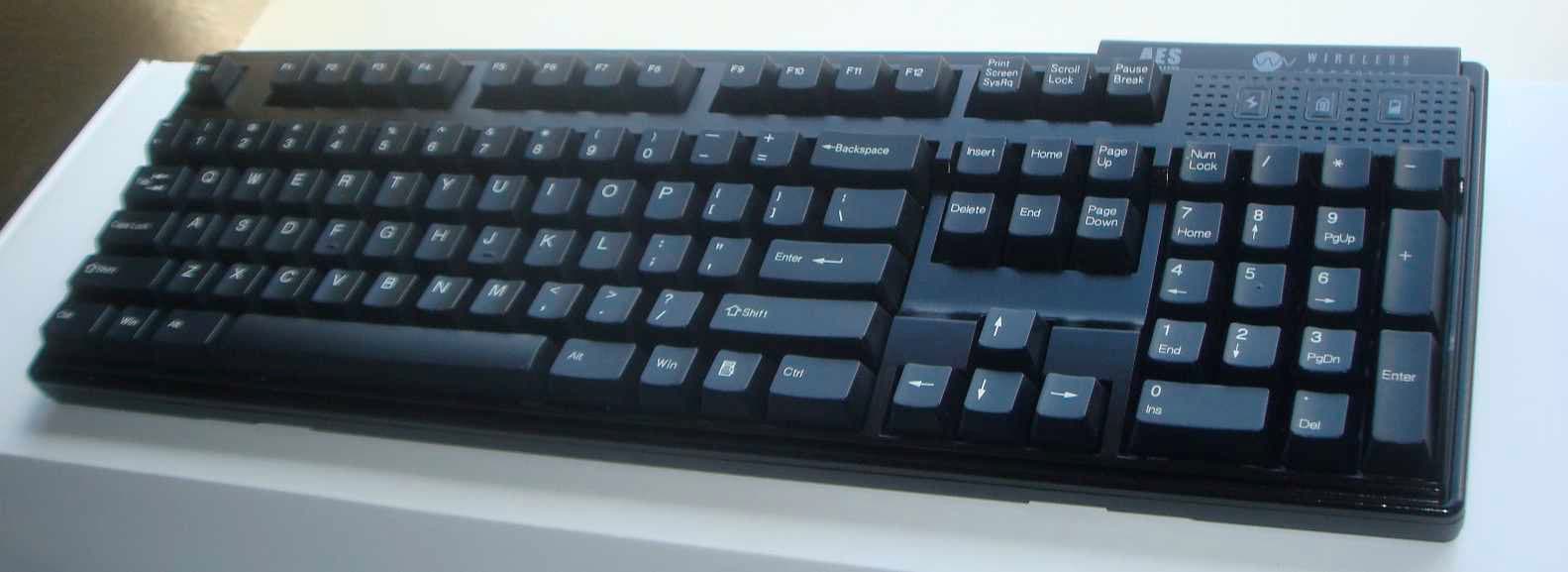
L7MR600
Apr 04, 2011Mechanical Wireless Keyboard
Equipment Class
DXT - Part 15 Low Power Transceiver, Rx Verified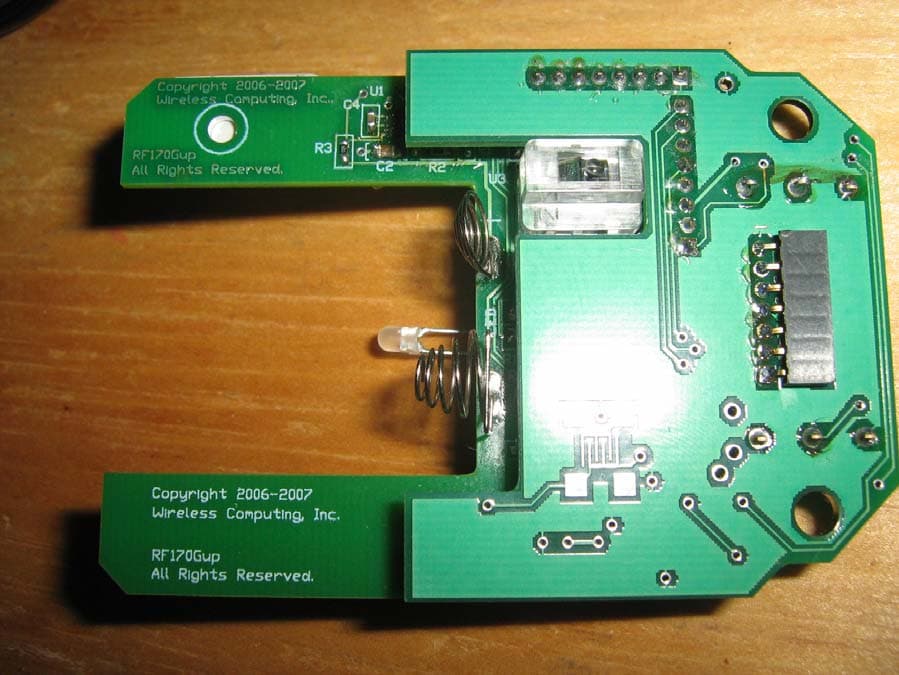
L7MR170
Mar 13, 2008Wireless Mouse
Equipment Class
DXX - Part 15 Low Power Communication Device Transmitter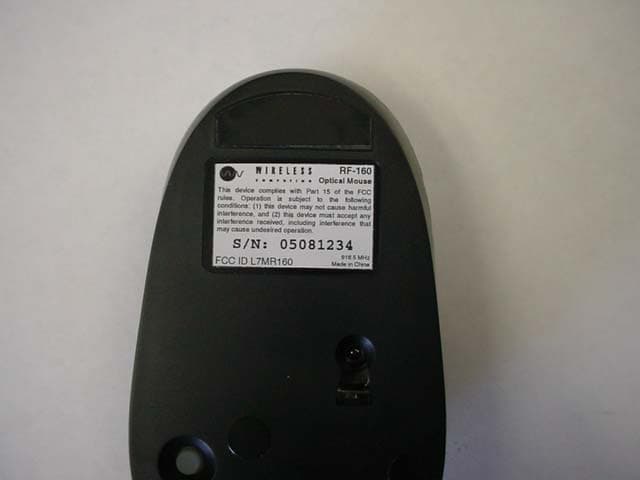
L7MR160
Sep 27, 2005Optical Mouse
Equipment Class
DXT - Part 15 Low Power Transceiver, Rx Verified
L7MR150
Jul 01, 2003RF 150 Wireless Mouse
Equipment Class
DXX - Part 15 Low Power Communication Device Transmitter
L7MR250
Jul 31, 2002Wireless Keyboard
Equipment Class
DXX - Part 15 Low Power Communication Device Transmitter