LE2G9DIGITAL WIRELESS SURVEILLANCE SYSTEM
JSW Pacific Corporation
Click to zoom
Application Details
- Equipment Class
- DSS - Part 15 Spread Spectrum Transmitter
- Date of Grant
- Jul 07, 2013
- Application Purpose
- Original Equipment
- Date of Application
- Jul 07, 2013
- Equipment Note
- DIGITAL WIRELESS SURVEILLANCE SYSTEM
- Frequency Range
- 2414.25000000 - 2461.50000000
- Company
- JSW Pacific Corporation
- Country
- Taiwan
Documents & Files
Document Text
Text extracted from the exhibit documents filed with the FCC. Open a document above to read the original.
Users Manual
DWH SERIES VIDEO SECURITY SYSTEM Installation and Operation Instruction Manual Model: G955 Version 1.0 DRAFT This manual should be retained for future reference 1 CONTENTS IMPORTANT NOTICE.......................................................................................................3 PLEASE READ BEFORE YOU START...............................................................3 WIRELESS DEVICES OPERATING RANGE....................................................3 IMPORTANT SAFETY PRECAUTIONS.............................................................3 REQUIREMENTS FOR REMOTE VIEW................................................................5 KIT CONTENT ...................................................................................................................6 SAFETY AND INSTALLATION TIPS..............................................................................7 Camera Installation.....................................................................................................8 Setting the Camera Channel (optional) ......................................................................9 Pairing the Camera to Receiver (optional) .................................................................9 QUICK START GUIDE....................................................................................................10 Set Up the Camera....................................................................................................10 Set up the Wireless Touch Screen Monitor ..............................................................10 System Operation .....................................................................................................11 Remote Access .........................................................................................................11 SYSTEM INTRODUCTION.............................................................................................13 Live Screen Displays ................................................................................................15 Zoom Feature ...........................................................................................................15 Recording Live Video ..............................................................................................15 Playing Back Recorded Video..................................................................................16 SYSTEM MENU ...............................................................................................................17 SYSTEM OPERATION ....................................................................................................18 Camera Setup Screen................................................................................................18 Camera Pairing .........................................................................................................18 Camera Activation....................................................................................................19 Brightness.................................................................................................................19 Recorder Setup Screen .............................................................................................20 Motion Detection......................................................................................................20 Email Alert ...............................................................................................................20 Schedule Record.......................................................................................................22 Clear a Scheduled Recording ...................................................................................23 Network Setup Screen ..............................................................................................23 Internet Setup ...........................................................................................................24 Security Code ...........................................................................................................24 Network Information ................................................................................................25 Alarm Setup Screen ..................................................................................................26 Period .......................................................................................................................26 Melody .....................................................................................................................27 System Setup Screen ................................................................................................27 Power Saving............................................................................................................27 Screen Auto Lock .....................................................................................................28 2 Time .........................................................................................................................29 Clock Alarm .............................................................................................................29 Time Setting .............................................................................................................30 Timer ........................................................................................................................30 Storage Management ................................................................................................31 Format ......................................................................................................................31 Overwrite..................................................................................................................32 System Upgrade .......................................................................................................32 Language ...................…
Text truncated - open the document above for the full version.
Users Manual
1 Guide d’utilisation du système de surveillance vidéo G955 SOUTIEN À LA CLIENTÈLE Chez Uniden MD , nous désirons votre entière satisfaction! Si vous avez besoin d’aide, veuillez ne PAS retourner le produit au magasin où vous l’avez acheté. Nos spécialistes du soutien à la clientèle sont disponibles pour vous aider.Trouvez rapidement des réponses à vos questions en : 1. Lisant le guide d’utilisation inclus avec ce produit. 2. Visitant la section du soutien à la clientèle de notre site Web au : www.uniden.com. 3. Appenant nos spécialistes du soutien à la clientèle au 1-800-297-1023. CONTENU SOUTIEN À LA CLIENTÈLE......................................................................... 2 COMMENT DÉBUTER ..................................................................4 Utilisation de ce guide d’utilisation ..................................................... 4Apprendre à connaître votre SYSTÈME G955 ................................... 6 Moniteur G955 ........................................................................................ 6Ce que signifient les voyants ............................................................. 6 Ce que signifient les voyants.................................................................. 7Installation de l’équipement .................................................................. 7 Installation du moniteur ...................................................................... 7 Caméra G955 (GC45) ................................................................................. 7 Fixer le support de caméra ................................................................. 8Fixer la caméra ..................................................................................... 10Réglages de la caméra....................................................................... 11 Réglages du système ......................................................................... 11Réglage de l’enregistreur ................................................................. 11 Survol du fonctionnement du logiciel Guardian .................. 12 Ce que les icônes signifient ............................................................. 13Changer l’affichage de l’écran en direct ..................................... 15Utiliser la fonction PentaZoom MC .................................................. 15 Utiliser votre système............................................................................. 16 Enregistrement vidéo en direct ..................................................... 16Lecture des enregistrements vidéo.............................................. 16Effacer les fichiers enregistrés ........................................................ 17Ajouter des nouvelles caméras ...................................................... 18 Description des écrans Guardian d’Uniden........................... 20 Survol ........................................................................................................... 20Écran des réglages de la caméra du système Guardian d’Uniden .................................................................................................. 20 Écran des réglages de la caméra ................................................... 22Jumelage ................................................................................................ 22Caméra en fonction............................................................................ 23Écran de réglage de l’enregistrement ......................................... 24Écran des réglages du réseau ......................................................... 29Écran du réglage de l’alarme .......................................................... 32 Formater ................................................................................................. 38Réécriture............................................................................................... 39mise à jour du système ..................................................................... 39 Langage .................................................................................................. 40 Conseils rapides ....................................................................................... 41 Accès à distance ....................................................................... 42 Exigences du système ....................................................................... 42 Connexion à l’Internet....................................................................... 42Connexion à un intranet (réseau résidentiel) ........................... 43 Création d’un compte sur notre portail........................................... 43 Entrer un code de sécurité............................................................... 45Enregistrement vidéo ........................................................................ 46Prendre une photo ............................................................................. 46 Utilisation de l’appli GUARDIAN 2 ..................................................... 47 Entretien de votre système..................................................... 57 Mise à jour du microprogramme Guardian.................................... 57Entretien du matériel ............................................................................. 57 Récepteur............................................................................................... 57Caméras .................................................................................................. 57Gestion des fichiers enregistrés ..................................................... 58Copier des fichiers de la carte mémoire microSD à votre ordinateur ...................................................................................... 58 Résolution des problèmes ...................................................... 59Information supplémentaire .................................................. 60 Spécifications du produit..................…
Text truncated - open the document above for the full version.
Cover Letter(s)
JSW Pacific Corporation Federal Communications Commission Authorization and Evaluation Division 1435 Oakland Mills Road Columbia, MD 21046 Date: June 22,2013 SUBJECT: FCC Application for LE2G9 To Whom It May Concern: I, the undersigned, hereby attest to the fact that I will apply the Declaration of Conformity procedure to the class B computer peripheral portion of this composite device. I understand the following FCC requirements: 1. Devices subject to the DoC procedure are required to be tested to show compliance with the FCC technical regulations by a recognized accredited testing laboratory. The testing laboratory must be accredited by a Commission approved accreditation body or designated under the terms of a government-to-government Mutual Recognition Agreement (MRA). A listing of those accredited testing laboratories that have been recognized by the Commission is published on the FCC Webpage: https://apps.fcc.gov/oetcf/eas/reports/TestFirmSearch.cfm (Select the "accredited" option to search for FCC recognized accredited test firms.) 2. Test facilities located in countries, where the U.S. does not have an operational Telcom MRA are not recognized by the FCC to test for the DoC procedure. 3. Pt 2.1077 contains the list of information that must be included in the Declaration of Conformity, which must be supplied with each product sold. The DoC compliance info shall be included in the User’s Manual or as a separate sheet. The info must contain the name, address, and phone number of the responsible party, which must be located within the United States. According to 2.909(c)(2), the responsible party is either the Manufacturer or if the product is imported the Importer . Regards, Signature: Typed name: Min Chen Applicant: JSW Pacific Corporation Address: 3F-3, No.700, Chung-Zheng Road, Chung Ho City Taipei Hsien, Taiwan
Cover Letter(s)
JSW Pacific Corporation FCC ID:LE2G9 POWER OF ATTORNEY Date: July 03, 2013 Federal Communications Commission Authorization and Evaluation Division 7435 Oakland Mills Road Columbia, MD 21046 To Whom It May Concern: We, the undersigned, hereby authorize Waltek Services (ShenZhen) Co., Ltd. (Philo Zhong) on our behalf, to apply to the Federal Communications Commission on our equipment. Any and all acts carried out by Waltek Services (ShenZhen) Co., Ltd. (Philo Zhong) on our behalf shall have the same effect as acts of our own. This authorization expires on July 02, 2014. This is to advise that we are in full compliance with the Anti-Drug Abuse Act. We, JSW Pacific Corporation are not subject to a denial of federal benefits pursuant to Section 5301 of the Anti-Drug Act of 1988, 21 USC853a, and no party to the application is subject to a denial of federal benefits pursuant to that section. Sincerely, JSW Pacific Corporation ................................................................................. Signature Min Chen / Vice President ................................................................................. Typed name and Title
External Photos
Reference No.: WTD13S0503940E Page 55 of 65 Waltek Services (Shenzhen) Co.,Ltd. http://www.waltek.com.cn 18 Photographs - Constructional Details 18.1 External View Reference No.: WTD13S0503940E Page 56 of 65 Waltek Services (Shenzhen) Co.,Ltd. http://www.waltek.com.cn Reference No.: WTD13S0503940E Page 57 of 65 Waltek Services (Shenzhen) Co.,Ltd. http://www.waltek.com.cn
ID Label/Location Info
Waltek Services (Shenzhen) Co.,Ltd. http://www.waltek.com.cn FCC Label Location for model: G9/G95/G955/G9555/G95555/G953/G9553 The Label must not be a stick-on paper. The Label on these products must be permanently affixed to the product and readily visible at the time of purchase and must last the expected lifetime of the equipment not be readily detachable. =End of report= FCC ID: LE2G9 This device complies with Part 15 of the FCC Rules.Operation is subject to the following two conditions: (1) this device may not cause harmful interference, and (2) this device must accept any interference received, including interference that may cause undesired operation.
ID Label/Location Info
FCC Label Sample for model: G9/G95/G955/G9555/G95555/G953/G9553 FC C ID: LE2G9 This device complies with part 15 of the FCC Rules. Operation is subject to the following two conditions: (1) This device may not cause harmful interference, and (2) this device must accept any interference received, including interference that may cause undesired operation.
Internal Photos
Reference No.: WTD13S0503940E Page 58 of 65 Waltek Services (Shenzhen) Co.,Ltd. http://www.waltek.com.cn EUT - Internal View Reference No.: WTD13S0503940E Page 60 of 65 Waltek Services (Shenzhen) Co.,Ltd. http://www.waltek.com.cn Reference No.: WTD13S0503940E Page 61 of 65 Waltek Services (Shenzhen) Co.,Ltd. http://www.waltek.com.cn RF dl RF dl
Test Report
Reference No.: WTD13S0503940E Page 1 of 65 FCC TEST REPORT Waltek Services (Shenzhen) Co.,Ltd. http://www.waltek.com.cn FCC ID : LE2G9 Applicant : JSW Pacific Corporation Address : 3F-3, No.700, Chung-Zheng Road, Chung Ho City Taipei Hsien, Taiwan Manufacturer : JSW Pacific(China)Co.,Ltd Address : No 138.Sanjiang Industry District,Hengli Town,Dongguan City,Guangdong province,China Equipment Under Test (EUT) : Product Name : Digital Wireless Surveillance System Model No. : G9/G95/G955/G9555/G95555/G953/G9553 Standards : FCC CFR47 Part 15 Section 15.247:2010 Date of Test : May 28~30, 2013 Date of Issue : June 14, 2013 Test Result : PASS Remark: * The sample described above has been tested to be in compliance with the requirements of ANSI C63.4:2003. The test results have been reviewed and comply with the rules listed above and found to meet their essential requirements. The results shown in this test report refer only to the sample(s) tested, this test report cannot be reproduced, except in full, without prior written permission of the company. The report would be invalid without specific stamp of test institute and the signatures of compiler and approver. Prepared By: Waltek Services (Shenzhen) Co., Ltd. 1/F, Fukangtai Building, West Baima Rd., Songgang Street, Baoan District, Shenzhen 518105, China Tel: +86-755-83551033 Fax: +86-755-83552400 Compiled by: Approved by: Zero Zhou / Project Engineer Philo Zhong / Manager Reference No.: WTD13S0503940E Page 2 of 65 Waltek Services (Shenzhen) Co.,Ltd. http://www.waltek.com.cn 2 Test Summary Test Items Test Requirement Result Radiated Spurious Emissions 15.205(a) 15.209 15.247(d) PASS Duty Cycle 15.35 PASS Band edge 15.247(d) 15.205(a) PASS Conduct Emission 15.207 PASS 20dB Bandwidth 15.247(a)(1) PASS Maximum Peak Output Power 15.247(b)(1) PASS Frequency Separation 15.247(a)(1) PASS Number of Hopping Frequency 15.247(a)(1)(iii) PASS Dwell time 15.247(a)(1)(iii) PASS Maximum Permissible Exposure (Exposure of Humans to RF Fields) 1.1307(b)(1) PASS Reference No.: WTD13S0503940E Page 3 of 65 Waltek Services (Shenzhen) Co.,Ltd. http://www.waltek.com.cn 3 Contents Page 1 COVER PAGE .......................................................................................................................................... 1 2 TEST SUMMARY...................................................................................................................................................2 3 CONTENTS.............................................................................................................................................................3 4 GENERAL INFORMATION..................................................................................................................................5 4.1 GENERAL DESCRIPTION OF E.U.T.................................................................................................................. 5 4.2 DETAILS OF E.U.T........................................................................................................................................... 5 4.3 TEST FACILITY................................................................................................................................................. 5 4.4 TEST LOCATION............................................................................................................................................... 5 4.5 TEST MODE..................................................................................................................................................... 6 4.6 CHANNEL LIST................................................................................................................................................. 6 5 EQUIPMENT USED DURING TEST...................................................................................................................7 5.1 EQUIPMENTS LIST........................................................................................................................................... 7 5.2 MEASUREMENT UNCERTAINTY........................................................................................................................ 7 5.3 TEST EQUIPMENT CALIBRATION...................................................................................................................... 7 6 CONDUCTED EMISSION....................................................................................................................................8 6.1 E.U.T. OPERATION.......................................................................................................................................... 8 6.2 EUT SETUP..................................................................................................................................................... 8 6.3 CONDUCTED EMISSION TEST RESULT............................................................................................................ 9 7 RADIATED SPURIOUS EMISSIONS...............................................................................................................11 7.1 EUT OPERATION :......................................................................................................................................... 11 7.2 TEST SETUP.................................................................................................................................................. 12 7.3 SPECTRUM ANALYZER SETUP....................................................................................................................... 13 7.4 TEST PROCEDURE......................................................................................................................................... 14 7.5 CORRECTED AMPLITUDE & MARGIN CALCULATION..................................................................................... 14 7.6 SUMMARY OF TEST RESULTS..................................................................................…
Text truncated - open the document above for the full version.
Test Setup Photos
Reference No.: WTD13S0503940E Page 51 of 65 Waltek Services (Shenzhen) Co.,Ltd. http://www.waltek.com.cn Photographs – Test Setup Photograph – Radiation Spurious Emission Test Setup Below 30MHz Reference No.: WTD13S0503940E Page 52 of 65 Waltek Services (Shenzhen) Co.,Ltd. http://www.waltek.com.cn 30MHz-1GHz Reference No.: WTD13S0503940E Page 53 of 65 Waltek Services (Shenzhen) Co.,Ltd. http://www.waltek.com.cn Above 1GHz Reference No.: WTD13S0503940E Page 54 of 65 Waltek Services (Shenzhen) Co.,Ltd. http://www.waltek.com.cn Photograph – Conducted Emission Test Setup
Contact Information
Applicant
Min Hui Chen(Vice President)
Test Firm
Waltek Services(Shenzhen) Co., Ltd.Philo zhong
Technical Specifications
| # | Rule Parts | Frequency Range | Power Output |
|---|---|---|---|
| 1 | 15C | 2.41 GHz - 2.46 GHz | 19.80 mW |
Other Applications from JSW Pacific Corporation
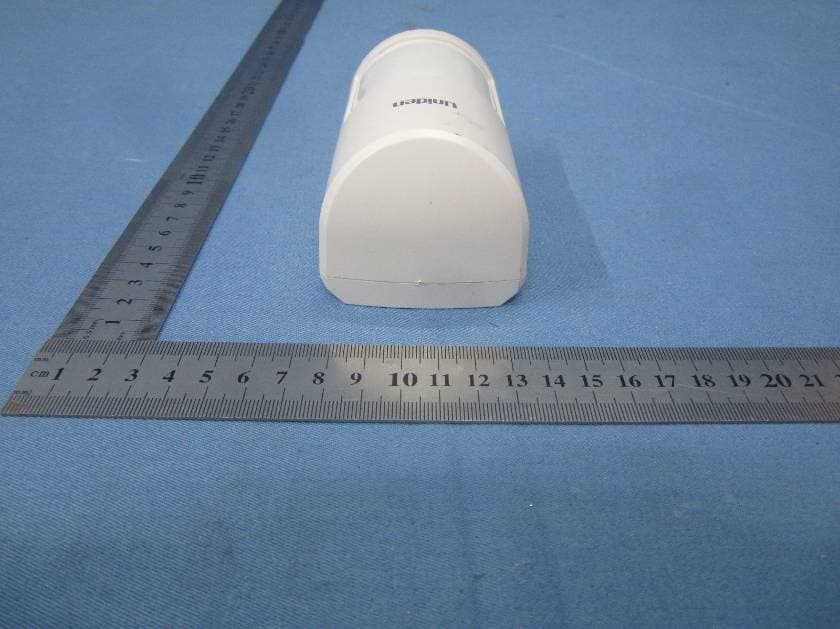
LE2PIR31
Nov 21, 2015Wireless portable / wall-mount area motion alert sensor
Equipment Class
DXX - Part 15 Low Power Communication Device Transmitter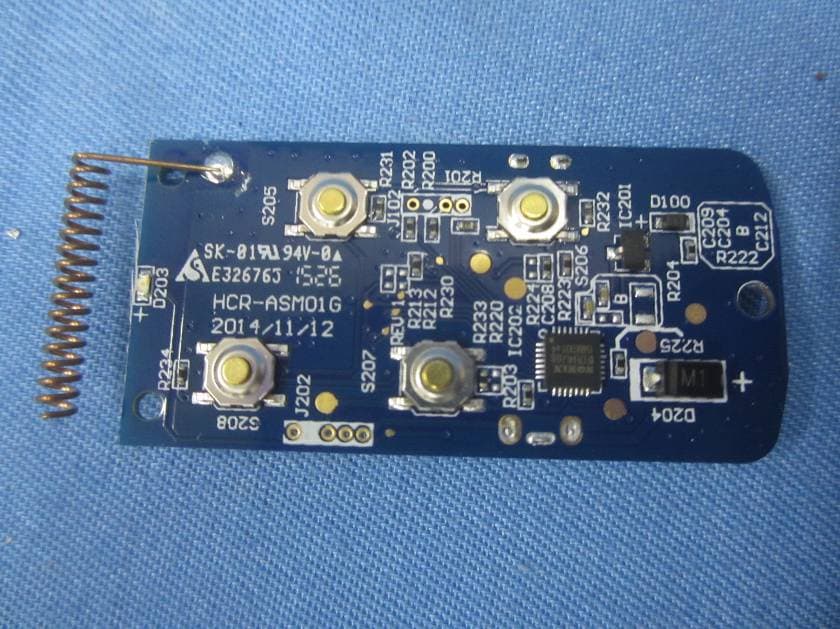
LE2RC41
Nov 21, 2015Wireless multi-functional panic remote controller
Equipment Class
DXX - Part 15 Low Power Communication Device Transmitter
LE2APPCAM26PTA
Jun 13, 2015720p PT WIFI Camera
Equipment Class
DTS - Digital Transmission System
LE2APPCAM25HDA
May 25, 2015720p WIFI Camera
Equipment Class
DTS - Digital Transmission System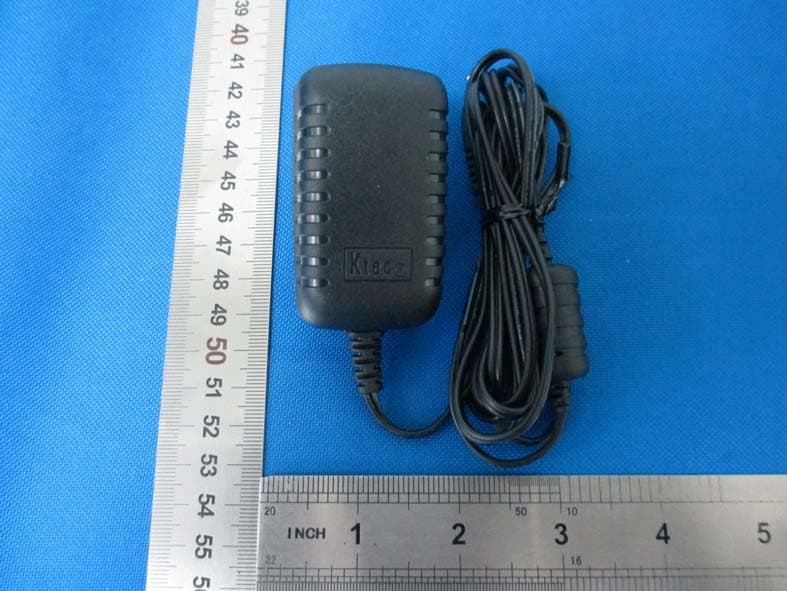
LE2APPCAM24HD
May 24, 2015720p WIFI Camera
Equipment Class
DTS - Digital Transmission System