M4Y-ZAC1023513IEEE 802.11 a/n Wireless CPE
Z Com Inc
Click to zoom
Application Details
- Equipment Class
- NII - Unlicensed National Information Infrastructure TX
- Date of Grant
- Oct 29, 2014
- Application Purpose
- Original Equipment
- Date of Application
- Oct 20, 2014
- Equipment Note
- IEEE 802.11 a/n Wireless CPE
- Frequency Range
- 5755.00000000 - 5795.00000000
- Company
- Z Com Inc
- Country
- Taiwan
Documents & Files
Document Text
Text extracted from the exhibit documents filed with the FCC. Open a document above to read the original.
Users Manual
P. 1 IEEE 802.11b/g/n Wireless CPE/ IEEE 802.11a/n Wireless CPE User’s Manual Model name: ZAC-1023-2-9 / ZAC-1023-5-13 ZAC-501 / ZAC-502 ZWA-3070 / ZWA-3080 ZN-7200-2EI / ZN-7200-2AEI-L V1.0 May 2014 P. 2 Copyright Copyright © 2014 all rights reserved. No part of this publication may be reproduced, adapted, stored in a retrieval system, translated into any language, or transmitted in any form or by any means without the written permission of the supplier. About This Manual This user manual is intended to guide professional installer to install the IEEE 802.11n ZAC Access Point series and how to build the infrastructure centered on it. It includes procedures to assist you in avoiding unforeseen problems. Conventions For your attention on important parts, special characters and patterns are used in this manual: This indicates an important note that you must pay attention to. This indicates a warning or caution that you have to abide. Bold: Indicates the function, important words, and so on. Warning: Note: P. 3 Federal Communication Commission Interference Statement This equipment has been tested and found to comply with the limits for a Class B digital device, pursuant to Part 15 of the FCC Rules. These limits are designed to provide reasonable protection against harmful interference in a residential installation. This equipment generates uses and can radiate radio frequency energy and, if not installed and used in accordance with the instructions, may cause harmful interference to radio communications. However, there is no guarantee that interference will not occur in a particular installation. If this equipment does cause harmful interference to radio or television reception, which can be determined by turning the equipment off and on, the user is encouraged to try to correct the interference by one of the following measures: - Reorient or relocate the receiving antenna. - Increase the separation between the equipment and receiver. - Connect the equipment into an outlet on a circuit different from that to which the receiver is connected. - Consult the dealer or an experienced radio/TV technician for help. - Verify that the ambient temperature remains between 0 to 40° C, taking into account the elevated temperatures when installed in a rack or enclosed space. - Verify the integrity of the electrical ground before installing the device. This device complies with Part 15 of the FCC Rules. Operation is subject to the following two conditions: (1) This device may not cause harmful interference, and (2) this device must accept any interference received, including interference that may cause undesired operation. FCC Caution: Any changes or modifications not expressly approved by the party responsible for compliance could void the user's authority to operate this equipment. P. 4 FCC Radiation Exposure Statement: This equipment complies with FCC radiation exposure limits set forth for an uncontrolled environment. To avoid the possibility of exceeding radio frequency exposure limits, you shall beep a distance of at least 100cm between you and the antenna of the installed equipment. This transmitter must not be co-located or operating in conjunction with any other antenna or transmitter. The availability of some specific channels and/or operational frequency bands are country dependent and are firmware programmed at the factory to match the intended destination. The firmware setting is not accessible by the end user. 根據低功率電波輻射性電機管理辦法 (1) 經型式認證合格之低功率射頻電機,非經許可,公司、商號或使用者均不得擅自變更 頻率、加大功率或變更原設計之特性及功能。 (2) 低功率射頻電機之使用不得影響飛航安全及干擾合法通信;經發現有干擾現象時,應 立即停用,並改善至無干擾時方得繼續使用。 前項合法通信,指依電信法規定作業之無線電通信。低功率射頻電機須忍受合法通信 或工業、科學及醫療用電波輻射性電機設備之干擾。 P. 5 Warranty Hardware warranty is for one (1) year from date of shipment from Distributor warrants that hardware will conform to the current relevant published specifications and will be free from material defects in material and workmanship under normal use and service. IN NO EVENT SHALL DISTRIBUTOR BE LIABLE TO YOU OR ANY OTHER PARTY FOR ANY DIRECT, INDIRECT, GENERAL, SPECIAL, INCIDENTAL, CONSEQUENTIAL, EXEMPLARY OR OTHER DAMAGE RISING OUT OF THE USE OR INABILITY TO USE THE PRODUCT (INCLUDING, WITHOUT LIMITATION, DAMAGES FOR LOSS OF BUSINESS PROFITS, BUSINESS INTERRUPTION, LOSS OF BUSINESS INFORMATION OR ANY OTHER PECUNIARY LOSS, OR FROM ANY BREACH OF WARRANTY, EVEN IF DISTRIBUTOR HAS BEEN ADVISED OF THE POSSIBILITY OF SUCH DAMAGES. IN NO CASE SHALL EXCEED THE AMOUNT YOU PAID FOR THE PRODUCT. 本器材須經專業工程人員安裝及設定,始得設置使用,且不得直接販售給一般消費者 P. 6 Content Chapter 1 Introduction ........................................................................................... 10 Introduction .................................................................................................................... 10 Key Features .................................................................................................................. 10 Hardware Overview........................................................................................................ 11 Front View ............................................................................................................................... 11 Back View................................................................................................................................ 11 Inside the Bottom Cover......................................................................................................... 12 LED Indicators ...................................................................................................................... 12 Typical Management Scenario ...................................................................................... 13 Hardware Installation ..................................................................................................... 14 Preparation before Installation ..................................................................................... 14 Professional Installation Required .......…
Text truncated - open the document above for the full version.
Users Manual
Chapter 5 Management Page 61 Time Settings Compliant with NTP, the IEEE 802.11n ZAC Access Point is capable of keeping its time in complete accord with the Internet time. To use this feature, check “Enable NTP Client Update” in advance. Current Time Display the present time in Yr, Mon, Day, Hr, Min and Sec. Time Zone Select Select the time zone from the dropdown list. NTP Server Select the time server from the “NTP Server” dropdown list. or manually input the IP address of available time server into “Manual IP”. Firmware Upgrade Besides upgrading firmware for the ZAC Access Point in AC mode, it also provides firmware update for the ZAC-managed APs. Upload AC Firmware: Allows the network administrator to upgrade firmware for the ZAC Access Point in AC mode. Upload TAP Firmware: Before updating the firmware for the ZAC-managed APs, you need to upload the firmware into the ZAC Access Point in AC mode that allows the virtual controller AP to do Chapter 5 Management Page 62 the firmware upgrade for ZAC-managed APs. Do NOT cut the power off during upgrade, otherwise the system may crash! Backup/ Retrieve Settings It is strongly recommended you back up configuration information in case of something unexpected. If tragedy hits your device, you may have an access to restore the important files by the backup. All these can be done by the local or remote computer. Save AC Settings to File Click Save to export the configuration file of ZAC Access Point in AC mode. Then the configuration file ac.cfg will be generated and saved to the specified location. Save TAP Settings to File Click Save to export the configuration file of ZAC-managed AP. Then the configuration file tap.cfg will be generated and saved to the specified location. Load Settings from File Import ac.cfg load into the ZAC Access Point in AC mode. Restore Factory Default Settings The IEEE 802.11n ZAC Access Point provides two ways to restore the factory default settings: Restore factory default settings via Web From Configuration File in Management, click Reset restore factory default settings. Note: Chapter 5 Management Page 63 Restore factory default settings via Reset Button If software in ZAC Access Point is unexpectedly crashed and no longer reset the unit via Web, you may do hardware reset via the reset button. Press and hold the button for at least 5 seconds and then release it until the PWR LED gives a blink. The hardware reset will take about 2 minutes to complete. Reboot You can software reboot your ZAC Access Point from Configuration File in Management as below: Click “Reboot” and hit “Yes” upon the appeared prompt to start reboot process. This takes a few minutes. Chapter 5 Management Page 64 Password Settings You can change the password for your IEEE 802.11n ZAC Access Point. Current Password: Enter the current password. New Password: Enter the new password. Confirm Password: Enter the new password again for confirmation. The password is case-sensitive and its length cannot exceed 19 characters! Syslog Setting: The ZAC Access Point provides remote syslog management by sending logs to an external syslog server. The log can be also sent through Email. Remote Syslog Server Enable Remote Syslog: Enable to send log to remote syslog server. Note: Chapter 5 Management Page 65 IP Address: Specify the IP address of the remote server. Port: Specify the port number of the remote server. Send Syslog via Email Log Schedule: Configure the frequency of logs being sent. 5 scheduling options are provided: Never, Hourly, Daily, Weekly, and When log is full. Severity Level: Choose All to send all the logs or Alert to send only the alert messages. Send Log to: Specify the email address where you would like to send the log. Day for Sending Log: When Weekly scheduling is selected, you may specify which week day to send the log. Time for Sending Log: Specify the time of the day to send the log. Clear Log: To clear log after sending logs via email, check the After Sending Mail checkbox. Mail Server Setting Send Log From: Enter the email address of the mail server. Mail Subject: Type a title to be presented in the subject line of the log email message. SMTP Server: Enter the IP address of the SMTP sever. SMTP Authentication: If you want to use SMTP authentication, check SMTP Authentication checkbox and enter the user account and password. System Log: System log record and display all logs and alert message in this page. Once the log entries are all used, the log will wrap around and the old logs will be deleted. You may click Clear to delete logs manually as well. Chapter 5 Management Page 66 System Alert: System alert record and events occurred on both ZAC Access Point in AC mode and ZAC-managed AP in this page. Once the log entries are all used, the log will wrap around and the old logs will be deleted. You may click Clear to delete logs manually as well. Tools The IEEE 802.11n ZAC Access Points provide two tools to test the link status with other ZAC-managed Access Points or anyone on the network. Ping P. 67 Ping Address Enter IP address of the remote destination. Ping Count: Enter the number of pings. Packet Size: Specify ping packet size. Trace Route This tool is used to discover the routes that packets take when traveling to the destination destination. Destination IP Address Enter IP address of the remote destination and click Start to start. P. 68 Thin AP Mode Information You may see some ZAC-managed AP’s basic information such as model name, firmware version, MAC address, current up time, registration status as well as MAC address. Basic Settings Allows you to configure device and IP settings for the ZAC-managed AP. P. 69 General Settings: Device Mode: Three modes are provided: AC+Thin AP, Thin AP, FAT AP. Select AC+Thin AP to have the device act as virtual access controller to manage other ZAC-managed APs on your network. Select “Thin AP” to have the ZAC Access Point managed by the ZAC AP in AC mode. Select FAT AP to perform as a standalone…
Text truncated - open the document above for the full version.
External Photos
Report No.: E2/2014/80010 FCC ID:M4Y-ZAC1023513 Issue Date: Oct. 07, 2014 Unless otherwise stated the results shown in this test report refer only to the sample(s) tested and such sample(s) are retained for 90 days only. 說留不 This document is issued by the Company subject to its General Conditions of Service printed overleaf, available on request or accessible at www.sgs.com/terms_and_conditions.htm and, for elec- tronic format documents, subject to Terms and Conditions for Electronic Documents at www.sgs.com/terms_e-document.htm. Attention is drawn to the limitation of liability, indemnification and jurisdiction issues defined therein. Any holder of this document is advised that information contained hereon reflects the Company’s findings at the time of its intervention only and within the limits of Client’s instructions, if any. The Company’s sole responsibility is to its Client and this document does not exonerate parties to a transaction from exercising all their rights and obligations under the transaction documents. This document cannot be reproduced except in full, without prior written approval of the Company. Any unauthorized alteration, forgery or falsification of the content or ap- pearance of this document is unlawful and offenders may be prosecuted to the fullest extent of the law. SGS Taiwan Ltd. No.134,WuKungRoad,NewTaipeiIndustrialPark,WukuDistrict,NewTaipeiCity,Taiwan24803/北北路134 t (8862) 22993279 f (8862) 22980488 www.tw.sgs.com Member of SGS Group APPENDIX 2 EXTERNAL PHOTOGRAPHS OF EUT Report No.: E2/2014/80010 FCC ID:M4Y-ZAC1023513 Issue Date: Oct. 07, 2014 Unless otherwise stated the results shown in this test report refer only to the sample(s) tested and such sample(s) are retained for 90 days only. 說留不 This document is issued by the Company subject to its General Conditions of Service printed overleaf, available on request or accessible at www.sgs.com/terms_and_conditions.htm and, for elec- tronic format documents, subject to Terms and Conditions for Electronic Documents at www.sgs.com/terms_e-document.htm. Attention is drawn to the limitation of liability, indemnification and jurisdiction issues defined therein. Any holder of this document is advised that information contained hereon reflects the Company’s findings at the time of its intervention only and within the limits of Client’s instructions, if any. The Company’s sole responsibility is to its Client and this document does not exonerate parties to a transaction from exercising all their rights and obligations under the transaction documents. This document cannot be reproduced except in full, without prior written approval of the Company. Any unauthorized alteration, forgery or falsification of the content or ap- pearance of this document is unlawful and offenders may be prosecuted to the fullest extent of the law. SGS Taiwan Ltd. No.134,WuKungRoad,NewTaipeiIndustrialPark,WukuDistrict,NewTaipeiCity,Taiwan24803/北北路134 t (8862) 22993279 f (8862) 22980488 www.tw.sgs.com Member of SGS Group All View of EUT Front View of EUT Report No.: E2/2014/80010 FCC ID:M4Y-ZAC1023513 Issue Date: Oct. 07, 2014 Unless otherwise stated the results shown in this test report refer only to the sample(s) tested and such sample(s) are retained for 90 days only. 說留不 This document is issued by the Company subject to its General Conditions of Service printed overleaf, available on request or accessible at www.sgs.com/terms_and_conditions.htm and, for elec- tronic format documents, subject to Terms and Conditions for Electronic Documents at www.sgs.com/terms_e-document.htm. Attention is drawn to the limitation of liability, indemnification and jurisdiction issues defined therein. Any holder of this document is advised that information contained hereon reflects the Company’s findings at the time of its intervention only and within the limits of Client’s instructions, if any. The Company’s sole responsibility is to its Client and this document does not exonerate parties to a transaction from exercising all their rights and obligations under the transaction documents. This document cannot be reproduced except in full, without prior written approval of the Company. Any unauthorized alteration, forgery or falsification of the content or ap- pearance of this document is unlawful and offenders may be prosecuted to the fullest extent of the law. SGS Taiwan Ltd. No.134,WuKungRoad,NewTaipeiIndustrialPark,WukuDistrict,NewTaipeiCity,Taiwan24803/北北路134 t (8862) 22993279 f (8862) 22980488 www.tw.sgs.com Member of SGS Group Back View of EUT Side View of EUT – 1 Report No.: E2/2014/80010 FCC ID:M4Y-ZAC1023513 Issue Date: Oct. 07, 2014 Unless otherwise stated the results shown in this test report refer only to the sample(s) tested and such sample(s) are retained for 90 days only. 說留不 This document is issued by the Company subject to its General Conditions of Service printed overleaf, available on request or accessible at www.sgs.com/terms_and_conditions.htm and, for elec- tronic format documents, subject to Terms and Conditions for Electronic Documents at www.sgs.com/terms_e-document.htm. Attention is drawn to the limitation of liability, indemnification and jurisdiction issues defined therein. Any holder of this document is advised that information contained hereon reflects the Company’s findings at the time of its intervention only and within the limits of Client’s instructions, if any. The Company’s sole responsibility is to its Client and this document does not exonerate parties to a transaction from exercising all their rights and obligations under the transaction documents. This document cannot be reproduced except in full, without prior written approval of the Company. Any unauthorized alteration, forgery or falsification of the content or ap- pearance of this document is unlawful and offenders may be prosecuted to the fullest extent of the law. SGS Taiwan Ltd. No.134,WuKungRoad,NewTaipeiIndustrialPark,WukuDistrict,NewTaipeiCity,Taiwan24803/北北路134 …
Text truncated - open the document above for the full version.
ID Label/Location Info
ZAC-1023-2-9 Model:ZAC-1023-2-9 IP Address:192.168.1.1 FCC ID: M4Y-ZAC102329 IEEE802.11 b/g/n Wireless CPE Made in China MAC: 001970-123456 SN:ZAP670DC00001 Model:ZWA-3070 IP Address:192.168.1.1 FCC ID: M4Y-ZAC102329 IEEE802.11 b/g/n Wireless CPE Made in China MAC: 001970-123456 SN:ZAP670DC00001 Model:ZAC-501 IP Address:192.168.1.1 FCC ID: M4Y-ZAC102329 IEEE802.11 b/g/n Wireless CPE Made in China MAC: 001970-123456 SN:ZAP670DC00001 Model:ZN-7200-2EI IP Address:192.168.1.1 FCC ID: M4Y-ZAC102329 IEEE802.11 b/g/n Wireless CPE Made in China MAC: 001970-123456 SN:ZAP670DC00001 Input: DC 24V 1A Input: DC 24V 1A Input: DC 24V 1A Input: DC 24V 1A ZAC-1023-2-9 Model:ZAC-1023-2-9 IP Address:192.168.1.1 FCC ID: M4Y-ZAC102329 IEEE802.11 b/g/n Wireless CPE Made in China MAC: 001970-123456 SN:ZAP670DC00001 Model:ZWA-3070 IP Address:192.168.1.1 FCC ID: M4Y-ZAC102329 IEEE802.11 b/g/n Wireless CPE Made in China MAC: 001970-123456 SN:ZAP670DC00001 Model:ZAC-501 IP Address:192.168.1.1 FCC ID: M4Y-ZAC102329 IEEE802.11 b/g/n Wireless CPE Made in China MAC: 001970-123456 SN:ZAP670DC00001 Model:ZN-7200-2EI IP Address:192.168.1.1 FCC ID: M4Y-ZAC102329 IEEE802.11 b/g/n Wireless CPE Made in China MAC: 001970-123456 SN:ZAP670DC00001 Input: DC 24V 1A Input: DC 24V 1A Input: DC 24V 1A Input: DC 24V 1A ZAC-1023-2-9 Model:ZAC-1023-2-9 IP Address:192.168.1.1 FCC ID: M4Y-ZAC102329 IEEE802.11 b/g/n Wireless CPE Made in China MAC: 001970-123456 SN:ZAP670DC00001 Model:ZWA-3070 IP Address:192.168.1.1 FCC ID: M4Y-ZAC102329 IEEE802.11 b/g/n Wireless CPE Made in China MAC: 001970-123456 SN:ZAP670DC00001 Model:ZAC-501 IP Address:192.168.1.1 FCC ID: M4Y-ZAC102329 IEEE802.11 b/g/n Wireless CPE Made in China MAC: 001970-123456 SN:ZAP670DC00001 Model:ZN-7200-2EI IP Address:192.168.1.1 FCC ID: M4Y-ZAC102329 IEEE802.11 b/g/n Wireless CPE Made in China MAC: 001970-123456 SN:ZAP670DC00001 Input: DC 24V 1A Input: DC 24V 1A Input: DC 24V 1A Input: DC 24V 1A Model:ZAC-1023-5-13 IP Address:192.168.1.1 FCC ID: M4Y-ZAC1023513 IEEE802.11 a/n Wireless CPE Made in China MAC: 001970-123456 SN:ZAP670DC00001 Model:ZWA-3080 IP Address:192.168.1.1 FCC ID: M4Y-ZAC1023513 IEEE802.11 a/n Wireless CPE Made in China MAC: 001970-123456 SN:ZAP670DC00001 Model:ZAC-502 IP Address:192.168.1.1 FCC ID: M4Y-ZAC1023513 IEEE802.11 a/n Wireless CPE Made in China MAC: 001970-123456 SN:ZAP670DC00001 Model:ZN-7200-2AEI-L IP Address:192.168.1.1 FCC ID: M4Y-ZAC1023513 IEEE802.11 a/n Wireless CPE Made in China MAC: 001970-123456 SN:ZAP670DC00001 ZAC-1023-5-13 Input: DC 24V 1A Input: DC 24V 1A Input: DC 24V 1A Input: DC 24V 1A Model: ZAC-1023-5-13 IP Address:192.168.1.1 FCC ID: M4Y-ZAC1023513 IEEE802.11 a/n Wireless CPE Made in China MAC: 001970-123456 SN:ZAP670DC00001 Model: ZWA-3080 IP Address:192.168.1.1 FCC ID: M4Y-ZAC1023513 IEEE802.11 a/n Wireless CPE Made in China MAC: 001970-123456 SN:ZAP670DC00001 Model: ZAC-502 IP Address:192.168.1.1 FCC ID: M4Y-ZAC1023513 IEEE802.11 a/n Wireless CPE Made in China MAC: 001970-123456 SN:ZAP670DC00001 Model: ZN-7200-2AEI-L IP Address:192.168.1.1 FCC ID: M4Y-ZAC1023513 IEEE802.11 a/n Wireless CPE Made in China MAC: 001970-123456 SN:ZAP670DC00001 ZAC-1023-5-13 Input: DC 24V 1A Input: DC 24V 1A Input: DC 24V 1A Input: DC 24V 1A Model: ZAC-1023-5-13 IP Address:192.168.1.1 FCC ID: M4Y-ZAC1023513 IEEE802.11 a/n Wireless CPE Made in China MAC: 001970-123456 SN:ZAP670DC00001 Model: ZWA-3080 IP Address:192.168.1.1 FCC ID: M4Y-ZAC1023513 IEEE802.11 a/n Wireless CPE Made in China MAC: 001970-123456 SN:ZAP670DC00001 Model: ZAC-502 IP Address:192.168.1.1 FCC ID: M4Y-ZAC1023513 IEEE802.11 a/n Wireless CPE Made in China MAC: 001970-123456 SN:ZAP670DC00001 Model: ZN-7200-2AEI-L IP Address:192.168.1.1 FCC ID: M4Y-ZAC1023513 IEEE802.11 a/n Wireless CPE Made in China MAC: 001970-123456 SN:ZAP670DC00001 ZAC-1023-5-13 Input: DC 24V 1A Input: DC 24V 1A Input: DC 24V 1A Input: DC 24V 1A MAC: 001970-123456 SN:ZAP670DC00001 Model: ZAC-1023-2 IP Address: 192.168.1.1 Password: password MAC: 001970-123456 SN:ZAP670DC00001 Model: ZWA-3090 IP Address: 192.168.1.1 Password: password MAC: 001970-123456 SN:ZAP670DC00001 Model: ZAC-503 IP Address: 192.168.1.1 Password: password MAC: 001970-123456 SN:ZAP670DC00001 Model: ZN-7200-2EI-O IP Address: 192.168.1.1 Password: password ZAC-1023-2 Input :DC 24V 1A Input :DC 24V 1A Input :DC 24V 1A Input :DC 24V 1A MAC: 001970-123456 SN:ZAP670DC00001 Model: ZAC-1023-2 IP Address: 192.168.1.1 Password: password MAC: 001970-123456 SN:ZAP670DC00001 Model: ZWA-3090 IP Address: 192.168.1.1 Password: password MAC: 001970-123456 SN:ZAP670DC00001 Model: ZAC-503 IP Address: 192.168.1.1 Password: password MAC: 001970-123456 SN:ZAP670DC00001 Model: ZN-7200-2EI-O IP Address: 192.168.1.1 Password: password ZAC-1023-2 IEEE 802.11b/g/n Wire less CPE IEEE 802.11b/g/n Wire less CPE IEEE 802.11b/g/n Wire less CPE IEEE 802.11b/g/n Wire less CPE Input :DC 24V 1A Input :DC 24V 1A Input :DC 24V 1A Input :DC 24V 1A MAC: 001970-123456 SN:ZAP670DC00001 Model: ZAC-1023-2 IP Address: 192.168.1.1 Password: password MAC: 001970-123456 SN:ZAP670DC00001 Model: ZWA-3090 IP Address: 192.168.1.1 Password: password MAC: 001970-123456 SN:ZAP670DC00001 Model: ZAC-503 IP Address: 192.168.1.1 Password: password MAC: 001970-123456 SN:ZAP670DC00001 Model: ZN-7200-2EI-O IP Address: 192.168.1.1 Password: password ZAC-1023-2 IEEE 802.11b/g/n Wire less CPE IEEE 802.11b/g/n Wire less CPE IEEE 802.11b/g/n Wire less CPE IEEE 802.11b/g/n Wire less CPE Input :DC 24V 1A Input :DC 24V 1A Input :DC 24V 1A Input :DC 24V 1A MAC: 001970-123456 SN:ZAP670DC00001 Model: ZAC-1023-5 IP Address: 192.168.1.1 Password: password MAC: 001970-123456 SN:ZAP670DC00001 Model: ZWA-3100 IP Address: 192.168.1.1 Password: password MAC: 001970-123456 SN:ZAP670DC00001 Model: ZAC-504 IP Address: 192.168.1.1 Password: password MAC: 001970-123456 SN:ZAP670DC00001 Model: ZN-7200-2AEI-O IP Address: 192.168.1.1 Password: password ZAC-1023-5 Input :DC 24V 1A Input :DC 24V 1A Input :DC 24V 1A Input :DC 24V 1…
Text truncated - open the document above for the full version.
Internal Photos
Report No.: E2/2014/80010 FCC ID:M4Y-ZAC1023513 Issue Date: Oct. 07, 2014 Unless otherwise stated the results shown in this test report refer only to the sample(s) tested and such sample(s) are retained for 90 days only. 除非另有說明,此報告結果僅對測試之樣品負責,同時此樣品僅保留90天。本報告未經本公司書面許可,不可部份複製。 This document is issued by the Company subject to its General Conditions of Service printed overleaf, available on request or accessible at www.sgs.com/terms_and_conditions.htm and, for elec- tronic format documents, subject to Terms and Conditions for Electronic Documents at www.sgs.com/terms_e-document.htm. Attention is drawn to the limitation of liability, indemnification and jurisdiction issues defined therein. Any holder of this document is advised that information contained hereon reflects the Company’s findings at the time of its intervention only and within the limits of Client’s instructions, if any. The Company’s sole responsibility is to its Client and this document does not exonerate parties to a transaction from exercising all their rights and obligations under the transaction documents. This document cannot be reproduced except in full, without prior written approval of the Company. Any unauthorized alteration, forgery or falsification of the content or ap- pearance of this document is unlawful and offenders may be prosecuted to the fullest extent of the law. SGS Taiwan Ltd. No.134,WuKungRoad,NewTaipeiIndustrialPark,WukuDistrict,NewTaipeiCity,Taiwan24803/新北市五股區新北產業園區五工路134號 台灣檢驗科技股份有限公司 t (886-2) 2299-3279 f (886-2) 2298-0488 www.tw.sgs.com Member of SGS Group APPENDIX 2 INTERNAL PHOTOGRAPHS OF EUT Report No.: E2/2014/80010 FCC ID:M4Y-ZAC1023513 Issue Date: Oct. 07, 2014 Unless otherwise stated the results shown in this test report refer only to the sample(s) tested and such sample(s) are retained for 90 days only. 除非另有說明,此報告結果僅對測試之樣品負責,同時此樣品僅保留90天。本報告未經本公司書面許可,不可部份複製。 This document is issued by the Company subject to its General Conditions of Service printed overleaf, available on request or accessible at www.sgs.com/terms_and_conditions.htm and, for elec- tronic format documents, subject to Terms and Conditions for Electronic Documents at www.sgs.com/terms_e-document.htm. Attention is drawn to the limitation of liability, indemnification and jurisdiction issues defined therein. Any holder of this document is advised that information contained hereon reflects the Company’s findings at the time of its intervention only and within the limits of Client’s instructions, if any. The Company’s sole responsibility is to its Client and this document does not exonerate parties to a transaction from exercising all their rights and obligations under the transaction documents. This document cannot be reproduced except in full, without prior written approval of the Company. Any unauthorized alteration, forgery or falsification of the content or ap- pearance of this document is unlawful and offenders may be prosecuted to the fullest extent of the law. SGS Taiwan Ltd. No.134,WuKungRoad,NewTaipeiIndustrialPark,WukuDistrict,NewTaipeiCity,Taiwan24803/新北市五股區新北產業園區五工路134號 台灣檢驗科技股份有限公司 t (886-2) 2299-3279 f (886-2) 2298-0488 www.tw.sgs.com Member of SGS Group Open View of EUT-1 Open View of EUT-2 Report No.: E2/2014/80010 FCC ID:M4Y-ZAC1023513 Issue Date: Oct. 07, 2014 Unless otherwise stated the results shown in this test report refer only to the sample(s) tested and such sample(s) are retained for 90 days only. 除非另有說明,此報告結果僅對測試之樣品負責,同時此樣品僅保留90天。本報告未經本公司書面許可,不可部份複製。 This document is issued by the Company subject to its General Conditions of Service printed overleaf, available on request or accessible at www.sgs.com/terms_and_conditions.htm and, for elec- tronic format documents, subject to Terms and Conditions for Electronic Documents at www.sgs.com/terms_e-document.htm. Attention is drawn to the limitation of liability, indemnification and jurisdiction issues defined therein. Any holder of this document is advised that information contained hereon reflects the Company’s findings at the time of its intervention only and within the limits of Client’s instructions, if any. The Company’s sole responsibility is to its Client and this document does not exonerate parties to a transaction from exercising all their rights and obligations under the transaction documents. This document cannot be reproduced except in full, without prior written approval of the Company. Any unauthorized alteration, forgery or falsification of the content or ap- pearance of this document is unlawful and offenders may be prosecuted to the fullest extent of the law. SGS Taiwan Ltd. No.134,WuKungRoad,NewTaipeiIndustrialPark,WukuDistrict,NewTaipeiCity,Taiwan24803/新北市五股區新北產業園區五工路134號 台灣檢驗科技股份有限公司 t (886-2) 2299-3279 f (886-2) 2298-0488 www.tw.sgs.com Member of SGS Group Internal View of EUT-1 Internal View of EUT-2 Report No.: E2/2014/80010 FCC ID:M4Y-ZAC1023513 Issue Date: Oct. 07, 2014 Unless otherwise stated the results shown in this test report refer only to the sample(s) tested and such sample(s) are retained for 90 days only. 除非另有說明,此報告結果僅對測試之樣品負責,同時此樣品僅保留90天。本報告未經本公司書面許可,不可部份複製。 This document is issued by the Company subject to its General Conditions of Service printed overleaf, available on request or accessible at www.sgs.com/terms_and_conditions.htm and, for elec- tronic format documents, subject to Terms and Conditions for Electronic Documents at www.sgs.com/terms_e-document.htm. Attention is drawn to the limitation of liability, indemnification and jurisdiction issues defined therein. Any holder of this document is advised that information contained hereon reflects the Company’s findings at the time of its intervention only and within the limits of Client’s instructions, if any. The Company’s sole responsibility is to its Client and this document does not exonerate parties to a transaction from exercising all their rights and obligations under the transaction documents. This document cannot be reproduced except in full, without prior written app…
Text truncated - open the document above for the full version.
Contact Information
Applicant
Jeff jiang(R&D DIV Director)
Technical Contact
SGS Taiwan Ltd.Willis Chen
[email protected]886222993279
No. 134,Wu Kung Rd. Wuku Industrial Zone · New Taipei City · Taiwan
Test Firm
SGS Taiwan Ltd.Jason Lin
Technical Specifications
| # | Rule Parts | Frequency Range | Power Output |
|---|---|---|---|
| 4 | 15E | 5.75 GHz - 5.79 GHz | 32.00 mW |
Other Applications from Z Com Inc
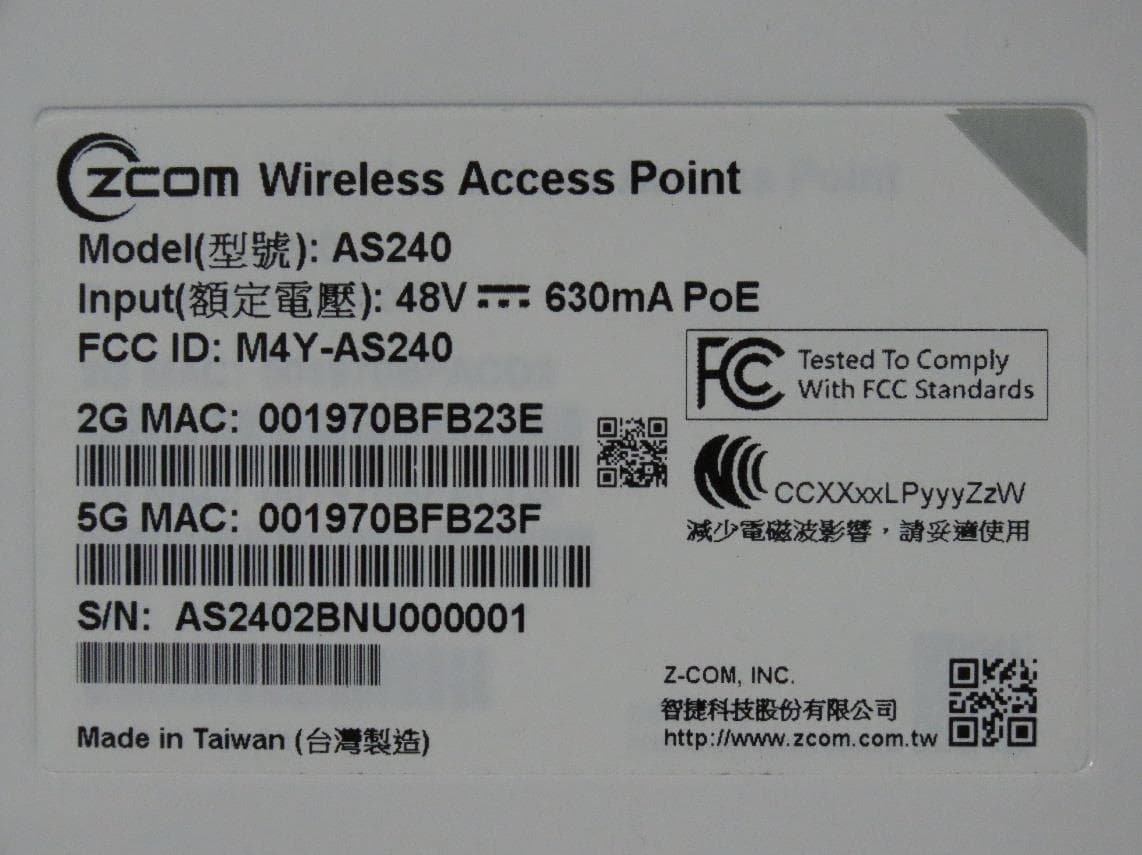
M4Y-AS240
Dec 13, 2022802.11ax Access Point
Equipment Class
DTS - Digital Transmission System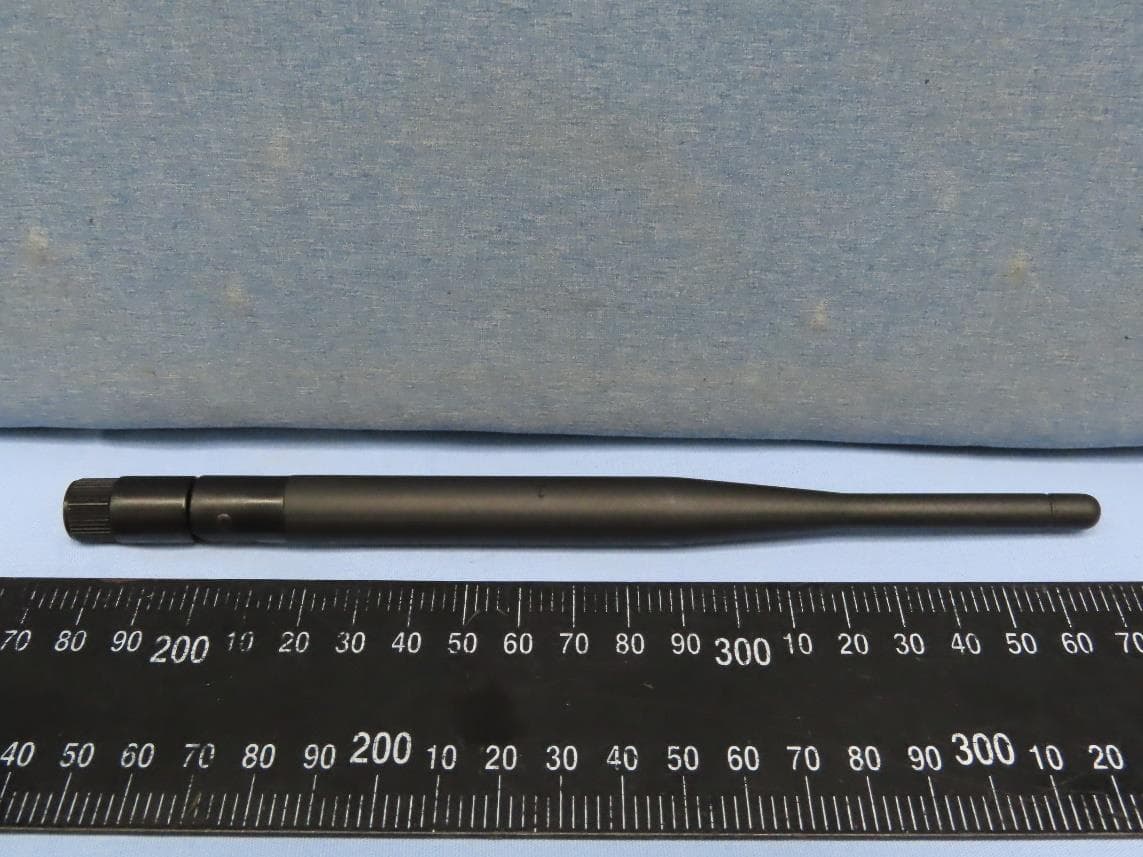
M4Y-AC720M
Aug 14, 2022802.11ac Wireless LAN USB Module
Equipment Class
NII - Unlicensed National Information Infrastructure TX
M4Y-SP230
Feb 21, 2021802.11 ac Wave 2 Access Point
Equipment Class
NII - Unlicensed National Information Infrastructure TX
M4Y-SP220C02
Jan 21, 2020802.11ac Access Point
Equipment Class
NII - Unlicensed National Information Infrastructure TX
M4Y-SP220C03
Jan 20, 20205GHz 11ac Wireless Bridge
Equipment Class
NII - Unlicensed National Information Infrastructure TX