M697228T2VGA Card
Sparkle Computer Co Ltd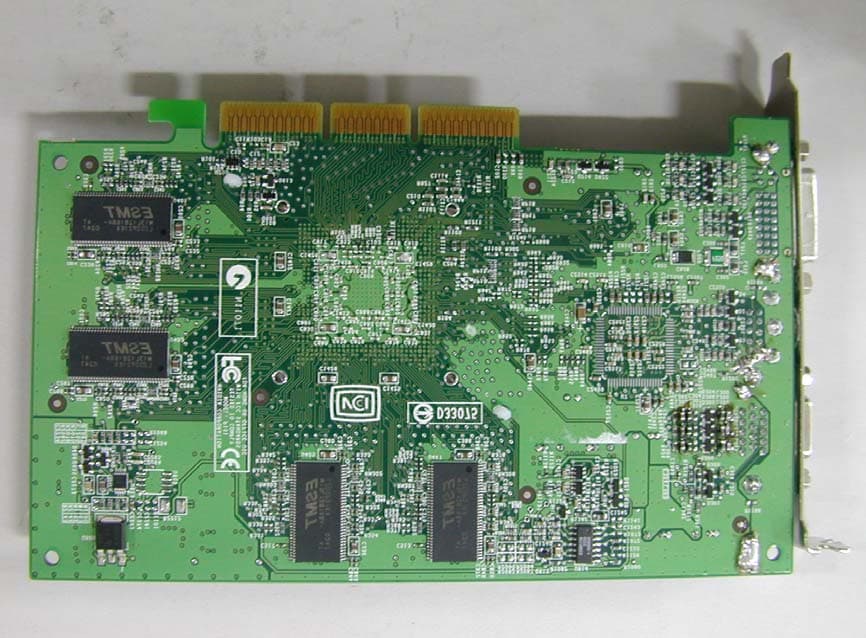
Click to zoom
Application Details
- Equipment Class
- JBP - Part 15 Class B Computing Device Peripheral
- Date of Grant
- Feb 04, 2003
- Application Purpose
- Original Equipment
- Date of Application
- Feb 04, 2003
- Equipment Note
- VGA Card
- Company
- Sparkle Computer Co Ltd
- Country
- Taiwan
Documents & Files
Document Text
Text extracted from the exhibit documents filed with the FCC. Open a document above to read the original.
Users Manual
NVIDIA GeForce4 TI 4200−8X SP7228T251X064DV SP7228T251X064DT SP7228T251X064TV SP7228T251X064PU SP7228T251V128DV SP7228T251V128DT SP7228T251V128TV SP7228T251V128PU 3D GRAPHIC ACCELERATOR MANUAL SPARKLE COMPUTER CO., LTD. 13F, NO. 2, SEC. 1, FU HSING S RD., TAIPEI, 104 TAIWAN, R.O.C. TEL: 886-2-2741-1196 FAX: 886-2-2711-7692 http://www.sparkle.com.tw 1 NVIDIA GeForce4 TI 4200−8X User’s Manual TABLE OF CONTENTS TABLE OF CONTENTS..................................................................................................... 1 1. NVIDIA GeForce4 TI 4200−8X Features ....................................................................... 2 2. Hardware installation ..................................................................................................... 3 3. Resolutions and colors supported: ................................................................................ 4 4. Smart Installation ...........................................................................................................4 5. Manually install Windows XP drivers ............................................................................. 7 5.1 Remove old Drivers: (only if you have old NVIDIA drivers) .................................. 7 5.2 Installation and Setup ........................................................................................... 7 5.3 How to Change Color Depth and Resolution in Windows XP .............................. 8 5.4 How to Change Refresh Rate in Windows XP ..................................................... 9 5.5 NVIDIA Utility in Windows System ..................................................................... 10 5.5.1 GeForce4 TI 4200−8X (NVIDIA) .............................................................. 10 5.5.2 nView........................................................................................................ 11 5.5.2.1 Standard mode:.............................................................................. 12 5.5.2.2 Color correction... .......................................................................... 13 5.5.2.3 Screen Adjustment... ..................................................................... 14 5.5.2.4 Display Timing... ............................................................................ 14 5.5.2.5 nView enable mode........................................................................ 15 6. Manually install Windows 98 and Windows ME drivers............................................... 16 6.1 Remove old Drivers: (only if you have old NVIDIA drivers) ................................ 16 6.2 Installation and Setup ......................................................................................... 16 6.3 How to Change Color Depth and Resolution...................................................... 17 6.4 How to Change Refresh Rate............................................................................. 17 7. Manually install Windows 2000 drivers........................................................................ 18 FCC Statement ................................................................................................................ 19 Warning: ................................................................................................................... 19 Trademark Acknowledgments ......................................................................................... 19 2 1. NVIDIA GeForce4 TI 4200−8X Features GeForce4 TI 4200−8X AGP bus, with 64/128MB DDR SDRAM on Board Graphics core 256-BIT Fill rate (AA samples/sec.) 4 BILLION Memory bandwidth 8.0 GB/SEC nView Display Technology -nView delivers the maximum flexibility and control in display options -nView allows for one card to driver multiple displays of any type(Analog, Digital, TV) -Allows for multiple configurations of CRTs and digital flat panels -Multi-desktop integration -Advanced window management -Individual application control Lightspeed Memory Architecture (LMA) II Technology -For independent memory controllers -Lossless Z-compression -Z-occlusion culling -Fast Z-clear -Auto-precharge TI Memory Crossbar Dual memory controllers allow more efficient utilization of memory bandwidth Integrated Dual 350MHz DACs Drivers two independent CRT display with crisp and clear image quality at 2048x1536 resolution @ 75Hz (2 CRT output is optional function) Accuview-high-resolution antialiasing -Accuview technology delivers highest performance and no-penalty Quincunx AA quality -Advanced technology ensures rock-solid compatibility with all applications -New sub pixel sample locations provide improved AA quality. -High quality 4XS mode for incredible image quality Video Processing Engine (VPE) Enables the highest quality, full-frame rate, full-screen HDTV and DVD without requiring a high performance CPU AGP 8X/4X/2X with AGP Texturing and Fast Writes AGP 8X is the highest performance connection between the CPU and graphics processor. Taking advantage of new methods for transferring information more efficiently allows content developers to use high-quality 32-bit color textures and high-polygon count scenes. Other Features 2 dual-rendering pipelines 4 texels per clock cycle Cube environment mapping 64MB/128MB high-speed 128-bit DDR RAM memory High-performance 2D rendering engine NVIDIA Shading Rasterizer 3 AGP Fast write and AGP Texturing Support Integrated hardware transform engine Integrated hardware lighting engine True-color hardware cursor High-quality HDTV/DVD playback True, reflective bump mapping Multibuffering (double, triple, quad) for smooth animation and video playback Support for AGP 3.0 signaling at 0.8 V AGP3.0 support for 8X and 4X and AGP2.0 support for 4X, 2X, 1X AGP 8X data and sideband address (SBA) transfers at rates up to 533MT/s, resulting in a theoretical data transfer rate of 2.1 GB/s Operating systems support Windows XP, Windows 2000, Windows Me, Windows 98 Compatible API Support OpenGL 1.3 and lower DirectX 8.1 a…
Text truncated - open the document above for the full version.
Block Diagram
SPARKLE SP7228T2 Block diagram: X’TAL 27.0Mhz AGP BUS Memory BIOS TV-OUT Nvidia Geforce4 TI4200-8X X’TAL 27.0Mhz X’TAL 24.5Mhz Ph7108A SII464 DVI CRT
External Photos
NEUTRON EMC LAB. Report No.:NEI- FCC-ID-02255 35/49 Photo # 1 Front View Rear View Mode : 4MX16X8PCS,CRT+VIVO+DVI NEUTRON EMC LAB. Report No.:NEI- FCC-ID-02255 37/49 Photo # 3 Front View Rear View Mode : 4MX16X8PCS,CRT+TV+DVI NEUTRON EMC LAB. Report No.:NEI- FCC-ID-02255 38/49 Photo # 4 Front View Rear View Mode : 4MX16X8PCS,CRT+TV NEUTRON EMC LAB. Report No.:NEI- FCC-ID-02255 39/49 Photo # 5 Front View Rear View Mode : 4MX16X8PCS, Only CRT NEUTRON EMC LAB. Report No.:NEI- FCC-ID-02255 40/49 Photo # 6 Front View Rear View Mode : 8MX16X8PCS, CRT+VIVO+DVI NEUTRON EMC LAB. Report No.:NEI- FCC-ID-02255 41/49 Photo # 7 Front View Rear View Mode : 8MX16X8PCS, CRT+TV+DVI NEUTRON EMC LAB. Report No.:NEI- FCC-ID-02255 42/49 Photo # 8 Front View Rear View Mode : 8MX16X8PCS, CRT+TV NEUTRON EMC LAB. Report No.:NEI- FCC-ID-02255 43/49 Photo # 9 Front View Rear View Mode : 8MX16X8PCS, Only CRT
ID Label/Location Info
NEUTRON EMC LAB. Report No.:NEI- FCC-ID-02255 46/49 FCC ID label – The remained portion of label statement required by FCC is attached in the user’s manual. -- Location of Label on EUT -- 4 cm 1 cm FCC ID : M697228T2
Internal Photos
NEUTRON EMC LAB. Report No.:NEI- FCC-ID-02255 36/49 Photo # 2 Side View
Test Report
NEUTRON EMC LAB. Report No.:NEI- FCC-ID-02255 2/49 Declaration Neutron represents to the client that testing is done in accordance with standard procedures as applicable and that test instruments used has been calibrated with the standards traceable to National Measurement Laboratory (NML) of R.O.C., or National Institute of Standards and Technology (NIST) of U.S.A. Neutron's reports apply only to the specific samples tested under conditions. It is manufacture’s responsibility to ensure that additional production units of this model are manufactured with the identical electrical and mechanical components. Neutron shall have no liability for any declarations , inferences or generalizations drawn by the client or others from Neutron issued reports. Neutron’s reports must not be used by the client to claim product endorsement by the authorities or any agency of the Government. This report is the confidential property of the client. As a mutual protection to the clients, the public and Neutron-self, extracts from the test report shall not be reproduced except in full with Neutron’s authorized written approval. Neutron’s laboratory quality assurance procedures are in compliance with the ISO Guide 17025 requirements, and accredited by the conformity assessment authorities listed in this test report. Limitation For the use of the authority's logo is limited unless the Test Standard(s)/Scope(s)/Item(s) mentioned in this test report is (are) included in the conformity assessment authorities acceptance respective. Assessment Authorities Test Standard/Scope/Item Acceptance FCC Part 15 Subpart B IEC/CISPR22 AS/NZS 3548 CNS 13438 FCC Part 15 Subpart B CISPR 22/EN 55022 AS/NZS 3548 VCCI -Technical Requirement CNS 13438 SS IEC/CISPR 22 IEC/EN 61000-3-2 IEC/EN 61000-4-5 IEC/EN 61000-3-3 IEC/EN 61000-4-6 IEC/EN 61000-4-2 IEC/EN 61000-4-8 IEC/EN 61000-4-3 IEC/EN 61000-4-11 IEC/EN 61000-4-4 CISPR 22/EN 55022 IEC/EN 61000-3-2 IEC/EN 61000-4-5 IEC/EN 61000-3-3 IEC/EN 61000-4-6 IEC/EN 61000-4-2 IEC/EN 61000-4-8 IEC/EN 61000-4-3 IEC/EN 61000-4-11 IEC/EN 61000-4-4 VCCI -Technical Requirement NEUTRON EMC LAB. Report No.:NEI- FCC-ID-02255 3/49 Table of Contents Page 1 General Information 5 1.1 Applicant 5 1.2 Manufacturer 5 1.3 Equipment Under Tested 5 1.4 OEM Brand/Model 5 1.5 Product Description 5 1.6 Connecting I/O Port(s) 5 1.7 Power Supplied 5 1.8 Products Covered 6 1.9 Model Difference (Series, Versions, if any) 6 1.10 EUT Modifications 6 1.11 Electric Block Diagram 6 1.12 Photos of EUT 6 2 RFI Emissions Measurement 7 2.1 Test Facility 7 2.2 Standard Compliance 7 2.3 Test Methodology 7 2.4 Deviations from Standard Test Method 7 2.5 Sample(s) Tested 7 2.6 Measurement Instrument 7 2.7 Measurement Uncertainty 7 2.8 Tested System Set-Up/Configuration Details 7 Table -1 Measurement Instruments List 8 Diagram -1 Block diagram showing the configuration of system tested 9 Table - 2 Equipments Used in Tested System 10 Table - 3 Information of Interface Cable 10 2.9 Max.(Worst Case) RF Emission Evaluation 11 2.10 EUT Operation 11 3 Justification 12 3.1 Limitations 12 3.1.1 Power Line Conducted Emission 12 3.1.2 Radiated Emission Limits 12 3.2 Measurement Justification 13 3.2.1 Conducted Emission 13 3.2.2 Radiated Emission 13 3.3 Measurement Data 13 NEUTRON EMC LAB. Report No.:NEI- FCC-ID-02255 4/49 Table of Contents Page 3.3 Measurement Data 14 Table 4 Conducted Emission Data 14 Table 5 Radiated Emission Data 19 Attachment 24 A. Electric Block Diagram 25 B. EUT Modification Description 26 C. EUT Test Photos 27 D. EUT Photos 34 E. User’s Manual 43 F. Product Labeling 44 NEUTRON EMC LAB. Report No.:NEI- FCC-ID-02255 5/49 1. General Information 1.1 Applicant Name SPARKLE COMPUTER CO., LTD. Address 13F., No. 2, SEC. 1, FU HSING S. RD., TAIPEI, 104 TAIWAN, R.O.C. 1.2 Manufacturer Name N/A Address N/A 1.3 Equipment Under Tested Name: VGA CARD Trade Name: SPARKLE Model No.: SP7228T251X064DV; SP7228T251X064DT;SP7228T251X064TV; SP7228T251X064PU;SP7228T251V128DV; SP7228T251V128DT; SP7228T251V128TV; SP7228T251V128PU; 1.4 OEM Brand/Model (if applicable) OEM Brand(s)/Model(s) except the basic model in sub-clause 1.3 is(are) the follows: OEM Brand: N/A Model No.: N/A 1.5 Product Descriptions(Application/Features/Specification) The EUT is a VGA Card. The summarized features of EUT are described as following: z GeForce4 TI 4200-8X AGP Bus, with 64/128MB DDR SDRAM on Brand z 2 Dual-rendering pipelines z 4 texels per clock cycle z Cube environment mapping z 64MB/128MB high-speed 128-bit DDR RAM memory z High-performance 2D rendering engine z AGP Fast write and AGP Texturing Support Based on the application, features, or specification exhibited in User's Manual, the EUT is considered as an ITE/Computing Device. More details of EUT technical specification, please refer to the User's Manual 1.6 Connecting I/O Port(s) Please refer to the User's Manual ( Attachment - E.) 1.7 Power Supplied Power Source : Supplied from PC Power Cord : N/A Power Rating : N/A NEUTRON EMC LAB. Report No.:NEI- FCC-ID-02255 6/49 1.8 Products Covered (if applicable) The sample tested including the following sub-system/module/accessory : Sub-system/ Module/ Accessory Model/Type No. Int. Inst./ Ext. Cont. N/A N/A N/A 1.9 Model Difference (Series, Versions, if any) Except the basic model no. (model designation of the sample tested in this test report), additional model no. covered is(are) : There are eight modes based on similar electrical circuit except the difference of list below: Brand Model No. Difference (Memory &I/O Prts) SPARKLE SP7228T251X064DV 4MX16X8PCS,CRT+VIVO+DVI SPARKLE SP7228T251X064DT 4MX16X8PCS,CRT+TV+DVI SPARKLE SP7228T251X064TV 4MX16X8PCS,CRT+TV SPARKLE SP7228T251X064PU 4MX16X8PCS,Only CRT SPARKLE SP7228T251V128DV 8MX16X8PCS,CRT+VIVO+DVI SPARKLE SP7228T251V128DT 8MX16X8PCS,CRT+TV+DVI SPARKLE SP7228T251V128TV 8MX16X8PCS,CRT+TV SPARKLE SP7228T251V128PU 8MX16X8PCS,Only CRT All the above modes were tested and the model: SP7228T251V128DV,was found to …
Text truncated - open the document above for the full version.
Test Setup Photos
NEUTRON EMC LAB. Report No.:NEI- FCC-ID-02255 28/49 Conducted Measurement Photos Mode : Monitor NEUTRON EMC LAB. Report No.:NEI- FCC-ID-02255 29/49 Conducted Measurement Photos Mode : LCD Monitor NEUTRON EMC LAB. Report No.:NEI- FCC-ID-02255 30/49 Conducted Measurement Photos Mode : CRT NEUTRON EMC LAB. Report No.:NEI- FCC-ID-02255 31/49 Radiated Measurement Photos Mode : Monitor NEUTRON EMC LAB. Report No.:NEI- FCC-ID-02255 32/49 Radiated Measurement Photos Mode : LCD Monitor NEUTRON EMC LAB. Report No.:NEI- FCC-ID-02255 33/49 Radiated Measurement Photos Mode : CRT
Contact Information
Applicant
Jack Hsiao(Manager)
886 2 2741-1196Fax: 886 2 2711-7692
Test Firm
BTL Inc.Andy Chiu
Technical Specifications
| # | Rule Parts | Frequency Range | Power Output |
|---|---|---|---|
| 1 | 15B | - | - |
Other Applications from Sparkle Computer Co Ltd
M698836
Apr 14, 2004VGA Card
Equipment Class
JBP - Part 15 Class B Computing Device Peripheral
M697310
Mar 30, 2004VGA Card
Equipment Class
JBP - Part 15 Class B Computing Device Peripheral
M697300M4
Feb 04, 2003VGA Card
Equipment Class
JBP - Part 15 Class B Computing Device Peripheral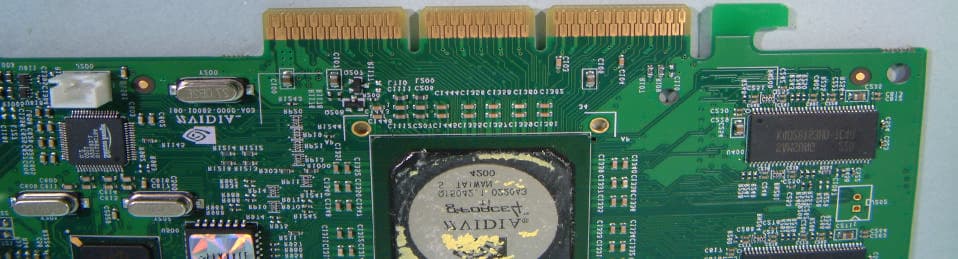
M697200T2
Dec 30, 2002VGA Card
Equipment Class
JBP - Part 15 Class B Computing Device Peripheral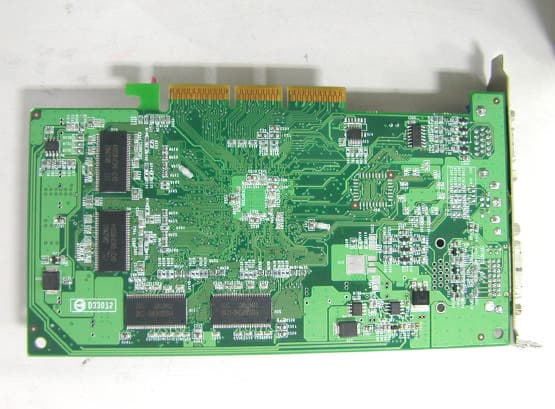
M697100A3
Nov 21, 2002VGA Card
Equipment Class
JBP - Part 15 Class B Computing Device Peripheral