N5ZDN232Digital Voice Recorder
Dyne Telecom Co Ltd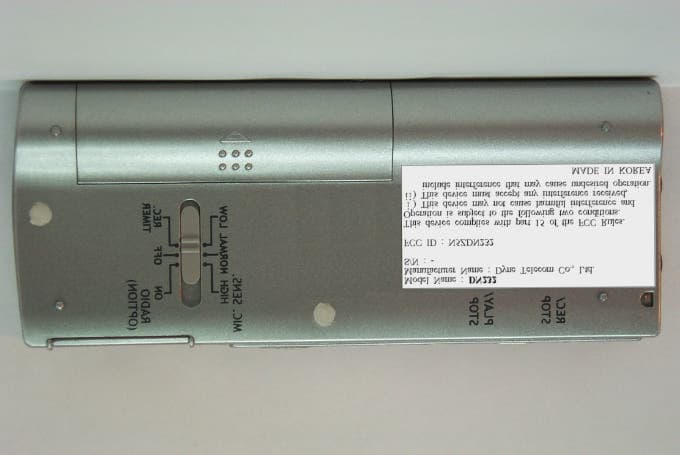
Click to zoom
Application Details
- Equipment Class
- JBP - Part 15 Class B Computing Device Peripheral
- Date of Grant
- May 03, 2001
- Application Purpose
- Original Equipment
- Date of Application
- May 03, 2001
- Equipment Note
- Digital Voice Recorder
- Company
- Dyne Telecom Co Ltd
- Country
- South Korea
Documents & Files
Document Text
Text extracted from the exhibit documents filed with the FCC. Open a document above to read the original.
Users Manual
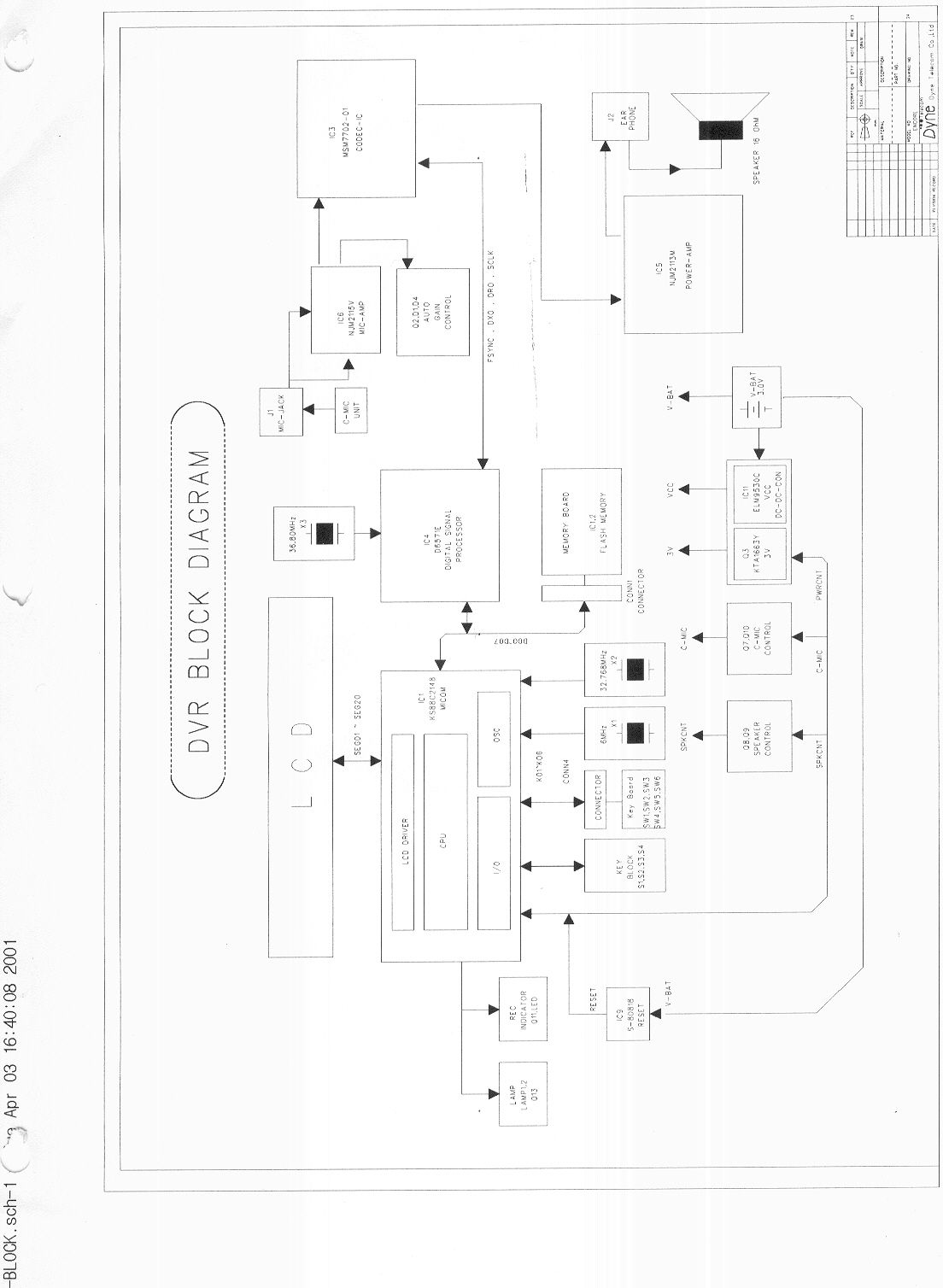
1 Digital Voice Recorder Operating Instructions 2 3 Matters that demand special attention in using the unit. Matters that demand special attention in using the unit. Matters that demand special attention in using the unit. Matters that demand special attention in using the unit. You should read this article before you use the unit. - User should not disassemble & assemble the unit for yourself. - Do not drop the unit, or give it a mechanical shock. When the unit is not used, safekeeping is needed to avoid its damage. - Don not use or place the unit in hot or humid condition. Be careful that the unit is not wet. Wetting can cause a critical da mage that can make it impossible to repair the unit.. - Do not use the unit in the places which are exposed to the explosive or inflammable substances.. - Do not clean the unit with the inflammable solvents like alcohol, benzine and thinner, etc.. - Avoid using the unit while driving or walking. It might cause some unexpected accidents. - Do no use different type of batteries together. - When you are not going to use the unit for a long time, remove the batteries to prevent damage from battery leakage and corro sion. - Avoid being put near by magnetic cards such as credit cards. Otherwise the cards may no longer be used. - Note that our company does not reimburse you for any loss from the use of the unit or any demand of indemnity from the third person. - Be understood that our company does not take responsibility for any memory loss by the reasons of breakdown, repair, and othe rs. - It could be illegal to use or duplicate the recordings beyond a private purpose. 4 Contents Contents Contents Contents 5 Main Unit Main Unit Main Unit Main Unit External Mic. Earphone OPR Indicator Built-in Mic REC/STOP DisplayWindow PLAY/STOP REPEAT MENU/PAUSE FILE ERASE FF(•• ) UP(•) HOLD Microphone Lid REW(••) (Sensitivity Selector DOWN(•) Switch On / Off Parallel Port LCD Window (Display Window) LCD Window (Display Window) LCD Window (Display Window) LCD Window (Display Window) 6 Full Little consumption Much consumption Shortage Exhausted File Play Alarm Remaining Memory / Volume of Recording Repeat Lock Recording Recording Mode Date recorded Battery Month Message No. & date/year AM / PM Remaining time Time & Other Getting started Getting started Getting started Getting started Step 1 : Installing the batteries. 1. Slide to • (on the lid) direction and lift the battery compartment lid. 2. Insert two size AAA (LR03) batteries with correct polarity, and close the lid. 3. The remaining battery indicator shows the battery consumption . In the condition of ‘ exhausted ’ , the unit operation will be stopped in 2 minutes when recording or 7 Notes -Do not use batteries together with other type of batteries. -Be sure to replace both batteries with new ones when replacing thebatteries. -Do not recharge batteries and follow the instructions of batter y makers. in 20 seconds when playing back. This is not breakdown but preventing the unit from being operated wrong by mistake. 4. The unit have a small rechargeable battery to preserve time & modes of the unit which have been already set during batteries are exhausted. However, if 30 minutes after the complete exhaustion of batteries is passed, the time & modes of the unit which has been already set will be erased. In this case, you should set the unit again after inserting new batteries. Battery Life & Correct Right Good Usage Battery life is approximately ??? hours recording and ???????? hours playback with continuous use. The battery consumption in playback is more than recording. To turn up the volume up in playback need more consumption of battery. Therefore, if you use the unit with earphone and with turning down the volume, you can economize batteries. ????????????????????????????????????????????????????????????????????????? ••• ••••• ••• •. 8 Step 2 : Setting date and time. 1. Press MENU until “SET DATE” is displayed on the LCD Window(Display Window). 2. Press •• , the year digits will flash. Press • (UP) • • (DOWN) to select the digits of the year. (Select last two digits of the year) 3. Press •• , the window which enter month & day will be displayed. Press • (UP) • • (DOWN) to select the digits of the month. And then Press •• , select the day in the same way. 4. Press •• , the window which enter time will be displayed. Enter AM/PM, hour, minute by turns in the way of entering month/day. 5. Press FILE to exit from the menu mode. Getting Started Getting Started Getting Started Getting Started If the unit is not used for 2 minutes, the power will be off automatically to economize power and then only time will be displa yed. (It is called ‘power saving mode’.) Press any button of the unit to use it again. “READY” will be displayed for 2~3 seconds and then “READY” will be displayed. T his means that the unit is released from ‘power saving mode’ and ready for operation. Pressing • (UP) or • (DOWN) only plays a part of lighting up to show time. You should press other buttons except • (UP) and • (DOWN) to release ‘power saving mode’. The description of functions is drawn up on the basis of ‘operation mode’. Be sure to operate the unit after releasing ‘power saving mode’. 9 Recording messages Recording messages Recording messages Recording messages 1. Put the Mic. toward sound source, press REC/STOP to record, ‘ REC ’ will be displayed in the display window. 2. Press REC/STOP again to stop recording. You can also stop recording by pressing STOP instead of REC/STOP. The unit stops at the beginning of the message recorded currently. - You can record up to 99 messages (396 messages) in each file (from A to D). Each file is very useful to save messages separately by classifying them according to the contents of the messages. Press FILE to select file before recording. - Please make a trial recording in advance before recording. - During recording, the OPR indicator lights up in red and the message No. & time are displayed. - Since a…
Text truncated - open the document above for the full version.
Cover Letter(s)
From: [email protected] Sent: Wednesday, May 02, 2001 5:13 PM To: [email protected] Cc: ?????; ??? Subject: RE: Dyne Telecom Co., Ltd., FCC ID:N5ZDN232, AN01T1262 Dear Mike. Please forgive me for this late answer to your questions. A.1 We revised user manual. Your are correct. EUT do not have USB port.It is parallel port. Please check the attached user manual. A2. It is used to record voice which is ont the EUT to the PC. This description is on the test report page 3. A3. Please check the revised photo for this part Best Regards Jasen Hyung -----Original Message----- From: Mike Kuo [mailto:[email protected]] Sent: Wednesday, April 25, 2001 5:56 AM To: '[email protected]' Cc: Mike Kuo Subject: Dyne Telecom Co., Ltd., FCC ID:N5ZDN232, AN01T1262 Question #1: In the page 5 of user manual, it indicates the EUT is equipped with USB port. However, the device under test is equipped with parallel port. Please explain. Question #2: What is the function of external Parallel or USB port ? Through out the test report, there is no description on how this port is going to be used. Question #3: The device is equipped with daughter board. Please take additional internal photos to show the component and solder sides of all PCB in the device. Best Regards Mike Kuo The items indicated above must be submitted before processing can continue on the above referenced application. Failure to provide the requested information within 60 days of the original e-mail date may result in application dismissal and forfeiture of the filing fee. Also, please note that partial responses increase processing time and should not be submitted. Any questions about the content of this correspondence should be directed to the e-mail address listed below the name of the sender. The items indicated above must be submitted before processing can continue on the above referenced application. Failure to provide the requested information within 60 days of the original e-mail date may result in application dismissal and forfeiture of the filing fee. Also, please note that partial responses increase processing time and should not be submitted. Any questions about the content of this correspondence should be directed to the e-mail address listed below the name of the sender. ========================= Mike Kuo Compliance Certification Services 561F Monterey Road Morgan Hill CA 95037 Telephone number:408-463-0885 EXT:105 Fax number :408-463-0888 E-Mail:[email protected] =============================== (ÁÖ)¼-ƼÅØ CERTiTEK Standards Laboratory E-Mail: [email protected] E-Mail: [email protected] ¹Ú ¿μ ÁØ =============================== ************* Internet E-mail Confidentiality Disclaimer ****************** This e-mail message may contain privileged or confidential information. If you are not the intended recipient, you may not disclose, use, disseminate, distribute, copy or rely upon this message or attachment in any way. If you received this e-mail message in error, please delete the e-mail and any attachments and notify us at [email protected]. Certitek does not accept liability for any errors, omissions, corruption or virus in the contents of this message or any attachment that arise as a result of e-mail transmission. *************************************************************************** º» Àü¹®Àº º» Àü¹®ÀÇ ÁöÁ¤μÈ ¼ö½ÅÀο¡°Ô ̧ ̧ Àü ́ÞμǾî¾ß ÇÒ ÇöÇà¹ý»ó ¿ÜºÎ¿¡ ¾Ë·ÁÁ®¼- ́ ¾È μÇ ́ Áß¿äÇÑ Á¤º ̧ ̧¦ Æ÷ÇÔÇÏ°í ÀÖ½À ́Ï ́Ù. ̧ ̧ÀÏ ÀÌ Àü¹®À» Àаí ÀÖ ́ ́ç½ÅÀÌ º» Àü¹®ÀÇ ÁöÁ¤μÈ ¼ö½ÅÀÎÀÌ ¾Æ ́϶ó ̧é º» Àü¹®ÀÇ º¹»ç, ¿ÜºÎ·ÎÀÇ À ̄Ãâ, ¹èÆ÷ ́ ¹ýÀ ̧·Î ¾ö°ÝÈ÷ ±ÝÁöμÇ°í ÀÖ½À ́Ï ́Ù. Àü¼Û Error¿¡ ÀÇÇؼ- ¿ì¿¬È÷ ́ç½ÅÀÌ º» Àü¹®À» ¼ö½ÅÇÏ¿ ́ ́Ù ̧é Áï½Ã º» Àü¹®ÀÇ ¹ß¼ÛÀÚ¿¡°Ô ±× »ç½ÇÀ» ¾Ë·ÁÁÖ½Ã°í º» Àü¹®Àº Æó±â ¹Ù¶ø ́Ï ́Ù. ***************************************************************************
External Photos
EUT External Photos Certitek standards Laboratory Co., Ltd. VCCI Registration No. R-948, C-986 FCC Registration No. 93250 Page 1 of 4 www.certitek.com Certitek Standards Laboratory Co., Ltd. 386-1, Ho-Dong, Yongin-City, Kyunggi-Do, KOREA 449-100 EUT External Photos EUT (Front) EUT External Photos Certitek standards Laboratory Co., Ltd. VCCI Registration No. R-948, C-986 FCC Registration No. 93250 Page 2 of 4 www.certitek.com Certitek Standards Laboratory Co., Ltd. 386-1, Ho-Dong, Yongin-City, Kyunggi-Do, KOREA 449-100 EUT (Rear)
ID Label/Location Info
EUT External Photos Certitek standards Laboratory Co., Ltd. VCCI Registration No. R-948, C-986 FCC Registration No. 93250 Page 3 of 4 www.certitek.com Certitek Standards Laboratory Co., Ltd. 386-1, Ho-Dong, Yongin-City, Kyunggi-Do, KOREA 449-100 Label (Format) EUT External Photos Certitek standards Laboratory Co., Ltd. VCCI Registration No. R-948, C-986 FCC Registration No. 93250 Page 4 of 4 www.certitek.com Certitek Standards Laboratory Co., Ltd. 386-1, Ho-Dong, Yongin-City, Kyunggi-Do, KOREA 449-100 Label (Location) Location : Rear Side of EUT
Internal Photos
EUT Internal Photos Certitek standards Laboratory Co., Ltd. VCCI Registration No. R-948, C-986 FCC Registration No. 93250 Page 1 of 6 www.certitek.com Certitek Standards Laboratory Co., Ltd. 386-1, Ho-Dong, Yongin-City, Kyunggi-Do, KOREA 449-100 EUT Internal Photos Main Board (Front) EUT Internal Photos Certitek standards Laboratory Co., Ltd. VCCI Registration No. R-948, C-986 FCC Registration No. 93250 Page 2 of 6 www.certitek.com Certitek Standards Laboratory Co., Ltd. 386-1, Ho-Dong, Yongin-City, Kyunggi-Do, KOREA 449-100 Main Board (Rear) EUT Internal Photos Certitek standards Laboratory Co., Ltd. VCCI Registration No. R-948, C-986 FCC Registration No. 93250 Page 3 of 6 www.certitek.com Certitek Standards Laboratory Co., Ltd. 386-1, Ho-Dong, Yongin-City, Kyunggi-Do, KOREA 449-100 Memory PCB (Front) EUT Internal Photos Certitek standards Laboratory Co., Ltd. VCCI Registration No. R-948, C-986 FCC Registration No. 93250 Page 4 of 6 www.certitek.com Certitek Standards Laboratory Co., Ltd. 386-1, Ho-Dong, Yongin-City, Kyunggi-Do, KOREA 449-100 Memory PCB (Rear) EUT Internal Photos Certitek standards Laboratory Co., Ltd. VCCI Registration No. R-948, C-986 FCC Registration No. 93250 Page 5 of 6 www.certitek.com Certitek Standards Laboratory Co., Ltd. 386-1, Ho-Dong, Yongin-City, Kyunggi-Do, KOREA 449-100 Key PCB (Front) EUT Internal Photos Certitek standards Laboratory Co., Ltd. VCCI Registration No. R-948, C-986 FCC Registration No. 93250 Page 6 of 6 www.certitek.com Certitek Standards Laboratory Co., Ltd. 386-1, Ho-Dong, Yongin-City, Kyunggi-Do, KOREA 449-100 Key PCB (Rear)
Test Report
Test Report No. CTK01 – F063 Certitek standards Laboratory Co., Ltd. VCCI Registration No. R-948, C-986 FCC Registration No. 93250 Issue: 2001-04-16 Page 1 of 10 www.certitek.com Certitek Standards Laboratory Co., Ltd. 386-1, Ho-Dong, Yongin-City, Kyunggi-Do, KOREA 449-100 Model: DN232 / DN216 / DN208 / DN204 FCC ID N5ZDN232 Product type DVR (Digital Voice Recorder) Serial No. - Applicant Dyne Telecom Co., Ltd. Address 3F Chungyong B/D, 1123-1, Kwanyang2-Dong, Dongan-Gu, Anyang-City, Kyeongki-Do, Korea 431-062 Manufacturer Dyne Telecom Co., Ltd. Address 3F Chungyong B/D, 1123-1, Kwanyang2-Dong, Dongan-Gu, Anyang-City, Kyeongki-Do, Korea 431-062 Test specification (Standard) : FCC Part15 Subpart B Class B Test Result : In compliance Tested by (Test engineer) 2001-04-16 Young Joon, Park Date Name Signature Reviewed by (EMC Technical Manager) 2001-04-16 James, Hong Date Name Signature Definition : Applicable, : Not Applicable, N/A : Not Applicable, - : Not Applicable The test result only responds to the tested sample. No single part of this document may be reproduced without permission from Certitek Standards Laboratory Co., Ltd. Tel: +82-31-339-9970, Fax: +82-31-339-9972 E E E M M M C C C - - - T T T e e e s s s t t t R R R e e e p p p o o o r r r t t t Test Report No. CTK01 – F063 Certitek standards Laboratory Co., Ltd. VCCI Registration No. R-948, C-986 FCC Registration No. 93250 Issue: 2001-04-16 Page 2 of 10 www.certitek.com Certitek Standards Laboratory Co., Ltd. 386-1, Ho-Dong, Yongin-City, Kyunggi-Do, KOREA 449-100 Table of contents 1. EUT description............................................................................................................................3 Introduction..........................................................................................................................................................................................3 Identification.........................................................................................................................................................................................3 Electrical rating..................................................................................................................................................................................3 2. Test Set-up.......................................................................................................................................4 Test Mode................................................................................................................................................................................................4 Cable configuration..........................................................................................................................................................................4 Cable description...............................................................................................................................................................................5 Auxiliary equipment........................................................................................................................................................................5 Test software.........................................................................................................................................................................................5 Measurement Procedures.............................................................................................................................................................6 3. Test Result.......................................................................................................................................7 Test summary.......................................................................................................................................................................................7 Radiated emission..............................................................................................................................................................................8 Conducted emission..........................................................................................................................................................................9 Test Report No. CTK01 – F063 Certitek standards Laboratory Co., Ltd. VCCI Registration No. R-948, C-986 FCC Registration No. 93250 Issue: 2001-04-16 Page 3 of 10 www.certitek.com Certitek Standards Laboratory Co., Ltd. 386-1, Ho-Dong, Yongin-City, Kyunggi-Do, KOREA 449-100 1. EUT description Introduction DN232 / DN216 / DN208 / DN204 is a DVR (Digital Voice Recorder). Identification Receipt date : 2001-04-09 Model : DN232 / DN216 / DN208 / DN204 Model Differences : DN232 (Original Model : 32MByte Memory) : Tested DN216 / DN208 / DN204 (Identical to original model, Only with different memory capacity : 16MB / 8MB / 4MB) Manufacturer : Dyne Telecom Co., Ltd. Address : 3F Chungyong B/D, 1123-1, Kwanyang2-Dong, Dongan-Gu, Anyang-City, Kyeongki-Do, Korea 431-062 Contact person : Kyu-Chang, Kim Telephone : +82 - 31 - 422 - 3481,2 Serial No : - EUT Size : 100.4mm x 41mm x 12mm (HxWxD) Peripheral Device Ports Port name Description DIGITAL I/O (Parallel) Data download port Earphone Earphone connector (Mini plug, mono) Ext. Mic External Microphone connector (Mini plug, mono) Electrical rating Input : 3.0V (AAA Size Battery : 2EA) Output : - Test Report No. CTK01 – F063 Certitek standards Laboratory Co., Ltd. VCCI Registration No. R-948, C-986 FCC Registration No. 93250 Issue: 2001-04-16 Page 4 of 10 www.certitek.com Certitek Standards Laboratory Co., Ltd. 386-1, Ho-Dong, Yongin-City, Kyunggi-Do, KOREA 449-100 2. Test Set-up Test Mode Voice record, play mode & Data transfer mode. Cable configuration EUT DVR (DN232) Notebook PC A 1 2 3 8 Adaptor AC Power Monitor C B D Keyboard Mouse Headset AC Power EarphoneExt. Mic E F G H I 4 5 6 7 10 1…
Text truncated - open the document above for the full version.
Test Setup Photos
TEST Setup Photos Certitek standards Laboratory Co., Ltd. VCCI Registration No. R-948, C-986 FCC Registration No. 93250 Page 1 of 4 www.certitek.com Certitek Standards Laboratory Co., Ltd. 386-1, Ho-Dong, Yongin-City, Kyunggi-Do, KOREA 449-100 TEST Setup Photos Radiated Emission (30MHz-1GHz) (Front) TEST Setup Photos Certitek standards Laboratory Co., Ltd. VCCI Registration No. R-948, C-986 FCC Registration No. 93250 Page 2 of 4 www.certitek.com Certitek Standards Laboratory Co., Ltd. 386-1, Ho-Dong, Yongin-City, Kyunggi-Do, KOREA 449-100 Radiated Emission (30MHz-1GHz) (Rear) TEST Setup Photos Certitek standards Laboratory Co., Ltd. VCCI Registration No. R-948, C-986 FCC Registration No. 93250 Page 3 of 4 www.certitek.com Certitek Standards Laboratory Co., Ltd. 386-1, Ho-Dong, Yongin-City, Kyunggi-Do, KOREA 449-100 Conducted Emission (Front) TEST Setup Photos Certitek standards Laboratory Co., Ltd. VCCI Registration No. R-948, C-986 FCC Registration No. 93250 Page 4 of 4 www.certitek.com Certitek Standards Laboratory Co., Ltd. 386-1, Ho-Dong, Yongin-City, Kyunggi-Do, KOREA 449-100 Conducted Emission (Rear)
Contact Information
Applicant
S. Y. Lee(President)
82-343-22-3481.3482Fax: 82-343-22-3483
Test Firm
CTK Co., Ltd.Jang-Hee Hong
Technical Specifications
| # | Rule Parts | Frequency Range | Power Output |
|---|---|---|---|
| 1 | 15B | - | - |
Other Applications from Dyne Telecom Co Ltd
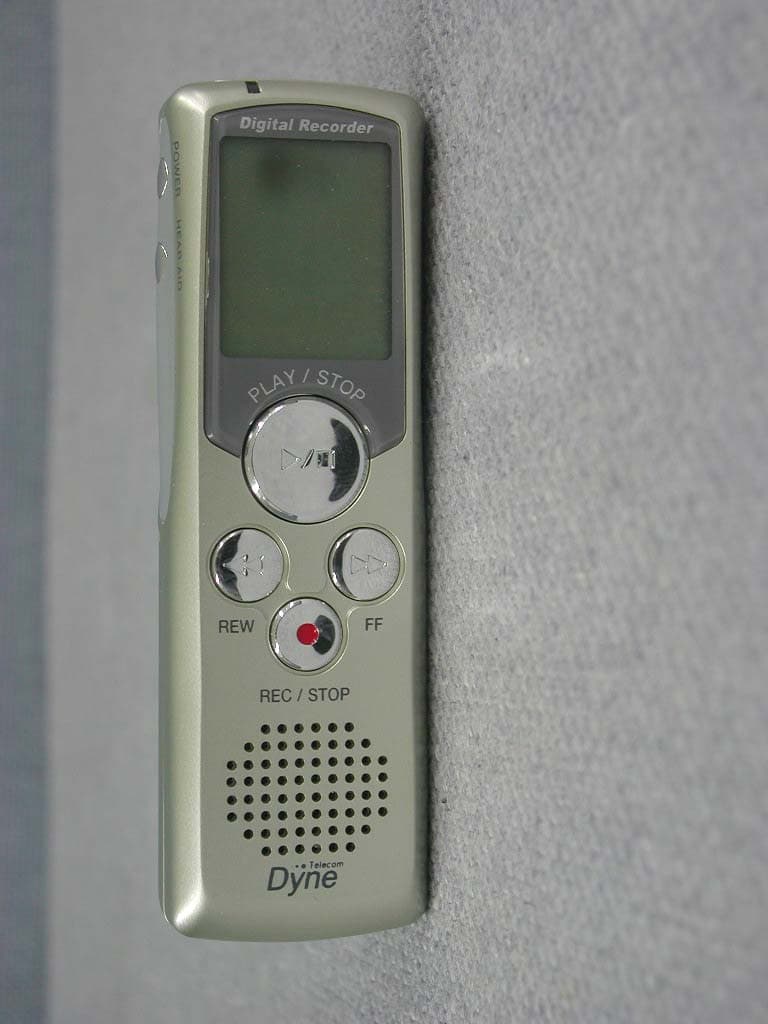
N5ZDN308
Nov 28, 2002Digital Voice Recorder
Equipment Class
CYY - Communications Receiver used w/Pt 15 Transmitter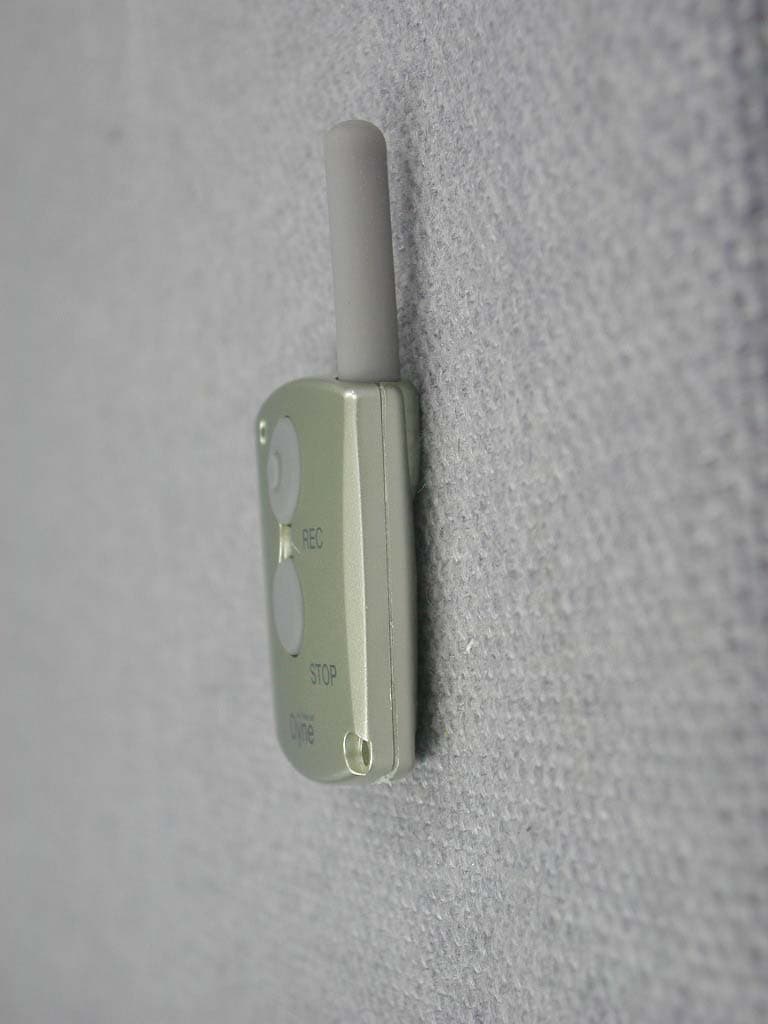
N5ZDN308R
Nov 28, 2002UHF Wireless Remote Controller
Equipment Class
DSC - Part 15 Security/Remote Control Transmitter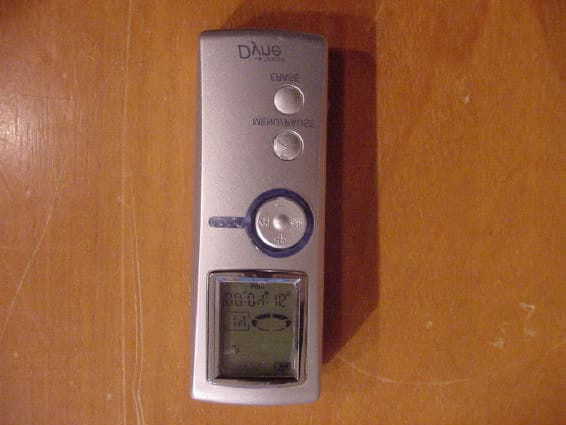
N5ZDN464
Oct 20, 2002Digital Voice Recorder
Equipment Class
JBP - Part 15 Class B Computing Device Peripheral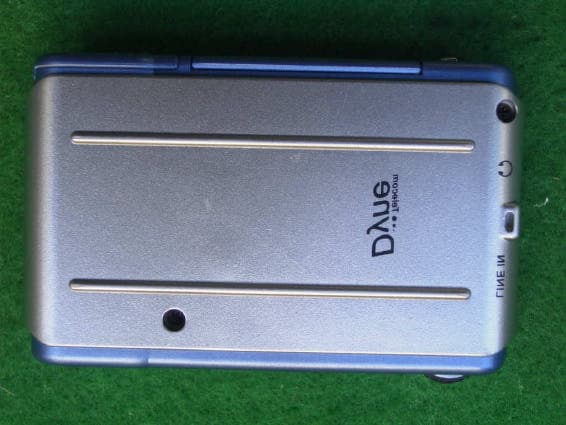
N5ZDN5128
Sep 26, 2002Digital Audio Player
Equipment Class
JBP - Part 15 Class B Computing Device Peripheral
N5ZDT-311
Sep 28, 1998Numeric Radio Paging Receiver
Equipment Class
CXX - Communications Rcvr for use w/ licensed Tx and CBs