NIYMW1053Wireless Mouse
Dexin Corp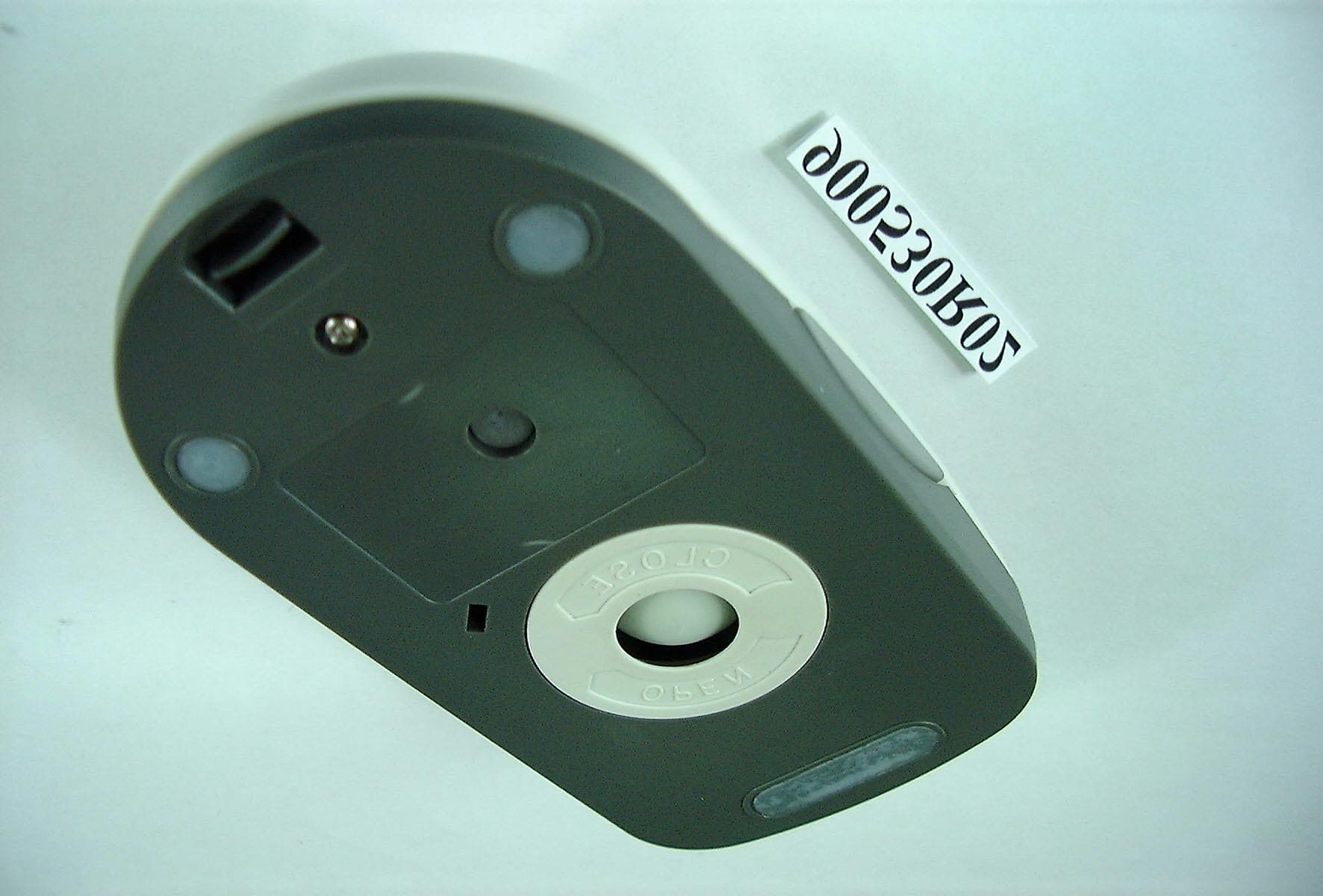
Click to zoom
Application Details
- Equipment Class
- DXX - Part 15 Low Power Communication Device Transmitter
- Date of Grant
- Jun 20, 2001
- Application Purpose
- Original Equipment
- Date of Application
- Jun 20, 2001
- Equipment Note
- Wireless Mouse
- Frequency Range
- 27.04500000 - 27.14500000
- Company
- Dexin Corp
- Country
- Taiwan
Documents & Files
Document Text
Text extracted from the exhibit documents filed with the FCC. Open a document above to read the original.
Users Manual
1 RF WIRELESS MULTIMEDIA MOUSE USER’S MANUAL Model #: MW1053 2 Important Ergonomic Information Some experts believe that using any mouse or trackball may cause serious injury to hands, wrists, arms, neck, or back. If you feel pain, numbness, or weakness in these areas, see a qualified health professional. TO REDUCE THE RISK OF INJURY, FOLLOW THESE PRECAUTIONS: z Take frequent breaks, Get up and walk around several times every hour. z Vary your tasks throughout the day. z Keep your shoulders relaxed with your elbows at your side. Position your keyboard and mouse so you do not have to reach. z Adjust your chair and keyboard so your upper arms and wrists are straight. z Avoid resting your wrists on sharp edges. Before you begin z Keep this installation guide for future reference! It contains Important Troubleshooting Information. z Keep your old PS/2 mouse as back-up devices. Getting Started Congratulations on your purchase of a RF (Radio Frequency) wireless & multimedia mouse. By using the advanced RF technology, there is fully 360° operation, no line-of-sight required between receiver and this mouse. The Radius Mouse doesn't have to aim at the receiver when using. Package Contains Your Radius Mouse package includes the following: 1. Radius Mouse 2. Receiver with cable 3. Floppy disk /or CD-ROM 4. User’s manual 5. 2 AAA batteries Note:If any part is missing, please contact your dealer for a replacement immediately. 3 Precaution ! Notebook computer is not recommended. This RF wireless mouse is designed to use with desktop computer. PS2 ports of different notebooks have different data format. Some of them might not fully compatible with this RF wireless mouse. Hence, we highly recommend using this RF wireless mouse with desktop computer. ! For optimal performance, place the receiver at least 8 inches or 20 centimeters away from other electrical devices, such as the computer, the computer monitor, speakers or other external storage drives. Installation Guide Step 1. Connecting the Receiver Before using this Radius Mouse, you need to connect the included receiver to your computer first. PS/2 version If you are purchasing a PS/2 version, there is a small icon on the molding head of the cable, so you can easily recognize the mouse cable. (Refer Fig-1) PS/2 mouse cable connector Fig-1 Please follow the steps below to finish the connecting: 1. Turn off your computer 2. Remove the current PS/2 mouse (If you use an USB or Serial-type mouse, we suggest you to keep it until you have verified that the wireless device is properly connected and working.) 3. Plug the mouse cable end into the PS/2 mouse port Step 2. Setting up the correct channel for both of receiver and mouse This RF wireless mouse provides 2 different carriers channel and up to 256 identification codes to avoid interference with other radio devices or other same model RF wireless mouse. Before you using the wireless mouse, please set the same carrier frequency and 4 ID channels for both receiver and mouse. Please follow the steps as below to set up: 1. Turn to the bottom of the receiver and you will see a small rectangular hole (take the cover as Fig-2.1) and a slide switch (channel selection, refer to Fig-2.2). 2. Remove the batteries cover by pressing the opening tabs and pull the battery cover(the top cover of the mouse) out (refer the right Fig-2.3). The carrier channel is set by a slide switch with A or B positions. Make sure the switches have the same setting as the receiver (refer the right Fig- 2.4, it is pre-set at factory). Step 3. Installing the Batteries This RF wireless mouse uses 2 AA batteries. To apply the batteries, please follow the steps as below: 1. Turn the mouse to the bottom side 2. Remove the batteries cover by moving the opening tabs and pull the battery cover (the top cover of the mouse) out (refer to the Fig-2.3). 3. There are signs to indicate batteries' positive and negative poles. Follow the signs to place the batteries 4. Place the batteries cover back and make sure it is firmly closed Fig-2.1 Fig- Fig-2.3 Fig-2.3 Fig-2.4 5 Step 4. Establish communication between the receiver and the mouse (select identification codes). Press and release the connect button on bottom of the wireless mouse (refer to Fig-3.1). Use a pen or pencil to press and release the connect button on the receiver (refer to Fig-3.2). The "connect" light on the top dome of receiver will flash while the same ID is selected on both of the receiver and the mouse. Battery Warning! When replace the batteries, use alkaline. You may use other heavy-duty NiMH batteries, but do not mix then with alkaline. Do not mix used and new batteries together! Step 4.Installing the Software To install the software, please follow the steps below to finish: If the package contains a floppy disk 1. Insert the floppy disk into floppy driver, then type "A:\setup" from RUN, START, Click OK or press ENTER. 2. Choose the Radius Mouse Wireless Scroll 3. The setup program will guide you to finish the installation step by step If the package contains a CD-ROM 1. Insert the Auto-Run CD-ROM onto CD-ROM driver, the installation menu will be executed automatically. (If not, Type "D:\autorun" (or "E:\autorun"...) from RUN, START, Click OK or press ENTER) 2. Choose the Radius Mouse Wireless Scroll 3. The setup program will guide you to finish the installation step by step After you finish the installation, select "Restart" to reboot your system and active multimedia hot keys and wheel scrolling functions. Fig-3.2 Fig-3.1 6 Operation Using the Multimedia Functions When you install the included software driver, the left, middle, and side (second, third, and fourth) buttons are all definable to perform 34 functions like : AutoScroll, Backspace, Zoom, Page up, Page down.... F1 ...F12 Power saving mode and wake up While this mouse has not been operated for 2 minutes, it will turn into power saving mode. Please move this mouse more than 0.3 second or double click any key switch…
Text truncated - open the document above for the full version.
Cover Letter(s)
FCC ID: NIYMW1053 DEXIN CORPORATION 8F-8, No. 502, Yuan Shan Rd., Chung Ho City Taipei Hsien, Taiwan, R.O.C. Federal Communications Commission Authorization and Evaluation Division Confidentiality Request Pursuant to Sections 0.457 and 0.459 of the Commission’s Rules, the Applicant hereby requests confidential treatment of information accompanying this Application as outlined below: Schematics Block Diagram Parts Lists Operational Descriptions Internal Photos The above materials contain trade secrets and proprietary information not customarily released to the public. The public disclosure of these matters might be harmful to the Applicant and provide unjustified benefits to its competitors. The Applicant understands that pursuant to Rule 0.457, disclosure of this Application and all accompanying documentation will not be made before the date of the Grant for this application. Sincerely, Pai Yang Chou Manager
Cover Letter(s)
FCC ID: NIYMW1053 DEXIN CORPORATION 8F-8, No. 502, Yuan Shan Rd., Chung Ho City Taipei Hsien, Taiwan, R.O.C. Federal Communications Commission Authorization and Evaluation Division Confidentiality Request Pursuant to Sections 0.457 and 0.459 of the Commission’s Rules, the Applicant hereby requests confidential treatment of information accompanying this Application as outlined below: Schematics Block Diagram The above materials contain trade secrets and proprietary information not customarily released to the public. The public disclosure of these matters might be harmful to the Applicant and provide unjustified benefits to its competitors. The Applicant understands that pursuant to Rule 0.457, disclosure of this Application and all accompanying documentation will not be made before the date of the Grant for this application. Sincerely, Pai Yang Chou Manager
External Photos
Report No.: RF900530R02 1 Issued: June 8, 2001 ANNEX PHOTOGRAPHS OF EUT
ID Label/Location Info
MW1053 Mouse Label
Internal Photos
Report No.: RF900530R02 2 Issued: June 8, 2001 Report No.: RF900530R02 3 Issued: June 8, 2001
Operational Description
FCC ID: NIYMW1053 ADT No.900530R02 Operational Description The transmitter of the EUT (Wireless Mouse) is powered by 3V Battery. The receiver is powered by host computer. Both transmitter and receiver use PCB antenna. Because the room inside the housing is very limited, so the size of the antenna is far smaller than one wavelength (27MHz), which means the radiation efficiency is very low. But under normal use condition, the transmitter and the receiver is quite close, so high EIRP power is not needed and neither not allowed because of interference.
Test Report
FCC ID: NIYMW1053 Report No.: RF900530R02 1 Issued: June 8, 2001 FCC TEST REPORT REPORT NO.: RF900530R02 MODEL NO.: MW1053 RECEIVED: May 30, 2001 TESTED: June 4, 2001 APPLICANT:DEXIN Corporation ADDRESS: 8F-8, No.502, Yuan Shan Road, Chung Ho, Taipei Hsien, Taiwan,R.O.C. ISSUED BY:Advance Data Technology Corporation LAB LOCATION:47 14th Lin, Chiapau Tsun, Linko, Taipei, Taiwan, R.O.C. This test report consists of 14 pages in total. It may be duplicated completely for legal use with the approval of the applicant. It should not be reproduced except in full, without the written approval of our laboratory. The client should not use it to claim product endorsement by NVLAP or any U.S. government agencies. The test results in the report only apply to the tested sample. Lab Code: 200102-0 0528 FCC ID: NIYMW1053 Report No.: RF900530R02 2 Issued: June 8, 2001 Table of Contents 1CERTIFICATION ......................................................................................................... 3 2SUMMARY OF TEST RESULTS................................................................................ 4 3GENERAL INFORMATION ....................................................................................... 5 3.1GENERAL DESCRIPTION OF EUT .......................................................................... 5 3.2DESCRIPTION OF TEST MODES ............................................................................. 6 3.3GENERAL DESCRIPTION OF APPLIED STANDARDS......................................... 6 3.4DESCRIPTION OF SUPPORT UNITS ....................................................................... 6 4TEST PROCEDURE AND RESULT ........................................................................... 7 4.1CONDUCTED EMISSION MEASUREMENT........................................................... 7 4.2RADIATED EMISSION MEASUREMENT ............................................................... 7 4.2.1 LIMITS OF RADIATED EMISSION MEASUREMENT .....................................7 4.2.2 TEST INSTRUMENT .......................................................................................8 4.2.3 TEST PROCEDURE........................................................................................9 4.2.4 TEST SETUP.................................................................................................10 4.2.5 EUT OPERATING CONDITION.....................................................................10 4.2.6 TEST RESULT............................................................................................... 11 5PHOTOGRAPHS OF THE TEST CONFIGURATION............................................. 13 6INFORMATION ON THE TESTING LABORATORIES ......................................... 14 FCC ID: NIYMW1053 Report No.: RF900530R02 3 Issued: June 8, 2001 1 CERTIFICATION PRODUCT : Wireless Mouse (Transmitter part) BRAND NAME : DEXIN MODEL NO : MW1053 APPLICANT : DEXIN Corporation STANDARDS : 47 CFR Part 15, Subpart C, ANSI C63.4-1992 We, Advance Data Technology Corporation, hereby certify that one sample of the designation has been tested in our facility on June 4, 2001. The test record, data evaluation and Equipment Under Test (EUT) configurations represented herein are true and accurate accounts of the measurements of the sample's EMC characteristics under the conditions herein specified. FCC ID: NIYMW1053 Report No.: RF900530R02 4 Issued: June 8, 2001 2 SUMMARY OF TEST RESULTS The EUT has been tested according to the following specifications: APPLIED STANDARD: 47 CFR Part 15, Subpart C STANDARD PARAGRAPH TEST TYPERESULTREMARK 15.107Conducted Emission TestN/A Power supply is 3Vdc from batteries 15.227Radiated Emission TestPASS Minimum passing margin is –6.9dBuV at 108.50MHz NOTE: The receiver part to communicate with the EUT has been verified to comply with FCC Part 15, Subpart B, Class B (DoC). The test report can be provided upon request. FCC ID: NIYMW1053 Report No.: RF900530R02 5 Issued: June 8, 2001 3 GENERAL INFORMATION 3.1 GENERAL DESCRIPTION OF EUT PRODUCTWireless Mouse (Transmitter part) MODEL NO.MW1053 POWER SUPPLY3VDC from battery (1.5V x 2) for transmitter MODULATION TYPEFSK FREQUENCY RANGENA CARRIER FREQUENCY OF EACH CHANNEL 27.045MHz, 27.145MHz BANDWIDTH OF EACH CHANNEL 50 kHz NUMBER OF CHANNEL2 ANTENNA TYPEPCB Antenna DATA CABLENA I/O PORTSNA ASSOCIATED DEVICESNA NOTE: 1. The EUT is the transmitter part of a Wireless Mouse 2. For a more detailed features description, please refer to the manufacturer's specifications or the User's Manual. FCC ID: NIYMW1053 Report No.: RF900530R02 6 Issued: June 8, 2001 3.2 DESCRIPTION OF TEST MODES Two channels are provided in this EUT. ChannelFrequencyChannelFrequency 127.045 MHz 227.145 MHz NOTE: The channel 2, worst case one, was chosen for final test. 3.3 GENERAL DESCRIPTION OF APPLIED STANDARDS The EUT is the transmitter part of a Wireless Mouse. According to the specifications of the manufacturer, it must comply with the requirements of the following standards: FCC CFR 47 Part 15, Subpart C ANSI C63.4-1992 All tests have been performed and recorded as per the above standards. 3.4 DESCRIPTION OF SUPPORT UNITS NA FCC ID: NIYMW1053 Report No.: RF900530R02 7 Issued: June 8, 2001 4 TEST PROCEDURE AND RESULT 4.1 CONDUCTED EMISSION MEASUREMENT NA 4.2 RADIATED EMISSION MEASUREMENT 4.2.1 LIMITS OF RADIATED EMISSION MEASUREMENT According to 15.227 the field strength of emissions from intentional radiators operated under these frequencies bands shall not exceed the following: Fundamental Frequency (MHz) Field Strength of Fundamental (dBuV/m) PeakAverage 26.96-27.28 10080 Field strength limits are at the distance of 3 meters, emissions radiated outside of the specified bands, shall be according to the general radiated limits in 15.209 as following: Field Strength of Fundamental Other Frequencies (MHz) uV/meterdBuV/meter 30-8810040.0 88-21615043.5 216-96020046.0 Above 96050054.0 As shown in 15.35(b), for frequencies above 1000MHz, the field str…
Text truncated - open the document above for the full version.
Test Setup Photos
FCC ID: NIYMW1053 Report No.: RF900530R02 13 Issued: June 8, 2001 5 PHOTOGRAPHS OF THE TEST CONFIGURATION RADIATED EMISSION TEST
Contact Information
Applicant
Lu Ho Lung(Manager)
Technical Contact
Advance Data Technology CorporationAlan Lane
[email protected]+886 3 3270910
13-1, Lane 19, WenShan 3rd St., · Taoyuan · Taiwan
Test Firm
Bureau Veritas CPS (H.K.) Ltd. Taoyuan BranchTommy Wu
Technical Specifications
| # | Rule Parts | Frequency Range | Power Output |
|---|---|---|---|
| 1 | 15C | 27.045 MHz - 27.145 MHz | - |
Other Applications from Dexin Corp

NIYP707TX
Feb 24, 2021Optical Gaming Mouse
Equipment Class
DXX - Part 15 Low Power Communication Device Transmitter
NIYP707RX
Feb 22, 2021Optical Gaming Mouse Dock
Equipment Class
DXX - Part 15 Low Power Communication Device Transmitter
NIY-VENGEANCEM90
Nov 29, 2011USB Gaming Mouse
Equipment Class
JBP - Part 15 Class B Computing Device Peripheral
NIY-VENGEANCEM60
Nov 29, 2011USB Gaming Mouse
Equipment Class
JBP - Part 15 Class B Computing Device Peripheral
NIYMWP177P6S
Jun 13, 20112.4G Wireless mouse
Equipment Class
DXX - Part 15 Low Power Communication Device Transmitter